Using the wrong CRM software for your business could send you bankrupt, especially if you’re overspending on it. You need a CRM system that is affordable for small businesses or startups but still has all the capabilities you need to grow and enhance your business in the long run.
Zoho CRM is a popular customer relationship management software that allows you to streamline customer interactions and manage numerous areas of the sales process.
But does Zoho CRM meet the criteria in the first paragraph? I don’t think so!
Exploring different alternatives is important because it gives you an edge in finding a good solution that fits your needs. When you have only one choice, you may miss out on potential benefits or improvements.
According to Statista, 61% of marketing professionals ranked generating leads and traffic as one of the most CRM-related issues. This is why you should read reviews of CRM software and weigh the pros and cons of various solutions before making a purchase.
However, if you are looking for a simpler platform interface, a low-cost CRM, or free mass email capabilities, there are many options beyond Zoho. I have researched different CRM solutions and identified the top alternatives to Zoho CRM.
Let’s get into details;
Why do you Need a Zoho CRM Alternative?
Every business has distinct expectations for CRM software. There are various reasons why you might need to seek an alternative to Zoho. These include:
1. Budget Restrictions
One reason to seek Zoho CRM alternatives is due to pricing. If you have a tight CRM budget, you should consider affordable pricing options that comes with customization options to meet all your business needs with a comfortable budget. Zoho pricing structure might not align with the needs of all businesses, especially those with varying departmental requirements.
2. Feature Gaps and Performance Issues
Zoho CRM lacks advanced functionalities like robust AI capabilities, predictive analytics, or seamless integration with specific industry tools. Additionally, performance issues such as slow load times or system crashes can impact user productivity and satisfaction.
3. Complex to Operate
Zoho CRM is a great tool with a variety of features to assist you with customer relationship management. But, it can be quite difficult or overwhelming to utilize at times. Fortunately, different user-friendly Zoho CRM options can assist in streamlining the process.
4. Reduction in Customer Retention
Every business must prioritize customer retention because it has a direct impact on growth and income. It’s important to assess the lead conversion procedure and adjust the customer service strategy if you observe a drop in customer retention.
Zoho CRM can assist you in managing customer interactions and increasing customer retention in sales. But if you discover that Zoho CRM isn’t fulfilling your requirements, this is a good time to look into other solutions.
What to Consider When Looking For a Zoho CRM Alternatives?
If you’re looking for an alternative to Zoho, make sure you consider the specific features and functionalities that meet your business needs.
1. Pricing
Pricing is a crucial factor to take into account while searching for Zoho CRM alternatives. This is because various CRM solutions have various cost structures, with some possibly being more accessible than others.
Additionally, for the same cost, some systems can provide better customer service or more features. The price model’s scalability should be taken into account as your business expands and your CRM requirements change.
Make sure you select a CRM alternative that satisfies your requirements and falls within your price range by carefully comparing the pricing of the various possibilities.
2. Ratings
One of the key advantages of taking advice from prior customers is that you can get a better understanding of the CRM solution’s capabilities and functionalities.
Additionally, recommendations from prior users will provide useful information about CRM customer assistance and responsiveness.
You can also learn about the software’s commitment to resolving issues in a timely and effective manner, as well as their desire to listen to customer comments and improve the program.
3. Basic Features
You should be on the lookout for CRM software that contains helpful features like marketing campaigns, benefits of sales automation, contact and lead management, account management, interfaces with other apps, calendar management, and sales pipeline management to make managing customer interactions simple.
By taking advantage of those criteria, you can find the best one that fits your requirements, budget, and everything else. No need to worry, I’m here to help you with this. I did a lot of research and compared multiple CRM solutions. Luckily there are some good CRM software out there and I think it needs to be discussed in a little more detail with its key features and pricing plans. Let’s take a look.
The 12 Best Zoho CRM Alternative
1. Agile CRM
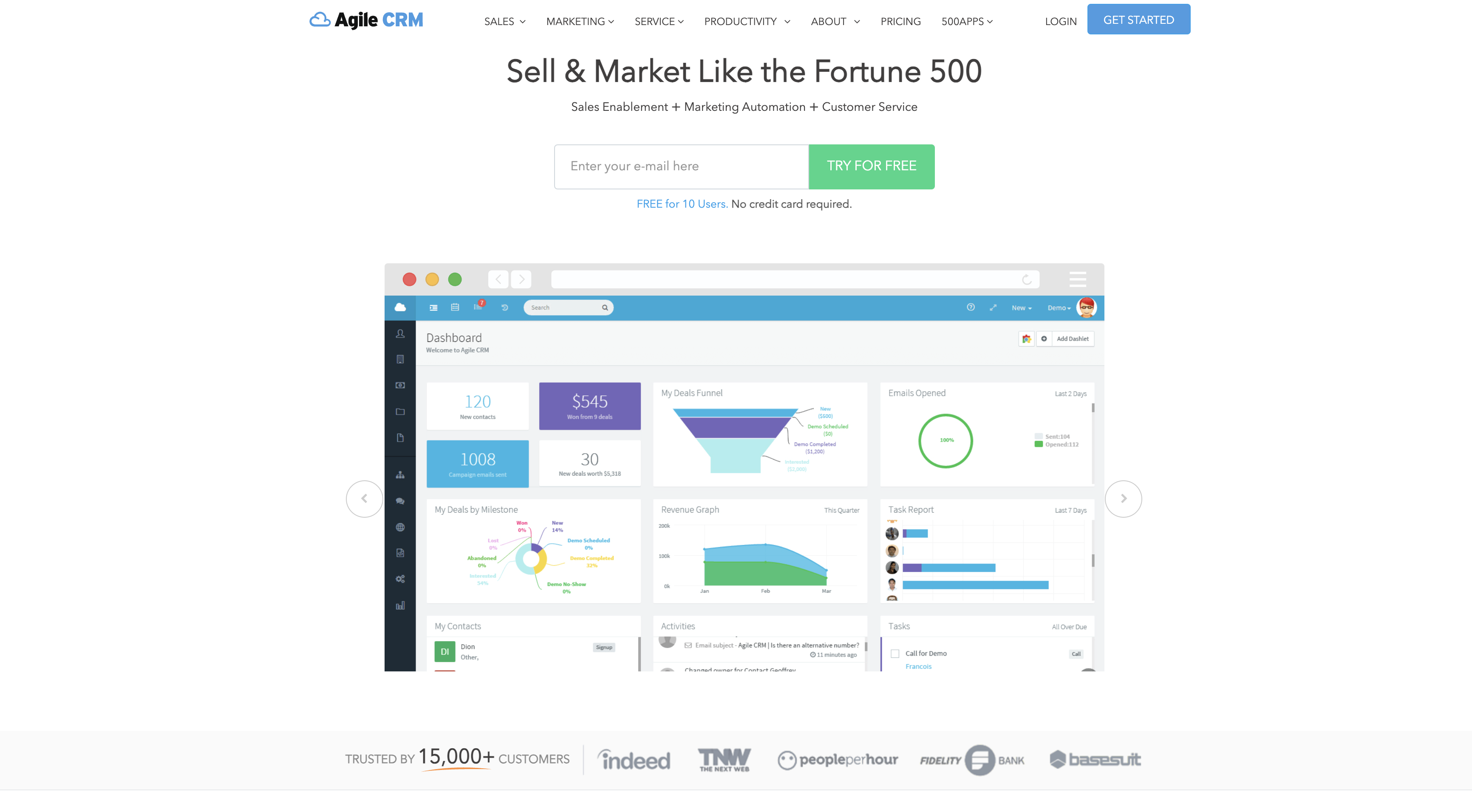
Agile CRM is designed to speed marketing and sales teams’ activities on a unified platform while maintaining user efficiency at all touch points with leads, prospects, and customers.
Essentially, it allows you to close more sales and produce more revenue because of its basic features such as lead scoring, marketing automation, automated custom workflows, email tracking, project management, contact management, web forms, push alerts, and help desk capabilities.
Agile CRM gives you a 360-degree view of all your contacts and lets you develop detailed contact profiles that include all relevant data points.
All contact profiles are updated in real-time, providing everyone on your team with valuable historical data and increased efficiency in each customer engagement.
This is supported by clearly depicted contact timelines, which allow for easier interpretation of previous interactions.
You and your team can also coordinate on various projects using a drag-and-drop project management interface, which allows you to create tasks, add comments, assign staff, and generally get a clear picture of who’s working on what and stay up to date on project status.
With integrations such as Google Apps, Twilio, and LinkedIn, Agile CRM aims to streamline business processes and improve customer engagement.
Finally, Agile CRM uses integrations like Google Apps, Twilio, and LinkedIn to streamline business operations and boost customer interaction.
Key Features
- Marketing automation
- Web Engagement
- Social marketing
- Analytics
- Email campaigns
- Email Tracking
- Mobile Marketing
- Landing page builder
Pros of Using Agile CRM
- Integrated Platform: Agile CRM unites sales, marketing, and customer support on a single platform, providing a comprehensive solution that automates corporate activities across these important areas, ensuring consistent communication and a smooth transition between sales and marketing functions.
- Social Media and Digital Marketing Tools: It provides tools for connecting to social media, enhancing digital marketing efforts, analyzing data, gaining customer insights, tracking communications, and personalizing customer engagement.
- Innovative Help Desk: Agile CRM provides a unique help desk to improve customer relations by delivering personalized assistance, enabling interactions and engagements with clients, better understanding them, and proactively resolving their inquiries.
- Affordability: Agile CRM is known for its affordability, making it particularly suitable for small and medium-sized enterprises seeking a streamlined CRM solution with complete features.
Cons of Using Agile CRM
- Lack of Modular Structure: Agile CRM doesn’t offer standalone modules for specific departments like marketing, sales, or service. You must purchase the entire package, even if you only need certain functionalities.
- Tiered Support: Access to support varies based on the pricing plan. Higher tiers offer dedicated support, while lower tiers rely primarily on self-service resources.
- Integration Constraints: The availability of integrations may be limited compared to other CRM platforms, potentially restricting its compatibility with existing tools.
- Scalability Concerns: As your business grows, Agile CRM might face challenges in handling increased data volumes and user loads.
Pricing Plan
- Free plan with no credit card required
- Starter plan costs $8.99
- The regular plan costs $29.99
- Enterprise plan costs $47.99
2. Insightly

Insightly is an excellent cloud-based CRM for small businesses looking for a comprehensive overview of all prospects, customers, suppliers, and partners to strengthen interactions. It includes tools for contact management, task management, project management, and pipeline management.
Insightly gives you a 360-degree view of all their relationships, from communication history to sales potential.With its project management features, Insightly guarantees consistent work advancement and makes sure that partners and your team meet deadlines. Insightly has tools like task delegation, automated notifications, project milestones, and more to make this happen.
Additionally, you can schedule appointments and create recurring tasks to help you manage all of your projects and events with the appropriate people. Insightl also offers file sharing and versioning as well, facilitating efficient teamwork and enabling everyone to accurately monitor any document modifications.
Through the platform’s mobile CRM application, you can scan business cards to collect leads in addition to other methods. Real-time lead routing enables you to take action on each hot prospect.
With the help of the platform’s multi-step workflow automation, which includes data entry, email sending, and much more, you can focus on more vital tasks and significantly lessen your administrative workload.
Key Features
- Interaction tracking
- Workflow management
- Calendar synchronization
- Project management
- Mobile access
- Leads tracking
- Marketing automation
Pros of Using Insightly
- Good Customer Support and Learning Resources: It has a good online help center with additional premium assistance options, and its knowledgebase is more accessible than Zoho CRM, making it stand out for getting your customers up to speed quickly.
- Ease of Use: There is a lower learning curve and a more user-friendly experience using Insightly. The complete CRM can be changed simply, and its dashboard is easy to use. Its visual layout effectively satisfies users’ expectations.
- Creative Sales Pipeline Visualization: Insightly extends its usefulness into full-fledged project management by visualizing sales stages using a horizontal pipeline. This makes it possible to handle sales possibilities as projects, providing a clear visual representation that is different from the conventional vertical funnel.
- Effective Workflow Automation for Small Teams: Insightly automates the whole customer journey, making it an ideal alternative for small businesses that may be limited in capacity. It uses a simple but effective flowchart technique to trigger customized actions depending on new and anticipated client behaviors.
Cons of Using Insightly
- Limited Customer Support Features: While Insightly excels in sales and marketing, its customer support functionalities are not as robust as specific customer service platforms.
- Scalability Issues: As your business grows, Insightly might face limitations in handling increased data volumes and user numbers.
- Reporting and Analytics: The depth of reporting and analytics features might not meet the needs of larger organizations or those requiring advanced data insights.
Pricing Plan
- Free plan
- The plus plan costs $29/month
- The professional plan costs $49/month
- The enterprise costs $99/month
3. Copper

Copper (previously ProsperWorks) is a productivity CRM that allows you to focus on creating and maintaining customer connections without wasting time entering customer data. This is made feasible by its capacity to automatically pre-populate data per customer profile in a systematic and orderly manner, guaranteeing that all customers are accounted for.
Copper also includes an integrated RingCentral VoIP, allowing you to quickly call customers from within the system while also providing exact conversion tracking and precise forecasting. It has comprehensive interfaces with Google Suite as well as popular third-party tools like Dropbox, Slack, and MailChimp for easy deployment and usage.
Copper allows team members to work together to choose the best course of action for each customer or to determine any important discussions. It also gives you the proper capabilities to personalize your sales funnel and improve insight into each customer’s current position, which makes it simple for your colleagues to pick up where you left off in communication.
You can monitor emails and set alerts and notifications for your most significant customer so you can promptly attend to their needs and go above and beyond their expectations.
Key Features
- Workflow automation
- Task management
- Integrations and Open API
- Email tracking
- Sales analytics
- Contact and lead management
Pros of Using Cooper
- Intuitive Interface: Its Google Workspace-inspired design ensures a familiar and user-friendly experience for teams accustomed to Google products.
- Seamless Integration: Deep integration with Google Workspace (Gmail, Calendar, Drive) streamlines workflows and eliminates data entry.
- Rapid Onboarding: Cooper’s simplicity facilitates quick adoption and minimal training requirements.
- Strong Security: Copper prioritizes data security with robust measures to protect sensitive information.
- Focus on Relationships: Copper’s core functionality revolves around building and managing customer relationships, making it ideal for sales and customer success teams.
Cons of Using Cooper
- Limited Customization: Its rigid structure might not accommodate complex business processes or unique workflows.
- Automation Constraints: Copper’s automation capabilities, while functional are not as robust as dedicated workflow automation tools.
- Feature Limitations: Compared to other comprehensive CRM platforms, Copper lacks advanced features like predictive analytics or AI-driven insights.
- Pricing Structure: The pricing model, especially for larger teams, might be considered restrictive due to user limits and feature tiers.
- Dependency on Google Workspace: Businesses heavily reliant on other email platforms or productivity suites might find Copper less suitable.
Pricing Plan
- The starter plan costs $9/month
- The basic plan costs $23/month
- The professional plan costs $59/month
- The business plan costs $99/month
4. Hubspot CRM

HubSpot CRM is an easy-to-use software that works for businesses of all sizes. It is simple to use from start to finish, from integrating it into existing workflows to managing all prospects and closing sales.
HubSpot CRM provides exceptional connectors to ensure that your marketing and sales activities are always linked, which is impressive given that the platform is free to use. Paid programs are also available for those looking to improve their sales and marketing efforts.
It also combines marketing operations with data from sales and other areas of your business, like email. It centralizes all of the key sales tools and information, allowing for more effective marketing initiatives.
Key Features
- Contact & lead management
- Email tracking & engagement
- Pipeline management
- Marketing automation
- Reporting & analytics
- Integration capabilities
Pros of Using Hubspot CRM
- User-friendly interface: Easy to use for all business size
- All-in-one platform: It combines sales, marketing, and service.
- Extensive customization: You can customize contact management, email campaigns, and sales pipelines.
- Strong analytics: Hubspot provides deep insights into business operations.
- Rich integrations: It has over 1,000 third-party apps available.
- Lead generation: Hubspot is an effective tool for capturing and managing leads.
Cons of Using Hubspot CRM
- Higher costs for advanced features: Expensive upgrades are needed for complex functionalities.
- Limited free plan customization: Only a few customization options are on the free plan
- Advanced features restriction: You can only access A/B testing in higher plans.
Pricing Plan
- Free plan
- Starter plan costs $15/month
- Professional plan costs $1080/month
- The enterprise plan costs $4000/month
5. Salesforce

Salesforce is a one-stop customer relations management platform that centralizes all customer data and consolidates diverse processes such as lead management, marketing, and sales onto a single platform.
Salesforce is a cloud-based solution that ensures that you have easy access to relevant data and comprehensive information about each contact, allowing you to view their activities in a thorough timeline and chat history.
When Salesforce Essentials combines with Salesforce Einstein AI and automated machine learning, it allows you to quickly choose your next course of action because the software gives out important data on a silver platter. Forecasting, tracking top achievers, and clear data insights are just a few of the AI’s functions.
Salesforce also simplifies daily operations for you by filling out the sales pipeline without having to manually track customer activities.
Additionally, with automatic lead scoring, you can instantly direct prospects to your most qualified team member. Salesforce centralizes all customer information on a single platform, resulting in unified sales and marketing operations and more accurate reports. With this information, you have a better understanding of each client and have a plethora of data-driven insights to guide your plans and conversations.
Key Features
- Account and contact management
- Capability management
- Lead management
- Data management
- Reports and control panel
- Apps for mobile
- Files sharing and sync
- Integration with other solutions
- Customer support
Pros for Using Salesforce
- Customization and flexibility: Salesforce CRM offers a fully flexible platform, allowing you to adjust the system to your workflows, procedures, and industry needs.
- Collaboration and Community: Salesforce has the largest community of architects, developers, and users, which values cooperation and creativity.
- Seamless Integration and Scalability: Integration with Salesforce is seamless which allows you to easily link numerous systems, applications, and third-party solutions.
- Data Security and Compliance: Salesforce CRM focuses on data security and compliance, ensuring that your information is protected.
Cons for Using Salesforce
- Data storage Limitations: Salesforce has data storage constraints that you may find limiting, particularly if you collect and manage large amounts of data. As a result, you will need to purchase more storage space.
- Customization Complexity: Salesforce provides a wide range of customization possibilities, but setting and adjusting the platform to suit your business requirements can be difficult and will require technical knowledge.
- Integration Challenges: Depending on the complexity of the integration, you may need to devote substantial time and resources to ensuring flawless data flow and integration between Salesforce and other systems.
- Dependency on Internet Connectivity: Salesforce is a cloud-based application, therefore you need to rely on a very stable internet connectivity.
Pricing Plan
- The starter suite costs $25
- The pro suite costs $100
6. Pipedrive

Pipedrive is a CRM that allows you to close deals more efficiently without having to deal with dull and complicated administrative procedures.
Whether you’re answering emails or speaking with clients on the phone, the platform automatically tracks all progress, allowing you to focus on your customer rather than manually entering data into CRM.
Your sales team is also given a clear picture of the sales pipeline, with a visual interface that allows them to update customer information and drag-and-drop prospects into different phases, all from a single perspective. Pipedrive is also very customizable, allowing you to build your pipelines to your specific needs.
The timeline view makes it simple to engage with your customers contextually, and the automatic lead scoring allows you to readily select which prospects to focus on first.
Pipedrive also has several third-party system connections, strong APIs, email monitoring, completely customizable online forms, an advanced activity scheduler, great reporting capabilities, seamless mobile optimization, and other features.
Key Features
- Sales automation
- Contact management
- Reporting and analytics
- Marketing automation
- Email Integration
- Sales Enagagement tools
- Customer service and support
Pros of Using Pipedrive
- User-friendly interface: Pipedrive’s sleek and straightforward UI makes it easy to use!
- Quick importing: You can quickly add data from Excel or other software, and if you need help, you can always refer to the beginner’s tutorial.
- Flexible pricing: Pipedrive has five pricing plans and each plan meets different needs and budgets.
- Scalability: Pipedrive is scalable, it can expand with your business. It can function as a basic contact system or as a comprehensive CRM.
- Customizable: With several pipelines, custom fields, and workflow automation at your disposal, Pipedrive CRM is incredibly easy to modify.
- Task management: You can assign tasks quickly and keep track with the help of the calendar view.
- Reporting features: You can easily evaluate email and task performance information, as well as several chart kinds.
Cons of Using Pipedrive
- Extra costs for add-ons: Pipedrive charges extra for add-ons like live chat and web forms that generate leads.
- Task management limitations: You can’t set reminders, which could be difficult for people who rely on timely task notifications.
Pricing Plan
- The essential plan costs $14/month
- The advanced plan costs $34/month
- The professional plan costs $49/month
- The power plan costs $64/month
- The enterprise plan costs $99/month
7. InfoFlo
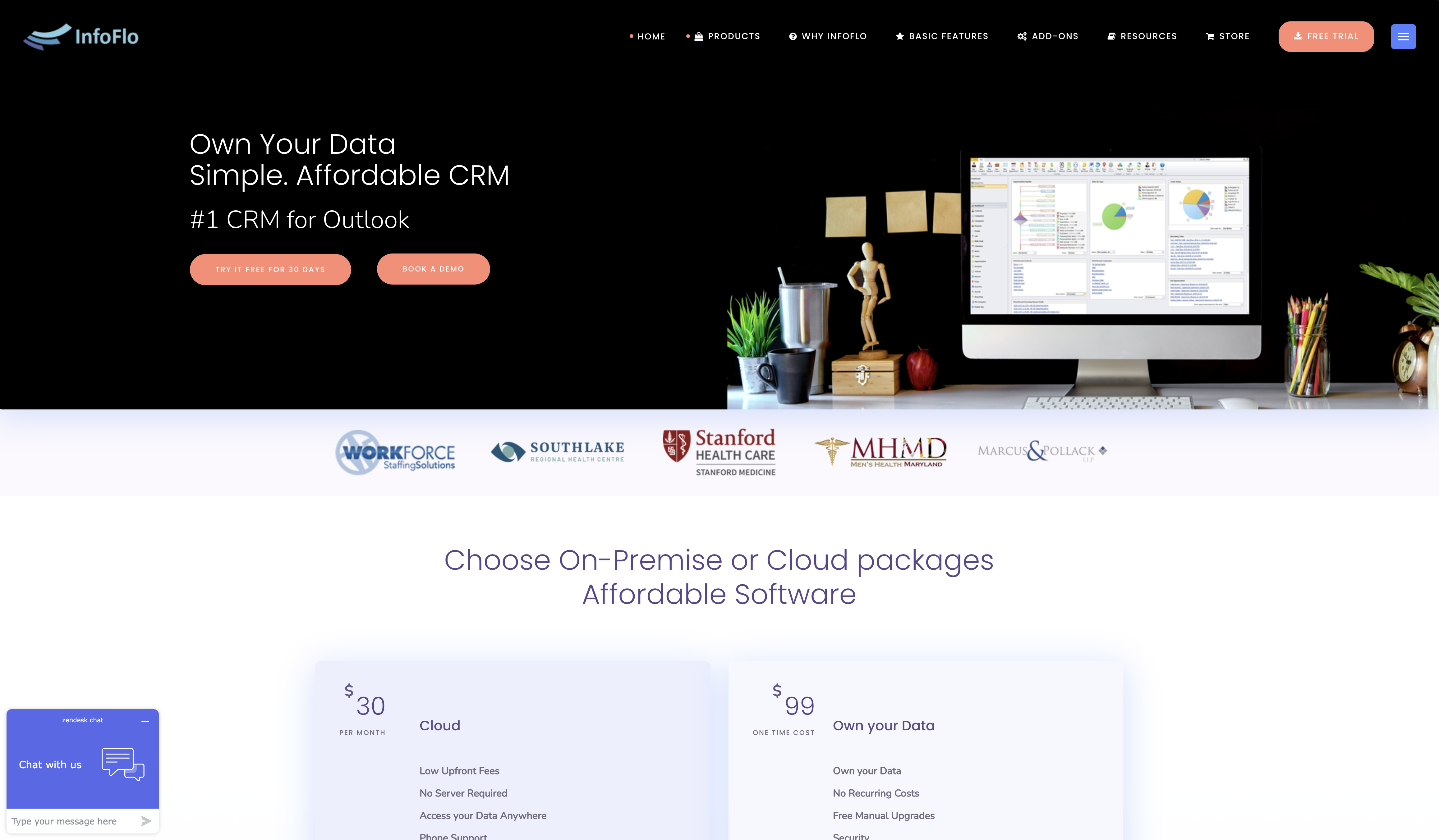
InfoFlo is one of the cheapest CRMs in the market, making it suitable for any business wishing to employ a single feature-complete platform in the long run. InfoFlo simplifies contact management by storing and recording all critical information about individual business connections or enterprises on a single platform.
It empowers you to manage more than just contact information, displaying contact relationships, shared projects, and all of your interactions with them across many platforms such as emails and phone conversations, and tying all activities together. Notes and responsibilities can also be provided to leads and prospects, allowing you to seal deals.
This contact management solution eliminates monthly recurring charges per user, with a one-time purchase of $99 per user, and all subsequent upgrades are free for life.
Key Features
- List management
- Contact management
- Marketing automation
- Call logging
- Project management
- Customer support
Pros of Using InfoFlo
- Affordability: InfoFlo offers a one-time purchase option, making it a cost-effective choice for businesses.
- Customization: The ability to customize the software to fit specific business needs is a significant advantage.
- Security: InfoFlo prioritizes data security, offering robust protection measures.
- Offline Functionality: You can access and utilize the software offline, ensuring uninterrupted operations.
Cons of Using InfoFlo
- Limited Features: Unlike cloud-based CRMs, InfoFlo lacks advanced features like AI-powered capabilities or extensive integrations.
- Implementation Complexity: Setting up and customizing InfoFlo might require more technical expertise compared to some cloud-based alternatives.
- Scalability: As your business grows, InfoFlo might reach its limitations in terms of handling increased data volume and user load.
Pricing Plan
- The cloud plan costs $30/month
- One-time cost planning costs $99
8. Nimble

Nimble is an excellent solution for any business looking to streamline customer engagements and automatically collect consumer data across many platforms for contextual interactions that need no manual data entry.
The software automatically updates relevant customer information from numerous data sources such as Gmail, Yahoo, Outlook, and social media platforms, ensuring that you not only have detailed information on each contact but also a clear picture of their interaction with your business. With this information, you can simply learn about their interests, history, and other details that will improve your engagement while tracking all sales and preventing leads from going cold.
Furthermore, you can engage your customers across several channels from within Nimble. It allows you to highlight essential engagements and use reminders to ensure that all your customers are accounted for without missing critical conversations.
It also has a Rules Engine, which uses machine learning algorithms to learn from user behavior and support you in your activities by intelligently showing essential data and advising you of key chances that were previously overlooked.
Key Features
- Contact management
- Segmentation
- Pipeline management
- Nimble Prospector
- Today Page
- Task management and workflows
- Integrations
- Mobile app
Pros of Using Nimble
- Intuitive Interface: Its resemblance to Google Workspace makes it easy to navigate for users familiar with Google products.
- Strong Focus on Relationships: Nimble excels at managing and nurturing customer relationships through detailed contact histories and social media integration.
- Comprehensive Feature Set: It offers a balance of sales, marketing, and customer service tools, making it suitable for various teams.
- Mobile Optimization: The robust mobile app ensures seamless access to CRM data and functionalities on the go.
- Easy Onboarding: The software’s intuitive design and comprehensive resources facilitate a smooth onboarding process.
- Social Media Integration: Nimble effectively leverages social media data to enrich contact profiles and identify potential leads.
Cons of Using Nimble
- Limited Free Plan: Unlike some competitors, Nimble doesn’t offer a free plan, which might be a barrier for startups or small businesses with tight budgets.
- Contact Limit: The 25,000 contact limit can be restrictive for businesses with extensive contact databases. Additional storage comes at an extra cost.
- Group Message Limitations: Restrictions on the number of group messages per user per month can be inconvenient for teams relying heavily on this feature.
- Pricing Structure: While the base plan is affordable, additional features and increased storage capacity can escalate costs.
Pricing Plans
- The monthly plan costs $29/month
9. Freshsales

Freshsales is a one-stop CRM for taking complete control of your leads. It enables businesses to identify the highest quality leads through behavior-based tracking and scoring, manage pipelines more effectively with an intuitive deal card, and engage in context-rich discussions.
Freshsales provides you with a 360-degree picture of their sales funnel, including basic client information and all won and lost agreements.
Leads can also be automatically distributed to the most qualified sales reps based on a variety of criteria. With the platform’s capability for direct calls, you can easily engage in conversations without spending time moving contact information. Notifications can also be established to guarantee that all appointments and projects are attended to.
Freshsales offers total visibility into the status of numerous customers in the sales pipeline. You can also receive access to a drag-and-drop interface for quickly offering discounts and customizing stages.
Actionable insights can be obtained easily using different filtering tools to summarize your findings, which can then be inputted into various graphic graphs, charts, or tables for simple comprehension.
Key Features
- Contact management and account management
- Automatic contact profile enrichment
- Advanced CRM customization tools
- Sales pipeline management
- Advanced sales force automation
- Email features
- SMS and social media tools
- AI-driven insights
- Marketing Features
- Website integration tools
- Analytics and reports
- Mobile apps
- Integrations, add-ons, and API
Pros of Using Freshsales
- Ease of Use: Its intuitive interface and straightforward navigation make it accessible for teams of all technical proficiencies.
- Flexible Pricing: Freshsales offers a range of pricing plans to accommodate businesses of different sizes and budgets.
- AI-Powered Insights: Freddy, the AI assistant, provides valuable insights and recommendations to optimize sales processes.
- Strong Focus on Sales: Designed specifically for sales teams, Freshsales offers features tailored to the sales cycle.
- Mobile Accessibility: The mobile app enables sales reps to stay connected and manage deals on the go.
Cons of Using Freshsales
- Limited Feature Availability: The core functionalities are spread across different pricing tiers, requiring users to upgrade for access to essential features.
- Pricing Structure: While offering a free plan, Freshsales’ pricing model can become restrictive for growing businesses due to limitations on users, features, and storage.
- Potential for Increased Costs: Additional features, such as increased group messages or contact storage, come with extra charges, which can escalate costs.
Pricing Plan
- Free plan
- The growth plan costs $11/month
- The pro plan costs $47/month
- The enterprise costs $71/month
10. Bitrix24

Bitrix24 is a business software platform designed to improve teamwork, customer relationship management (CRM), task and project management, contact center operations, website and online store construction, and human resource and automation processes.
Bitrix24 CRM integrates all your customer data and interactions into a single database. Data consolidation will enable your business to effectively manage customer interactions and follow sales activities.
The cloud-based framework also allows you to understand and cater to the demands of your customers while also promoting a cohesive work atmosphere.
Key features
- CRM system for managing leads, contacts, and deals.
- Project management tools for task assignments and tracking progress.
- Communication features like chat, video calls, and document sharing.
- Capabilities for creating forms, websites, landing pages, and online stores.
- Tools for marketing automation and customer support.
Pros of Using Bitrix24
- All-in-One Solution: Bitrix24 combines powerful CRM functionalities with project management, communication tools, document management, and automation capabilities. This eliminates the need for multiple tools and centralizes data within one platform.
- Customization: The platform offers extensive customization options to tailor the interface, workflows, and automation to specific business needs.
- Social Collaboration Tools: Built-in social features like group chats, instant messaging, and task comments foster communication and collaboration within teams.
- Mobile App: The mobile app ensures access to essential features and simplifies remote work.
Cons of Using Bitrix24
- Learning Curve: Bitrix24’s extensive feature set can lead to a steeper learning curve compared to simpler CRM solutions.
- Limited Free Plan Functionality: The free plan lacks advanced features such as marketing automation or invoicing, requiring upgrades for more functionality.
- Scalability Concerns: As your businesses grow, Bitrix24 might encounter limitations in handling large data volumes and complex workflows.
- Limited Customer Support: Depending on the chosen plan, access to dedicated customer support might be limited.
Pricing Plan
- Free plan
- The basic plan costs $40/month
- The standard plan costs $81/month
- The professional plan costs $162/month
- The enterprise costs $325/month
11. Apptivo
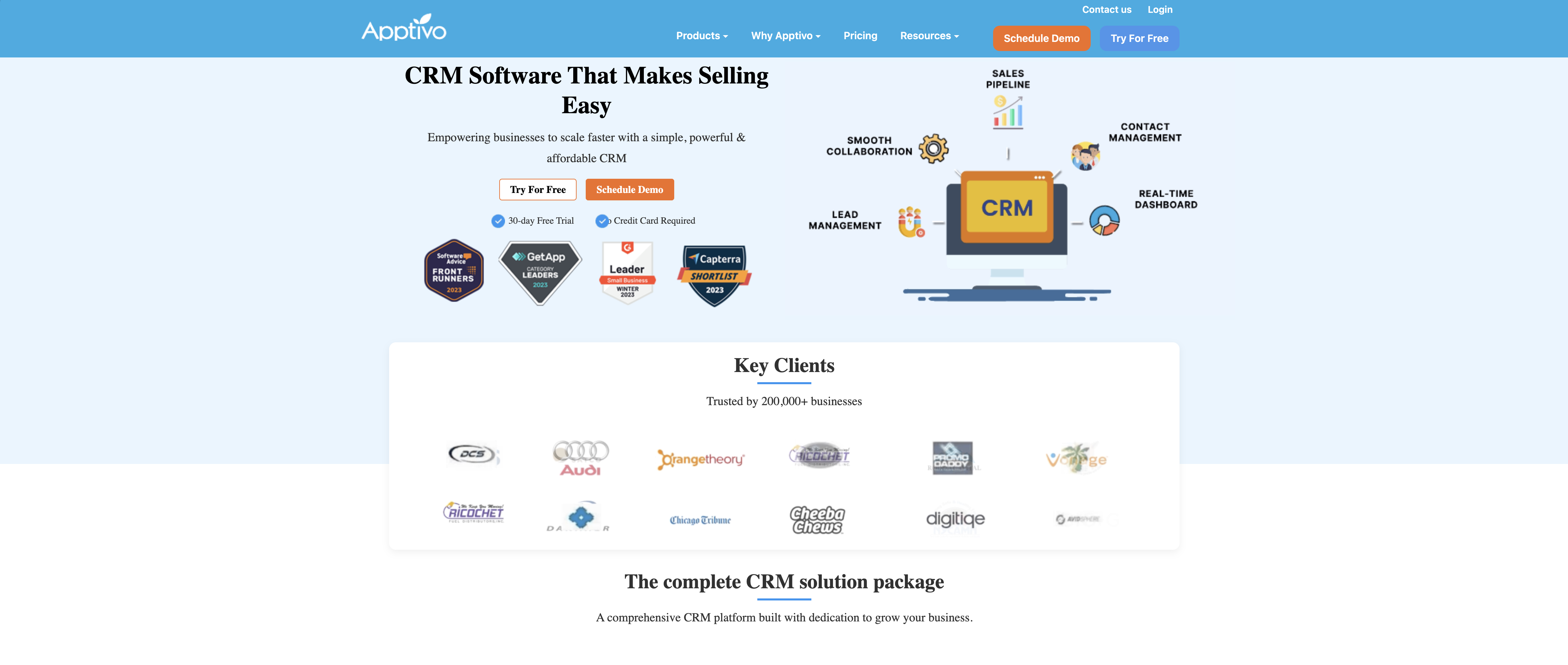
Apptivo is a business management software that helps you operate your business more efficiently by handling many aspects of it.
Marketers use Apptivo to reach a larger audience with more targeted messaging, while sales teams use it to nurture their opportunities down the funnel, close more deals, and increase profits. To put it simply, Apptivo helps you keep track of all your contacts in your database, find new contacts, and expand your network.
Key features
- Contact management
- Campaign management
- Email marketing
- Project management
- Lead management
- Supply chains and shipments
- Competitor management
- Products, goods and services
- Knowledge databases
- API and integrations
Pros of Using Apptivo
- User-Friendly Interface: Its intuitive design makes it easy for users to navigate and adopt the platform quickly.
- Flexible Pricing: Apptivo’s modular approach allows businesses to select only the necessary apps, avoiding unnecessary costs.
- Comprehensive Suite: The platform offers a wide range of applications beyond CRM, including invoicing, project management, and more.
- Scalability: Apptivo can accommodate businesses of all sizes, from startups to larger enterprises.
Cons of Using Apptivo
- Scalability Concerns: While suitable for small and medium-sized businesses, Apptivo might face limitations in handling the increased demands of larger enterprises.
- Feature Depth: Compared to some competitors, Apptivo lacks advanced features or integrations, especially in areas like marketing automation and sales analytics.
- Customer Support Variations: The quality of customer support can vary depending on the pricing plan, with higher tiers offering better assistance.
Pricing Plan
- The lite plan costs $20/month
- The premium plan costs $30/month
- The ultimate plan costs $50/month
12. EngageBay

The EngageBay CRM software is the ultimate sales tool, combining marketing, CRM, sales, and service into a single and effective platform.
Web interaction technologies assist in targeting the correct audience, while SMS campaigns and multichannel marketing broaden reach.
It also has smart pop-ups to catch attention and intuitive live chat to respond to real-time queries. Automated emails, advanced templates, and personalized email sequences ensure that leads are nurtured and engaged.
Key Features
- Email sequence
- Email broadcast
- Templates
- Social media marketing
- SMS marketing
- Marketing automation
- Landing pages builder
- Forms
- Contact management
- Task management
- Deal management
- Appointment scheduling
- Sales reporting
Pros of Using EngageBay
- Integrated Suite: The seamless integration of marketing and sales tools enhances efficiency and provides a holistic view of customer interactions.
- Continuous Improvement: EngageBay’s commitment to regular updates and feature enhancements shows a focus on your needs and industry trends.
- Cost-Effective: The platform offers flexible pricing plans, making it accessible to businesses of various sizes.
- Strong Focus on User Experience: EngageBay prioritizes user-friendliness, making it easy for teams to adopt and utilize the platform effectively.
Cons of Using EngageBay
- Learning Curve: It is generally user friendly but the platform’s breadth of features might require some time to fully master.
- Reporting Depth: The reporting capabilities might not cater to businesses requiring advanced analytics and data visualization.
Pricing Plan
- Free plan
- The basic plan costs $12.74/month
- The growth plan costs $55.24/month
- The pro plan costs $101.99/month
While Zoho CRM is a strong option, there are many others to consider.
Think about what matters most for your business:
- Pricing
- Features
- Ease of use
- Customer support
- Integration with your existing systems
The right CRM should match your business goals and help your sales and marketing teams work more effectively.
Some CRMs are great for sales automation, while others shine in customer support or marketing. Look at your options, compare them, and keep your budget in mind to find the best fit.
The best CRM isn’t about having the most features, but about fitting seamlessly into your workflow and helping your team succeed.


 A better way to manage projects and clients for freelancers
 Get through busy days like a breeze with Reclaim.ai