
Scheduling meetings isn’t complicated, but it can be extremely time-consuming.
A simple one-on-one meeting arrangement can take about a day, and if the invitees live in different time zones, it’s even worse.
Calendly solves this problem by providing a self-scheduling system.
With this tool, you can cut down your communication workflow and save a lot of time.
If you are here, you’re probably already thinking about using Calendly. My review will give you a better idea of how it works and whether it can meet your requirements.
What Is Calendly
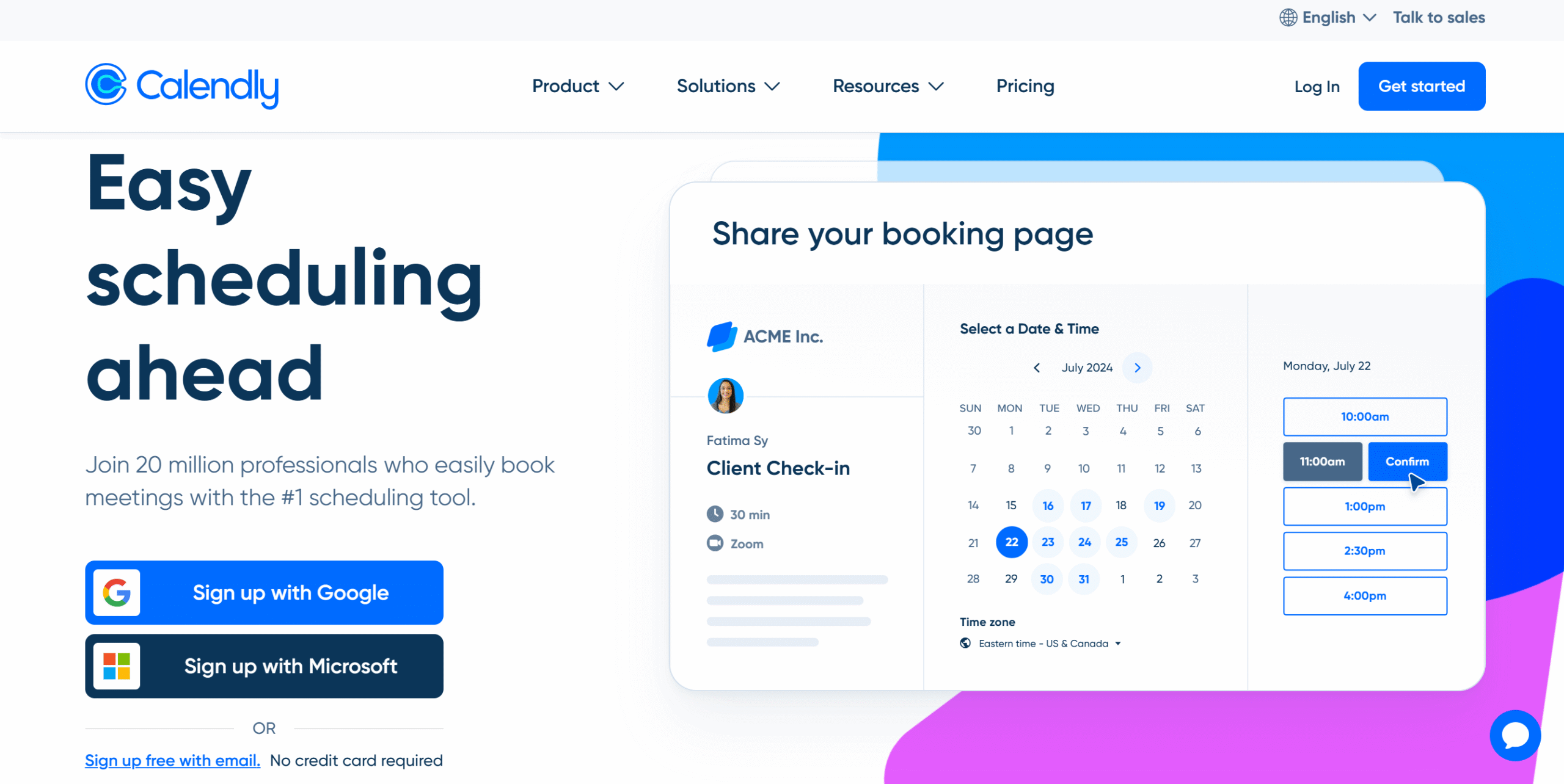
Calendly helps you manage your availability more efficiently.
It’s an online appointment app that syncs your calendars and automates scheduling, making it easier to organize meetings with clients and teams.
You can create events, set your available slots, and share your schedule through a booking link. People can choose the slot that works for them, eliminating the need for back-and-forth communication.
The software has a clean interface and straightforward functions. It’s also easy to set up and doesn’t require any technical skills.
You can sync Calendly directly with Google and Outlook calendars and automatically update your schedules. That means the app always shows an accurate schedule to the invitees.
A mobile app and a browser extension are included in the package for your convenience. You can access your account from any device and keep track of your meetings remotely.
Here Are The Core Features of Calendly
- Unlimited meeting scheduling.
- Customized booking links.
- Outlook and Google Calendar syncing.
- Availability management
- Group meetings.
- Automated email reminders.
- Advanced admin tools.
- API and integration.
- Mobile app and browser extension.
Why Do You Need An App Like Calendly?
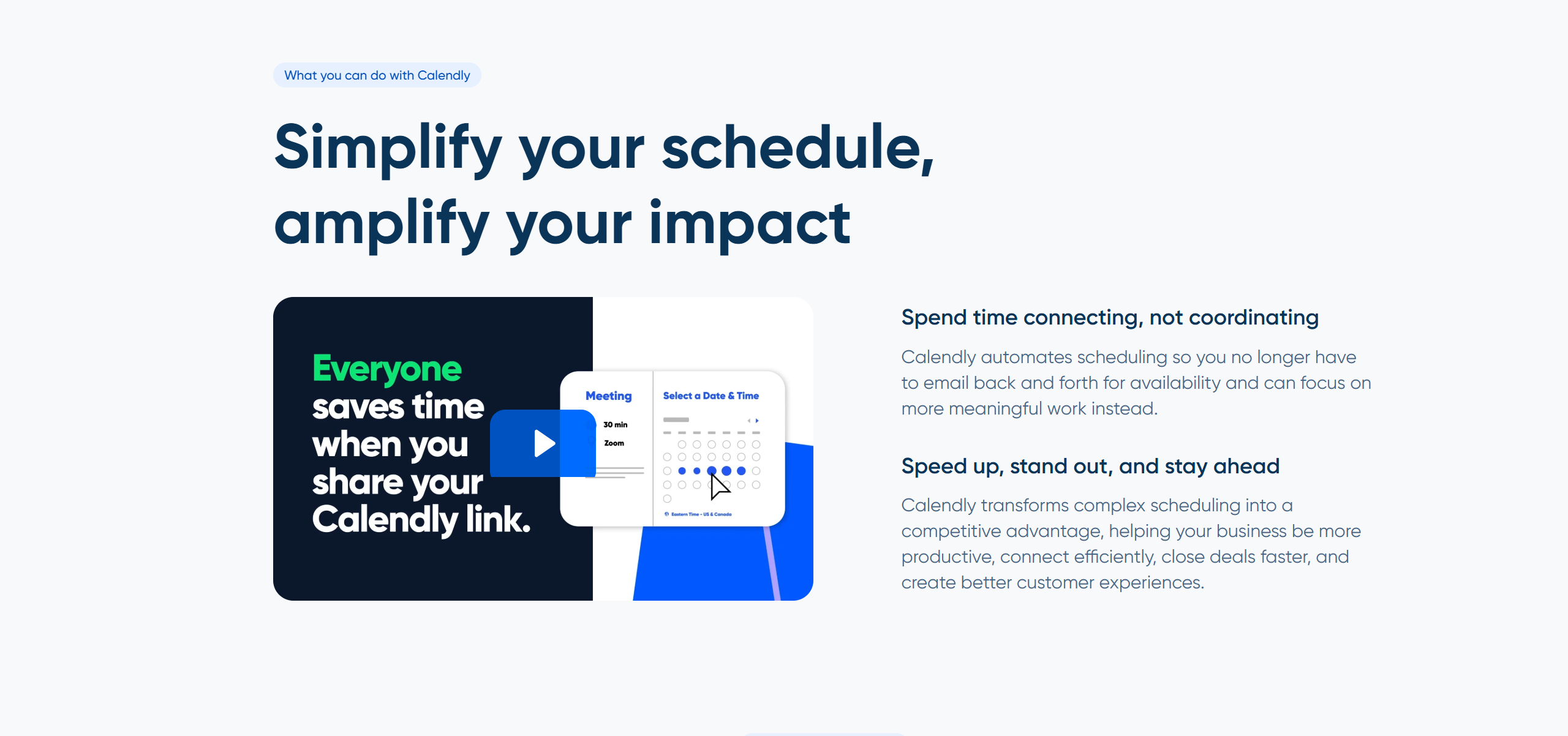
Calendly is designed to make booking easier.
Generally, it takes about seven emails to organize a meeting, and if there are several participants, it takes even more.
With Calendly, you can share your availability via a simple booking link.
It’s a quick way to coordinate with people without multiple email exchanges.
You can easily control your availability and customize the meeting time. The app makes sure you don’t double-book your time.
Calendly also improves your reputation.
It delivers a well-structured meeting workflow that gives a better impression than haphazard email communication, making you look more professional.
Believe it or not, people notice these things. How you arrange the meeting leaves a lasting impression on the recipient.
This is one of those intangible benefits that adds non-monetary value to your business.
(I have explained this point in detail in the “Booking Tools” section. Scroll down to see what you can do to deliver a smooth scheduling experience.)
Core Features Of Calendly
Let me walk you through Calendly’s core functions, integration capabilities, and prices.
I have covered the main areas to show how the app works and what you can expect from it.
1. Scheduling
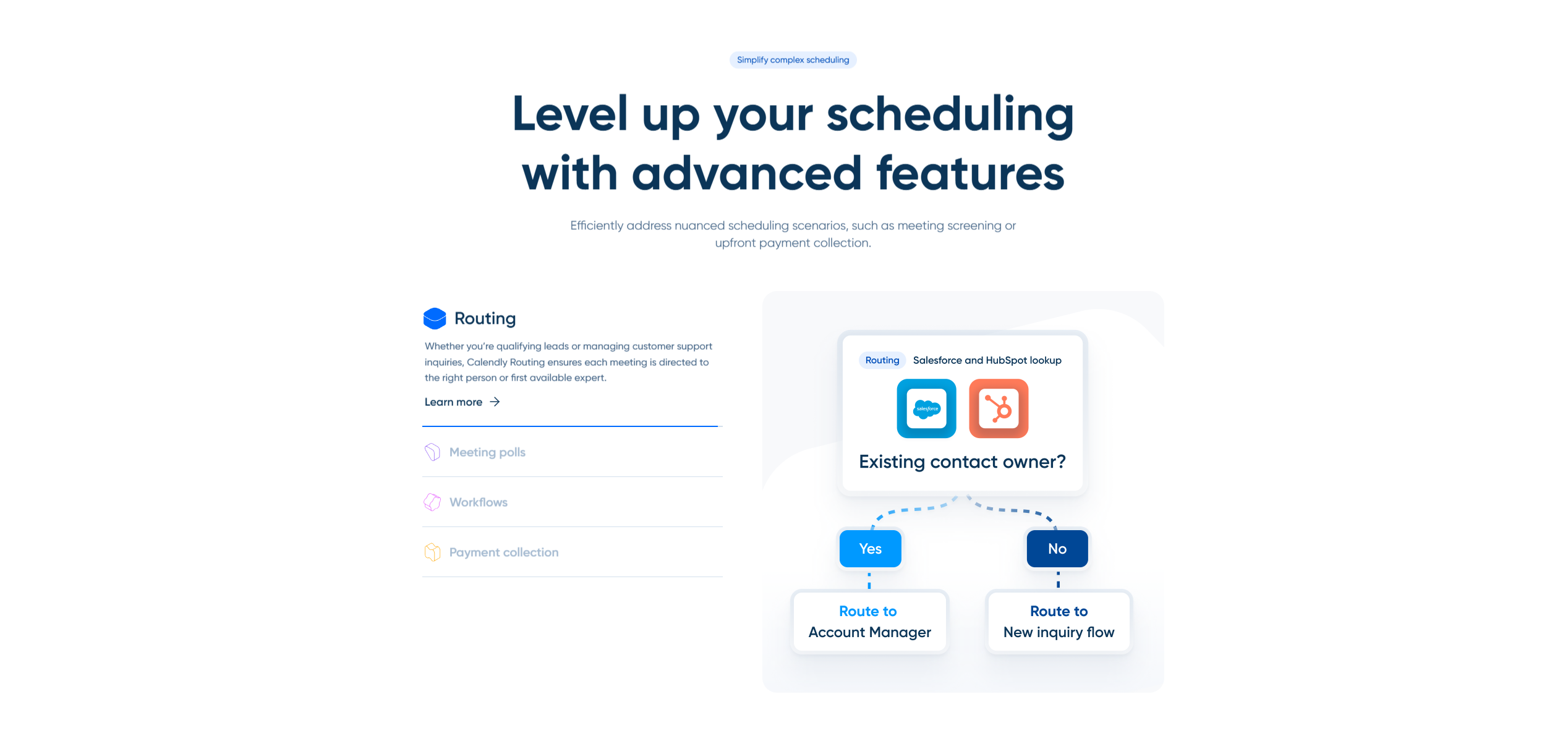
Calendly’s primary purpose is to simplify meeting scheduling.
Instead of manually coordinating everything, you can offer available slots and let the other party pick a suitable time for the meeting.
You can create several types of events and add multiple hosts. For example, if you are running a panel interview, you can co-host meetings with one attendant.
Calendly also allows you to create a round robin event that automatically rotates meetings among the group and sends the schedule to the available member. It’s an amazing feature, specifically for a sales team, where multiple people work with one client.
That said, no tool is perfect, and the scheduling feature also has some limitations.
For example, while you can offer multiple available slots, the other party can only book one meeting at a time. This restriction might be inconvenient for those with a tentative schedule.
But it isn’t a deal breaker. Calendly is designed to simplify scheduling, not restrict it. It’s most helpful when you use it as an assistant rather than an automated system.
Calendly also provides some side features to improve your workflows.
You can set different time zones for international calls, add buffer times to leave some breathing room between meetings, and include custom questions to screen leads.
Some of them are not available in the free plan, but you can take a free trial to explore these paid features.
2. Booking Tools
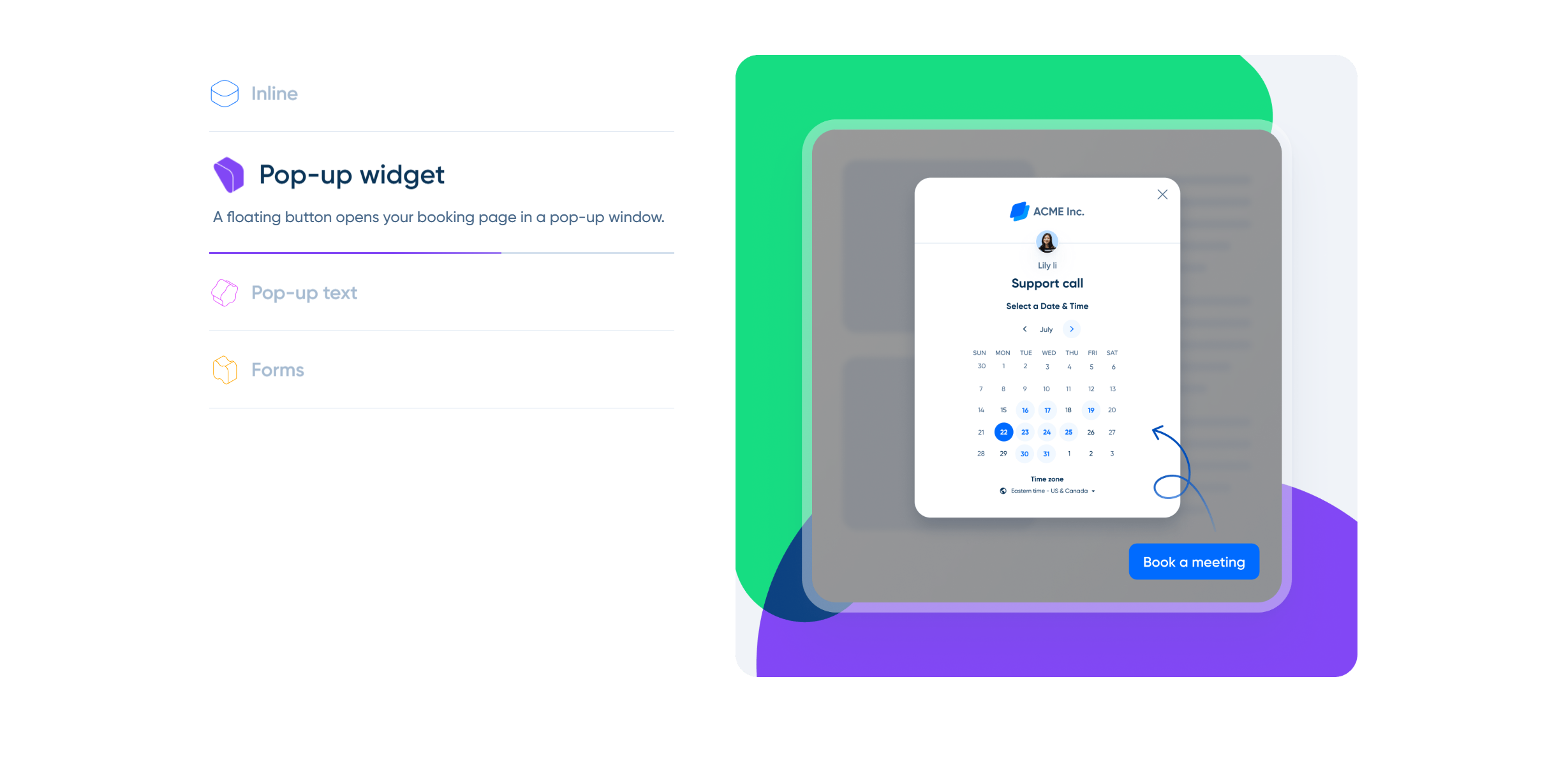
Calendly doesn’t just offer scheduling. It provides a booking page and embeddable forms to help you create a smooth scheduling experience for your clients.
Let me explain its built-in booking system first.
Calendly generates a unique link for each event that leads your attendant to the booking page. It’s a minimalist page containing your contact details, available slots, and scheduling options.
You can send the link directly from Calendly or copy and share it via email or messenger. You can also change the text of the scheduling link to match your content.
Here’s the best part.
You can create pop-up forms and add the widget to your website. Calendly works well with major website providers and supports multiple pop-up forms.
The widget is customizable, and you can apply your branding. The customization options are basic, but you can change the color, text, and position of the booking button.
3. Availability Management
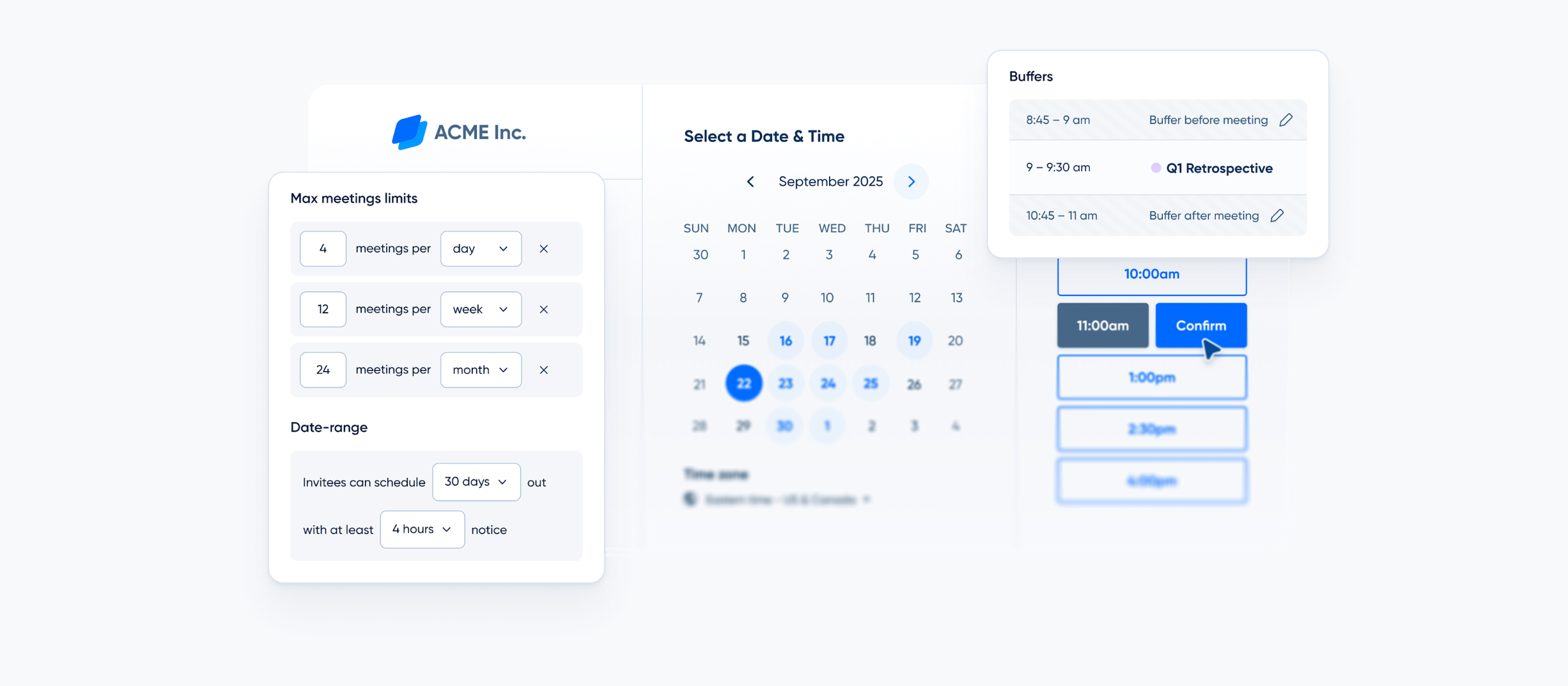
Calendly’s unique selling point is its availability management.
Granted, scheduling is its primary function, but its real strength lies in how it lets you control your availability.
For starters, you can define your working days and off-time to create a clear boundary between your work and personal life.
If you tell Calendly you are available between 10 AM and 2 PM on Wednesday, the app displays available slots within that time frame. No chance of overtime.
Secondly, you can create a different schedule for one-on-one calls, web conferences, and group sessions. You can also book meetings on behalf of your team members.
Several controls are built into the system to make things easier for you. For example, you can set a cap to limit the number of meetings per day and connect your work and personal calendar to avoid over-booking.
There’s also a polling feature where team members can vote on their preferred meeting time.
It’s an efficient way to resolve conflicts.
4. Workflow Automation
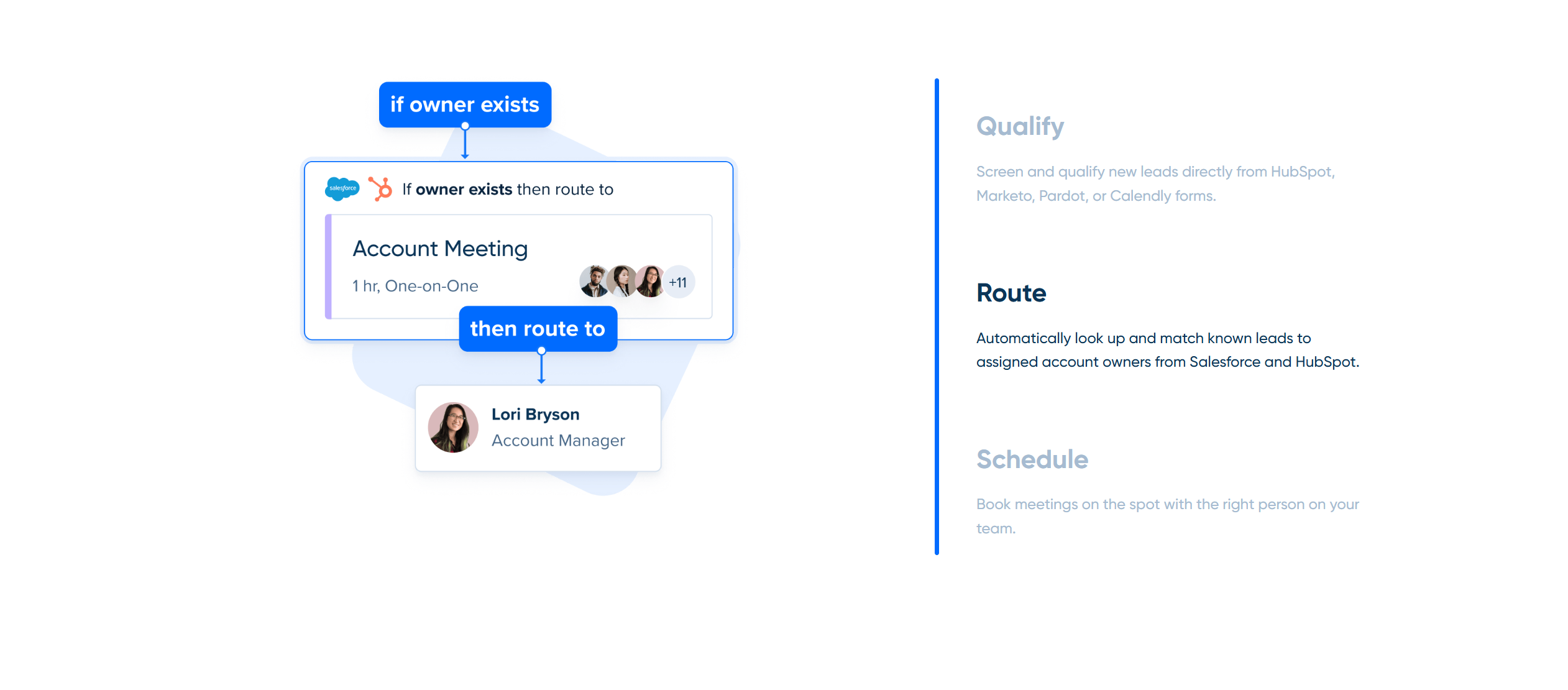
One thing you’ll love about Calendly is its admin control and automation.
The app doesn’t have the advanced capabilities of a smart scheduler, like Motion, but that’s exactly what makes it an excellent tool for meeting scheduling.
How? Entrepreneurs typically juggle multiple roles and prefer a quick and efficient way to manage their meeting workflows.
With a simple tool like Calendly, they can automate scheduling and communication without feeling overwhelmed.
For example, you can add pre-meeting instructions to your booking link so you don’t have to separately communicate everything. Plus, you can create outreach and follow-up emails and automatically send them through your Gmail or Outlook.
One more thing.
Calendly provides lockable events for teams. You can build a standard scheduling workflow and set it as a template for team meetings.
5. Integrations
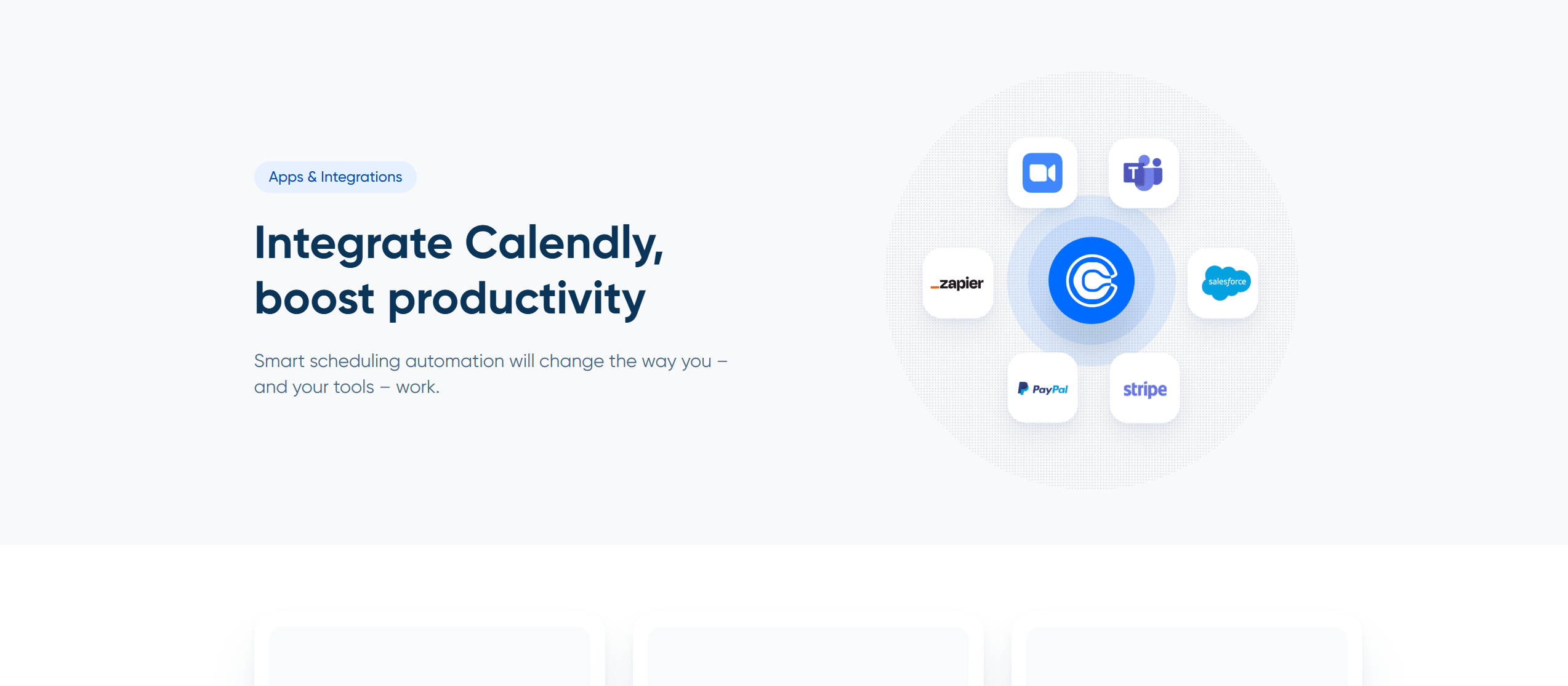
Calendly is a standalone app, but its integration capabilities make it a centralized hub for your business workflows.
Meaning, you can not only organize meetings but also integrate them into your business operations.
Let me give you some examples.
If you are a recruiter, you can connect Calendly with Greenhouse and add a self-scheduling option in your candidate cycle. If you are a consultant, you can integrate Calendly with Zoom and Stripe to conduct sessions and collect payment online.
Overall, the software works well with a wide range of third-party applications, including CRM, messengers, and marketing tools.
Here’s a list of apps Calendly supports.
Pricing
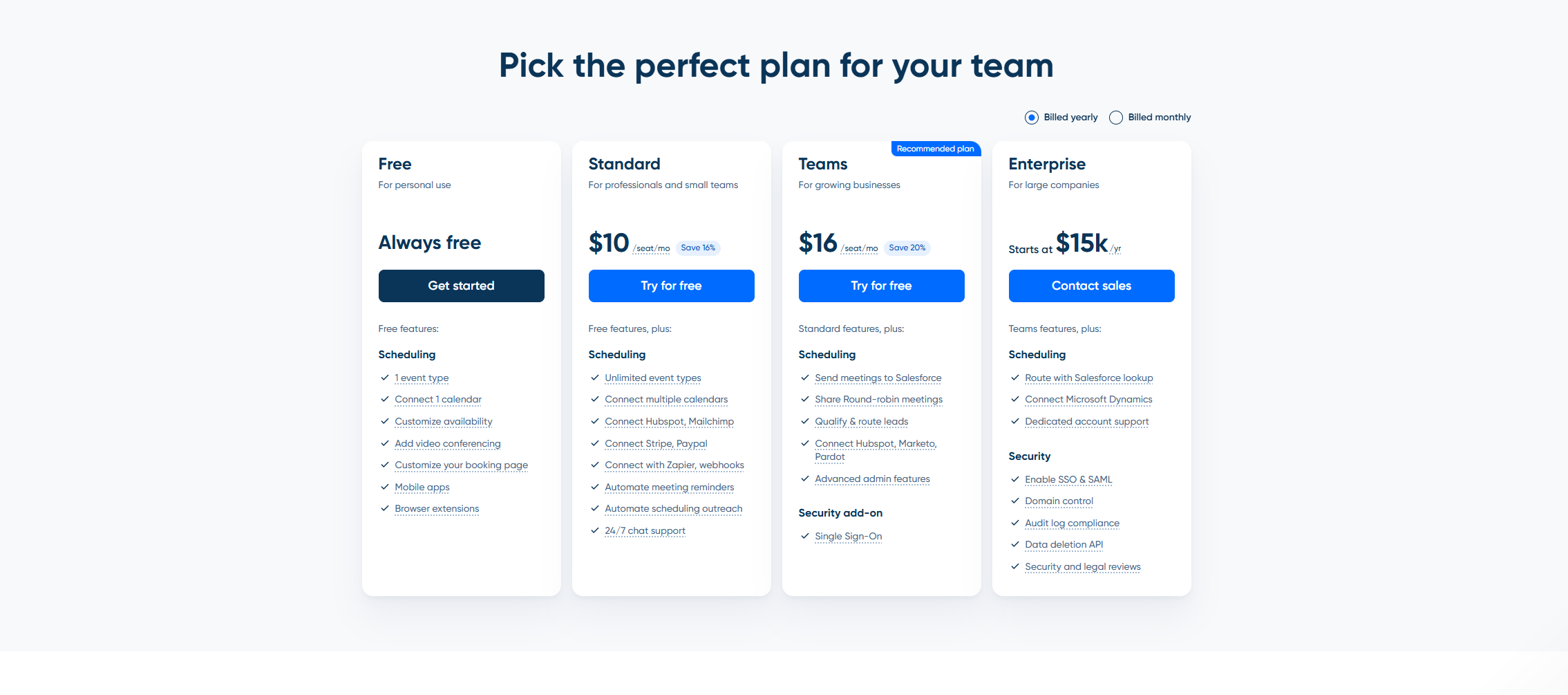
Calendly offers four subscription plans, billed monthly and annually.
The basic plan is free forever, and premium packages come with 14-day free trials.
In the free plan, you can add one calendar and create one event. It serves as a testing ground to help you make a well-informed decision.
But you can stay on the free plan as long as you want. There are no conditions attached to it.
Here’s a summary of Calendly’s paid plans.
- Standard Package: If you are a freelancer or a solopreneur, this package is best for you. It costs $12 per month and includes unlimited events, multiple calendar syncing, workflow automation, and integration.
- Team Package: It costs $20 per month and an additional $20 for each extra seat. You’ll get team features and advanced admin tools.
- Enterprise Package: It’s an annual package, starting at $15k. You’ll get access to all the features and receive dedicated support.
Special prices are available for non-profit organizations. You can get the prices at [email protected].
How To Use Calendly
Getting started on Calendly is easy.
You just sign up, connect your calendar, set your availability, and start booking meetings.
Once you familiarize yourself with the tool, you can later buy a premium subscription. Calendly doesn’t ask for credit card details until you are ready to choose the paid plan.
Here’s a step-by-step guide on how to use Calendly.
- Visit the official page and create your account. Calendly will give you the option to sign up using your Google credentials or your email.
- You’ll be asked to connect your Google Calendar during the sign-up process. It’s a straightforward step, and you don’t need to do anything.
- Calendly will also share time slots to set your availability. Add your working hours and set your time zone. (You can change them later.)
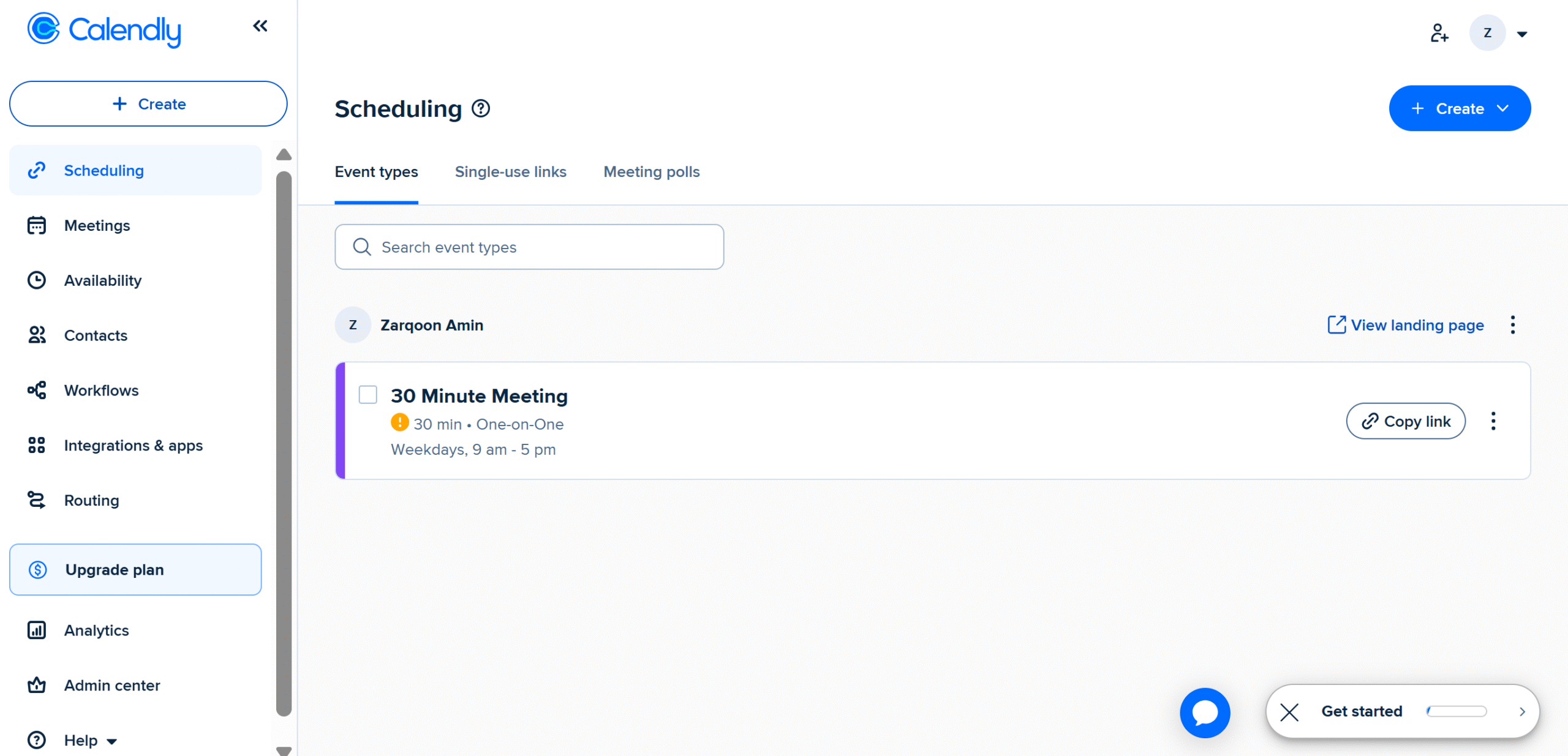
- Once you’ve signed up, you’ll be directed to the main dashboard. From there, you can create events, check upcoming meetings, and manage your availability.
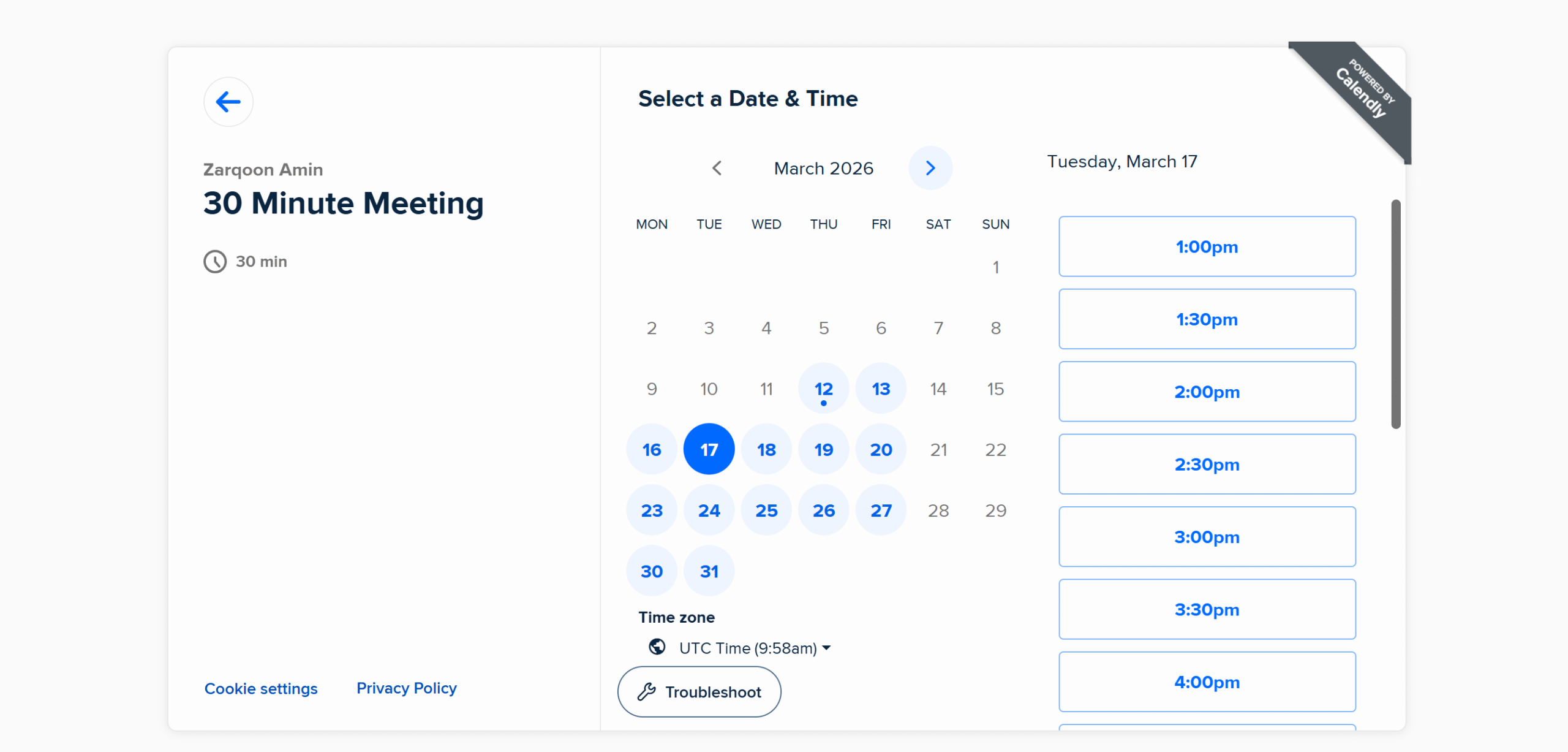
- I have also reviewed the app from the recipient’s standpoint. This is what your recipient sees when they receive your invite. The available days are highlighted in blue, and the unavailable days are blocked.
- When your invitee schedules the meeting, the entry will appear on the “meeting” tab. You can reschedule or cancel the meeting.
- That’s it! This is a free plan, so several advanced features are unavailable; however, you’ll get access to all core features.
Pros And Cons
Calendly is an excellent choice for those who regularly schedule meetings with clients and teams.
Its self-scheduling system is incredibly time-saving and more reliable and efficient than traditional email communication.
That said, the software does come with certain limitations.
I have shared some pros and cons of Calendly to help you decide if it’s the right tool for you.
Pros
- Anyone can use Calendly. It’s beginner-friendly and works on any device.
- You can automatically update your calendar in real time and send auto-emails and SMS messages. The app helps prevent double-booking and no-shows.
- If you work with a distributed team or international clients, you can change the time zones.
- You can sign up for free and use the basic features for as long as you want. You can also try premium features for free.
Cons
- Calendly is designed for basic scheduling. If you have a complex schedule and need conditional logic to automate your workflows, this tool might not be suitable for you.
- It doesn’t support Apple Calendar. It works seamlessly with only Google and Outlook calendars, however.
- Some may find Calendly too informal for the conventional corporate sector. If your audience includes older professionals, you’ll probably face adaptability challenges.
- Team packages are slightly expensive. If it’s not an issue, go for it.
Conclusion
Calendly is widely loved for its simplicity and usability. Once you start using it, I can guarantee you’ll notice the visible difference in your schedule.
The best thing about Calendly is that it can be integrated into any business workflows.
Whether you are a solopreneur or a part of a team, you can use Calendly for appointments, outreach campaigns, client meetings, and more.
There are some drawbacks, naturally, but honestly, it’s a great tool for scheduling meetings.
Go ahead and create a free account to try its features. You can sign up to Calendly here.


 A better way to manage projects and clients for freelancers
 Get through busy days like a breeze with Reclaim.ai