If your weeks feel reactive, you finish Friday unsure what you actually accomplished, a weekly reset fixes that.
It’s a short planning ritual, usually 15–20 minutes, where you review what happened, clear out the backlog, and build next week’s schedule before it builds itself around you.
Most people who skip it don’t lack discipline. They just never carved out the time to step back and look at the bigger picture.
In this guide, I’ll walk you through exactly how to do a weekly reset using a digital planner – step by step, with a real example using Sunsama.
What Is A Weekly Reset?
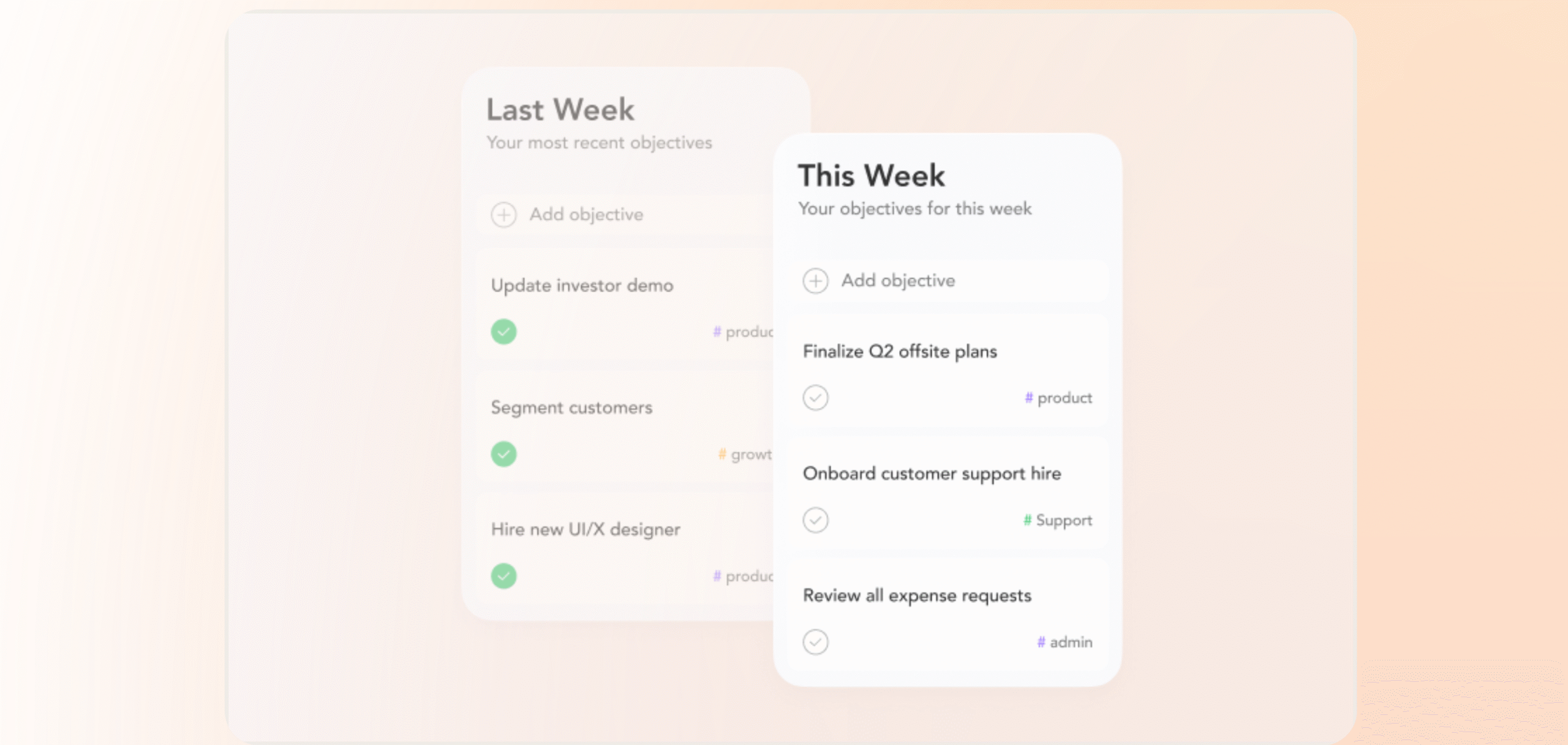
A weekly reset is a short planning ritual, usually done once a week, where you review what you did, clear what didn’t get done, and build next week’s schedule before the week builds itself around you.
It’s less about productivity hacks and more about taking 15 minutes to ask: What actually happened this week, and what do I want to happen next week?
That small pause is what separates people who feel in control of their schedule from people who just survive it.
Why Do You Need Weekly Resets?
Without a weekly reset, you don’t manage your week; your week manages you.
Most people fill their days putting out fires, pushing small tasks forward, and cramming in whatever fits before Friday hits.
It feels productive.
But at the end of the week, you can’t always explain what you actually got done or why.
That mental clutter compounds. The more you carry it into the next week, the worse your planning gets, and the more reactive your schedule becomes.
A weekly reset clears the slate.
Reflection habits like weekly reviews are associated with improved engagement and job satisfaction across multiple studies.
And it works the same way whether you’re managing a business or just trying to keep up with life.
How To Do A Weekly Reset With Digital Planners (Real Life Example)
A weekly reset with a digital planner is straightforward. Most planners come with templates or pre-built structures, so you’re not starting from scratch.
Around 28% of people still prefer paper, and there’s a good reason for it. Studies consistently show that paper users retain and complete more of what they write down.
But digital planners are more convenient for most people.
You can set automatic reminders, update your calendar on the fly, track your progress, and access everything from your phone.
They also integrate with third-party apps, so your tasks, meetings, and emails all live in one place instead of three.
For this walkthrough, I’m using Sunsama. It’s available on desktop and mobile, and it covers every step of the process cleanly.
What Is Sunsama?
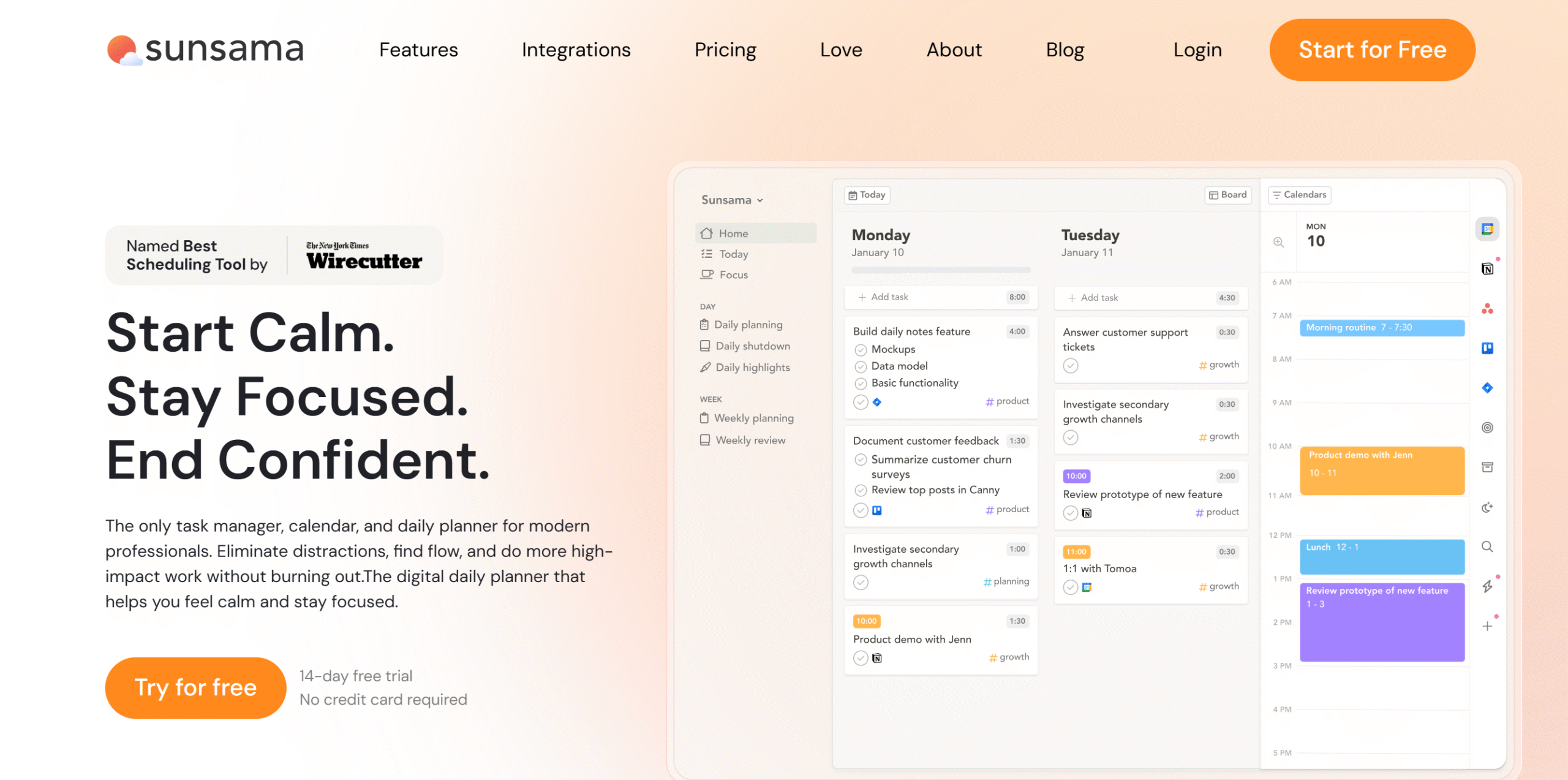
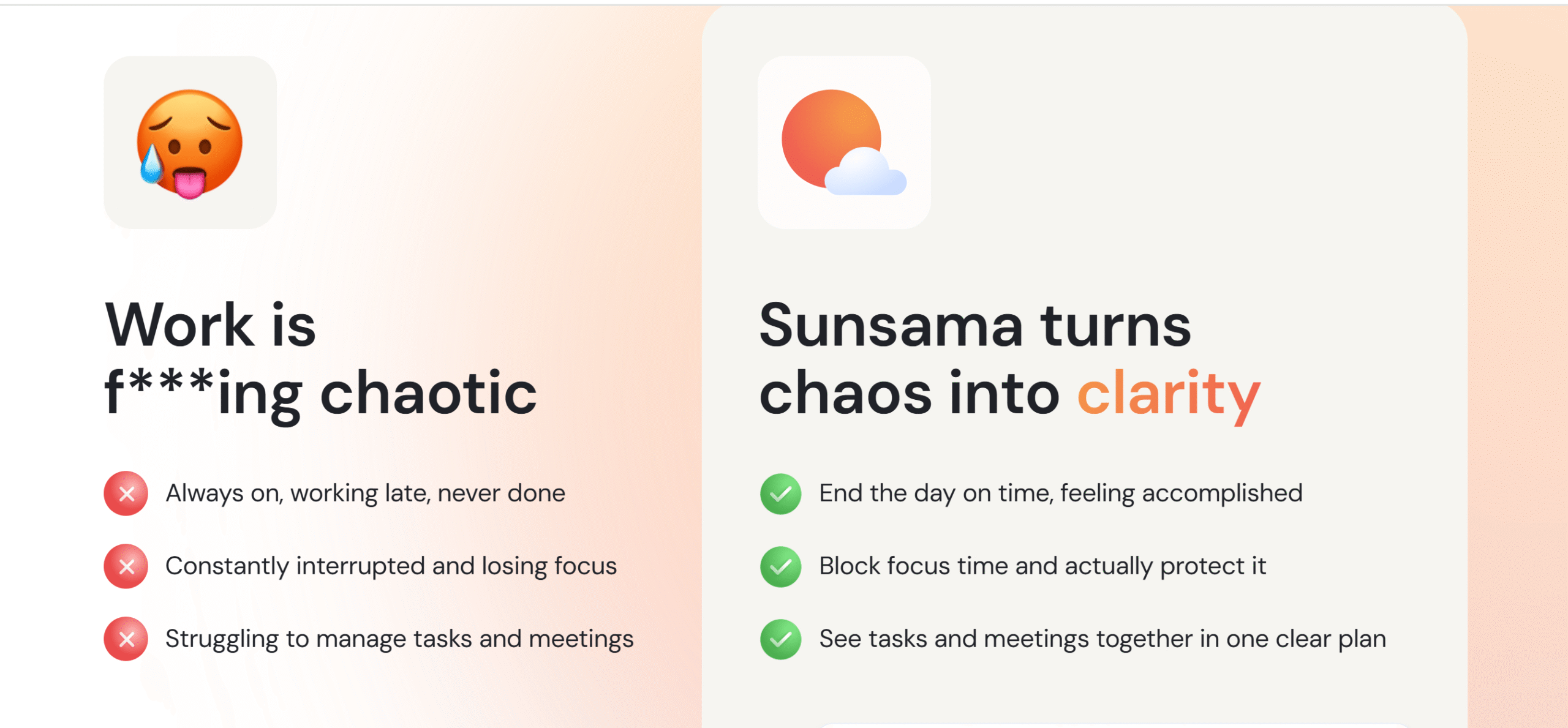
Sunsama is a daily planner built around one idea: your day should be planned, not assembled on the fly.
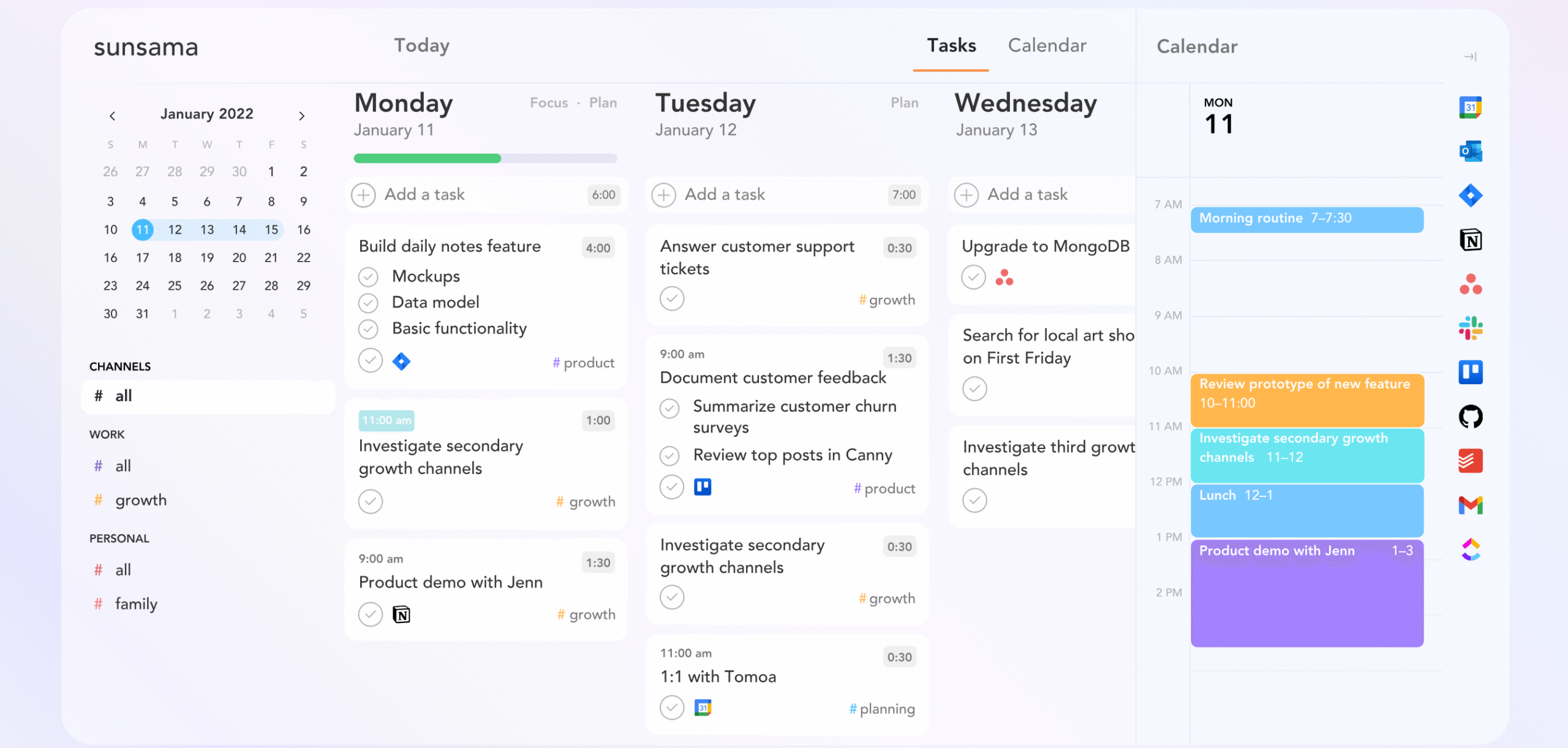
It pulls in tasks from your project tools, events from your calendar, and emails from Gmail, and puts everything in one view so you’re not toggling between five tabs to figure out what’s next.
The Gmail integration in particular is genuinely useful.
You can block time for reading and replying to email the same way you’d block time for a meeting, which means your inbox stops eating the rest of your schedule alive.
For deep work, there’s a focus mode with a Pomodoro timer that mutes notifications and tracks your time. It does what it promises.
The one thing worth knowing before you try it: Sunsama is $25/month ($20/month if billed yearly), and there’s no free plan, just a 30-day free trial with no credit card required.
Here’s how to use it to run your weekly reset.
Weekly Reset Routine
Here are the four steps.
- Reflect on Your Past Activities
- Declutter Your Task List
- Plan Your Next Week
- Daily Shutdown Ritual (Optional)
1. Reflect on Your Past Activities
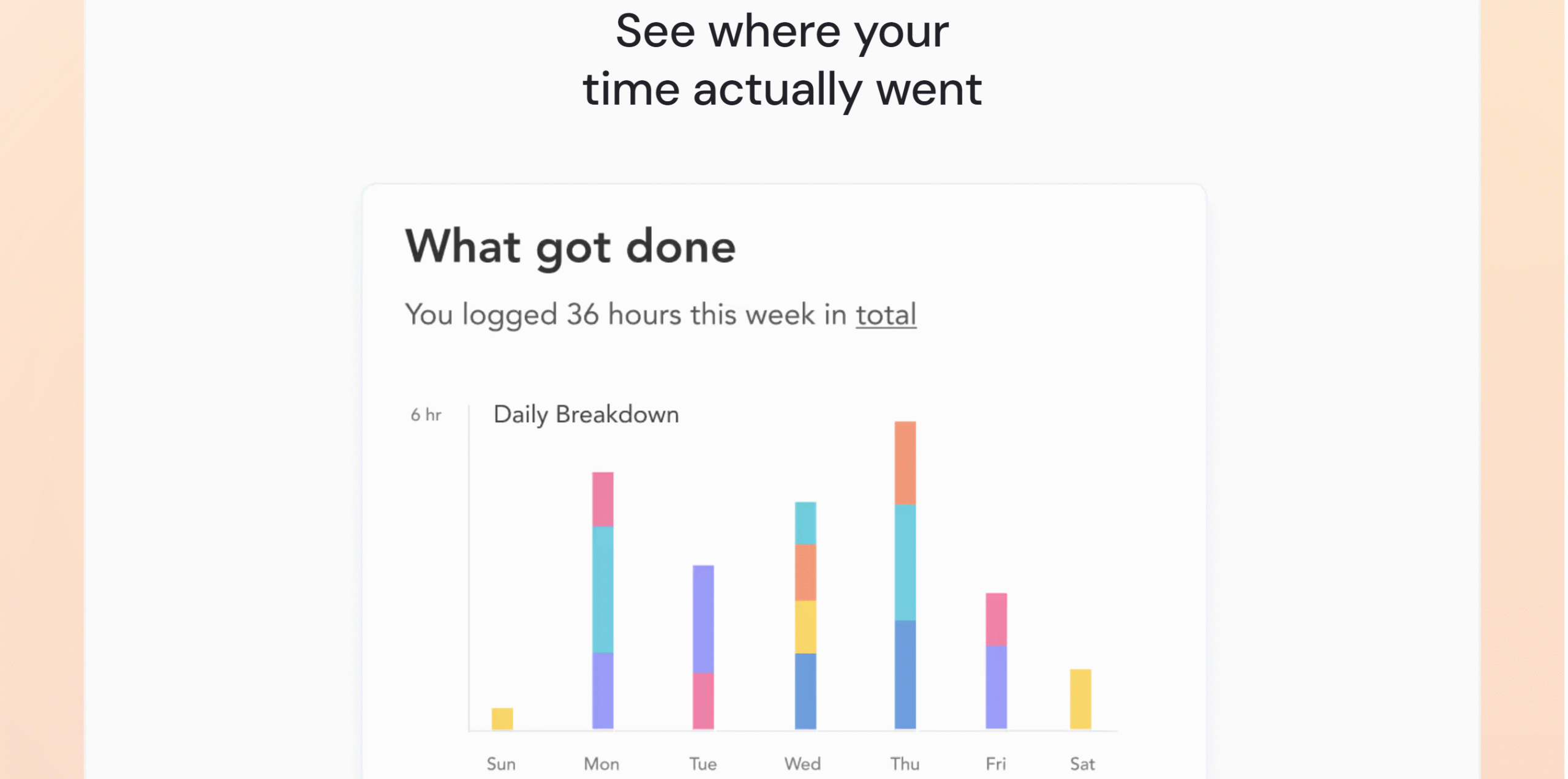
Most people skip this step because they think they already know how their week went. They don’t.
What you felt busy doing and what actually consumed your time are usually different things.
The point of the review isn’t to grade yourself, it’s to see the gap between what you planned and what happened.
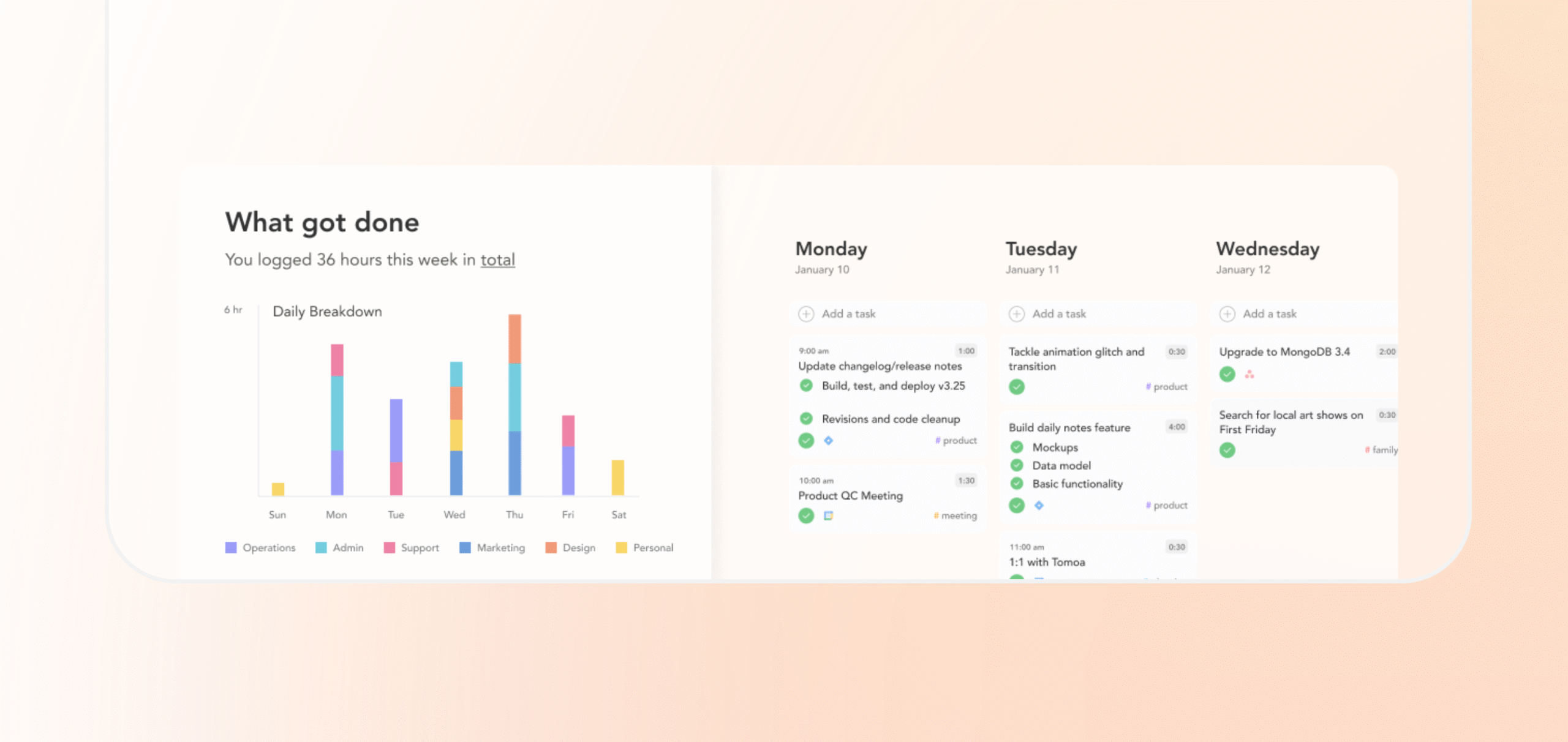
Sunsama’s weekly review shows you a breakdown of where your time went based on what you logged during the week.
How to do it:
- Log your tasks daily and assign estimated times as you go. The weekly view only works if the daily inputs are there.
- At the end of the week, open the weekly review and look at the breakdown.
What you’re looking for: Where did you overcommit? What kept getting pushed? That’s your planning problem to fix next week.
2. Declutter Your Task List
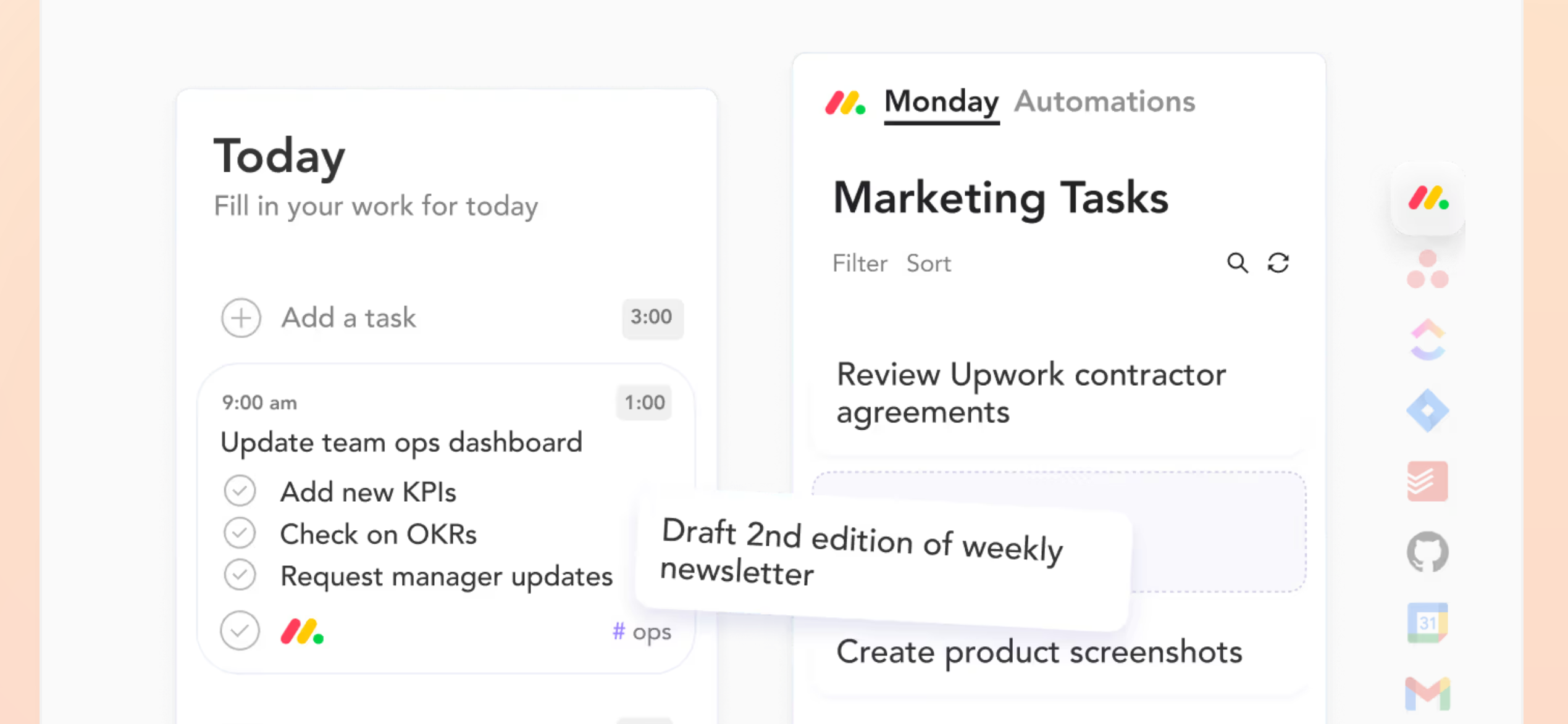
An overcrowded to-do list doesn’t just feel bad; it makes your planning worse.
Every unfinished item sitting there quietly signals “you haven’t done enough,” even when you have.
That creeping sense of urgency is not real. It is the noise from tasks that probably shouldn’t be on the list in the first place.
The goal here is to cut what shouldn’t be there at all.
Sunsama pulls your calendar events, emails, and messages into one view so you’re making one set of prioritization decisions, not three.
Anything that’s been sitting unfinished too long gets auto-archived, which is more useful than it sounds.
Stale tasks are the main reason most lists feel impossible.
How to do it:
- Import tasks, emails, and messages into Sunsama’s daily view.
- Remove duplicates and anything already done.
- Move low-priority items to the backlog, not deleted, just out of your way.
What you get: A shorter list that reflects what this week actually needs. Shorter lists get done. Long ones get scrolled past.
3. Plan Your Next Week
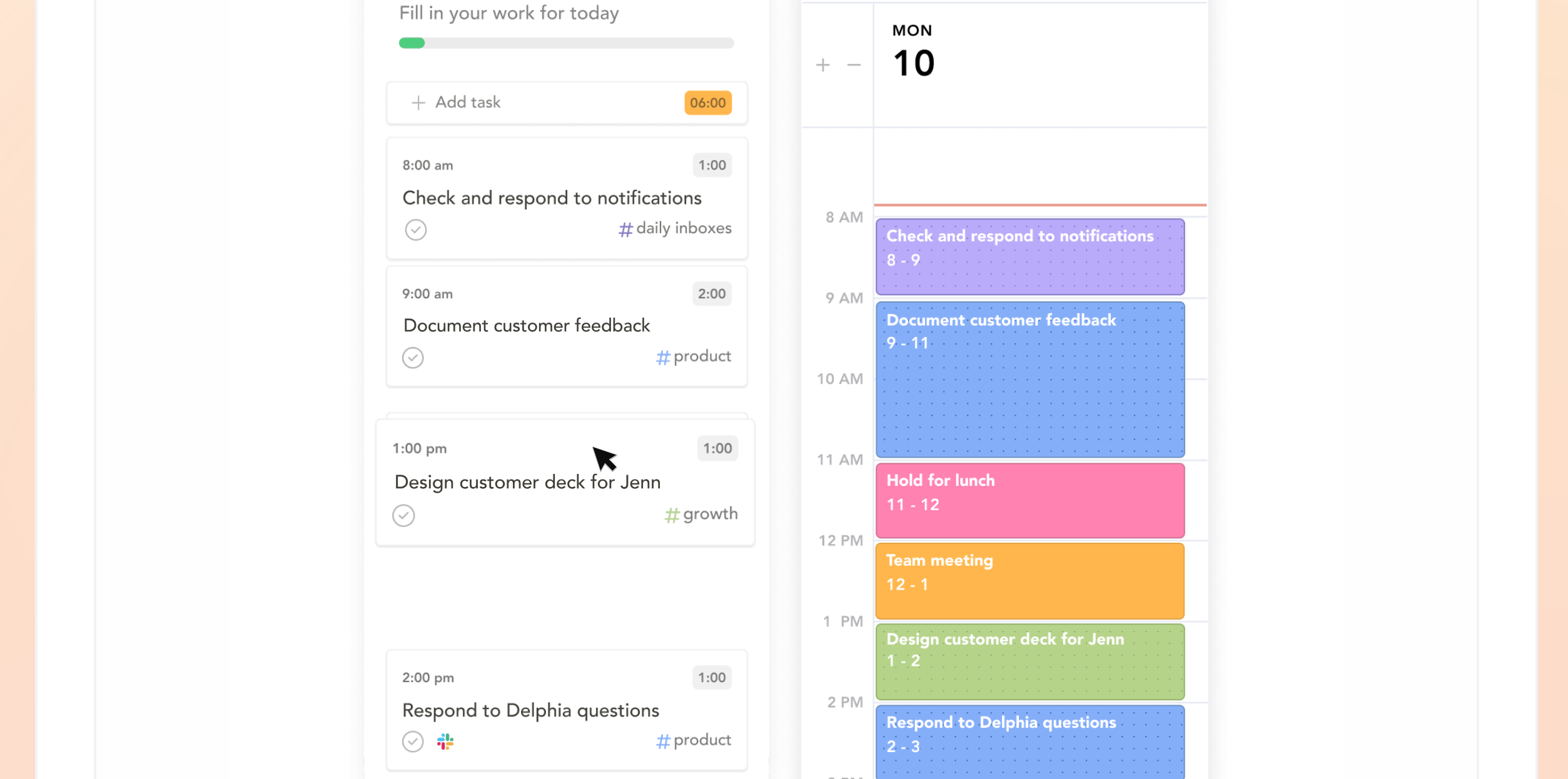
Start by splitting your tasks into fixed and variable.
Fixed tasks anchor the week: morning emails, recurring meetings, appointments, and meal prep. Schedule those first, because they’re not negotiable.
Then book time for deep work. Put it in the slots when you’re actually sharp, not whatever’s left over after everything else gets scheduled.
Variables go last, with buffer space around them. A flexible calendar gets followed. A rigid one gets abandoned by Tuesday.
In Sunsama, the guided planning tool walks you through this in order: tasks, time estimates, deadlines, and then fitting everything into your actual working hours.
It won’t let you accidentally schedule eight hours of focused work into a day that already has three meetings.
How to do it:
- Break large tasks into sub-tasks so you’re scheduling real units of work.
- Add estimated times to everything. The mismatch between estimated and actual is where most planning falls apart.
- Leave buffer. Treat it as a scheduled item, not empty space you’ll protect later (you won’t).
What you get: A week where you don’t start each morning deciding what to do. That decision fatigue compounds. Eliminate it once on Sunday, and every day runs cleaner.
4. Daily Shutdown Ritual
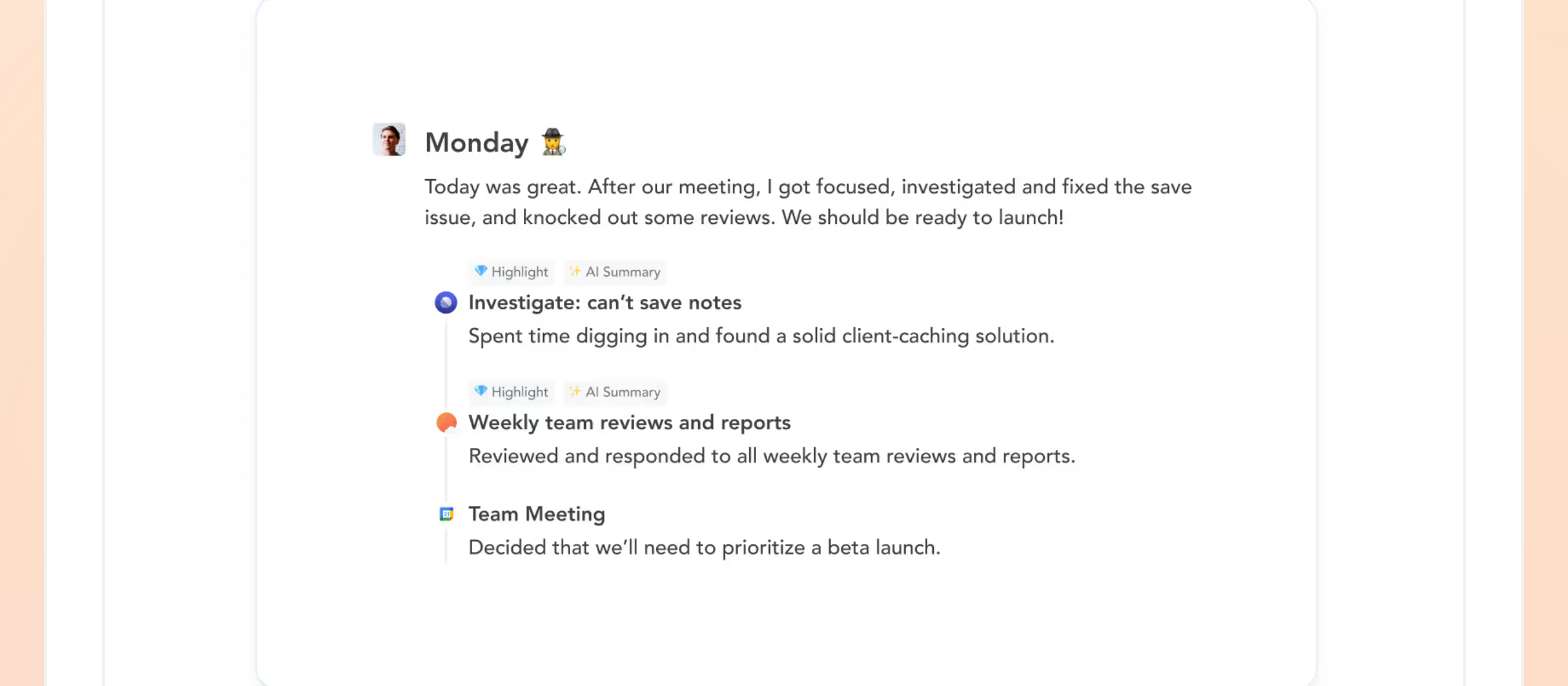
Most work anxiety doesn’t come from having too much to do. It comes from leaving the day open-ended.
When you never officially close the day, your brain keeps the file open. You’re technically done working, but you’re still mentally at your desk.
A shutdown ritual fixes that.
It’s a five-minute cap at the end of the day where you log what got done, note what carries over, and close the loop.
That’s it. The act of naming it done is what makes it done.
Sunsama generates a day-end summary automatically based on what you logged, so you’re not reconstructing your day from memory.
You review it, add any notes worth keeping, and you’re out.
How to do it:
- Set your work hours in Sunsama so there’s a hard stop built in.
- At the end of the day, pull up the daily summary and scan it.
- Move anything unfinished to tomorrow or the backlog. Don’t leave it hovering.
- Write one note if something needs to carry forward mentally.
What you get: A real end to your workday.
What Is The Best Way To Build A Sustainable Weekly Reset Routine
The four steps above only work if you actually do them each week. That’s the harder problem.
Motivation fluctuates. Discipline alone won’t carry it. What carries it is removing the decision of whether to do it.
Here’s how.
1. Set Up A time for a Weekly Reset
Pick a time before your next week starts, and put it in your calendar like a meeting you can’t reschedule.
Sunday evening works well for most people. The week is clearly over, and there’s usually space.
If you work weekends, find whatever day marks your personal end-of-week and use that instead.
Do it at the same time for four weeks in a row.
Your brain stops treating it as a task you have to start and starts treating it as something that just happens.
2. Follow The Same Steps
Create a template for your weekly reset and run the same steps every time.
Here’s why that matters: the hardest part of any routine isn’t doing it, it’s starting it.
Psychologists call it activation cost. Your brain resists unfamiliar patterns, but once you’re in motion, it adjusts fast.
A fixed template eliminates that resistance. You’re not deciding how to do your reset. You’re just doing it.
3. Keep The Planning Short
Fifteen minutes is enough. If your next week is packed, focus on the priorities and push the rest to the backlog.
The longer your reset takes, the less likely you are to do it next week.
4. Reward Yourself
Add an incentive for finishing your reset, and you’ll actually finish it.
It doesn’t need to be elaborate. A snack, an episode of something, a walk. Whatever feels like a genuine reward to you works.
The point is that your brain starts associating the reset with something it wants, not something it has to do.
I use this in my own planning sessions. It works.
5. Pick The Right Planner For a Weekly Reset
If the tool feels like friction, you’ll skip the reset before you skip the week.
I used Sunsama throughout this guide because it handles every step cleanly, but it’s not the only option.
Todoist, TickTick, Google Calendar, and Notion all work for this.
Pick whichever one you’ll actually open on Sunday evening.
Conclusion
The system works. Review the week, clear the list, plan what’s next, and shut it down clean.
It’s 15 minutes.
You don’t need the perfect planner to start. Block Sunday evening, run through the four steps, and adjust from there.


 A better way to manage projects and clients for freelancers
 Get through busy days like a breeze with Reclaim.ai