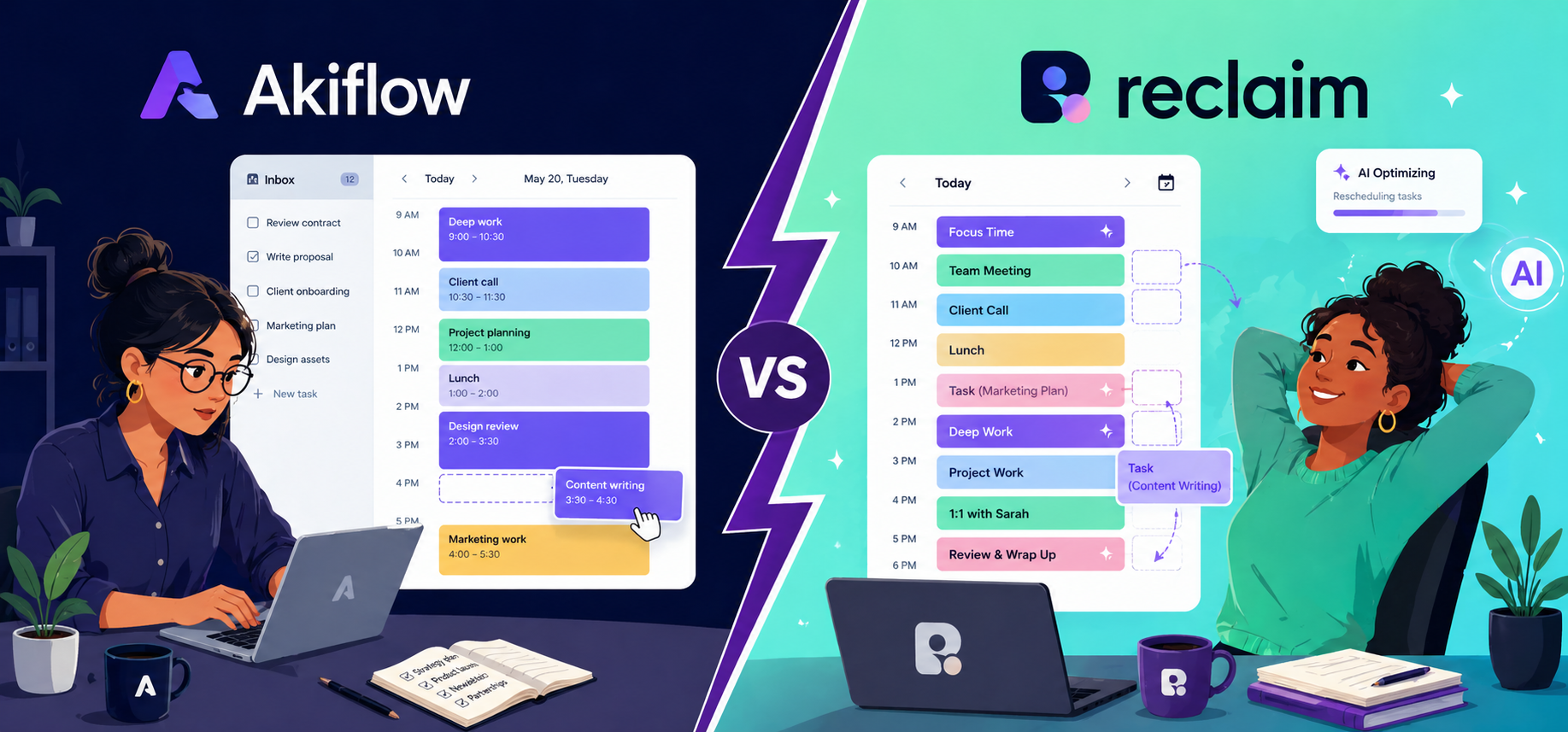
Akiflow and Reclaim both promise to fix your schedule and help you with effective time management.
But they take completely opposite approaches to get there.
Akiflow is a DIY planner that puts you in full control. Reclaim is an automated assistant that manages your calendar for you.
This comparison breaks down how each tool handles planning, tasks, meetings, and habits, so you can figure out which approach fits you.
Akiflow Overview
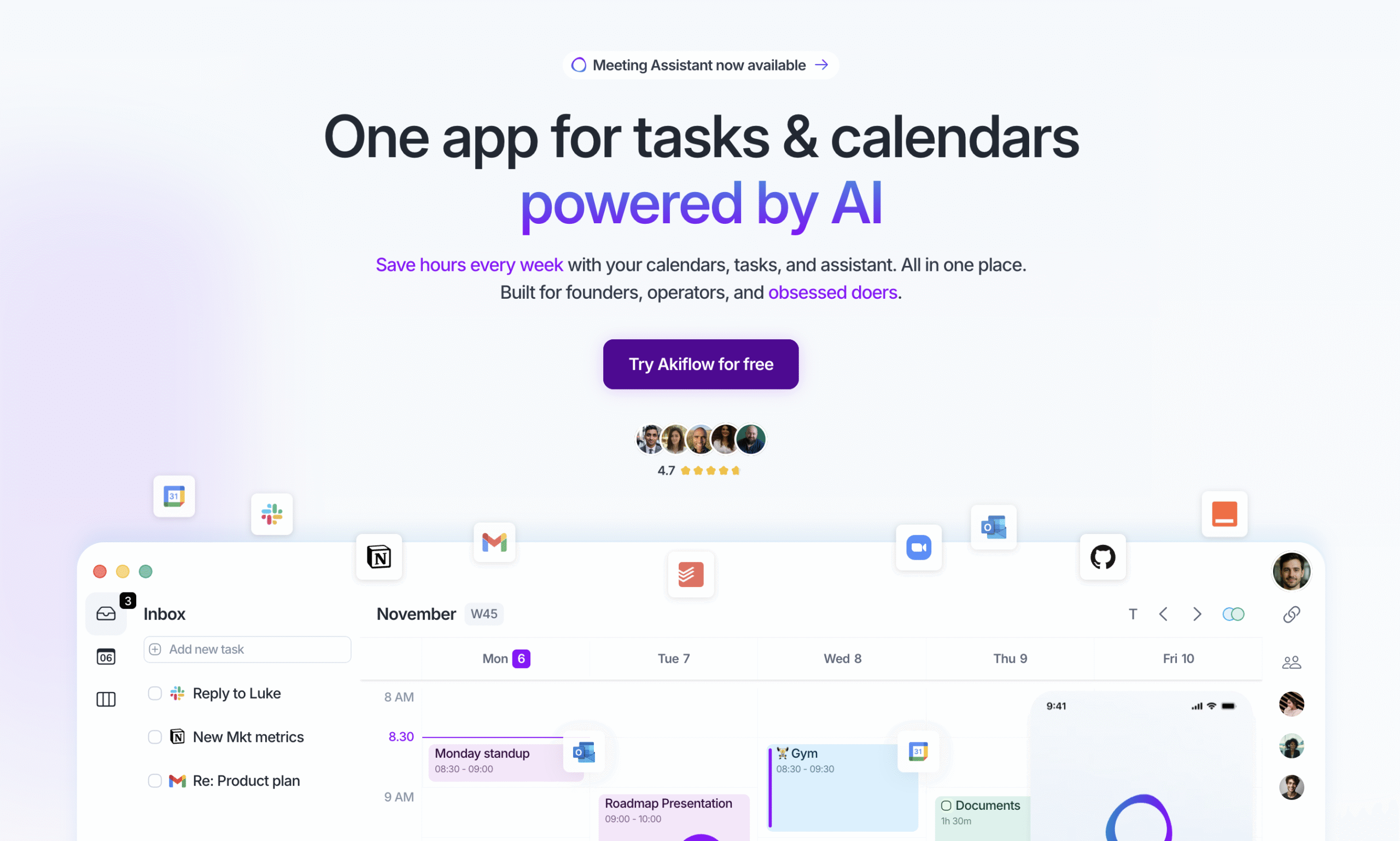
Akiflow is a DIY planning and time management tool.
You collect tasks from all your tools in one inbox, then drag and drop them across your calendar exactly where you want them.
There’s no automation and that’s intentional. You stay in control of every decision. Akiflow makes sure nothing slips your mind.
The tradeoff is that when your week goes sideways, you’re the one fixing it.
What it does well: deep task integrations, a polished experience, and an AI assistant you can access to add tasks, manage schedules and more without opening the app. No free plan though.
Reclaim Overview
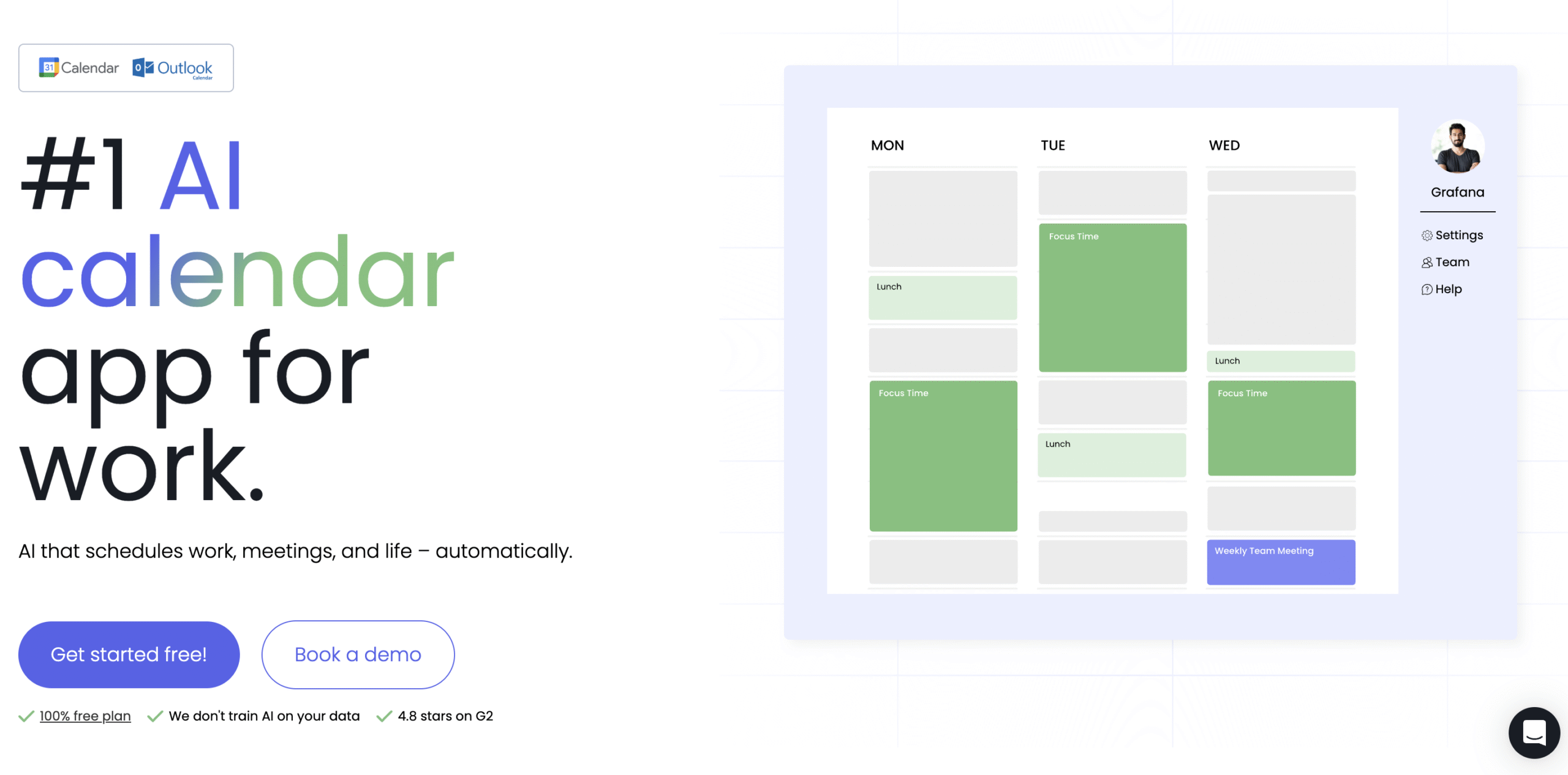
Reclaim automates your schedule so you don’t have to manage it.
You set your priorities, preferences, and deadlines. Reclaim builds your week around them and keeps adjusting as things change. Conflicts get resolved automatically based on priority, without you stepping in.
The free plan covers most individual use cases well.
Where it falls short is everything outside time blocking and scheduling: no daily planning rituals, no real task management depth, and limited integrations.
If you want a tool that does more than manage your calendar, you’ll hit its limits.
Akiflow vs Reclaim: Features at a glance
| Features | Akiflow | Reclaim |
| Tasks | Yes ✅ | Yes ✅ |
| Meeting scheduling links | Yes ✅ | Yes ✅ |
| Habits and focus time tracker | No ❌ | Yes ✅ |
| Drag and Drop customisation | Yes ✅ | Yes ✅ |
| Automatic conflict management | No ❌ | Yes ✅ |
| Rituals | Yes ✅ | No ❌ |
| Pomodoro timer | Yes ✅ | No ❌ |
| Time and task tracking | Yes ✅ | Yes ✅ |
| Advanced analytics | No ❌ | Yes ✅ |
| Meeting transcripts | Yes ✅ | No ❌ |
| AI assistant | Yes ✅ | No ❌ |
| AI workflows | Yes ✅ | No ❌ |
Akiflow vs Reclaim: Side-by-side comparison
Time Blocking
Akiflow gives you a blank calendar and a task list. You place everything manually, exactly where you want it.
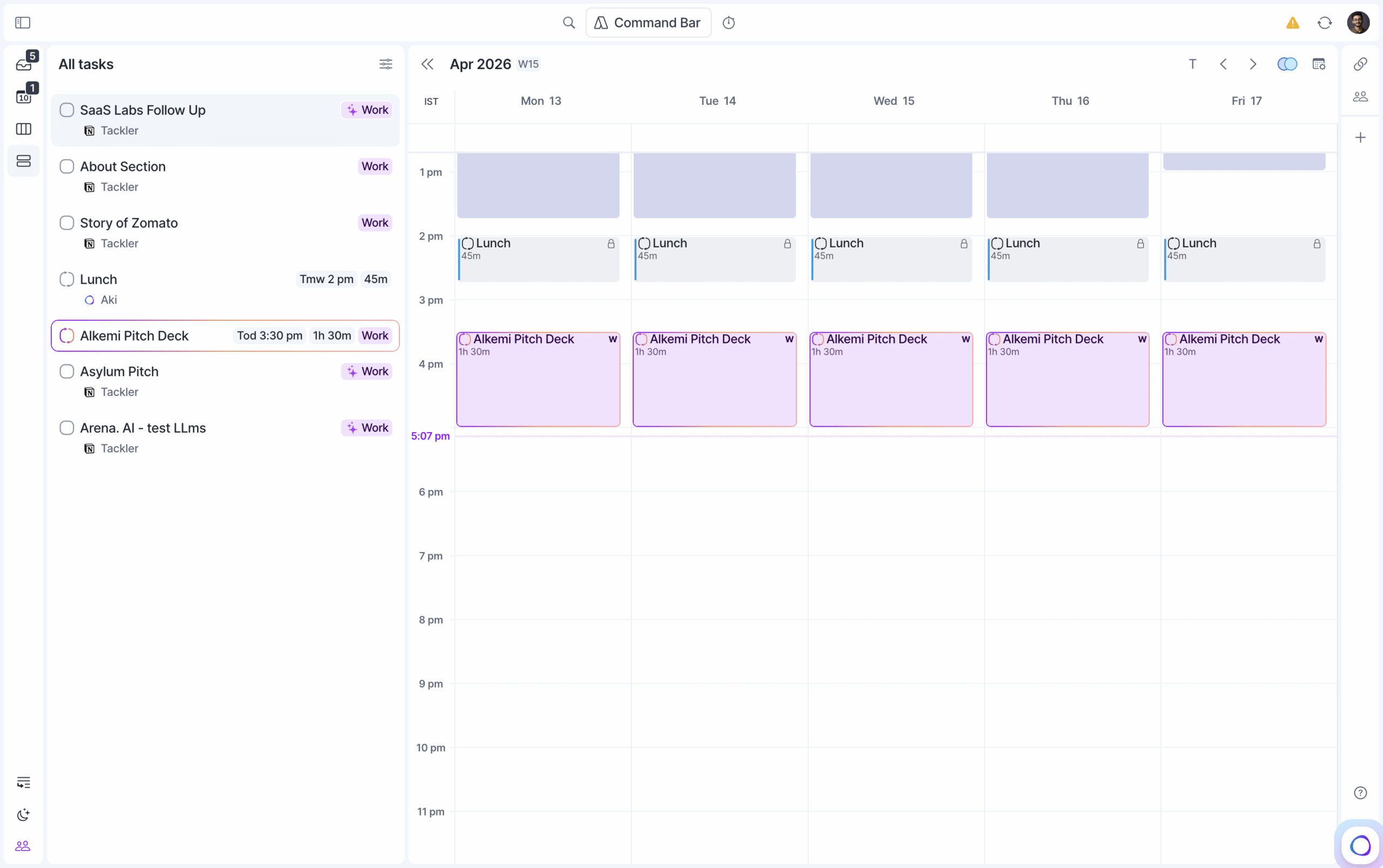
That works well for day-to-day planning. Where it gets difficult is longer projects.
If a task needs 12 hours spread across a week, you’re setting a recurring block and adjusting it manually every time your schedule shifts.
But, work rarely happens in predictable fixed chunks. Some days you get four solid hours in the morning, other days you’re working in 1 hour gaps wherever you can find them.
Reclaim handles that automatically.
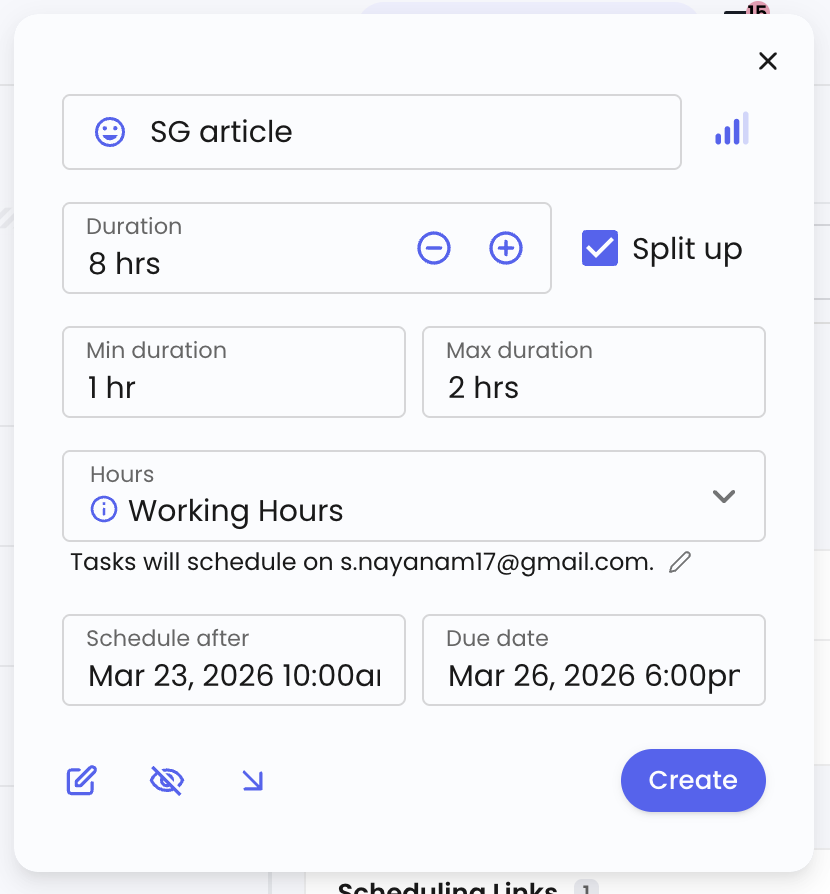
You tell it the priority, total time needed, preferred session length, and deadline. It spreads the task across your calendar based on real availability.
Rescheduling
When a conflict hits, Akiflow flags it and hands it back to you. You decide what moves and what stays.
You can lock specific slots on your calendar, which marks them as unavailable on your scheduling links. Leave them unlocked and someone can book over them. Akiflow will let you know, but the fix is yours to make.
Reclaim handles conflicts without involving you at all.
Every task and every meeting link carries a priority level.
A high-priority task with a distant due date still shows as available for low-priority meeting links. If a meeting is booked over it, Reclaim moves the task to an available slot.
As the deadline gets closer, Reclaim tightens its defence, blocks the slot for low-priority bookings, but keeps it open for high-priority ones.
You set the rules once. Reclaim enforces them.
Task management
With Akiflow you get a notes page, and the option to add links for every task. The standout is its integrations.
You can pull tasks in from a wide range of tools including Notion, Clickup, and Todoist.
It lets you set up automated workflows to update tasks in integrated tools when you mark them done in Akiflow, or switch to the tool directly and make changes yourself.

Reclaim’s tasks are more scheduling-focused than task-management-focused. You get fewer integrations and no real workspace for notes or context.
What you do get is precise calendar control over when and how each task gets done.
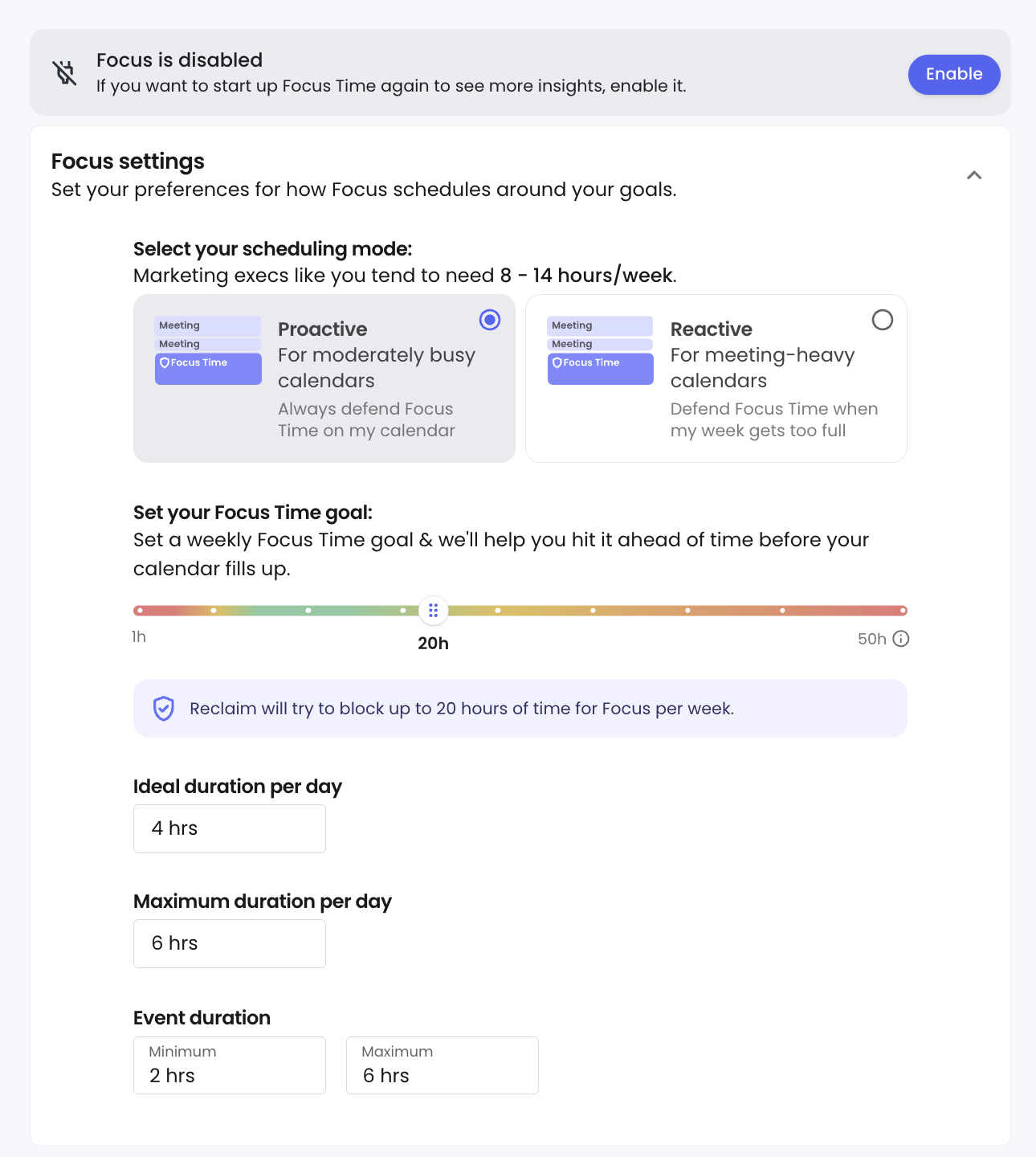
Habits and Focus Time is where Reclaim pulls ahead.
In Akiflow, a habit is just a recurring time block. It sits on your calendar like any other task, and it’s on you to protect it.
Reclaim treats habits as a separate category. You assign a priority and a defence approach, and Reclaim actively finds time for them even as your calendar fills up. That means two things: your non-negotiables actually get protected, and you get habit tracking data over time.
Focus time works the same way. Because it’s its own category, Reclaim can track how much deep work you’re actually getting and protect it from being booked over.
Meetings
Both Reclaim and Akiflow offer meeting booking pages similar to Calendly.
Akiflow gives you no customisation on how the booking page looks. Reclaim’s free plan comes with Reclaim branding, but the Business plan lets you add your own logo, branding and more.
Akiflow gives you more flexibility when it comes to slot and links.
You can hand-pick slots across multiple days, create as many links as you want, each with different availability windows and timeframes, and share them freely. No limits.
Reclaim is more restrictive on the link side. One meeting link on the free plan, three on Starter, and unlimited on the business plan.
But you get smarter scheduling. Each link carries a priority level, so Reclaim factors in your tasks, habits, priorities and deadlines when showing availability.
Both offer one unique feature as well.
Akiflow has a built-in meeting assistant that records transcripts, generates summaries, and pulls out action items, similar to Otter. But it costs $19 per month on top of your Akiflow subscription.
Reclaim offers Smart Meetings, which automatically finds the best time for recurring team meetings across everyone’s calendars. It’s a teams-only feature though.
AI Features
Akiflow offers an AI assistant named Aki, and it works like your secretary.
You can ask Aki to add tasks, create meeting links, or reschedule your day through a chat interface. On the iPhone, Siri works too.
You can also email Aki from a connected account or message it on WhatsApp to add or modify tasks without opening the app.
The more interesting feature is Workflows. You can set up automated briefings like a daily 9am schedule overview in whatever format you want, and Aki delivers it on schedule.
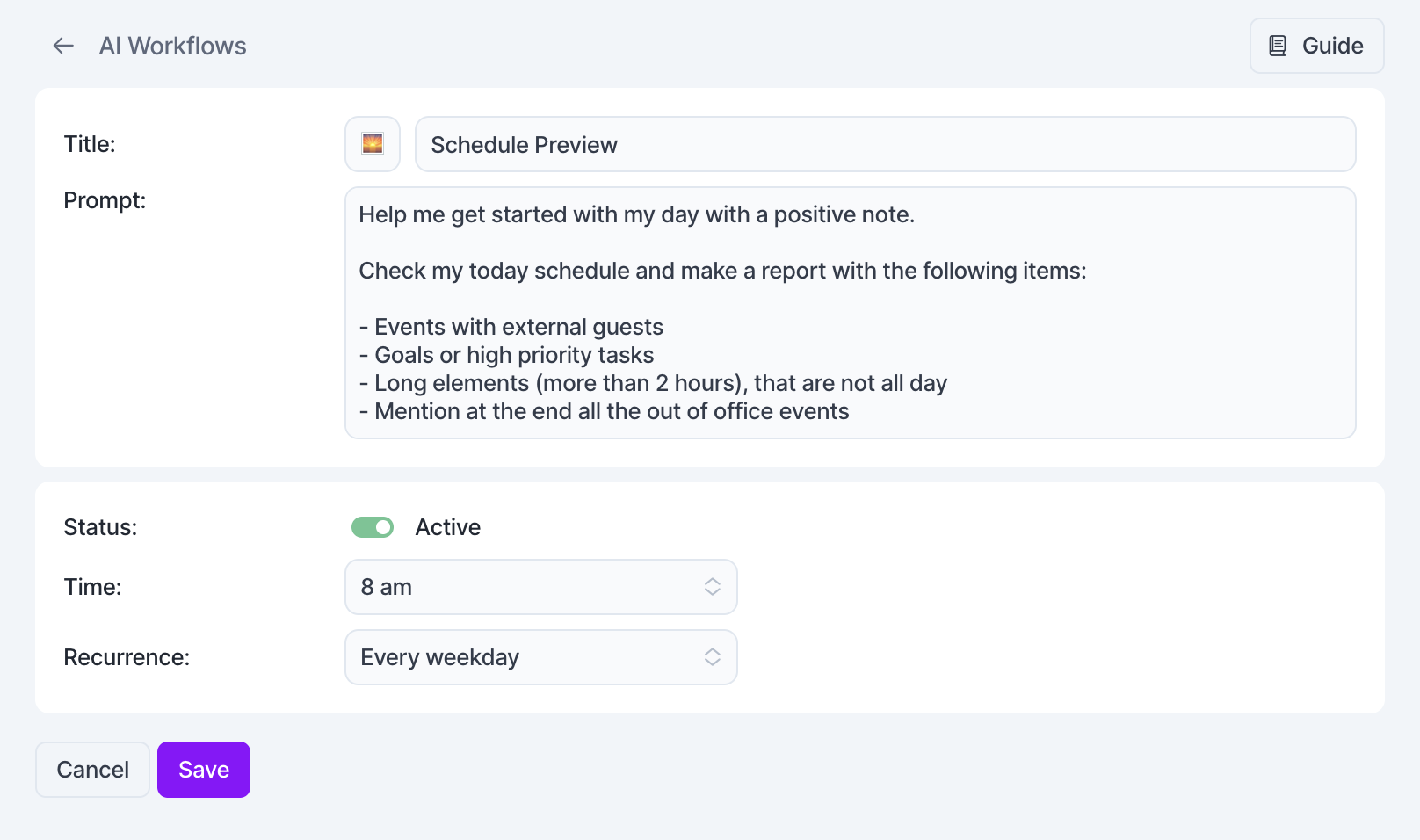
Workflows aren’t limited to your calendar either. You can set one to monitor Bitcoin prices every morning or check the weather in a specific city. It’s the closest thing to having a personal assistant built into your calendar app.
Reclaim takes a different approach entirely. There’s no chat interface or assistant to talk to.
The AI works in the background, making scheduling decisions and resolving conflicts. You don’t interact with it. You just set your preferences and it runs.
Reports and Analytics
Akiflow gives you a clean overview: time spent on meetings, tasks, and events, plus completion rates.
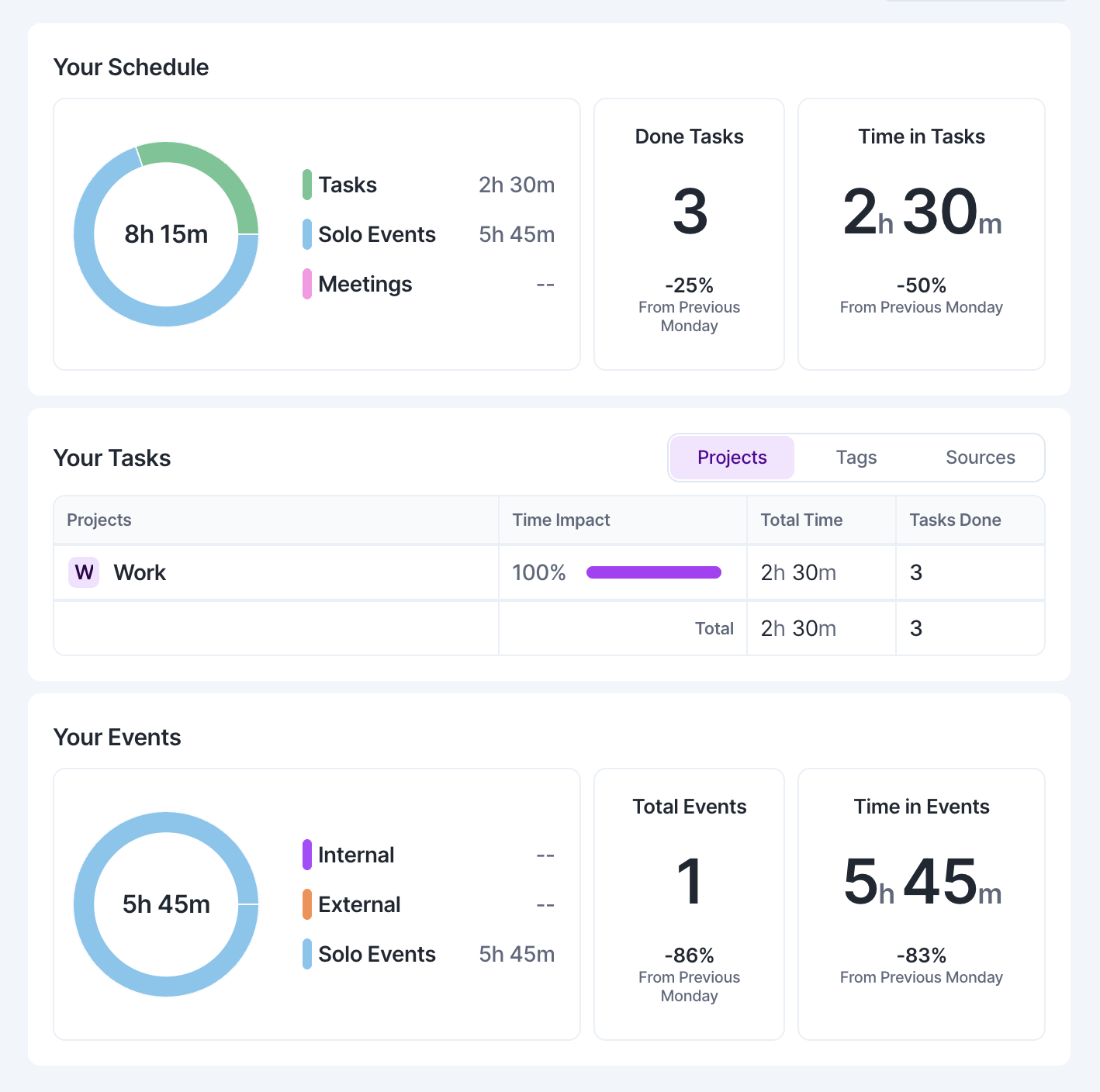
Reclaim goes deeper. Your time breakdown is visualised with donut charts and bar graphs.
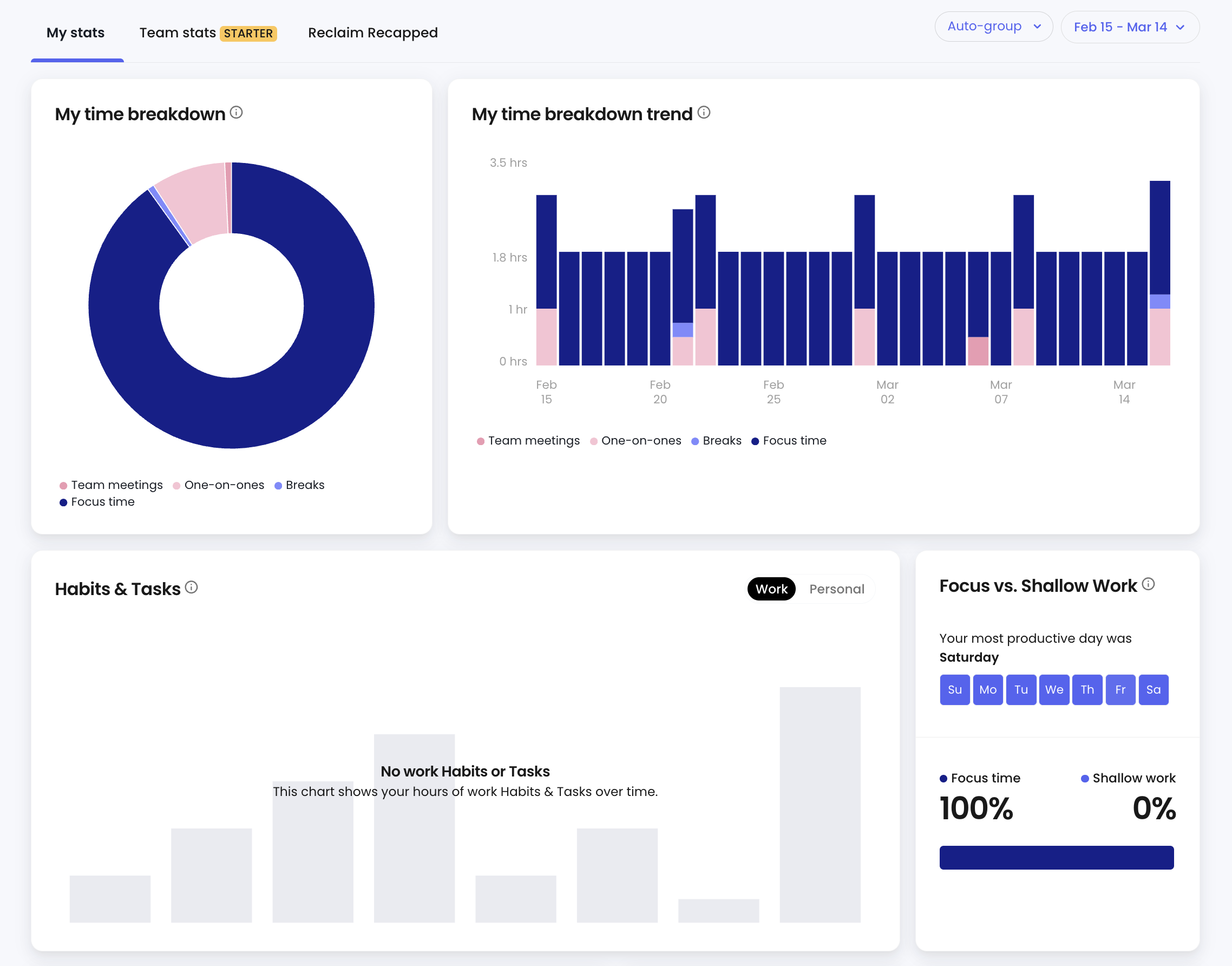
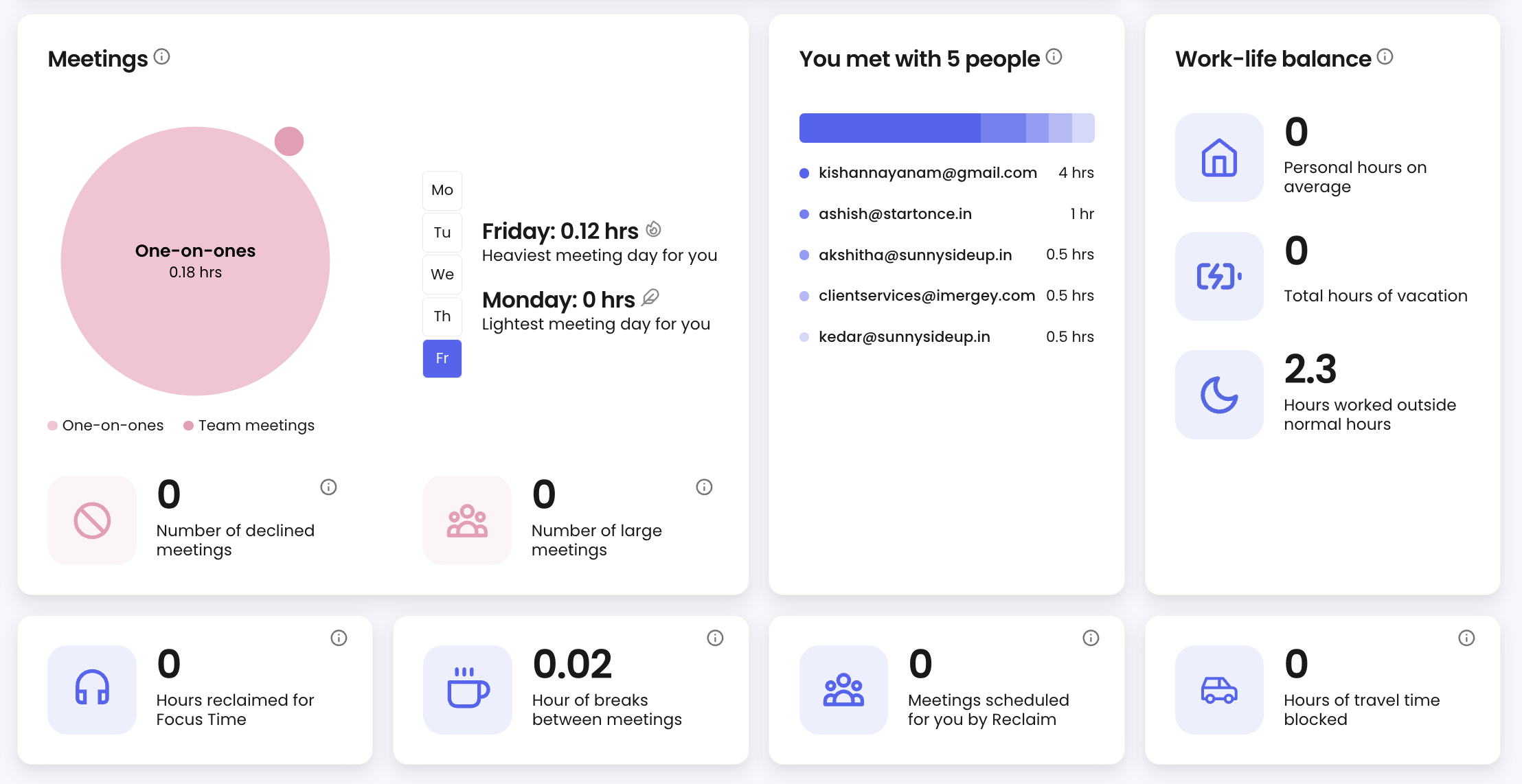
You can see who you spent the most time with, your heaviest and lightest meeting days, and how many hours slipped outside your working hours.
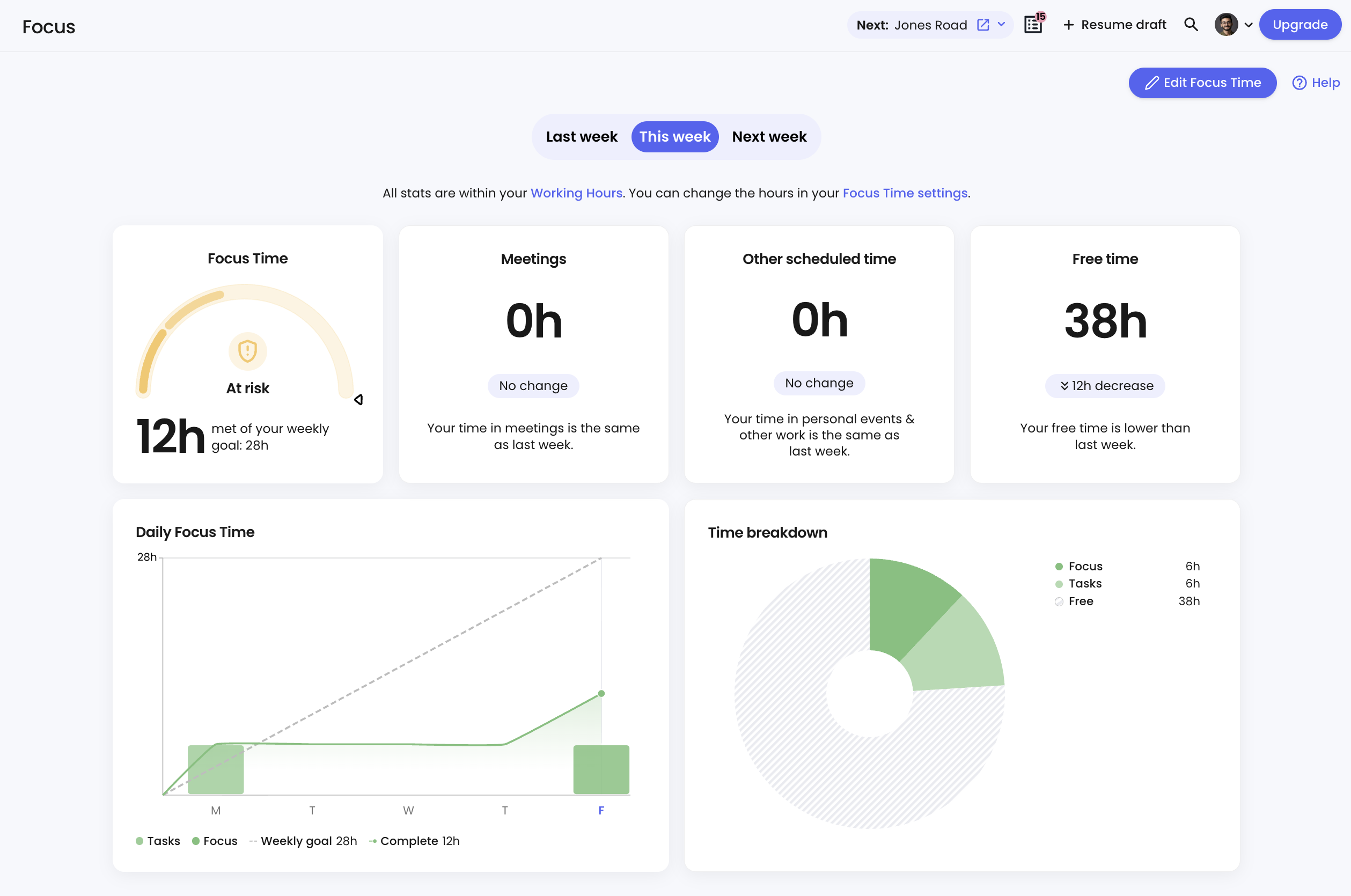
Because Reclaim separates focus time from regular tasks, it also tracks whether you hit your deep work goals for the week and flags what was booked over your focus blocks when you didn’t.
User Interface and Experience
Onboarding is smooth on both, with prompts that guide you through setup without much friction.
You also get a free 1-on-1 onboarding call, once you sign up on Akiflow.
Both offer a clean and easy to navigate interface.
Where they diverge is how present each tool feels throughout your day.
Akiflow stays with you outside the app.
The menu bar widget shows what’s coming and what needs doing. You can check off tasks and join meetings directly from there.
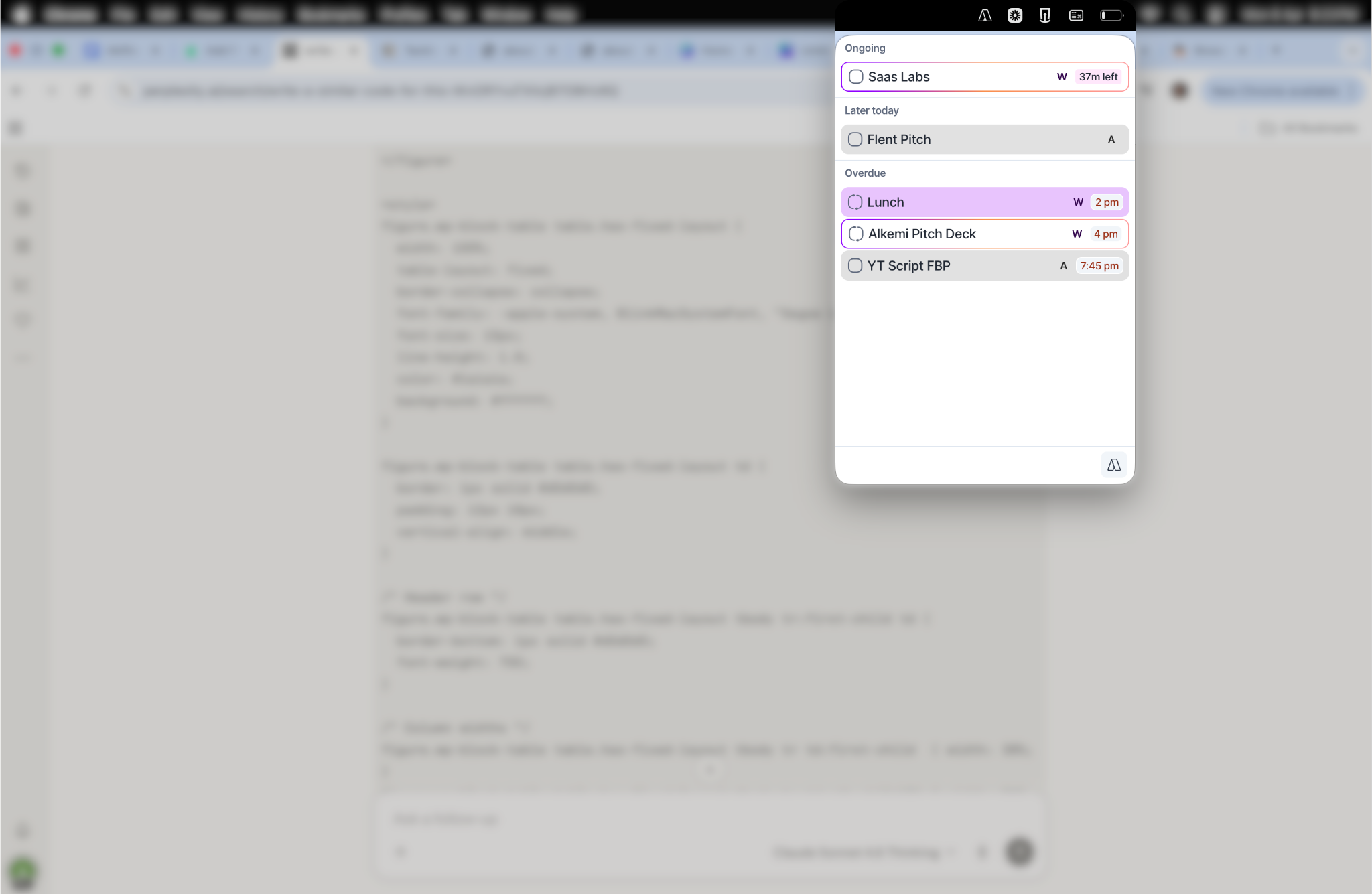
Start a pomodoro and the timer stays visible on your screen, wherever you are.
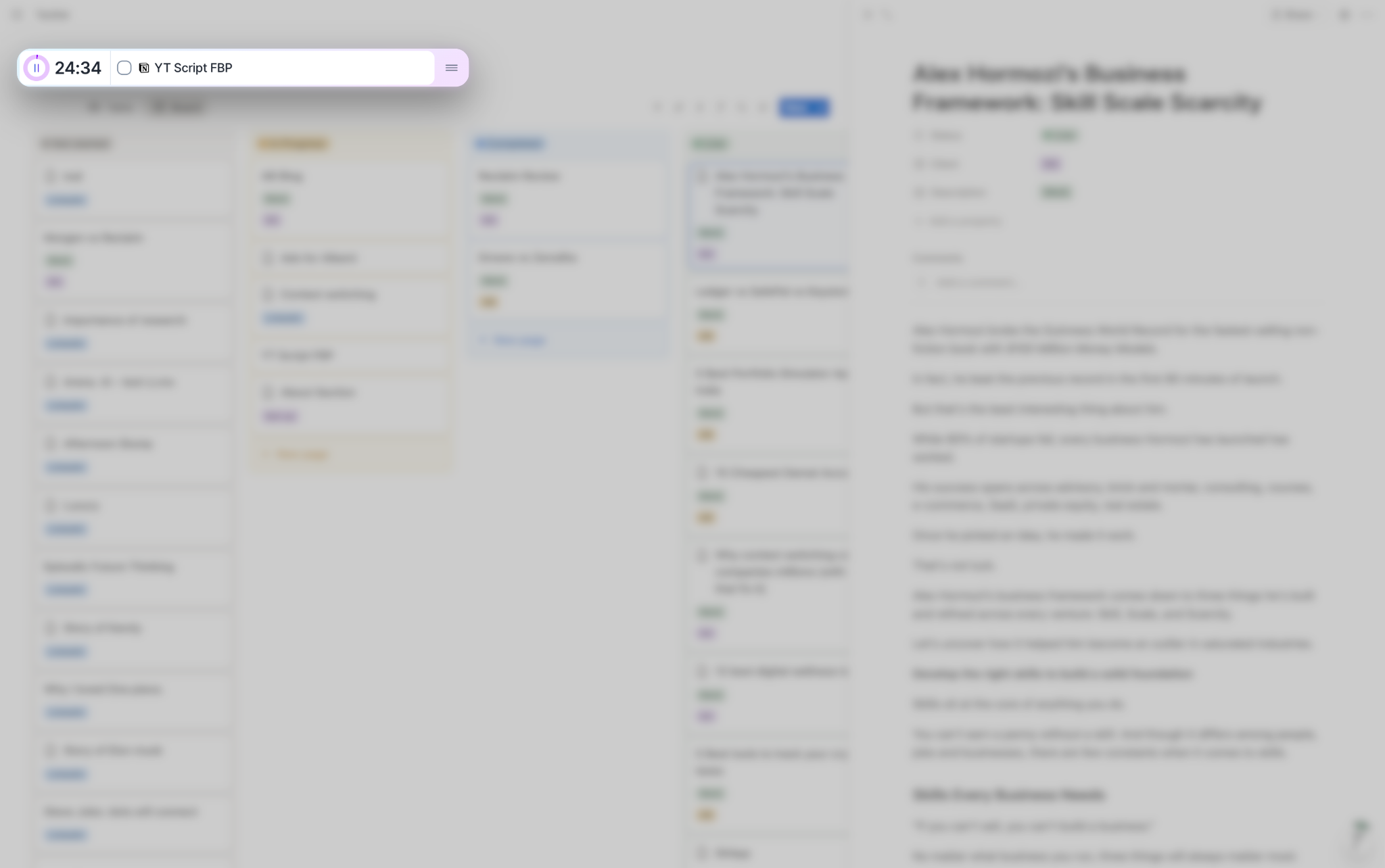
You can also manage tasks through Siri, Gmail, or WhatsApp without touching the app.
The Command Centre takes that further. Press Cmd+E or Ctrl+E from anywhere on your computer and a single text window opens. Add tasks, chat with Aki, or manage your calendar without switching apps.
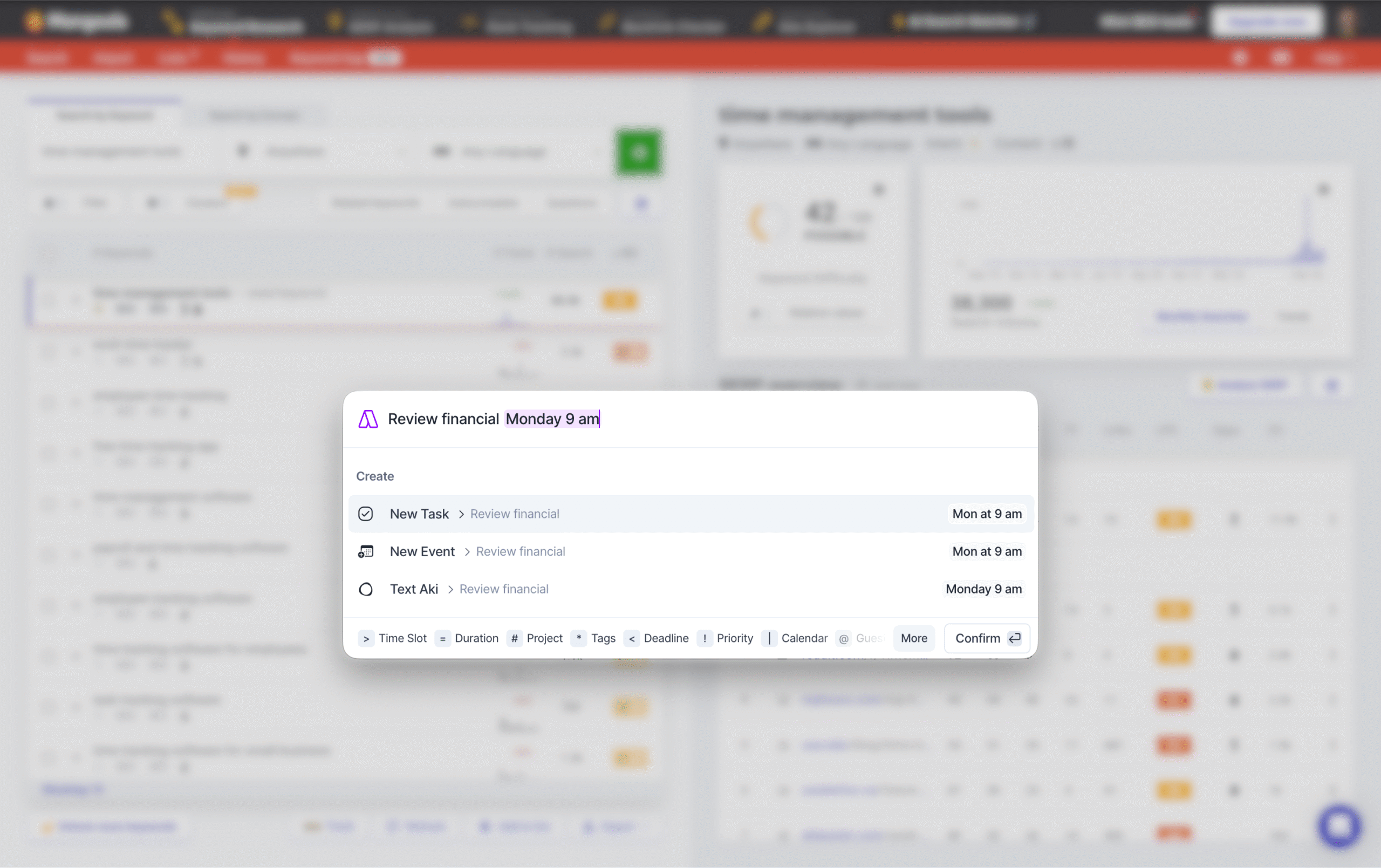
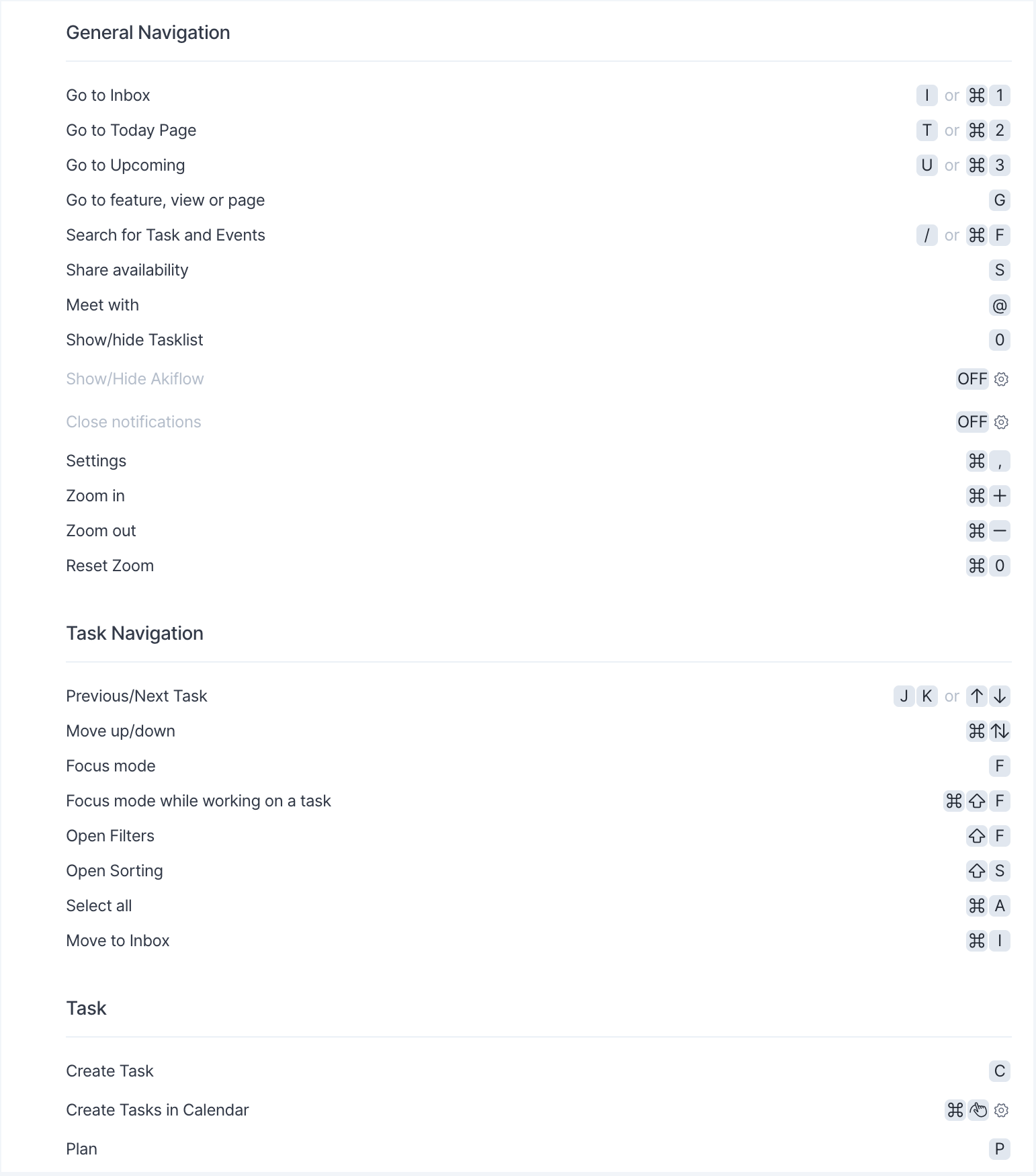
Combined with an extensive shortcut library, Akiflow is genuinely fast to operate once you learn it.
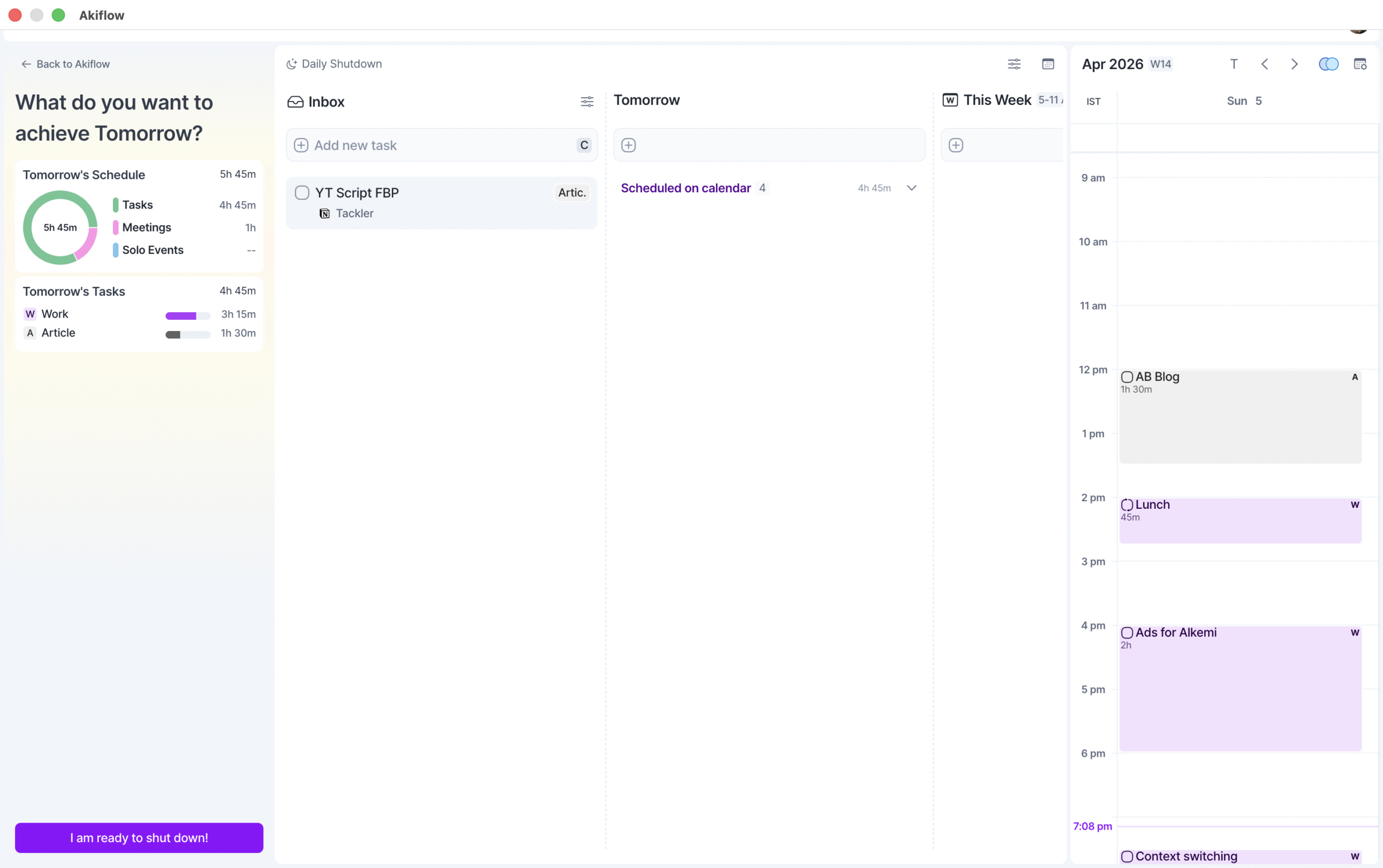
Akiflow also has a shutdown ritual: rate your day, mark tasks complete, and time-block the next day before you close out. It’s a small feature, but for anyone who likes to debrief and plan ahead, it makes the end of the workday feel intentional.
Reclaim is largely contained to the app.
Notifications come through Google Calendar rather than a native system, and there’s no quick-access widget or command launcher.
If you’re not in the app, you’re mostly not in Reclaim.
Pricing
Akiflow
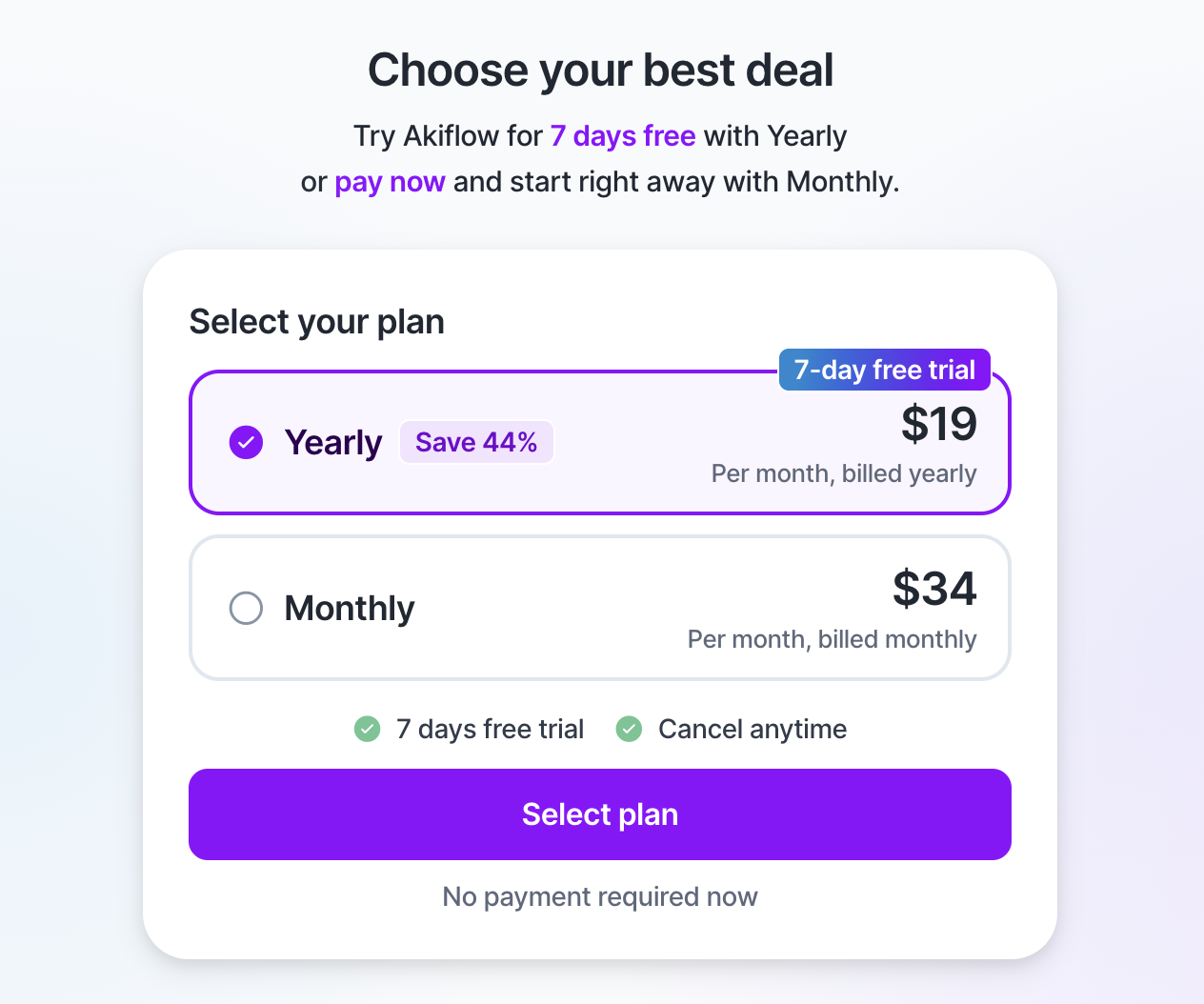
- Offers a 7-day free trial (credit card required)
- $19/month (billed annually) or $34/month (billed monthly)
Reclaim
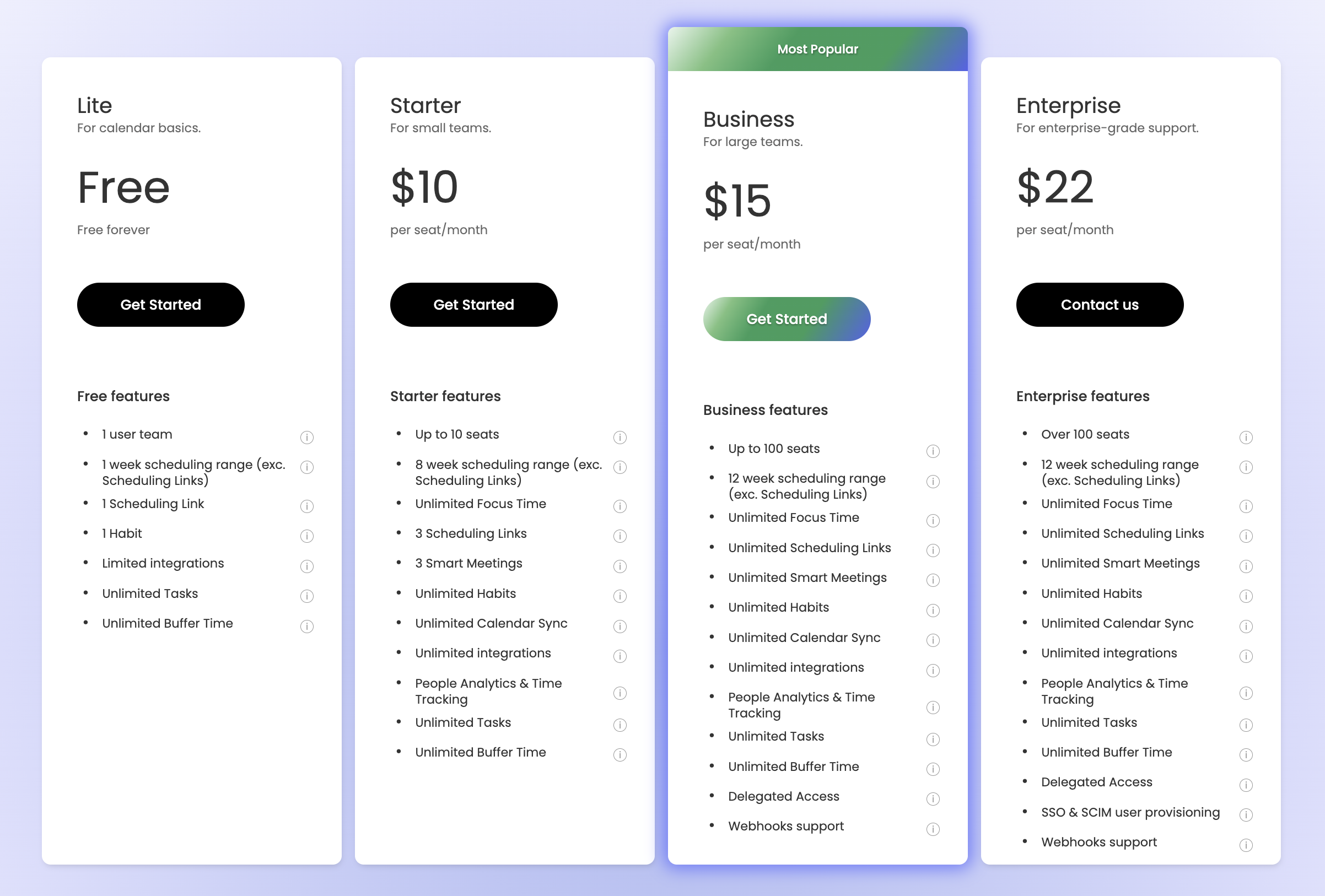
- Lite: Free
- Starter: $10/month (billed annually) or $12/month (billed monthly)
- Business: $15/month (billed annually) or $18/month (billed monthly)
- Enterprise: $22/month (billed annually) [no monthly plans available]
Verdict
There’s no objectively better pick.
The choice comes down to whether you want a hands-on command centre or hands-off automation.
Pick Akiflow if you want full control over your calendar.
The DIY approach, pomodoro timer, shutdown rituals, AI assistant, and deep integrations make it a genuinely mindful productivity and time management tool. Just know that your results depend entirely on how well you use it.
Pick Reclaim if you want your calendar managed for you.
Set your priorities and preferences once, and Reclaim handles the rest. You can be terrible at time management and still end up with an efficient schedule.


 A better way to manage projects and clients for freelancers
 Get through busy days like a breeze with Reclaim.ai