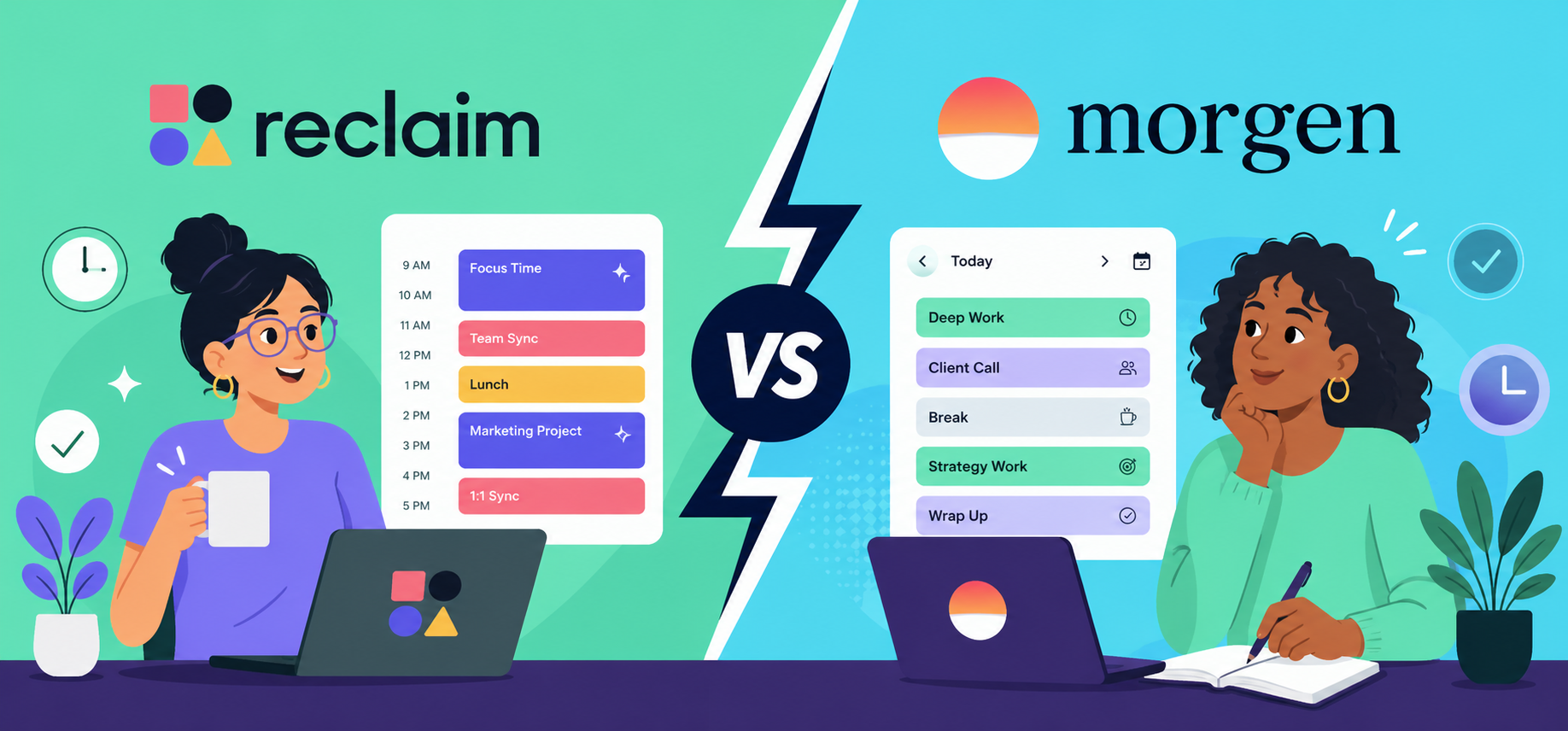
If your to-do list never gets enough time, it’s because it sits outside your calendar.
It’s disconnected from your habits, routines, meetings, deadlines, and everything else competing for your attention.
Reclaim and Morgen both fix that, but in different ways.
Reclaim automatically plans everything and puts it on your calendar. Morgen helps you plan it yourself with AI suggestions and assistance.
This comparison covers what these tools offer and how they handle planning, meetings, conflict management, integrations, and reports, so you can pick the one that fits what you need.
Reclaim Overview
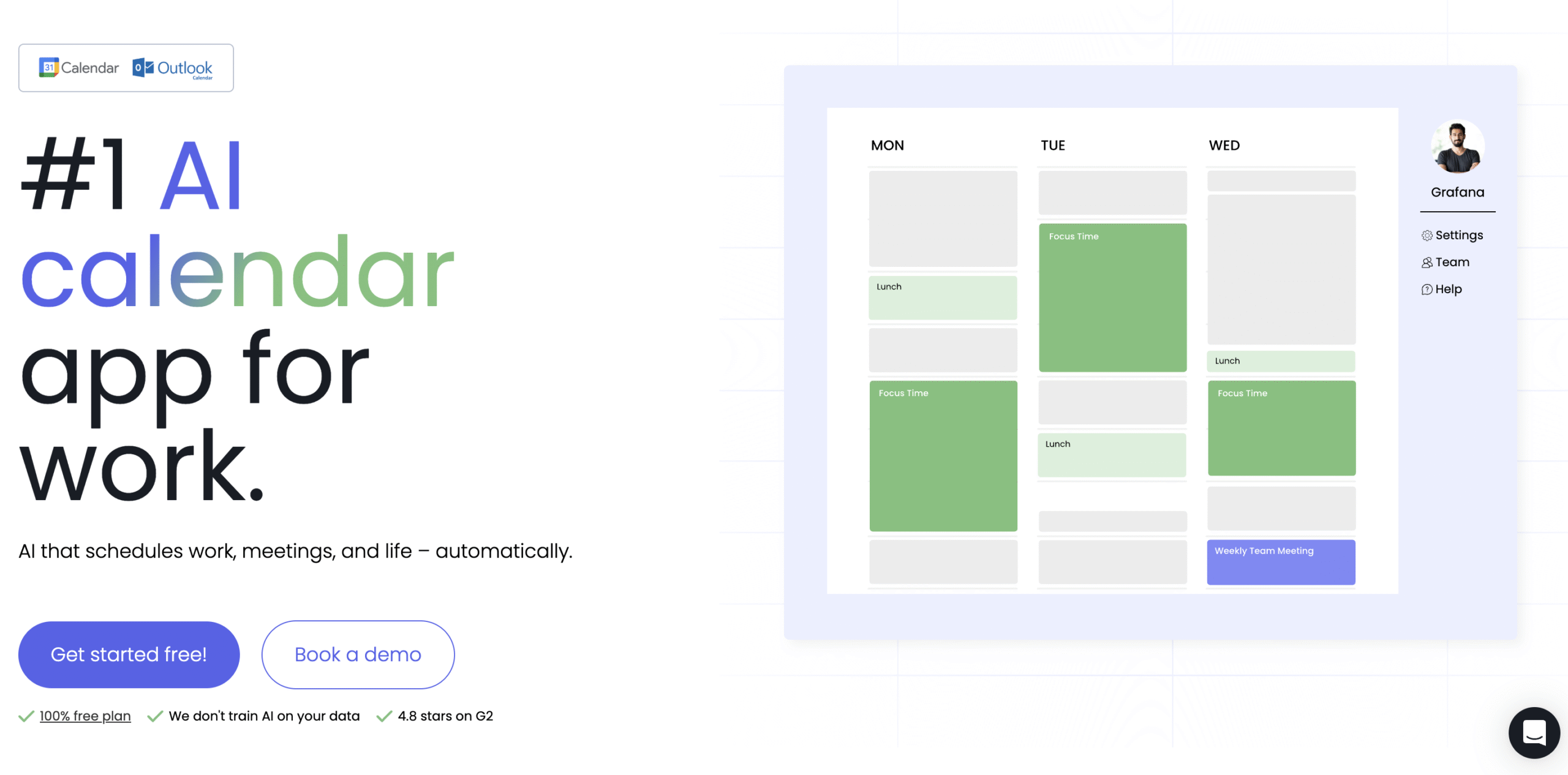
Reclaim’s USP is automation.
Feed it your tasks, priorities, preferences, and deadlines. Every task gets scheduled. Every conflict gets resolved. Focus time and habits gets defended. You just show up and do the work.
You also get time tracking, detailed reports, and meeting links that compare task and meeting priorities automatically so important work doesn’t get bumped.
The free plan is genuinely useful for individuals, not just a teaser to get you to upgrade.
Morgen Overview
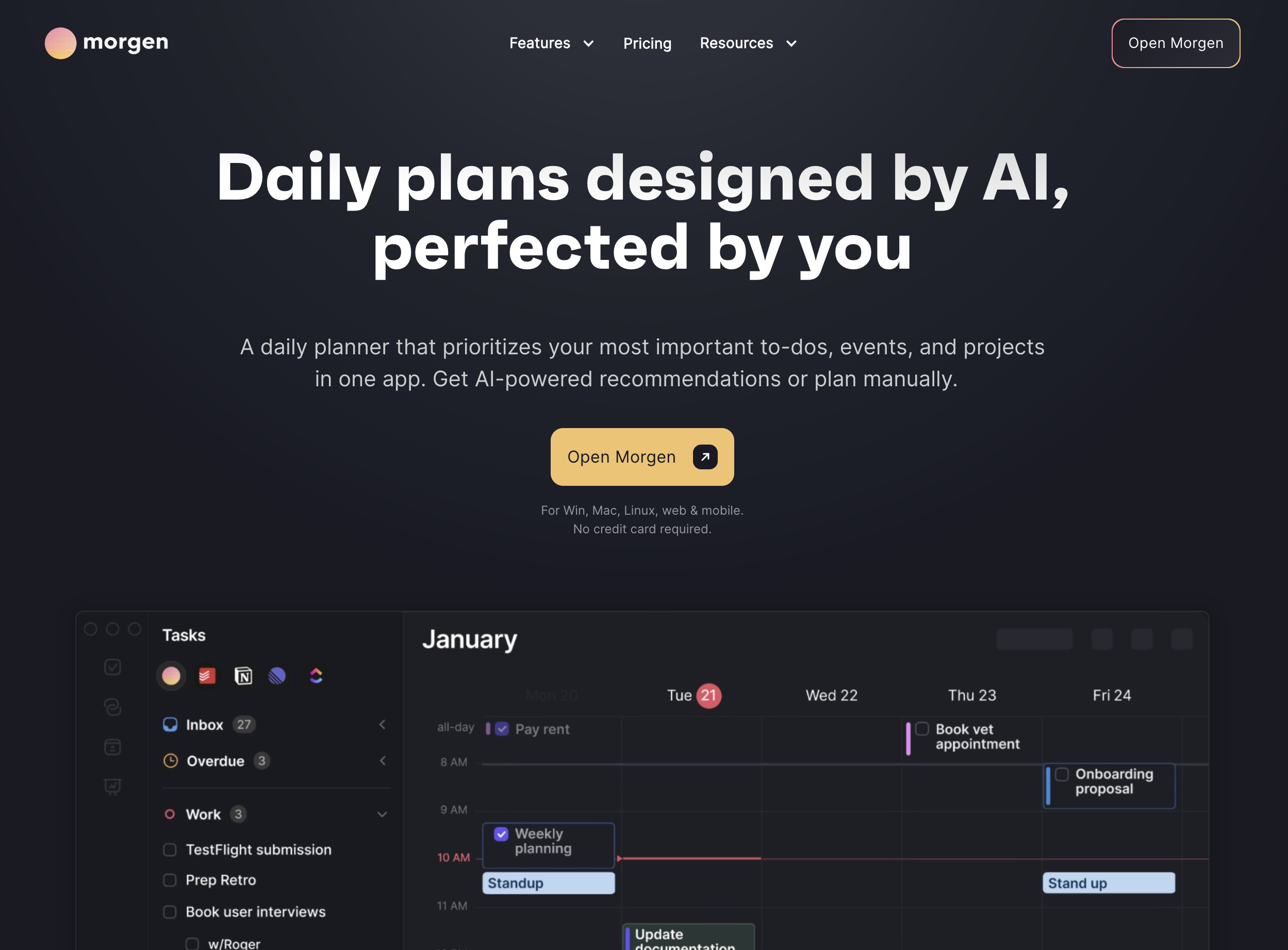
Morgen gives you automation without taking away control.
It looks at everything on your plate and builds a plan. Don’t like what it comes up with? Reject it and plan it yourself.
Even when you go DIY, Morgen still helps. The AI assistant and menu bar widget stay with you throughout the day, making it easy to review your plan, make adjustments, and actually stick to it.
Starts at $15 per month on the annual plan, or $30 month to month.
Reclaim vs Morgen: What’s the real difference?
| Reclaim | Morgen | |
| Best fit | Meeting-heavy professionals who want automation | Users who want hands-on planning with AI assistance |
| Core approach | Set rules once, AI plans everything | Centralise tasks, time-block yourself or use AI suggestions |
| Rescheduling | Automatic, based on priorities | Manual intervention required |
| Meetings and Availability | AI scheduling links that adapt to your plan, priorities and deadlines | Static availability slots |
| Analytics | Deep analytics across focus time, tasks, habits, meetings, and travel time | Task tracking only |
| Team features | Smart meetings and team analytics | None |
Reclaim vs Morgen: Features at a glance
| Features | Reclaim | Morgen |
| Time Blocking | Yes ✅ | Yes ✅ |
| Multiple calendar sync | Yes ✅ | Yes ✅ |
| Automated scheduling | Yes ✅ | Yes ✅ |
| Automated conflict management | Yes ✅ | No ❌ |
| Meeting booking page | Yes ✅ | Yes ✅ |
| White labeling | Yes ✅ | Yes ✅ |
| Time tracking and Reports | Yes ✅ | No ❌ |
| AI Workflows | No ❌ | Yes ✅ |
| AI assistant | No ❌ | Yes ✅ |
Reclaim vs Morgen: Side-by-side comparison
Time Blocking
Both tools let you click on the calendar to block time manually.
For longer projects, Reclaim has the smarter option. Specify the total duration, deadline, priority, and preferred session length, and Reclaim maps it across your calendar automatically.
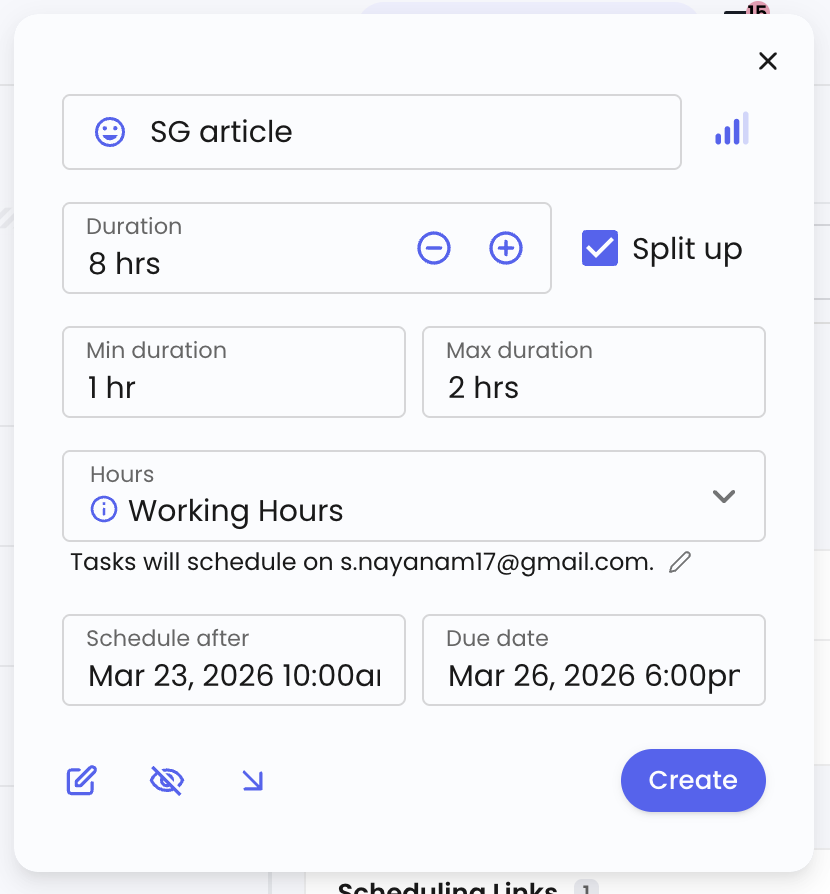
Every task from integrated tools gets placed on your calendar directly based on the rules you set once.
Morgen takes a more hands-on approach.
Tasks from integrated tools land in your task list first. From there you drag and drop them onto your calendar, or let the AI suggest a plan for you.
Morgen also has AI Frames, where you assign specific empty slots to a tool or task category.
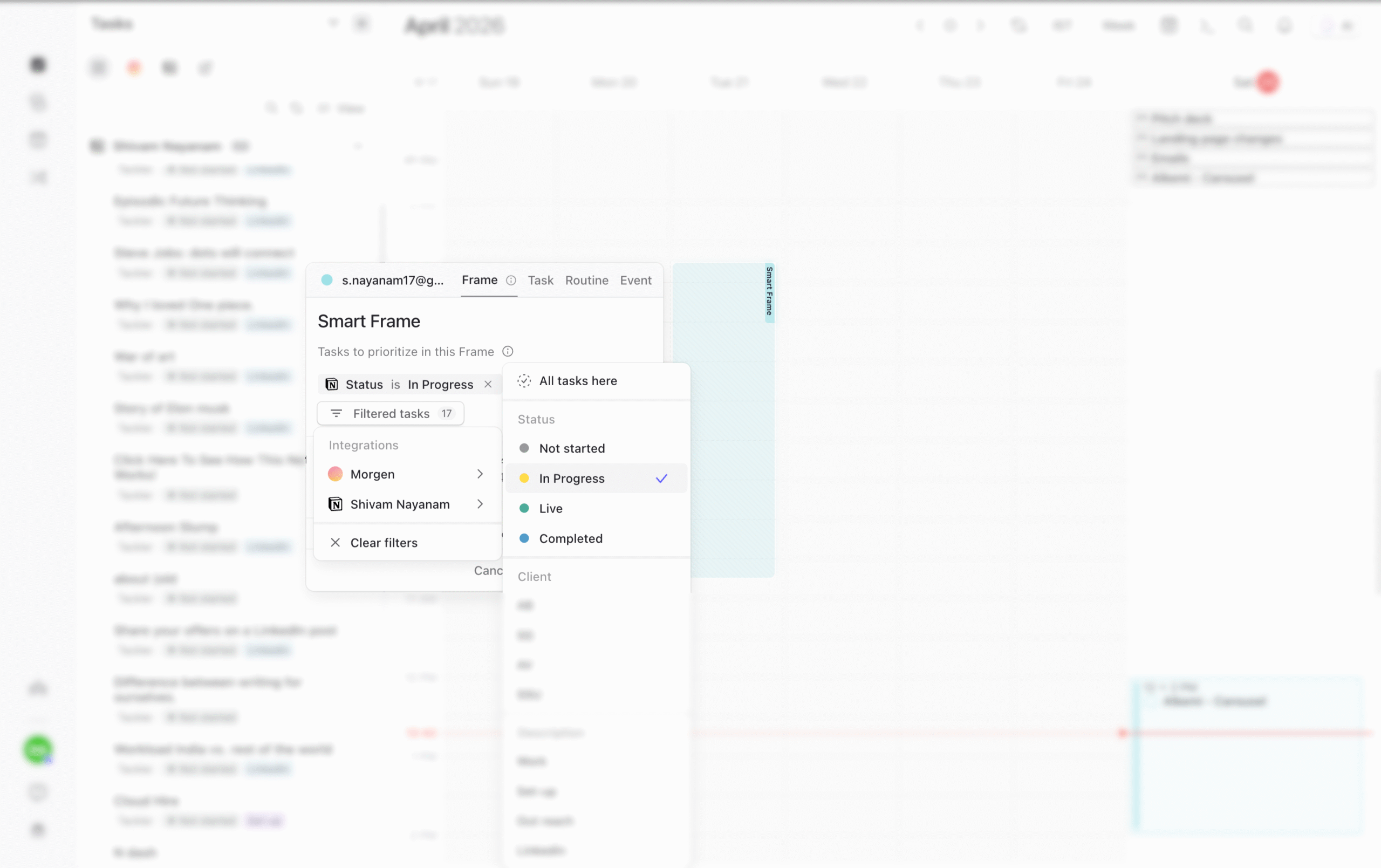
Anything that comes in from that tool or matches that category gets placed in those slots automatically, without you touching it.
Meetings
Both tools let you create a meeting booking page with custom branding, but the similarities end there.
Reclaim pulls ahead in availability mapping.
You assign a priority level to each meeting link, and Reclaim weighs that against your tasks and deadlines in real time.
A slot blocked by a high-priority task with a close deadline won’t show up for a low-priority link.
Morgen lets you lock task slots from being booked, similar to Google Calendar. But it’s binary. A slot is either available or it isn’t.
Reclaim’s four priority levels make availability mapping more dynamic.
Two more features push Reclaim further ahead:
- Flexible links: The person booking can choose the call duration instead of being locked into a fixed one.
- Preferred times: Reclaim marks your cleanest slots with green dots, nudging towards your best windows.
Morgen has nothing that stands out on the meetings side.
Rescheduling and Conflict Management
Reclaim makes decisions without involving you.
If you planned 4 hours for a task yesterday and didn’t get to it, Reclaim moves it to today or spreads it across the week based on your deadline and availability.
Conflict resolution works the same way.
Every task and meeting link carries a priority level. A high-priority task with a distant due date still shows as available for low-priority meeting links. If a meeting gets booked over it, Reclaim moves the task to the next available slot.
As the deadline gets closer, Reclaim tightens its defence, blocks the slot for low-priority bookings, yet keeps it open for high-priority ones.
Morgen takes a different approach. When tasks are missing or overlapping, it surfaces suggestions on how to fix it: reschedule ASAP, reprioritise with AI or delete those tasks.
What makes it useful is the preview. Morgen shows you exactly how your calendar would look if you approve the changes before you commit to anything.
With Morgen, you stay in the loop even when AI is doing the thinking.
Time Tracking and Reports
It’s not a close comparison.
Reclaim gives you the full picture.
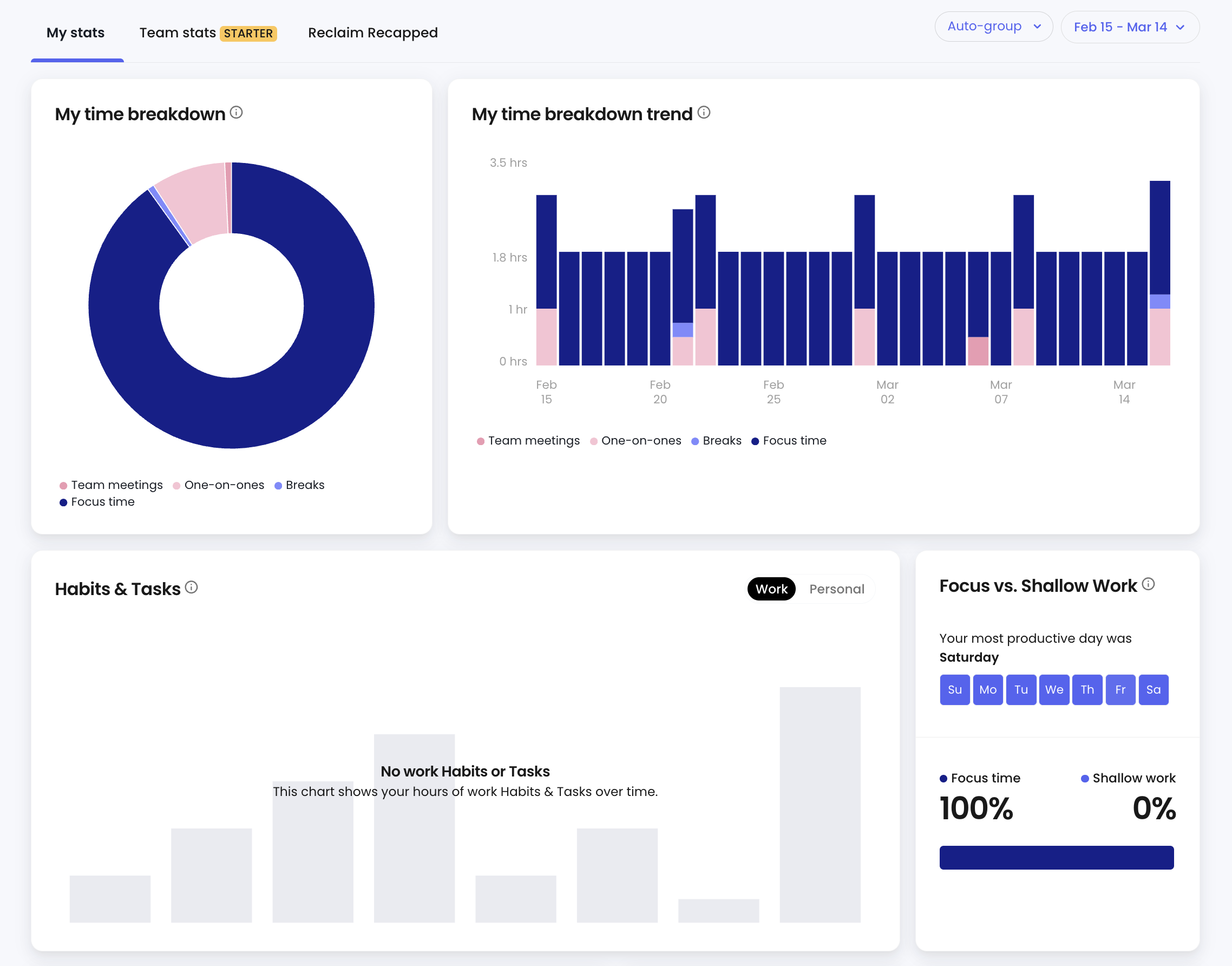
Hours spent on focus work, tasks, habits, and meetings.
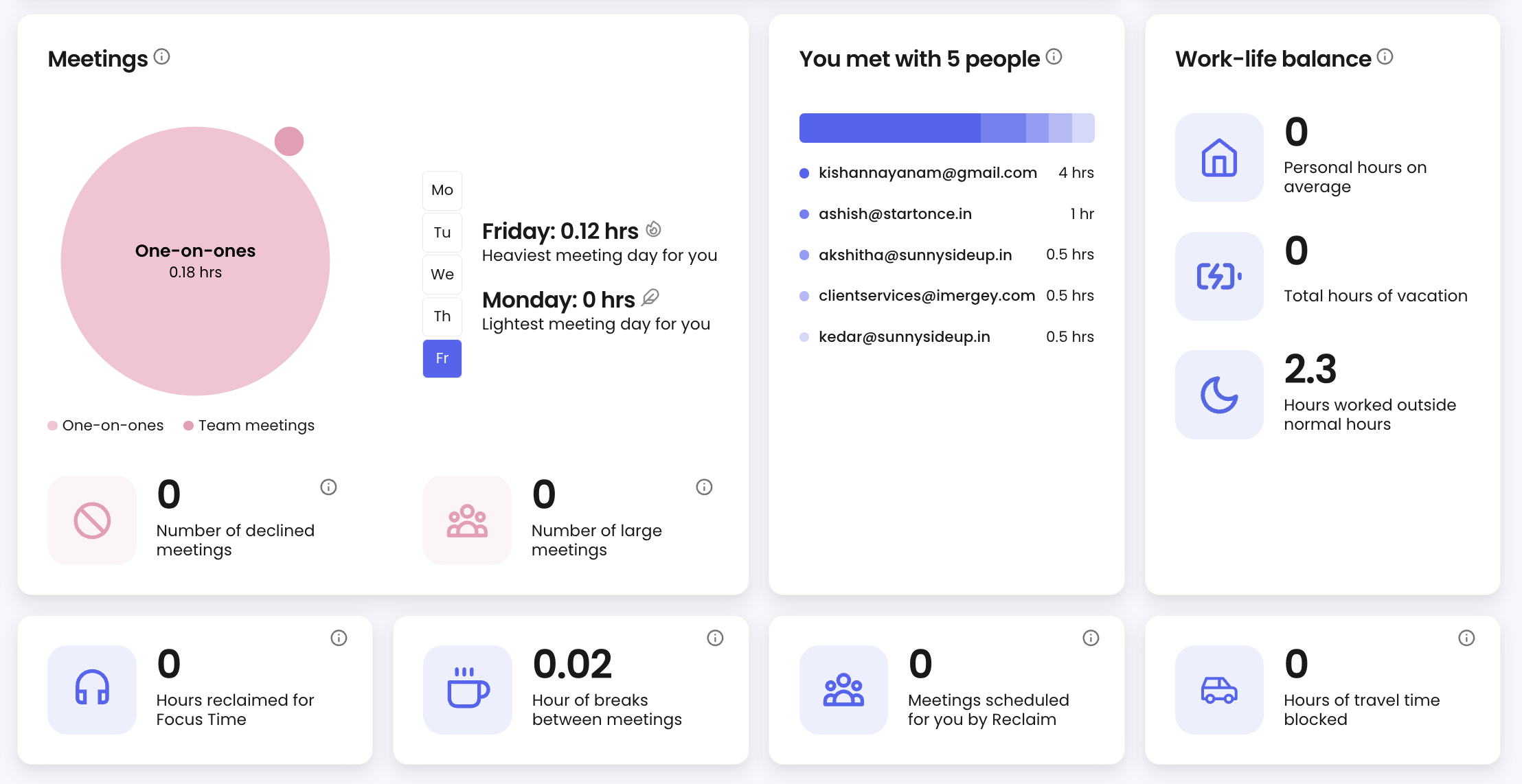
Meetings avoided, who you spent the most time with, how often you worked beyond your set hours and more.
Pick any date range to pull reports, compare and see if things are getting better.
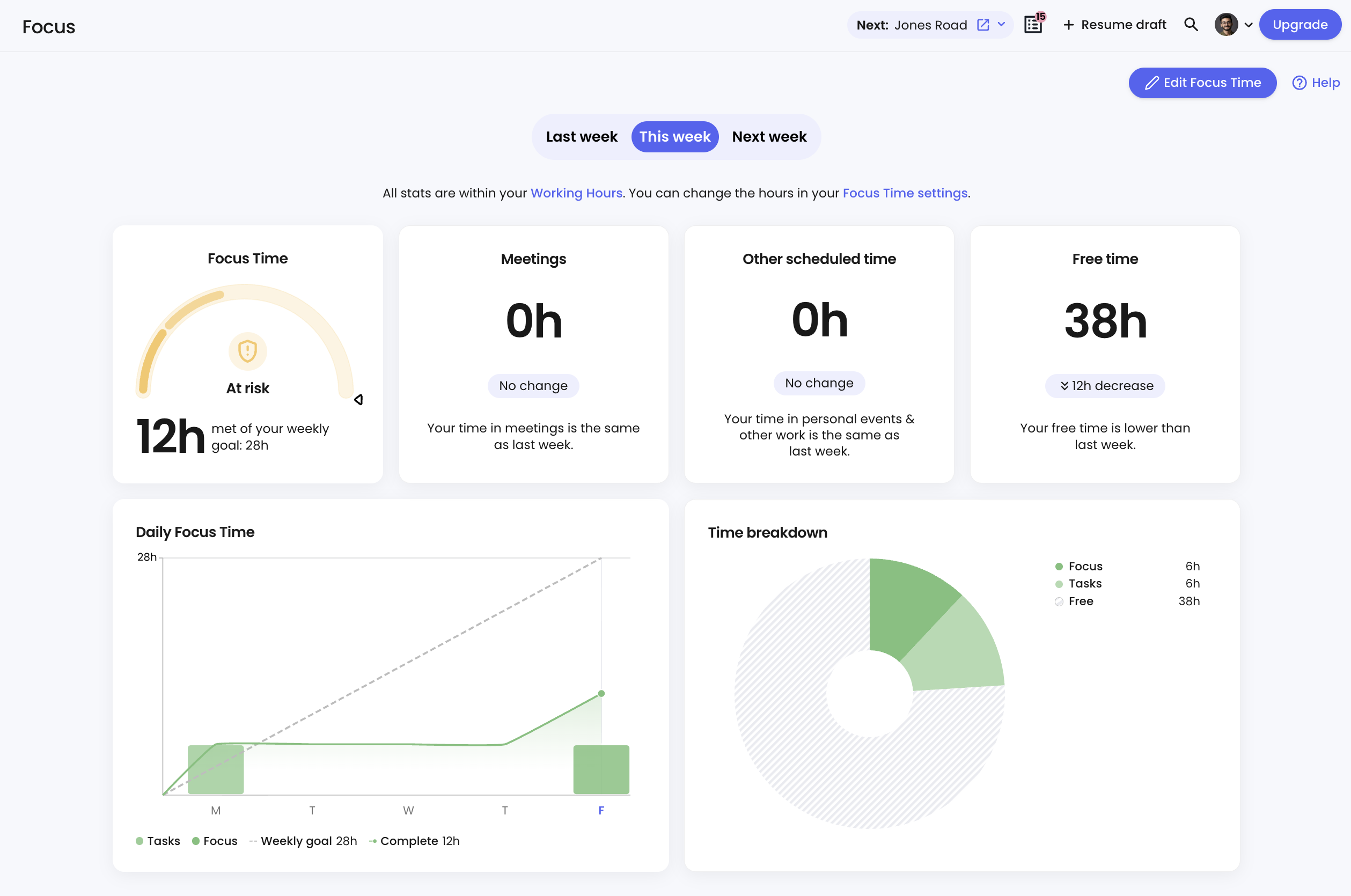
Focus time gets its own dedicated report.
Morgen tracks tasks completed. That’s it. No time reports, no analytics, and no way to see where your week actually went.
AI Features
Reclaim uses AI purely in the background.
It maps tasks and meetings to your calendar based on priorities and deadlines, and quietly reshuffles things when plans change. You never interact with it directly.
Morgen’s AI does similar planning, but puts you in charge.
It suggests a schedule based on your tasks and priorities, and you approve or reject it before anything lands on your calendar.
Morgen also has Smart Frames to automate task planning for handpicked slots.
The real standout is Morgen’s AI assistant.
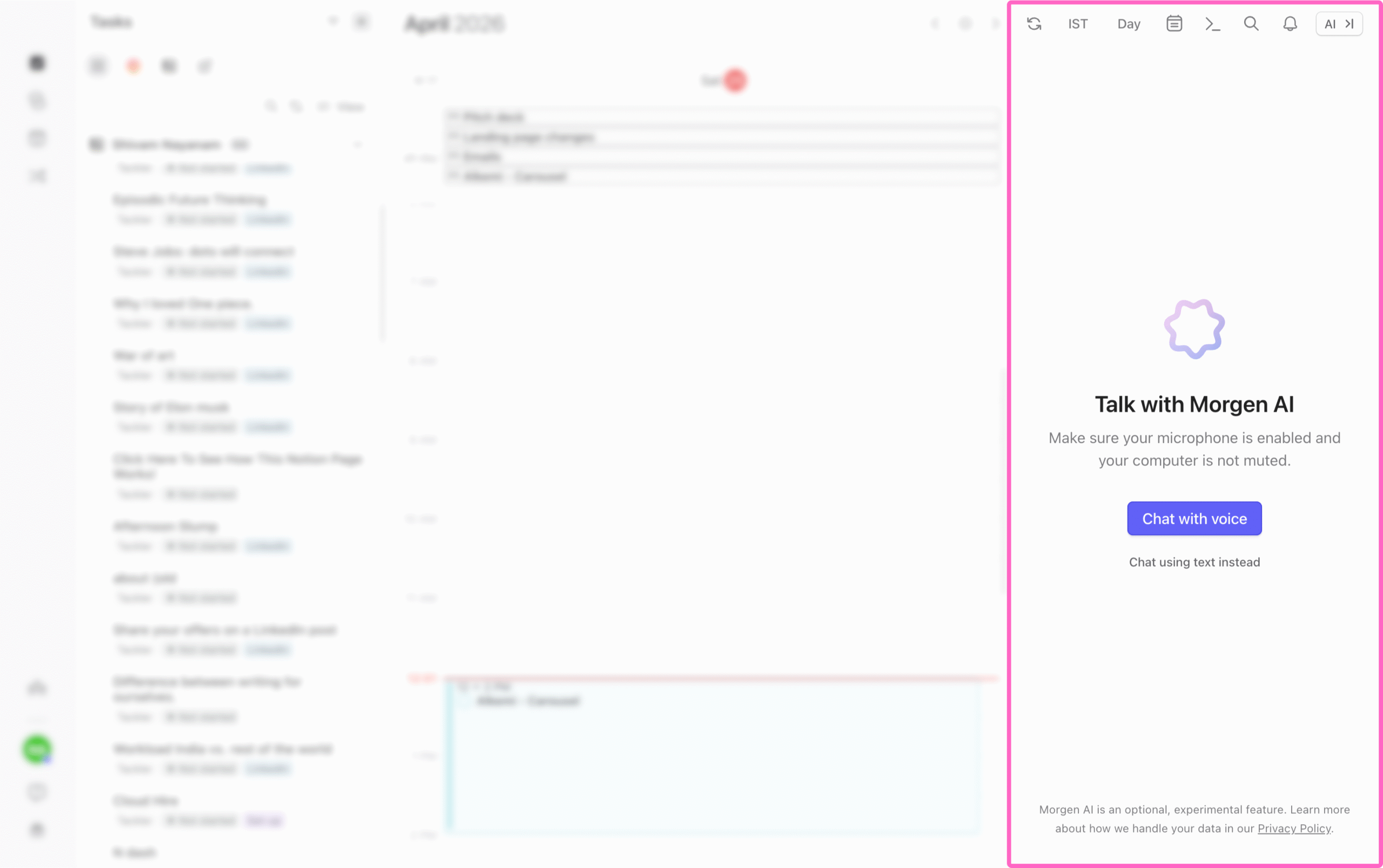
You can talk to it via chat or voice to add tasks, adjust your schedule, or get an overview of your day.
Hit Cmd+P inside Morgen once and it’s always listening wherever you are until you ask it to shut down or close the app.
Integrations
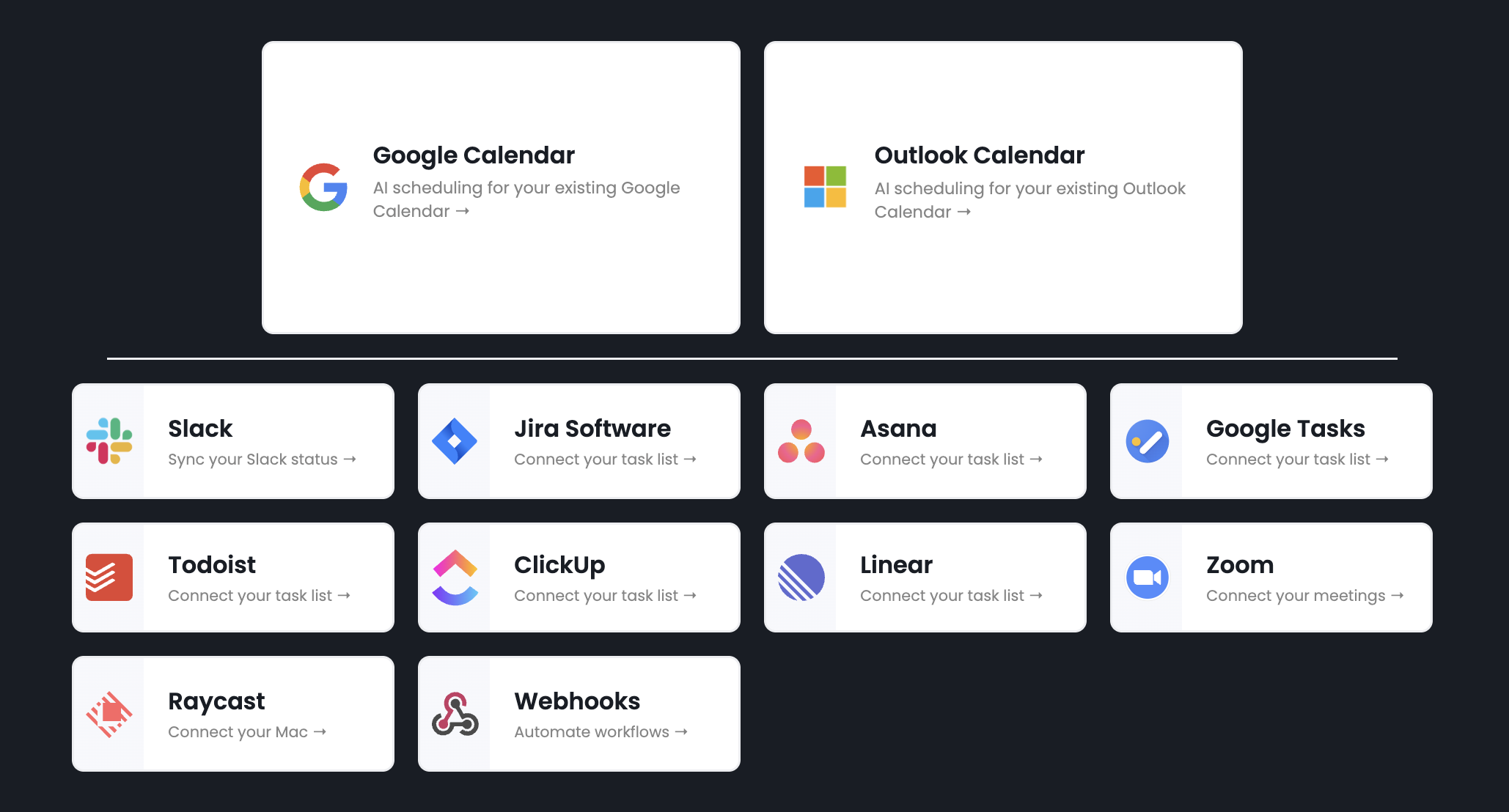
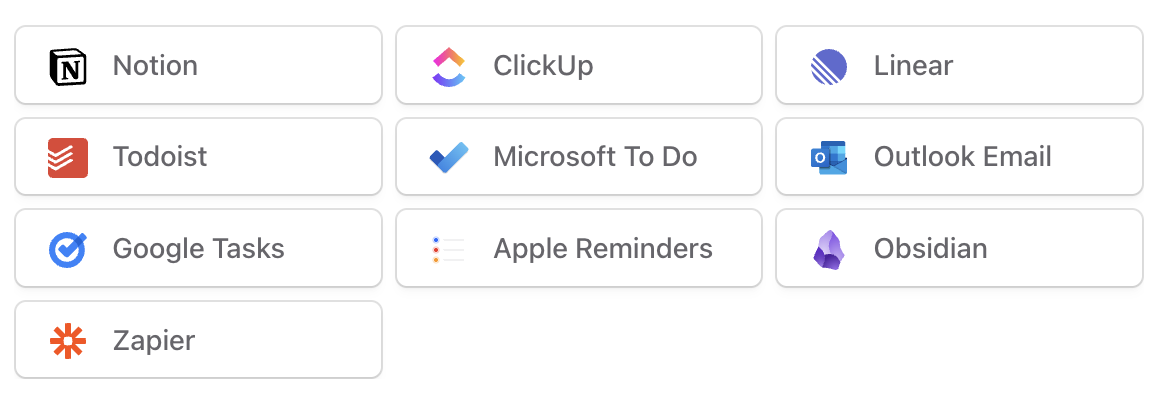
Reclaim supports more native integrations than Morgen overall, but the number doesn’t matter as much as the specific tools you use.
Like I use Notion for most of my tasks, and Reclaim doesn’t support it while Morgen does.
Yet, both connect with Zapier and support webhooks for tools that aren’t natively supported.
The setup gets a bit lengthy than native integrations and might add cost though if your needs exceed zapier’s free plan limit.
List of native integrations supported on Reclaim
List of native integrations supported on Morgen
Team features
Reclaim adds one meaningful feature for teams: Smart Meetings.
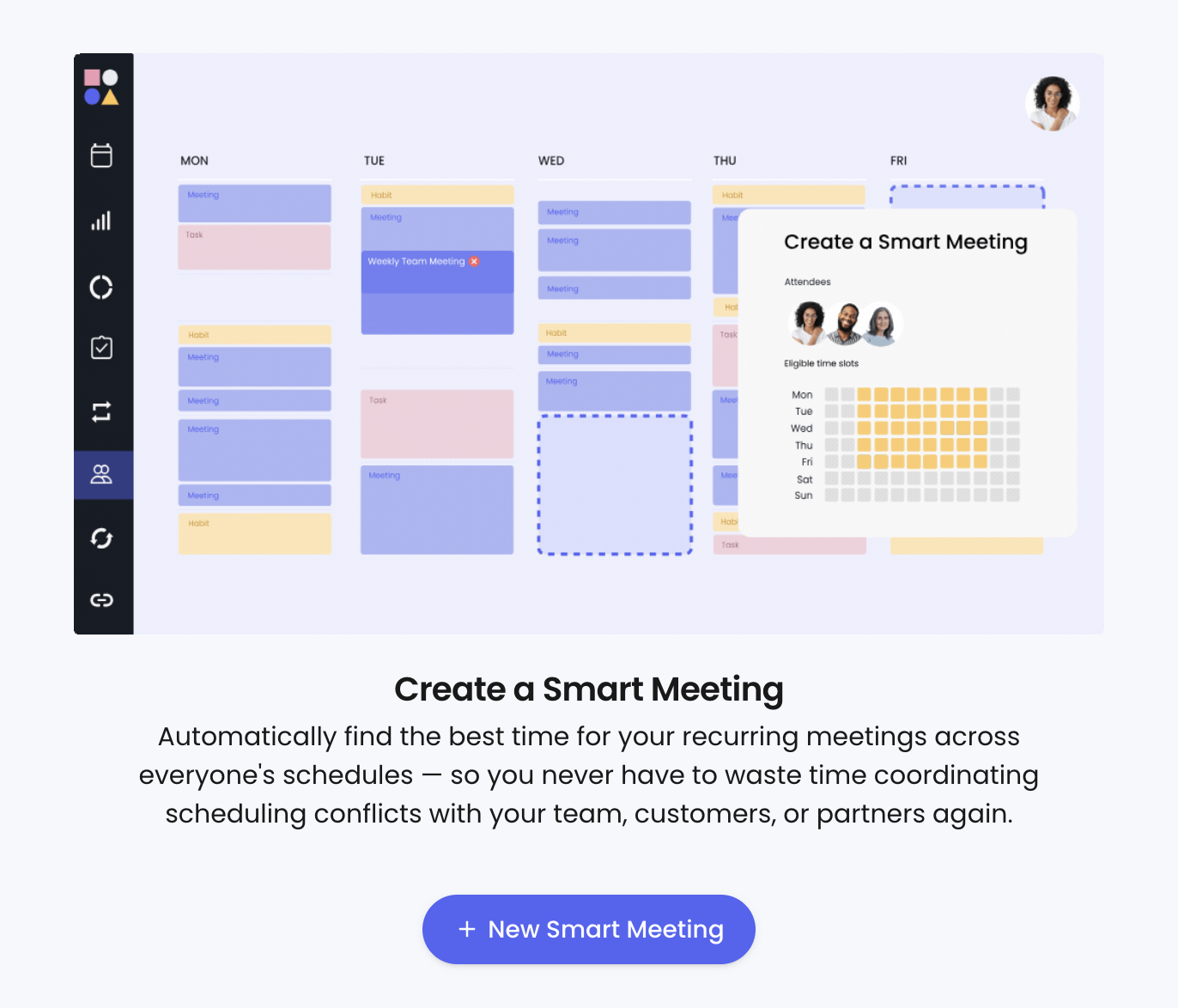
Instead of the usual back-and-forth about availability, you set up a one-on-one or team meeting in a few clicks and Reclaim finds the best time across everyone’s calendars automatically.
It keeps adjusting as schedules shift, which makes it particularly useful for recurring meetings.
Team-level analytics are also available alongside individual reports on Reclaim.
Morgen offers nothing additional for teams.
User Experience
Morgen keeps you on track throughout the day. Reclaim is easy to forget.
Both offer a web, desktop, and mobile app.
But Reclaim is a Progressive Web App, so it mostly lives inside the browser tab. Close it and it’s gone.
Morgen sits in your menu bar the entire day. It shows your to-do list, nudges you on what to work on right now, and counts down to your next task. It helps you stay on top of your day.
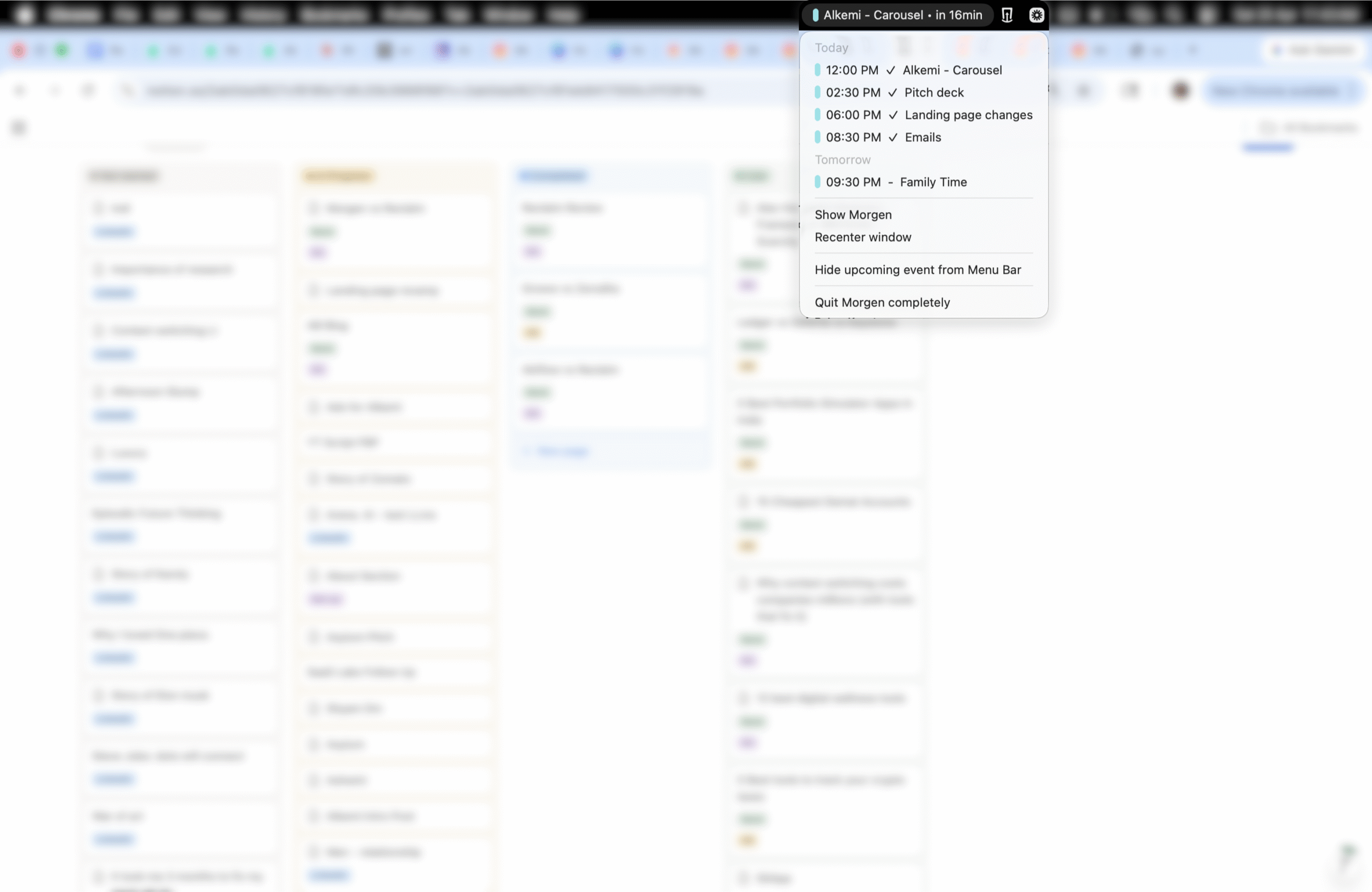
Inside the app, both feel clean and easy to navigate.
I like the summary bar on Reclaim’s planner.

It gives you a quick snapshot of how your time is planned.
Morgen is even more useful.
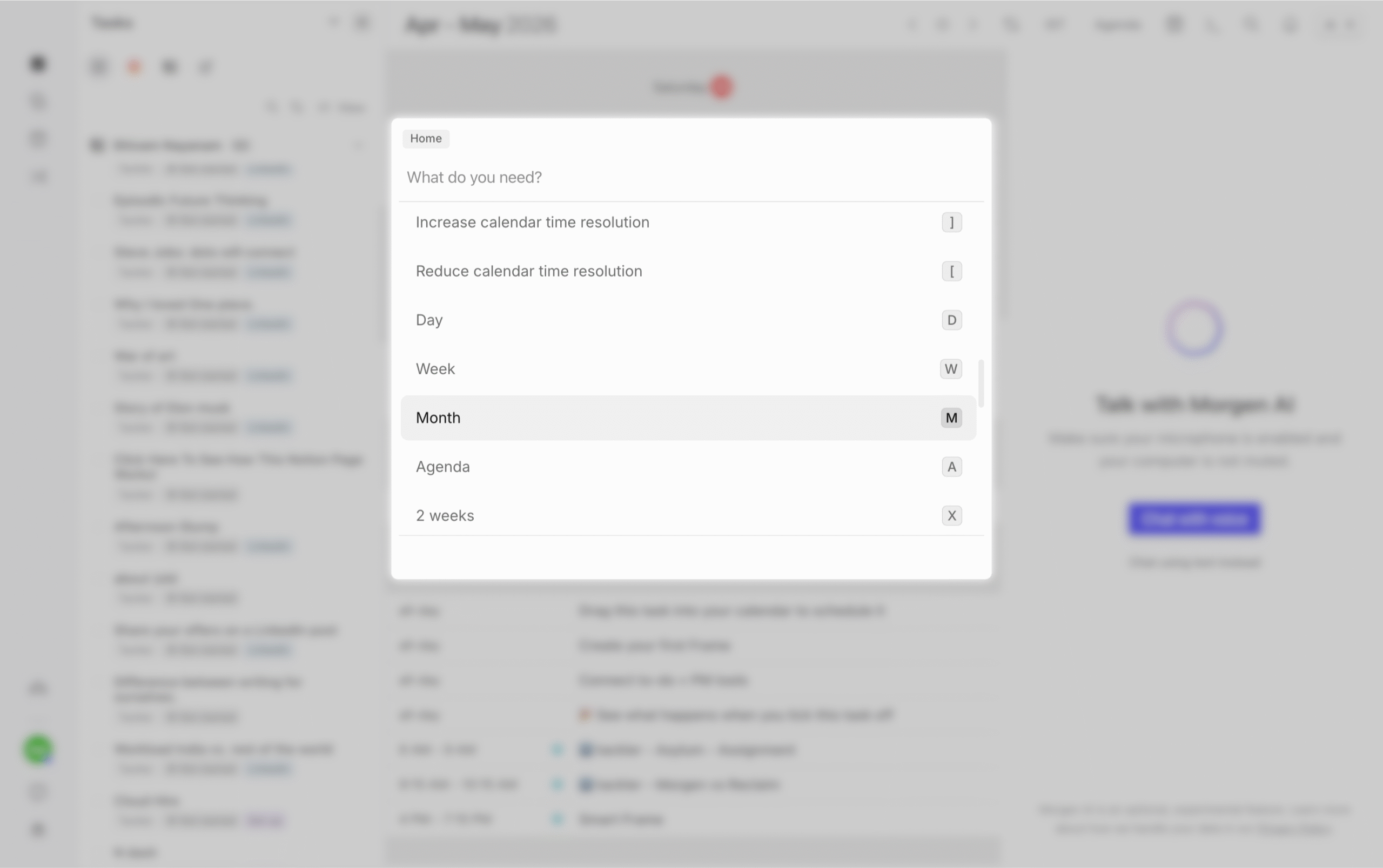
You get a command bar that lets you pull up your task list, daily agenda, and more instantly.
Keyboard shortcuts make navigation fast, and the AI assistant handles the rest with voice commands even when the app isn’t open.
The AI assistant does have one frustrating gap. Ask it to do something outside its current capability and it won’t tell you it can’t. It just keeps saying it’s working on it.
I asked it to clear my entire calendar for the week so I could replan everything. After a long back and forth, nothing happened.
It’s still in beta, so this should improve with time.
Pricing
Reclaim
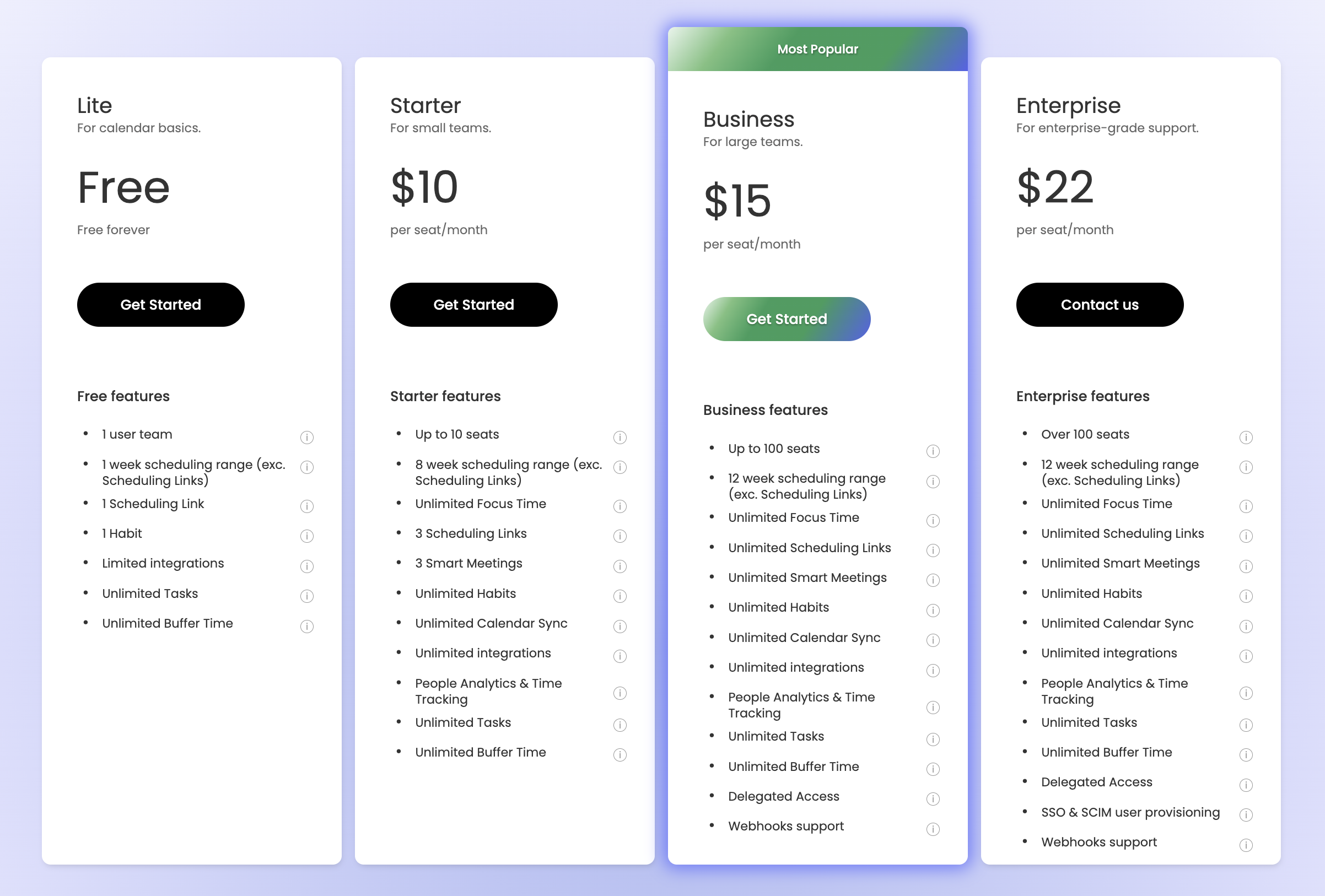
14-day free trial of the Business plan when you sign up.
- Lite: Free
- Starter: $10/month (billed annually) or $12/month (billed monthly)
- Business: $15/month (billed annually) or $18/month (billed monthly)
- Enterprise: $22/month (billed annually only)
Morgen
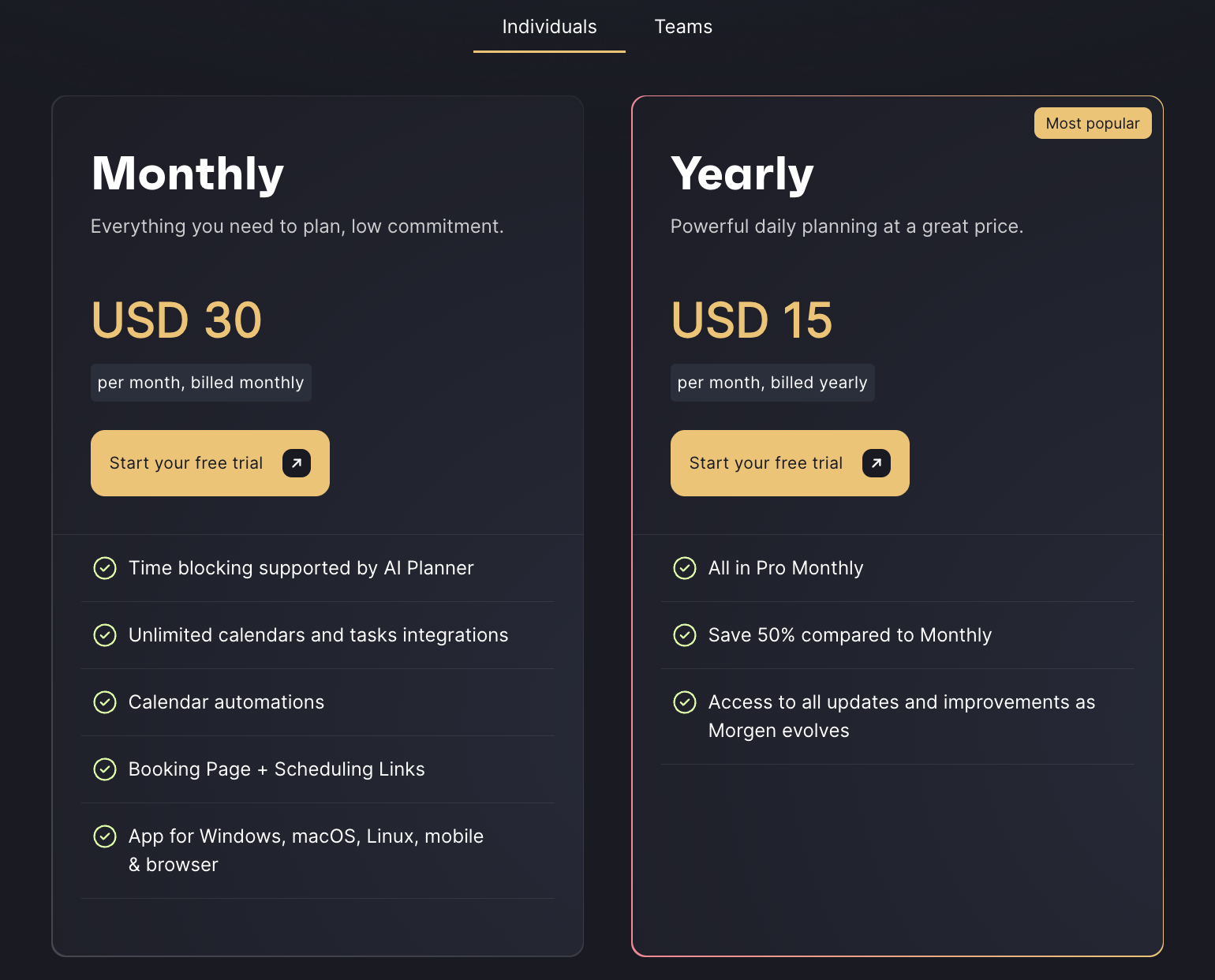
14-day free trial. No free plan.
- Individual: $30/month (billed monthly) or $15/month (billed annually)
- Teams: $25/month (billed monthly) or $10/month (billed annually)
Verdict
Choose Reclaim If
- Your calendar fills up fast and you can’t keep up with manual replanning
- You want focus time and habits defended automatically
- Meeting volume is high and you need priority-aware availability on booking links
- Time tracking and productivity reports matter to your workflow
- You want to start free and scale up as your needs grow
Automation makes you anxious rather than relieved? Skip Reclaim. You’ll fight it constantly.
Choose Morgen If
- Mindful, hands-on daily planning is your preferred style
- You want AI to suggest a plan, not impose one
- You want certain slots on autopilot, but your hands on everything else
- You want a tool that keeps you on track throughout the day
- You want an AI assistant you can talk to for planning, review, and changes
Chaotic schedule with no discipline to act on suggestions? Morgen won’t help.
That’s it.
Pick what suits you.


 A better way to manage projects and clients for freelancers
 Get through busy days like a breeze with Reclaim.ai