Omnisend is one of the top marketing automation platforms for e-commerce businesses.
It delivers multichannel marketing tools and powerful workflow automation functions to manage your email and SMS marketing campaigns with ease.
In this article, I have shared an in-depth review of Omnisend after using it for a while.
I have covered its core functions, integrations, and pricing, along with a step-by-step guide, a demo, and a few extended real-life use cases.
What is Omnisend?
Omnisend is an email automation platform.
It’s specifically designed for e-commerce businesses, providing you with tools to create, manage, and optimize your marketing campaigns.
The software is user-friendly and incredibly robust. It can segment your audience, automate repetitive workflows, split-test your campaigns, and generate reports.
It also supports omnichannel marketing, allowing you to connect with your audience via email, SMS, and web notifications.
This is one of Omnisend’s unique selling features, which makes it excellent for both lead generation and nurturing strategies. You can target your shop visitors at different touchpoints and improve your conversions.
You can connect Omnisend with all the popular e-commerce platforms and other third-party applications. It has powerful integration capabilities and can also be customized to meet your requirements.
To summarize, Omnisend can help you tap into multiple channels and automate email campaigns.
Over 150k stores are currently using it for marketing automation.
Here are Some Top Features of Omnisend:
- An email builder with pre-built templates.
- Multichannel marketing, covering email, SMS, and web notifications.
- Marketing automation with custom workflow options.
- Audience segmentation and personalization.
- Landing pages, sign-ups, and pop-up forms.
- Several promotional tools to attract and convert leads.
- A/B testing and reporting.
- Integration with e-commerce platforms.
Omnisend subscription packages are quite affordable compared to other similar tools, and you can test it for free without providing credit card details.
I will get to the pricing shortly, but let’s talk about features first.
Omnisend Features
Omnisend is a powerful marketing platform. With this tool, you can streamline your email and SMS workflows and keep track of your subscribers and store KPIs.
Whether you have a small setup or run multiple stores, you can use Omnisend to scale your workflows as you grow.
I have reviewed some of its core features in detail, focusing more on its interface, usability, and integrations. The review should give you some idea of the software’s capabilities and offer you enough information for comparison.
Let’s explore the features one by one.
1. Email Campaigns
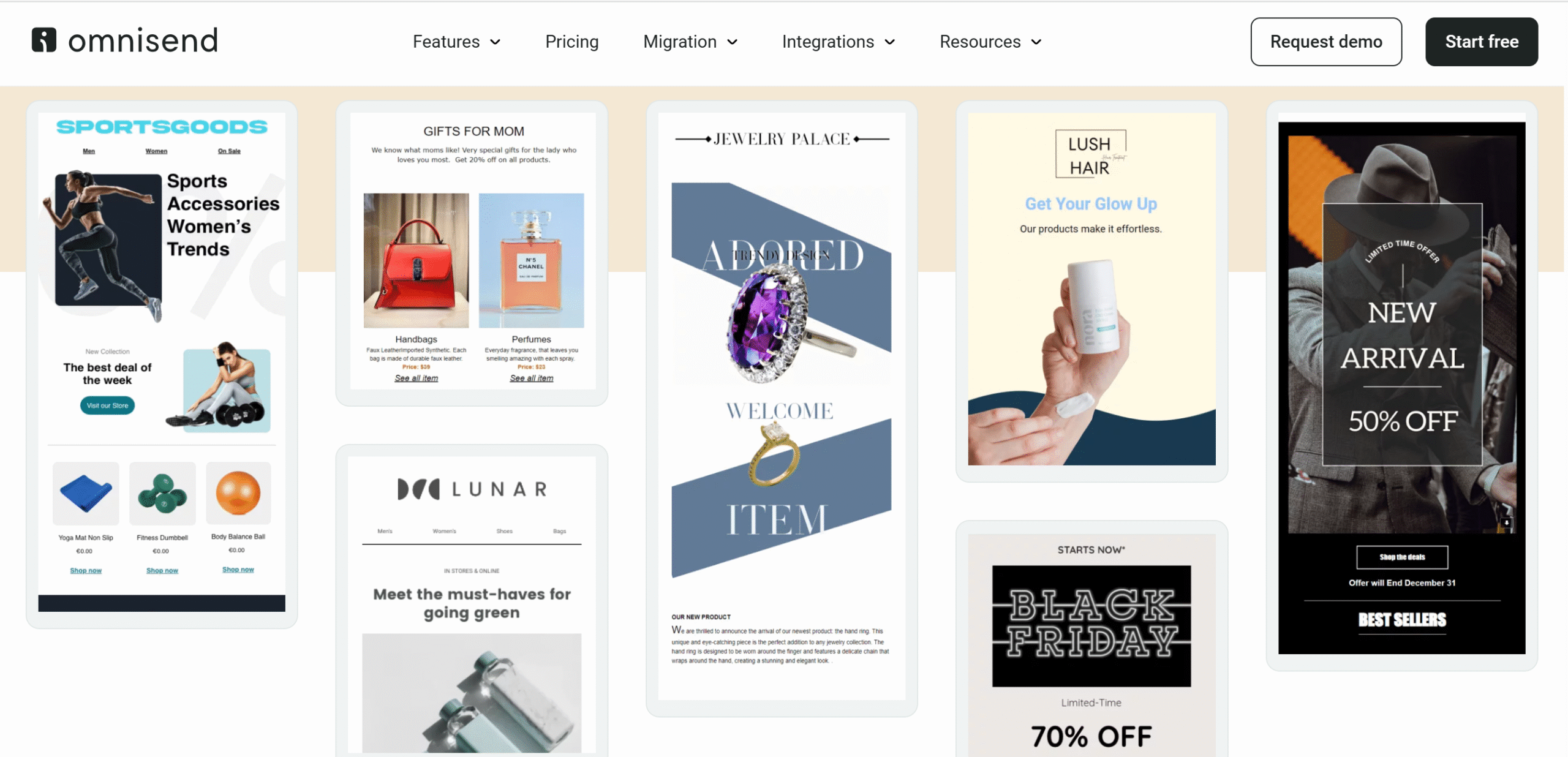
Email marketing is Omnisend’s primary module. It offers campaign creation tools to help you build professionally designed brand emails.
The email builder has a user-friendly drag-and-drop interface and a set of basic editing tools. You’ll also find advanced blocks, such as the conditional content block, to personalize your emails.
You can easily add text and images, change the background color scheme, import products, and incorporate promotional elements, like coupons. Plus, you can upload your brand assets and apply them to your emails.
If you need help with the content, you can use Omnisend’s AI features to generate quick text. This feature is built into the subject line for quick access.
Omnisend also offers a range of pre-built templates for your convenience. There are around 250 templates, covering welcome emails, announcements, newsletters, and promotional emails.
You can automatically adjust your design for desktop and smartphone. There’s also an option to run a testing email to see the results before launching the campaign. I found this feature incredibly helpful.
After launching your campaign, you can split test different variations to see which gets better results.
2. Segmentation
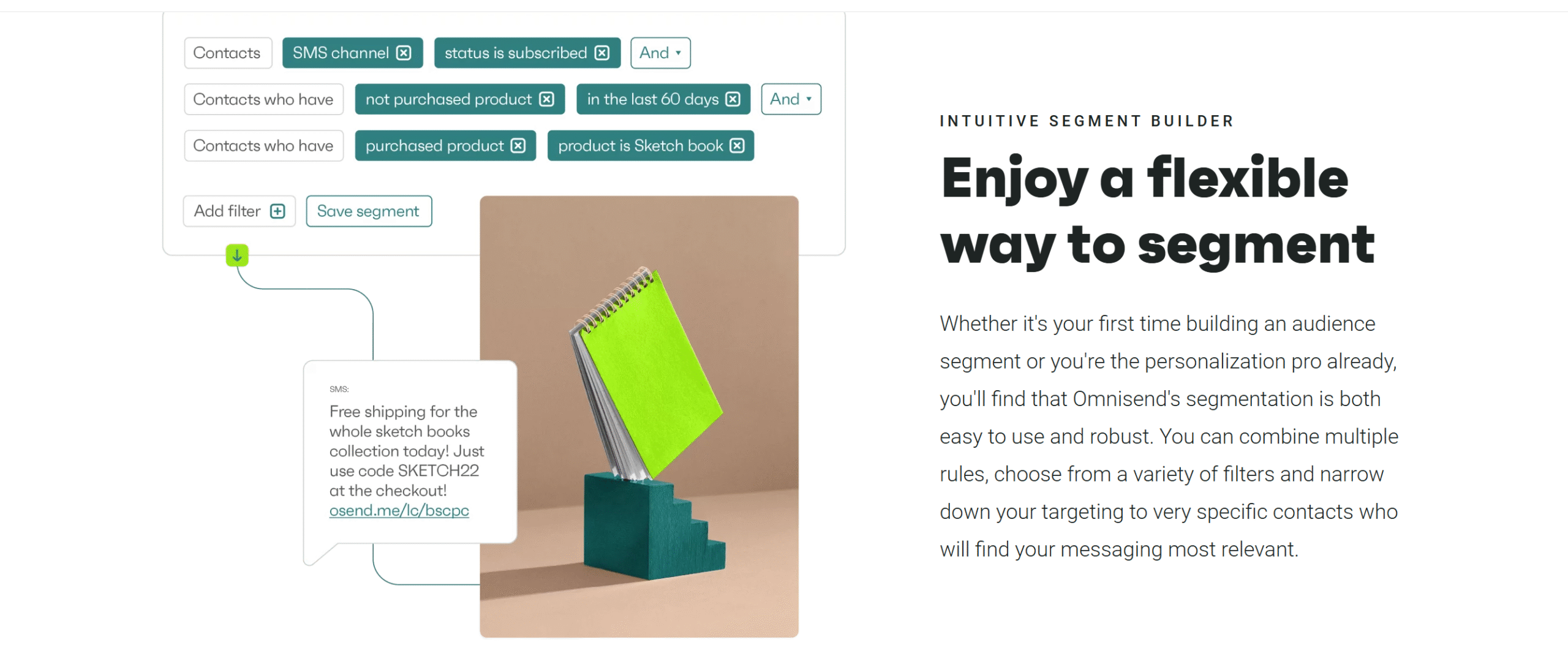
Omnisend has a feature called Audience Segmentation that lets you categorize your audience by their browsing behavior. With this feature, you can create personalized campaigns and improve your email deliverability.
You can group your contacts based on their demographics, browsing history, and purchase patterns. In addition, you can apply conditions to narrow down your target market further.
For example, you could tell Omnisend to send a special discount email to customers who abandoned their carts in the last three days. You can apply this segmentation to your SMS and web notifications as well.
With Omnisend’s segmentation, you can essentially deliver the right message to the right people at the right time.
3. Marketing Channels
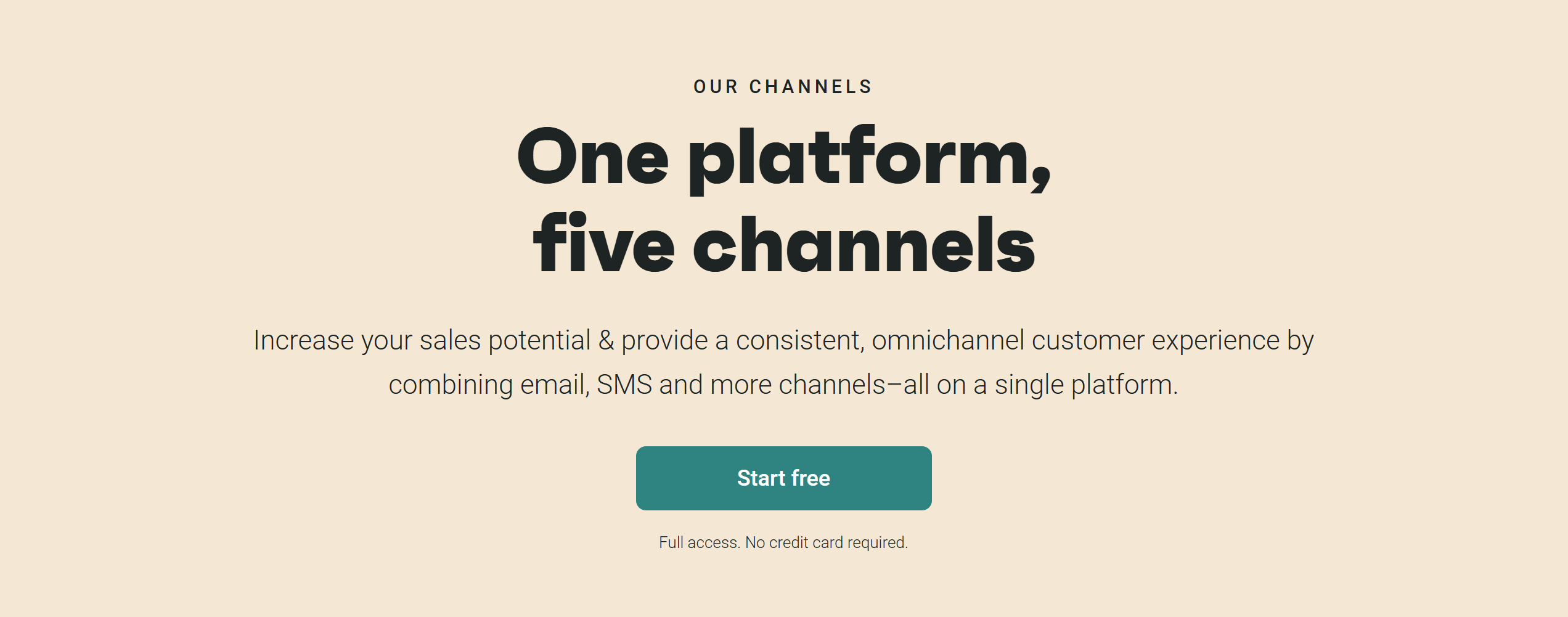
As an omnichannel automation platform, Omnisend offers flexible and smart methods to connect with your audience and boost conversions.
You can leverage multiple channels to run marketing campaigns and use Facebook and Google audiences for retargeting.
The app supports around three primary marketing channels: email, SMS, and push notifications.
You’ll have the flexibility to either utilize one channel for specific campaigns or combine several channels in your email sequence.
For example, if someone browses your product several times without proceeding further, you can attract them with a special discount push notification and a reminder email. Similarly, you can use both SMS and email channels to announce a sale.
You’ll find several built-in templates to get started, but you can also create custom workflows.
4. Automation
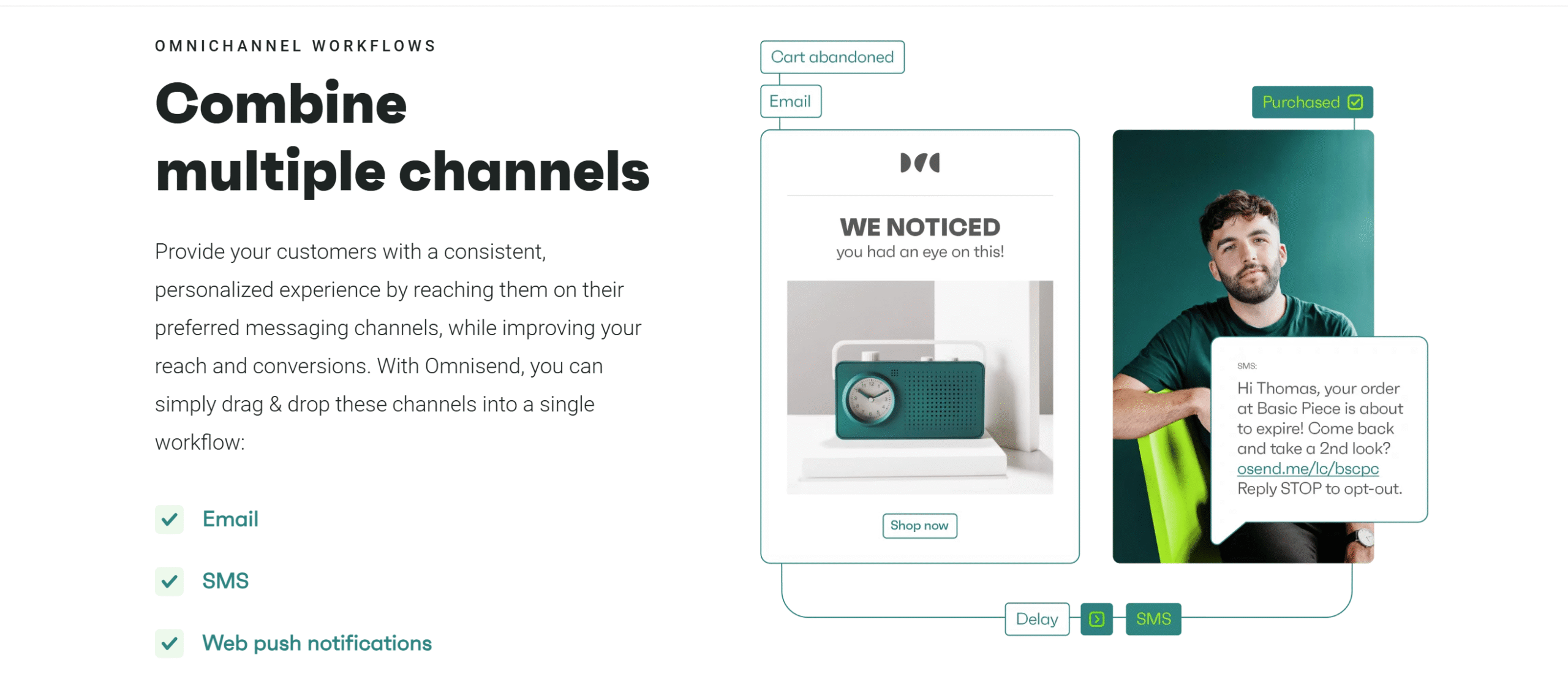
Omnisend’s automation basically does the heavy lifting for you.
It provides a visual workflow builder to create scenarios and set up various triggers to automate the campaign.
Automation is one of Omnisend’s best features.
It allows you to optimize every stage of your customer journey without manually engaging in your marketing campaigns.
A good example is the welcome series.
If you apply automation triggers to your welcome email sequence, Omnisend will automatically activate your campaigns and send messages as per your instructions.
So, when someone subscribes to your newsletter, they will receive a thank-you email on day 1, a special discount offer on day 3, and a friendly reminder on day 7.
You can also automatically resend emails with fresh subject lines to unresponsive recipients. It’s an AI function that’s built into your workflow builder.
5. Pop-up Forms

Omnisend delivers a form builder to design high-converting landing pages and pop-up forms.
You can create both single and multiple-step forms and apply segmentation to show them at the right moment. You can also add a trigger to display your pop-ups at a specific time or page.
Some of the forms you can create through Omnisend are standard welcome and exit pop-ups, teasers, wheel of fortune, and flyouts. You can incorporate elements like a countdown timer to encourage action.
Creating a pop-up form on Omnisend is incredibly easy.
The builder has the same drag-and-drop interface and editing tools to create custom designs with ease.
You’ll, of course, get some templates for inspiration, but you can customize the entire pop-up form as you see fit.
6. Reporting
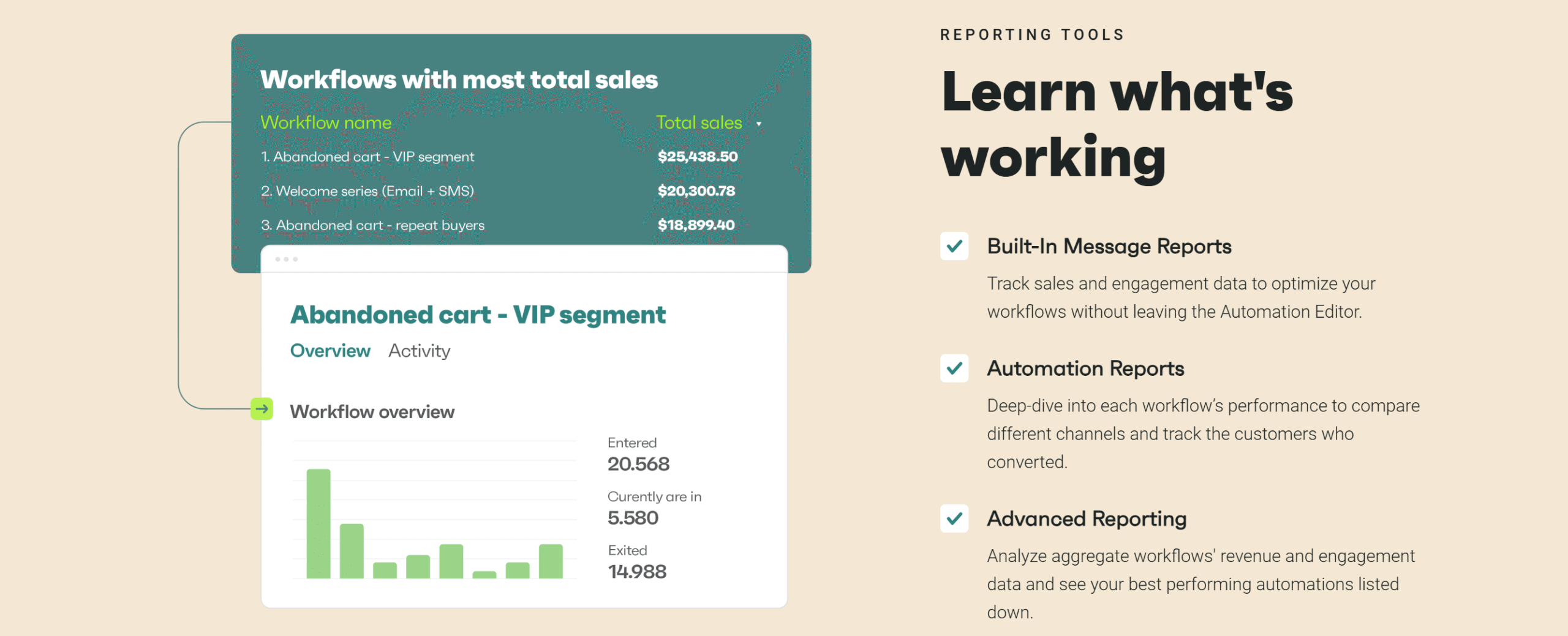
Omnisend’s reporting module has everything you need to measure your campaign performance.
It highlights not only the store and subscribers’ metrics but also offers in-depth insight into your marketing campaigns.
You’ll get a centralized sales dashboard for general monitoring and individual metrics under campaigns and pop-ups.
For example, you can see how many of your emails have been marked as spam in the last 30 days. Or how many subscribers you have gained in the specific period, and which channel converts more leads.
You can easily export the data as reports for review.
What I love most about Omnisend is its live view. You can monitor your site visitors in real time and take action on the spot.
All in all, Omnisend helps you track orders, revenues, individual channel performance, subscribers, and campaigns.
7. Integration and Other Capabilities
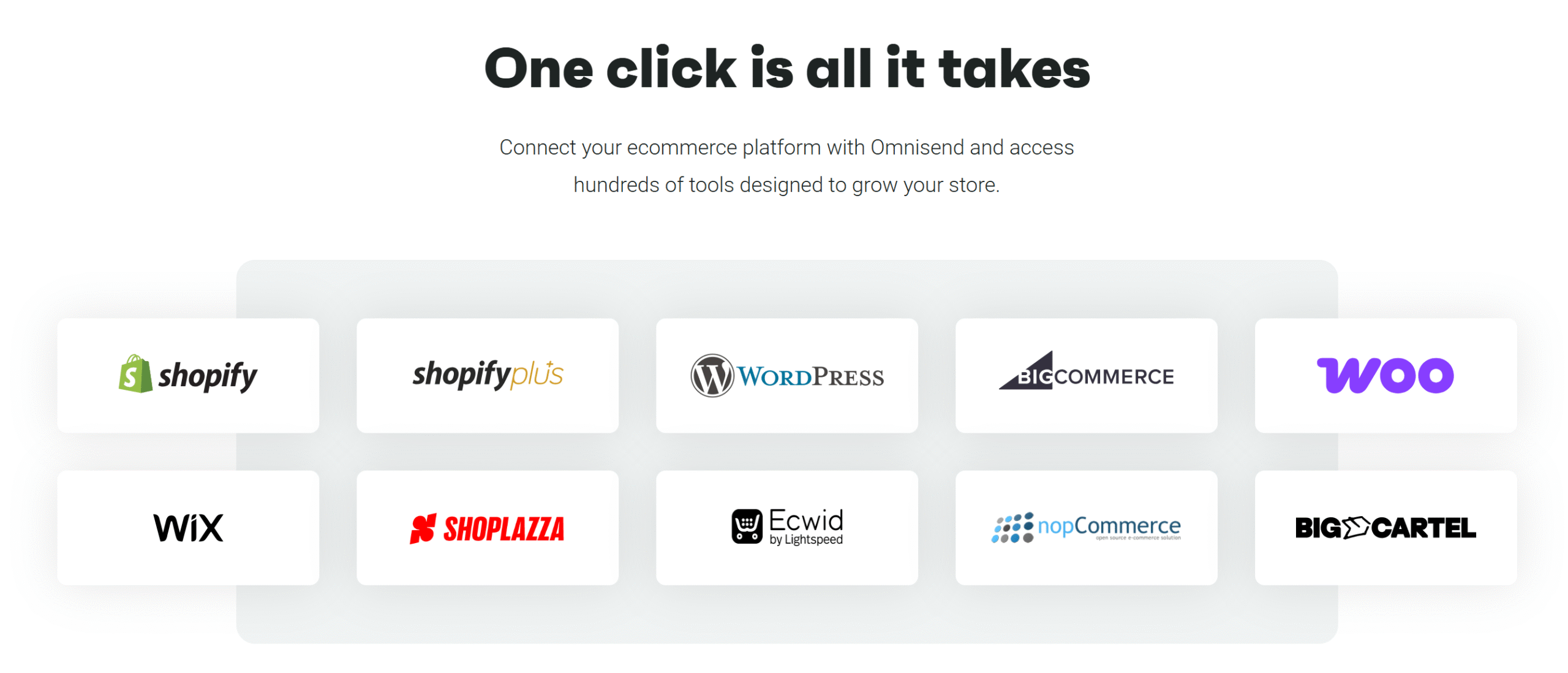
Omnisend provides 160+ integration options, not to mention seamless connection with major e-commerce platforms.
You can integrate it directly with Shopify, WooCommerce, BigCommerce, BigCartel, Prestashop, Ecwid, Surecart, NopCommerce, and Shoplazza.
If your e-commerce platform is not mentioned in the supported list, you can still integrate it with Omnisend. You can connect Omnisend with your custom-built store and run multiple stores.
Other notable integrations available on Omnisend include shipping and logistics platforms, loyalty apps, review tools, and customer support bots.
Use Cases
Omnisend has a pretty good reputation in the market.
Many, specifically the Shopify users, love its user-friendly interface and find it comparatively better than other email marketing tools.
Here are some use cases for inspiration. All of them are e-commerce retail brands that employed Omnisend’s automation to achieve specific goals.
1. PodStar

PodStar is an Australian-based retailer that sells reusable steel pods.
The store had no trouble converting leads into paying customers but found it challenging to turn one-time buyers into repeat customers.
To understand its customer preference, PodStar ran welcome and cart abandonment campaigns using Omnisend’s built-in workflow automation tools.
The result?
The open and click rates increased by 56%.
PodStar achieved its desired outcome and leveraged the data collected from its nurturing campaigns to optimize its marketing strategies.
2. Harper Liz Boutique
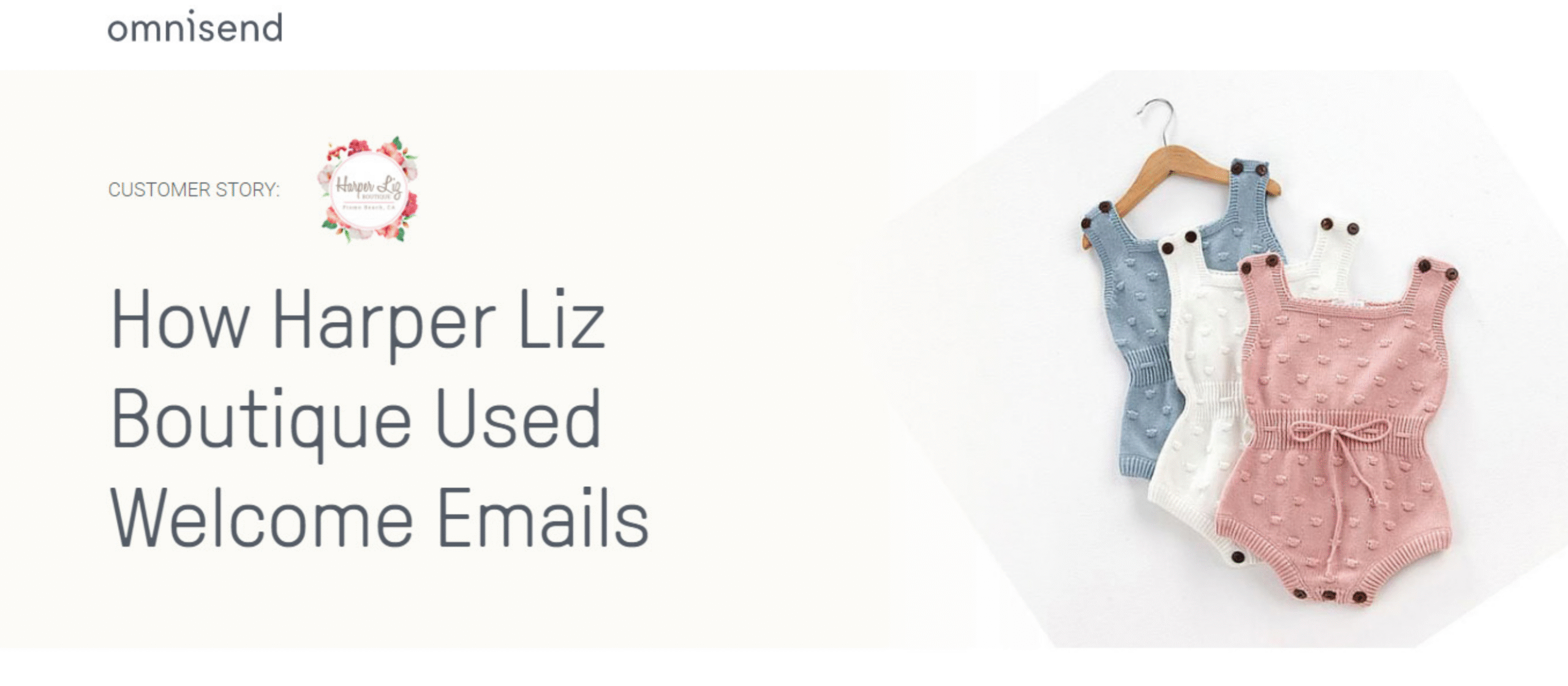
Harper Liz Boutique is an online store that offers clothing for newborns and kids under the age of seven. It targets struggling parents who want to buy high-quality and stylish outfits at comparatively affordable prices.
Harper Liz Boutique chose Omnisend to automate their email marketing strategies.
The owner started with a simple welcome message and later ran a sequence of welcome emails.
The response exceeded their expectations. The first series not only improved the open rate by 36% but also resulted in increased sales.
3. The Cake Store
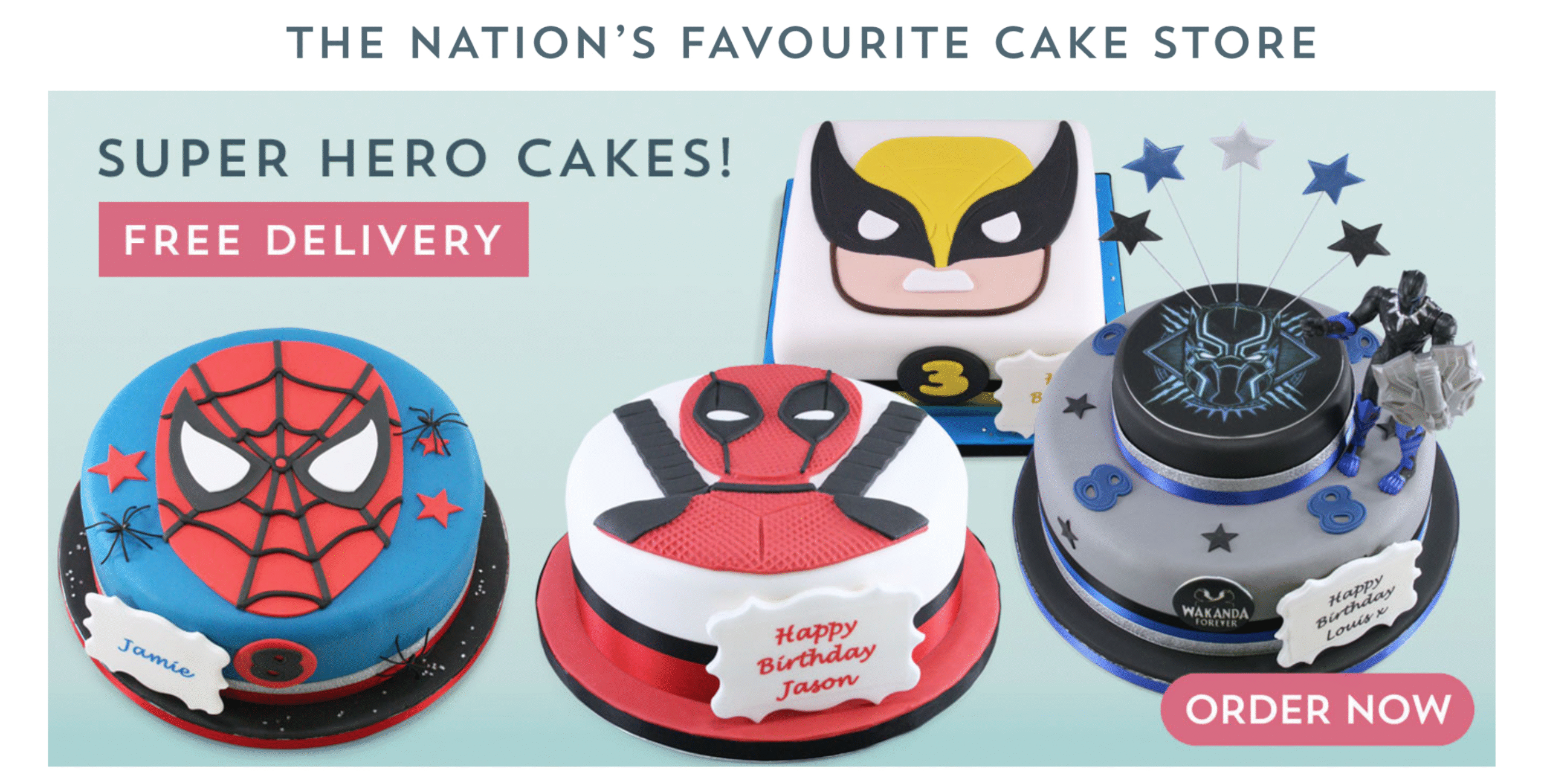
This is by far the most interesting success story.
The Cake Store is a UK-based confectionery store. It has been selling personalized cakes for 20 years and has a strong customer base.
When e-commerce trends emerged in the market, The Cake Store, like other retail businesses, quickly adapted to the changes and leveraged email marketing to improve its customer engagement.
It initially used MailChimp for reminder emails but found it too complex for their needs. Later, it switched to Ominsend and built custom reminder email automation workflows.
The Cake Store not only boosted its conversion rate with this move but also generated $37,000 in sales.
How to Use Omnisend (With a Demo)
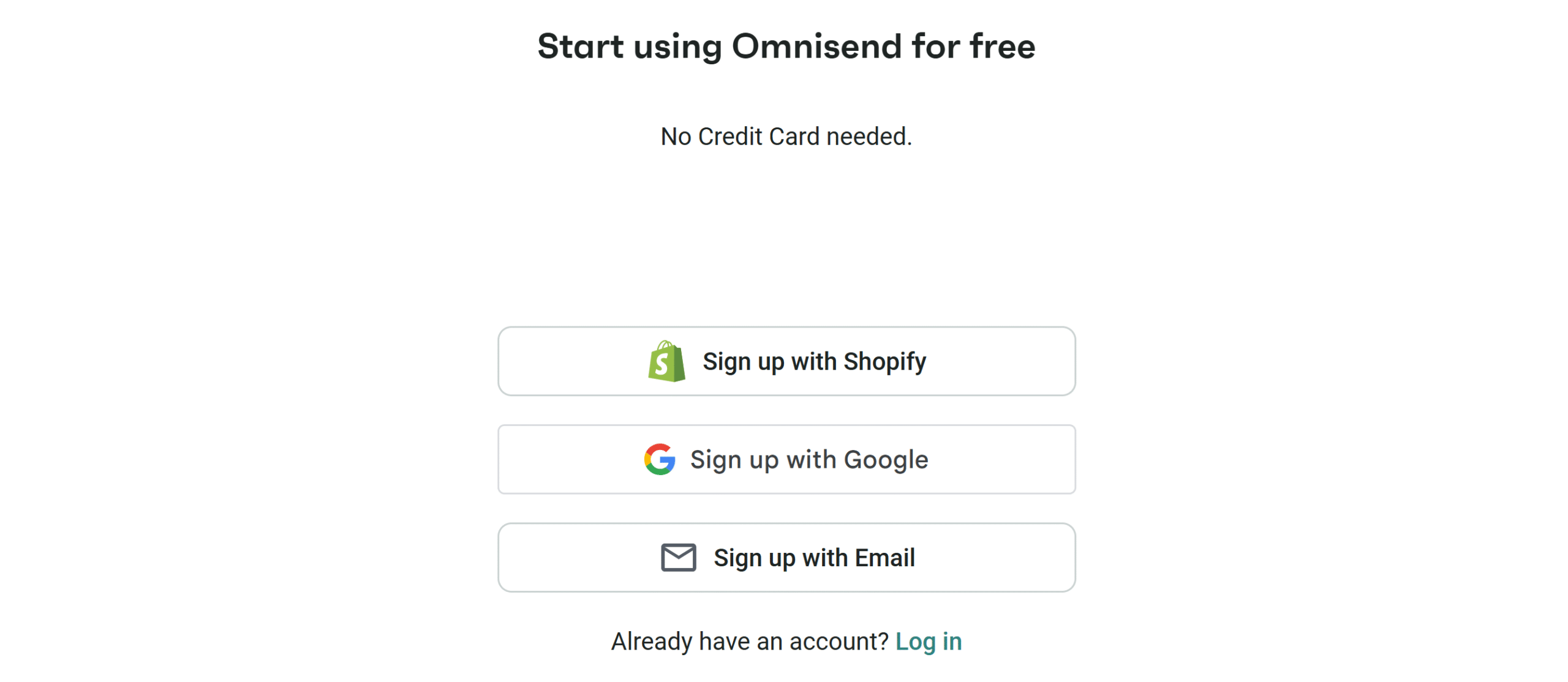
You can get started on Omnisend for free. The platform offers a forever-free plan to help users explore its core functions before making their purchase decision.
Below is the step-by-step guide on how to use Omnisend. I have included a short demo at the end for your convenience.
1. Visit the official website, omnisend.com, and click the “Start Free” button displayed at the top right corner of the page.
2. You’ll be directed to the signup form and will be given the option to either sign up with Shopify, your Google account, or your email. I picked the Google account and was led to another form.
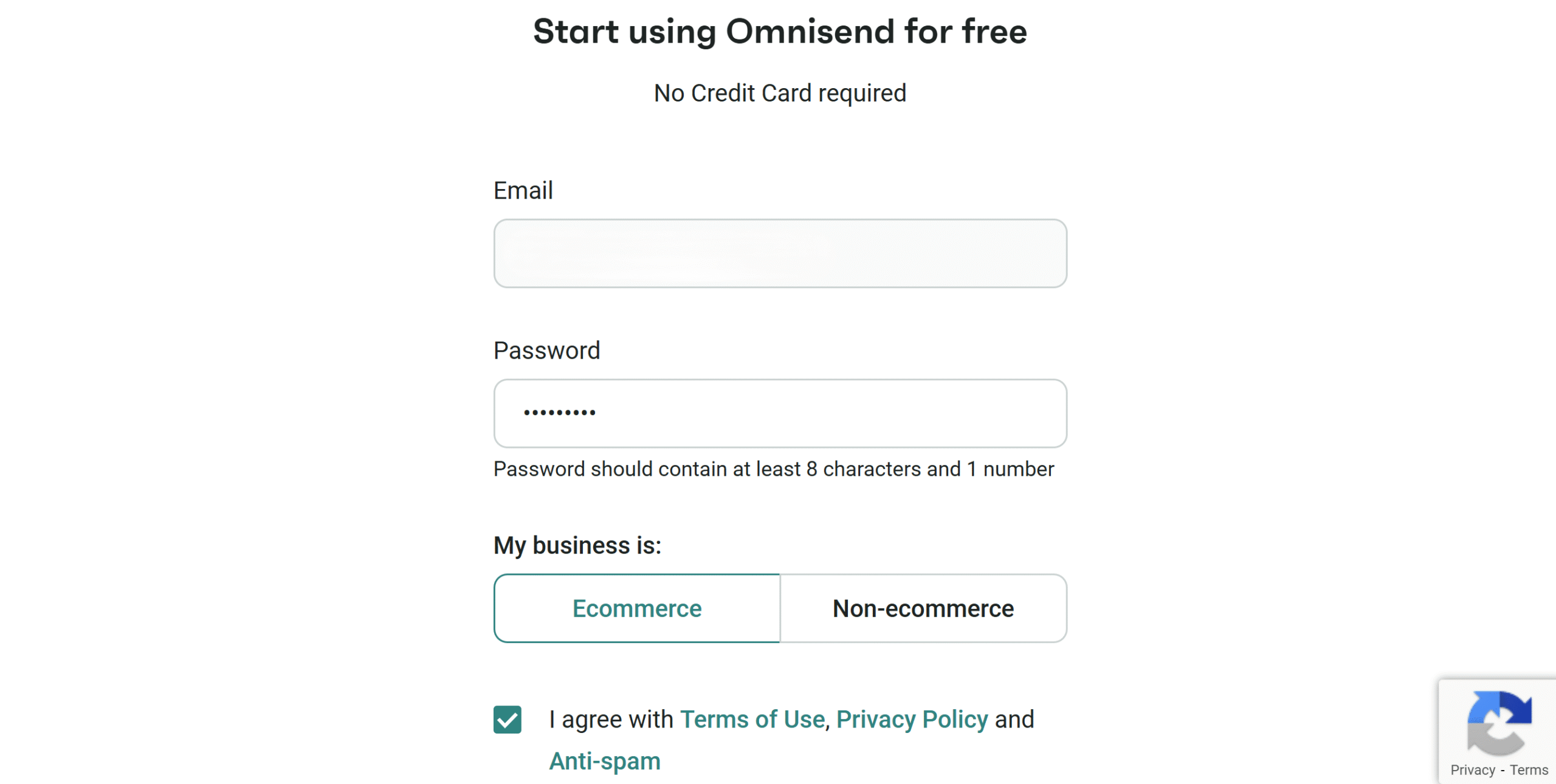
3. Omnisend is primarily for e-commerce businesses, but it can be used for non-e-commerce purposes as well.
For example, if you are a freelancer like me, you can use Omnisend for outreach campaigns and newsletters. For the demo purpose, I picked the e-commerce option and chose the WordPress platform for integration.
If you are currently using any email app, you can connect it to Omnisend. You can, however, still proceed with the registration without it.
4. Once you provide all the necessary information, your free account will be activated immediately.
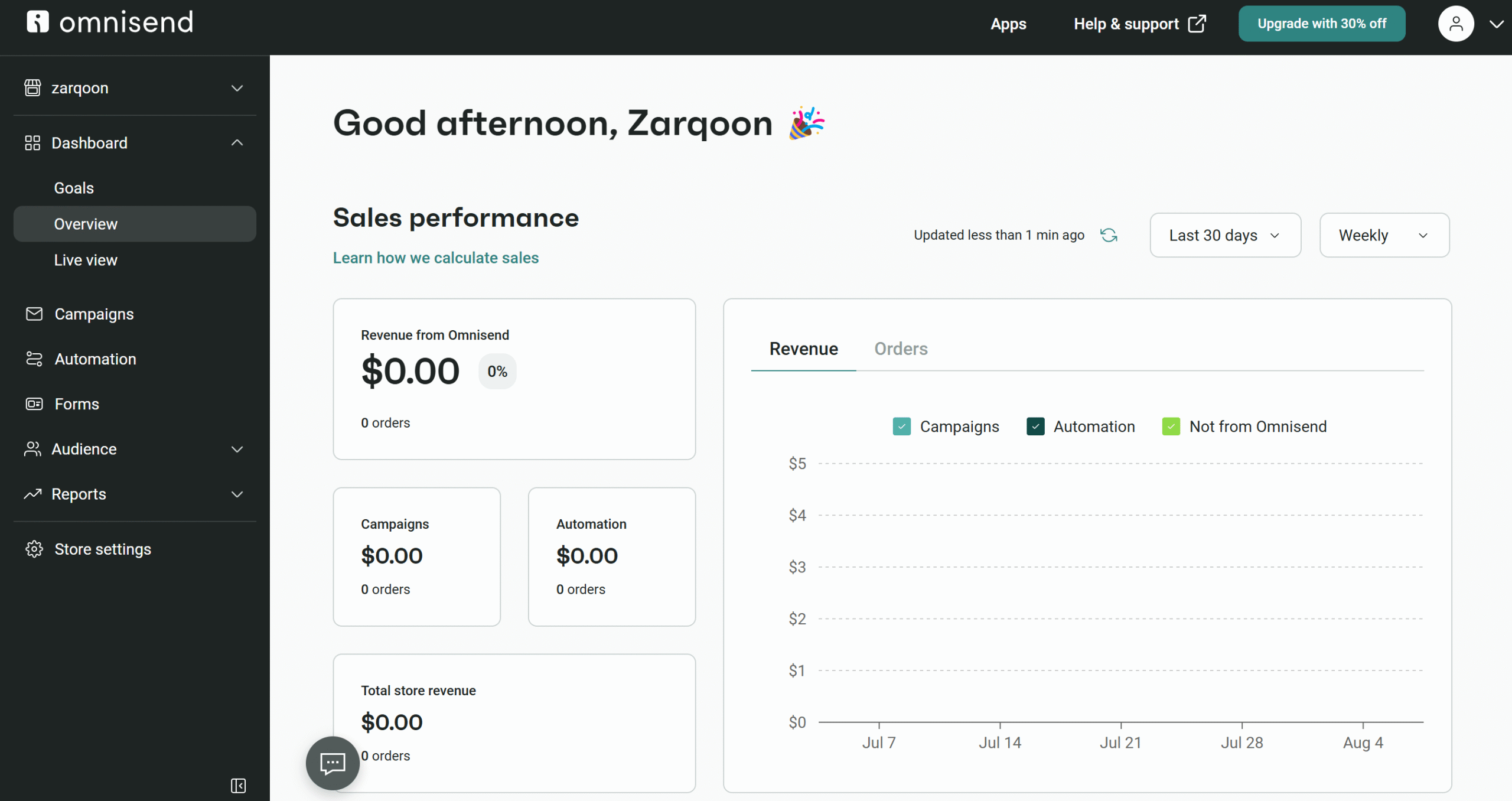
5. This is your main reporting dashboard. It’s currently blank as I haven’t started any activity yet, but it displays key performance metrics for monitoring.
6. On the left bar, you’ll find all Omnisend’s core functions. You can create promotional emails, sign-up forms, drip campaigns, and various reports.
7. At the end, you’ll find the setting option. Here, you can change the information and apply tailored settings. For example, you can change your brand assets, switch the language, and block certain email addresses.
8. In the top right corner, a link to the app marketplace is displayed. If you need any third-party integration, you’ll most likely find your desired app there.
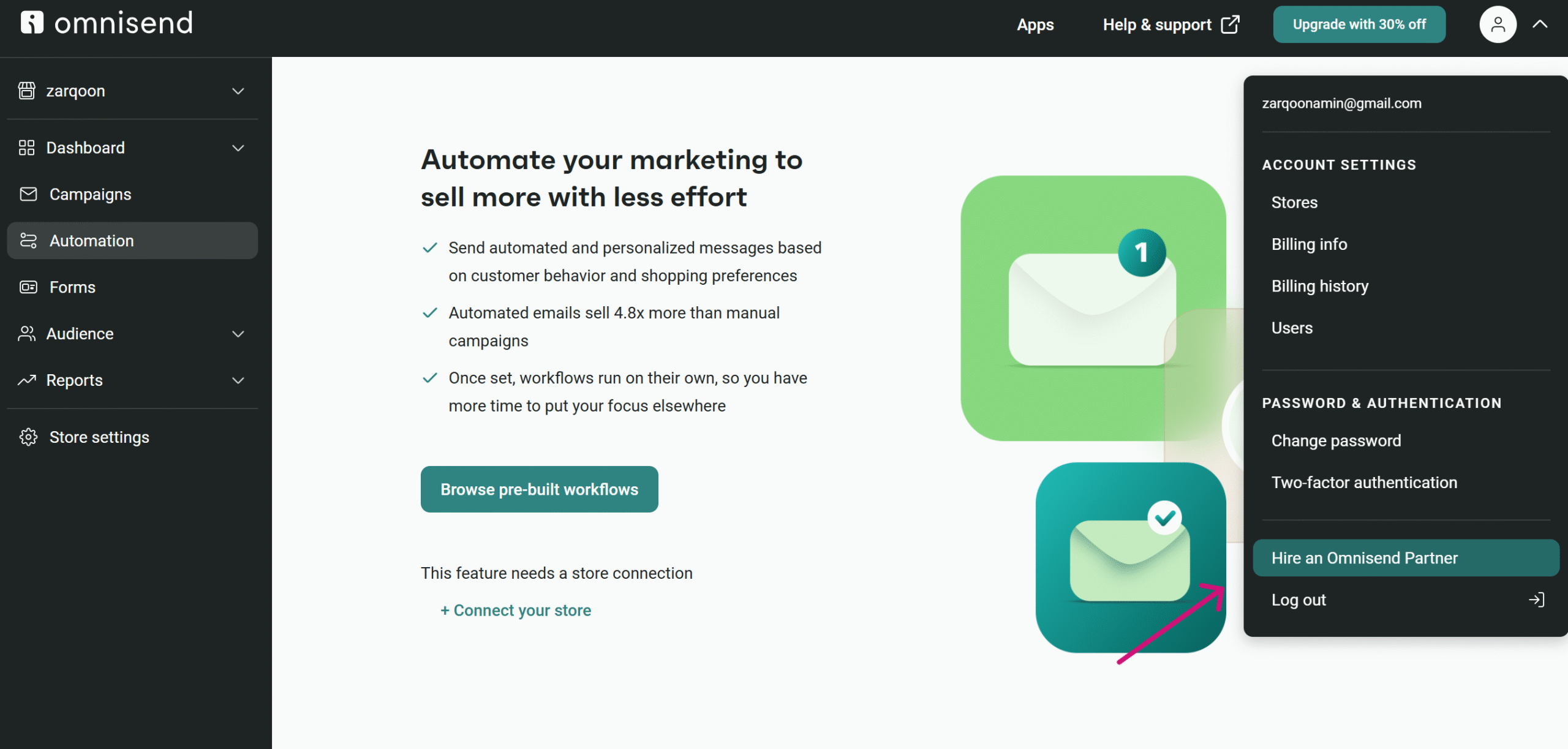
9. At the top right corner of the menu bar, you’ll also find an option to hire a partner to help you with your campaigns. Omnisend offers managed services with the software, allowing you to find a partner within your budget.
10. I have covered pretty much everything. But if you need more details, you can reach out to the customer support via the chatbot.
That’s it!
Let’s create a campaign as a demo.
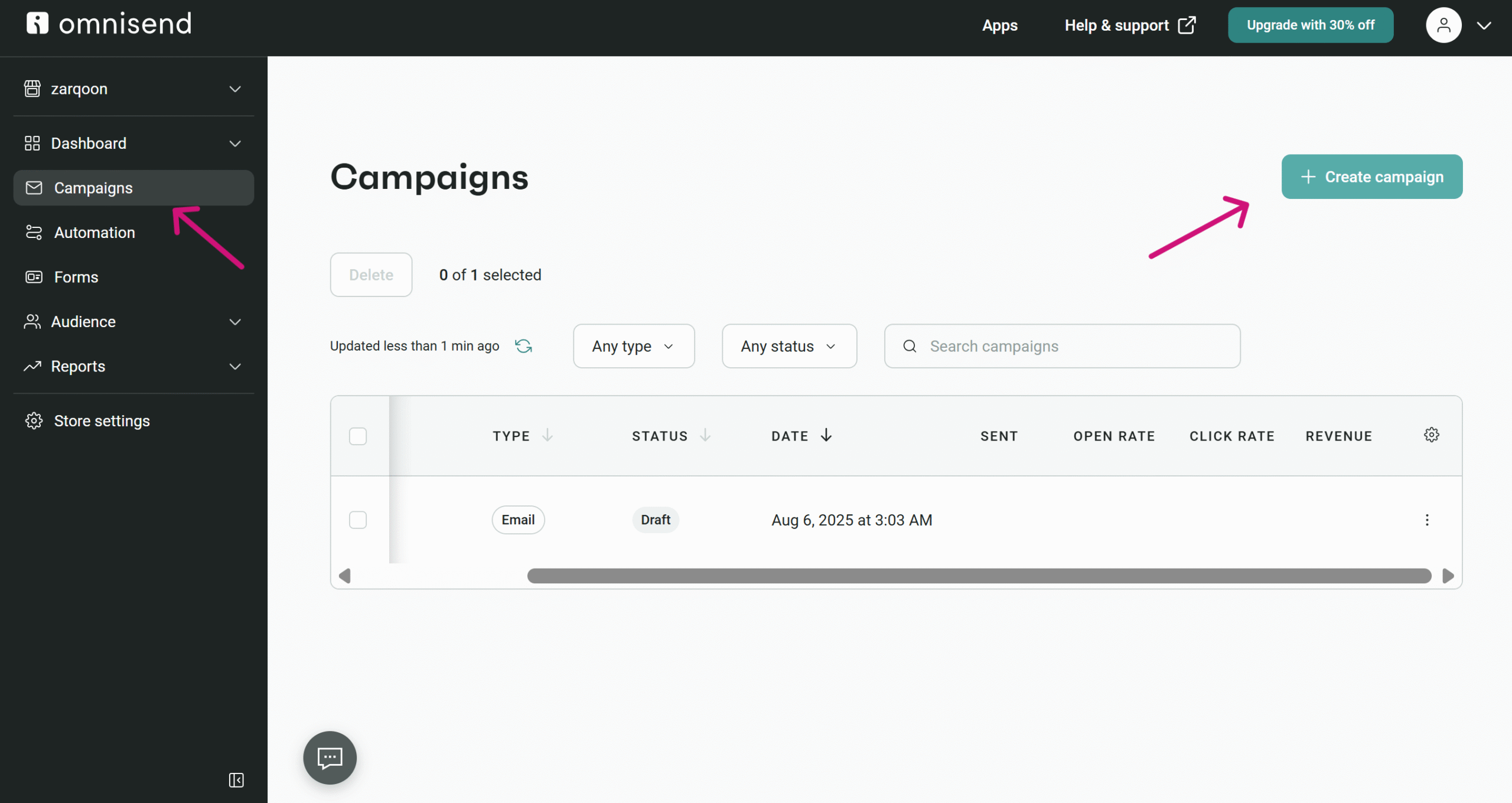
Go to the Campaign section and click the “Create Campaign” button to access the email builder.
A page will appear asking for the type of campaign you want.
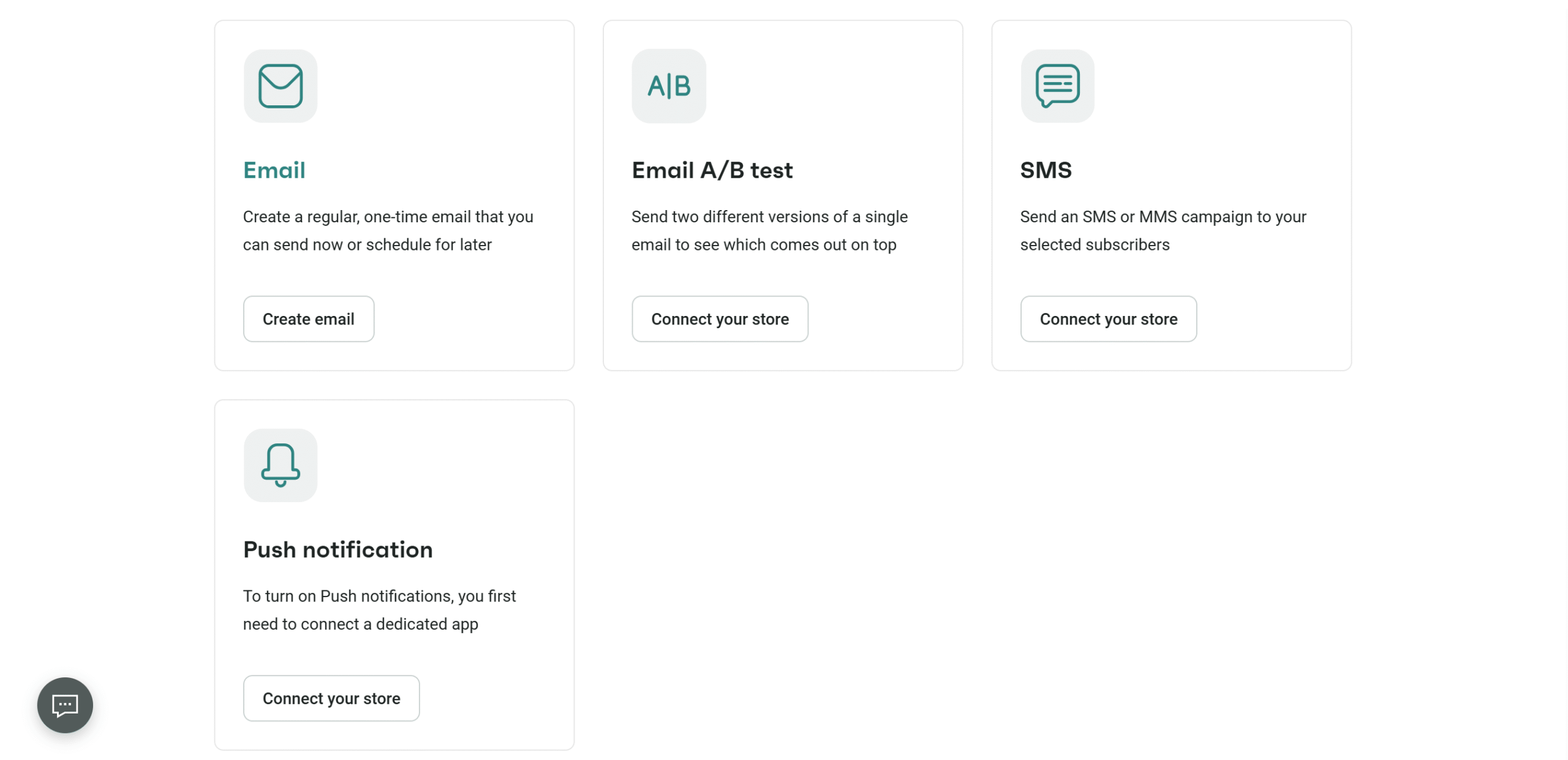
I picked the simple email option, and it led to the form page.

The blue icon represents the AI, and you’ll also find templates here.
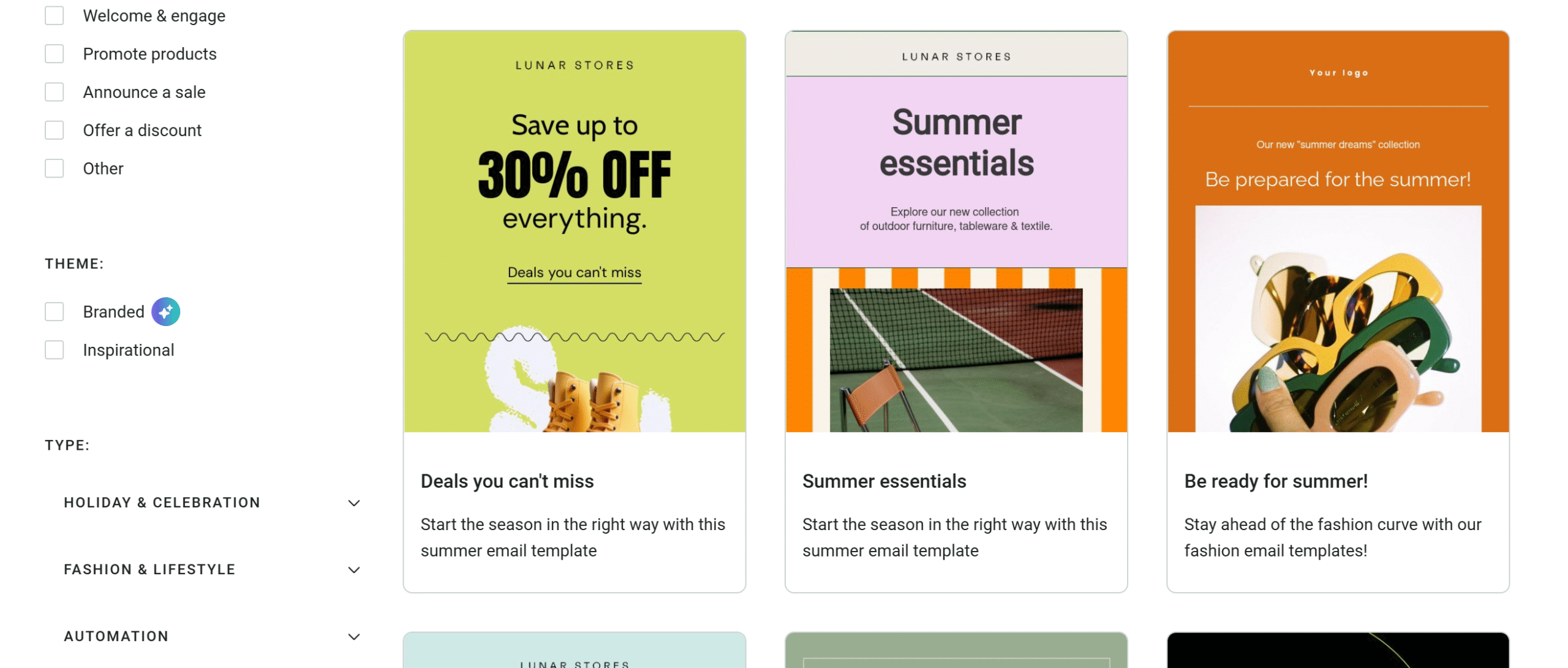
I picked this template for my Black Friday Campaign.
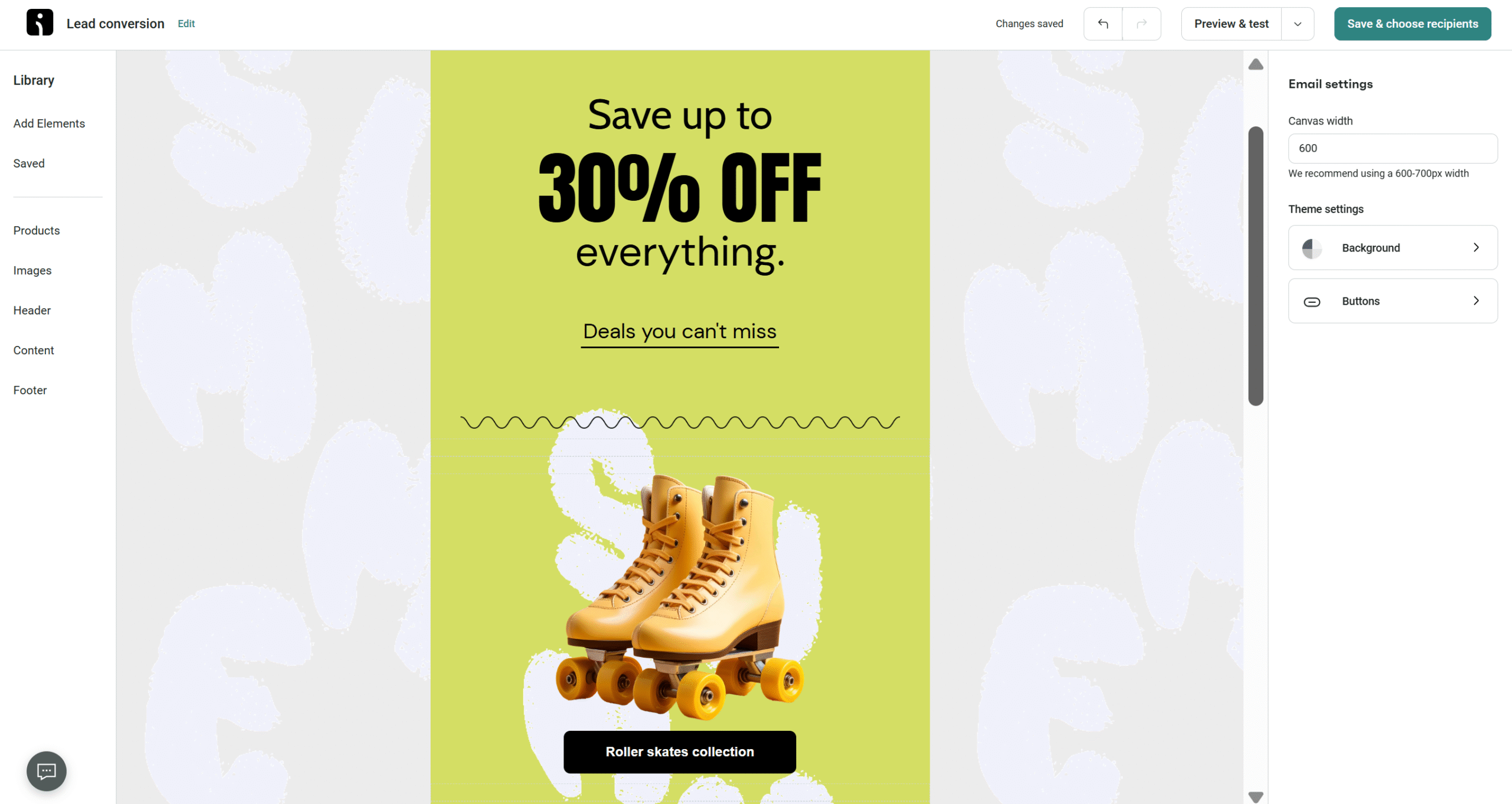
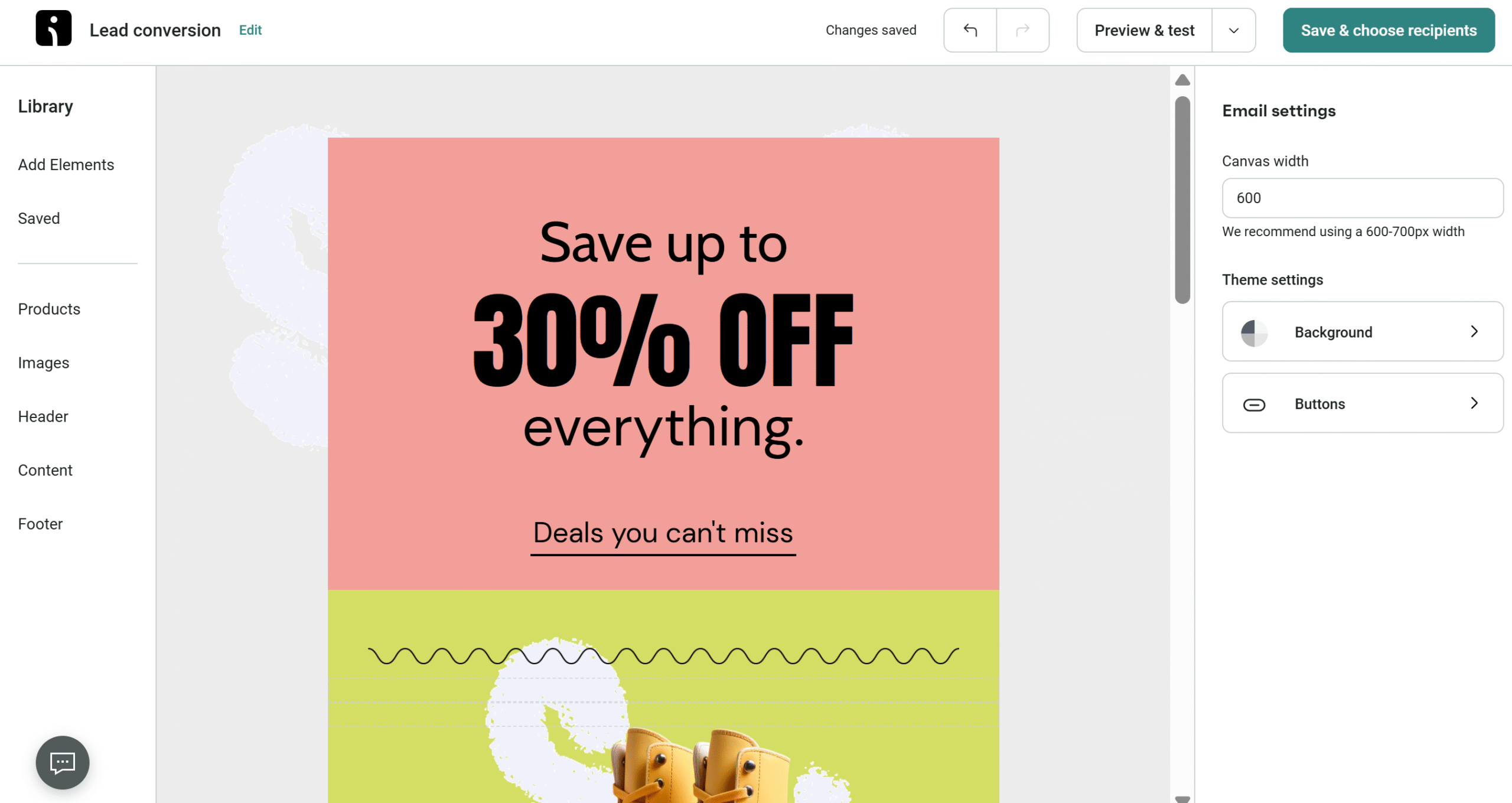
You can customize the template to personalize the email. I changed the background color and the text, and previewed it on a desktop and a mobile screen. I can preview the email in both light and dark mode as well, which is amazing.
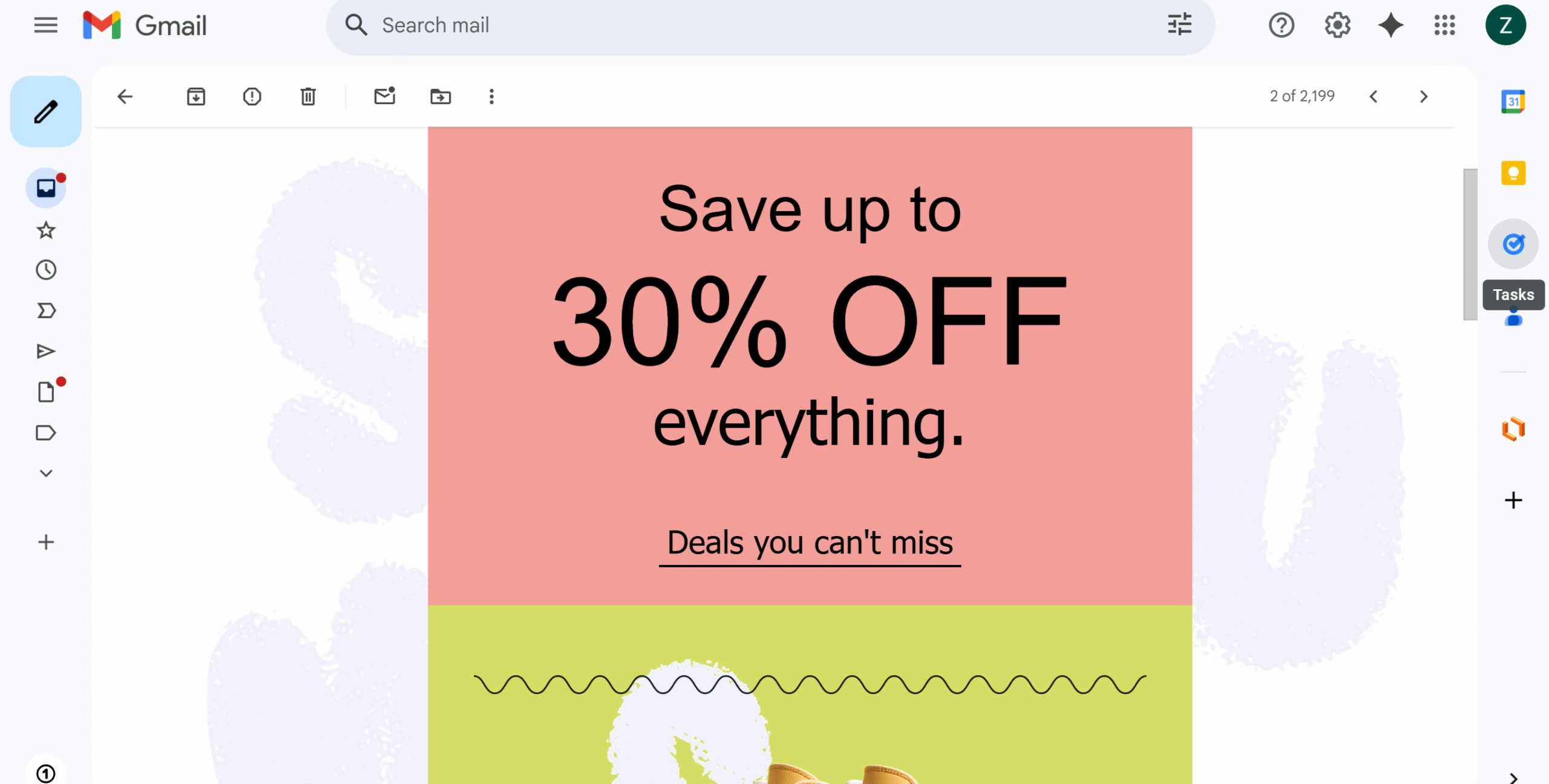
You’ll also find the email testing option in the right corner. I sent the test email to my Google account, and this is how it looked in my inbox.
There is a wide range of pre-built automation for campaigns. Just connect your store and create drip campaigns.
Omnisend Prices
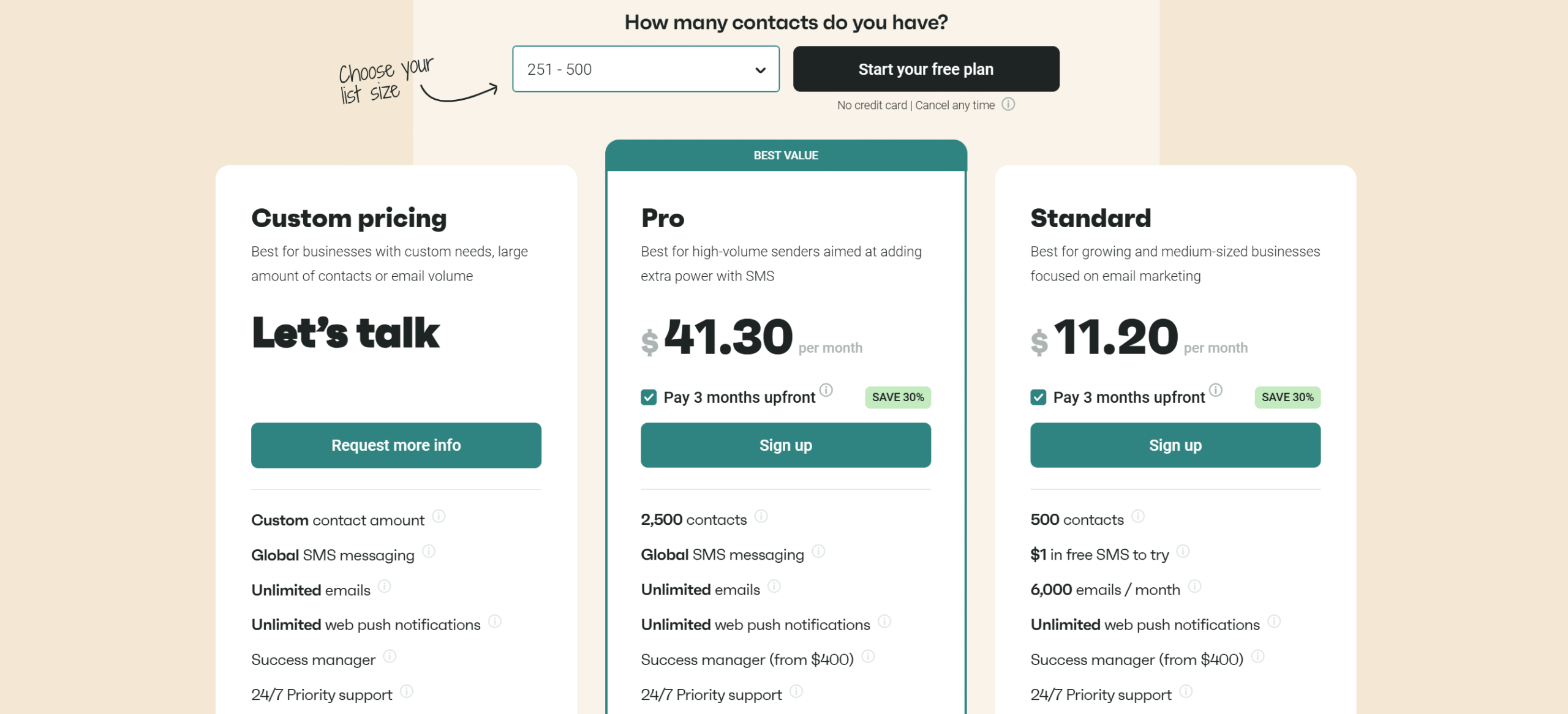
Now that you are familiar with Omnisend, let me share its pricing structure.
Omnisend is a SaaS tool and charges monthly fees for the software. Its pricing is contact-based, meaning the price increases with the contact volume.
The minimum number of contacts required to use Omnisend is 200, and you can manage over 150k contacts. You can get started for free and send up to 500 emails and web notifications per month on the free plan.
If you upgrade the package, you’ll be able to send unlimited emails, SMS, and web notifications. You can also remove the Omnisend branding from your emails.
All the packages include templates, automation, reporting, and integration. Since the prices are based on contact count instead of features, you can access all the core functions in the basic plan.
Here’s a summary of Omnisend packages.
1. Standard Plan
It costs around $12 per month and allows 500 contacts and 6000 emails. You can increase the contact number to 150k. The prices will be adjusted accordingly.
You can send unlimited web notifications per month and have access to almost all features, save for personalized product recommender and advanced reporting.
2. Pro Plan
Its prices start at $42.
The subscription allows up to 2500 contacts, but you can buy more slots. For each 500 additions, Omnisend charges an extra $3.
The plans also remove the limit on monthly emails and unlock other features, like global SMS messaging and a personalized product recommender.
3. Custom Package
This plan is designed for established online stores. If you have a high volume and need custom solutions, this package is perfect for you.
You’ll be able to customize the contact number, access advanced reporting, and get a dedicated success manager.
Free migration and onboarding support are also part of the package.
Pros and Cons of Omnisend
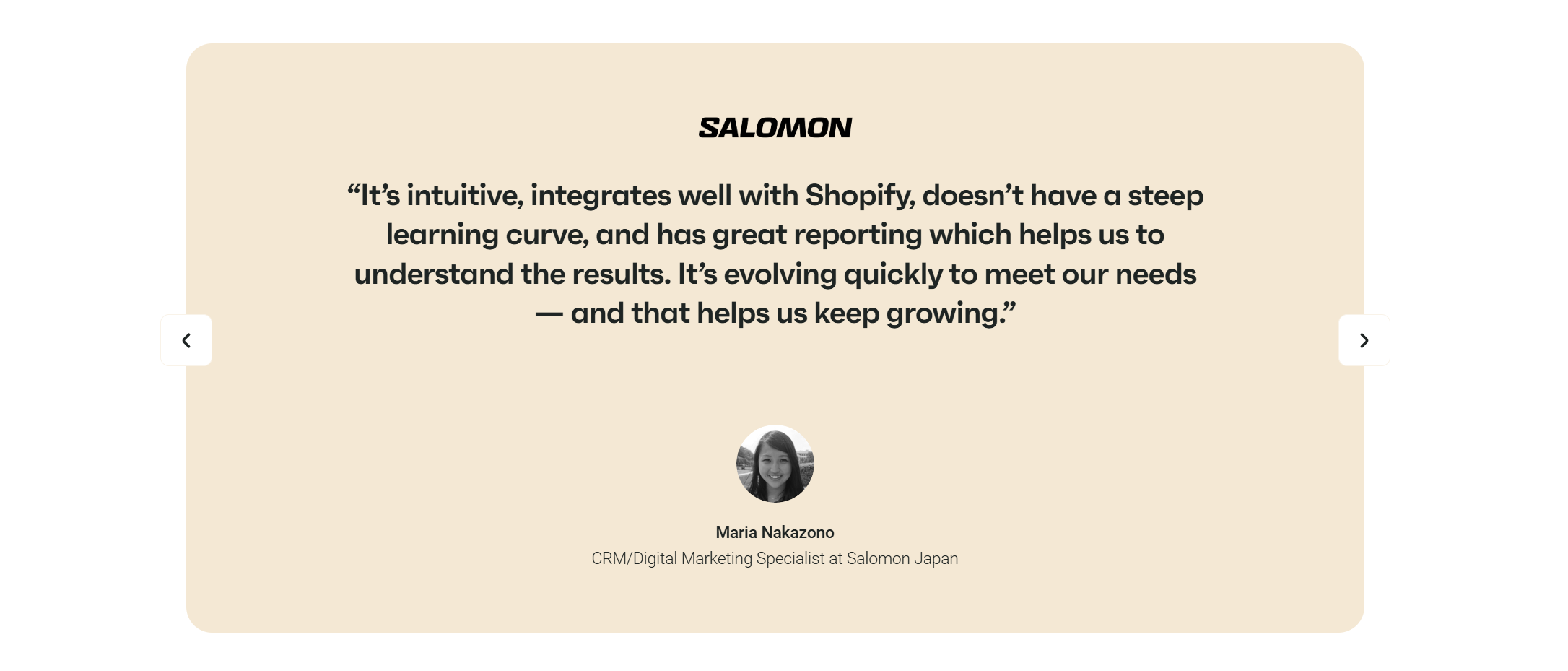
Omnisend is an excellent email marketing platform.
But it does come with certain limitations.
Below, I have highlighted its pros and cons to help you decide if it’s the right choice for your e-commerce business.
Pros:
- An intuitive drag-and-drop email builder.
- Powerful marketing automation with pre-built workflows.
- Multi-channel marketing (email + SMS + pop-ups).
- Advanced segmentation & personalization.
- Free plan available.
Cons:
- Some may find the pricing structure complex.
- Limited social media integrations.
- No Mobile app.
Conclusion
Omnisend is an ideal productivity tool for e-commerce stores looking to improve their email marketing efforts.
It lets you not only create a series of professional brand emails but also set your entire workflow on autopilot. What’s more, you can integrate SMS and web pop-ups in your email marketing campaigns to re-target your audience.
Omnisend, overall, is intuitive to use, delivers all the essential campaign management features, and has a good reporting section.
Create your free account today and test its core functions to make an informed decision. You can try almost every feature on the free plan.


 A better way to manage projects and clients for freelancers
 Get through busy days like a breeze with Reclaim.ai