
If you are a solopreneur, marketer, or independent consultant, content production is probably one of your biggest challenges.
You know you should be producing content consistently to engage your audience, but between clients, daily operations, and a dozen other things, you don’t have time to do it.
So naturally, you turn to AI.
But the problem with this approach is that most people receive generic and shallow output.
Not because there’s anything wrong with AI.
It’s the way they use it.
In this article, I am going to show you how to write a 3000-word blog post using AI. By the end of the article, you’ll have a step-by-step workflow you can reuse anytime to produce meaningful content quickly.
The Main Mistake People Make With AI
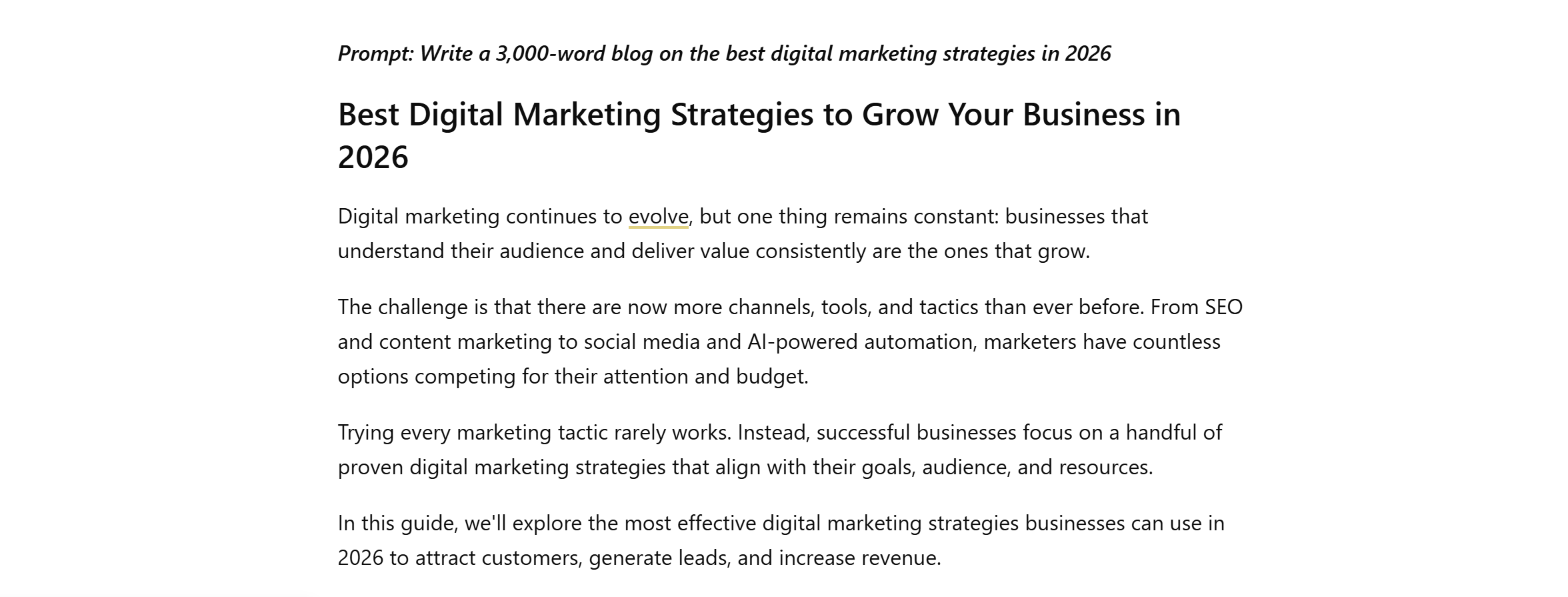
Let’s talk about the common challenges of AI first.
The biggest mistake most people make with AI tools like ChatGPT is treating them as content generators instead of smart assistants.
Instead of providing context and goals, they go straight to “write a 3000-word blog about digital marketing” and expect a publish-ready article.
The result?
A safe, predictable output that sounds like every other AI-generated article online.
What’s surprising is that it’s a pretty common approach in the digital marketing industry.
This tells us the problem is not that AI can’t write; it’s that people assume AI thinks like a strategist.
You have to understand that AI tools don’t interpret your intent like a human.
They use pattern recognition to generate output. Meaning, they match your prompt with similar data and share the most relatable information.
For example, if you tell ChatGPT to find a “home remedy for dry hair,” it doesn’t actually diagnose your condition; it just shares common remedies and fills the gap with plausible advice.
But if you say, “I have seborrheic dermatitis and live in a cold, dry climate. Give me a home remedy for dry hair that doesn’t irritate the scalp.”
ChatGPT’s response would be tailored and specific because you gave context and limitations.
The same principle applies to content writing.
When you provide clear direction to AI, it stops producing generic content and delivers high-quality output.
That’s why I don’t use one prompt to generate full-length articles. Instead, I break down my workflow into multiple steps and use AI at each stage.
By approaching it this way, I utilize AI as my research assistant, brainstorming partner, and editor.
Let me show you my AI writing workflow to help you get a better idea of how to use AI for blog writing.
My AI-Writing Workflow
My AI writing workflow is similar to the traditional content creation process I follow.
It involves researching, creating an outline, writing the draft, and editing.
- Brainstorming and Research (1 Hour)
- Outline (Half an Hour)
- Drafting (1 and a Half Hours)
- Editing (1 Hour)
I use AI in each stage as a support assistant to make the process more efficient.
This helps me produce blogs quickly without compromising quality.
My method may sound like more work, but in practice, it fits perfectly into the 4-hour window.
When you break the large project into small tasks, it becomes more manageable, and the output is more specific and refined.
It also gives you more control over the draft, cutting the final editing time.
I am sharing a step-by-step guide on how to write a 3,000-word blog post using AI in 4 hours. I have explained each stage with a real-life example for clarity.
How To Write a 3,000-Word Blog Post Using AI In 4 Hours
Before I explain each step, let me give you context.
We are going to write a blog post on local SEO using ChatGPT.
The intent is to help small businesses improve their online presence and attract more local customers.
Stage 1: Brainstorming and Research
I typically start with a broad topic and refine my instructions with follow-up prompts.
This allows me to brainstorm ideas and explore different angles, so I don’t limit my thinking early in the process.
At this stage, my goal is to gather my thoughts and find a direction. I use AI as a thinking partner to bounce around ideas and find gaps in my planning.
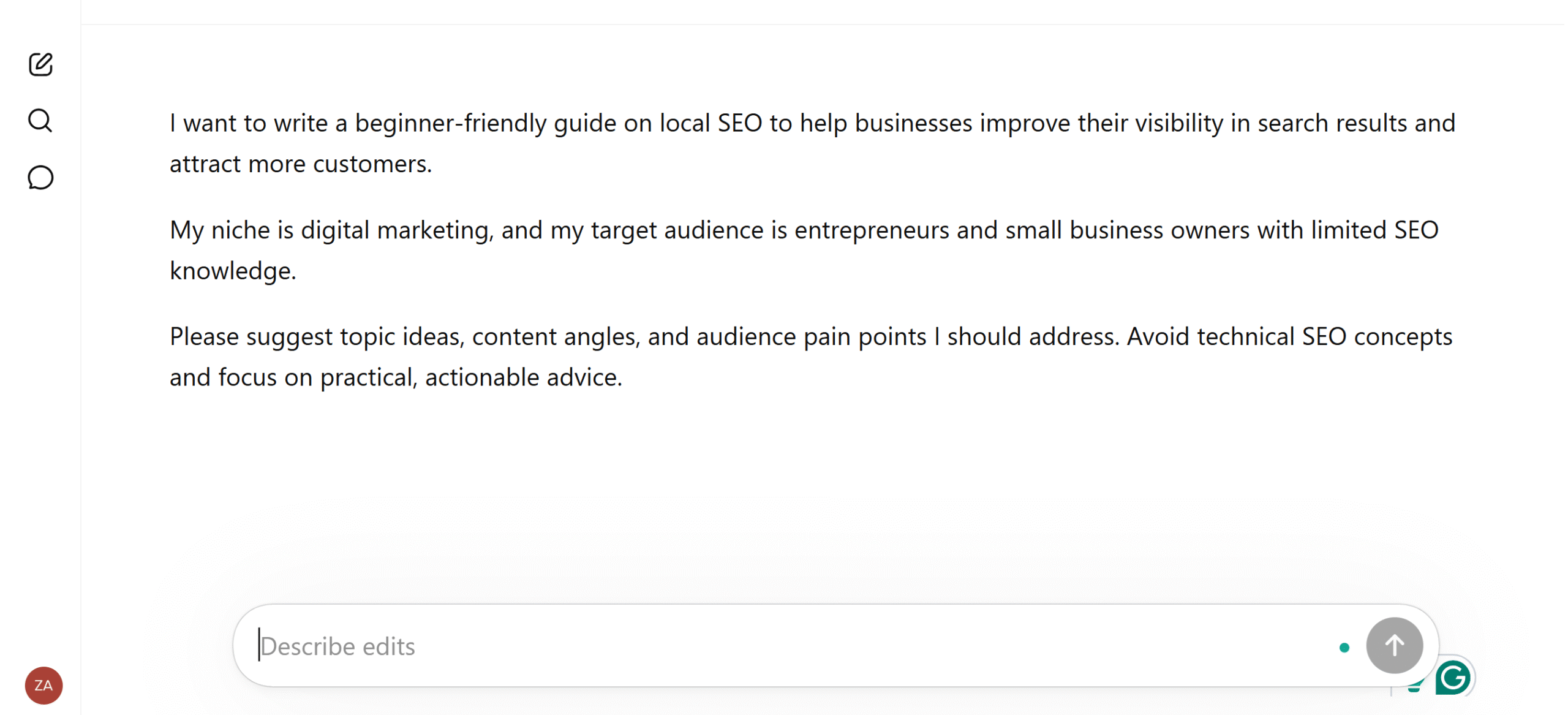
What I Tell AI Before Researching The Blog
- Topic Idea and Intent: What I want to write about and why I am writing it.
- Target Audience: Who is this blog for and what is their level of knowledge, such as beginner or advanced?
- Niche: What is my business about?
- Constraints: What to avoid.
This is my research prompt for a local SEO blog post.
AI Output
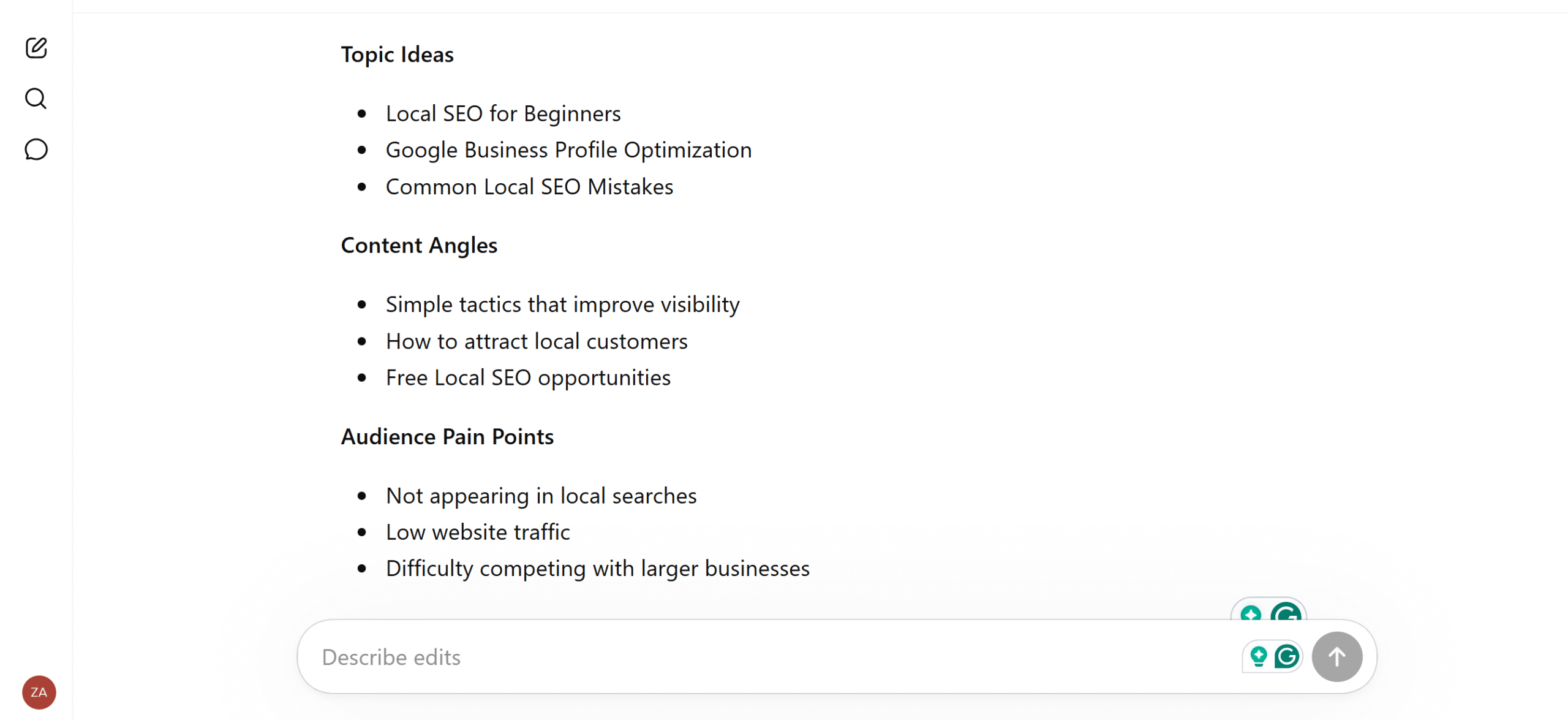
ChatGPT breaks my core topic into sections and subtopics and suggests different angles depending on the context.
I continue with follow-up prompts to uncover my audience’s pain points, interests, and questions that I may have missed.
For example, “What practical actions do readers want to implement SEO immediately? Or what examples can I use to simplify the concept?”
With each follow-up question, I gain more clarity and learn what to include and what to avoid.
The screenshot below is the output I received from ChatGPT. I specifically asked it to make it concise for the screenshot. The original was more detailed.
Stage 2: Outline
Once I have data to work with, I use AI to create an outline of my blog.
An outline is a roadmap for your blog. It tells you what to write first, which points to cover, and how to move the content from introduction to conclusion.
Without an outline, you don’t have a clear direction to follow.
That said, you also have to provide direction to AI for the outline. During research, you might have explored different angles, followed a specific thread, and collected some information.
You’ll have to decide what your blog will focus on, not AI.
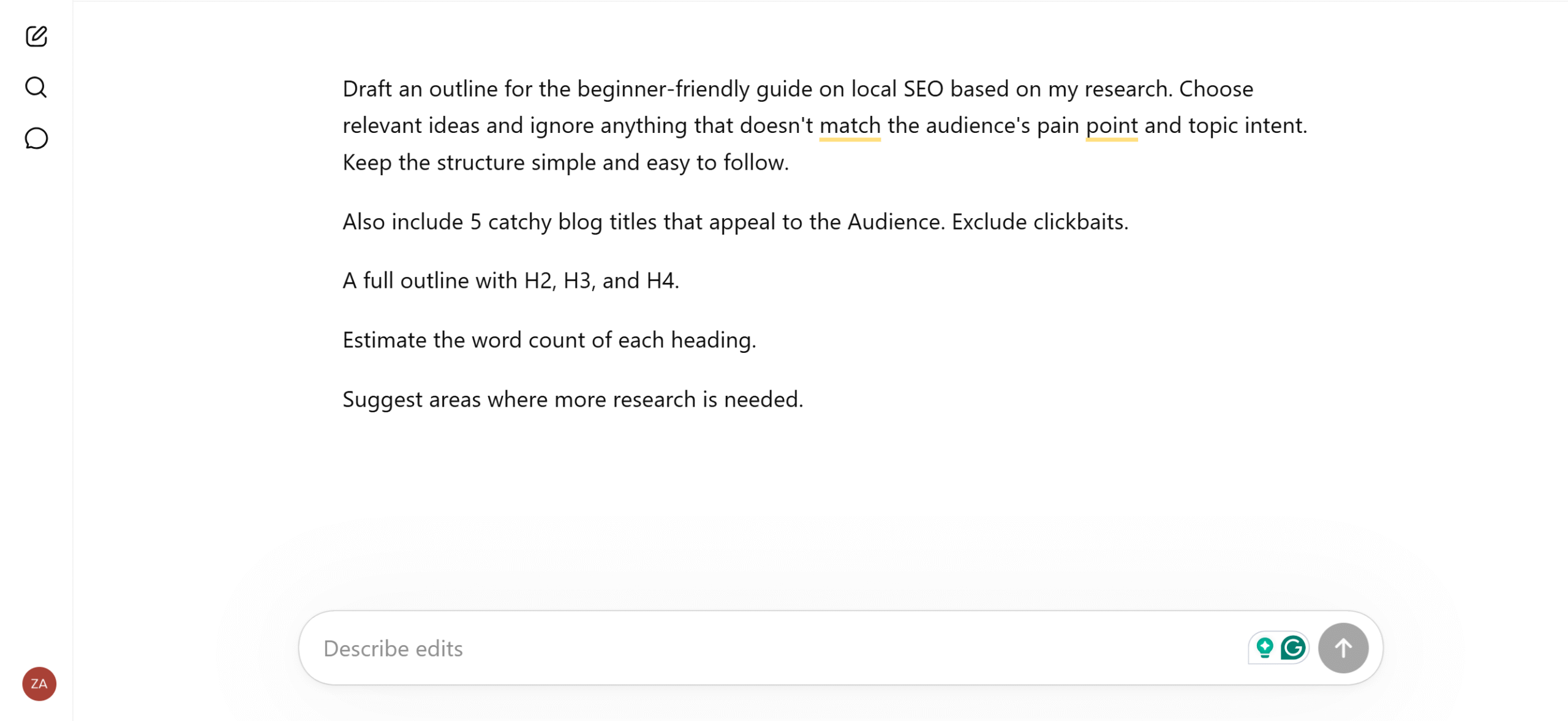
My Prompt For The Outline
- Create a detailed outline based on my research.
- Exclude ideas not relevant to the topic.
- Give 5 catchy blog titles that appeal to the Audience. Exclude clickbaits.
- Create H2, H3, and H4 headings.
- Estimate the word count of each heading.
- Suggest areas where more research is needed.
AI Output
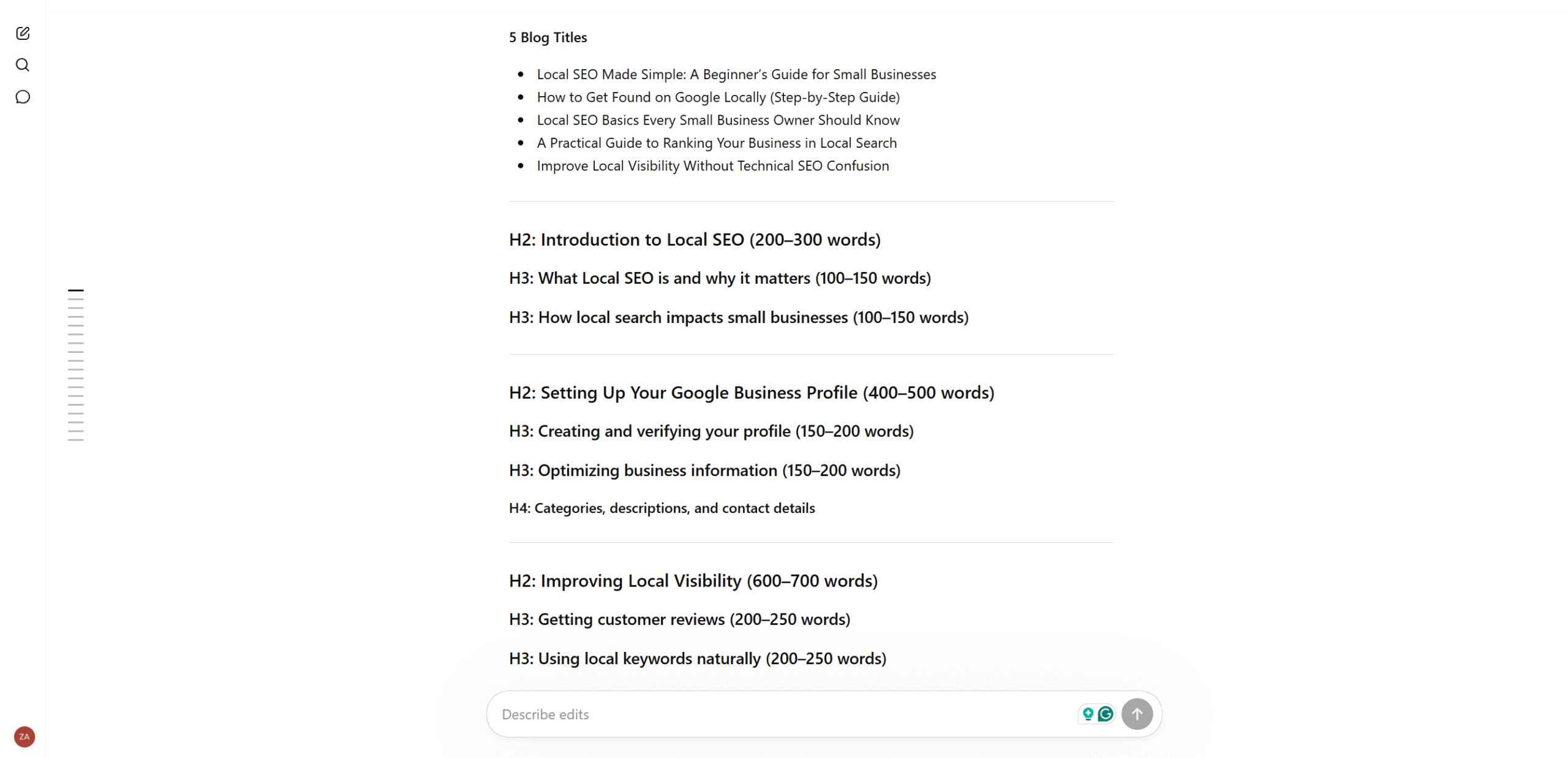
ChatGPT organizes my research into a logical flow, highlighting H2, H3, and H4 headings.
It also provides practical points to cover in the introduction and sub-headings.
I use AI’s outline as a baseline and adjust the structure as I see fit.
Once I have an edited outline, I share it with ChatGPT and make final adjustments.
Here’s the screenshot of the output I received from ChatGPT.
I tried to fit it into one screen, but the outline was a bit detailed, so I had to cut some parts.
Stage 3: Drafting
This is where the real work begins.
At this stage, you’ve got two options.
You can write a rough draft in your own words and use AI to refine it, or ask ChatGPT to create a draft and refine it manually.
For entrepreneurs, the second option is more practical. It allows them to get started quickly and create a draft in less time.
I, however, take a hybrid approach.
I write the blog section by section myself and use AI to expand points and suggest better wording. This helps me shape the article as I want while keeping AI for support.
My Prompt For The First Scenario
- Expand the “specific” bullet points into detailed paragraphs.
- Provide use cases, examples, and statistics.
- Break complex structures into readable sentences.
- Give ideas to make it more engaging.
- Check the flow and provide clarity.
Prompts For The Second Scenario
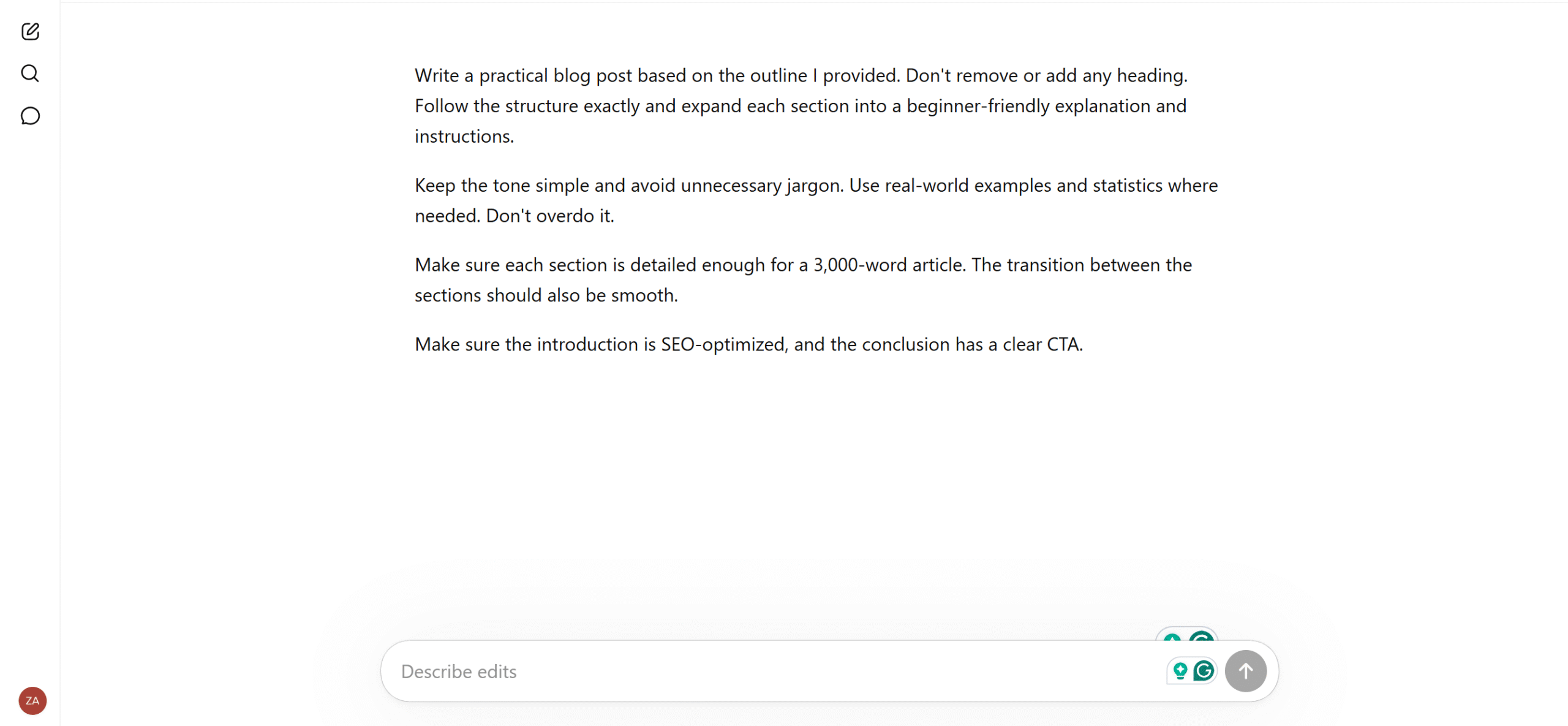
- Write a SEO optimized introduction.
- Expand each heading and add examples and statistics where needed.
- Maintain a friendly tone.
- Conclude the blog with an action.
AI Output
ChatGPT expands only the specific bullet points mentioned in my prompt and supports them with examples.
I also receive suggestions on how to improve my sentence structure and make the content clearer.
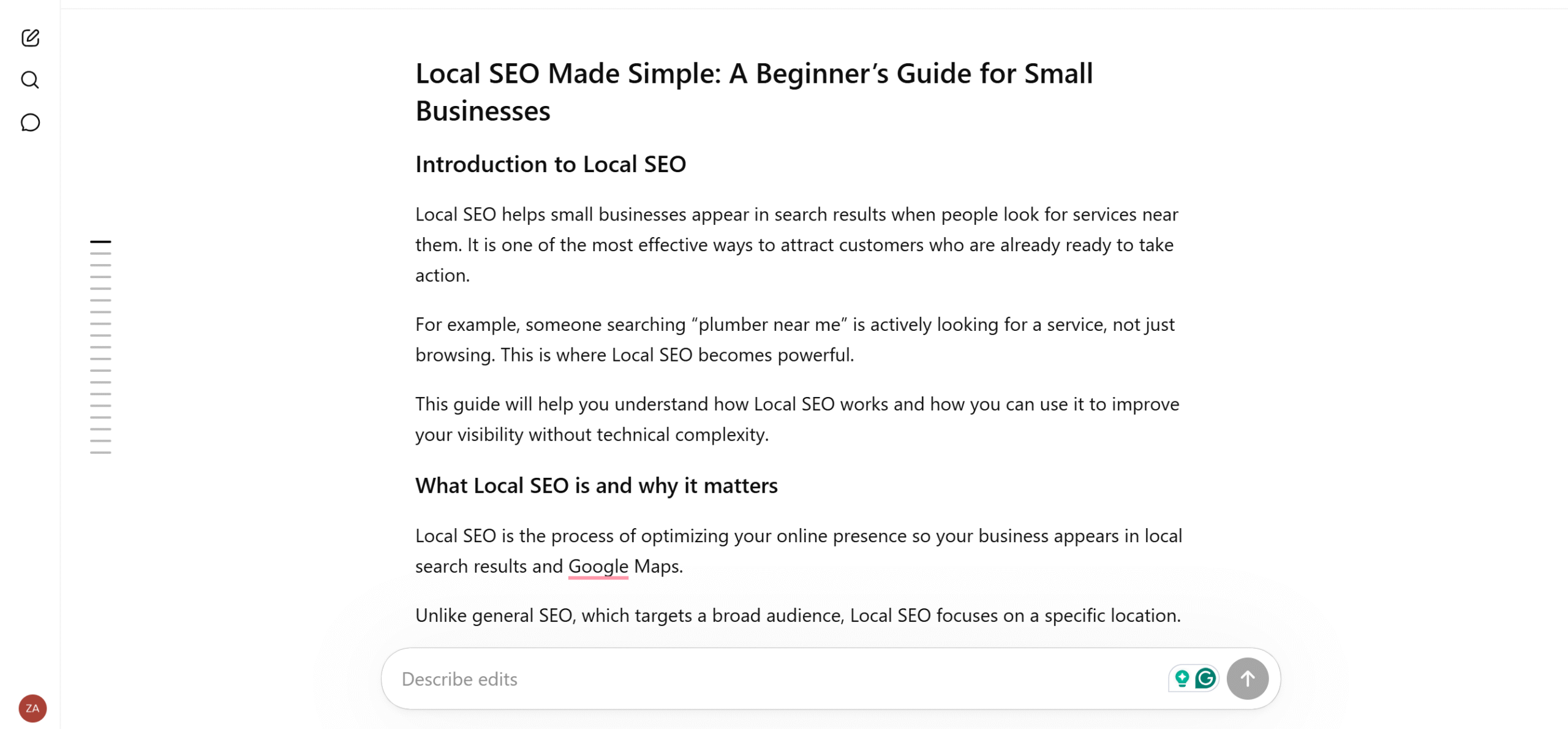
In the second scenario, where I ask for a complete blog, ChatGPT generates an SEO introduction, expands each heading into paragraphs, and links them to make it reader-friendly.
If you request examples and real-life scenarios, it will also tell you where to fit them.
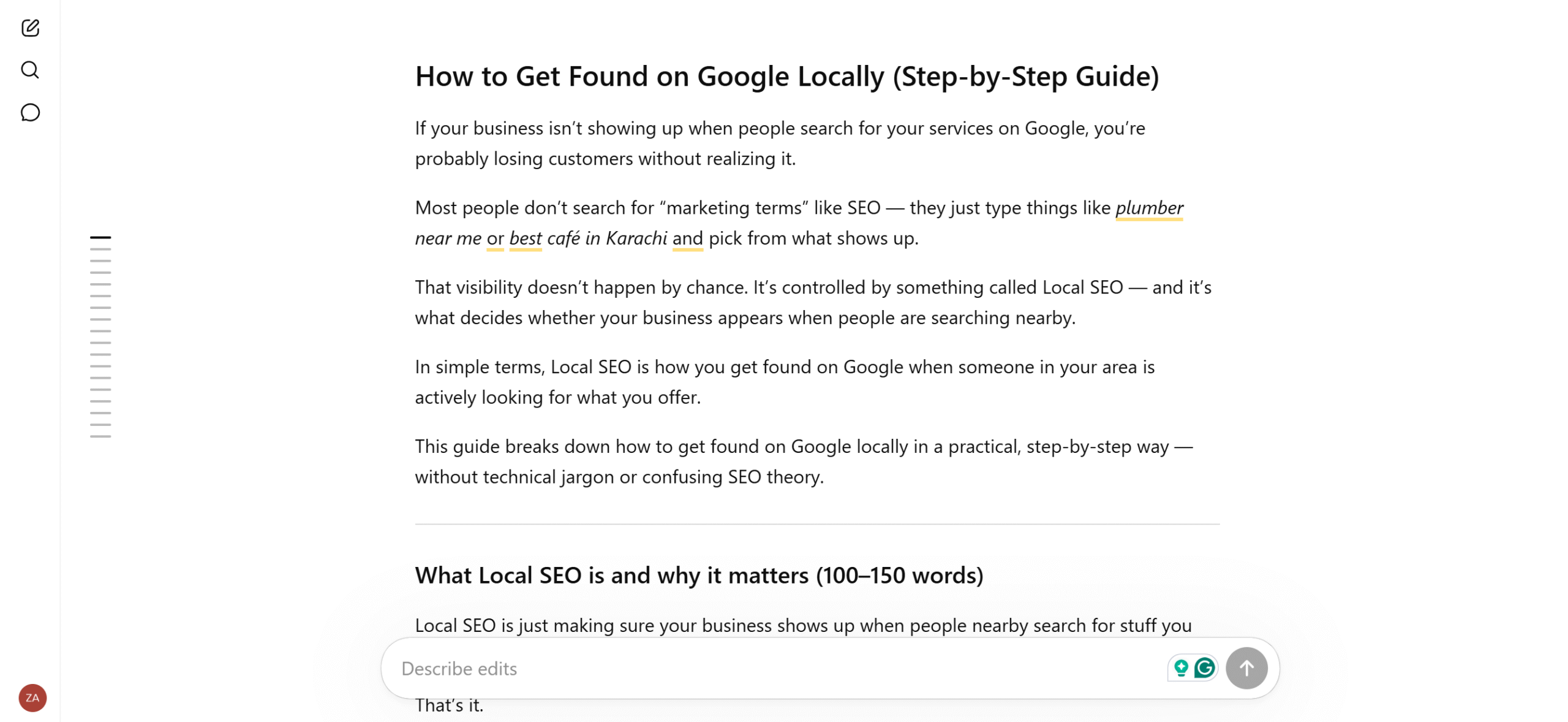
The initial draft typically lacks depth and personality. You have to manually remove fillers and add your own experience to personalize the article.
Here’s the original output I received.
This is how I revised the blog.
Stage 4: Final Editing
During the drafting stage, I already do most of the initial editing. But I don’t focus on the full blog structure.
In the final editing stage, I check the flow and clarity to make sure the transition between headings is natural and the content is relevant.
I don’t actively use AI in the final editing, except for checking basic grammar and punctuation.
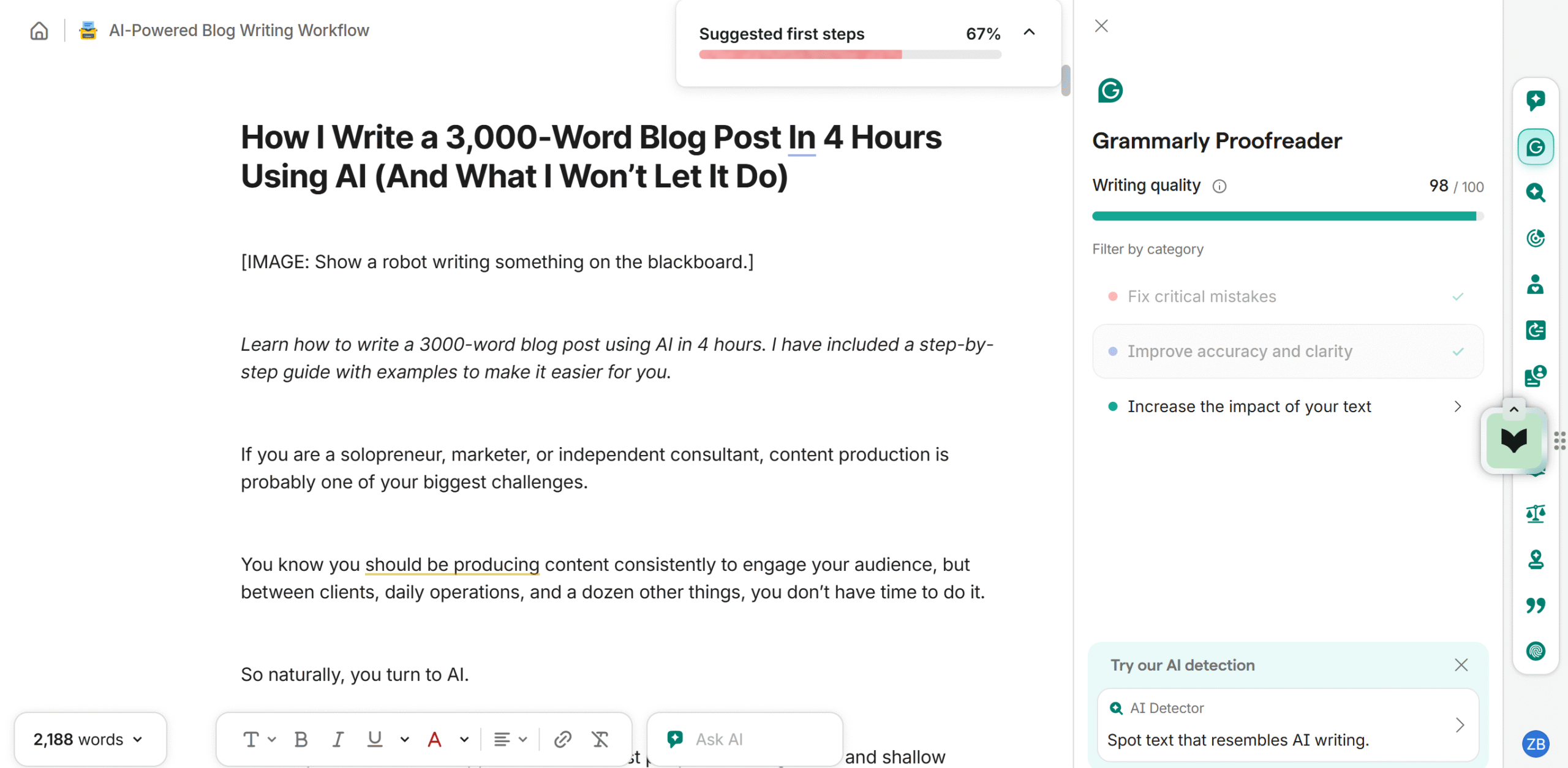
I recommend the Grammarly Chrome extension for proofreading. It’s what most writers use, and it’s completely free.
Bonus Tip!
ChatGPT will probably not generate a 3000-word blog post in one go. I am not sure why it does that, but you might have to manually instruct it to expand each section one by one.
It’s extra work, but worth it.
Here’s the tip;
- Explicitly mention the word count per section.
- Instruct it to add examples, case studies, and recommendations to expand each point.
- Warn it not to compress or summarize the content.
Things I Don’t Let AI Do
AI is an integral part of my writing workflow, but there are certain things I never delegate to it.
Because my goal isn’t to generate AI content. My goal is to produce high-quality blogs more efficiently.
Here are the three things I don’t let AI do;
Topic Intent
Before I start a blog, I ask myself why I am writing it.
Is it to provide information, deliver a solution, generate leads, or promote something? That decision shapes the tone, angle, and outcome I want the blog to achieve.
ChatGPT can suggest different perspectives and goals, but I never let it decide the blog’s purpose.
Why?
Because AI doesn’t have the full context to make that decision.
AI only works with the prompt you provide. Irrespective of how detailed the prompt is, it doesn’t fully understand your business objectives and content strategy.
That’s why I share the topic intent and use AI to formulate the blog.
Fact Verification
AI is extremely good at finding relevant facts, statistics, and sources, but it doesn’t guarantee accuracy.
Despite being a smart tool, it often misinterprets information and presents it with such a level of confidence that it would make you doubt your own judgement.
For example, if you ask ChatGPT for social listening tools, it might say these are the “popular” tools, but most of the time, the general sentiment doesn’t match the results.
I always double-check the information ChatGPT provides before using it in my blog. It’s a lesson I learned the hard way.
Personalization
The last and most important thing I don’t let A do is personalize my article.
ChatGPT can, no doubt, mimic your style to some extent, but it can’t replicate your experience and perspective. Those uniquely belong to you.
I tried that trick once and spent more time revamping it. Lesson learned.
So what do I do instead? I tell AI to incorporate examples and opinions and replace them with my own.
For example, if the topic is SEO, I add bits and pieces of things I picked up while taking an on-page SEO course. Those insights add depth to the content that AI can’t do.
I also tailor the sentence structure where needed.
These small constraints improve my content quality significantly.
Conclusion
The main difference between an average and a good AI blog post is the person behind it.
AI hasn’t replaced the fundamentals of content writing; it just makes the process more efficient.
You still need to provide direction and goals; AI simply increases the pace at which you work.
My advice?
Instead of relying on a single prompt, use AI across the entire writing process—brainstorming, research, outlining, and drafting.
It will help you explore different angles and produce quality drafts.


 A better way to manage projects and clients for freelancers
 Get through busy days like a breeze with Reclaim.ai