
Everyone’s obsessed with productivity apps these days.
But here’s a dirty little secret: most of them are a waste of time.
Shocking, right?
The very tools meant to make us more productive often end up being just another distraction.
Think about it.
When was the last time an app fundamentally changed how you work?
Not just for a week, but permanently?
The real challenge isn’t finding productivity apps. It’s finding the right ones. The ones that solve your specific problems, not the ones that look prettiest in the App Store.
That’s why we’re here.
We’ve sifted through the noise to find nine iOS apps that actually deliver on their promises.
1. Sunsama
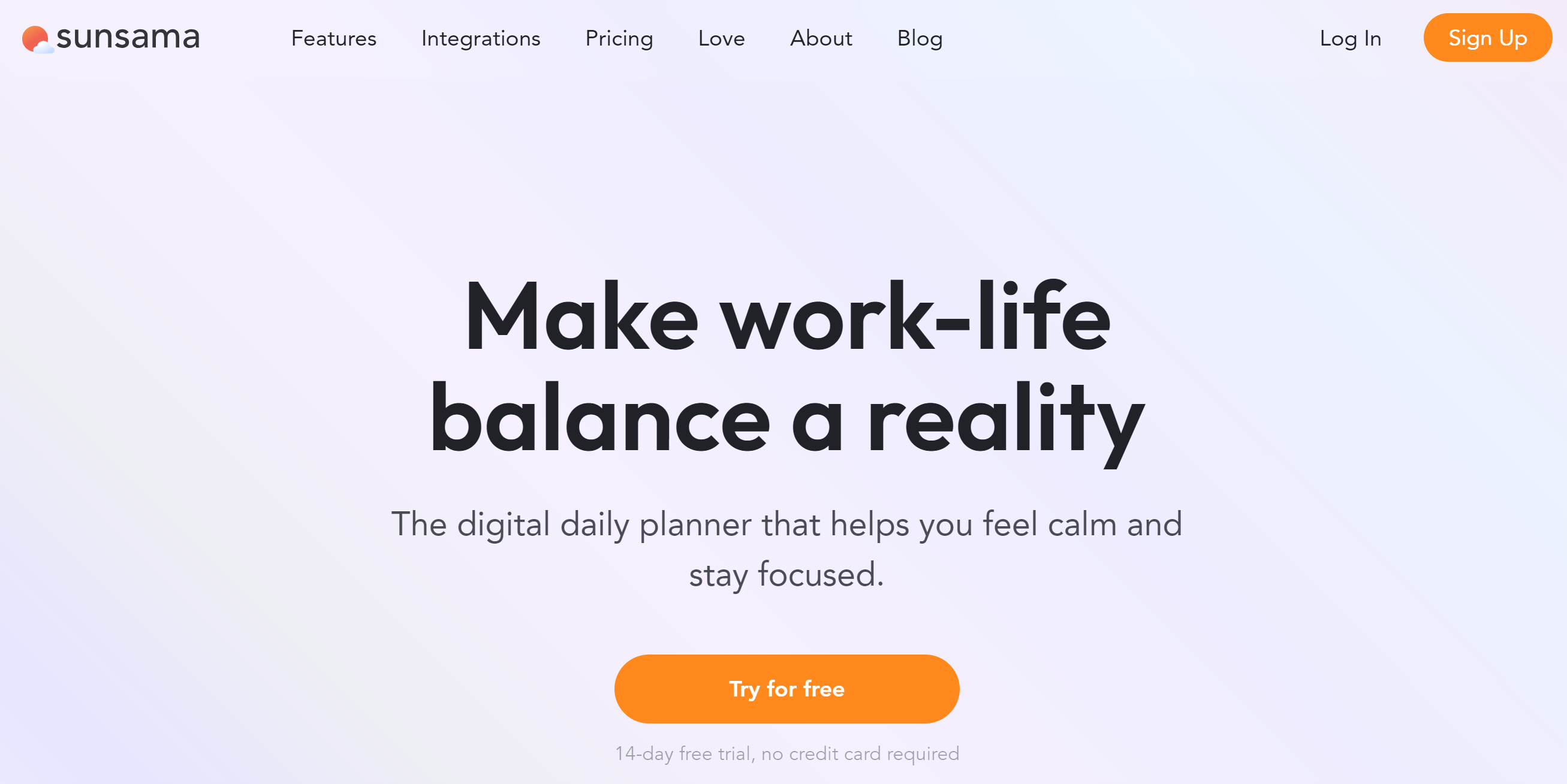
Sunsama is packed with powerful tools. It provides a compact calendar to help you manage important events and tasks in one centralized place.
Think of Sunsama as a pocket diary for work.
Want to reply to some emails later? You can simply drag priority emails to your to-do list and set an alarm.
Can’t work on a task at the moment? Just drag them like your emails and set up a deadline. The app works well with third-party tools like Gmail, Slack, and Asana.
Here’s something else you can do with Sunsama.
You can create your task list and drag items to your calendar. Your time slot will automatically be reserved for that particular task.
The best thing? You can add quick tasks from your iPhone. Sunsama might be a desktop tool, but it provides companion mobile apps for easy accessibility.
Overall, it’s an excellent productivity software for iOS users.
Key Features
- Smart planner with drag-and-drop functionality
- Convert emails and Slack messages into tasks, which saves time.
- Calendar syncing and timeboxing capability
- A unified view for easy readability
- Dark and focus modes to keep you on track
- Analytics as a bonus.
- Desktop and mobile apps.
Pros and Cons
✅ Highly intuitive. Anyone can use it with ease.
✅ Time-saving and efficient.
✅ Auto-scheduling and entry updates.
❌ No free plan to get started.
❌ Mobile version offers basic features.
Pricing
Sunsama provides a 14-day free trial. No credit card information is required. After the trial, you can upgrade your account for $20.
If you go for the annual subscription, you’ll get discounted rates.
2. Fantastical
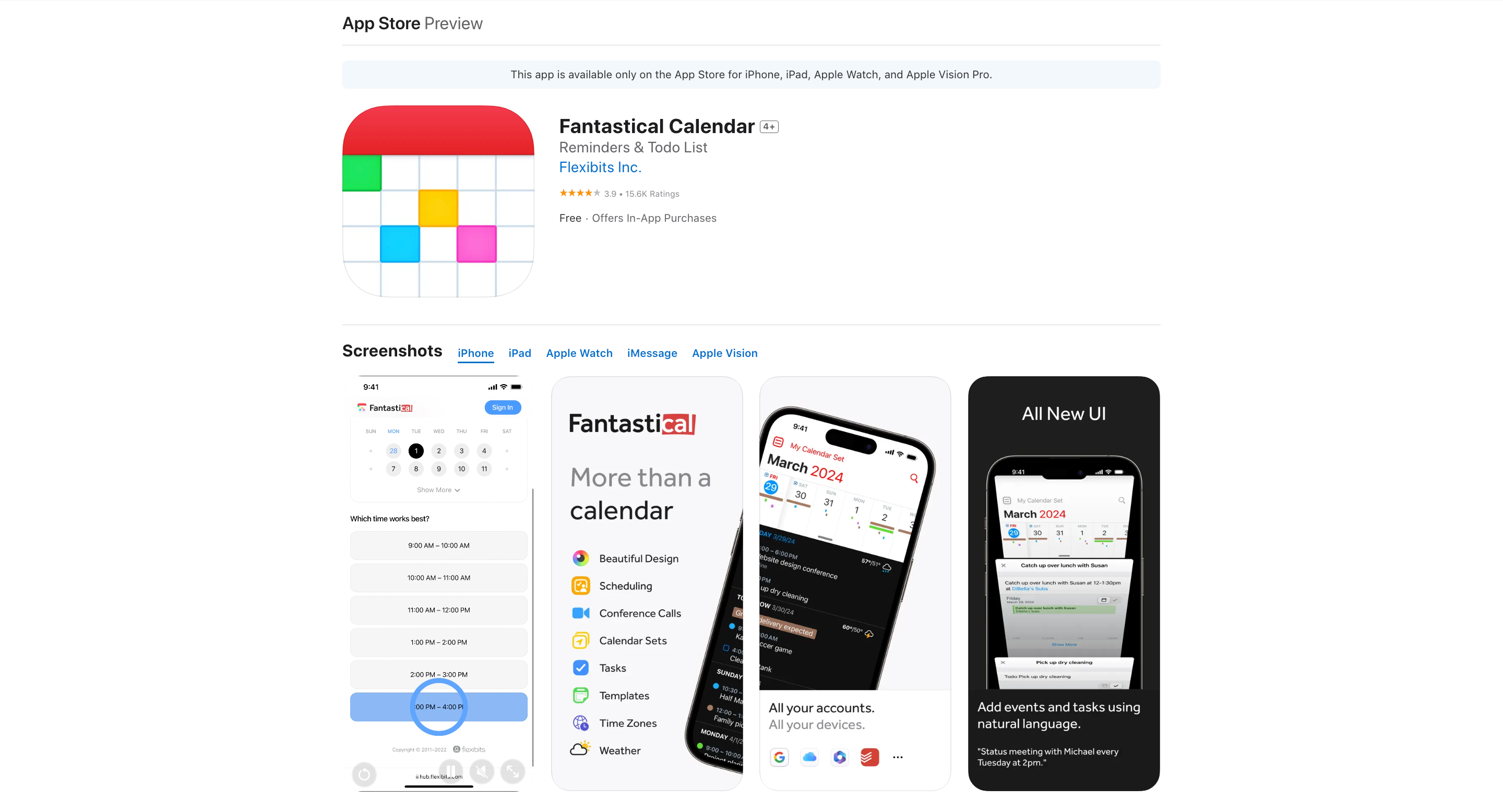
I’ve used a lot of calendar apps over the years. Most of them feel like they were designed by people who’ve never actually had a busy schedule. Fantastical is different.
You know how you sometimes think, “I wish my calendar could just understand what I’m saying”?
Fantastical does. Type “Lunch with Ishita at Mocha Café next Tuesday at 1pm,” and it just gets it.
But that’s just the tip of the iceberg.
Ever been on a call and someone says, “Let’s meet again next week,” and you spend the next five minutes trying to find a time that works?
Fantastical has a feature called “Proposals.” It can see everyone’s schedules and suggest perfect meeting times.
But here’s where it gets really interesting: Calendar Sets.
Most of us live multiple lives. We’re professionals, parents, friends, hobbyists. Fantastical lets you create different calendar sets for each of these roles.
Imagine walking into your office, and your work calendars automatically pop up. Then you get home, and suddenly your family schedule takes center stage.
And then there’s the interface. It’s beautiful, yes, but that’s not the point. The point is that it’s functional. Every swipe, every tap feels intuitive.
Key Features
- Cross-device sync that actually works (Mac, iPad, iPhone, Apple Watch, Apple Vision Pro)
- Calendar Sets and Focus Filters to show you only what matters right now
- Conference call integration that makes “Zoom fatigue” a little less fatiguing
- Time zone support that would make a jet-setter jealous
- Task management is baked right in
- Weather forecasts
- Natural language input that understands you, even when you’re not sure what you’re saying
Pros and Cons
✅ Powerful features that don’t require a user manual to understand
✅ Design that’s both beautiful and functional
✅ Privacy-first approach
✅ Flexibility to work with almost any calendar service you throw at it
❌ Might be overkill if you’re just looking for a basic calendar
❌ Premium features come at a premium price
❌ So many options it can be overwhelming at first
Pricing
Fantastical offers a 14-day free trial. Then, you can choose to upgrade to their paid plan at $4.75 per month.
3. Motion
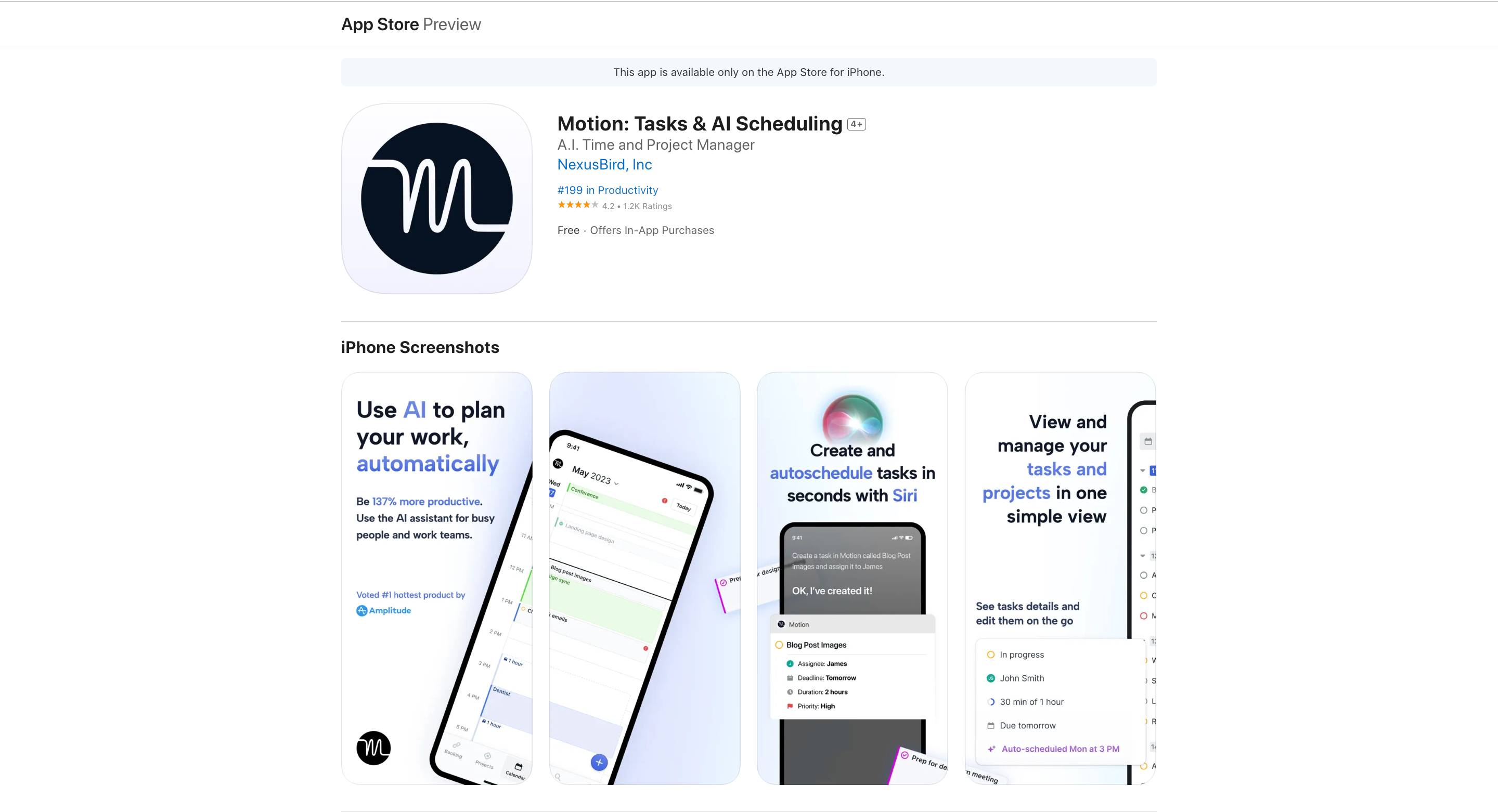
Motion is an AI-powered executive assistant that plans your day, schedules your meetings, and builds your to-do list.
We juggle multiple calendars, endless to-do lists, and project management tools that require more management than the projects themselves. It’s madness.
Motion cuts through this chaos. It’s like having a tiny, hyper-intelligent productivity expert living on your phone, constantly optimizing your schedule.
Even better, Motion doesn’t just schedule your tasks. It understands them. Most task management tools are glorified list-makers. Motion is a task interpreter.
It knows that “write report” and “brainstorm new product ideas” are fundamentally different tasks that require different mental states and time allocations.
How?
Through its proprietary “Happiness Algorithm”. It’s designed to balance productivity with satisfaction and well-being.
But Motion goes beyond personal productivity. It’s a team player.
Motion doesn’t just track tasks; it optimizes workloads across your entire team. It takes your tasks, priorities, and deadlines, and then builds a daily schedule that makes sense.
But life doesn’t always go according to plan, does it?
That’s where Motion’s dynamic rescheduling comes in. When a meeting runs long or a new priority pops up, Motion adapts in real time.
And it doesn’t just remind you about tasks. Motion’s smart notifications tell you the best time to do them.
Key Features
- AI-powered daily schedule generation
- Automatic task prioritization and rescheduling
- Project management with AI optimization
- Deadline tracking with proactive alerts
- Multi-calendar syncing (Google, Outlook, Apple)
- One-click meeting scheduling
- Team management and workload reporting
- Siri integration for adding tasks
Pros and Cons
✅ Eliminates decision fatigue around task prioritization
✅ Adapts dynamically to changes in your schedule
✅ Powerful AI algorithm for optimal time management
✅ Proactive deadline alerts to prevent missed deadlines
❌ Steep learning curve to fully leverage all features
Pricing
Motion offers a 7-day free trial. After that, it’s subscription-based with an Individual plan starting at $34 per month and the Team plan at $20 per member/month.
4. Bitwarden
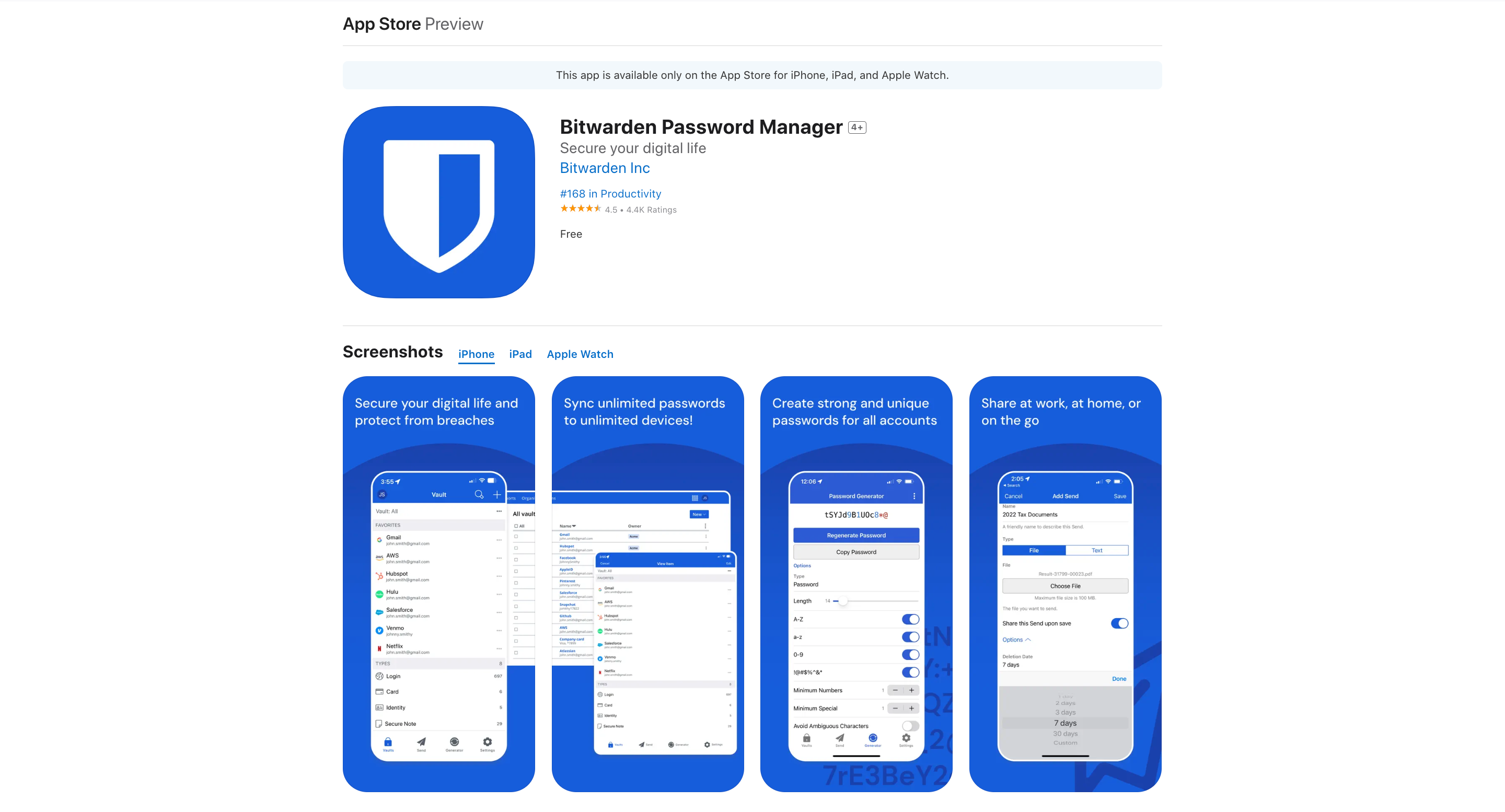
Bitwarden is the digital equivalent of a Fort Knox for your passwords. But unlike that impenetrable vault in Kentucky, you can access this one from anywhere.
It’s an open-source password manager. Its code is out there for the world to see, which paradoxically makes it more secure.
Why? Because when thousands of eyes are on something, it’s harder for flaws to hide.
But Bitwarden isn’t just about keeping your passwords safe. It’s about making your digital life easier.
It’s not just a vault; it’s a personal assistant for your online identity. It remembers, so you don’t have to.
Now, you might be thinking, “Isn’t it risky to put all my eggs in one basket?”
It’s a fair question. But here’s the thing: That basket is reinforced with 256-bit AES encryption.
If that sounds like gibberish, just know it’s the digital equivalent of adamantium—the stuff Wolverine’s claws are made of.
And unlike your brain, which might use “password123” more often than you’d like to admit, Bitwarden creates strong, unique passwords for every site.
Key Features
- Unlimited passwords and devices on the free plan
- Password generator that would make cryptographers proud
- Security auditing to shame your weak passwords into shape
- Breach monitoring, because it’s nice to know when the digital sky is falling
- Cloud and local hosting options, for the “trust no one” crowd
- Secure file sharing, for when “I’ll just email it” won’t cut it
Pros and Cons
✅ Open-source, so you can trust it’s not hiding any nasties
✅ Free plan that doesn’t feel like a demo version
✅ Fort Knox-level security that travels with you
❌ Slightly less user-friendly than some competitors
❌ Importing passwords can be a bit of a puzzle
❌ Auto-fill feature requires a few more clicks than you might expect
Pricing
Bitwarden has a forever-free plan with unlimited devices. The premium plan starts at $1/month for individuals. And $4 per member/month for businesses.
5. Day One
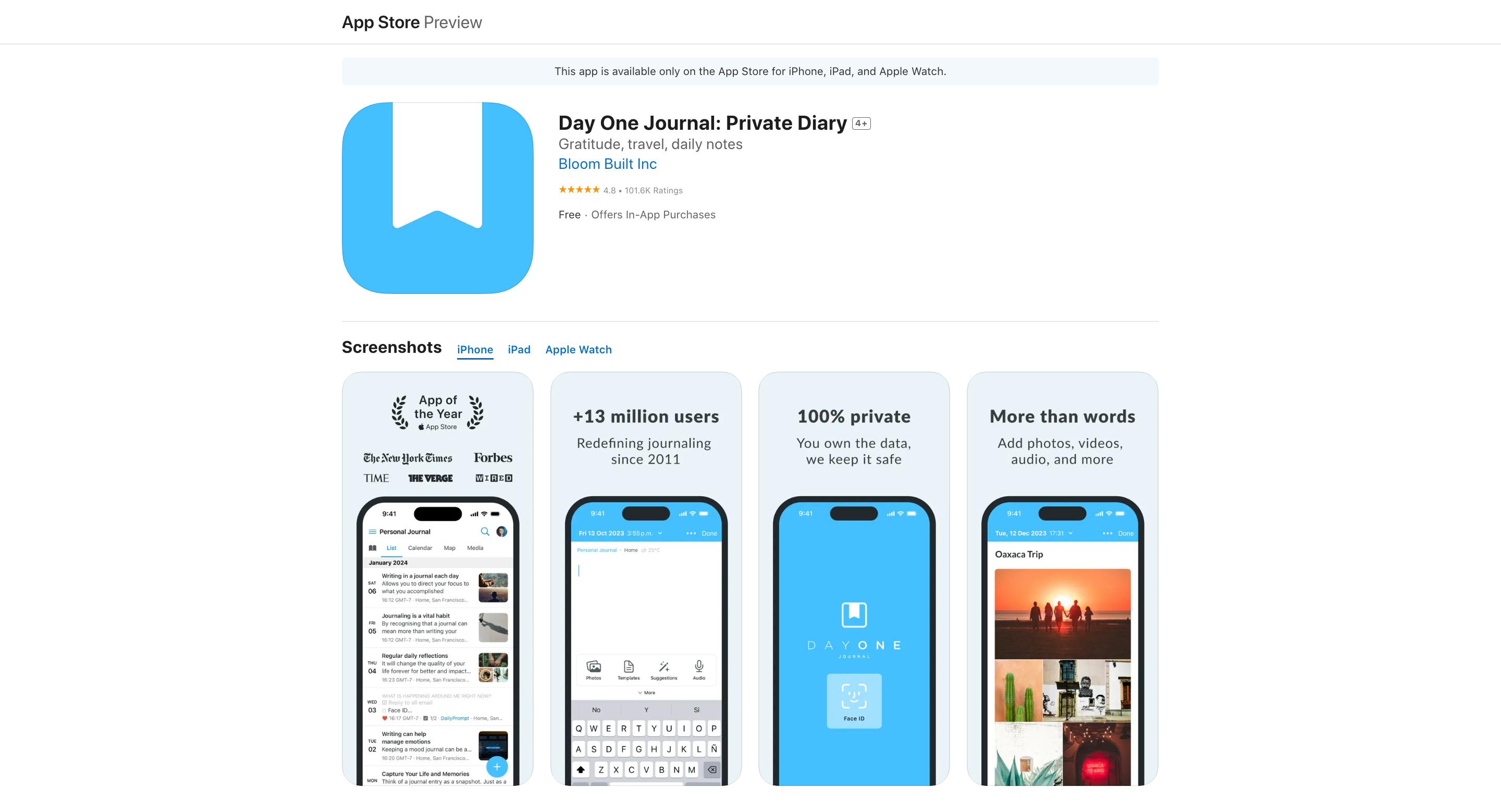
Our brains are wired for the present, not the past. That’s where Day One comes in.
Day One isn’t just another journaling app. It’s a time machine for your life. It’s the journal that actually gets used, because it’s designed for the way we live now: digital, mobile, and always on.
Think about your last great idea or meaningful moment. Where did it go?
Probably lost in the ether of your mind or buried in a note-taking app you never open (like me).
Day One changes that equation.
It is a beautifully designed container for your thoughts, experiences, and memories. But it’s so much more than that.
Want to jot down a quick thought? Easy.
Need to record an audio note while driving? Done.
Want to preserve that Instagram post you’re particularly proud of? It’s got you covered.
Day One isn’t just about inputting data, though. It’s about rediscovering your own life.
Its “On This Day” feature is like a personal time capsule, surfacing memories you’d long forgotten.
It’s a powerful reminder of how much we change—and how much we stay the same.
Key Features
- Unlimited text entries with rich formatting
- Photo and video support
- Audio recording and transcription
- Multiple journals for different aspects of life
- Automatic backups and end-to-end encryption
- Cross-platform sync (iOS, Android, Mac, web)
- Smart data capture (location, weather, step count)
Pros and Cons
✅ Beautifully designed and easy to use
✅ Robust privacy features
✅ Versatile input methods
✅ Powerful search and organization tools
❌ Many advanced features are locked behind premium subscription
❌ It can be overwhelming with too many options
❌ Requires commitment to get the most value
Pricing
Day One follows the freemium model. The basic version is free. You also get a 30-day free trial on the Premium plan that costs $2.92 per month (billed yearly).
6. Dumbify
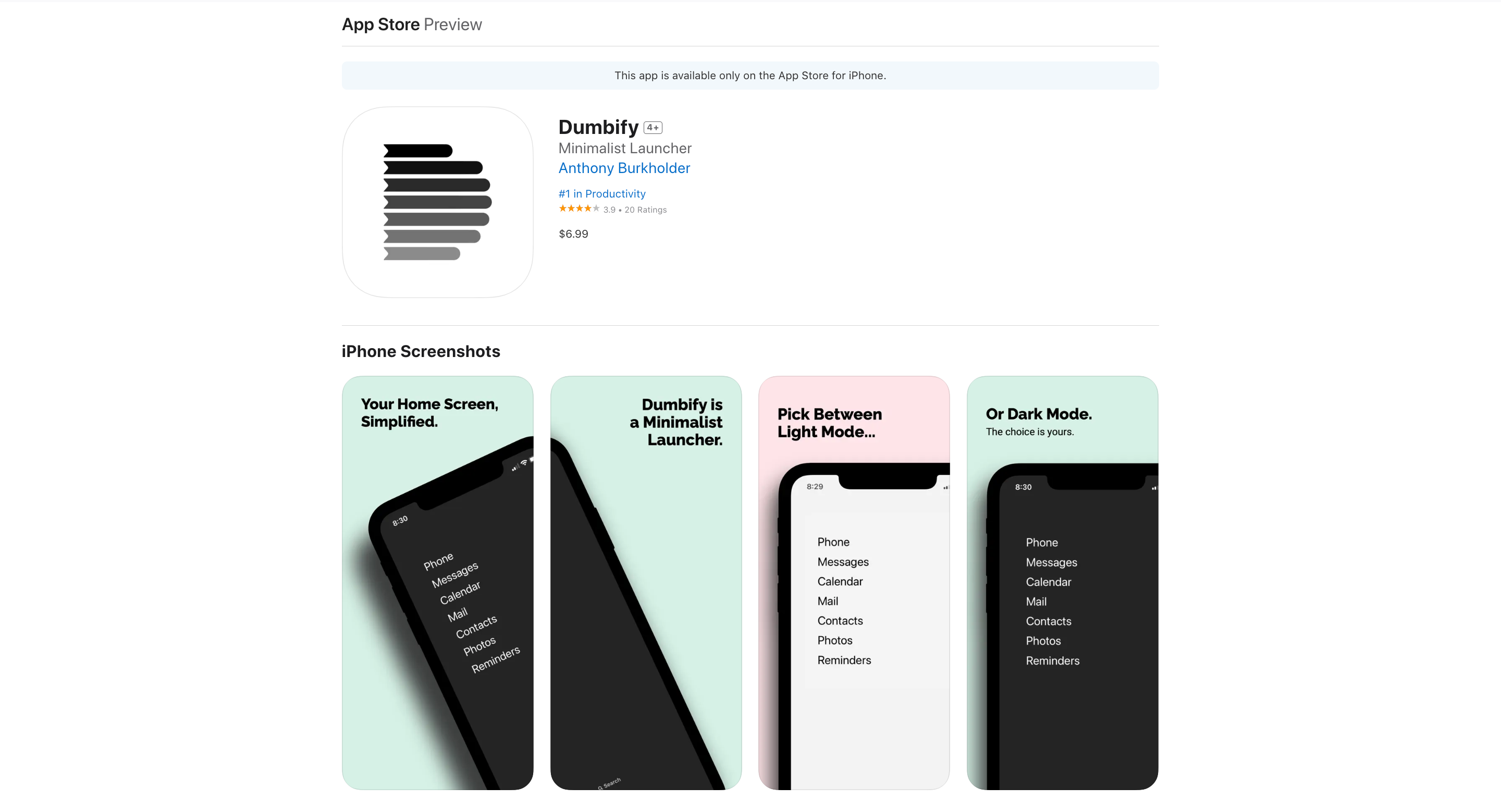
Dumbify is a minimalist home screen launcher for iPhone. It’s digital decluttering on steroids.
How many times have you picked up your phone to do something specific, only to get lost in a sea of notifications and colorful app icons?
Before you know it, 30 minutes have vanished. Poof. Gone.
Dumbify is the antidote to this digital quicksand. It strips away the noise, leaving you with a clean, text-based launcher that displays only the apps you actually need.
But Dumbify isn’t just about what it takes away. It’s about what it gives back: your time, your focus, your sanity.
You might think, “Can’t I just use willpower to ignore distracting apps?”
Sure, and you could also try to ignore a plate of warm cookies when you’re on a diet.
How’s that working out for you?
Dumbify doesn’t rely on willpower. It changes the environment. It’s like keeping the cookies in a locked safe instead of on your kitchen counter.
And the best part?
It’s fully customizable. You decide what stays and what goes. It’s your phone, after all. Dumbify just helps you reclaim it.
Key Features
- Fully customizable text-based launcher
- Dark and light mode support
- Up to 3 widgets for adding more apps without the clutter
- Spacer widget for perfect alignment
- Tutorials for common setup issues
Pros and Cons
✅ Drastically reduces screen time and distractions
✅ Clean, minimalist design that works with your iPhone’s aesthetic
✅ Helps you focus on essential apps
❌ Requires some initial setup and getting used to
❌ May feel limiting if you’re used to having many apps readily available
Pricing
Dumbify costs $6.99, a one-time fee for lifetime use on your iPhone.
7. Notion
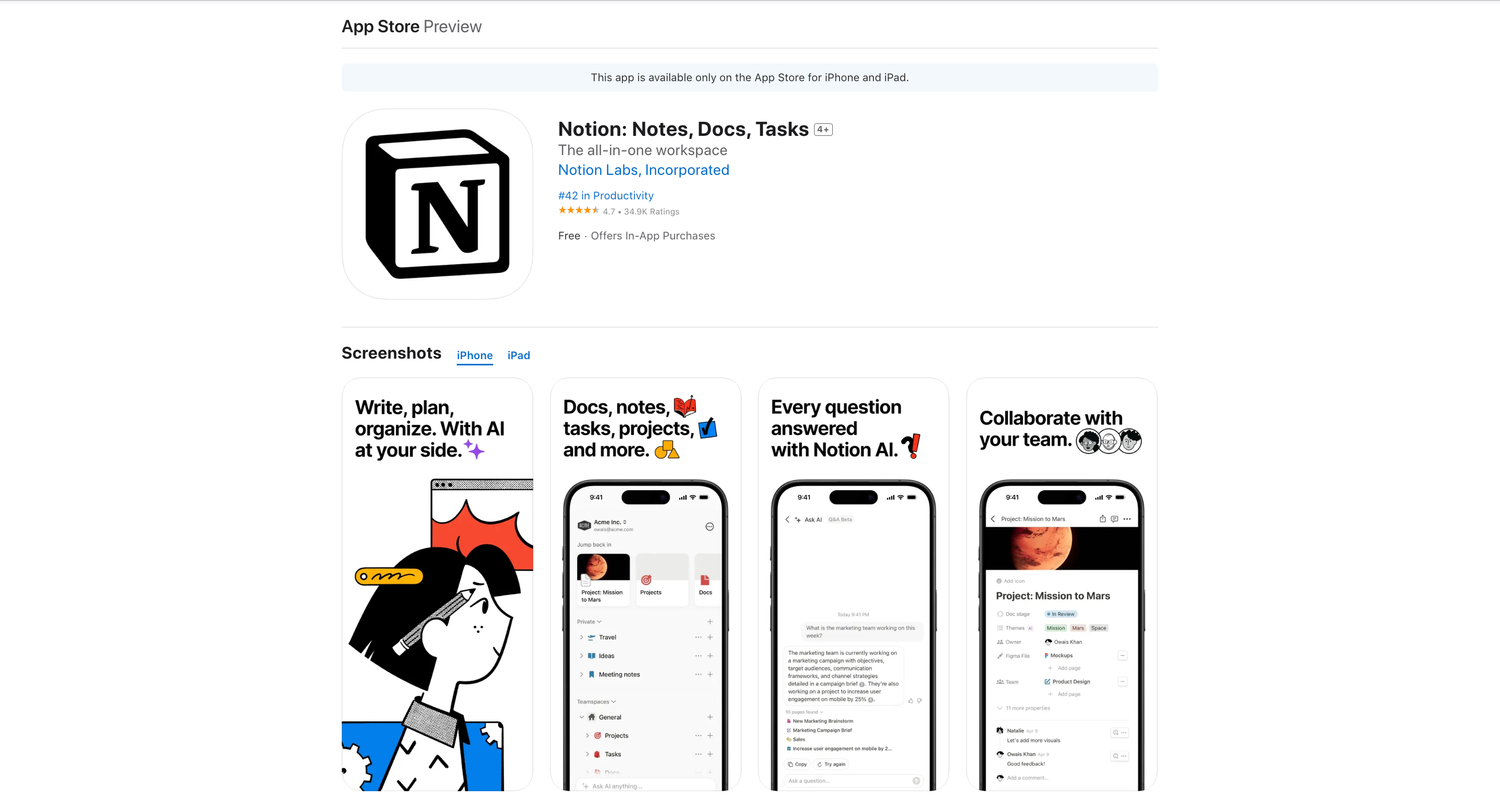
Notion is an all-in-one productivity app that combines note-taking, task management, wikis, and databases into a single, customizable platform.
You start with a blank page. What happens next is up to you.
Want a to-do list? Easy.
Need a complex project management system? You can build that too.
How about a knowledge base for your team? Notion’s got you covered.
These aren’t separate tools. They’re all part of the same system.
Most people are used to apps that tell them what to do. Notion hands you a blank canvas and says, “You decide.”
It’s liberating. And terrifying.
That’s why Notion provides templates. Hundreds of them. But templates are just the beginning. Notion’s real power lies in its building blocks.
You’ve got pages. Think of them as digital sheets of paper. Except these sheets can contain anything: text, images, tasks, and databases.
Then there are databases. They’re like spreadsheets on steroids. You can view the same data as a calendar, a kanban board, a gallery, or a simple table.
And here’s a mind-bender: pages can contain databases, and database items can be full pages themselves.
Now, let’s talk about AI. Notion’s got it baked right in.
Stuck on writing? Ask AI for help.
Need to summarize a long document? AI’s got your back.
Want to brainstorm ideas? AI can be your digital whiteboard buddy.
Key Features
- Customizable workspace with pages and databases
- AI-powered writing assistance and information retrieval
- Flexible views: lists, boards, calendars, galleries, and more
- Collaborative tools for team projects and knowledge sharing
- Integrations with popular apps like Slack, Figma, and Google Drive
- Powerful search functionality across all content
- Web clipper for saving online content
- Version history to track changes
Pros and Cons
✅ Unparalleled flexibility and customization
✅ Replaces multiple apps with a single tool
✅ Powerful AI integration for enhanced productivity
✅ Excellent for both personal and team use
✅ Rich template library for quick starts
❌ Steep learning curve for new users
❌ Offline functionality is limited
Pricing
Notion offers a free plan. For unlimited content blocks and other features, consider upgrading to the Plus plan at $12 per member/month or the Business plan at $18 per member/month.
8. Opal

Opal is a screen time management app that actually works. It’s not just another digital nanny telling you to put down your phone.
Opal’s core feature is its ability to block distractions. You can set up “Block Sessions” to automatically restrict access to certain apps or websites during specific times.
But Opal goes beyond just blocking. It provides real-time feedback on your focus levels.
The “Focus Difficulties” feature is particularly clever.
You can adjust how hard it is to bypass your blocks. It’s not about locking yourself in a digital prison. It’s about creating the right level of friction between you and your distractions.
Opal also turns focus into a game.
There’s a leaderboard where you can compete with friends or coworkers. Suddenly, productivity isn’t a chore. It’s a multiplayer sport.
Opal’s “Mindful Block Screens” feature exemplifies this approach. When you try to access a blocked app, you don’t get a stern warning.
Instead, you get a moment of mindfulness. A gentle reminder of your goals.
Moreover, its reporting features are comprehensive without being overwhelming. You get clear metrics and actionable insights.
Key Features
- Block distracting apps and websites on demand
- Schedule recurring “Block Sessions” for consistent focus time
- Customize difficulty levels for bypassing blocks
- Set daily app usage limits to prevent overuse
- Track focus levels and get weekly progress reports
- Compete on a focus leaderboard with friends or colleagues
Pros and Cons
✅ Turns focus into a game, making productivity more engaging
✅ Offers flexible blocking options to suit different needs and personalities
✅ Provides actionable insights through focus reports
✅ Works across iOS and Mac for comprehensive coverage
❌ Might feel restrictive for those used to unrestricted app access
❌ Effectiveness ultimately depends on the user’s commitment
Pricing
Opal offers a free version with basic features. The premium version, which unlocks all features, is priced at $19.99 per month ($8.29 per month when billed yearly). There’s also a lifetime option for $399.99.
9. Spike

Spike is an all-in-one productivity app that reimagines email as a conversational platform, integrating messaging, collaboration tools, and AI assistance into a unified workspace.
Spike strips away the unnecessary formalities and presents your emails as a chat-like conversation.
But guess what?
Spike isn’t just about making email less awful. It’s about transforming your entire workflow.
Let’s break it down:
- Conversational Email: This is Spike’s bread and butter. It turns those endless email threads into something that actually resembles human communication.
- Priority Inbox: Spike’s Priority Inbox is like having a bouncer for your email. The VIPs (actually important emails) get in, while the rest wait their turn.
- Collaborative Notes and Tasks: Create, share, and edit notes and tasks right within the app. It’s like Google Docs, but it lives where your work already happens – your inbox.
- Video Meetings: In a world where “Zoom fatigue” has become a real thing, Spike offers a refreshing alternative. Video meetings are built right into the app. No separate links, no downloading another app. It’s all right there.
- Magic AI: Spike’s AI assistant can help draft emails, summarize long threads, and even help with task management.
And the best part?
Spike works with your existing email. You don’t need to convince your entire network to switch to a new platform.
Key Features
- Magic AI for email writing and task management
- Conversational Email that turns threads into chats
- Collaborative Docs for real-time teamwork
- Built-in Video Meetings
- Priority Inbox to filter out the noise
- Effortless file management
Pros and Cons
✅ Transforms email into a more natural, conversational format
✅ Works with existing email addresses
✅ AI features that actually enhance productivity
❌ Some advanced features require others to use Spike for full benefit
❌ Might feel overwhelming for users who prefer simpler, single-purpose apps
Pricing
Spike Email App offers a free plan. For power users, there is a Pro plan that starts at $8 per month. The Spike Teamspace starts at $5 per month.
The Productivity Paradox: When Tools Become Distractions
You’ve just read about nine great productivity apps. But here’s the paradox: installing all of them would probably make you less productive.
Productivity apps are like gym equipment. Having a fully-stocked home gym doesn’t make you fit. Using it does. And using it consistently.
Most people’s phones are like that unused home gym. Cluttered with apps promising to make them more productive, more organized, and more zen. But they’re just digital clutter.
So here’s a radical idea:
What if the most productive thing you could do right now is delete some apps?
Think about it. How many of your current productivity apps do you actually use daily? Weekly? Ever?
The goal isn’t to have the most tools. It’s to have the right tools. For you.
So how do you choose?
Start with your biggest pain point.
What’s the one thing that, if solved, would make the biggest difference in your work or life?
Is it task management? Try Todoist.
Struggling with focus? Give Opal a shot.
Need a digital brain? Notion might be your answer.
But here’s the crucial part: pick one. Just one.
Use it consistently for a month. If it doesn’t stick, try another. Rinse and repeat.


 A better way to manage projects and clients for freelancers
 Get through busy days like a breeze with Reclaim.ai