Your posture probably isn’t perfect right now, and you might not have looked away from this screen or taken a sip of water in a while.
If you have, good job.
The truth is, we spend close to 7 hours a day scrolling, streaming, working, and interacting across phones, laptops, tablets, and other devices.
That’s about one-third of our day.
Everyday, we are bombarded with tons of notifications, information overload, and distractions that never end.
This always-on cycle takes a toll. It strains your body, clouds your mind, and affects sleep. Over time, it drains energy, reduces productivity, and quietly erodes well-being.
That’s why maintaining a healthy relationship with technology isn’t a choice.
What is Digital Wellness?
Digital wellness is the practice of using technology to improve your quality of life instead of harming it.
It focuses on building healthy tech habits, setting clear boundaries, and using devices intentionally; so technology works for you, not against you.
Digital wellness helps you take care of your physical, mental and emotional well-being while helping you stay productive and still letting you enjoy the digital life.
While most devices come with built-in digital wellness tools, they lack depth.
In this article, we’ll explore 12 best digital wellness apps to help you manage time, block distractions, save your back, improve mental health and sleep better.
Let’s begin.
1. Sunsama
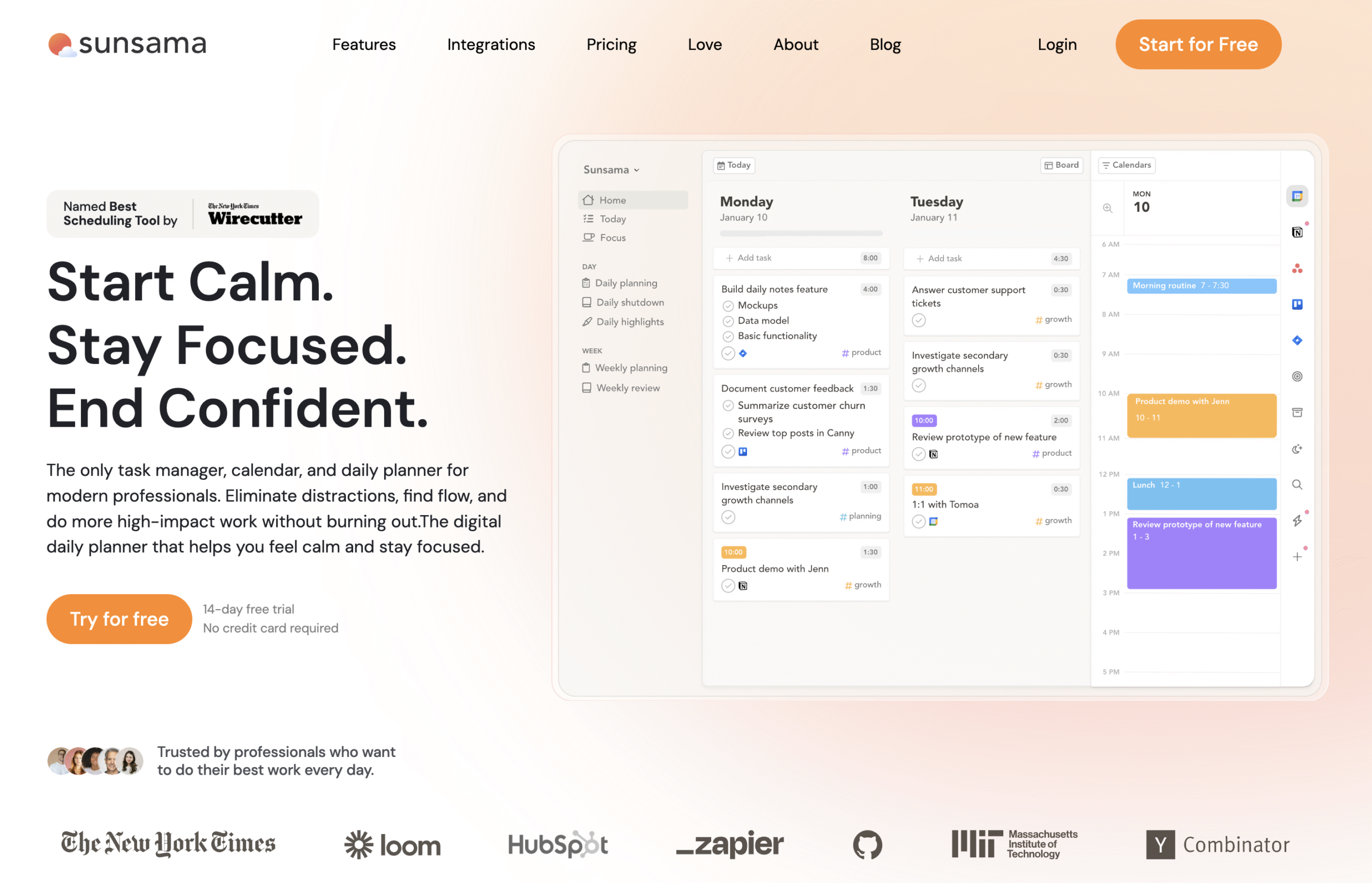
Sunsama is a daily planner built to help you focus on what matters most.
It combines task management, time-blocking, productivity tracking, and calendar syncing in one clean workspace.
You can drag and drop tasks from different apps, plan your day, track actual time spent, and gain detailed insights into your productivity.
The shutdown ritual gives you a chance to quickly reflect on your progress, including planned, completed, and ad-hoc tasks.
Sunsama also features a floating focus bar that helps you focus by showing your top priority, the time you planned for it, and how much you’ve already spent; even when you are not in the app. It also includes a pomodoro timer.
Sunsama is a great choice for planning and completing tasks while tracking productivity and maintaining a balance, especially if your workflow spans multiple apps.
Key Features
- Rituals: Build consistent habits with planning, review and reflection.
- Task Management: Capture, organise, and prioritise tasks in one focused workspace.
- Scheduling & Time Blocking: Plan your day hour by hour and track actual time spent.
- Drag-and-Drop Calendar: Sync seamlessly with Google, Outlook, and Apple Calendar.
- Email & Message Tasks: Turn incoming emails or chats into actionable to-dos.
- Analytics & Insights: Review time spent by category and spot workflow patterns.
- Integrations: Connect over 10 tools, including Notion, Trello, Asana, and Slack.
Pricing
- Offers a 14 day free trial.
- $20/month (billed monthly) | $16/month (billed annually)
2. Remente
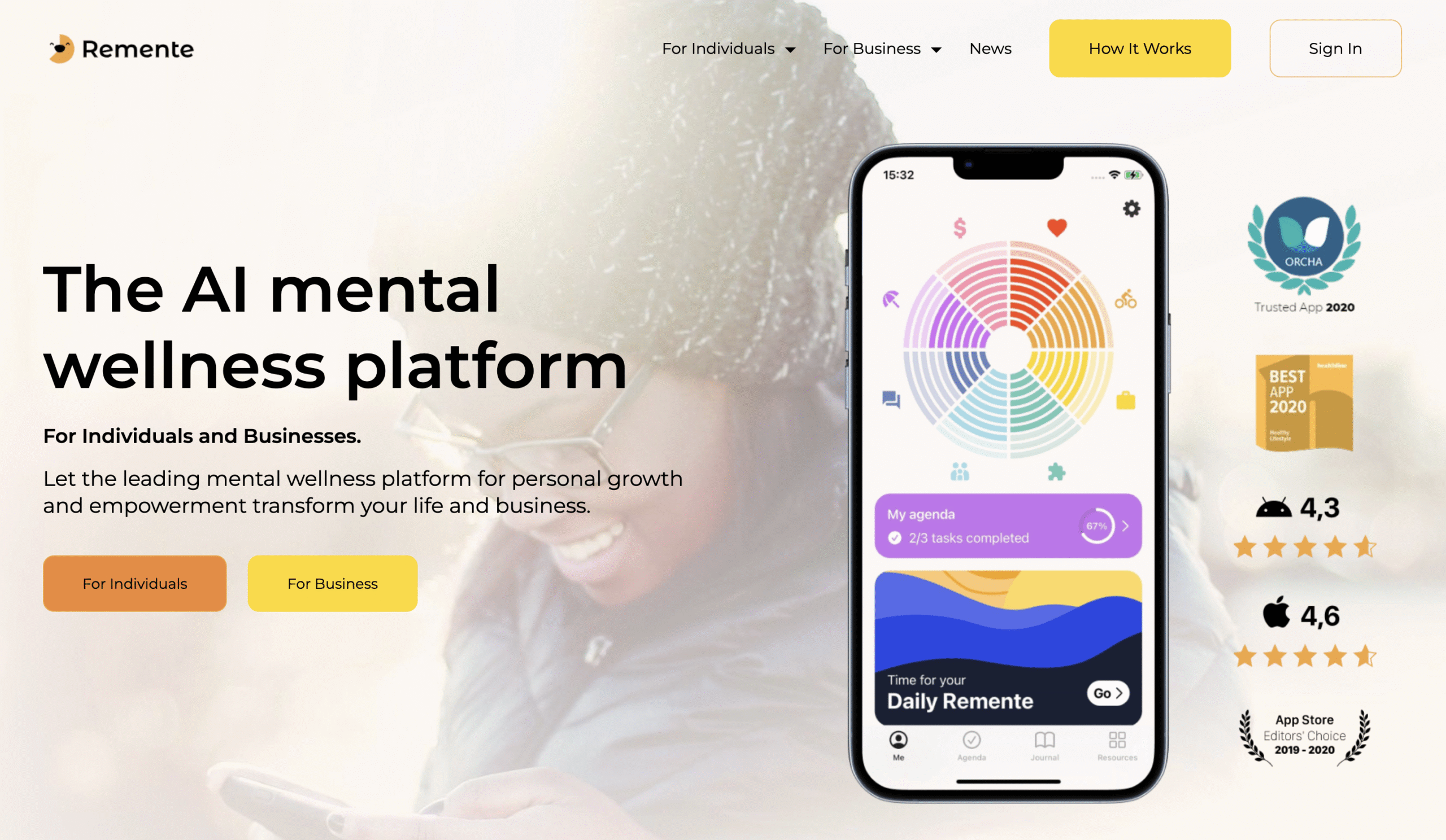
Remente is a mental wellness platform designed to help you stay balanced, productive, and motivated.
You can set goals, track habits, and monitor your overall mental health in one place.
Once you set a goal, whether it’s improving relationships or mastering networking, you get a guided plan with a detailed course, to-do list with timelines, and progress insights to achieve goals.
Remente includes daily mood check-ins that help you stay aware and grounded.
You can rate your mood, log emotions, reflect on your day, and track progress across eight key areas of life.
Remente also tracks activities like sleep and physical movement to give you a holistic view of your overall well-being.
The dashboard turns this data into clear charts and visuals, making it easy to spot patterns and progress.
Remente stands out with AI Wellness Coach, a digital therapy companion that gives personalised insights from your history and habits.
Key Features
- Goal Planning: Achieve goals with guided steps, timelines, and personalised insights.
- Courses & Activities: Access 80+ courses and 150+ activities for mental wellness and growth.
- Mood Check-ins: Log feelings, reflect on your mood and track progress across eight areas of life.
- Detailed Reports: View progress through clear charts, visuals, and analytics.
- AI Wellness Coach: Get personalised insights and recommendations based on your habits.
- To-Do Lists: Organise daily tasks that align with your goals and routines.
Pricing
- Offers a free plan.
- $9.49/month (billed monthly) | $7.99/month (billed quarterly) | $4.08/month (billed annually)
3. Focus Buddy
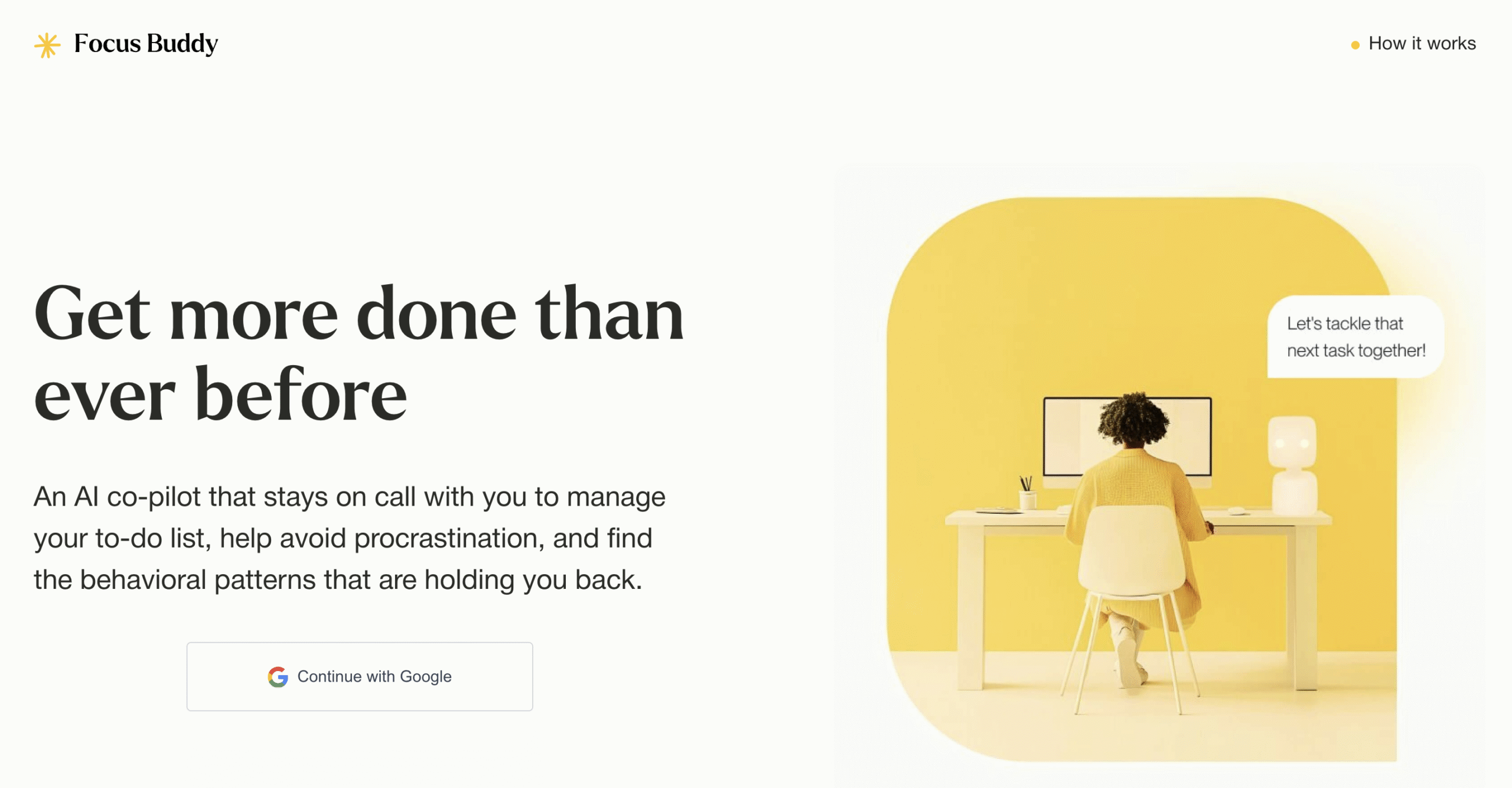
FocusBuddy is a free, voice-powered AI co-pilot that helps you stay focused and finish tasks calmly.
You can create to-do lists, add notes, and set reminders. Once your timer ends, the coach checks in automatically. You can extend time or mark tasks complete and move on to the next task.
Talk to it anytime to add new tasks, select categories, schedule reminders, or block your calendar without switching apps. However, FocusBuddy works only on desktop or laptop.
As you work, FocusBuddy tracks burnout patterns, distractions, time estimation errors, and peak productivity hours. Personalised coaching based on these insights is coming soon.
Though still in it’s initial stage with a simple UI, FocusBuddy keeps your workflow clear, focused, and distraction-free.
Key Features
- Smart To-Do Lists: Organise and prioritise daily tasks with intelligent sorting and reminders.
- Voice Assistant: Add, manage, and update tasks hands-free through voice commands.
- Time Blocking: Schedule focused work sessions to improve deep work consistency.
- Accountability Check-Ins: Receive gentle reminders and progress check-ins to stay on track.
- Time & Efficiency Tracking: Monitor how you spend your time and identify productivity trends.
Pricing
FocusBuddy is free to use.
4. Focus To-do
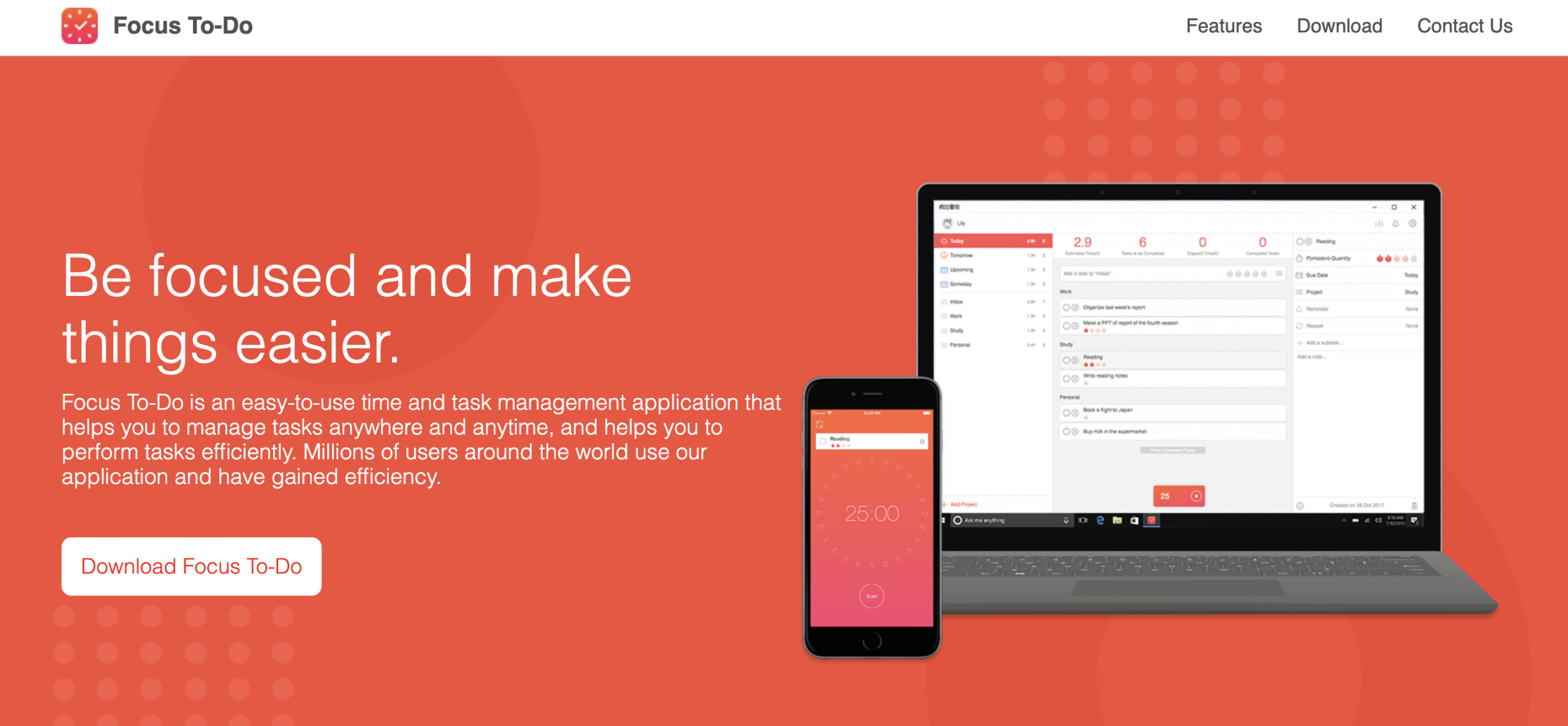
Focus To-Do is a daily planner built around the pomodoro Technique, a proven method for focused and structured work.
You work in timed sessions with short breaks in between, and after four sessions, you take a longer break,
Focus To-Do lets you customise the length of each work session and break to match your rhythm.
You can also plan your work for today, upcoming days, weeks, even months and also schedule repetitive tasks. You can also assign category tags to each task.
Each work session links to a specific task, so you can see exactly how much time you spend on each task or category.
The dashboard displays your total sessions, progress, and productivity trends.
You can set custom alarm tones, automate session transitions, and even add white noise to stay focused.
Focus To-Do syncs seamlessly across devices, such as android, IOS, Mac and windows, making it ideal for anyone who wants to plan, focus, and track time effortlessly.
Key Features
- Custom Pomodoro Timers: Personalise work and break durations to match your focus style.
- Task Scheduling: Plan daily, weekly, or monthly tasks and assign categories.
- Repetitive Task Management: Automate recurring tasks to stay consistent without re-entry.
- Time Tracking: Track exactly how much time you spend on each task or category.
- White Noise: Use built-in ambient sounds to improve concentration.
- Smart Alarms: Get smooth alerts for session starts, breaks, and wrap-ups.
- Detailed Reports: Review productivity data, completed sessions, and trends over time.
Pricing
- Offers a free plan
- Premium: $3.99/3 months (billed quarterly) | $23.98/Forever (billed once)
5. Opal
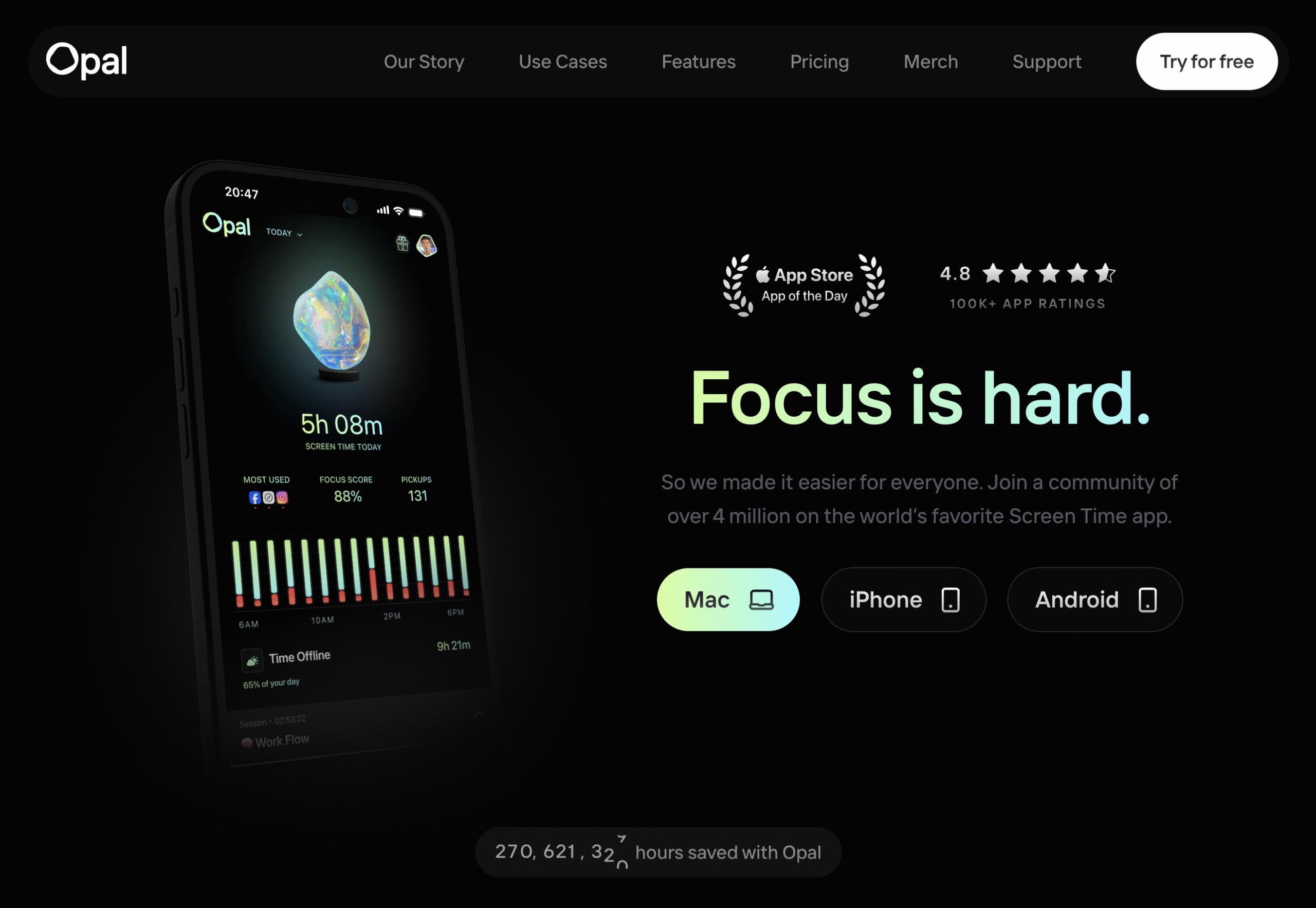
Opal is a screen tracking and distraction-blocking app designed to help you stay focused and in control of your device use.
Available across all devices, Opal lets you block selected apps and websites by setting limits on how many times you open them, how long each visit lasts, or your total screen time for the day.
Its playful and mindful block screens gently nudge you back to focus often with a touch of humour to keep things light.
You can create recurring focus sessions to block specific apps and sites, track your daily focus score over time, and use difficulty-based blocking features in the free version.
Instant sessions let you block distractions on the spot, even if you haven’t reached your limits yet, with the option to pause when needed.
It also features a Deep Focus mode that can’t be turned off, and you can’t uninstall the app while it’s active. You only get one bypass per week.
Opal makes focus feel fun, and gamified helping you build a healthier relationship with your devices.
It’s the perfect choice for blocking distracting apps and websites across all your devices.
Key features
- Recurring Focus Sessions: Automate distraction-free work blocks on a daily or weekly schedule.
- Screen Time Tracking: Monitor how much time you spend on apps and websites.
- App Locks & Limits: Set usage limits for distracting apps and websites.
- Blacklist & Whitelist Control: Choose which apps to block or always allow.
- Block Difficulty Levels: Adjust how strict each session is, from light reminders to full lockouts.
- Deep Focus Mode: Enter a distraction-free state that can’t be turned off or bypassed easily.
- Quirky Lock Screens: See playful quotes, puns, or mindful nudges each time you try to open a blocked app.
- Focus Scores: Track your progress and build consistency over time.
Pricing
- Offers a free plan
- Opal Pro: $19.99/month (billed monthly) | $8.29/month (billed annually) | $399/Forever (billed once)
- Opal Teams: Custom Pricing
6. ScreenZen
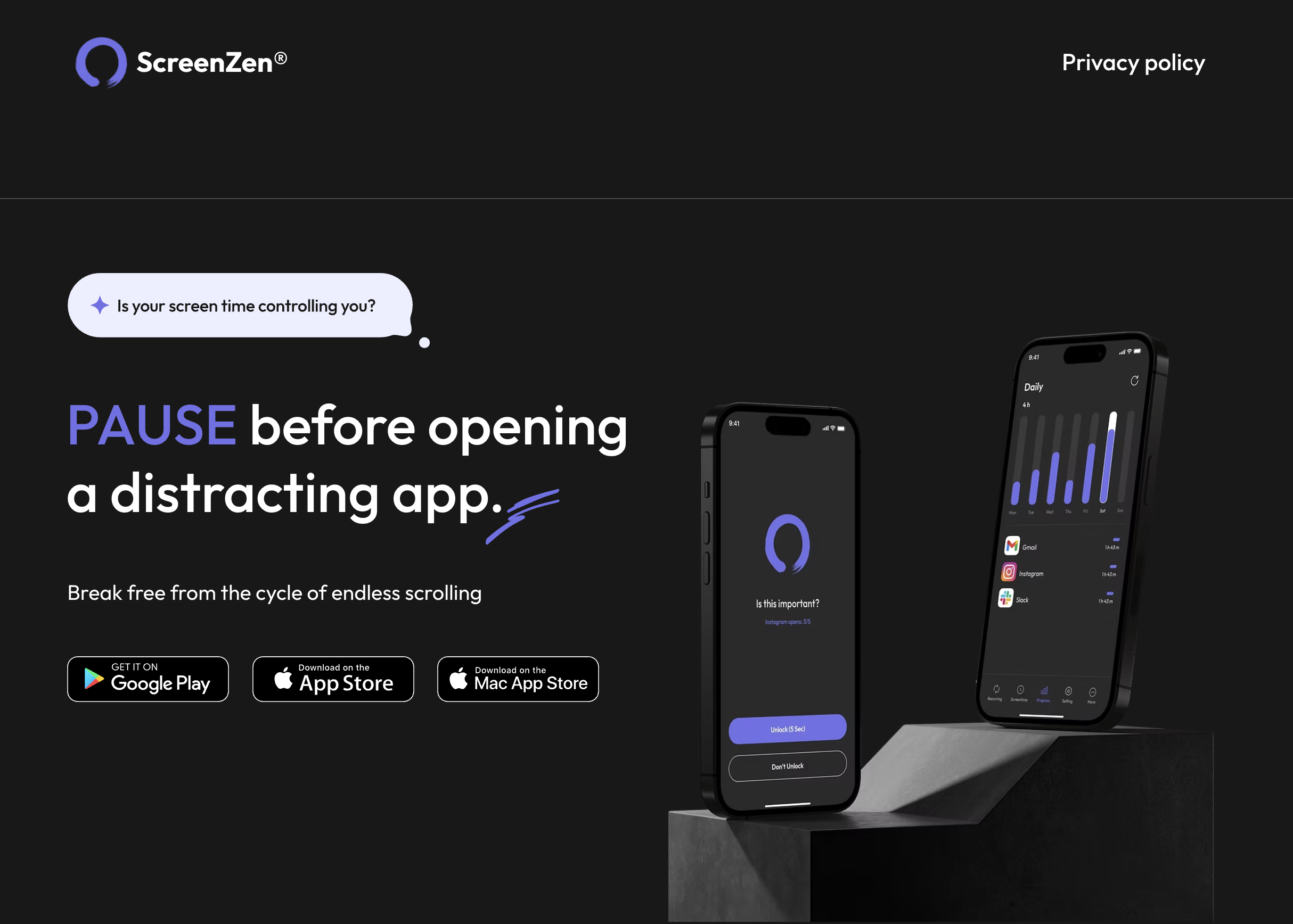
Screen Zen is a distraction-blocking app that helps you manage screen time and stay focused across all your devices, for free.
Yes, it offers most of the same features as Opal blocks based on usage, focus modes, blacklist and whitelist blocking; but completely free.
In addition, when you try to open a selected app or website, Screen Zen adds a short pause to help you decide if it’s really worth your attention.
During that pause, it can show off-device exercises or goals, even when blocking is turned off.
You can also add custom interventions for websites, though they don’t yet work on mobile apps.
However, Screen Zen uses the same pause and block screen every time. Also you have to select the message and intervention that appear on block screens, so there’s less variety and none of the surprise or playfulness that make Opal feel more engaging.
Screen Zen is a great option if you want premium features without paying.
Key features
- Mindful Pauses: Adds a short pause before opening apps or websites to help you stay intentional.
- App & Website Limits: Restrict access to distracting platforms beyond limits.
- Recurring Sessions: Automatically block distractions based on your daily or weekly schedule.
- Off-Screen Interventions: Prompts simple exercises or reflections before opening selected websites.
- Blacklist & Whitelist Control: Customise which apps or sites stay blocked, or always remain accessible.
- Streak Tracking: Build consistency and track how many distraction-free days you’ve maintained.
Pricing
ScreenZen is free to use.
7. Bliink
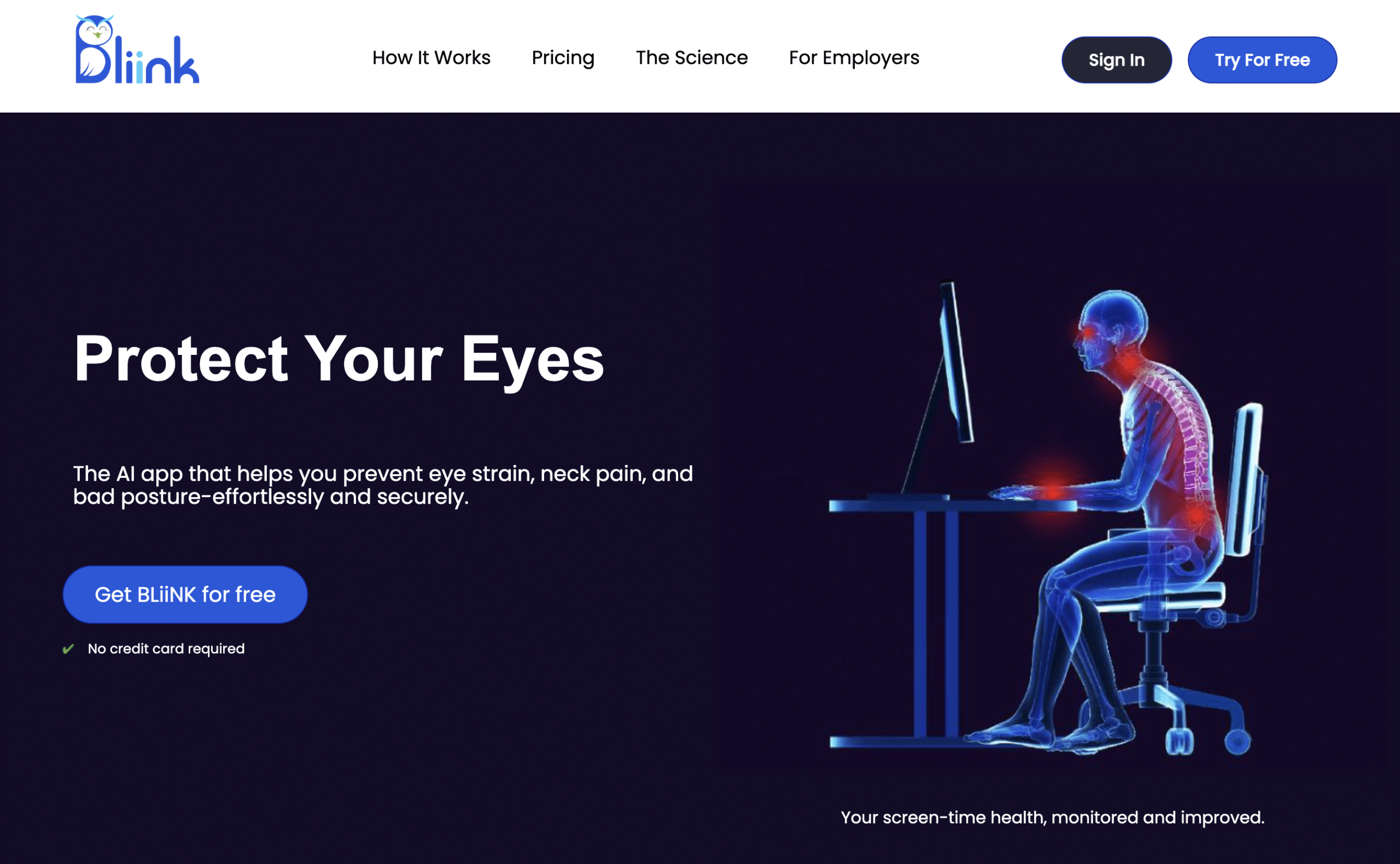
Bliink helps you reduce back pain, neck strain, and eye fatigue while working on your desktop or laptop.
It monitors your posture, screen distance, and blinking rate, then sends gentle reminders at regular intervals to help you reset.
You can customise how often Bliink tracks your activity in an hour and for how long each session runs. You can also customise the least distance from your screen, blink counts per minute and correct posture.
Bliink also includes short, space-friendly exercises and stretches designed for office setups.
Key Features
- Blink Tracking: Monitors your blink rate to reduce eye strain.
- Distance Measuring: Ensures you maintain a healthy distance from your screen.
- Posture Analysis: Detects slouching and reminds you to sit upright.
- Chair Exercises: Offers quick, space-friendly stretches for better mobility.
- Water Reminders: Prompts you to stay hydrated throughout the day.
- Smart Notifications: Sends action-based alerts to help you reset and refocus.
Pricing
- Offers a 1 day free trial
- Personal: $9.90/month (billed monthly) | $8.33/month (billed annually)
- Business: Custom pricing
- Enterprises: Custom pricing
8. SitApp
SitApp is a free posture tracker that keeps you sitting straight without breaking your focus.
Once you grant camera access, you record your upright and slouched postures. SitApp then monitors you in real time.
When you start to slouch, a small red eye appears in the corner of your screen. Ignore it for a few seconds, and your screen gradually turns red. It’s a gentle, visual nudge to fix your posture.
You can let it auto-run in the background or activate it manually anytime.
The dashboard shows total hours tracked, your daily posture score, and progress badges over time.
SitApp is perfect if you spend long hours at your laptop. The reminders are subtle, effective, and never distracting.
Key Features
- Posture Tracking: Monitors your sitting position in real time using your camera.
- Smart Alerts: Gentle visual cues when your posture starts to slip.
- Reports & Scores: View daily stats, posture accuracy, and progress badges on your dashboard.
Pricing
SitApp is free to use.
9. Hunched
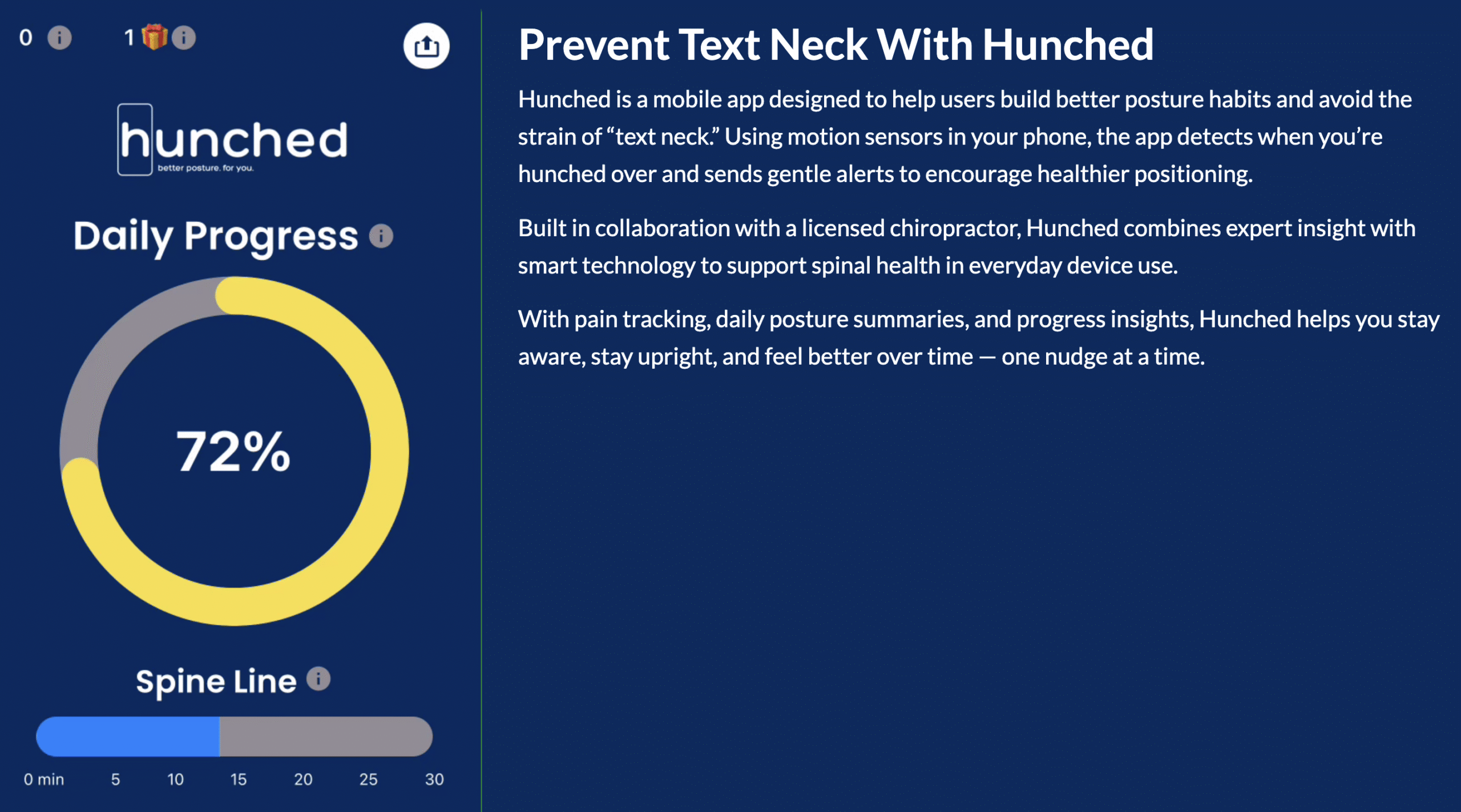
Hunched helps you maintain healthy posture while using your phone, so you can avoid tech neck.
Available on both Android and iOS, it tracks your posture, sends gentle alerts, and records your progress over time.
The app works on a simple rule:
If your phone drops below a 45° angle, your posture is off.
You can customise alert frequency, monitor how long you maintain good posture, and view your overall posture score.
Hunched also includes guided exercises and stretches to relieve neck tension and improve alignment.
Key Features
- Posture Tracking: Monitors your phone angle to detect slouching in real time.
- Smart Alerts: Sends reminders when your posture drops below 45°.
- Scheduled Snooze: Pause tracking during breaks or non-work hours.
- Rehab Exercises: Offers guided stretches to relieve and prevent neck strain.
- Reports & Progress: View daily posture scores and long-term improvement trends.
Pricing
- Offers a free plan
- Premium: $2.99/month
10. Brain.fm
Brain.fm provides science-backed music designed to improve focus, creativity, relaxation, and sleep.
It offers soundtracks for 10+ activities, including meditation, deep work, unwinding, and stress relief. You can filter music by genre, mood, or goal to match your state of mind.
Using patented audio technology, Brain.fm claims to enhance blood flow to brain regions tied to focus and flow. In fact, Brain FM. has been proven more effective than binaural beats or typical youtube or spotify playlists.
It also includes specially designed music with enhanced stimulation for people with ADHD or issues focusing.
You can set interval-based timers for pomodoro style sessions or relaxation breaks.
Brain.fm offers a 3-day free trial, after which you’ll need a premium plan to continue listening.
Key Features
- Activity-Based Tracks: 1000+ different music scientifically designed for focus, sleep, meditation, and creativity.
- Flexible Timers: Choose infinite play, interval-based sessions, or time-limited focus blocks.
- Neural Modulation Technology: Uses patented phase-locking audio to enhance brain activity and boost concentration.
- Offline Downloads: Save your favourite tracks and listen without an internet connection.
Pricing
- Offers a 7 day free trial
- $14.99/month (billed monthly) | $99.99/year (billed annually)
11. Sleep Cycle
Sleep Cycle claims to be the world’s #1 sleep app, refined over 3 billion sessions.
It works on both Android devices and iPhones. You can even sync SleepCycle with Apple Watch.
SleepCycle tracks when you go to bed, fall asleep, and wake up.
The app shows how long you sleep, how much time you spend in each stage, and when you move or make sounds during the night. You can also access the full sleep recording and add notes to log habits like caffeine, exercise, or stress to see how they affect your rest.
Sleep Cycle also tracks patterns such as snoring, coughing, and ambient noise to help you understand your sleep quality.
On top of that, Sleep Cycle features SleepGPT, an AI-powered assistant that helps you analyse your sleep habits, hygiene, and efficiency; and offers personalised tips to improve your rest.
Instead of a fixed alarm, it gently wakes you within a 30-minute window, so you start your day refreshed, not startled.
Just remember to keep your phone plugged-in and close by while SleepCycle tracks overnight.
Key Features
- Sleep Aids: Soothing sounds and guided sessions to help you fall asleep faster.
- Smart Alarms: Wakes you gently during your lightest sleep phase for a refreshed start.
- Sleep Tracking: Monitors sleep stages, movements, and overall sleep quality through the night.
- Sound Recordings: Detects and logs snoring, talking, and other nighttime sounds.
- Advanced Insights: Provides detailed stats on sleep efficiency, patterns, and influencing factors.
- Sleep Journal: Lets you log habits and mood to uncover links between lifestyle and rest.
- Well-Being Programs: Offers routines and insights to improve long-term sleep health
- SleepGPT: An AI sleep coach that answers questions and offers personalised insights based on your data.
Pricing
- Offers a free plan
- Premium: $39.99/year (billed annually)
12. Calm Sleep
Calm Sleep is an all-in-one sleep app from Calm, designed to improve your sleep readiness through mindfulness and daily routines.
It offers sleep tracking, binaural beats, guided meditations, and personalised daily plans to help you fall asleep faster and wake up refreshed.
Unlike most sleep apps that only engage you at night, Calm Sleep begins in the morning with journaling prompts, mindful tasks, and meditations for your day and evening that enhance sleep readiness.
When you set it up, the app asks six quick questions about your activity level, stress, screen use, and sleep environment to create a tailored plan.
Calm Sleep integrates with Apple Health and Apple Watch to track metrics like heart rate, oxygen levels, and respiratory rate for a fuller picture of your rest.
Available only on iOS, it’s ideal if you use an iPhone and want a calmer, more mindful approach to sleep and recovery.
Key features
- Sleep Content Library: Access soothing sleep stories, guided meditations, relaxing soundscapes, and calming music.
- Personalised Sleep Plan: Get a custom routine with activities that improve sleep readiness throughout the day.
- Sleep Tracking: Monitor your sleep patterns and quality through integrated Apple Health data.
- Reports & Insights: View trends and reflections to understand and improve your sleep over time.
- Journal Prompts: Start and end your day with mindful reflection to reduce stress and prepare for deeper rest.
Pricing
- Offers a free plan
- Premium: $69.99/year (billed annually)
Final Thoughts
Each of these apps is designed to enhance your overall quality of life.
You can try all of them for free, so, I’d suggest trying each one of them and picking the ones that suit you.
I’d totally recommend SitApp if you work on your laptop; it doesn’t matter if you’re a student or a working professional. It’s free and essential.
That’s it!
Start small and stay consistent with these tools, you’ll notice the difference soon enough.
Thank me later!


 A better way to manage projects and clients for freelancers
 Get through busy days like a breeze with Reclaim.ai