Sunsama and Reclaim are two very powerful planners. And two of the most popular productivity tools as well.
They take a different approach to planning, but both help you build a better work schedule and manage your time well.
If you are not sure which app to stick with and pay for, I have compared their core features for you.
The article covers a detailed guide of Sunsama and Reclaim, their main functions, pricing, and pros and cons.
Sunsama Overview
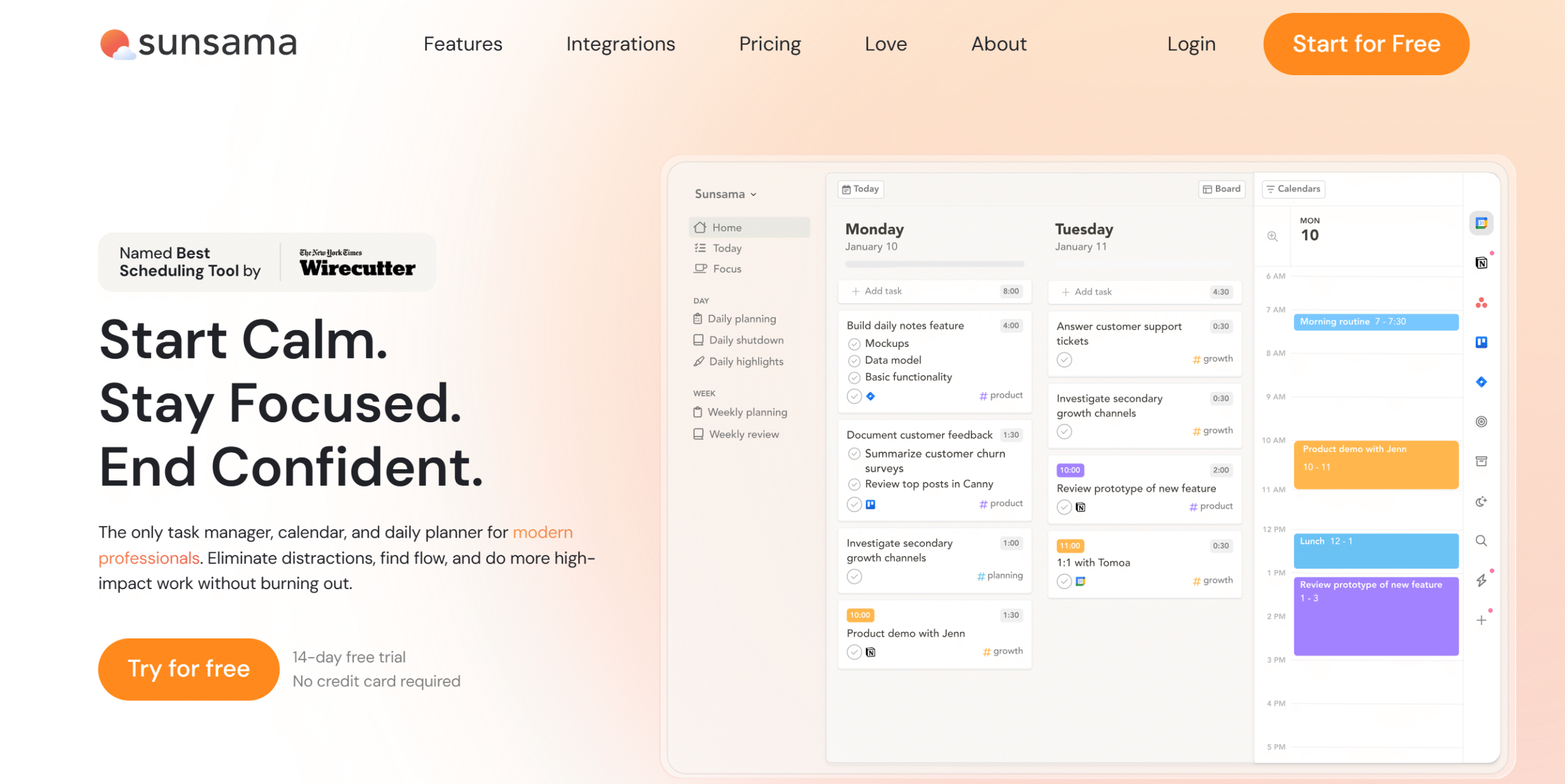
Sunsama is a daily planner and task management app.
It’s designed for professionals who need a simple and efficient tool to optimize their work routine.
Sunsama’s clean interface and behavioral design make it especially appealing for people who follow productivity methods like time blocking, deep work, and Getting Things Done (GTD).
The software guides you through a daily planning ritual, allowing you to build realistic schedules. At the day’s end, it helps you review your efforts and carry forward unfinished tasks to the next day.
You can convert anything into a task, including emails, and reserve a block of time for work, meetings, and breaks.
If you use multiple business tools for tasks and messages, you can import them to Sunsama and manage everything from one place.
With its intuitive drag-and-drop interface, you can comfortably rearrange your planner and keep track of your work progress.
Several helpful productivity functions are also built into the planner for your ease. Plus, if you work with a team, you can set up a shared workspace to handle team activities.
Core Features of Sunsama
- Daily planning ritual.
- Time boxing.
- Unified view.
- Emails and messages into tasks.
- Task import.
- Kanban board.
- Focus mode.
- End-of-the-day review.
- Integration with calendars and third-party applications.
- Desktop and mobile app.
Sunsama’s pricing is pretty straightforward. It charges a fixed amount for software usage.
[I have added a pricing section in the article to discuss its payment structure. You can scroll down to see the prices.]
Reclaim Overview
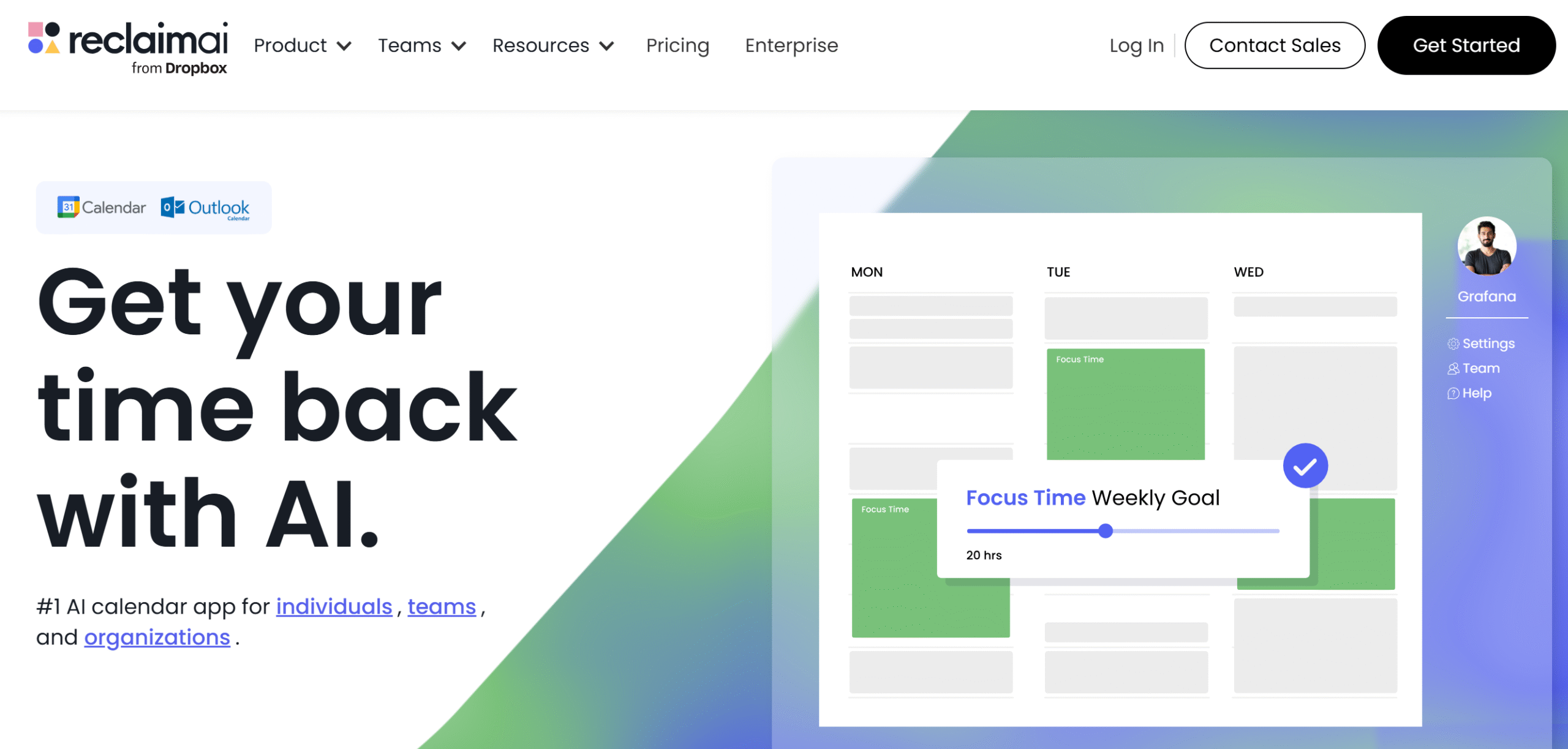
Reclaim is an AI-powered planner.
It integrates with your Google Calendar and automatically generates a practical work schedule for you.
It is more like an AI scheduling assistant, integrating smart time allocation directly into Google Calendar.
Its automation engine continuously updates your calendar to match your work patterns and goals.
Through Reclaim, you can build daily and weekly schedules, set up both one-time and recurring activities, and arrange work meetings.
The software creates your schedule based on your priorities and commitments and automatically reschedules unfinished tasks.
Reclaim also helps you organize time for deep work, breaks, and travel times to ensure your time distribution works in your favor and your day runs smoothly.
Another notable feature of Reclaim is availability management.
You can find the best time to organize meetings and generate scheduling links to share your availability. This is Reclaim’s unique selling point, making it perfect for professionals, specifically managers.
For productivity measurement, Reclaim provides both individual and team statistics. You can view the breakdown of your time and monitor your team activities.
Core Features of Reclaim
- AI-powered planner.
- Task management.
- Flexible priority levels.
- Time tracking.
- Focus time.
- Smart meetings.
- Availability management.
- Buffer and travel time.
- Google Calendar and Slack syncing.
You can get started on Reclaim for free. You’ll get a free plan to explore its interface and discounts for students and startups.
Sunsama vs. Reclaim–Feature Comparison
Sunsama and Reclaim are both amazing work planners.
They provide a more effective way to manage things and help you establish a good work routine.
I have compared some of their core features and explained their capabilities and strengths.
The list covers planners, time management tools, AI automation, and integration.
1. Which planner is better: Sunsama or Reclaim?
A planner provides a visual system to plan the work schedule.
You can use it to manage goals, organize events, and track your tasks.
Sunsama and Reclaim both offer such visual planners. Their purpose is a little different, but both offer almost similar features.
Here’s a summary of their planners.
Sunsama
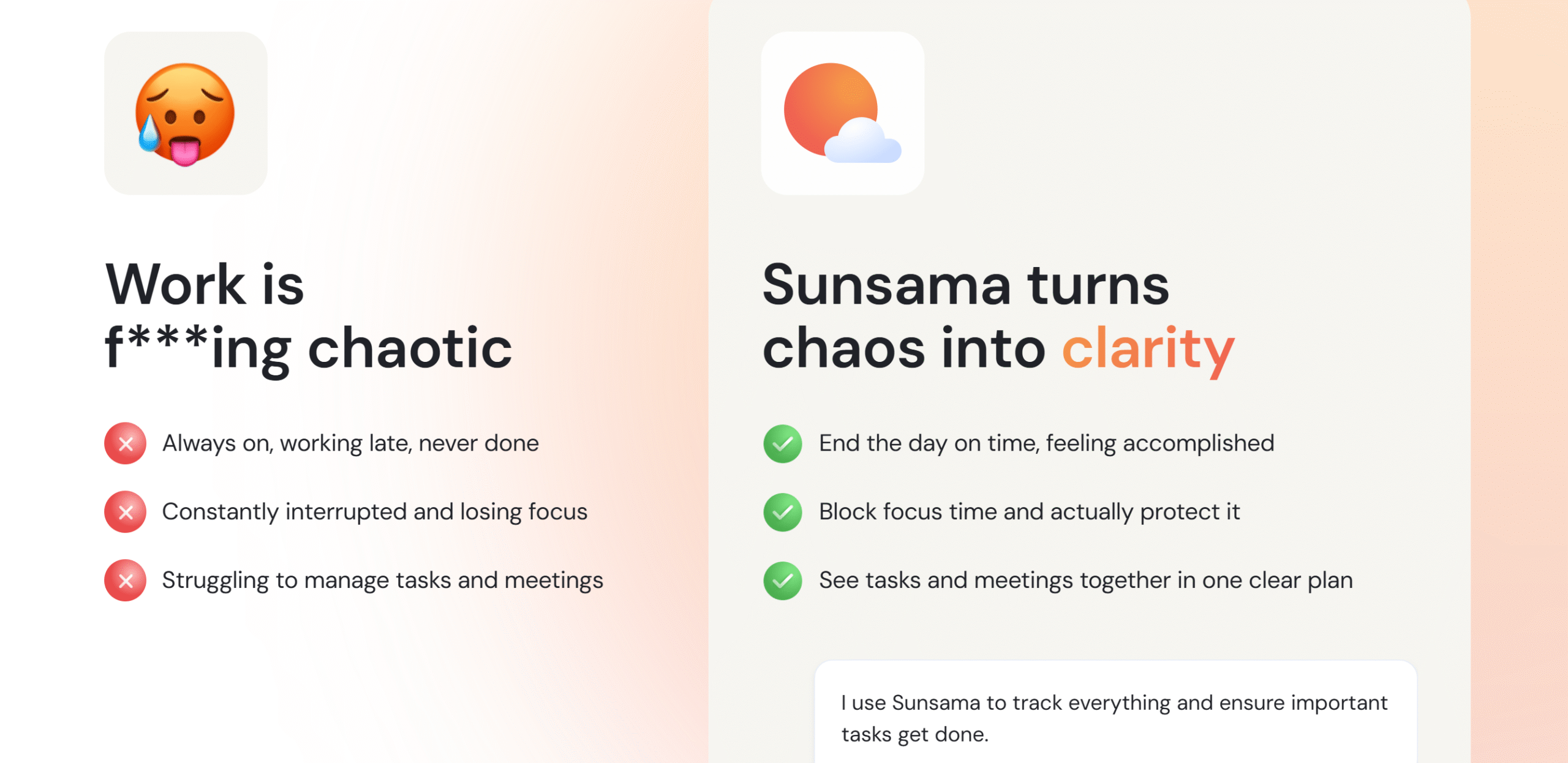
Sunsama specializes in intentional planning.
You start each day with a list of daily goals and obstacles and end it with a daily reflection of your accomplishments.
The planner is built as a step-by-step ritual to help you create a routine.
You can create tasks directly on the task board, calendar, or to-do list and schedule them instantly from the main dashboard.
Plus, you can color-code events to increase visibility. For example, you can set gray for personal chores and blue for work tasks. The color coding makes monitoring a lot easier.
With its unified view, you’ll be able to view events, monitor tasks, track time, and organize meetings.
Sunsama also delivers a goal feature to set priority levels. You can create weekly objectives and align your tasks accordingly.
Reclaim
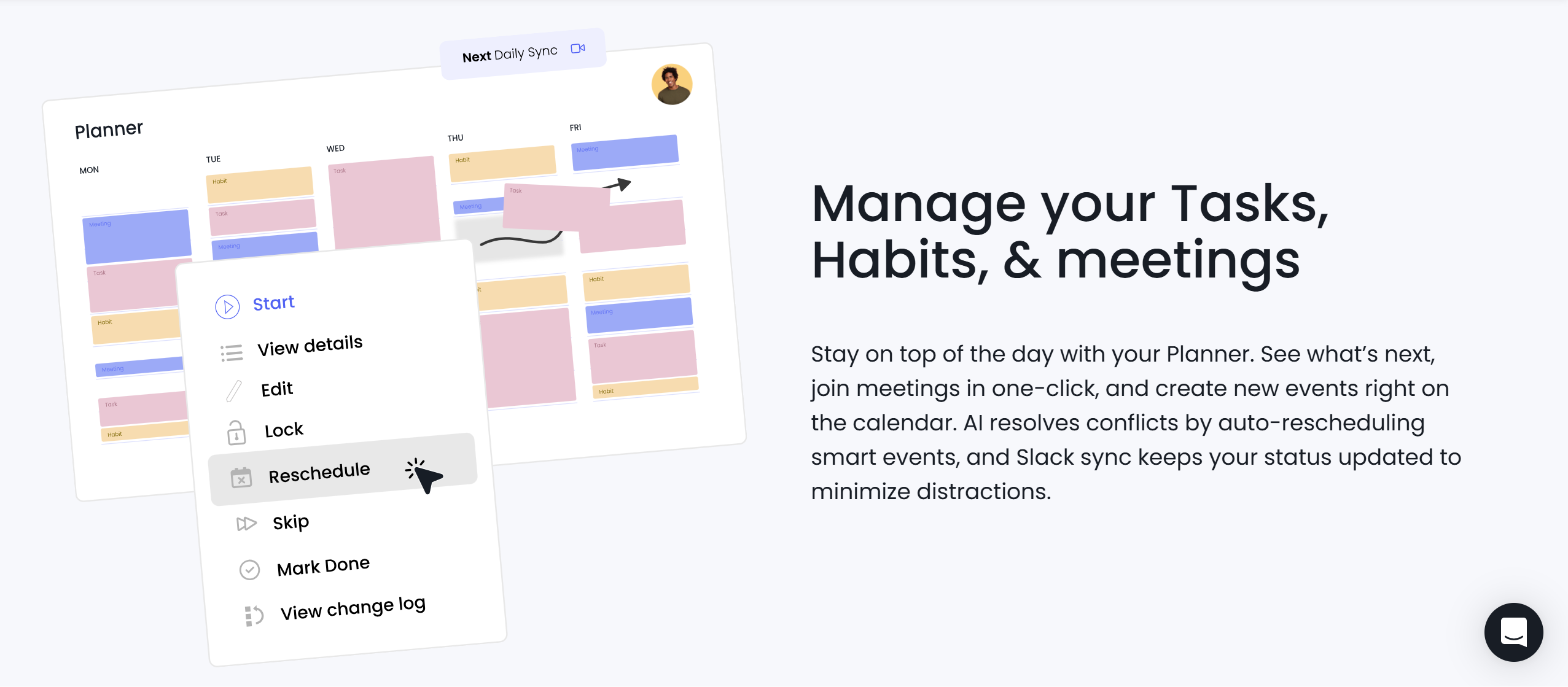
Reclaim’s planner is designed to save time.
It focuses on efficiency, providing you with tools to reduce manual scheduling.
The planner currently works with Google and Outlook Calendar. You can set daily priorities and a to-do list and let Reclaim arrange your tasks and events based on your work style.
For meetings, Reclaim offers a smart tool that automatically finds a time that works for you and your team.
You can also add no-meeting days to remove specific time slots.
Event categorizing, task management, and habit tracking are all built into the system for your ease. There’s no limit on the task creation, and you’ll get templates for recurring events.
Verdict
Choose Sunsama if you want to actively involve yourself in the daily planning.
Use Reclaim if you want an automated planner.
Both serve different audiences and are well-suited for their target audience.
2. Which tool offers better time management?
Time management is the productivity technique that involves organizing your day efficiently.
The idea is to optimize your schedule to get the maximum output without burning out.
Sunsama and Reclaim both help you manage your time more effectively.
They have beginner-friendly tools that are designed to support different working styles.
Here’s a summary of their time management functions.
Sunsama
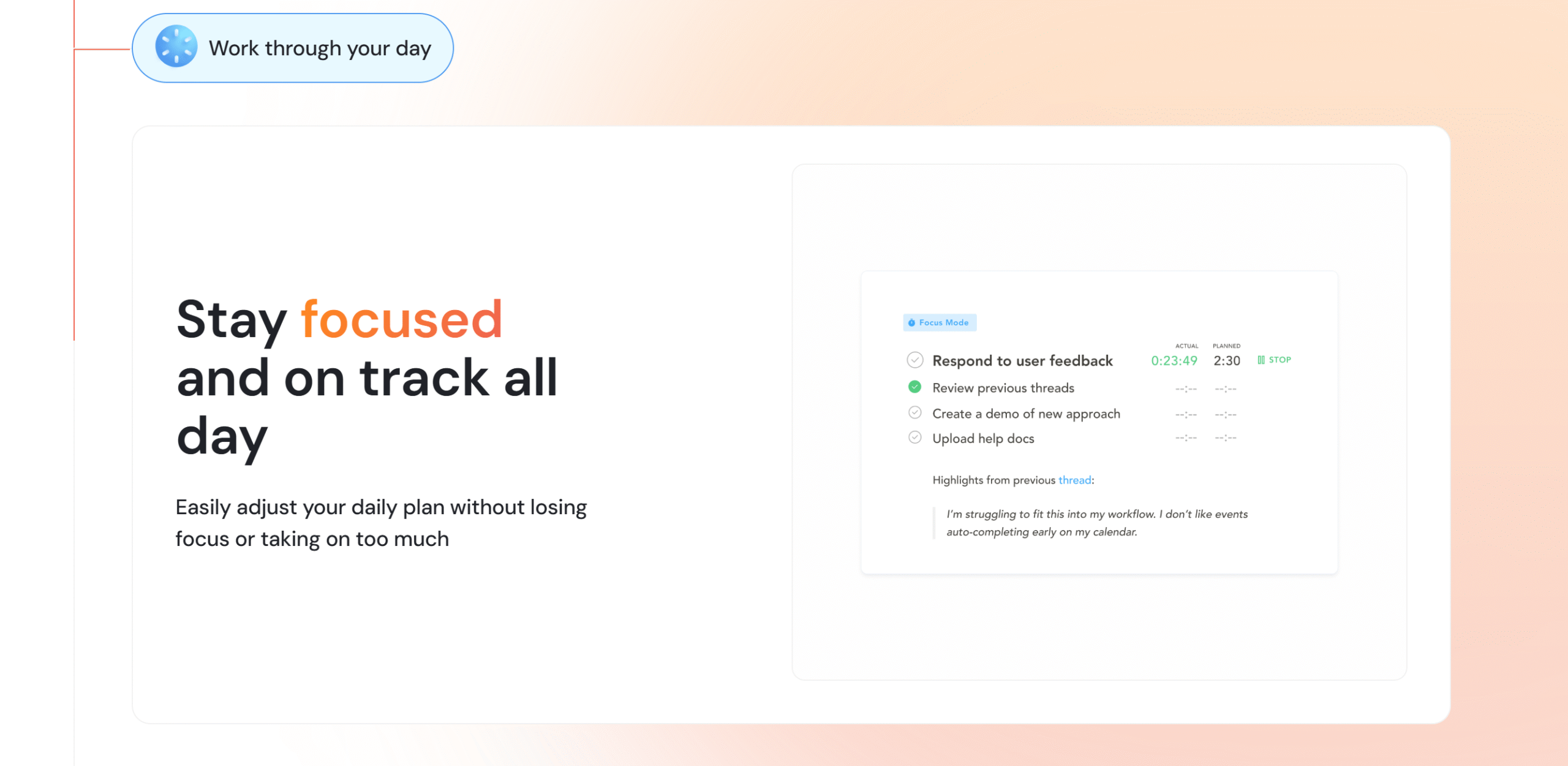
Sunsama offers various productivity tools to improve your time management.
You’ll get a time-boxing function to book blocks of time for each task, a flexible focus mode to reduce procrastination, and a time-logging option to measure productivity.
In addition to that, you can include working hours to set a boundary and use productivity states to see how well your current schedule works for you.
Sunsama also has several time-saving task management tools.
For example, you can drag emails directly from the main inbox and convert them into tasks. This allows you to keep an eye on all your tasks without switching apps.
Reclaim
Reclaim’s entire purpose is to save your time.
It automates time-consuming processes and delivers productivity tools to optimize your schedule.
For example, Reclaim has a focus time feature that books time for specific projects and automatically declines meetings or reschedules errands.
You can also set up recurring tasks, like exercise, and automatically adjust them in your schedule.
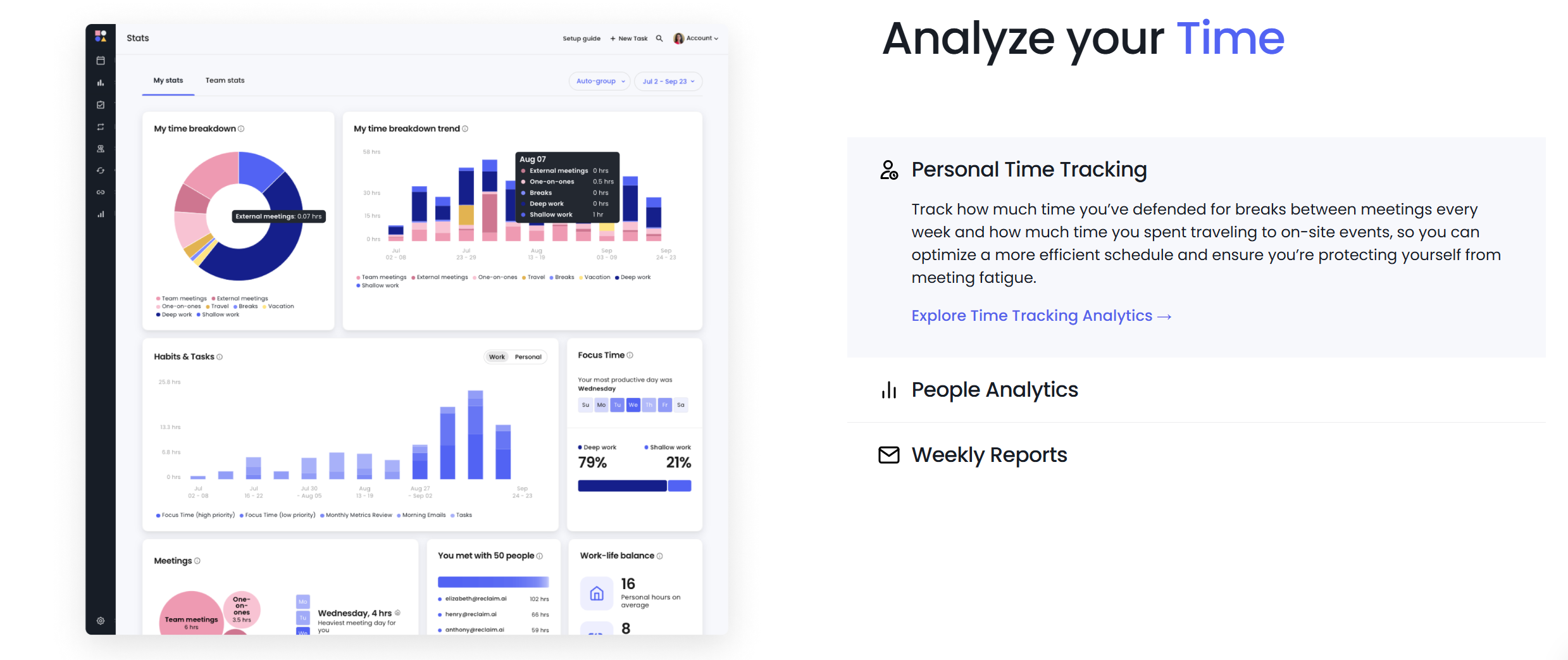
Everything is trackable on Reclaim to get a clear picture of where you spend your time the most.
The app has an excellent analytics section that breaks down your time, offering a summary of the time spent on work, meetings, and personal commitments.
Verdict
Sunsama delivers simple ways to manage your day, while Reclaim offers efficient methods to optimize your schedule.
If most of your day involves communication and managerial work, Reclaim is best for you.
If you simply want to improve your time management, Sunsama is perfect for you.
3. Which app has stronger AI and automation?
AI and automation make your workflows smoother.
You can automate scheduling, optimize your calendar, and leverage AI to handle repetitive planning tasks.
Here’s a summary of Sunsama’s and Reclaim’s AI and automation capabilities.
Sunsama
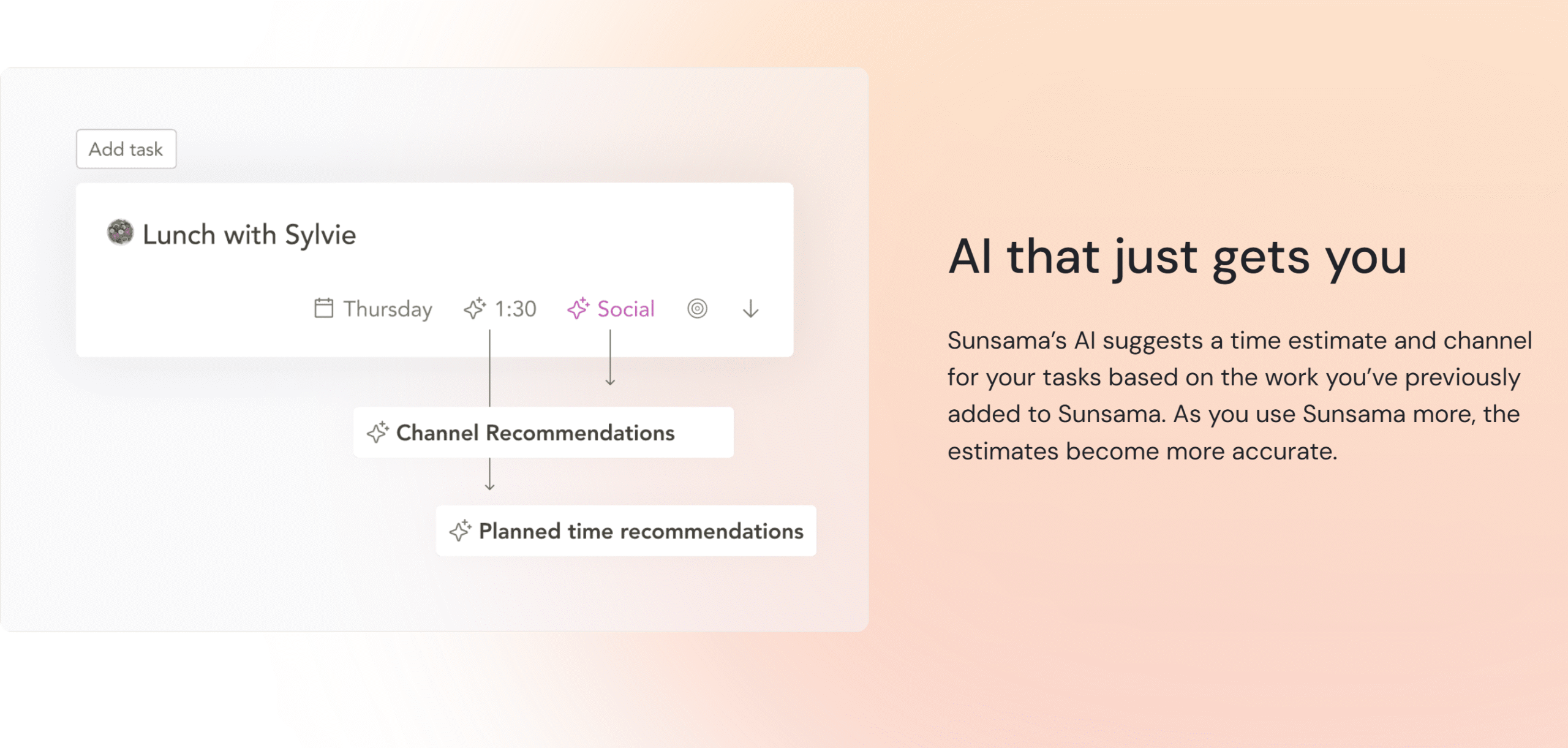
Sunsama is comparatively light on automation and AI. The planner is incredibly easy to use, but most of its features require manual action.
There are, however, some areas where Sunsama offers AI and automation.
For example, you can use the built-in AI to help you draft task descriptions or break down large tasks into smaller subtasks.
Sunsama also provides suggestions on how to plan your tasks better.
Reclaim
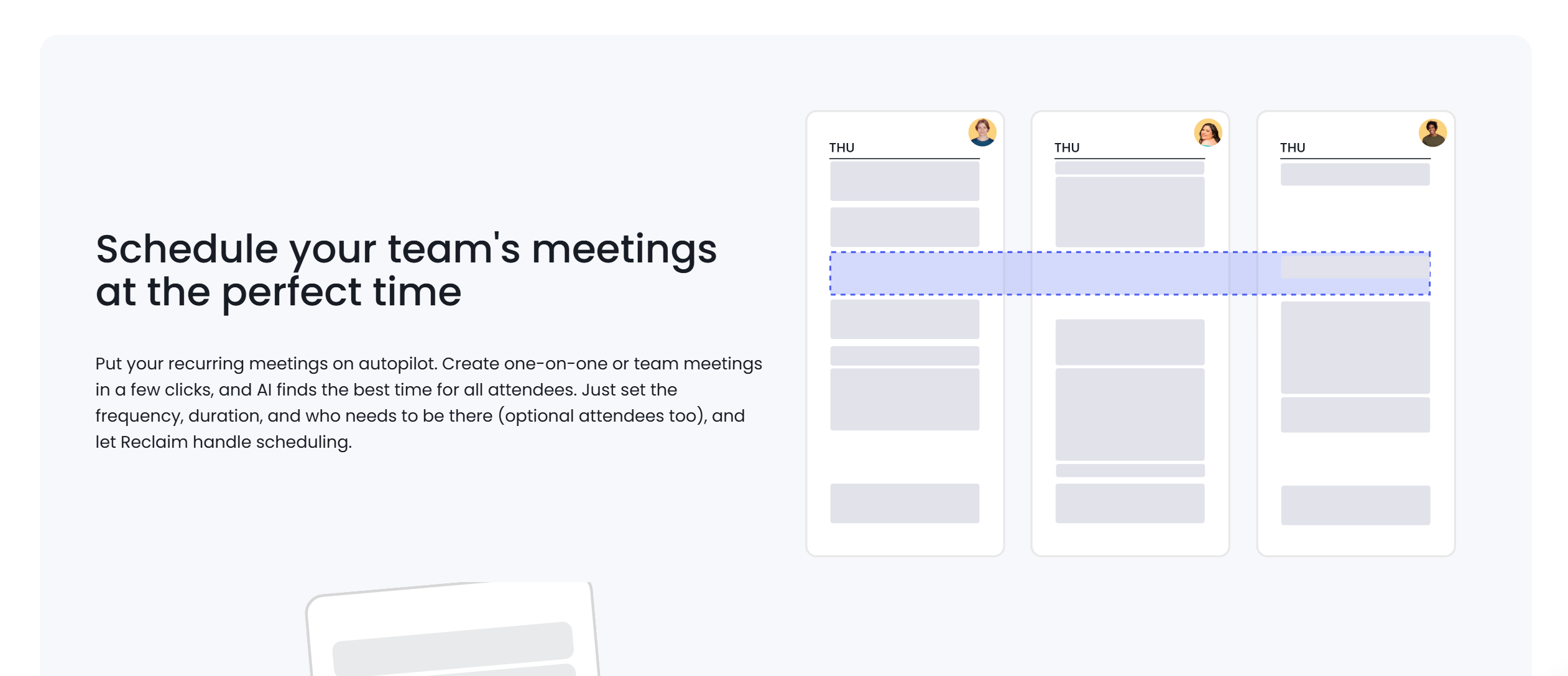
Reclaim’s unique selling point is its AI and automation.
The app has integrated AI into almost all its functions to simplify scheduling.
You can automatically create a weekly planner, set aside time for deep work, schedule meetings, and track habits.
The software reschedules a task if a meeting pops up, finds the optimal time for regular activities, and even adjusts your availability to prevent double-booking.
Verdict
Based on their AI and automation functions, Reclaim is a clear winner.
While Sunsama does offer some automation, it’s not designed for such a purpose.
4. Which planner integrates with more tools?
Integration is a system’s capability to work with other applications. It enables you to connect multiple apps and sync your data automatically.
Sunsama and Reclaim support several third-party integrations to help you centralize tasks.
Here’s a summary of their integration capabilities.
Sunsama
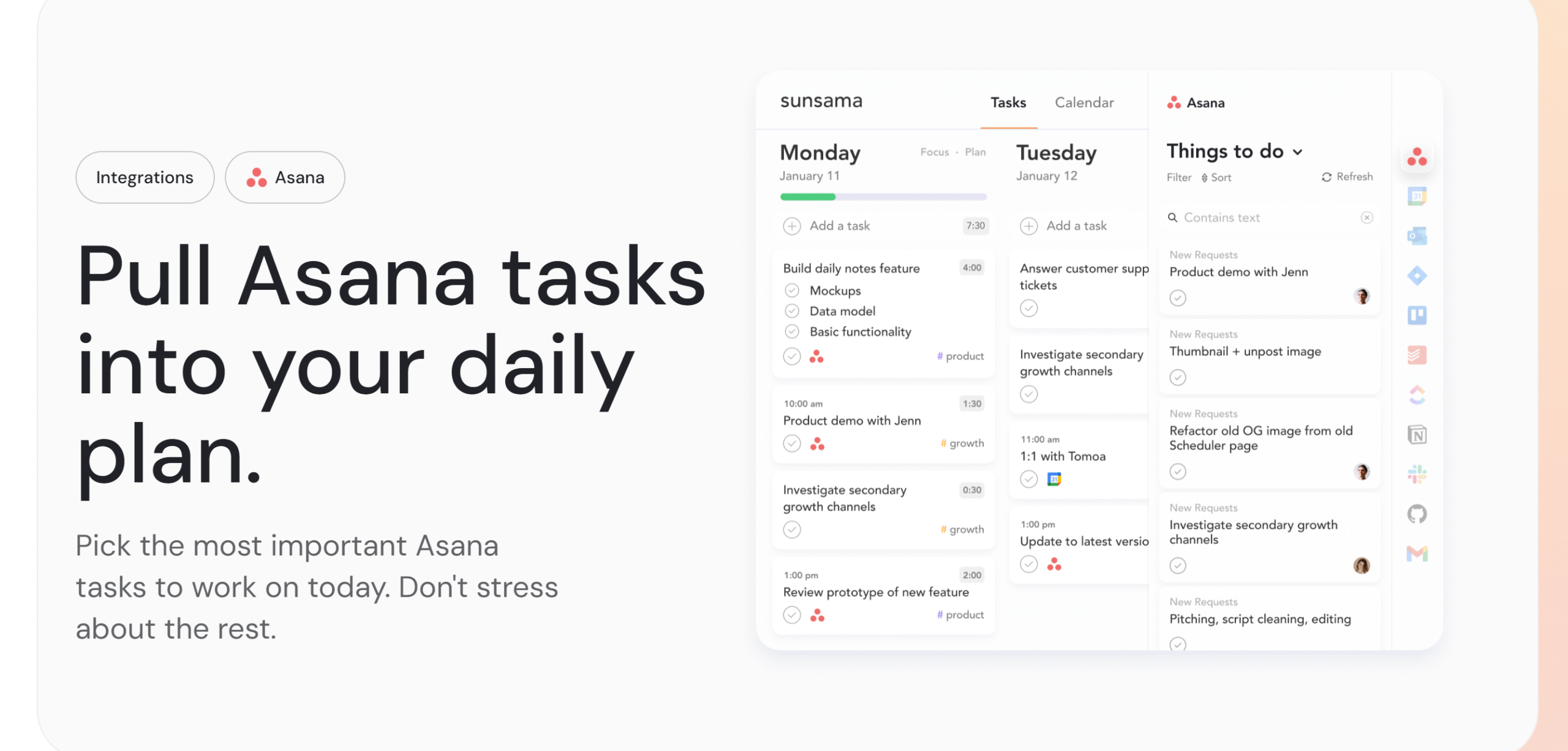
Sunsama connects with emails, calendars, task managers, and messaging apps.
It provides direct integration with several popular tools, so you can import messages to your planner and schedule them on the spot.
Some of the apps that can be integrated with Sunsama include Asana, Jira, Trello, Notion, Gmail, Microsoft Outlook, and Slack.
You can easily pull your tasks from Asana, Trello, and Jira, and drag messages from Gmail and Slack.
Reclaim
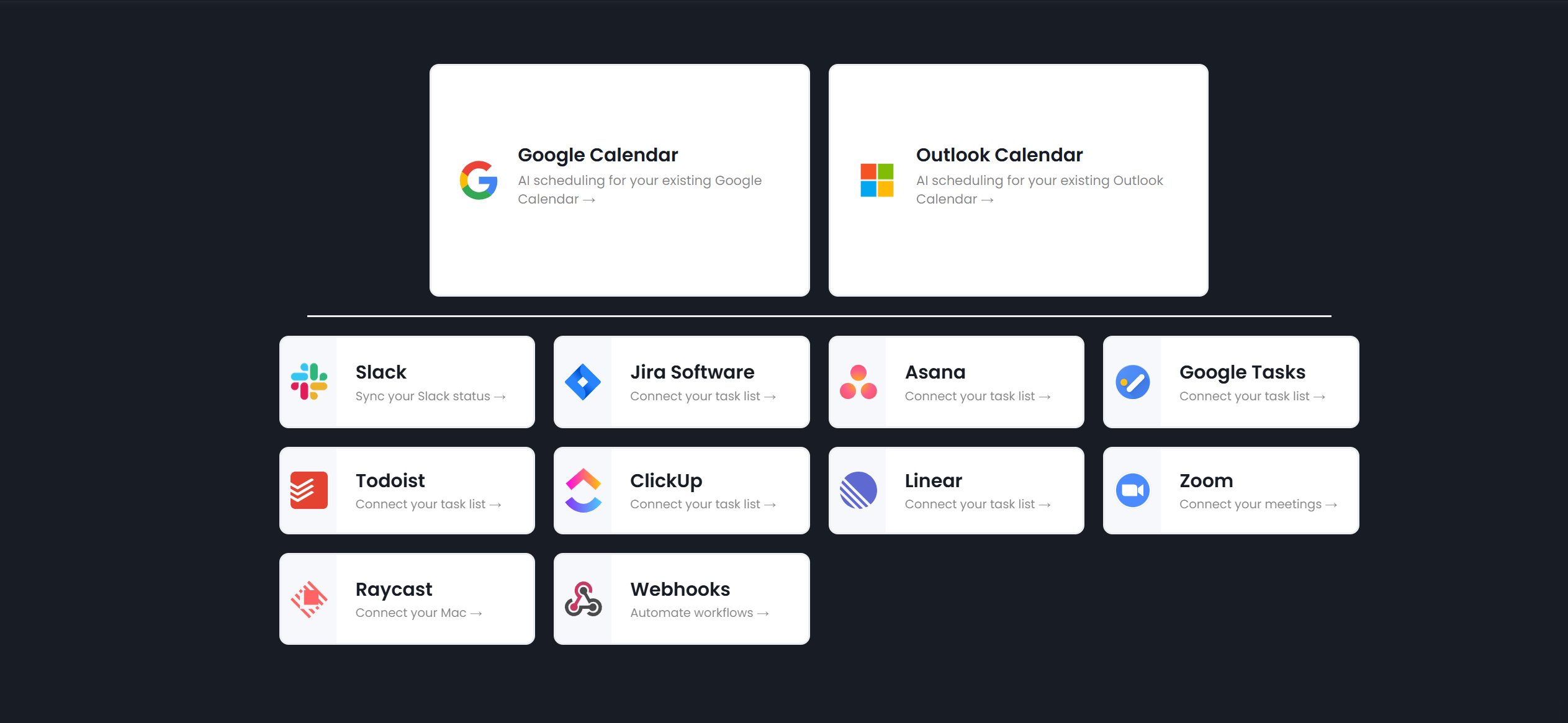
Reclaim relies on Google Calendar for daily planning.
It integrates directly with your calendar, bringing tasks, events, and meetings together.
Reclaim can also be connected to Slack. There’s a feature in the app that lets you automatically receive Slack status to keep you updated.
Other integrations available on Reclaim include Asana, Jira, Todoist, ClickUp, Linear, and Raycast.
Verdict
Sunsama and Reclaim’s integration capabilities are almost similar, but Sunsama offers slightly more options.
Unlike Reclaim, you can connect Google, Outlook, and Apple calendars with Sunsama.
5. Which is more affordable: Sunsama or Reclaim?
Sunsama and Reclaim follow slightly different pricing strategies.
One platform offers an all-inclusive plan, while the other uses a tiered model to meet different budgetary requirements.
Here’s a breakdown of their pricing.
Sunsama

Sunsama uses a simple pricing model. For a flat rate of $20 per month, you get complete access to the software.
The platform doesn’t sell a free plan, multiple packages, or lifetime deals. You can, however, get a 14-day free trial to explore all its functions.
That said, Sunsama does provide two pricing options to users.
You can go for a monthly subscription and pay full price or commit to an annual plan and get approximately a 20% discount.
You can cancel your subscription anytime you want. Sunsama deactivates your account after your previous term expires.
Reclaim
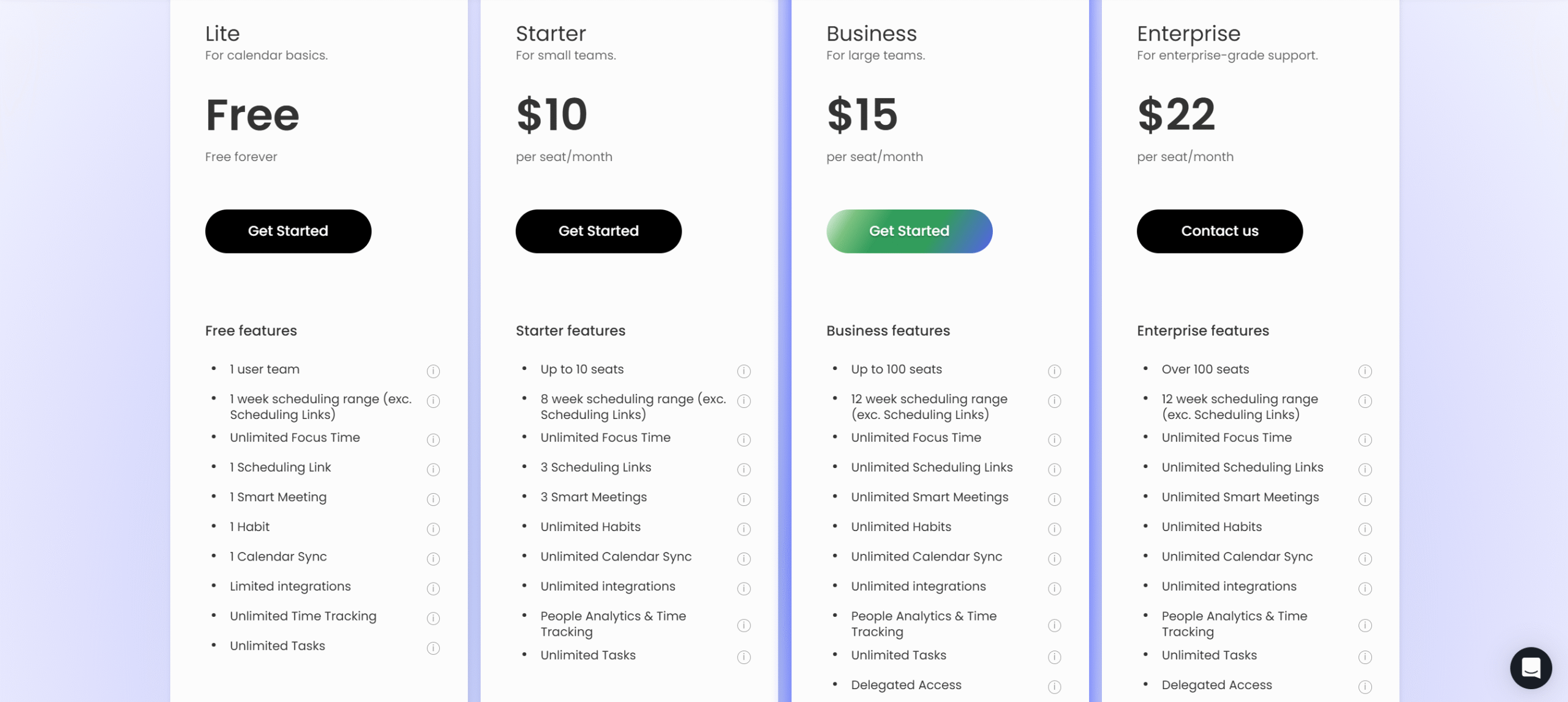
Reclaim sells four subscription packages with discounts on the annual plans.
The basic plan is completely free and designed for individuals.
Starter plan costs $12/month, offering unlimited habits, analytics, and more scheduling flexibility.
The business plan costs $18/month, providing access to team scheduling features and priority support.
There’s also an enterprise package that supports a high volume of users and unlocks the limit on the features. It costs $22 per month.
If you are a student, a non-profit organization, or a startup, you can receive up to 50% discounts for 6 months to 3 years.
Verdict
Sunsama delivers a full-featured daily planner with all integrations, team features, and collaborative planning in one package.
Reclaim, on the other hand, sells flexible packages with budget-friendly options for beginners.
Sunsama vs. Reclaim: Pros And Cons
Below, I have summarized Sunsama and Reclaim to highlight their benefits and drawbacks.
While both apps are excellent planners, they have some unique selling points that set them apart from each other. They also have a few limitations.
Here’s a list of their pros and cons.
Sunsama
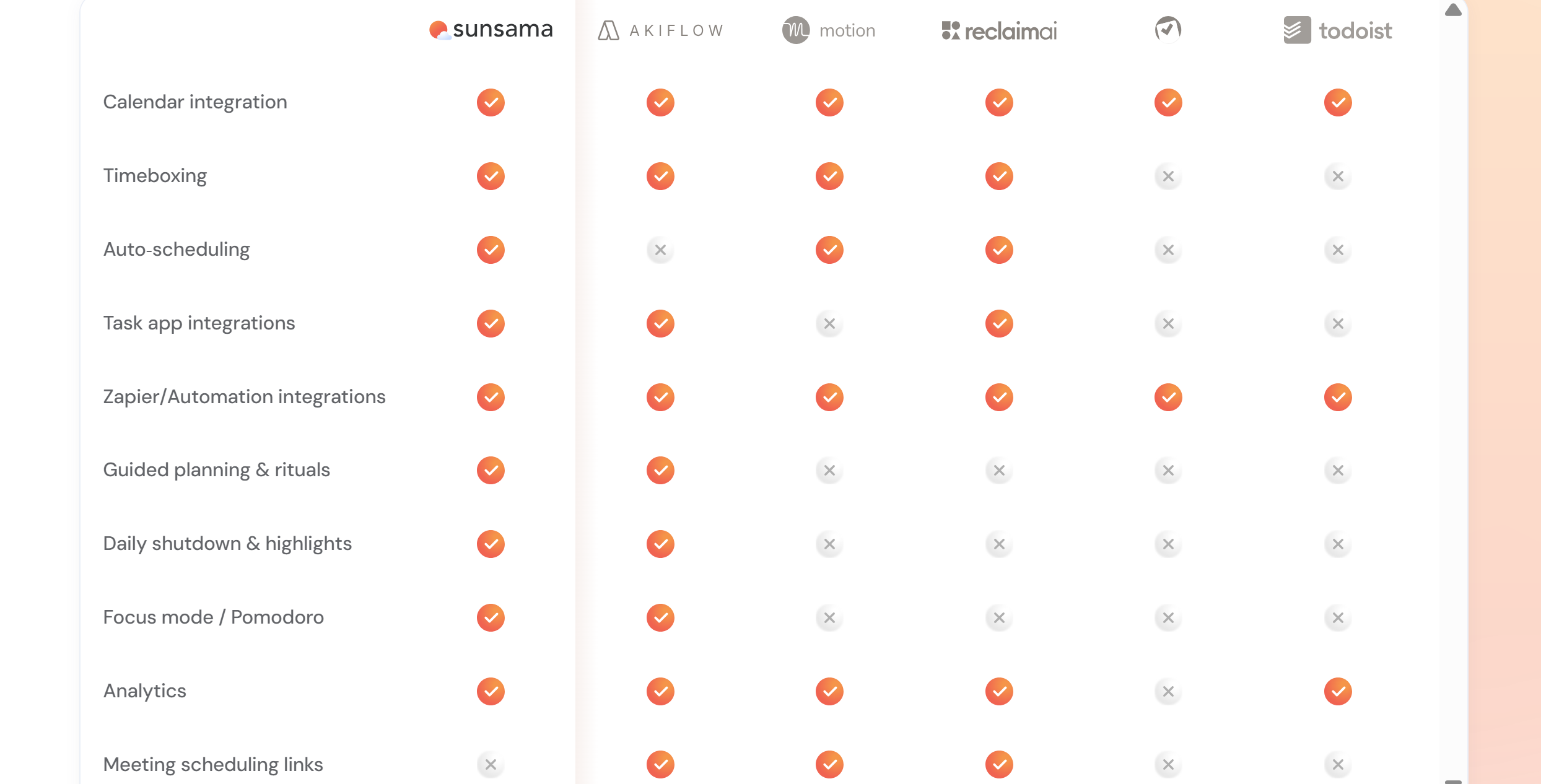
Pros:
- Daily planning ritual to establish a routine.
- End-of-day reflection to measure productivity.
- A simple interface with a unified view.
Cons:
- Limited AI and automation.
- No free plan.
Reclaim
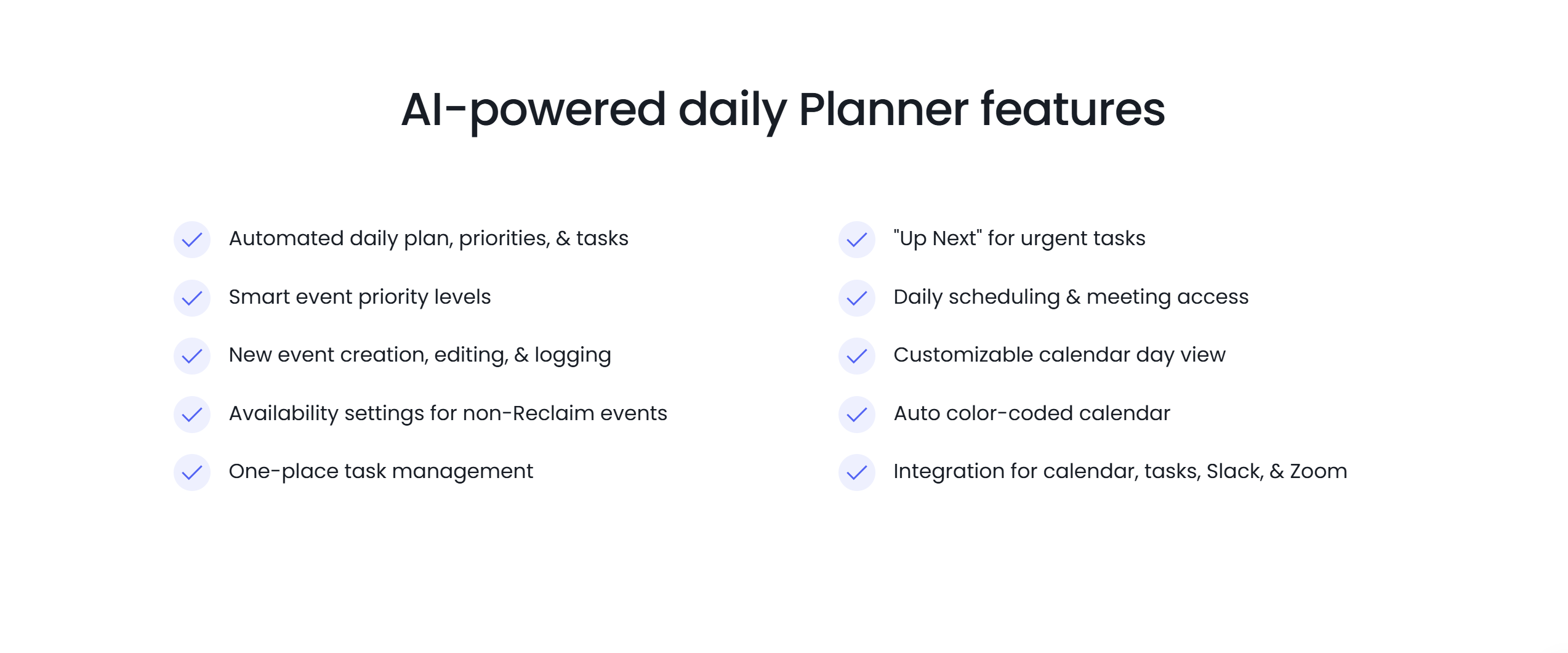
Pros:
- Automated scheduling and time management.
- Smart meeting tools.
- A free plan.
Cons:
- More focused on efficiency rather than routine building.
- Limited calendar integration.
Conclusion
It’s really difficult to compare Sunsama and Reclaim because they serve different purposes.
The former emphasizes mindful planning to manage the day without feeling overwhelmed, while the latter prioritizes efficiency to save time and effort on daily planning.
Go with Sunsama if: You enjoy planning your day.
You like to take a few minutes each morning to decide what to work on and when. You want to see all your tasks in one place and prefer to be in control of your schedule.
Go with Reclaim if: You don’t want the hassle of daily planning.
You want a smart tool that automatically finds time for meetings, chores, and deep work for you. You are essentially looking for a calendar that manages itself.
Remember, both apps reduce stress and boost productivity. They just do it in different ways.


 A better way to manage projects and clients for freelancers
 Get through busy days like a breeze with Reclaim.ai