
Picture this:
It’s 9 AM, and you’re staring at your to-do list, feeling like you’re about to climb Mount Everest in flip-flops.
If you’re nodding your head (or scrolling through your phone because you got distracted), welcome to the wild world of ADHD productivity.
Traditional planners and to-do lists often feel like trying to catch a greased pig – frustrating and kind of pointless.
But what if I told you there’s a tool that actually gets how our ADHD minds work?
Enter Sunsama, the daily planner who speaks fluent ADHD.
In this post, we see how Sunsama can be your secret weapon against ADHD chaos.
So, grab your favorite fidget toy, and let’s dig in.
Meet Sunsama
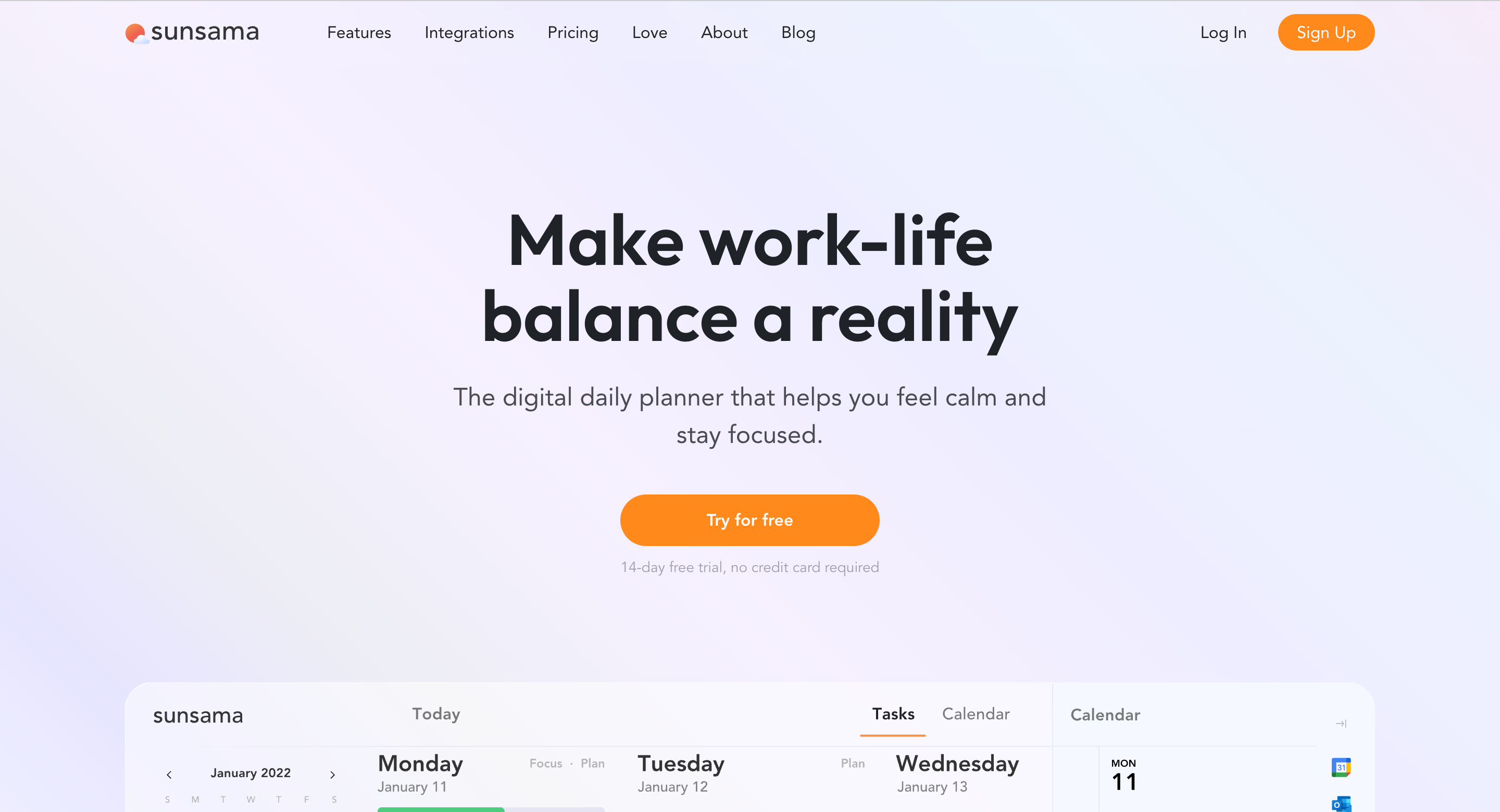
Sunsama is a beautiful daily planner app that lets you get things done while maintaining your work-life balance.
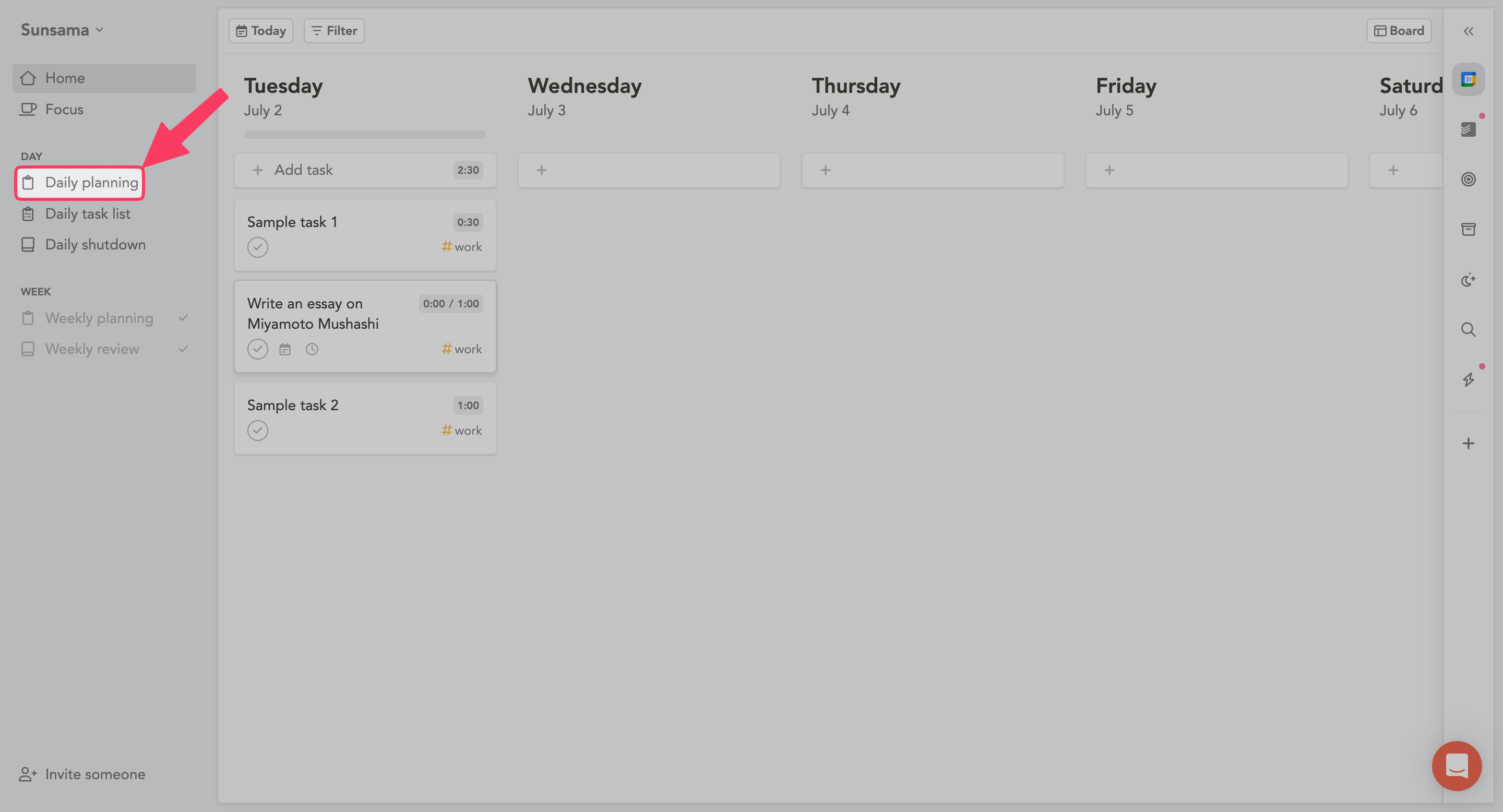
Like guided meditation, Sunsama guides you, with their daily planning feature, in planning your day the best way possible.
Besides starting your day right, Sunsama also assists you in winding up, this is thanks to their Daily Shutdown feature.
It enables you to reflect on what you accomplished today, the amount of time spent working, and what is due.
Similarly, there is a weekly planning and weekly review capability too. Sunsama lets you plan as far ahead as you want to.
Then there is focus mode. It helps you focus on your task with a Pomodoro timer.
Now, if you think all of this comes with a fair bit of a learning curve, then no.
Sunsama is pretty easy to use.
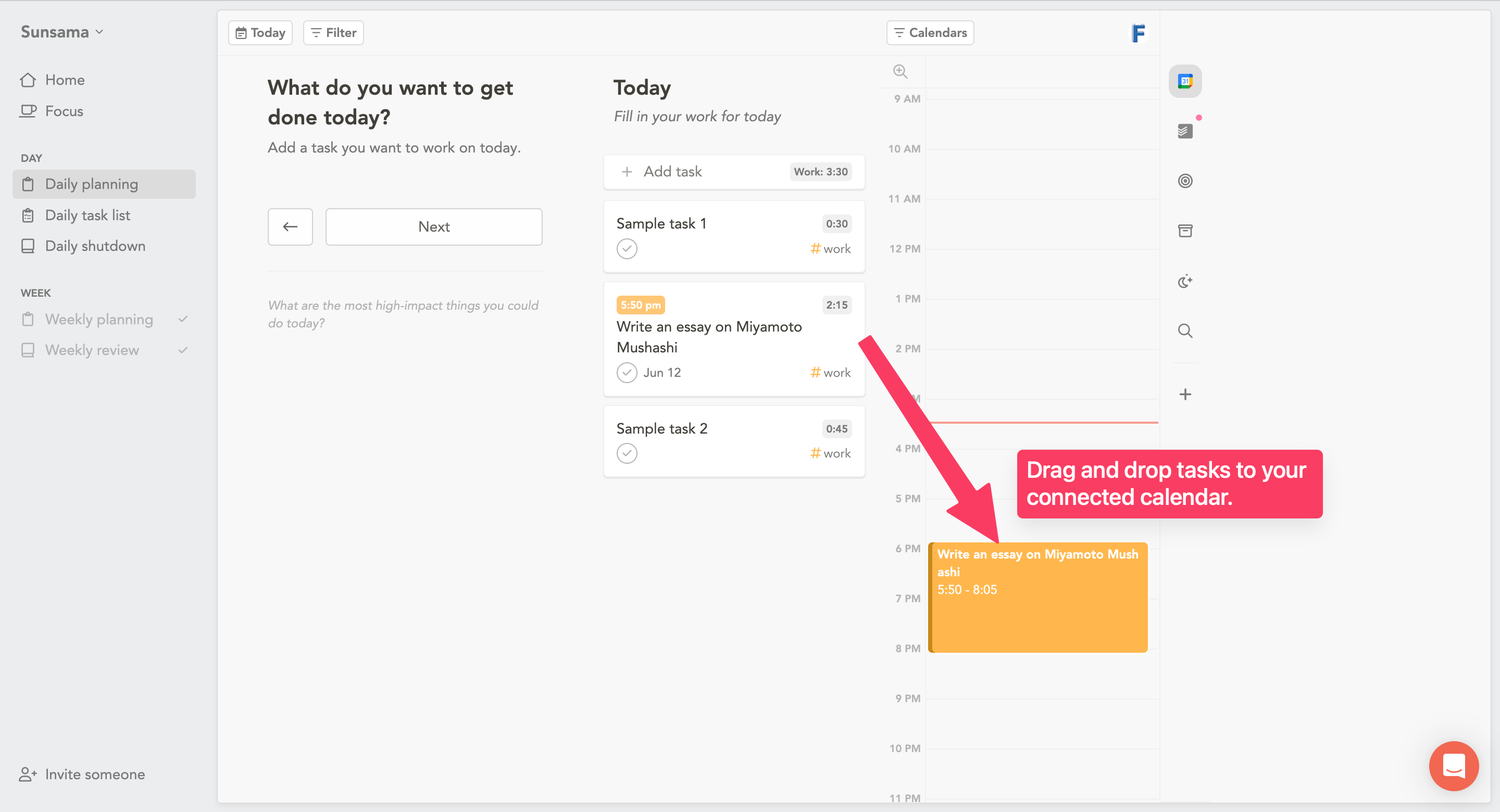
In fact, it’s so easy that all you have to do is drag and drop your tasks into the calendar to start timeboxing.
That brings me to the calendar. Sunsama lets you connect your Google or Outlook calendars inside Sunsama.
And calendars are not the only third-party friends Sunsama has (more on that later).
With the overview out of the way, let’s see how to use Sunsama to show a middle finger to ADHD.
How Sunsama Speaks ADHD Language
It all starts with planning out your day.
1. Guided daily planning
Individuals with ADHD tend to face time perception issues (aka time blindness).
Have you ever felt anxious when you don’t know how long something is going to take to complete?
That’s time blindness.
This makes it harder for you to plan your day effectively because you have no clue how long each of your tasks/projects are going to take.
Sunsama’s daily planner is an excellent solution to this.
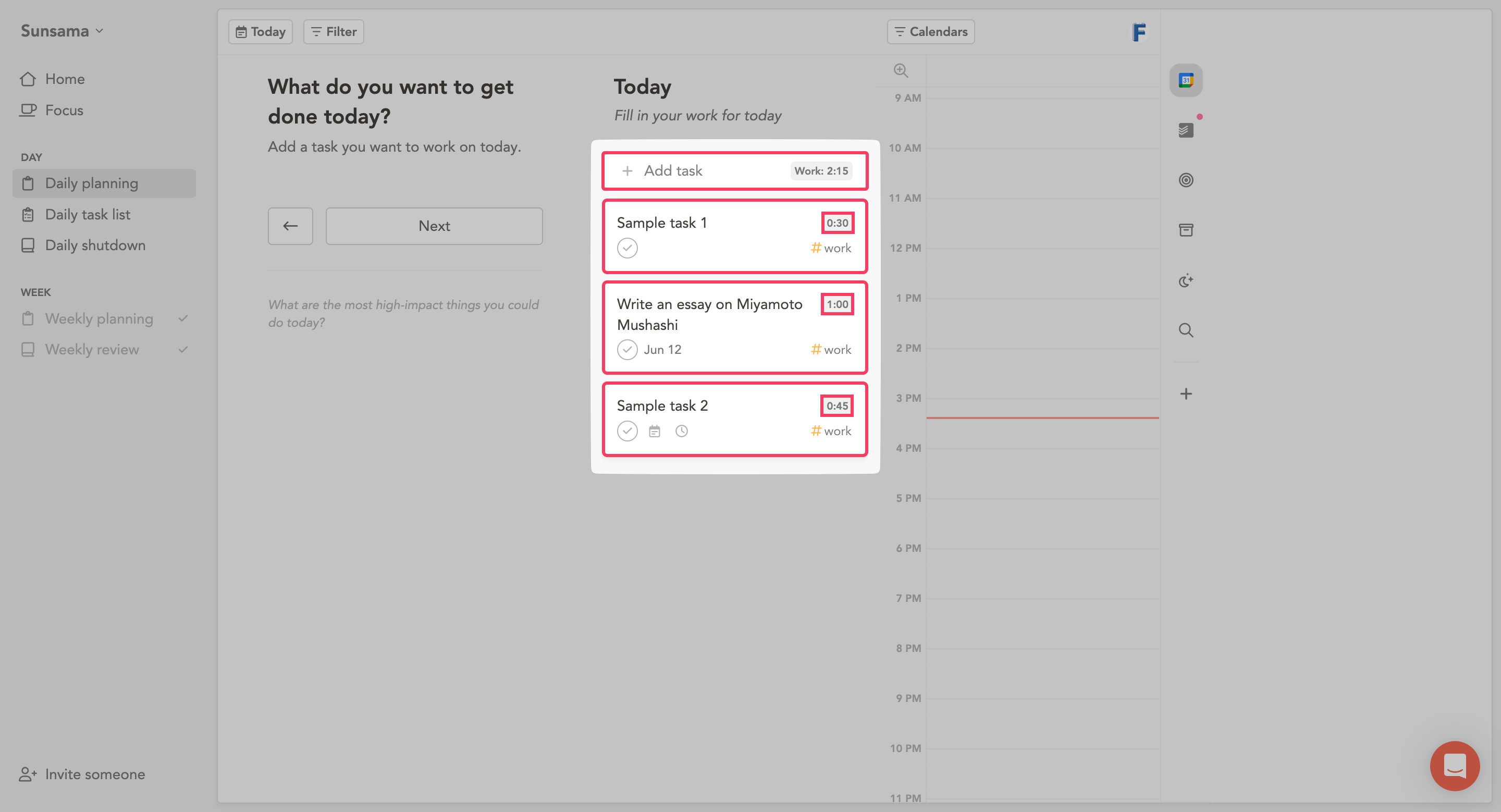
Every day before you begin working, Sunsama helps you clarify what you must work on today and how long to work on each of those things.
Start by adding all the important tasks you need to get done today and assign each of them a total time to completion.
Then, drag and drop those tasks to your calendars based on your priorities.
NOTE: Sunsama does not have a built-in feature to indicate the priority of your tasks.
When you click Next, Sunsama predicts your workflow and even estimates the earliest shutdown time.
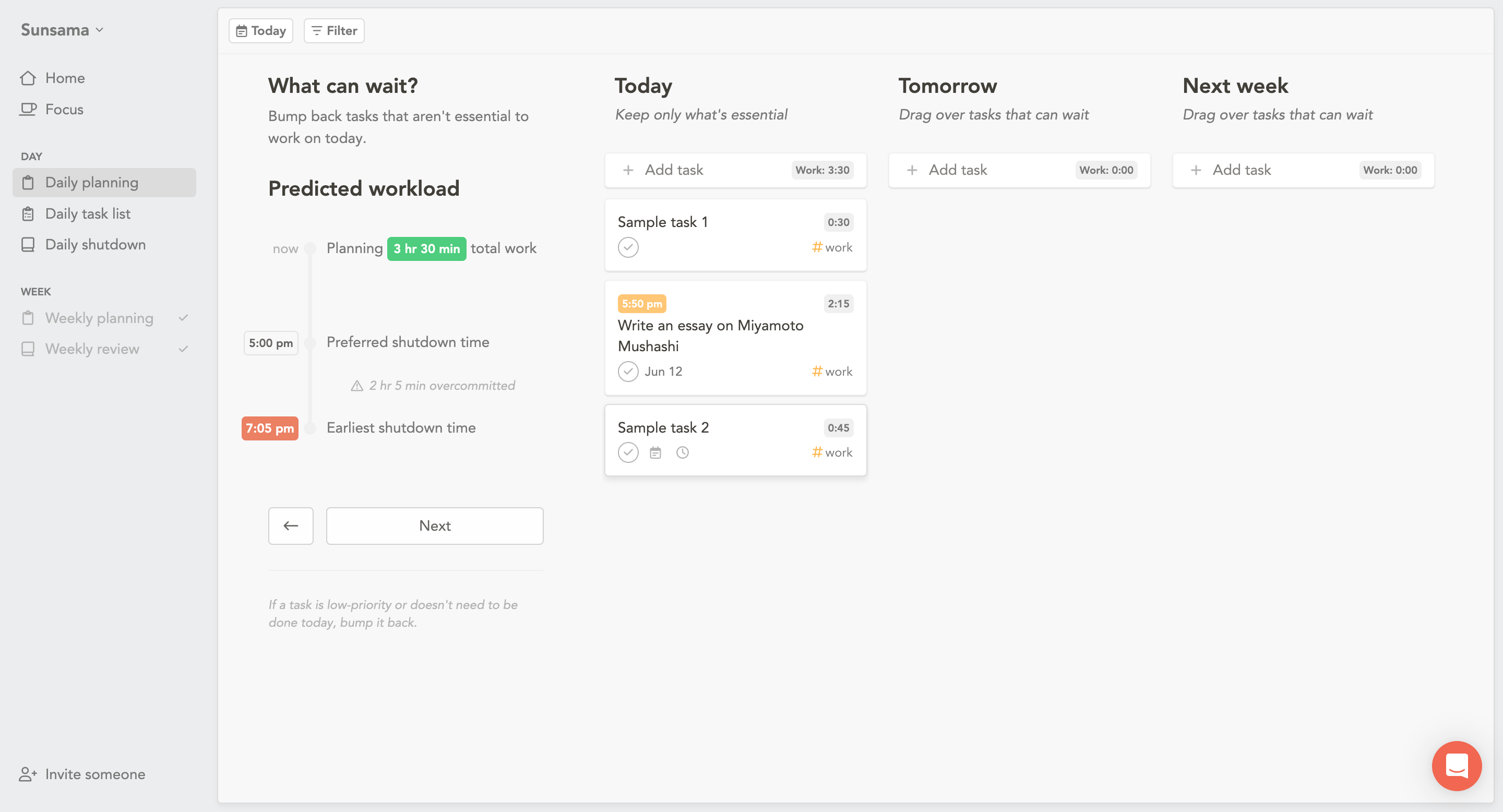
Finally, you can choose to document your plan by writing down a few things. By default, you get an option to about the Obstacles in your way.
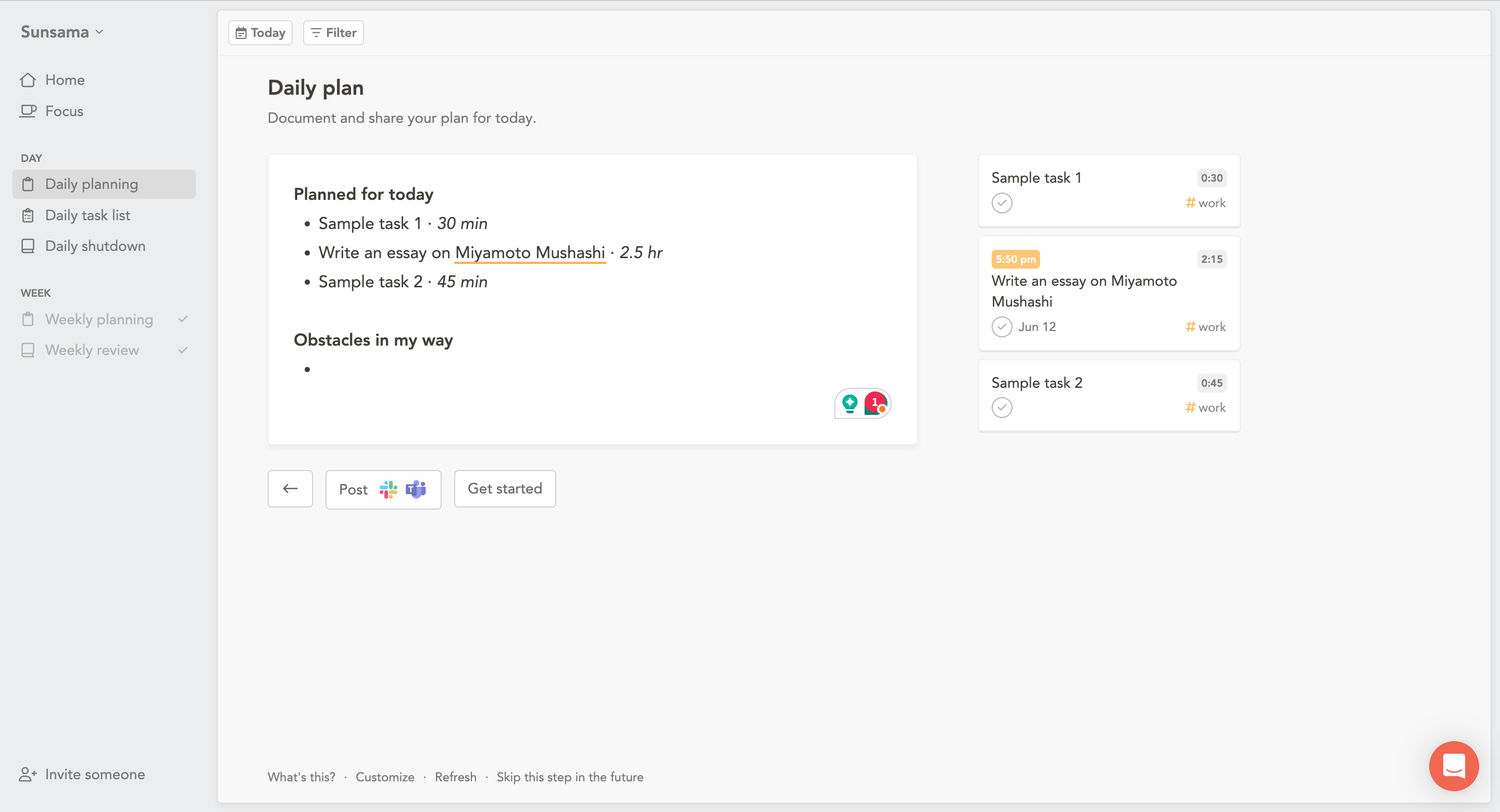
This is a much better way to plan your day while not feeling overwhelmed.
2. Daily board view
A while back, I told you that Sunsama lets you far as ahead as you want to.
This wouldn’t be possible without their clean daily view.
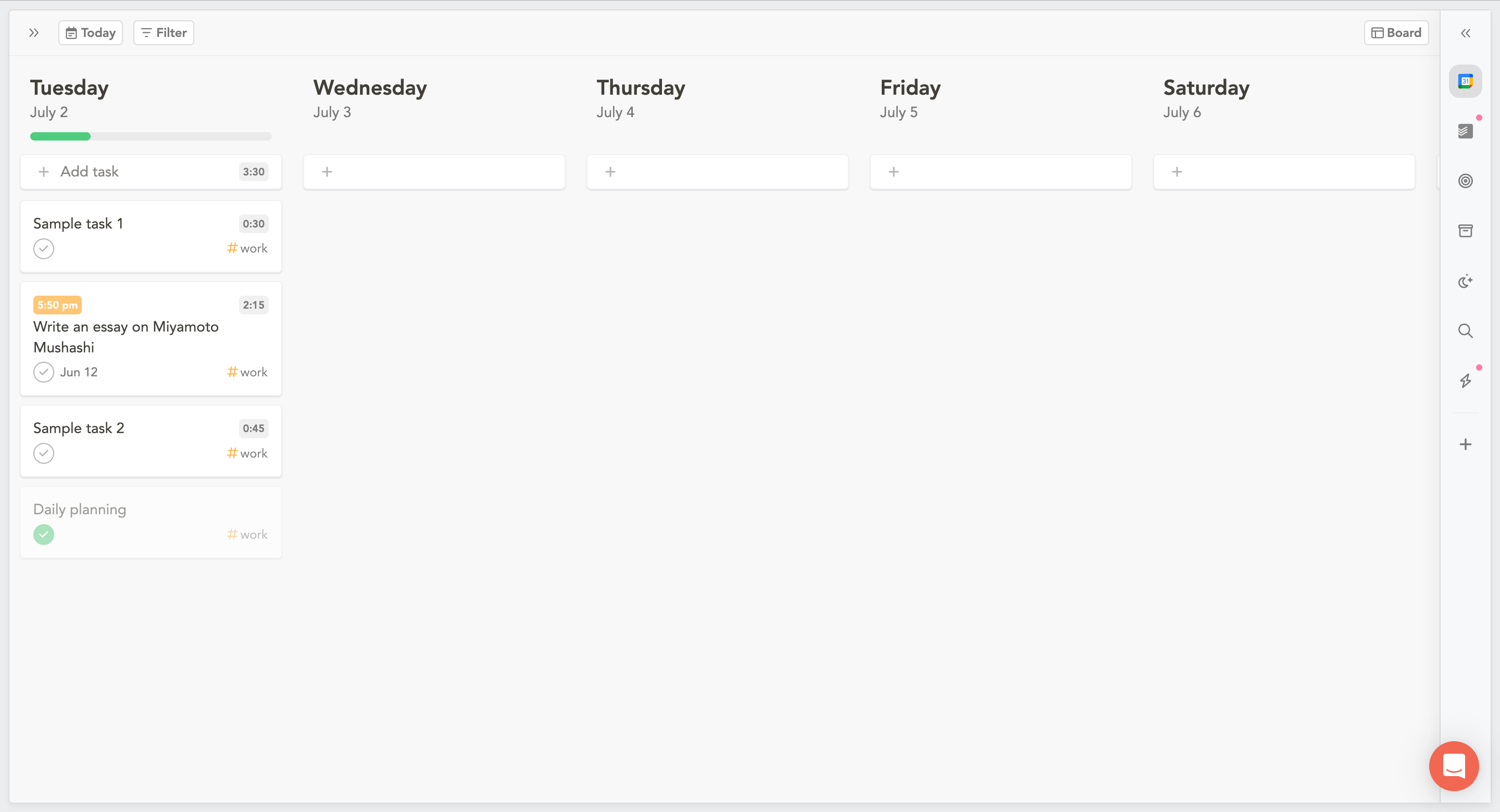
It is a simple board view (Kanban boards-like) where you can quickly add tasks, move them between days, and start working on them.
This board view can also be converted into a calendar view from the top-right corner.
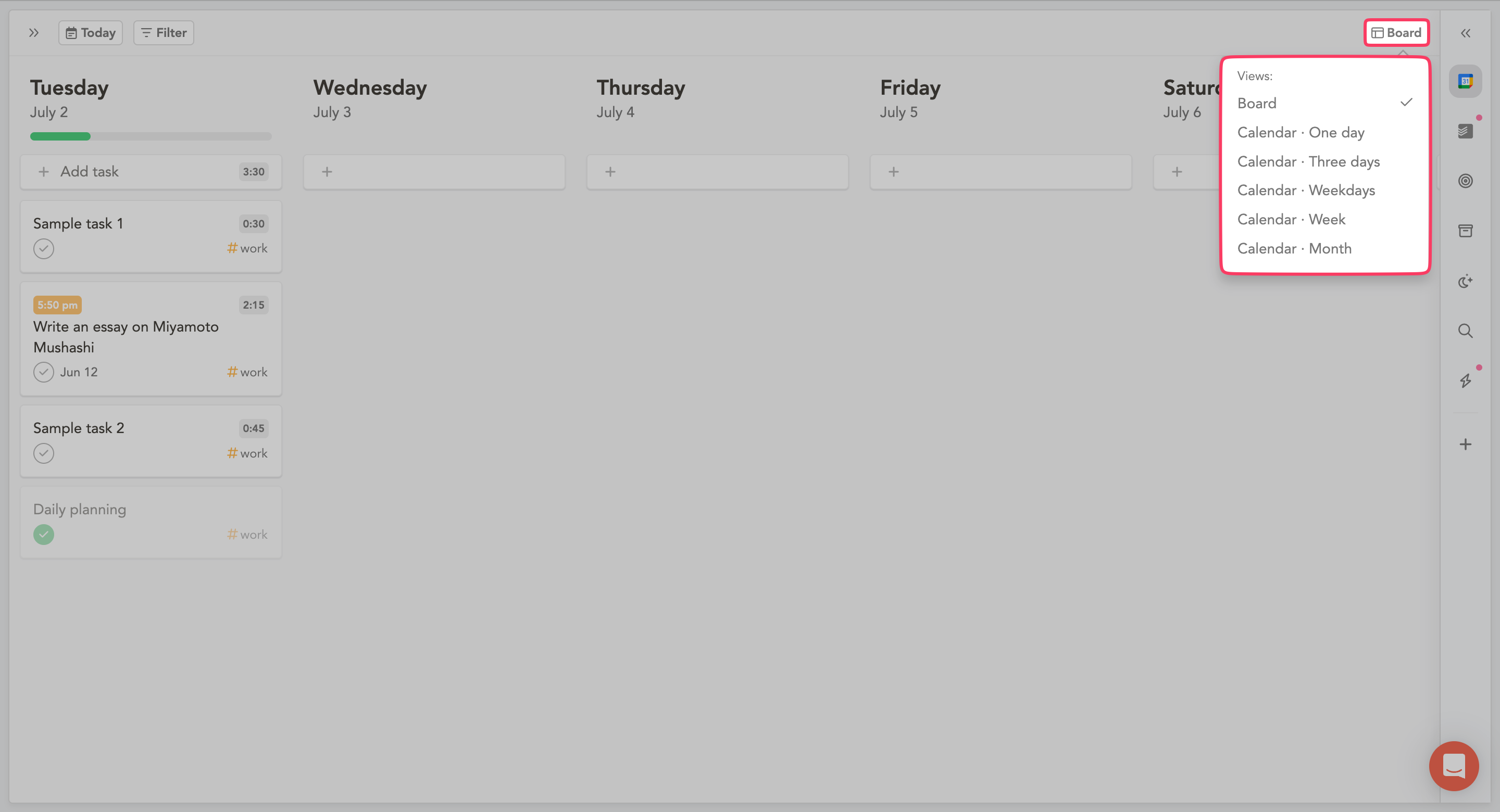
With a calendar view, you can choose from:
one day
three days
only weekdays
week
and a month.
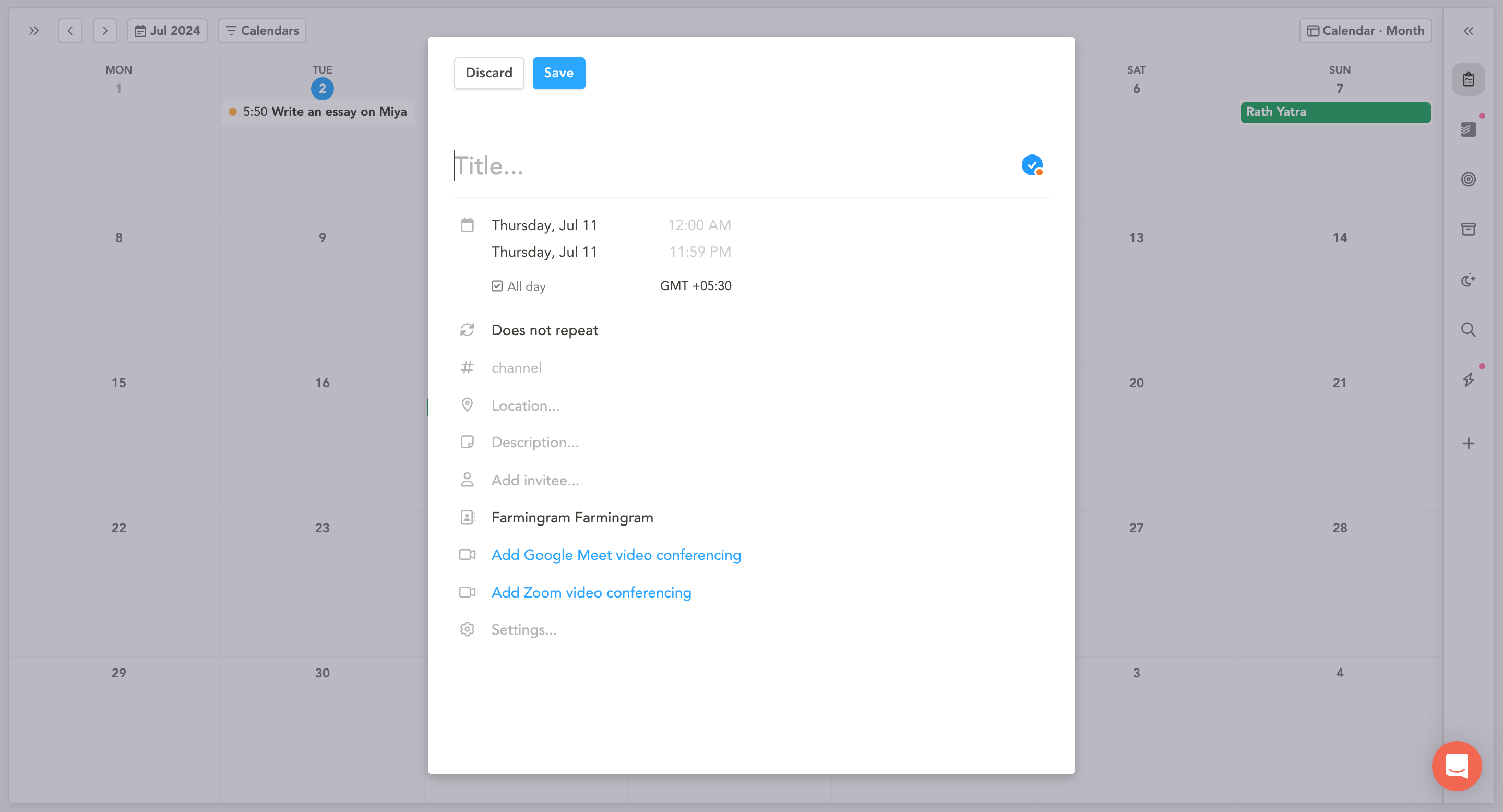
Once you are inside a calendar view, single-click on any date to create a task.
3. Focus mode
As someone with ADHD, you likely find it hard to focus. This is because of the core symptoms of ADHD, which are:
inattention
hyperactivity
and impulsivity.
This can make it extremely difficult to maintain focus on tasks, especially those that are repetitive or not inherently interesting (source).
Again, Sunsama can help here.
When you click on a task, it opens up with additional features.
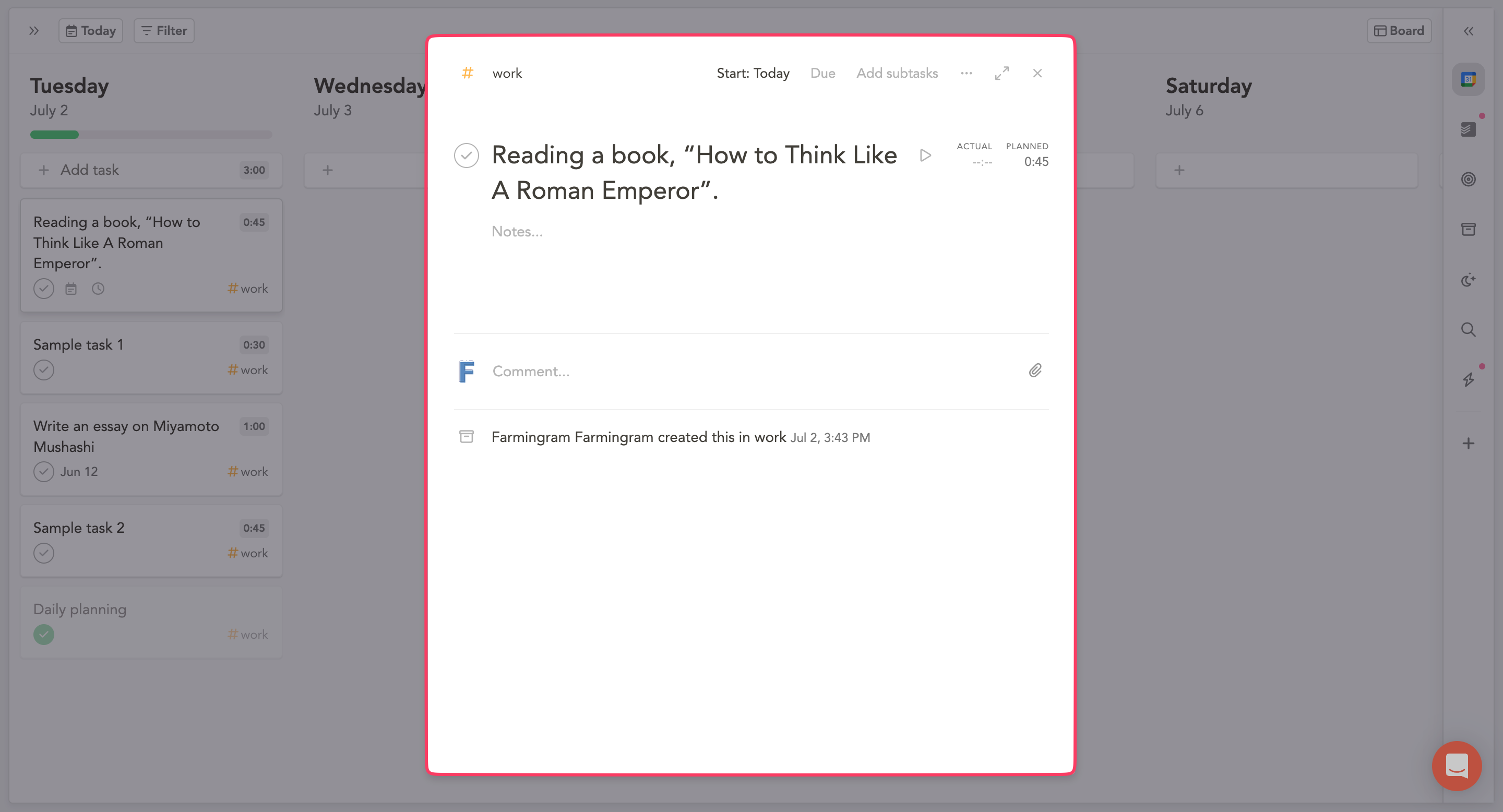
We are interested in the Focus Mode.
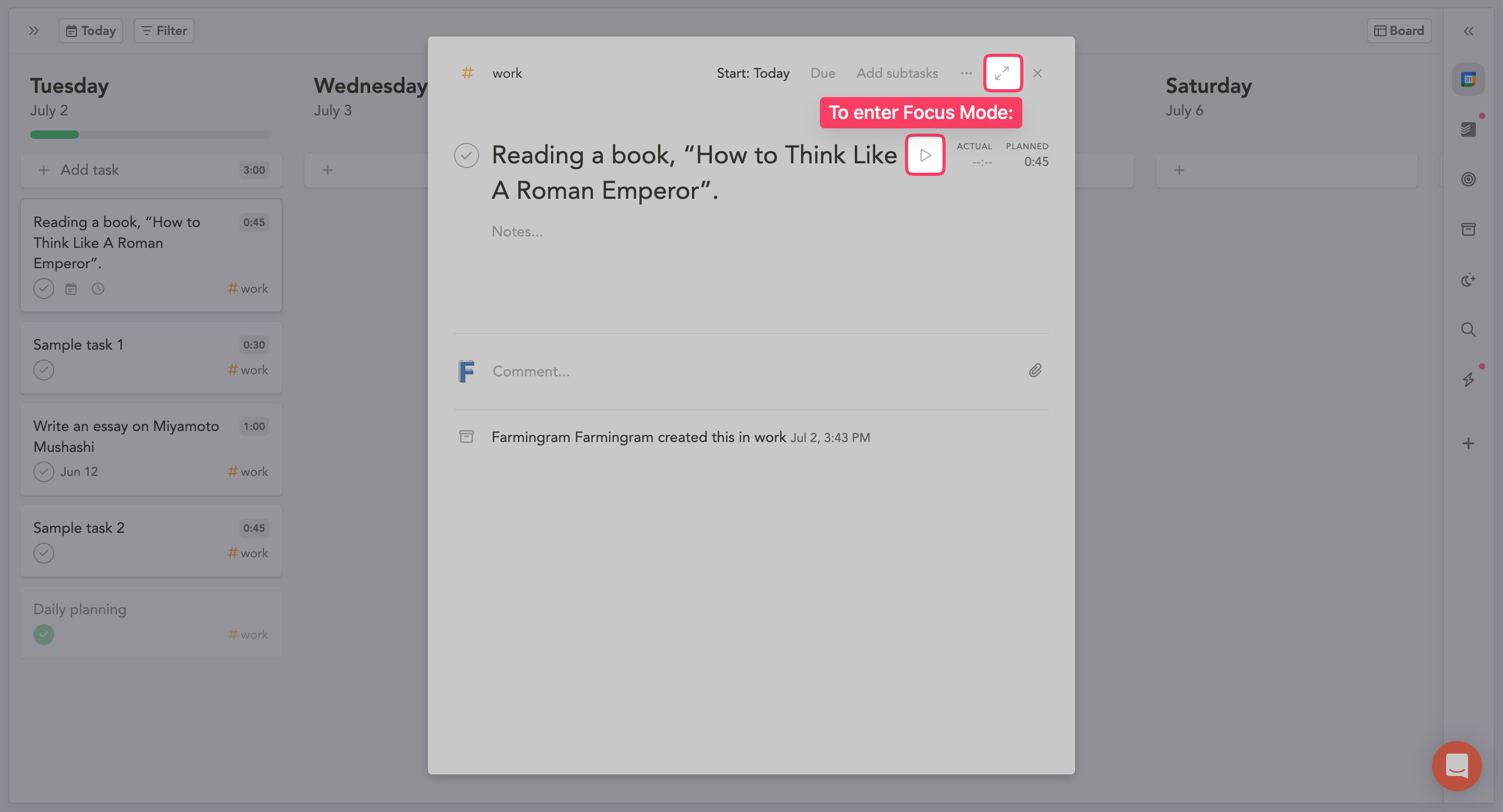
Press the F key on your keyboard or click at the following places to enter the focus mode in Sunsama:
It’s like a clean sheet of paper with your task name written on it.
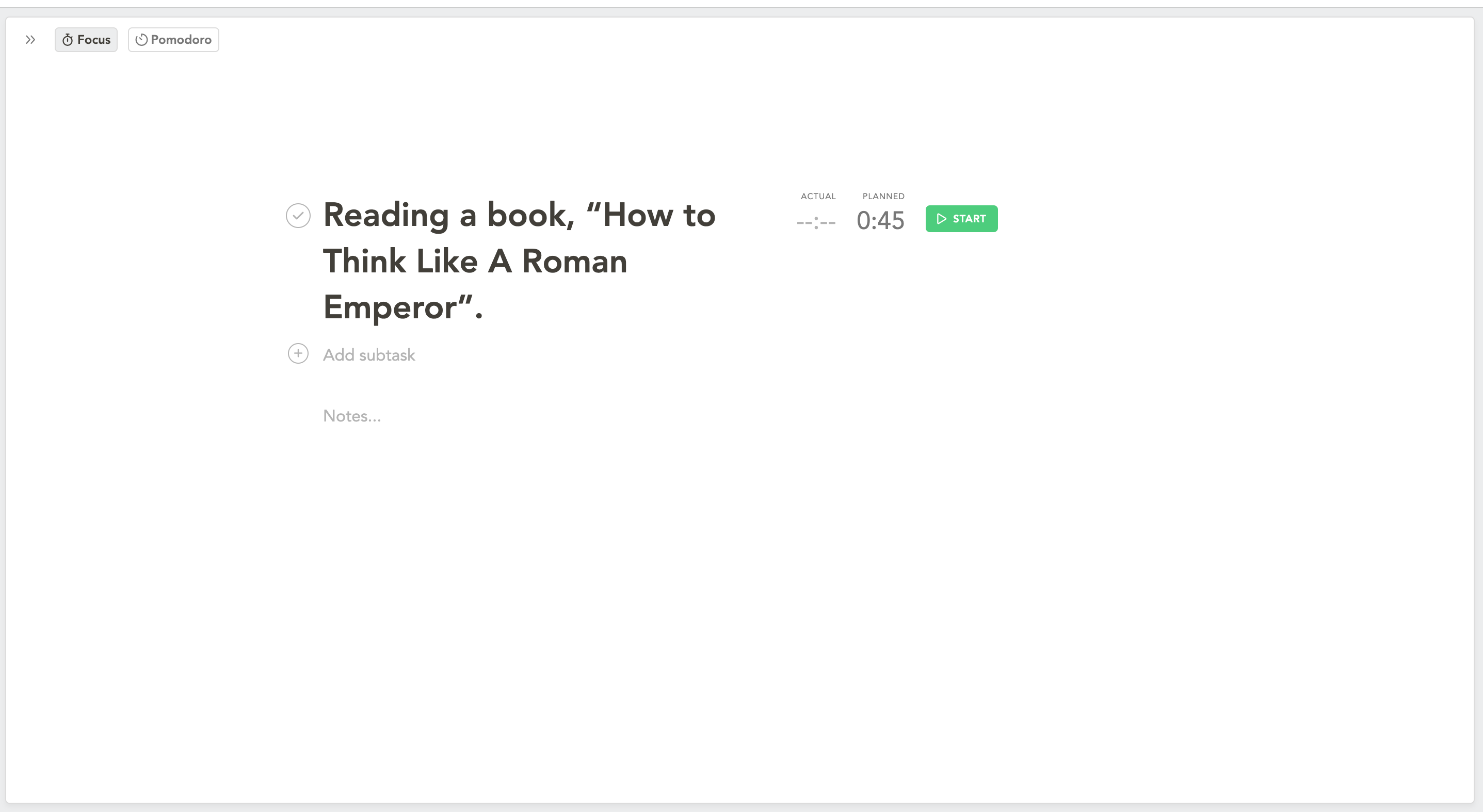
Here, you can click on the Start button to track time while working on that task.
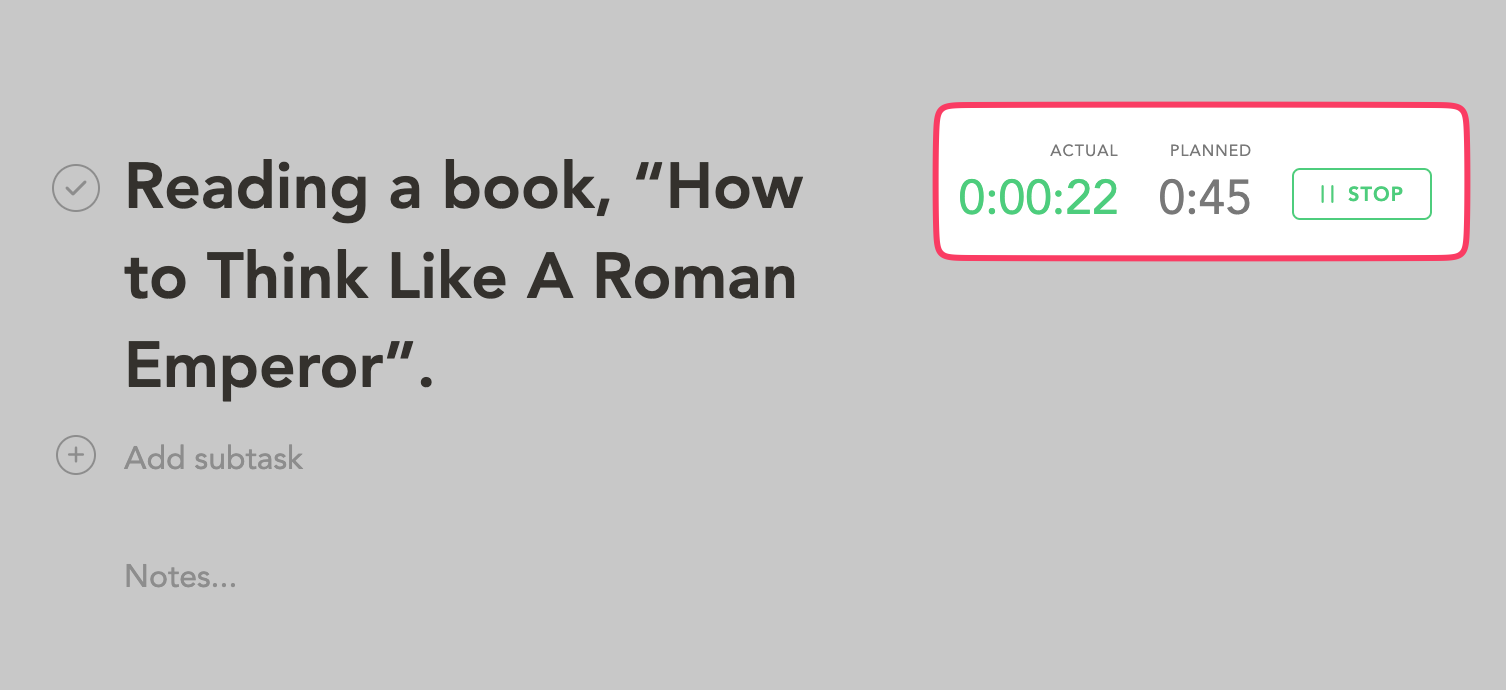
Or you could enter Pomodoro mode and start working on your tasks with work-break chronology.

If you are working with a team, you can collaborate inside Focus Mode through comments.
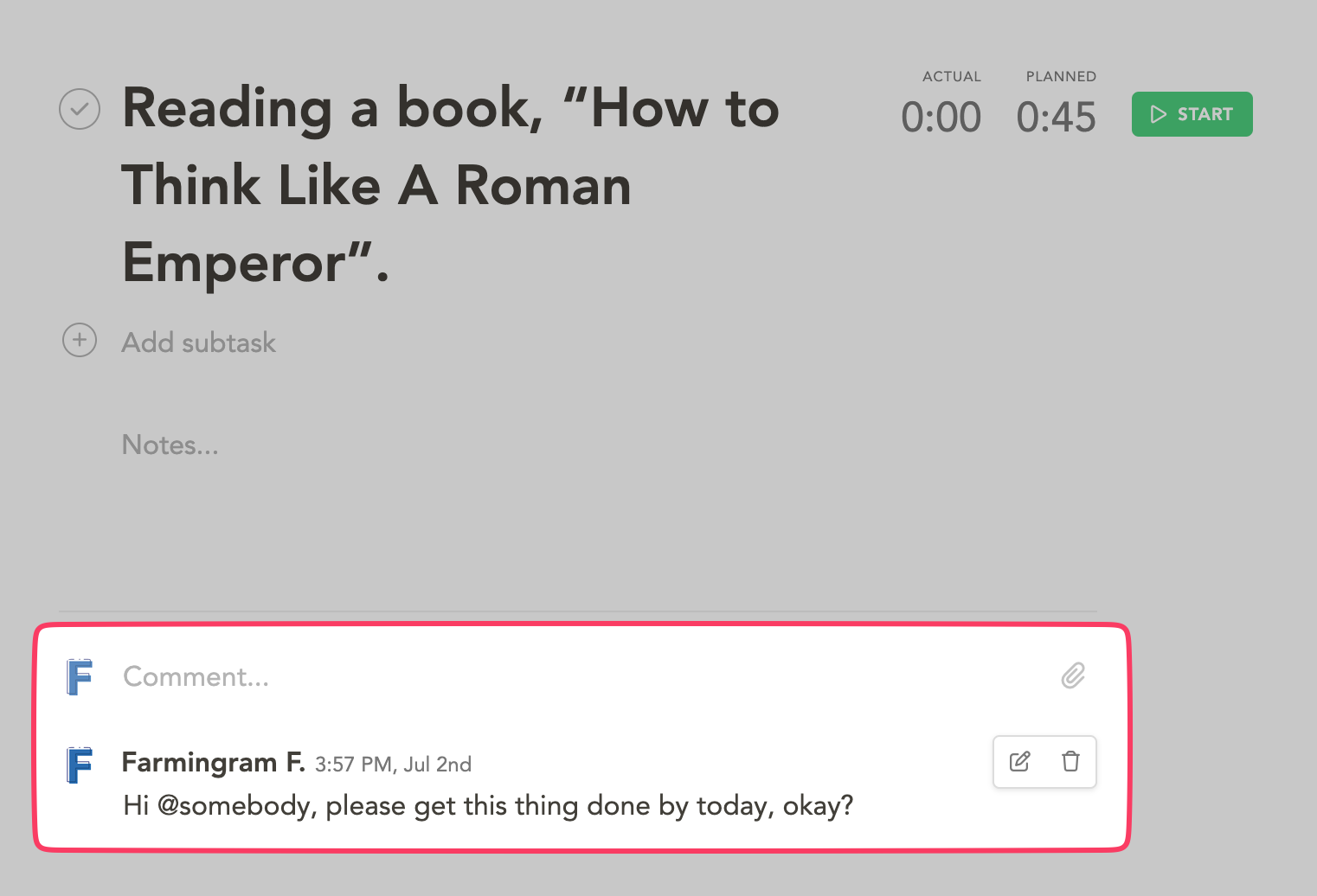
Sunsama’s Focus Mode and Pomodoro timer are awesome ways for individuals with ADHD to ensure maximum productivity while avoiding distractions and burnout.
4. Weekly review
We briefly touched upon this while talking about the daily planning/review feature.
Now let’s go into its depth.
Believe it or not, weekly reviews are considered holy and of profound value among productivity gurus.
In fact, Tiago Forte, productivity expert and the author of “Building a Second Brain” is so serious about his weekly reviews that he has a five-point checklist he follows every week.
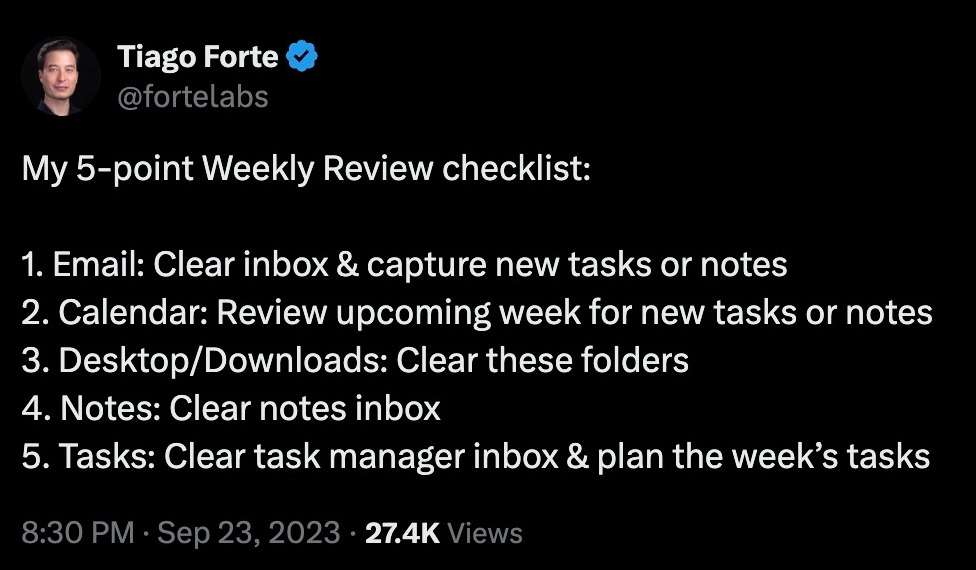
Image source: Twitter (X)
This explains its importance and how it can help ADHDers.
Here’s what Sunsama’s weekly review feature feels like:
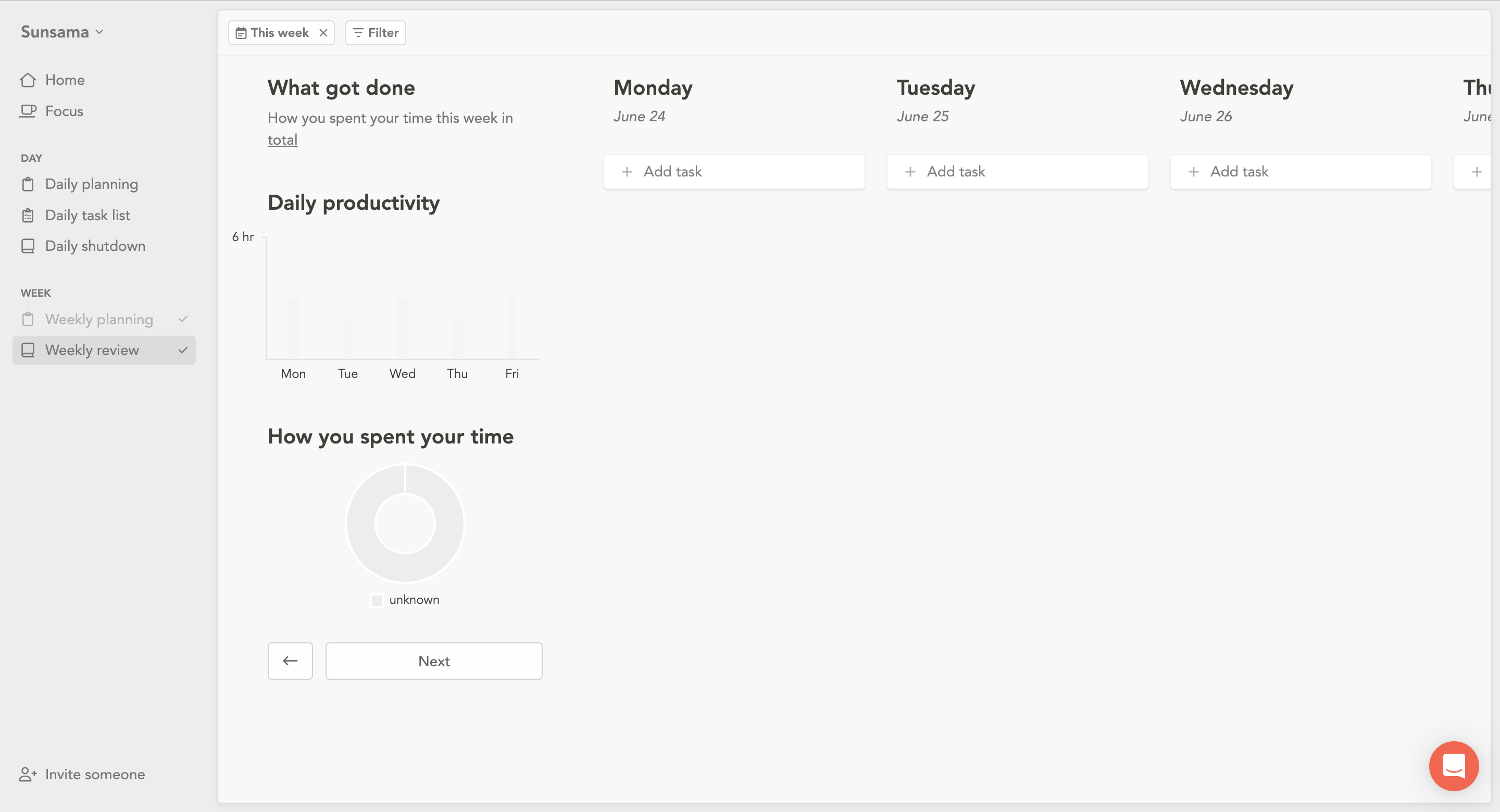
You get a bar chart showing you what tasks got done during each workday. There’s also a pie chart that shows how you spent your time (categorized).
Finally, you will be asked to reflect on your week by journaling and sharing your progress.
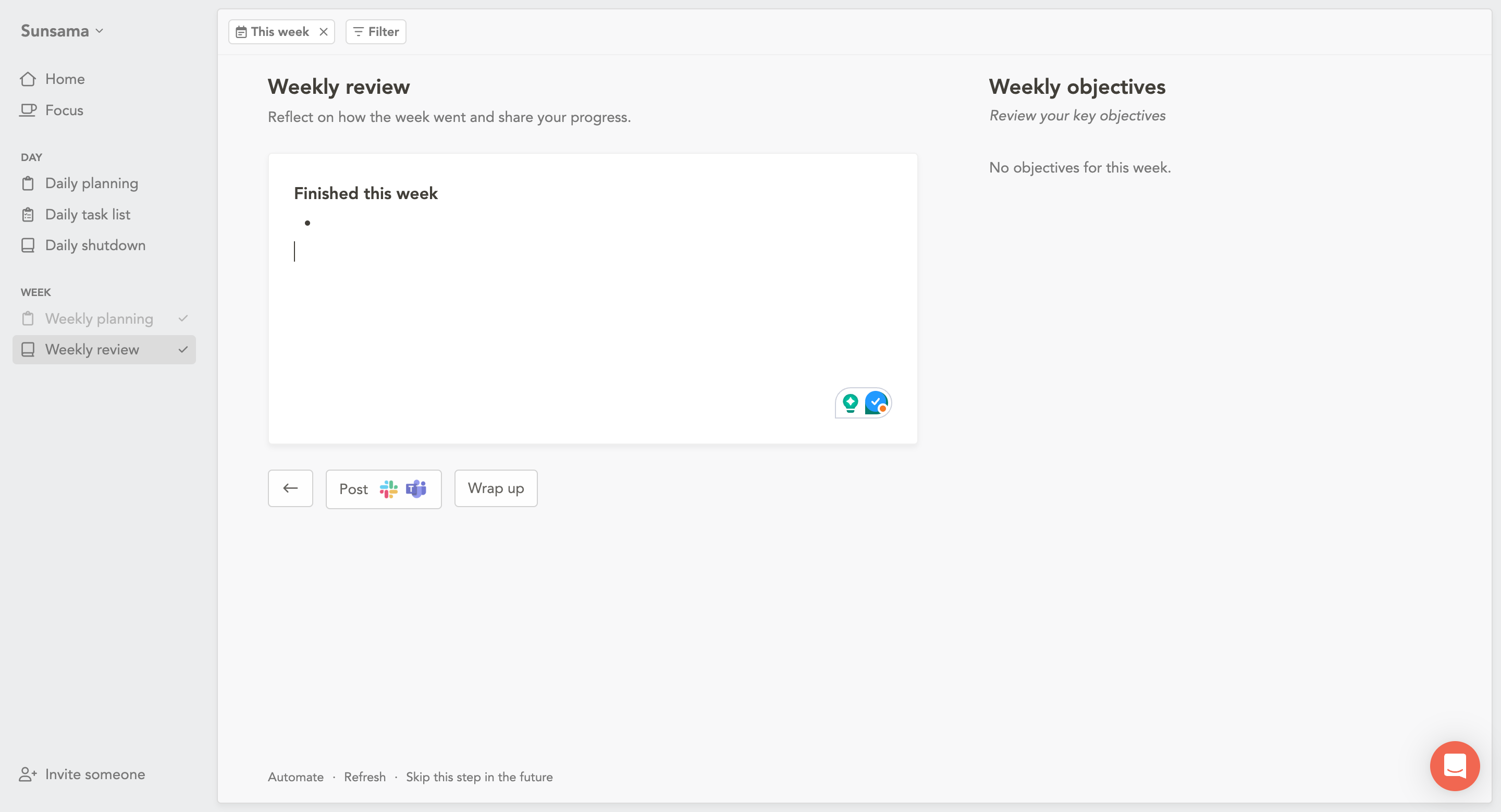
You can even choose to post it on Slack and Microsoft Teams.
Not a bad way to wrap up your week and get ready for the new one, is it?
5. Integrations
One of the things that make Sunsama even more powerful is their friendships with third-party productivity apps that you might already be using.
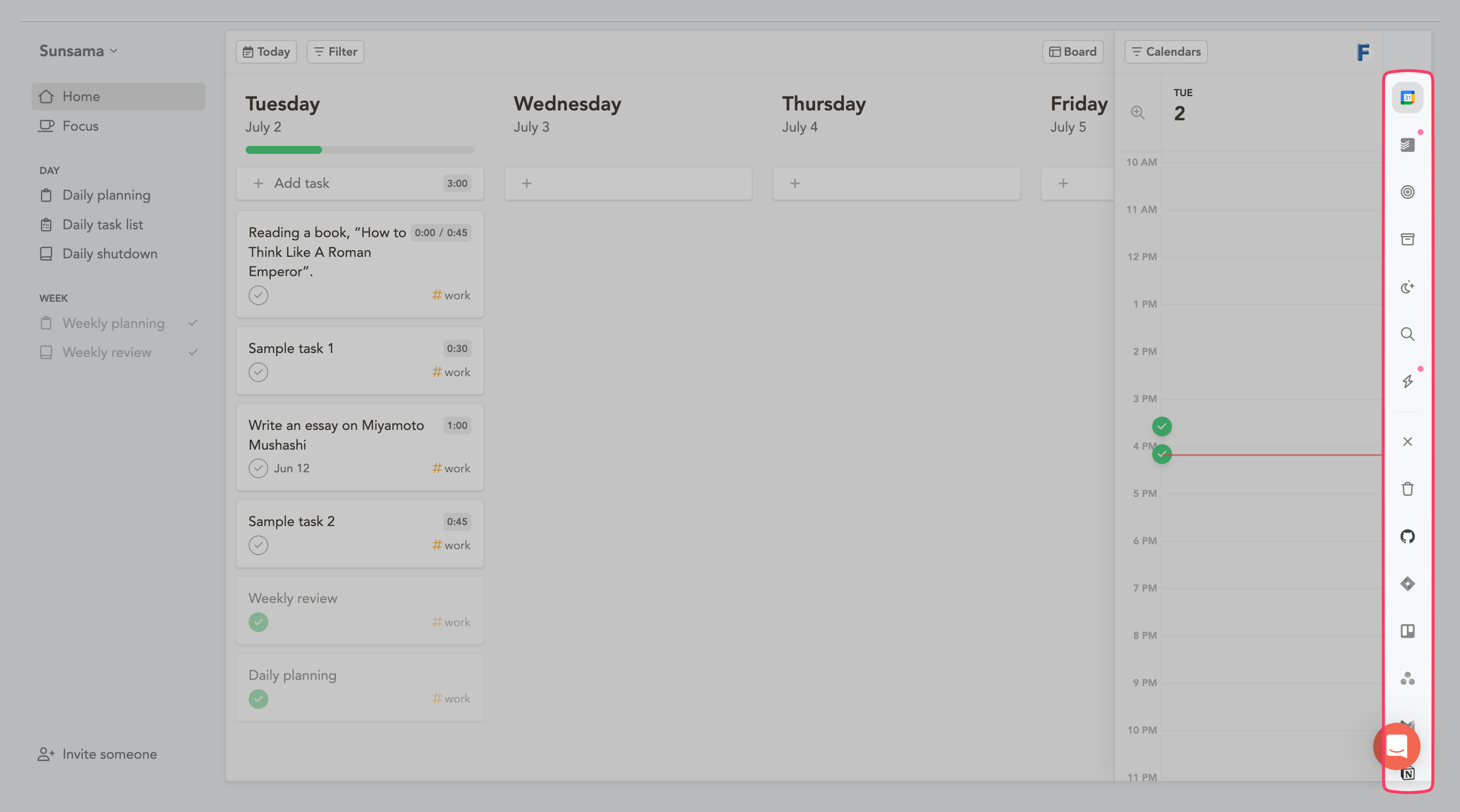
I am talking about apps, including but not limited to:
Gmail
Todoist
Github
Jira
Trello
Asana
Notion
ClickUp
Linear
and Monday.com.
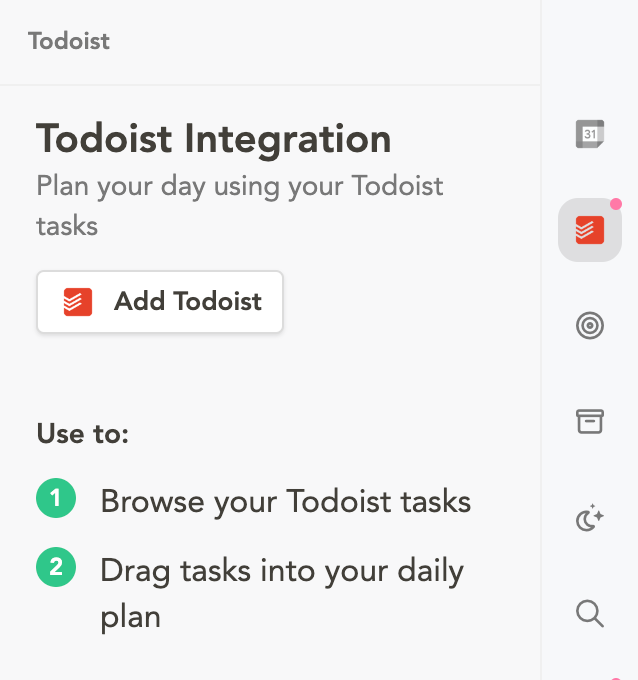
With each integration, there are specific action triggers that you can pull.
With Todoist, for instance, you can browse your Todoist tasks and drag them directly into your daily plan in Sunsama.
It’s powerful stuff!
Conclusion: Take the First Step
There you have it – everything you need to know about using Sunsama for ADHD.
So, here’s my question for you:
What would your day look like if your planner actually worked with your brain instead of against it?
Maybe it’s time to give Sunsama a shot and find out.
This could be the start of a beautiful friendship between you, Sunsama, and your wonderfully unique ADHD brain.


 A better way to manage projects and clients for freelancers
 Get through busy days like a breeze with Reclaim.ai