
Every restaurant has that moment.
It’s Sunday night.
You’re at home, supposedly relaxing, but instead, you’re juggling three things:
- a spreadsheet full of staff availability
- a stack of time-off requests
- and an endless group text chain of people trying to swap shifts.
This is the weekly scheduling dance that most restaurant managers consider normal. But “normal” doesn’t mean “necessary.”
It’s striking to me how many accept scheduling chaos as just part of running a restaurant.
They’ll optimize their menu pricing down to the penny, and track food costs religiously, but then lose hours every week to scheduling headaches.
Here’s what’s interesting:
The best-run restaurants I’ve seen aren’t just better at scheduling – they’ve completely transformed how they think about it.
They’ve realized that staff scheduling isn’t just about filling shifts. It’s about optimizing your most expensive resource: labor.
That’s why we’ve analyzed the 12 best restaurant scheduling solutions on the market.
We’re not just listing features – we’re showing you exactly how each one solves real restaurant problems, what they cost, and most importantly, which one is right for your specific situation.
1. Homebase
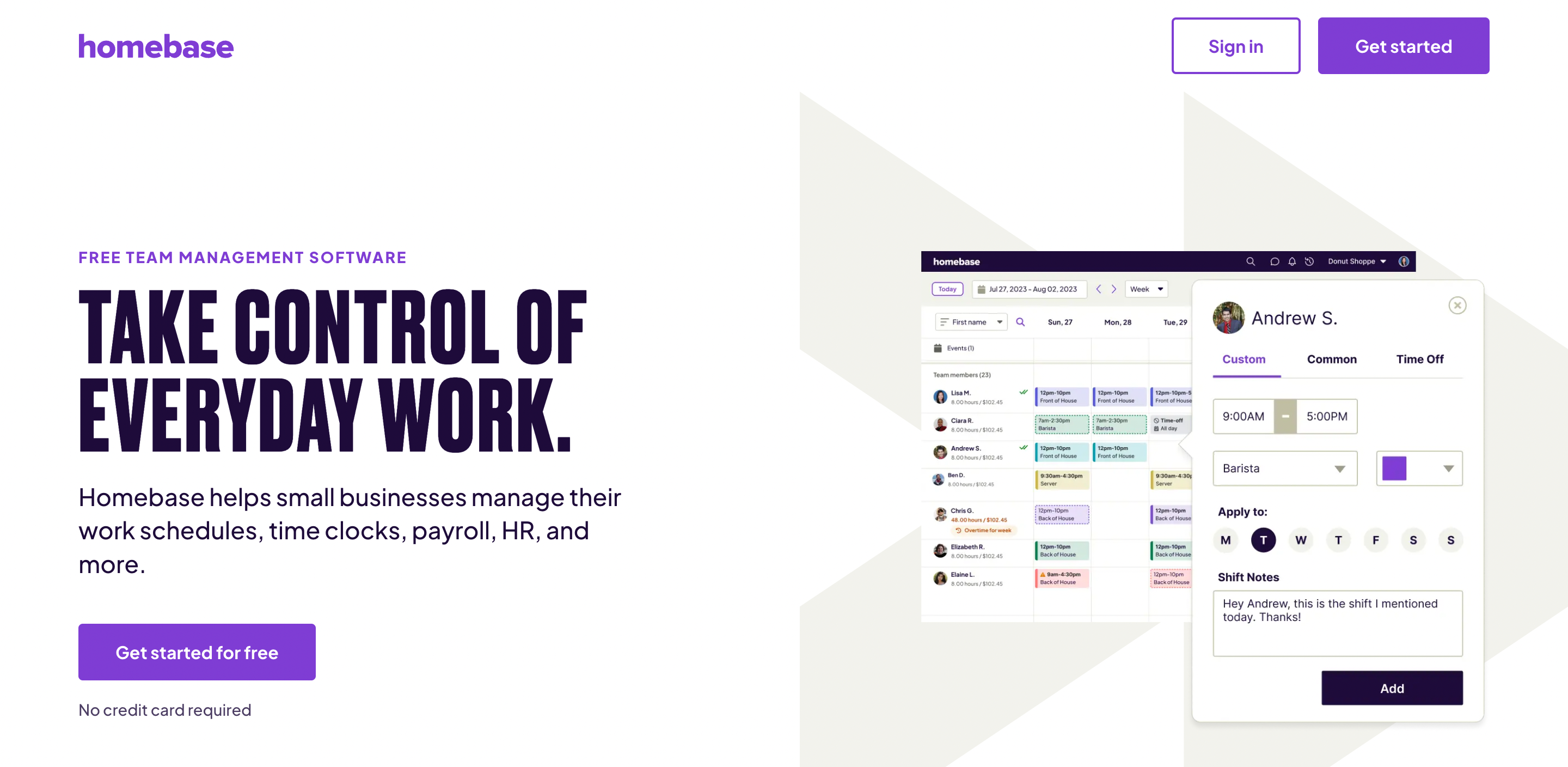
Homebase is an online scheduling and team management platform for restaurants and small businesses with hourly workers.
It takes the most time-consuming parts of restaurant management and simplifies them.
Let’s start with scheduling.
In most restaurants, this is a nightmare of availability sheets, time-off requests, and last-minute changes.
Homebase moves all of this online. You build your schedule in the app, and your staff can access it anytime from their phones.
But it goes beyond just posting schedules.
Homebase lets your team request time off or swap shifts within the app. You just approve or deny with a tap.
Time tracking is another big one.
Homebase turns any device into a time clock. Staff clock in and out with a PIN, and the system tracks hours, breaks, and overtime automatically.
This feeds directly into payroll. Homebase can run your payroll based on the hours tracked, handling tax calculations and direct deposits.
Now, let’s talk about communication. Restaurants are chaotic. Plans change fast.
Homebase includes a team messaging system. You can send updates to the whole staff or just the morning shift. And unlike group texts, new hires are automatically added to the right groups.
Homebase Features
- Smart Scheduling: Create and manage employee schedules online, with automatic conflict resolution based on availability and time-off requests.
- Mobile Time Clock: Turn any device into a time clock for accurate tracking of hours, breaks, and overtime.
- One-Click Payroll: Automatically calculate wages, taxes, and paychecks based on recorded hours, with direct deposit options.
- Team Communication Hub: Send messages, updates, and shift information to individuals or groups through a built-in messaging system.
- Labor Cost Optimization: Build schedules aligned with sales forecasts and labor targets to control costs and improve profitability.
- POS Integration: Sync with popular restaurant point-of-sale systems to inform scheduling decisions based on sales data.
Homebase Price & Plans

Free plan/trial: Free forever basic plan for 1 location with up to 20 employees. Includes essential features like basic scheduling, time tracking, and POS integration. All plans include a 14-day free trial.
Lowest paid plan: Essentials plan at $24.95/month per location. Includes advanced scheduling, enhanced time tracking, and team communication tools. Supports unlimited employees.
Highest paid plan: All-in-One plan at $99.95/month per location. Includes comprehensive features like employee onboarding, labor cost management, HR support, and compliance tools.
2. When I Work

When I Work is a restaurant scheduling platform that turns the chaos of staff management into a streamlined system you can run from your phone.
While other platforms (like Homebase, which we discussed earlier) focus primarily on the mechanics of scheduling, When I Work builds everything around communication flow.
The core scheduling interface is simple enough that you could teach it to your grandmother. But don’t let that simplicity fool you. Under the hood, it’s doing something fascinating.
Every time you create a shift, the system is actually creating a mini communication hub.
Your staff doesn’t just see their hours; they see who they’re working with, what they’re responsible for, and any special notes for the shift.
The time clock feature is particularly clever. Like Homebase, it turns any device into a time clock.
But here’s where it gets interesting: it integrates real-time attendance with your labor costs.
This brings us to something that makes restaurant owners uncomfortable: labor costs. When I Work shows you labor costs while you’re making the schedule.
The team messaging system deserves special mention.
Unlike the group texts that plague most restaurants, When I Work’s system is contextual. Messages about the morning shift go to morning people. Messages about the bar go to the bar staff.
When I Work Features
- Smart Scheduling: Create schedules that automatically account for availability, time-off requests, and labor costs.
- Integrated Time Clock: Mobile time tracking that feeds directly into your labor cost calculations.
- Team Communication: Contextual messaging system that organizes conversations by shift, location, and role.
- Labor Cost Controls: Real-time budget tracking and overtime alerts built directly into the scheduling interface.
- Multi-Location Management: Share staff and resources across locations with integrated job sites.
- Payroll Integration: One-click payroll processing with support for multiple providers.
When I Work Price & Plans

Free plan/trial: 14-day free trial for all features.
Lowest paid plan: Essentials plan at $1.50 per member/month. Includes basic scheduling, team messaging, and forecast tools.
Highest paid plan: Premium plan at $5 per member/month plus optional payroll add-on ($39/month + $6 per active member/month). Includes everything in Pro plus API access, webhooks, and SAML/SSO.
3. Deputy

Deputy is what happens when someone finally decides to treat restaurant scheduling like the complex optimization problem it really is.
Deputy goes all-in on automation and intelligence. The centerpiece is their AI-powered Auto-Scheduling.
Deputy learns from your business patterns and creates optimized schedules automatically.
Every time you create a shift, the system calculates labor costs in real-time and compares them against your sales data.
Remember how When I Work shows you labor costs?
Deputy takes it further by forecasting them based on historical patterns. This means you’re not just reacting to costs—you’re preventing problems before they happen.
Integration is another area where Deputy shines. Deputy connects with practically everything—your HR software, payroll system, accounting tools, you name it.
But perhaps the most interesting thing about Deputy is how it handles the human side of scheduling.
Instead of treating employees like interchangeable parts, Deputy tracks individual skills and qualifications.
Need someone with food prep certification and first aid training for the morning shift?
Deputy knows exactly who’s qualified and available.
Deputy Features
- Adaptive AI Scheduling: Creates optimized schedules automatically based on your business patterns and requirements.
- Real-time Labor Intelligence: Tracks and forecasts labor costs against sales data while you build schedules.
- Smart Break Planning: Automatically schedules and tracks breaks to maintain coverage and compliance.
- Skills-based Scheduling: Matches shifts with qualified employees based on tracked certifications and skills.
- Universal Integration: Connects with major POS, payroll, and HR systems for seamless data flow.
- Mobile-First Design: Full functionality across all devices for both managers and staff.
Deputy Price & Plans
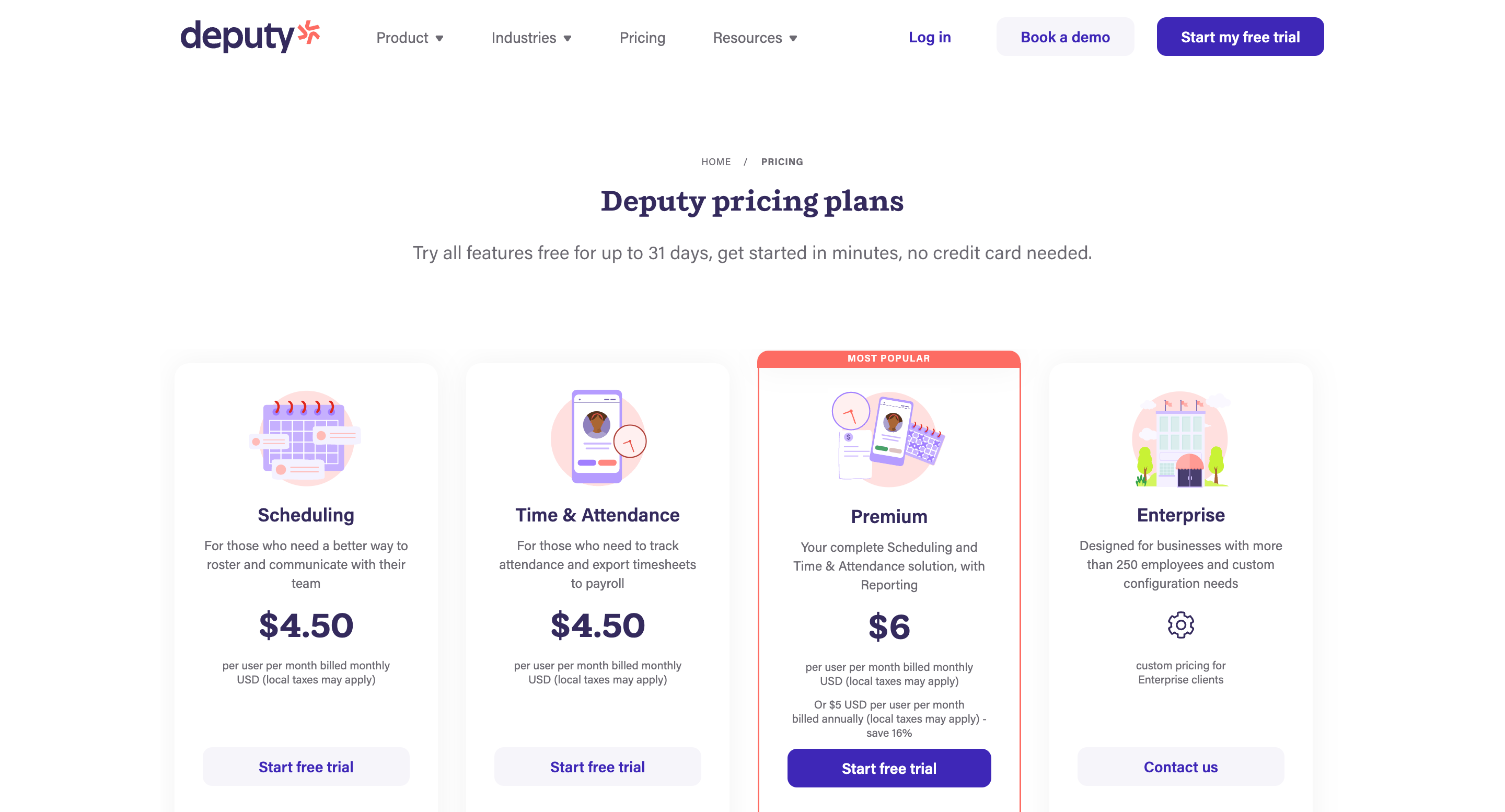
Free plan/trial: Up to 31-day free trial of all features.
Lowest paid plan: $4.50 per member/month for either Scheduling or Time & Attendance.
Highest paid plan: $6 per member/month, includes all features plus advanced reporting.
Optional HR add-on: $2 per member/month for hiring and onboarding features.
4. Push Operations
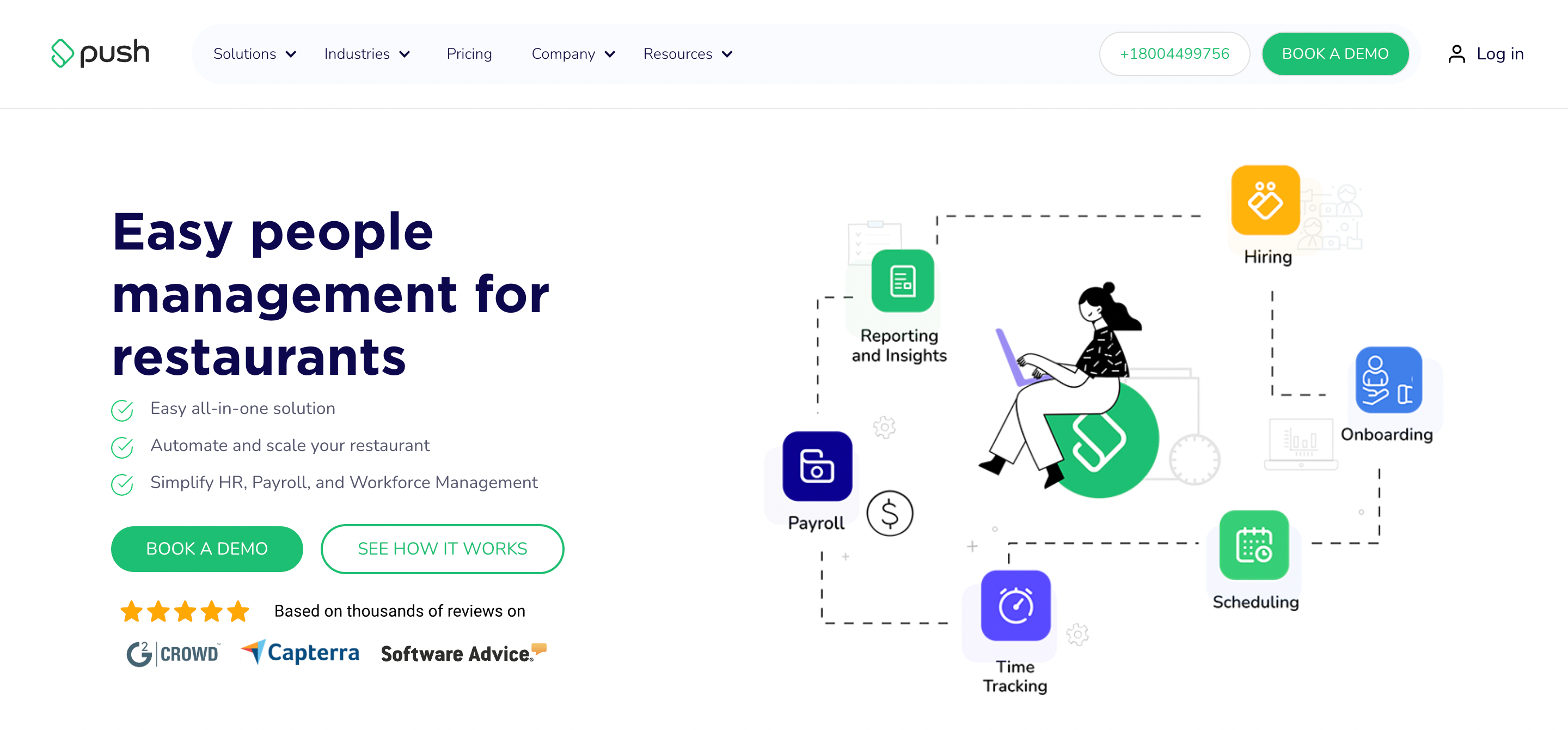
Push Operations is a restaurant management software that automates scheduling, payroll, and workforce management.
Push Operations does something remarkably powerful:
It shows you labor costs while you’re creating the schedule. You see exactly how each staffing decision affects your bottom line before you make it.
Real-time analytics transform how you make decisions. It pulls data directly from your point-of-sale system, showing you exactly how many staff members you need based on historical sales patterns.
It’s actionable intelligence that helps you cut labor costs by up to 3%.
Employee communication becomes effortless. Your staff gets a mobile app where they can view schedules, request time off, and swap shifts.
The payroll system eliminates the Sunday night headache of calculating hours. Every clock-in and clock-out automatically flows into payroll. What used to take hours now takes five minutes.
The system handles all tax calculations, including T4s, ROEs, W-2s, and 1099s automatically.
Push Operations measure what matters. You get instant access to key performance indicators for each employee, turnover ratios across locations, and labor versus sales reports.
Push Operations Features
- Real-Time Labor Cost Analysis: View and adjust labor costs as you schedule.
- Smart Schedule Generation: Create employee schedules automatically based on custom rules and historical sales data.
- One-Click Payroll Processing: Convert tracked hours into processed payroll in minutes, with automatic tax calculations and compliance documents.
- Automated Time Tracking: Monitor employee clock-ins with facial recognition and custom rules, eliminating time theft.
- Mobile Schedule Management: Enable staff to view schedules, swap shifts, and request time off through a dedicated mobile app.
- POS Integration: Pull sales data automatically from your point-of-sale system for accurate labor forecasting.
- Break Management: Track and enforce break policies while maintaining compliance with labor laws.
Push Operations Price & Plans
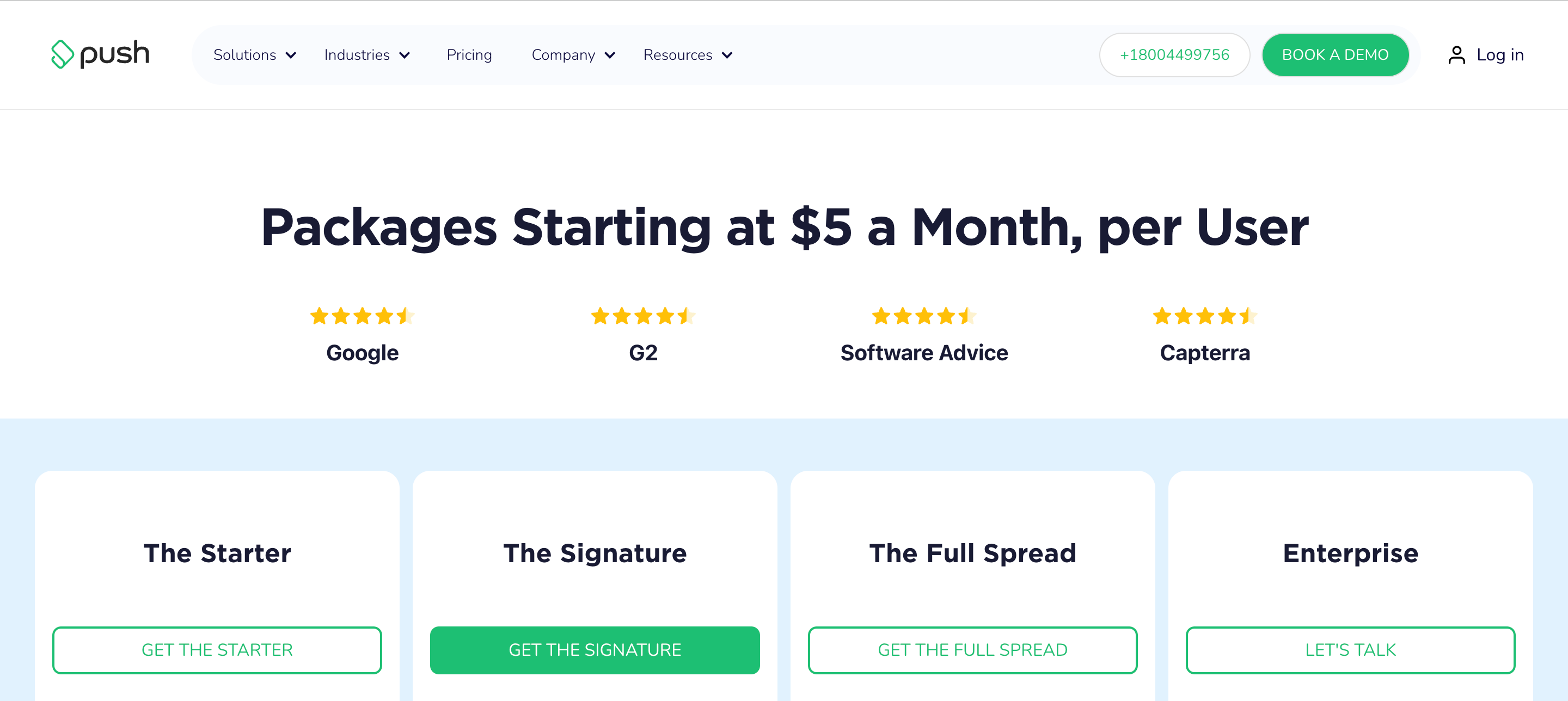
Free plan/trial: Demo available.
Lowest paid plan: $5 per employee/month for the Starter plan.
Highest paid plan: Not disclosed.
5. 7shifts

7shifts combines scheduling, payroll, time tracking, and team engagement tools to help restaurant operators run more efficient operations.
Restaurant operators using 7shifts consistently save 14 hours every month on scheduling alone.
This is what 7shifts looks like in action:
Managers create and modify schedules through an intuitive interface that automatically accounts for employee availability, time-off requests, and labor targets.
Staff members access their schedules instantly through a dedicated mobile app, enabling them to request changes or swap shifts without constant phone calls or text messages.
Time tracking in 7shifts directly addresses common restaurant compliance issues.
It automatically alerts managers about potential overtime situations and missed breaks, while precisely recording all clock-ins and clock-outs.
This data flows seamlessly into the payroll system, eliminating manual data entry and reducing costly payroll errors.
Tip management, a critical yet often overlooked aspect of restaurant operations, becomes remarkably straightforward.
7shifts enables custom tip pool creation and instant tip payouts, removing the need for staff to wait around after shifts.
7shifts Features
- Intuitive Schedule Builder: Create and modify staff schedules in minutes with a drag-and-drop interface.
- Mobile-First Access: Give staff 24/7 schedule access, shift-swapping capabilities, and instant notifications.
- Smart Time Clocking: Track employee hours accurately while receiving automatic alerts for overtime and missed breaks.
- Instant Tip Management: Create custom tip pools and process instant payouts.
- Integrated Payroll System: Process accurate paychecks with automatic tax calculations and seamless integration of timesheet data, PTO, and tips.
- Team Performance Tracking: Monitor staff satisfaction through shift surveys and track individual performance metrics to improve retention.
- Custom Permission Settings: Control access levels and information sharing across different staff roles and management positions.
7shifts Price & Plans
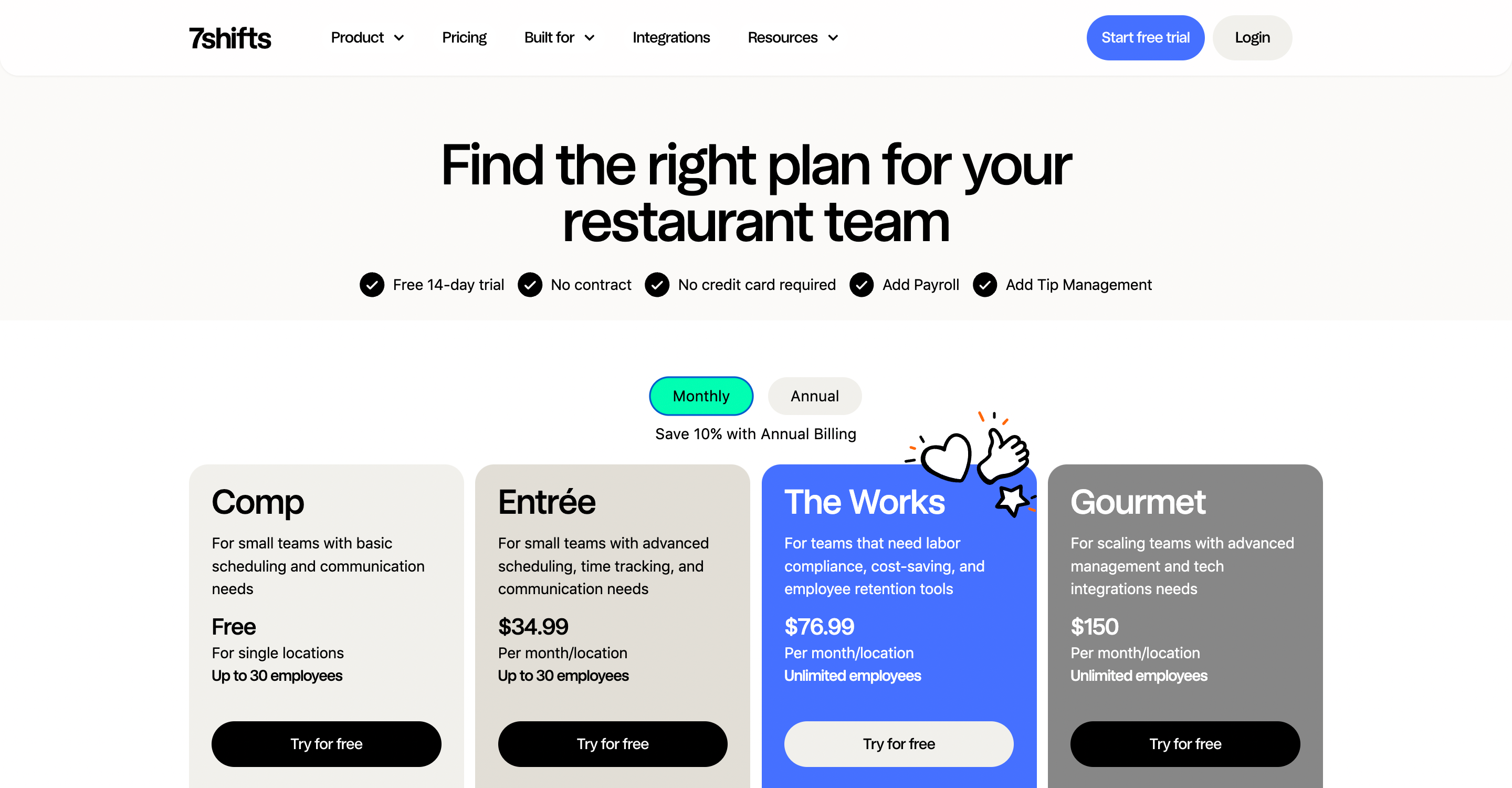
Free plan/trial: a 14-day free trial plus a permanent free plan for single locations with up to 30 employees.
Lowest paid plan: $34.99 per location/month for basic scheduling and time tracking (up to 30 employees).
Highest paid plan: $150 per location/month for unlimited employees with advanced compliance tools and complete feature access.
Optional Payroll add-on: $39.99 per location/month plus $6 per employee for integrated payroll processing.
Note: Save 10% with annual billing on all paid plans.
6. Sling
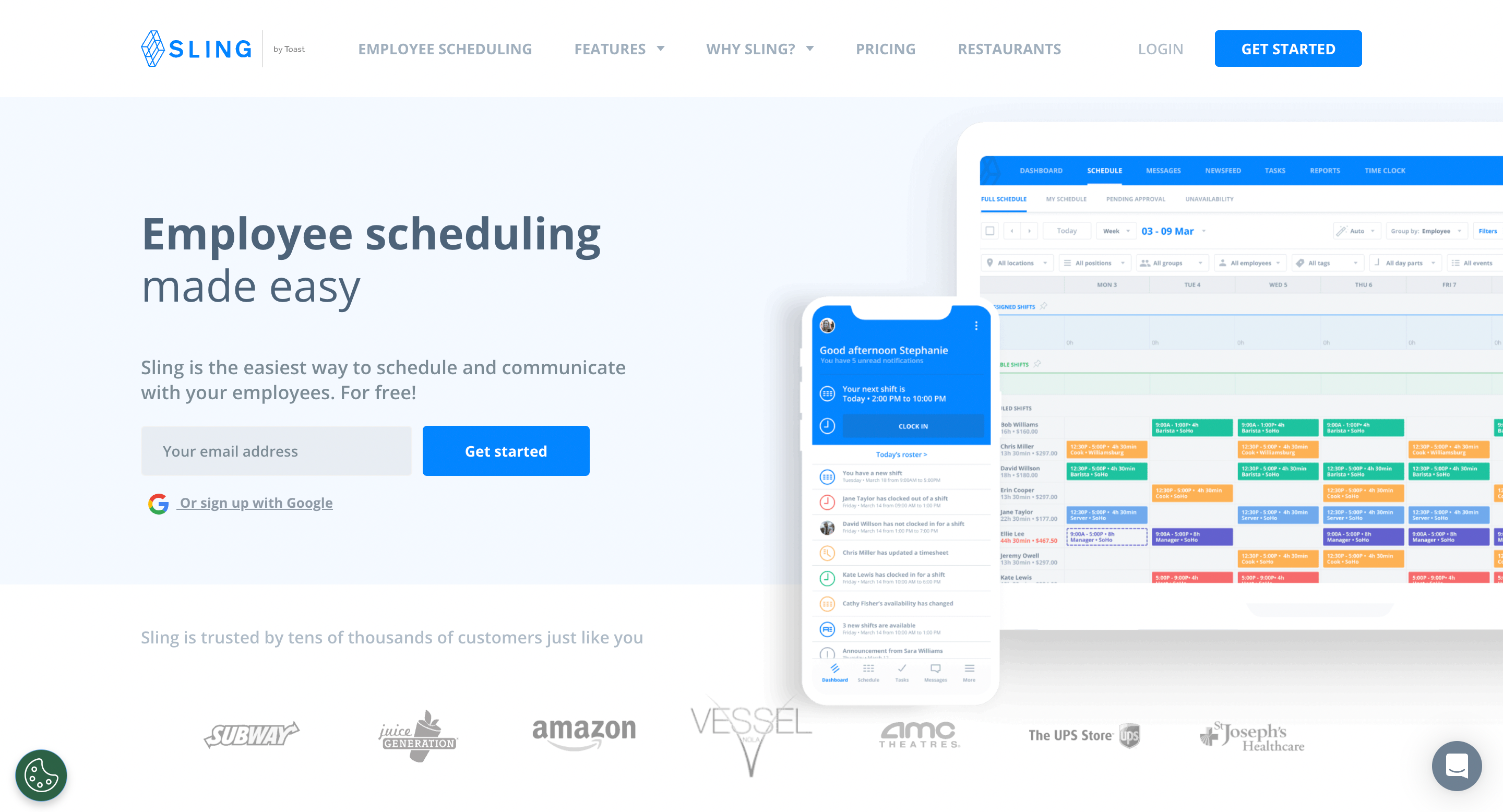
Sling is designed for businesses where shift work is the norm, especially restaurants.
Sling turns scheduling from a headache into a drag-and-drop affair. You can build entire week schedules in minutes, not hours.
Think about overtime. Most managers don’t realize they’re about to hit overtime until payroll comes around.
Sling alerts you before it happens.
The communication piece is what really sets it apart though. Sling builds communication right into the platform where your schedule lives.
This is one of those rare cases where having everything in one place actually makes sense.
Your staff checks their schedule, clocks in, swaps shifts, and chats with coworkers all in the same app. It’s available on phones too.
The labor cost optimization is particularly clever. You set your budget, and Sling helps you stick to it. It shows you exactly how much each shift costs as you’re building the schedule.
Sling’s time tracking feature uses GPS geofencing, which means staff can only clock in when they’re actually at work. No more “I’m five minutes away” time clock entries.
Sling Features
- Smart Scheduling: Drag-and-drop interface for creating employee schedules in minutes, with built-in conflict detection and overtime alerts.
- Labor Cost Control: Real-time budget tracking and labor cost optimization with automatic alerts before you exceed thresholds.
- Team Communication Hub: Built-in messaging system for group and private conversations, plus a newsfeed for company-wide announcements.
- Mobile Time Clock: GPS-enabled time tracking with geofencing.
- Availability Management: Automated system for handling time-off requests, shift trades, and employee availability preferences.
- Custom Templates: Save and reuse schedule templates for recurring shifts.
- Multi-Location Management: Handle scheduling across multiple locations with filtered views and location-specific settings.
Sling Price & Plans
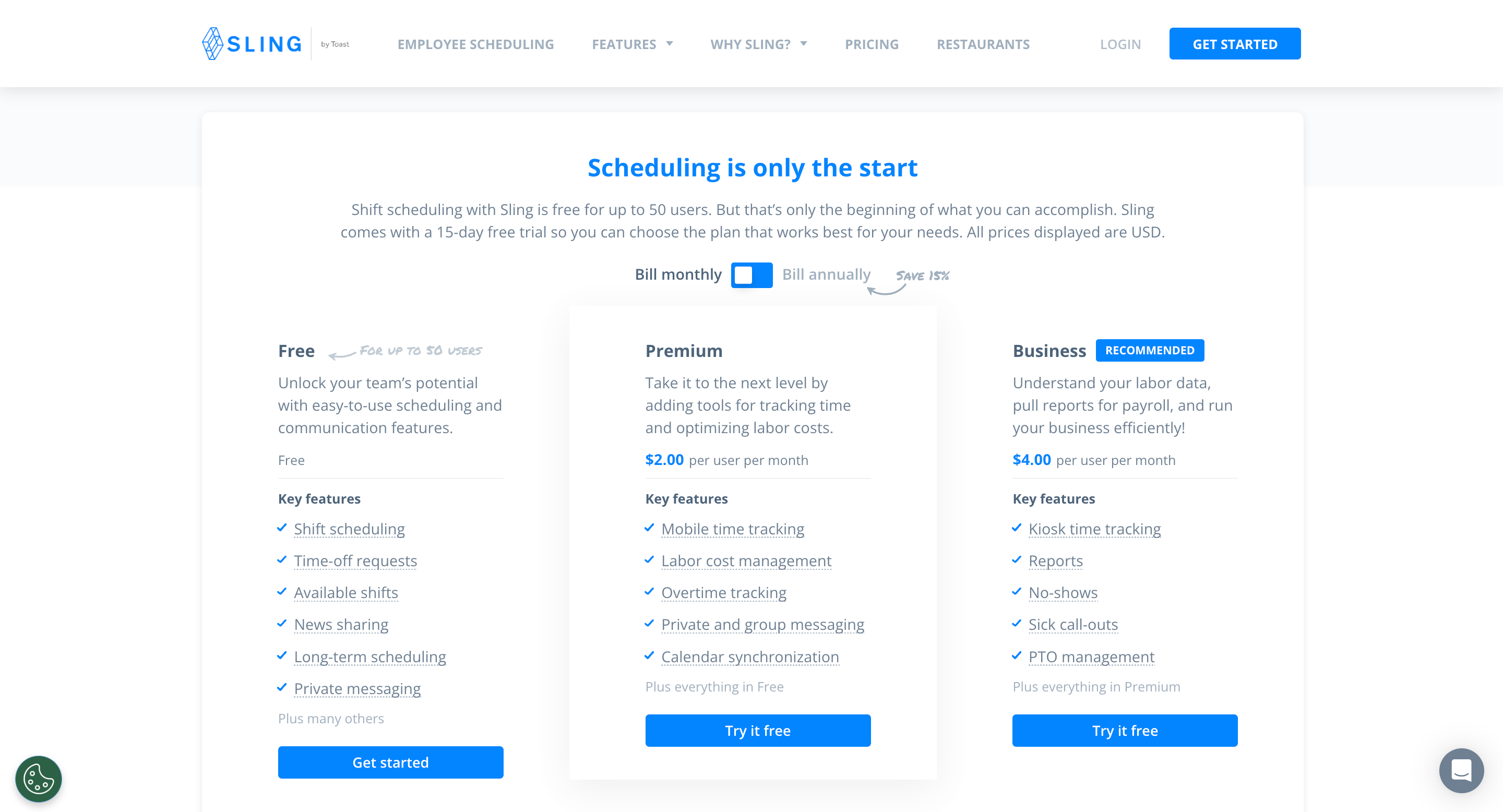
Free plan: Forever free for up to 50 users, including core scheduling and basic communication features.
Premium plan: $2 per member/month, adds time tracking and labor cost management features.
Business plan: $4 per member/month, includes everything plus advanced reporting, PTO management, and kiosk time tracking.
Note: All paid plans come with a 15-day free trial. Save 15% with annual billing.
7. TouchBistro
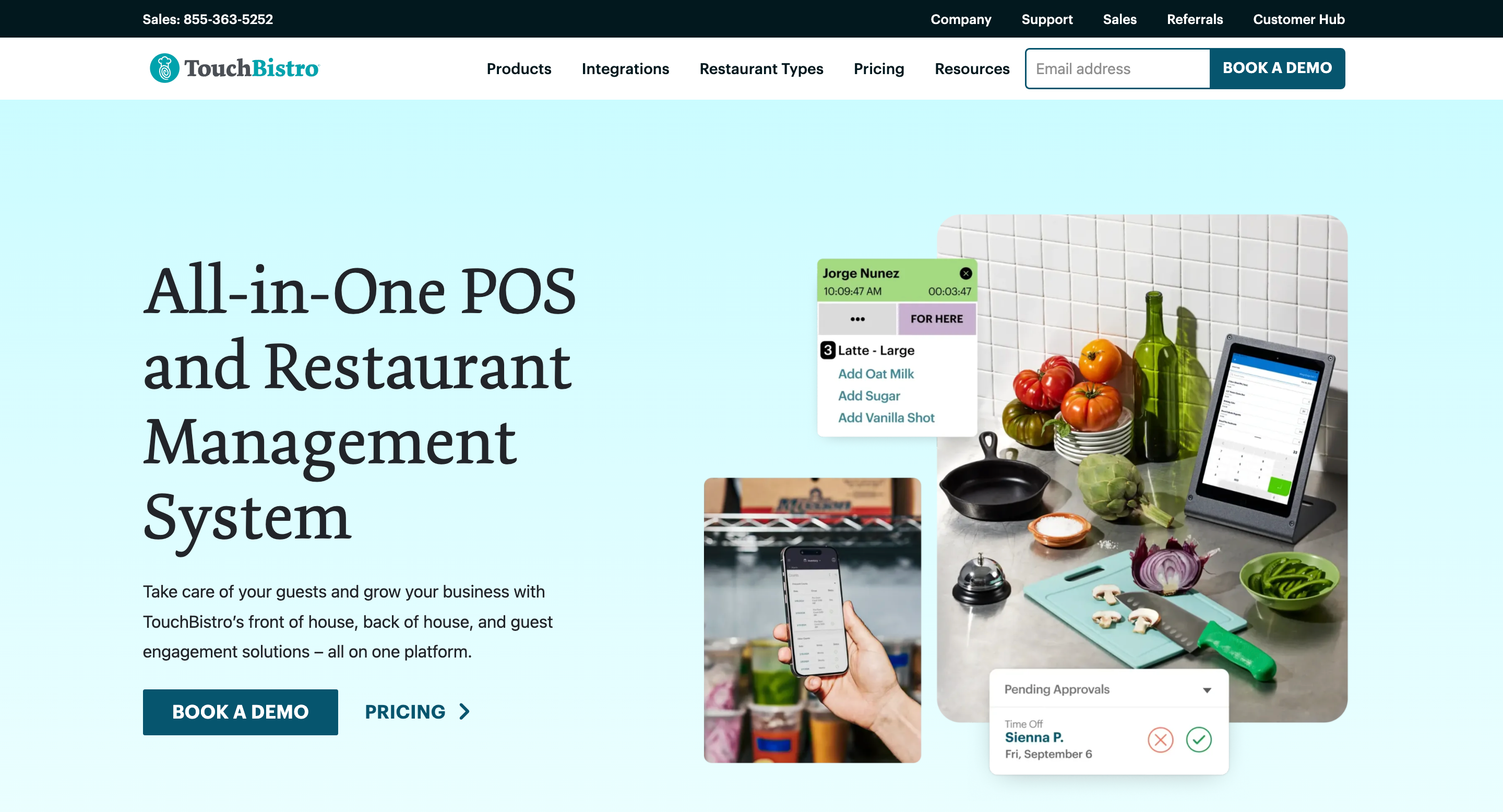
TouchBistro is a restaurant management platform that integrates point-of-sale, inventory tracking, staff management, and customer engagement for food service businesses.
Their point-of-sale system processes orders instantly while simultaneously updating inventory counts and sales data.
Each order flows directly from the server’s tablet to the kitchen display, eliminating those costly miscommunication errors.
The inventory management goes beyond simple stock counting.
When a customer orders a burger, the system automatically deducts not just the patty but every ingredient—from the bun to the lettuce.
Staff management becomes remarkably straightforward.
TouchBistro tracks clock-ins, monitors performance metrics, and even helps predict staffing needs based on historical sales patterns.
TouchBistro’s Features
- Cloud-Based POS System: Process orders, manage tables, and access your restaurant data from anywhere.
- Smart Inventory Management: Track ingredients at the granular level, with automatic deductions from every order and instant alerts for low-stock items.
- Integrated Staff Management: Handle scheduling, time tracking, and performance monitoring in one place.
- Kitchen Display System: Send orders directly from servers to kitchen screens, with automatic timing and prioritization features.
- Digital Payment Processing: Accept all payment types with integrated processing that automatically updates your sales and inventory data.
- Real-Time Analytics: Access detailed reports on sales, inventory, staff performance, and customer behavior with actionable insights.
TouchBistro’s Price & Plans
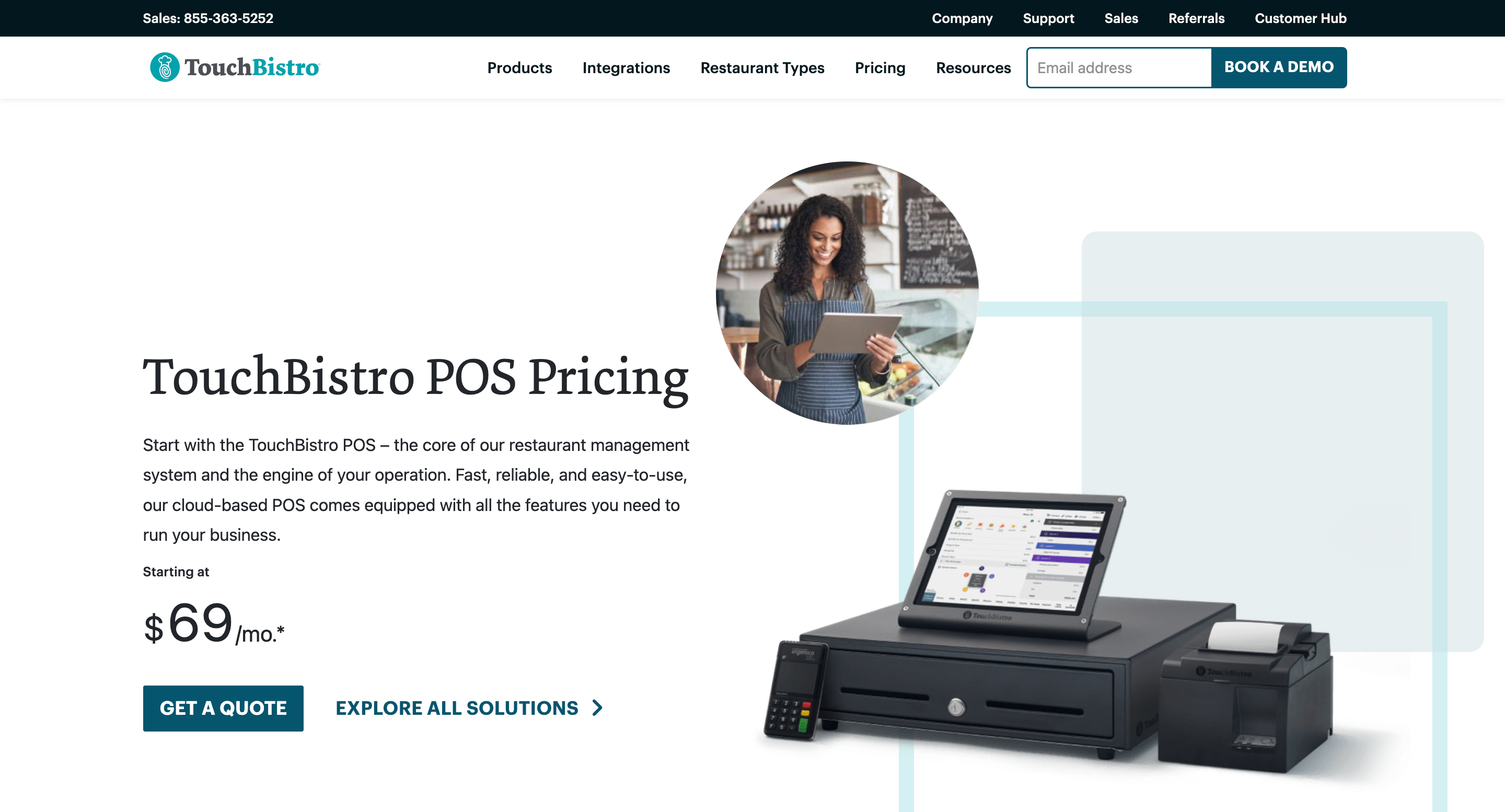
Free plan/trial: Contact TouchBistro for a personalized free demo.
Lowest paid plan: $69 per month for the core POS system, including menu management, floor plan management, basic reporting, and staff management features.
Additional solutions pricing:
- Inventory Management: From $195/month
- Online Ordering: From $50/month
- Loyalty & Marketing: From $99/month each
- Reservations: From $229/month
- Gift Cards: From $25/month
- Kitchen Display System: From $19/month
- Labor Management: From $69/month
- Profit Management: From $330/month
8. Bizimply

Bizimply reduces labor costs by 5-10% while saving managers 5-10 hours every week. It is a workforce management platform that automates scheduling, time tracking, and operations management.
With Bizimply, managers can simply drag and drop shifts while the system automatically calculates costs and alerts them about potential compliance issues.
Its time-tracking system eliminates time theft through a clever combination of PIN codes and photo verification.
When employees clock in using the TimeStation app, it captures their photo and location. This single feature often saves restaurants thousands in payroll costs.
For multi-location operations, Bizimply introduces a new level of efficiency. It tracks employee hours across all locations automatically.
This means staff can work at different venues without creating payroll chaos. Managers instantly see who’s available and whether they’re already scheduled elsewhere.
The MyZimply mobile app puts critical functions in everyone’s pocket.
Employees get instant schedule updates, request time off, and clock in remotely. Managers track real-time attendance, monitor labor costs, and adjust staffing.
Bizimply Features
- Smart Scheduling Interface: Drag-and-drop shift planning with automatic cost calculation and compliance alerts.
- Photo-Verified Time Tracking: Secure clock-in system using PIN codes and photo verification to prevent time theft.
- Multi-Location Management: Share staff across venues with automatic hour tracking and availability management.
- Labor Cost Forecasting: Predict staffing needs based on sales patterns to optimize labor percentages.
- Automated Payroll Integration: Export timesheets directly to your payroll system.
- Real-Time Performance Tracking: Monitor daily sales, labor costs, and KPIs across all locations instantly.
Bizimply Price & Plans
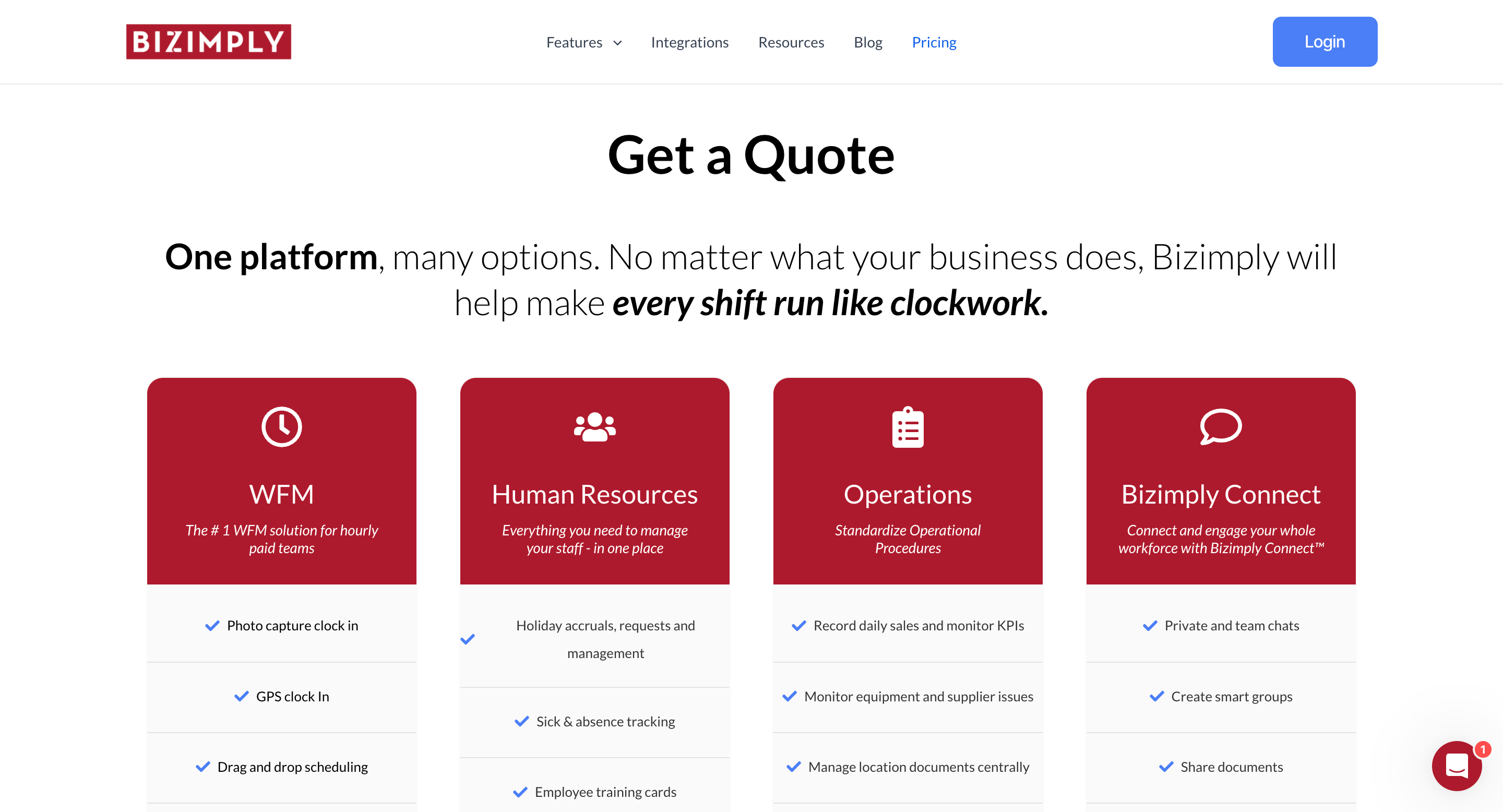
Free plan/trial: A 14-day free trial with access to all features and dedicated setup support.
Custom pricing model: Bizimply uses a flexible pricing structure based on your business size, number of locations, and selected features. Contact their sales team for a personalized quote.
9. Connecteam

Connecteam is a mobile-first restaurant management platform that combines employee scheduling, time tracking, task management, and team communication in a single app.
Most restaurant workers check their phones between tasks, not their email.
Connecteam builds on this behavior. Schedule changes, shift swaps, and time-off requests happen instantly through the app.
When someone can’t make their shift, qualified team members get an immediate notification and can claim it with a tap.
The time tracking goes beyond simple clock-ins.
Geofencing ensures employees can only clock in when they’re actually at the restaurant.
The system tracks breaks automatically and flags potential wage and hour violations before they become problems.
Task management is straightforward. Create digital checklists for opening procedures, cleaning tasks, or prep work.
As tasks are completed, managers get real-time updates.
Connecteam Features
- Mobile Time Clock with Geofencing: Track accurate work hours through employees’ phones while ensuring they’re actually at work with location verification.Real-Time Shift Management: Enable instant shift swaps, time-off requests, and open shift claims directly through the mobile app.
- Digital Task Checklists: Assign and track the completion of opening procedures, prep work, and cleaning tasks in real time.
- Direct Team Communication: Connect staff through dedicated channels for kitchen updates, front-of-house announcements, and shift handovers.
- Automated Payroll Integration: Export accurate timesheets directly to popular payroll providers like Gusto and Quickbooks.
- Performance Tracking: Monitor task completion rates, attendance, and other key metrics for each team member.
Connecteam Price & Plans
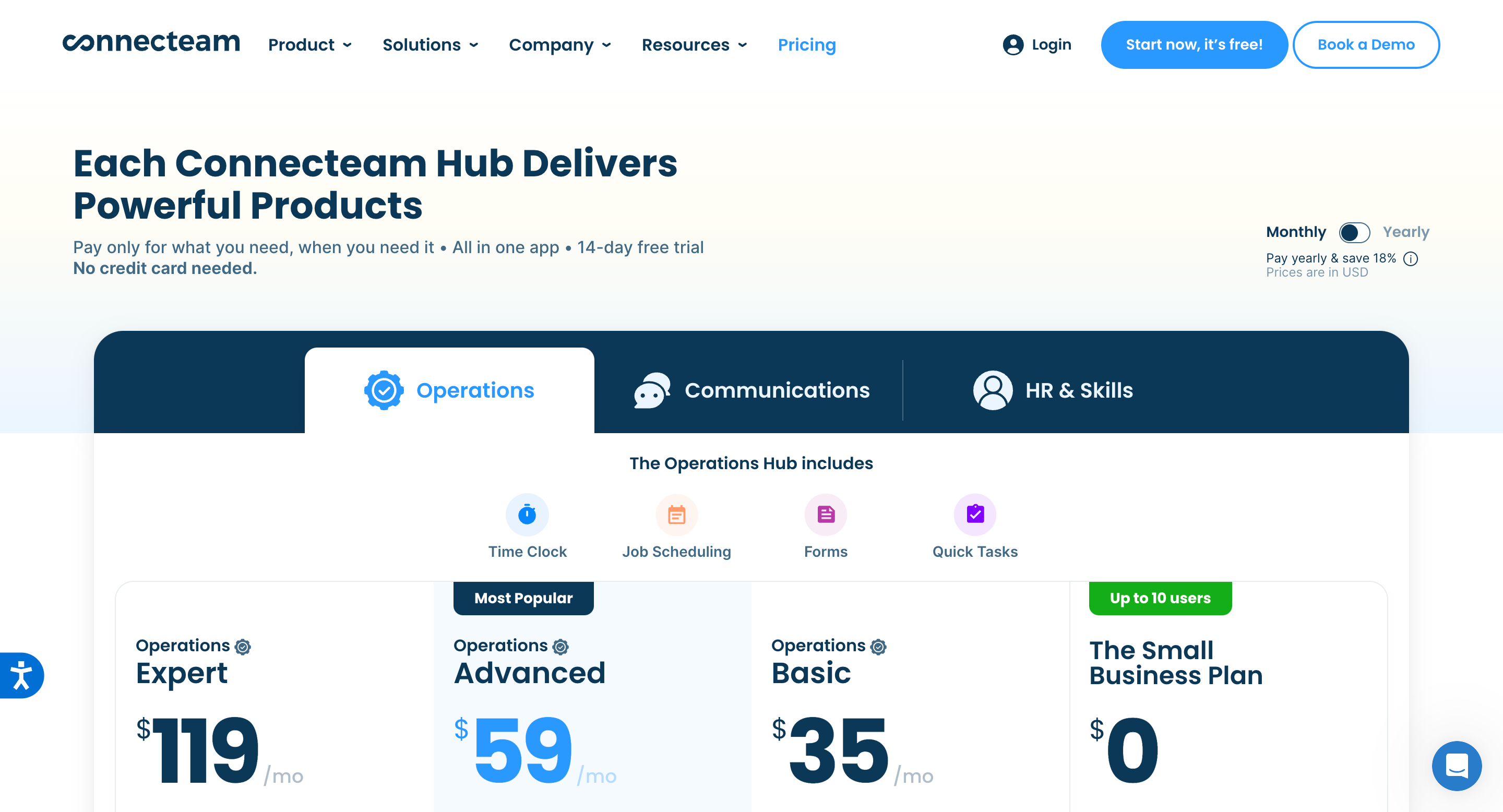
Free plan: Completely free for up to 10 members with access to all core features across operations, communications, and HR.
Lowest paid plan: $35/month for up to 30 members ($29/month if billed annually), then $0.60 per additional member. Includes essential scheduling, time tracking, and basic task management features.
Mid-tier plan: $59/month for up to 30 members ($49/month if billed annually), then $1.80 per additional member. Adds advanced features like geofencing, recurring shifts, and smart scheduling templates.
Highest paid plan: $119/month for up to 30 members ($99/month if billed annually), then $3.60 per additional members. Includes all features plus multi-location management, automated scheduling, and advanced analytics.
Note: All paid plans come with a 14-day free trial.
10. Planday

Planday is what happens when two bartenders get fed up with paper schedules and decide to build something better. It’s workforce management software that actually makes sense for restaurants.
Planday uses intelligent automation to learn your restaurant’s patterns and staff availability and then generates optimized schedules in minutes.
You input your requirements once – skill levels, certifications, labor rules, time-off requests – and the software handles the rest.
Beyond basic scheduling, Planday introduces robust time tracking through its mobile punch clock system.
Staff members clock in and out through their phones, while GPS verification ensures accountability.
Planday automatically flags early clock-ins or missed breaks, giving managers real-time oversight without constant monitoring.
Team communication becomes seamless with built-in messaging.
Managers can instantly reach specific departments or the entire staff, track message receipt, and maintain a searchable communication history.
Planday Features
- Mobile Punch Clock: Enable staff to clock in/out through their phones with GPS verification for accurate time tracking.
- Payroll Integration: Automatically sync worked hours, breaks, and overtime calculations with your payroll system.
- Team Communication Hub: Send instant updates to specific departments or entire staff through a centralized messaging system.
- Real-time Cost Control: Monitor labor costs as you schedule and receive alerts before exceeding budget targets.
- Employee Self-Service Portal: Allow staff to set availability, request time off, swap shifts, and view schedules from their devices.
- Performance Analytics: Track attendance patterns, peak staffing needs, and labor costs against sales through comprehensive reports.
- Template Scheduling: Save and reuse successful schedule patterns to speed up future planning.
Planday Price & Plans

Free trial: 30-day trial of all features with no credit card required.
Lowest paid plan (Starter): €2.99 per member/month
- Includes basic scheduling and communication
- Employee punch clock
- Working time rules
- Best for single-location restaurants
Highest paid plan (Plus): €4.99 per member/month
- Minimum of 10 members required
- €25.00 monthly subscription fee
- Full payroll reporting
- Multi-location management
- Integration capabilities
- Contract and payslip sharing
11. Buddy Punch

Buddy Punch is an employee time tracking and scheduling platform that helps restaurant owners eliminate timesheet chaos and payroll headaches.
What makes Buddy Punch different is its laser focus on accuracy and automation.
Their mobile app lets staff clock in right from their phones, while smart features prevent common time-tracking issues.
For instance, it can require photo verification during clock-in, effectively stopping employees from punching in for each other.
Location tracking brings real accountability.
Restaurant managers can set up geofencing around their establishments, ensuring staff can only clock in when they’re actually at work.
Buddy Punch even tracks GPS coordinates for each punch, giving you a clear record of employee whereabouts during shifts.
The scheduling interface is phenomenally intuitive. Create entire week schedules in minutes using drag-and-drop controls.
Buddy Punch Features
- Smart Time Tracking: Clock in/out via smartphone, computer, kiosk, or QR code. Automatic break tracking and overtime calculations are included.
- Drag-and-Drop Scheduling: Create and modify employee schedules instantly with an intuitive calendar interface. Copy entire schedules with a single click.
- GPS Location Verification: Set geofencing boundaries and track GPS coordinates for each punch. Ensure employees are at their designated workplace.
- Automated Time-Off Management: Track and manage PTO, sick days, and vacation time automatically. Built-in request system with manager approval workflow.
- Real-Time Notifications: Alert employees about schedule changes, missed punches, or approaching overtime limits instantly via push notifications.
- Payroll Integration: Connect directly with QuickBooks, Paychex, Workday, and other major payroll providers, or use Buddy Punch’s native payroll system.
- IP Address Restrictions: Limit clock-ins to specific devices or network locations for enhanced security and accuracy.
Buddy Punch Price & Plans
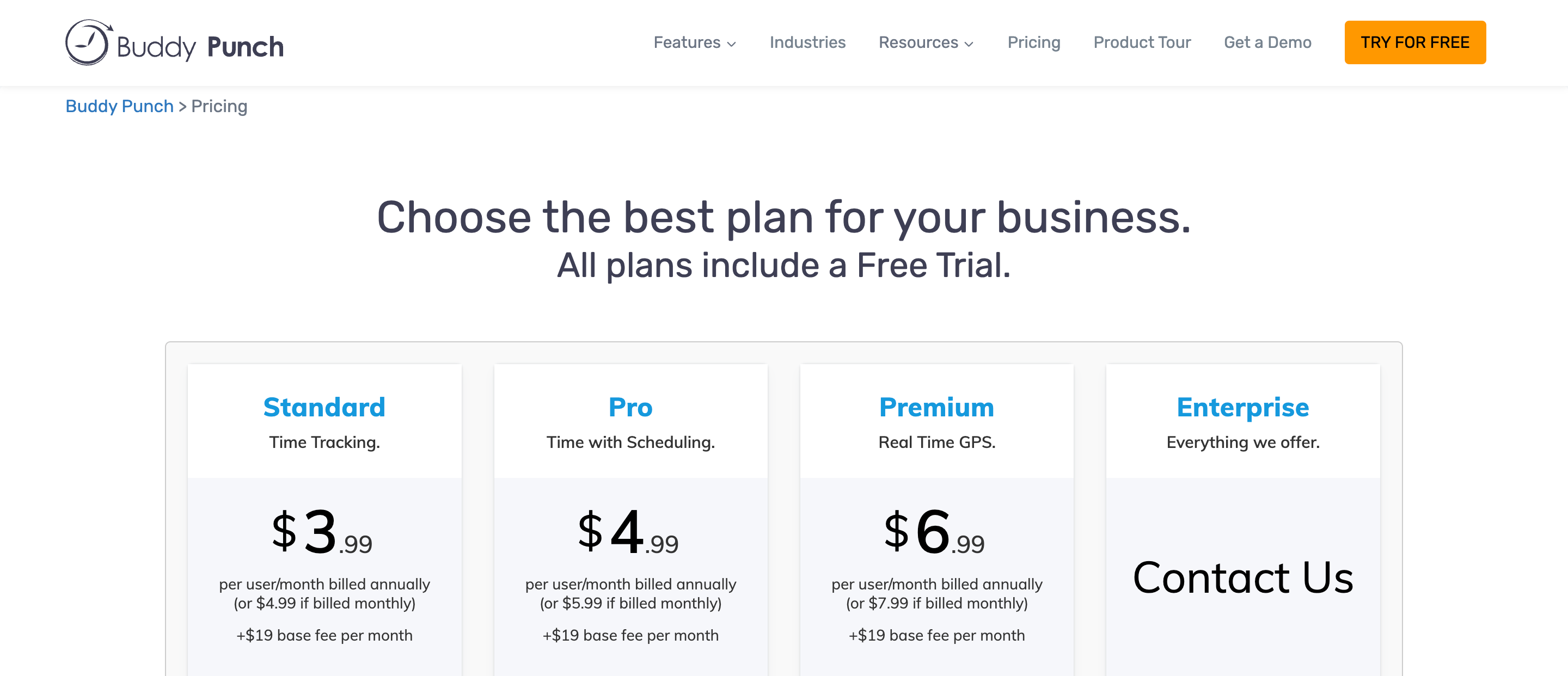
Free plan/trial: Unlimited 14-day free trial with access to all features.
Lowest paid plan: $3.99 per member/month (billed annually) or $4.99 (billed monthly) for the Standard plan with time tracking features. Includes a $19 base fee per month.
Highest paid plan: $6.99 per member/month (billed annually) or $7.99 (billed monthly) for the Premium plan with all features plus real-time GPS tracking. Includes a $19 base fee per month.
Optional Payroll add-on: $39 base fee plus $6 per member/month for integrated payroll processing, tax filing, and direct deposit features.
12. ZoomShift

ZoomShift is a scheduling software that understands restaurants have a different rhythm than offices.
Most scheduling tools try to be everything to everyone. That’s a mistake. ZoomShift does something different: it focuses exclusively on hourly workers.
Remember how Deputy uses AI for scheduling?
ZoomShift takes a simpler approach: templates.
Just like you have prep templates for your kitchen, you can have scheduling templates for your shifts.
Create one template for summer weekends, another for winter weekdays, and another for special events.
The mobile piece is crucial.
Earlier, we saw how Planday lets staff clock in through their phones. ZoomShift goes further. It turns every phone into a complete management station.
Here’s what I mean:
When someone needs to swap a shift, they don’t text you. They don’t call down a list of coworkers. They tap twice in the app, and qualified team members get instant notifications.
The time tracking is particularly clever.
Zoomshift uses geofencing to prevent early clock-ins. But it also tracks labor costs in real-time. You can see exactly how much each shift is costing you while you’re building the schedule.
ZoomShift Features
- Real-Time Labor Tracking: Monitor costs as you schedule, with automatic alerts for overtime and budget thresholds.
- Mobile-First Design: Complete scheduling and management functionality through web and mobile apps.
- Instant Shift Coverage: Automatically notify qualified team members about open shifts and enable self-service shift swaps.
- Geofenced Time Clock: Prevent early clock-ins and time theft with location-based restrictions.
- Team Communication Hub: Built-in messaging for shift notes, announcements, and direct communication.
- Multi-Location Management: Handle different locations, positions, and teams from a single dashboard.
ZoomShift Price & Plans

Free plan/trial: A 14-day free trial with full access plus the free Essentials plan for small teams, includes basic scheduling and communication features, unlimited positions, and shift notes.
Lowest paid plan: $1.5 per team member/month for the Starter plan.
Highest paid plan: $2.5 per team member/month for the Premium plan.
Note: Annual billing is available for additional savings. All paid plans include unlimited team members and locations.
Choosing the Right Scheduling Software (Without the Headache)
After diving deep into 12 scheduling solutions, here’s the truth:
While there’s no perfect software, Homebase comes closest for most restaurants.
Why?
It’s not just about features. Lots of software can handle schedules. Homebase understands how restaurants actually work.
Think about your typical Thursday night.
You’re juggling three servers who want to swap shifts, trying to figure out if you’re over budget on labor, and wondering why your opener is late.
Homebase handles all of that from your phone, in seconds.
But here’s what really matters:
It’s designed for people who don’t like software.
Your veteran server who hates tech? They’ll get it.
Your new hostess who’s never used scheduling software? They’ll figure it out in minutes.
The free plan is genuinely useful – not just a demo. You can run a single location with up to 20 employees without paying a dime. That means you can actually use it, not just try it.
Yes, there are other good options. 7shifts is great if you need advanced analytics. When I Work shines for multi-location operations. Deputy has the best AI features.
But for most restaurants – from the corner pizza place to the busy downtown bistro – Homebase hits the sweet spot of being powerful enough to solve your problems, and simple enough to actually use.


 A better way to manage projects and clients for freelancers
 Get through busy days like a breeze with Reclaim.ai