
Whether you’re running campaigns on Google, Facebook, LinkedIn, or all at once, the complexity multiplies fast. You must juggle budgets, optimize targeting, track conversions, generate reports, and keep up with platform changes, all while ensuring a healthy return on ad spend.
This is where ad management tools come in. They automate tedious tasks and give you a central control panel to manage multiple campaigns across platforms. You can monitor performance in real-time, test variations, set rules for budget optimization, and even get suggestions based on machine learning.
For solo marketers, small businesses, or enterprise teams, the right tool helps you do more with less with faster decisions, fewer errors, and better ROI.
What is an Ad Management Tool?
An ad management tool is software designed to streamline and automate the process of creating, managing, and optimizing digital advertising campaigns.
These tools help businesses manage their advertising workflows across various platforms, track performance, and make data-driven decisions to improve campaign effectiveness and return on investment.
How I Tested These Tools
I didn’t rely on feature lists or marketing blurbs.
Every tool on this list was tested hands-on, starting from account creation to campaign deployment. I built test campaigns, connected ad channels, explored automation workflows, and evaluated reports just like an actual user would.
Here’s what I focused on during testing:
- Ease of Use: Right from setup, the focus was on whether I could launch a campaign without needing a manual. Good UX means fewer clicks, intuitive layouts, and clear workflows. Some tools made this feel smooth, while others buried core functions in odd places.
- Automation & AI Features: Campaign rules, budget reallocations, ad pausing, and predictive suggestions were all tested in real scenarios. Tools with real AI value and not just a “smart” label were the ones that saved actual hours of manual work.
- Reporting & Insights: Numbers are only useful if they make sense. I reviewed how clean and customizable the dashboards were, whether key metrics were highlighted, and if the insights could directly inform next steps. Bonus points if they made sharing data with clients or teams effortless.
- Integrations: Ad management rarely works in isolation. So I connected each tool with HubSpot and Salesforce, analytics tools, ecommerce platforms, and even Slack. Tools that made this feel smooth and native scored higher than those that needed workarounds.
- Support & Documentation: When a feature broke or wasn’t obvious, I checked the help docs, contacted live chat (where available), and reviewed tutorial content. Quick, helpful responses and thorough documentation mattered more than long email chains or auto-replies.
- Pricing vs Value: Instead of just checking if something was “affordable,” I weighed the cost against what the tool unlocked in productivity or ROI. Some of the more expensive tools justified their price with automation and team collaboration features. Others impressed me with just how much they offered on a low-tier plan or even for free.
12 Best Ad Management Tools in 2025: TL;DR
- HubSpot Ads: Best for CRM-connected ad campaigns across Google, Facebook, and LinkedIn
- Adzooma: Best for simple PPC management with built-in automation
- Madgicx: Best for AI-powered ad optimization and creative testing
- Birch (Revealbot): Best for automating Meta and Google Ads with custom rules
- Smartly.io: Best for managing high-volume social campaigns with dynamic creatives
- AdSpyder: Best for competitor ad tracking and keyword-level insights
- AgencyAnalytics: Best for automated ad reporting across 80+ platforms
- Hootsuite: Best for managing ads and organic posts in one place
- Sprout Social: Best for social campaign tracking with unified analytics
- Screendragon: Best for ad agencies handling budgets, workflows, and teams
- Workamajig: Best for project, campaign, and finance tracking in ad agencies
- ClickUp: Best for customizable ad workflows and team collaboration
1. HubSpot Ads: Best for CRM-Connected Ad Campaigns Across Google, Facebook, and LinkedIn
What is it? HubSpot Ads helps you launch, manage, and track ad campaigns across Google, Facebook, Instagram, and LinkedIn using real-time CRM data.
Ideal for: Marketers and growth teams already using HubSpot CRM who want to connect ad performance with lead nurturing and pipeline outcomes.
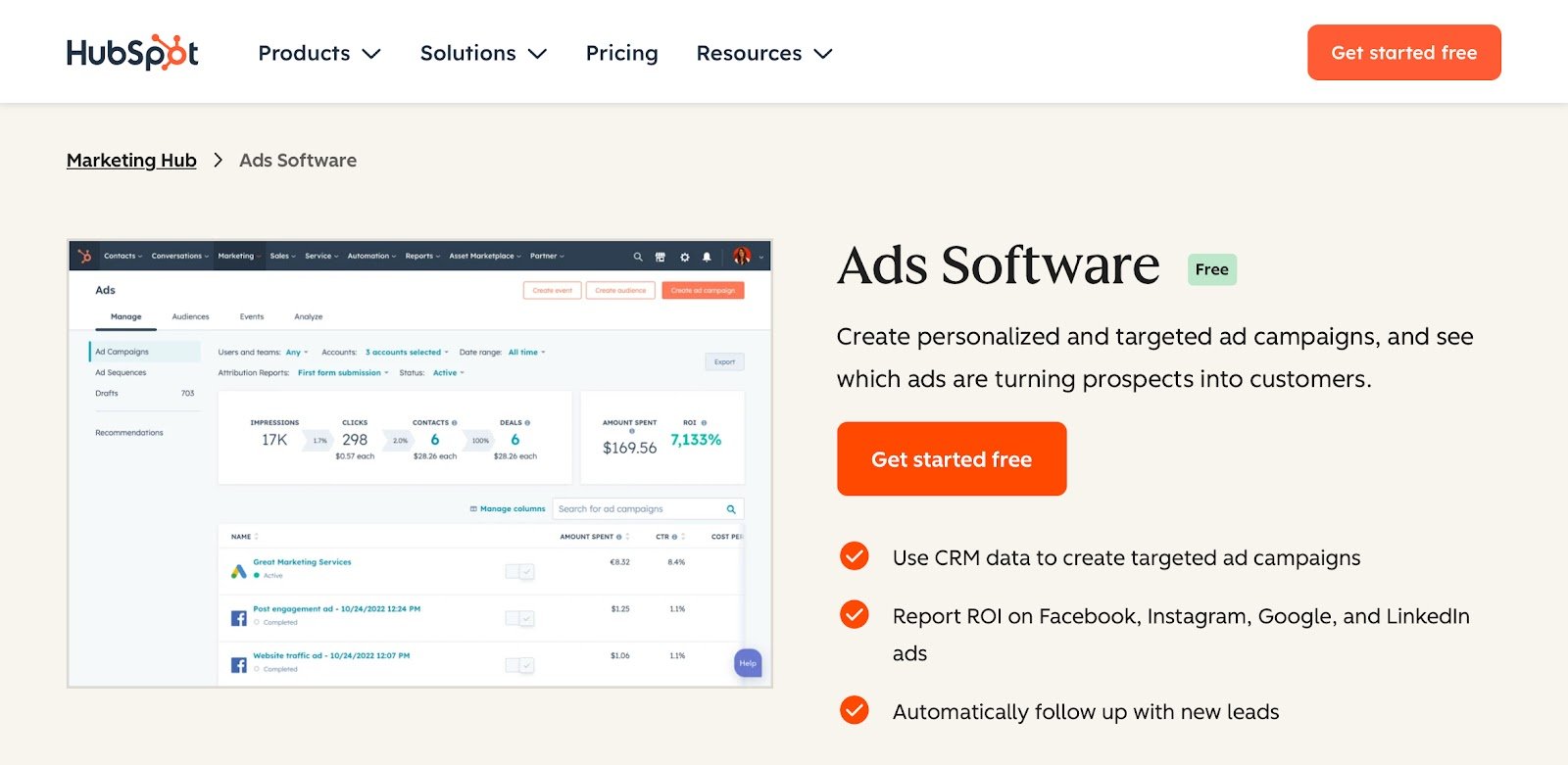
If your ads, emails, landing pages, and sales data live in separate tools, HubSpot Ads neatly solves that problem. It brings everything into one place and more importantly, ties it all together using your CRM data.
That means your ad targeting isn’t based on guesses or cold interests. It’s based on actual behaviors, like who viewed your pricing page or downloaded a whitepaper last week.
Once you connect your Google, Facebook, or LinkedIn ad accounts, HubSpot pulls everything into a clean dashboard.
You can build audiences using CRM filters, launch new campaigns directly, and track leads in real-time as they interact with your ads. No spreadsheets, no jumping between tabs.
After this, every form submission or lead gets added to your CRM instantly. From there, you can automatically trigger follow-up emails, update lead scores, notify sales, or even assign them to a pipeline.
Along with impressions or clicks, HubSpot also shows which campaigns actually influenced deals, how long it took, and what touchpoints mattered along the way.
And this kind of clarity helps a lot when you’re trying to justify a budget or optimize what’s already working.
The newer AI tools are solid and let you generate ad copy, write follow-up emails, or build landing page content without starting from scratch.
Setup is simple if you’re already inside HubSpot. You just connect your ad accounts, sync audiences, and get going.
The learning curve is short and the benefit is that marketing and sales teams stay on the same page without any forced handoffs.
Pros
- Offers built-in A/B testing tools
- Auto-generates and tracks UTM parameters
- Suggests ad optimizations based on performance goals
- Connects ad performance directly to lifecycle stages like MQLs, SQLs, and deals
Cons
- Less creative control than native ad managers
- Doesn’t support platforms like TikTok or YouTube ads
Pricing
- Free Plan: Basic ad management and lead syncing
- Starter ($9/month/seat): CRM audience targeting and limited automation
- Professional ($800/month): Full attribution reports, smart campaigns, and workflows
- Enterprise ($3,600/month): Advanced targeting, permissions, and multi-team collaboration
2. Adzooma: Best for Simple PPC Management with Built-In Automation
What is it? Adzooma helps you manage Google, Facebook, and Microsoft ads from one dashboard, with built-in automation and AI suggestions to improve performance.
Ideal for: Marketers and small agencies who want quick wins, automated fixes, and simplified control across multiple ad platforms without complex setup.
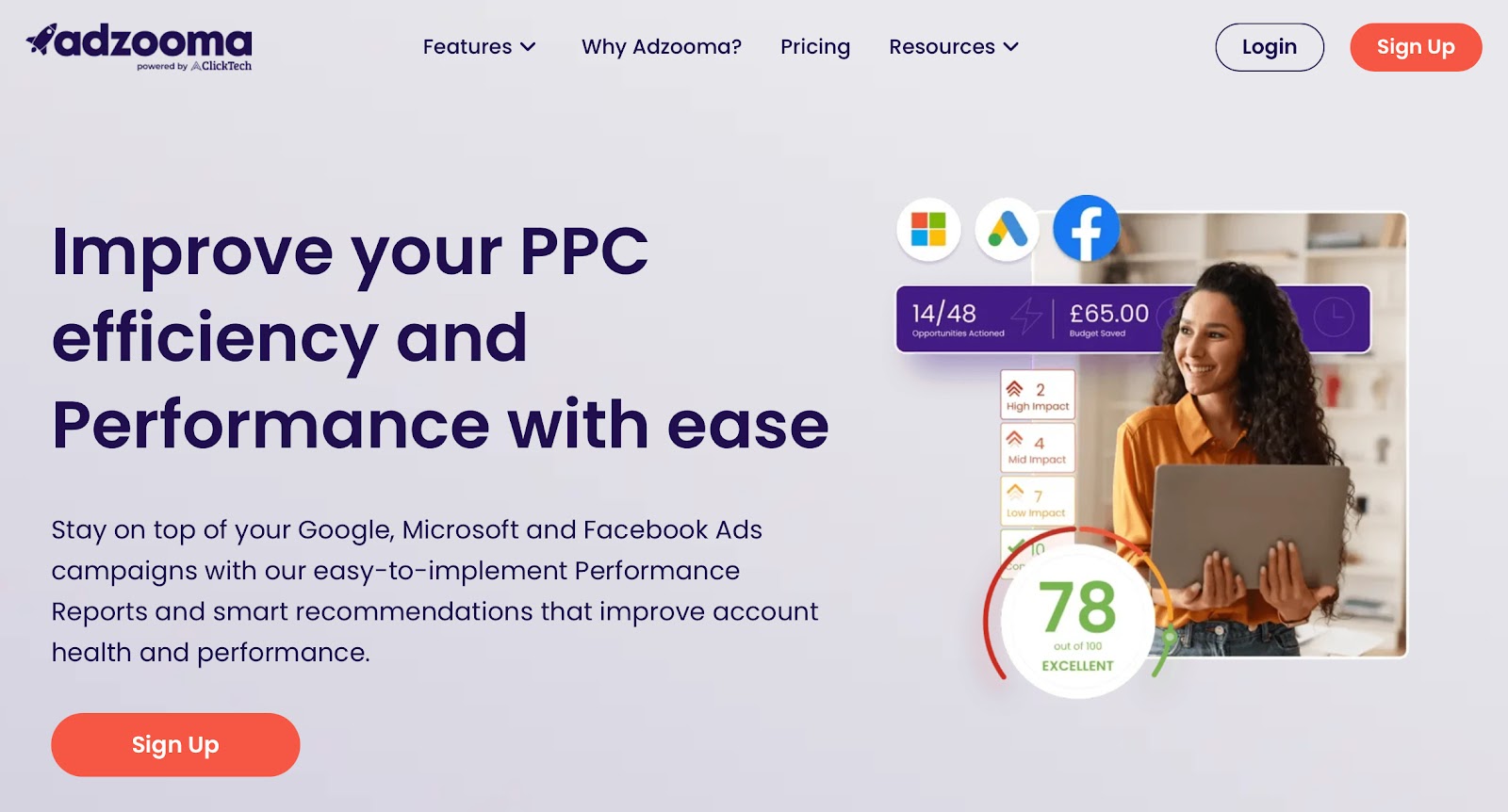
Adzooma feels like a tool built for people who want results without getting buried in data or switching between multiple platforms all day.
The ‘Opportunities’ tab feels like a personal assistant, it scans your campaigns and hands you a to-do list you can apply with two clicks.
You don’t need to second-guess what to tweak; the AI does the hard work and explains the why behind every recommendation.
You also get a performance score for each ad account, plus detailed reports that point out what’s working, what’s costing you money, and where to improve.
And if you’re managing multiple clients, Adzooma makes that easier with agency-friendly features like multiple account views and custom branding.
Another advantage is that it goes beyond ads and also allows you to run website health checks and SEO reports directly, which is rare for a PPC tool.
As of now, Adzooma doesn’t support LinkedIn or TikTok, which might be a limitation for teams running broader campaigns. It also lacks the CRM-level targeting or lead nurturing automation you’d get with a tool like HubSpot Ads.
Pros
- Offers audit tools to benchmark account health
- White-labeled reporting options are available for agencies
- SEO and website analysis are built into the same dashboard
- Smart alerts flag critical issues before they hurt performance
Cons
- No mobile app for on-the-go ad monitoring
- Reporting is functional but lacks depth for advanced analytics
Pricing
- Free Plan: Monthly PPC performance reports, 1 SEO profile, budget tracking, 1 web metrics profile, 1 user seat
- Silver ($69/month): Weekly PPC performance reports, 5 SEO profiles, 5 web metrics profiles, unlimited user seats
- Gold ($179/month): Daily PPC performance reports, unlimited SEO profiles, unlimited web metrics profile
3. Madgicx: Best for AI-Powered Ad Optimization and Creative Testing
What is it? Madgicx is built for running, analysing, and scaling ad campaigns across Meta, Google, and Shopify with automation and creative intelligence.
Ideal for: E-commerce teams and growth marketers who want full control over performance, creative testing, and budget scaling without managing it all manually.
Madgicx approaches ad management like an expert media buyer working around the clock.
From budget distribution to targeting refinements, it lays out exactly what to change and why so you’re not left guessing what’s underperforming.
The AI Media Buyer is the real backbone that continuously monitors your account and applies optimizations based on what’s working.
You can automate rules, shift budget in real-time, or pause wasteful ads before they burn through spend.
The rules engine is flexible, and can be customized to match your goals rather than follow one-size-fits-all templates.
There are features to generate and test ad variants in a few clicks, organize creatives into performance-based categories, and even identify which visuals or copy elements are driving conversions.
This kind of tagging and analysis is more advanced than what you get in Adzooma or HubSpot Ads, which focus more on media spend than creative impact.
Maddgicx falls short in post-click management as it doesn’t offer CRM syncing, lead scoring, or nurture automation, which means it stops at the ad level.
So, if your strategy includes long sales cycles or lead management, you’ll likely need another tool alongside it.
It’s also worth noting that Madgicx has a steep curve if you’re new to ad ops.
Pros
- Creative tags highlight what visuals or copy are actually converting
- Real-time budget rules help avoid overspending during off-peak hours
- Ad variants can be created and launched without leaving the dashboard
- Shopify integration makes campaign setup smoother for ecommerce teams
Cons
- UI can feel crowded with too many nested options and data layers
- Limited collaboration tools compared to agency-focused platforms
Pricing
- All-in-One Plan($31/month): Core automation, analytics, targeting, and ad management
4. Birch (Revealbot): Best for Automating Meta and Google Ads with Custom Rules
What is it? Birch (Revealbot) helps you create rule-based workflows to manage, scale, and report on campaigns across Meta, Google, TikTok, and Snapchat.
Ideal for: Agencies and ad teams running high-volume campaigns who want full control over ad performance using logic-based automations and creative insights.
Birch gives you the kind of precision that manual campaign managers can rarely match.
You can build automated rules that act on real-time data including pausing low-performing ads, boosting winners, or shifting budget between campaigns automatically.
The Automation Builder lets you set conditions using metrics like ROAS, CTR, CPA, or even compare one metric to another.
Birch supports complex logic (AND/OR), nested conditions, and timed triggers so your campaigns stay optimized even when you’re off the clock.
The Explorer tool highlights which ads are delivering results and flags the ones that are starting to fatigue. This is useful when you’re handling multiple creatives across regions, brands, or products.
Birch lets you group ads automatically by country, audience, or campaign type, which simplifies comparison and makes large-scale management much easier.
With over 60 customizable templates, you can launch multiple ad variants in minutes, saving serious time for brands that need to experiment often.
Compared to Madgicx, Birch leans more into automation depth and control than creative generation.
But it doesn’t offer AI-powered ad copy or image production, so teams focused heavily on ad creation will still need a separate tool.
Pros
- Advanced Slack alerts with in-Slack rule approvals
- Bulk edit automation rules across multiple ad accounts
- Supports multi-time zone scheduling for global campaigns
- Custom attribution settings for tailored performance tracking
Cons
- No native creative builder for ads
- Best suited for Meta; other platforms like TikTok and Google Ads have fewer features
Pricing
- Essential ($45/month): Includes core automation, ad rules, post boosting, and email support.
- Pro ($91/month): Adds access to Ad Explorer, creative testing, lookalike audience creation, custom metrics, Slack/Google Sheets integrations, and live chat support
5. Smartly.io: Best for Managing High-Volume Social Campaigns with Dynamic Creatives
What is it? Smartly.io is built to manage, automate, and scale digital campaigns across Facebook, Instagram, Google, TikTok, Pinterest, and Snapchat from one workspace.
Ideal for: Large teams and agencies running multi-market, high-budget campaigns that require unified control over creative production, media buying, and reporting.
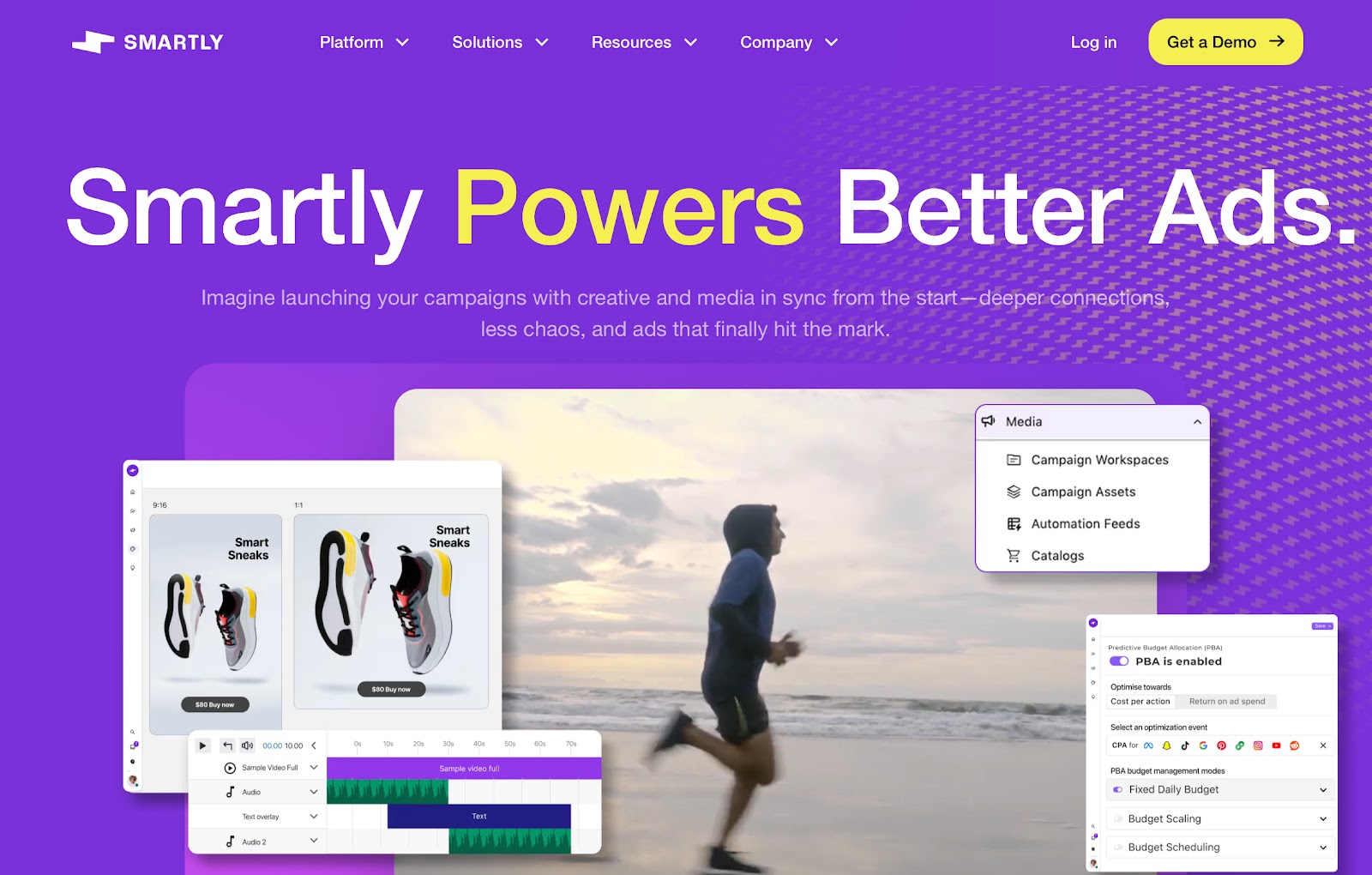
From the moment you log in, it’s clear that Smartly.io is designed to serve enterprise advertisers who need full control over campaign workflows across multiple channels.
You can generate ad variations with Smartly’s AI tools, run A/B tests automatically, and deploy creatives directly into live campaigns.
If you’re managing 50+ ad variants at a time, this saves hours and reduces creative fatigue fast.
The Feed-based automation lets you connect directly to product catalogues and dynamically update your creatives based on price, availability, or season.
For collaboration-heavy teams, Smartly.io offers strong governance tools. You can define approval chains, lock creative templates, and manage multi-brand accounts without things slipping through the cracks.
But onboarding takes time, especially if your current setup is fragmented.
Launching campaigns can also feel a bit rigid compared to the flexibility of Birch, which favors fast edits and rule-based changes.
Smartly also doesn’t support CRM or lead workflows so post-click nurturing isn’t its focus.
Pros
- Offers API-level integrations for advanced custom workflows
- Strong asset version for localized or multi-language campaigns
- Includes granular brand safety settings for heavily regulated industries
- Has a dedicated creative performance index to rank visual content across platforms
Cons
- Doesn’t support automated alerts via Slack
Pricing
No public pricing is available
6. AdSpyder: Best for Competitor Ad Tracking and Keyword-Level Insights
What is it? AdSpyder helps you monitor competitor campaigns, generate ad copy with AI, and improve performance using data from over 15 advertising platforms.
Ideal for: Marketers and small agencies looking to refine their ad strategy by learning directly from what competitors are doing across Google, Meta, TikTok, and more.
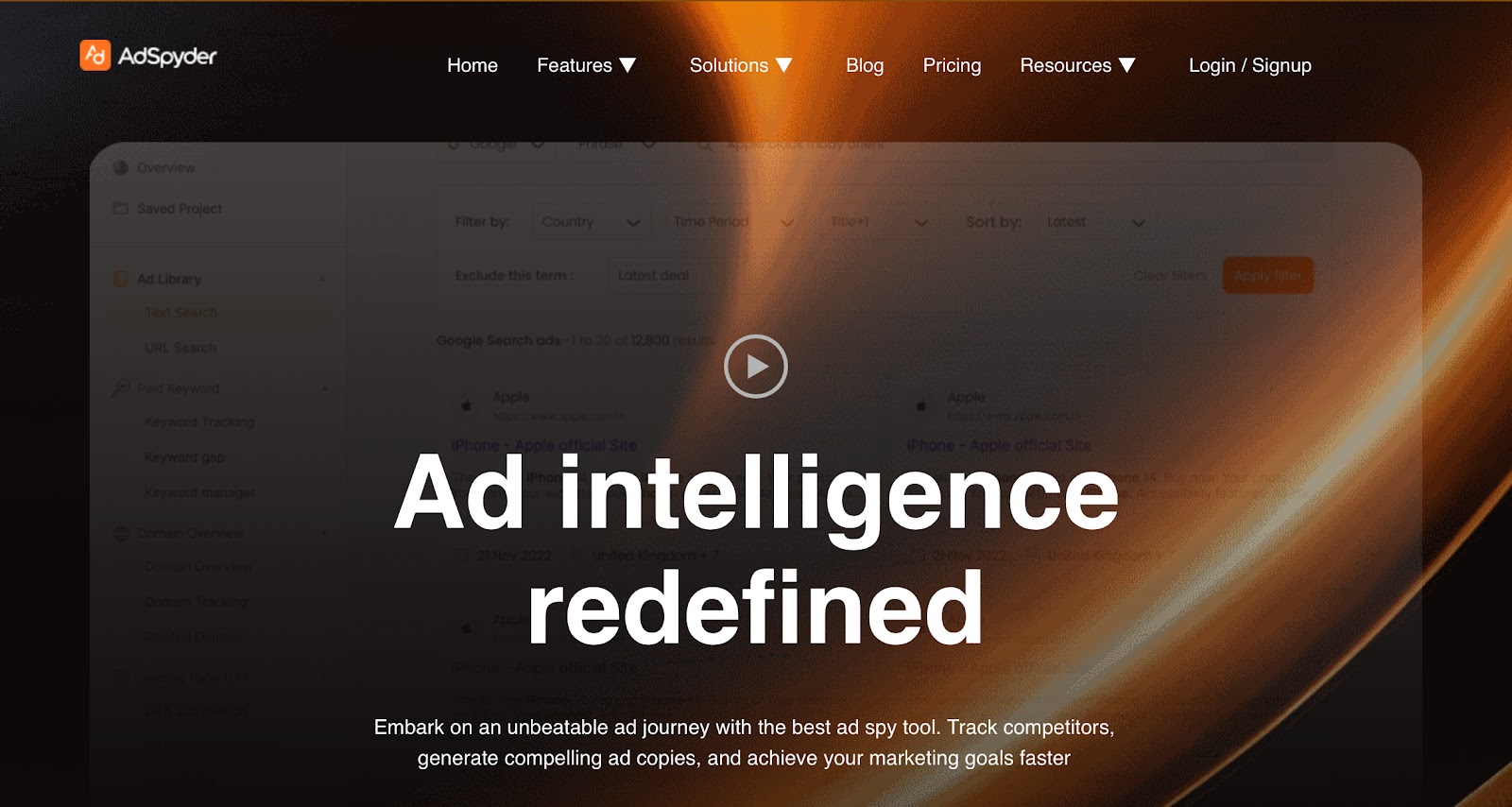
AdSpyder takes a different approach from most tools on this list. It’s more about learning what others are doing right than just managing your own campaigns.
Once inside AdSpyder, you can search for competitor ads by keyword, domain, or platform and get a breakdown of their creatives, performance stats, and even landing pages.
Instead of guessing what copy or format will work, you can see what other brands are already running, how long those ads have been live, and what sort of engagement they’re generating.
Beyond spying, AdSpyder also helps you execute. The built-in AI ad generator can create ready-to-publish copy based on successful ad patterns, saving time for teams that test multiple variants.
It doesn’t offer creative tools like Madgicx or full campaign automation like Birch, but it’s strong on insights and intelligence.
The keyword and domain analysis features go a step further and lets you reverse-engineer what keywords your competitors are targeting and how their ads are performing. Then apply those learnings to your own campaigns.
There’s also a landing page analyzer, where you can view recent changes and interaction patterns on competitor pages. This comes in handy, if you’re trying to improve your own conversion rates.
AdSpyder may fall short in execution at scale. It doesn’t manage your campaigns directly or automate budgets and bids, so you’ll still need a separate platform for that.
Also, while the coverage is broad, some features like carousel or video ad tracking on Facebook are still under development.
Pros
- Offers ad visibility across Bing, Yahoo, and Quora
- Ideal for launching in new markets with little prior campaign data
- Supports ad searches by industry, making niche competitor research easier
- Landing page tracker reveals changes and structure behind high-performing funnels
Cons
- Lacks built-in A/B testing features
- CSV exports need manual cleanup for large datasets
Pricing
- Basic ($49/month): Includes access to the ads library on Google or Meta, with support for up to 10,000 ad searches.
- Standard ($99/month): Full access to all 15+ platforms, allowing up to 100,000 ad searches per month.
- Premium ($199/month): Up to 500,000 ad searches/month, Tracking of up to 10 competitor domains, Keyword analysis for up to 1,000 keywords
- Business ($249/month): Up to 50 competitor domains tracked, Keyword analysis expanded to 5,000 keywords
7. AgencyAnalytics: Best for Automated Ad Reporting Across 80+ Platforms
What is it? AgencyAnalytics lets you track performance, automate reporting, and consolidate all ad and marketing data in one place.
Ideal for: Agencies managing multiple clients who need to save time on reporting, present data professionally, and scale operations without adding manual workload.
AgencyAnalytics is less about running ads and more about making sense of them. For agencies dealing with 20, 50, or even 100 clients, it becomes a daily driver.
It brings all performance data from Google Ads, Facebook, Amazon, Shopify, LinkedIn, SEO, and email marketing into one place, so you can stop flipping between tools and focus on what the numbers mean.
The reporting engine sets up custom dashboards for each client, automates weekly or monthly reports, and adds annotations or goals. This provides context to the numbers.
Reports go out automatically, and everything can be white-labeled down to the URL so clients see your brand, not other software’s.
In 2025, the AI layer allows you to ask the system for insights using plain language, like “what changed this week?” or “which campaigns are under budget?”
It spots anomalies, trends, and growth opportunities faster than manual digging. This is a major time-saver for junior team members or client calls that need fast answers.
AgencyAnalytics isn’t designed for ad buying or campaign creation. You’ll still use native platforms or a tool like Birch for execution.
But for post-launch visibility and reporting, it’s one of the most refined platforms out there.
It also excels at internal workflow. You can set access levels for staff or clients, assign tasks, and use built-in templates to onboard new clients quickly.
The gap is in its limited creative-level reporting. While it shows ad-level data, it doesn’t break down performance by visual elements like Smartly.io or Madgicx do.
Pros
- Offers profitability tracking at the account and campaign level
- Includes review and call tracking integrations for local business clients
- Allows multiple white-labeled client portals for secure, on-demand access
- AI-generated summaries simplify presentations and reduce the time spent preparing insights
Cons
- Widget designs lack variety for visually heavy reports
- No advanced filtering or cross-channel data blending
Pricing
- Freelancer ($59/month): Includes 5 client campaigns, unlimited reports, 80+ integrations, client portal, basic white-labeling.
- Agency ($179/month): Supports 10 clients, adds Ask AI, metric alerts, goal and budget tracking, and full white-label branding.
- Agency Pro ($349/month): Covers 15 clients, includes AI benchmarking, forecasting, anomaly detection, and priority support.
8. Hootsuite: Best for Managing Ads and Organic Posts in One Place
What is it? Hootsuite helps you plan, publish, and analyze both organic content and paid campaigns across 35+ platforms from a single dashboard.
Ideal for: Mid-size businesses, marketing teams, and agencies managing multiple social accounts who want to organize content workflows and track both paid and organic performance together.
Hootsuite has always been known for its strong social scheduling features, but in 2025, it has become a serious ad management tool as well.
You can now run ad campaigns across Facebook, Instagram, LinkedIn, and X directly from the same place where you manage your content calendar and inbox.
It works well because the paid and organic efforts are connected. If a post performs well organically, you can boost it instantly without leaving the dashboard.
There is also unified reporting to compare how your paid efforts stack up against your organic reach.
The AI tools, called OwlyWriter, help speed things up by generating captions, reworking top posts, and predicting what content might land best with your audience.
Hootsuite helps you respond quickly to what your audience is talking about, and even suggests content ideas based on that.
The creative workflow is simple, thanks to its Canva integration which helps you build posts, ads, and graphics right inside Hootsuite without switching tabs.
While Hootsuite handles ad creation and boosting well, it doesn’t go as deep into rule-based automation or bid optimization as tools like Birch or Madgicx.
You won’t get granular trigger-based actions or smart scaling and it also doesn’t offer keyword-level competitive ad intelligence like AdSpyder.
Pros
- Offers industry-specific templates for healthcare and finance
- Built-in approval workflows organize multi-team content reviews
- Native Ow.ly URL shortener with branded links and click analytics
- CRM integration (Salesforce, Zendesk) boosts lead and support tracking
Cons
- Asset library lacks advanced version control and tagging
- Bulk actions can lag when managing high-volume queues
Pricing
- Standard ($99/user/month): Includes up to 5 social accounts, unlimited scheduling, basic reports, and a content calendar
- Advanced ($249/user/month): Supports unlimited social accounts, bulk scheduling, team access controls, and link tracking features
9. Sprout Social: Best for Social Campaign Tracking with Unified Analytics
What is it? Sprout Social combines publishing, analytics, engagement, and CRM into one organized workspace.
Ideal for: Mid-size and enterprise teams that need advanced reporting, audience insights, and scalable collaboration across social platforms like Facebook, Instagram, LinkedIn, X, and TikTok.
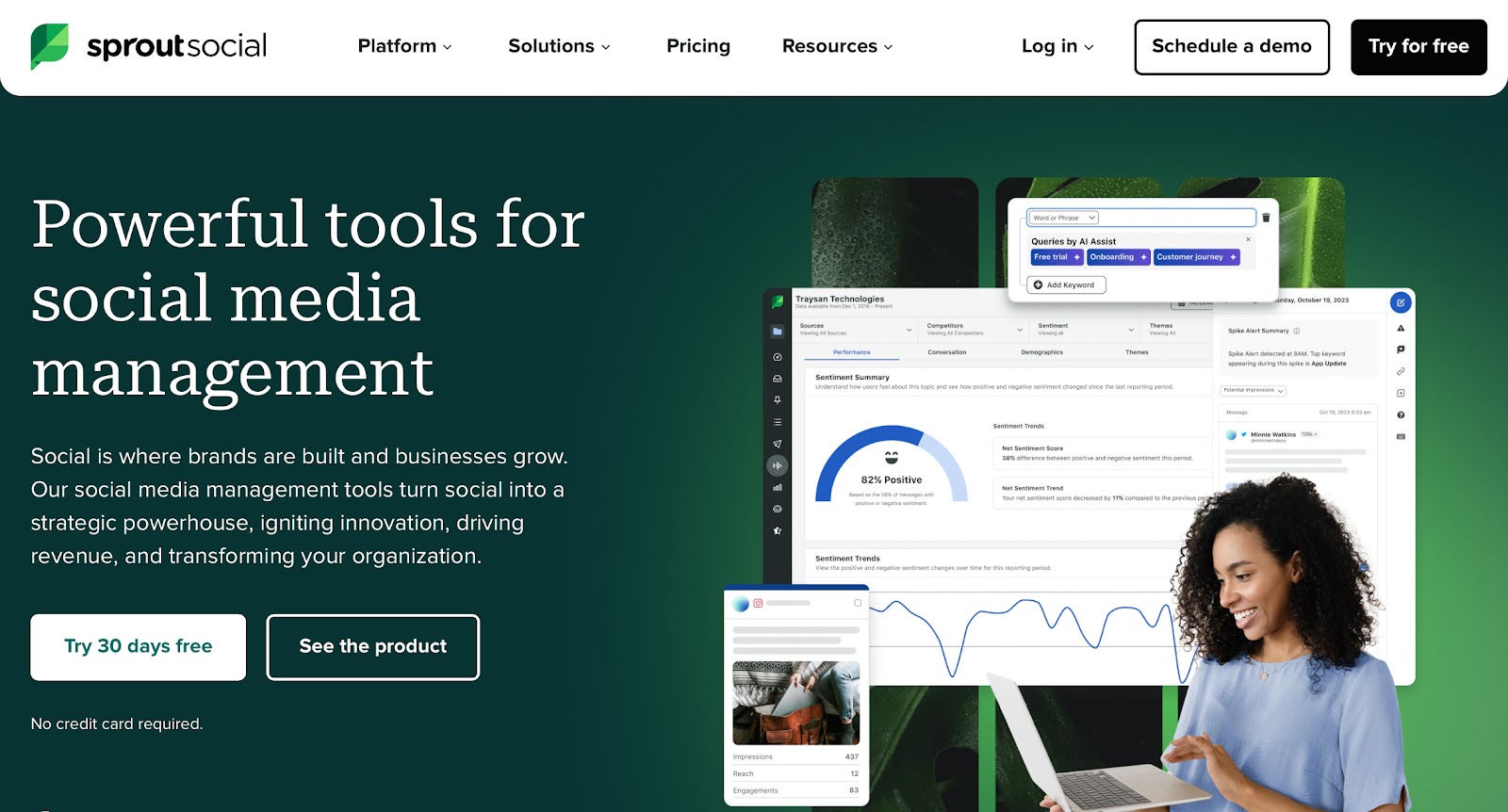
Think of Sprout Social as your mission control for everything social, from content to customer sentiment.
It brings your publishing calendar, campaign analytics, incoming messages, and even competitive data together into a clean, unified dashboard.
The Smart Inbox pulls in all engagement including comments, DMs, and mentions, so your team doesn’t miss a thing.
From there, you can respond, assign tasks, or tag messages for follow-up. If you’re dealing with high message volume, this alone makes daily workflows smoother.
The AI Assist goes beyond basic recommendations and summarizes conversations, flags recurring themes. It also helps shape campaign decisions based on emerging sentiment and engagement patterns.
It’s also woven into reporting, offering clear takeaways and suggested next steps instead of raw numbers.
ViralPost® and Optimal Send Times analyze weeks of historical data to recommend when and where to publish for maximum visibility.
The content planner and approval flows also make it easier to manage campaigns with larger teams or multiple stakeholders.
With audience tracking, you get rich customer profiles that include conversation history, past interactions, and sentiment trends.This means more personalized engagement, especially in support-heavy industries.
Also, while the interface is polished, the sheer volume of features can feel overwhelming during onboarding.
Pros
- User permissions can be set per profile
- Message spike alerts for sudden activity changes
- Employee advocacy features available (paid add-on)
- Review management is built in for Google and Facebook
Cons
- No AI-powered creative tools or ad copy suggestions
- Doesn’t support direct publishing to Pinterest, YouTube, or Threads
Pricing
- Standard ($199/user/month): 5 social profiles, unified inbox, content calendar, tasking, basic analytics, AI Assistant, publishing tools
- Professional ($299/user/month): 10 social profiles, competitive reports, CRM integrations, message tagging, scheduling workflows, helpdesk integrations
- Advanced ($399/user/month): Adds asset library, advanced automation rules, chatbots, link tracking, sentiment analysis, and premium analytics
10. Screendragon: Best for Ad Agencies Handling Budgets, Workflows, and Teams
What is it? Screendragon is a work and ad management company which offers highly customizable workflows, automation, and resource planning tools.
Ideal for: Agencies and enterprise teams managing multiple client campaigns, budgets, and approvals, especially those that need full control over process, reporting, and people.
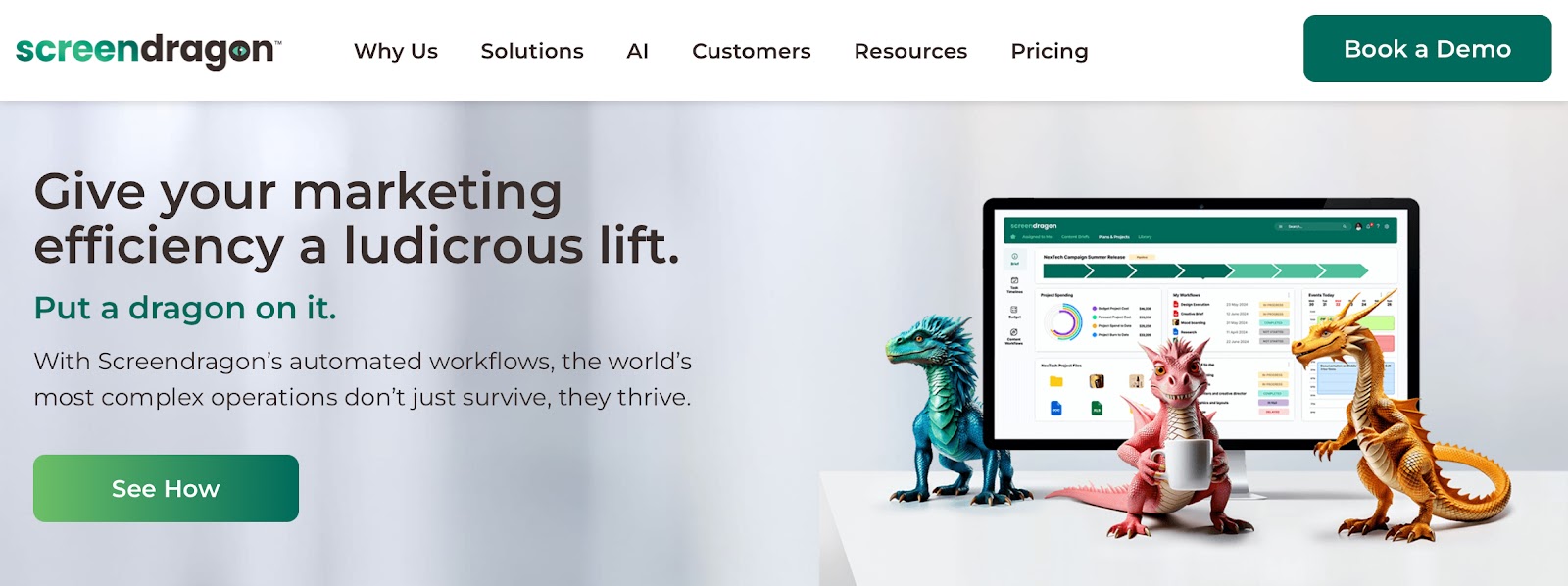
Screendragon isn’t just a campaign tracker. It’s an entire operating system for ad agencies and marketing departments.
From project planning to creative proofing and final reporting, it brings structure to work that usually lives across dozens of tools.
At its core, Screendragon is about custom workflows. You don’t have to bend your process to fit the software, it molds how your team already works.
Whether you’re running a global ad campaign or reviewing internal brand assets, you can create approval chains, automate handoffs, and control access by role or client.
Screendragon can be used to assign work based on team capacity, track time against billable hours, and estimate costs per campaign. In my opinion, it is rare in typical ad management software.
It doesn’t compete with Madgicx or Birch for performance-level ad tweaks. But it does give you the ability to run campaigns, assign content, and push assets across multiple channels within controlled workflows.
Screendragon is packed with features, and unless you’re dealing with complex workflows, some of them may feel like overkill.
It also doesn’t offer media buying or live campaign optimization like other ad-focused tools on this list.
Pros
- Offers multi-brand and multi-client views
- Internal audit trails help agencies stay compliant with client contract terms
- Can auto-generate reports combining financial, creative, and performance metrics
Cons
- Limited mobile functionality
- Creative software integrations (like Adobe CC) aren’t as smooth
Pricing
Pricing isn’t publicly available
11. Workamajig: Best for Project, Campaign, and Finance Tracking in Ad Agencies
What is it? Workamajig combines project management, resource planning, CRM, and financials in one place.
Ideal for: Agencies that want to manage everything from sales to delivery to billing in a single system, without relying on multiple tools.
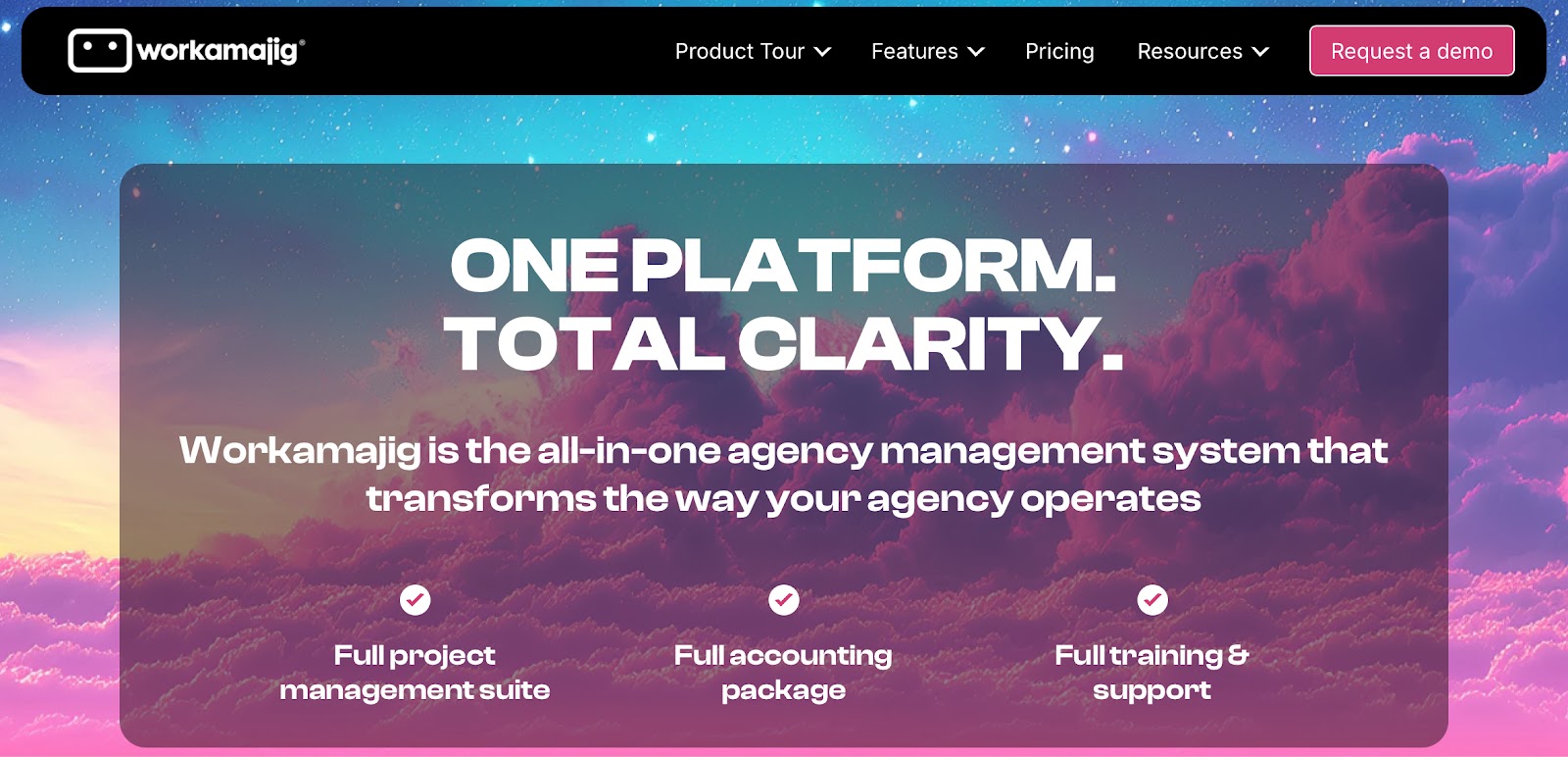
Workamajig is one of the few platforms in this list that tries to cover the entire agency lifecycle, from the first client pitch to the final invoice.
It covers everything you’d expect from a project management system including timelines, task assignments, resource calendars, and approvals.
You can track time against billable work, send invoices automatically, and even monitor accounts receivable without switching apps.
Workamajig also includes a built-in CRM to manage leads, proposals, and client relationships.
When a deal closes, that information flows directly into project templates and budget forecasts, making handoffs between teams feel less like a restart.
For collaboration, there’s a dedicated client portal that allows clients to submit project requests, leave feedback, and view progress.
Internally, messaging, proofing, and file sharing are all handled natively so you’re not jumping between email and other tools to get sign-off or find assets.
Workamajig can feel heavy when onboarding. Because it tries to replace so many tools, it takes time to configure properly and train your team.
It’s not a plug-and-play solution, and smaller teams may not need the depth it offers.
Also, while it connects with media buying platforms and supports integration through APIs, it doesn’t offer high-level creative-level automation or real-time ad performance tracking.
Pros
- Includes native invoicing, payment tracking, and detailed profit analysis per project
- Helps unify client communication, sales, delivery, and finance without external tools
- Offers dedicated onboarding and personalized account support for every customer
- Built-in calendar sync and media planning tools reduce dependency on third-party apps
Cons
- UI design feels outdated compared to modern tools
- Occasional lag when managing large projects or reports
Pricing
- $41/user/month for teams of 10+ Team Members
- $39/user/month for teams of 20+ Team Members
- $37/user/month for teams of 50+ Team Members
All plans include full access to project management, CRM, financials, resource planning, time tracking, and support features.
12. ClickUp: Best for Customizable Ad Workflows and Team Collaboration
What is it? ClickUp is a flexible work management platform that combines project tracking, collaboration, documentation, and automation.
Ideal for: Teams that want to build their own ad management system from scratch with flexible dashboards, workflows, and integrations without being locked into a fixed structure.
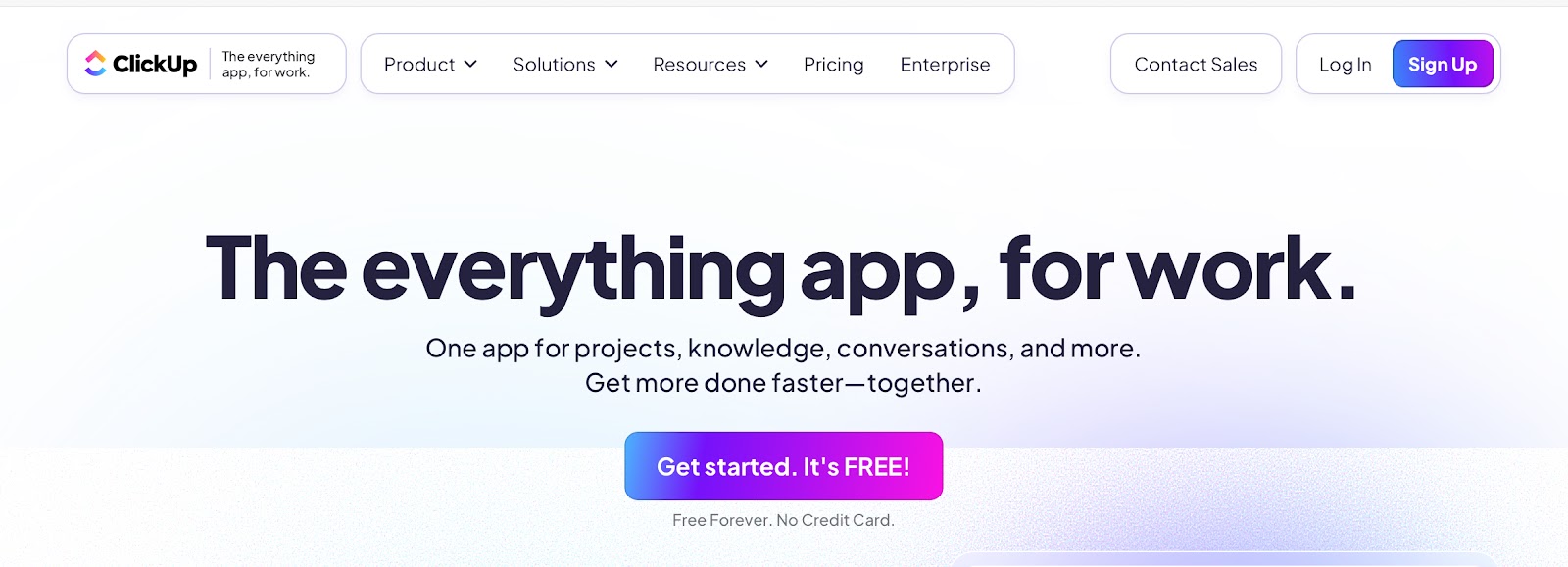
ClickUp isn’t built specifically for ads but that’s part of its appeal.
You can mold it to fit almost any workflow. This makes it incredibly useful for teams managing multi-step ad campaigns that involve writers, designers, media buyers, and analysts all in one place.
Campaigns can be structured as tasks with custom statuses, assigned owners, and layered checklists.
You can switch between Kanban boards for visual planning, List view for execution, and Dashboards for live reporting.
If you’re running parallel campaigns across platforms, these views make it easier to spot bottlenecks, track deadlines, and keep budgets aligned.
ClickUp Brain connects with your files, tasks, and third-party apps so you can search across everything at once which is great when you’re looking for past campaign briefs, creatives, or notes.
It also handles repetitive work like tagging assets, summarizing updates, or assigning subtasks based on past behavior.
ClickUp has the ability to serve as both a campaign HQ and a documentation hub. You can store media plans, creative reviews, and team processes in Docs right next to the active project.
However, ClickUp doesn’t offer built-in ad performance tracking, budget rules, or platform-specific integrations.
You can connect Google Sheets or Looker Studio, but ad metrics have to be pulled in manually or via third-party apps.
Because ClickUp does so much, the interface can feel overwhelming at first.
New users may need time to set up their workspace and learn how to keep things organized, especially when managing a large team or many clients.
Pros
- Includes a full document system for campaign notes, briefs, and playbooks
- Supports nested subtasks and dependencies for more accurate scheduling
- Allows real-time collaboration with @mentions, comments, and inline approvals
- A browser extension allows fast asset capture and campaign clipping from any page
Cons
- The notification system can be overwhelming without customization
- No phone support or real-time help options for urgent campaign issues
Pricing
- Free Forever: Core features for individuals and small teams
- Unlimited ($7/user/month): Adds integrations, dashboards, and automations
- Business ($12/user/month): Includes advanced reporting, timelines, and workload tools
Why You Need an Ad Management Tool
Between managing creative assets, switching between multiple ad platforms, optimizing for ROI, and reporting performance to stakeholders, it’s easy for teams to get overwhelmed or waste money. That’s exactly where ad management tools come in.
These platforms aren’t just about simplifying tasks. They give you visibility, control, and the ability to make faster, data-driven decisions that can directly improve campaign outcomes.
Here’s a breakdown of why investing in a good ad management tool is no longer optional:
- Save hours of manual work every week: Ad management involves hundreds of small, repetitive tasks like setting up campaigns, monitoring metrics, adjusting budgets, exporting reports, and fixing underperforming assets. A good tool automates many of these steps. You can pause ads, boost budgets, or reassign creative tasks without logging into five different platforms. This not only saves time but also reduces human error and speeds up the feedback loop.
- Control Ad spend with confidence: One of the biggest challenges in digital advertising is wasted spend. Without the right controls, ads can keep running long after they’ve stopped performing. Ad management tools let you define automated rules to stop low-performing ads, reallocate budgets in real time, and cap spending per campaign or per platform. This is crucial when you’re managing tight budgets or multiple clients.
- Know what’s working and why: Getting impressions or clicks is easy. Knowing which ads are driving qualified leads or purchases? Much harder. Ad management platforms go beyond vanity metrics. Many tools now integrate with CRMs, ecommerce platforms, and analytics tools to give you full-funnel visibility. This helps you understand not just what was performed well but what led to actual business outcomes.
- Unify your view: Most advertisers today run campaigns across multiple platforms including Google Ads, Facebook, LinkedIn, TikTok, and more. But each platform comes with its own dashboard, data format, and KPIs. Ad management tools unify all that data into a single view. This makes it easier to compare results across channels, spot trends, and allocate resources where they’re most effective.
- Collaborate more effectively: Ad campaigns are rarely solo projects. Creative teams, performance marketers, media buyers, and account managers all need to work together. Ad management platforms often include built-in collaboration features like approval workflows, comment threads, file sharing, and client access. This cuts down on email chains, missed updates, and version control issues.
- Scale campaigns without losing track: As campaigns grow across geographies, platforms, or clients, so does the complexity. What works with five campaigns quickly breaks at fifty. Ad management tools bring order to that chaos. They let you replicate successful workflows, use templates, group campaigns logically, and monitor everything through custom dashboards. This makes it easier to scale without losing control.
Final Words
Ad management today is less about juggling tasks and more about simplifying them. The right tool helps you automate, track, and optimize campaigns without adding to your workload.
Some platforms are built for scale and automation, while others focus on collaboration, creative workflows, or deep analytics. What matters is choosing one that fits your team’s pace, goals, and workflow.
You don’t need the most versatile tool. You just need the one that makes your work easier, smarter, and more effective. Start there.


 A better way to manage projects and clients for freelancers
 Get through busy days like a breeze with Reclaim.ai