Productivity tools have evolved significantly in recent times.
With AI and automation, things like daily planning have become easier and quicker for busy professionals.
You can now automatically create your work schedule, organize meetings, take notes, and optimize your calendar.
You don’t need to frequently switch apps to get things done or face decision-making fatigue with constant planning. AI has made your life a lot easier.
But have you noticed that with each new automation, we are beginning to feel a subtle loss of control?
Instead of mindful planning, we are concentrating more on speed and efficiency, relying heavily on automation.
Is it smart, then, to let AI organize your day for you? Or do the benefits make it worth it?
In this article, I have compared the AI daily planner with manual planning to shed some light on this debate.
This article isn’t just about the best daily AI planners in 2026–it’s about how we want to organize our lives and what type of approach helps us stay more productive and focused.
Let’s find out.
AI Daily Planner Vs. Manual Planning–Which One Is Better
AI daily planners and manual planners have their own benefits and limitations.
One can automate your workflows, saving a lot of time, while another can instill a habit of mindful planning, keeping you on track.
Here, I have compared both to highlight their advantages and drawbacks.
Read both arguments to make your own decision.
1. AI Planner
Imagine you have a super-smart personal assistant.
This assistant knows all your tasks and can measure how long each task may take based on your previous work style.
Every morning, you open your calendar, and your whole day is already planned for you.
Isn’t it amazing?
This is what an AI daily planner offers.
It analyzes your working hours, productivity, and time management and generates a planner that best suits you.
It’s a smart alternative to a manual planner.
How Does an AI Planner Work?
AI scheduling tools use artificial intelligence to organize your tasks and meetings based on your commitments and priorities that you define.
If your plan changes unexpectedly, the AI planner automatically rearranges your future commitments and finds the best time for unfinished tasks.
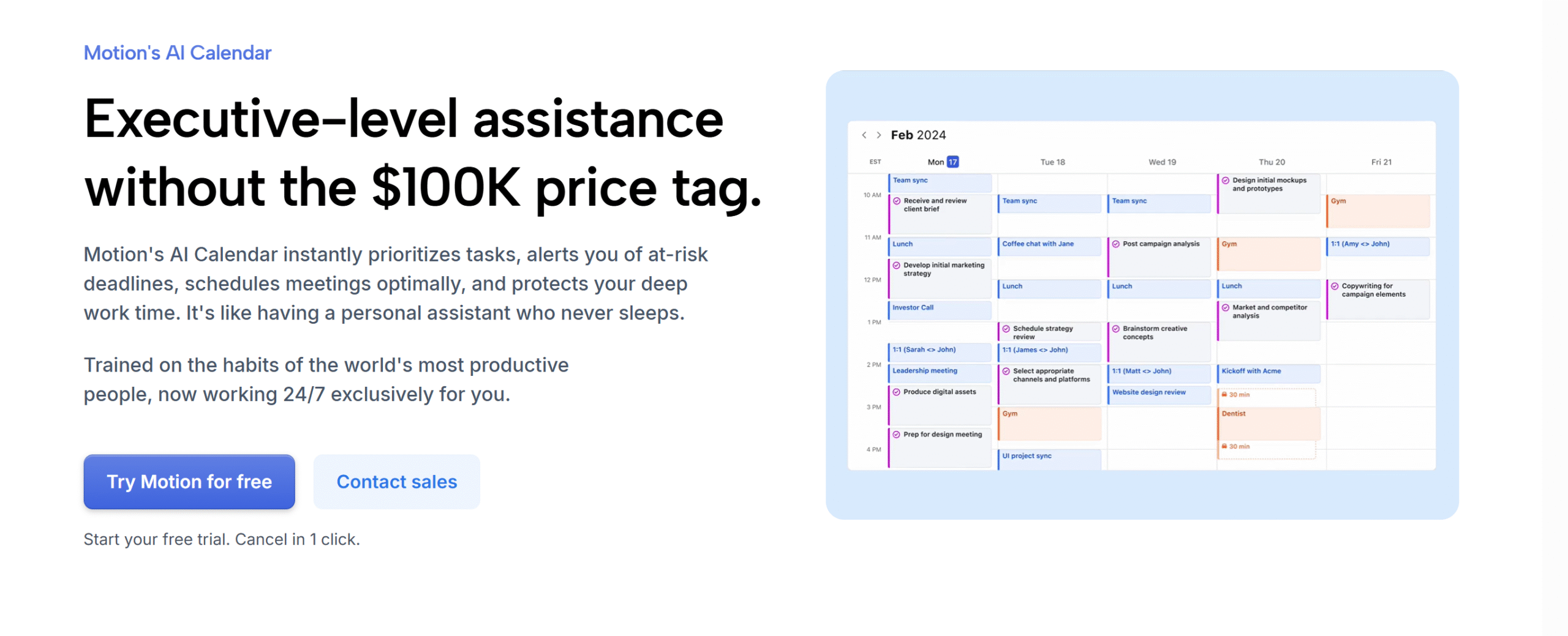
The best example of an AI daily planner is Motion.
Motion leverages AI to automatically schedule your tasks, book meetings, and set aside time for deep work.
Not only that, but it also offers a variety of AI bots to help you set manual workflows on autopilot–like tickets and conversations.
An AI dashboard is built into the system to manage your activities. You can check your project status, keep an eye on your workload, and gain insights into your productivity.
You can do the same for your team. Motion has a collaboration workspace to assign tasks and track team activities.
What are the Benefits of Using AI Planners?
1. It Saves Time
The unique selling point of an AI planner is time management.
The AI planner learns your work habits from the historical data and creates a schedule that you can manage while generating maximum output.
It also prioritizes urgent tasks and puts them at the top to ensure you meet your deadlines.
People, on average, spend around 4 to 6 hours per week on work scheduling. An AI planner can do it in seconds, saving tons of your time.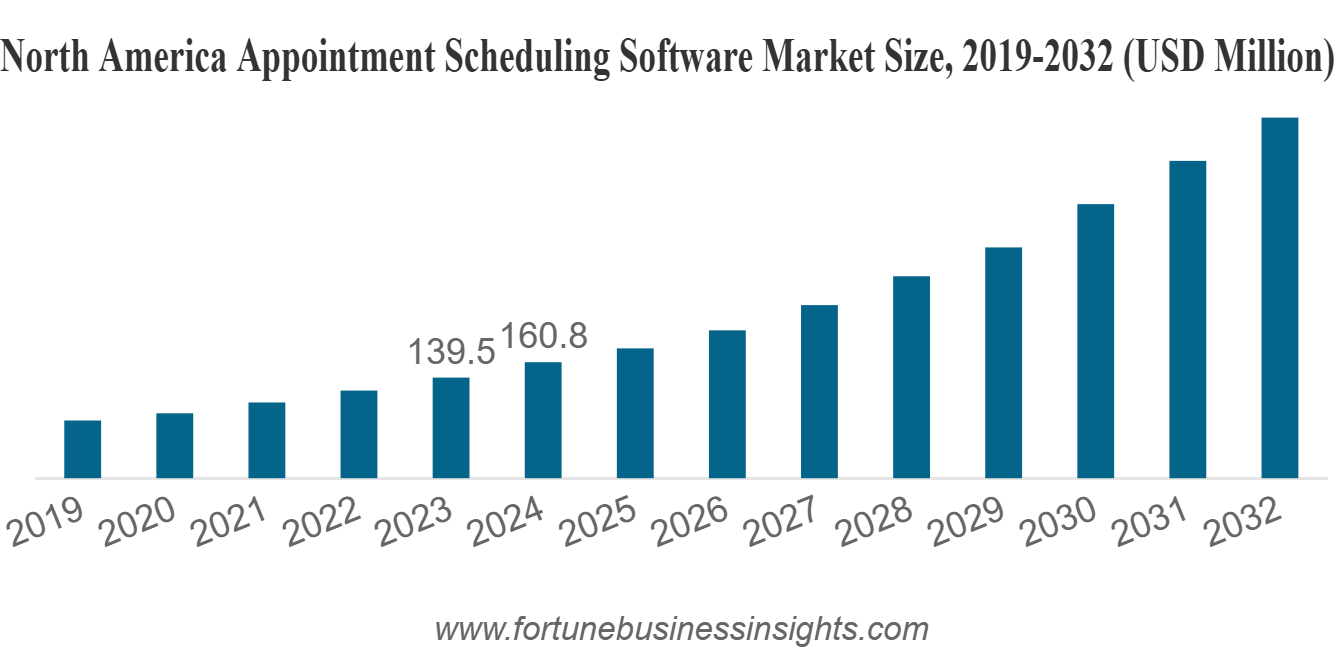
2. It Reduces Decision Fatigue
We, on average, make around 35,000 decisions daily.
I am not kidding.
It includes everything from what to wear and what to eat to what to tackle first and what to postpone.
At the end of the day, you get so mentally drained that you subconsciously make poor judgments, exposing yourself to errors.
An AI planner automates repetitive workflows and handles micro decisions, such as rescheduling.
It saves not only your time but also reduces your decision-making fatigue.
3. It Helps You Measure Productivity
AI tools can significantly boost your work efficiency, and there’s a reason for it.
When you use AI planners, the artificial intelligence records and analyzes everything, summarizing it into helpful insights to measure productivity.
You can easily see how much time you spend on deep work and meetings, and how well you manage your team.
You can study your own patterns and improvise them to maximize the output.
Almost 82% of leaders believe digital tools boost their employee productivity.
If such a staggering number believes in automation, there must be some truth to it, right?
2. Manual Planning
Manual planning gives you more flexibility to personalize your schedule.
You can intentionally decide what to tackle first, what to postpone, and how to get it done.
This mental clarity helps you set simple, realistic goals that can be easily achieved and adapted.
How Does Manual Planning Work?
Manual planning involves jotting down your to-do list and adding items to your calendar based on their urgency.
30% of people use simple paper for scheduling, but most prefer digital planners for convenience.
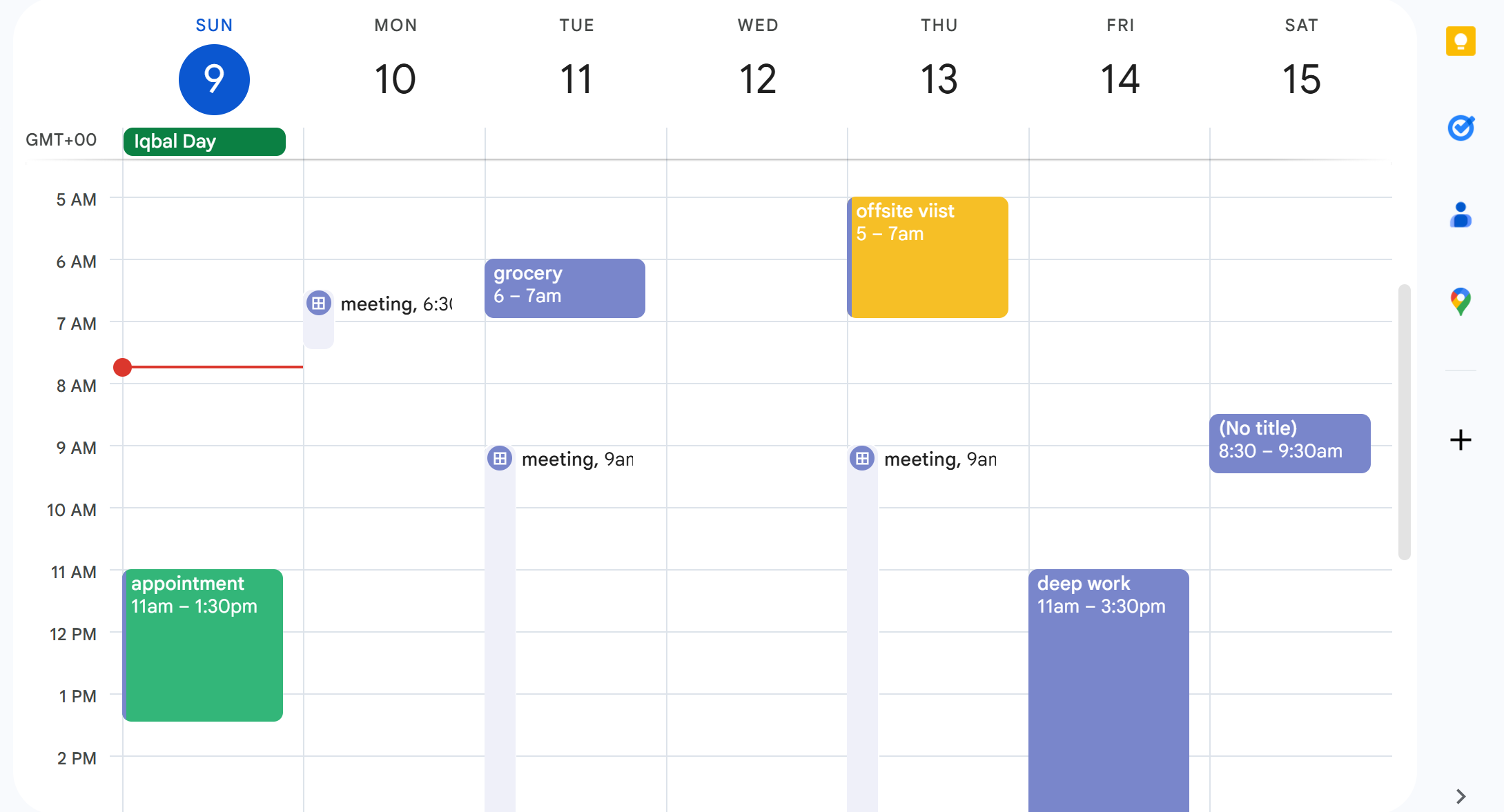
Take Google Calendar, for example.
Google Calendar offers a simple drag-and-drop interface and task management tools for beginners. You can easily schedule events and maintain your personal and work calendars separately.
Simple and efficient.
Tons of people use its free version for daily planning, and many have bought a premium subscription for its ease of use.
What are the Benefits of Using Manual Planners?
1. It Reduces Stress
Manual planning requires full control over your thought process.
When you create your work schedule by hand, you subconsciously build a routine that falls within your comfort zone to make it more adoptable, before adding more tasks.
This helps you manage your stress level and protect yourself from productivity guilt.
If you are unfamiliar with productivity guilt, it’s a psychological phenomenon where you feel guilty for not achieving more.
It typically happens when you set high expectations that are nearly impossible to meet.
2. It Increases Accountability
Intentionally planning creates a sense of accountability.
When you plan things manually, you typically take a moment to really think about your priorities and commitments and create a schedule that works well for you.
The direct involvement fosters creative thinking and makes you more invested.
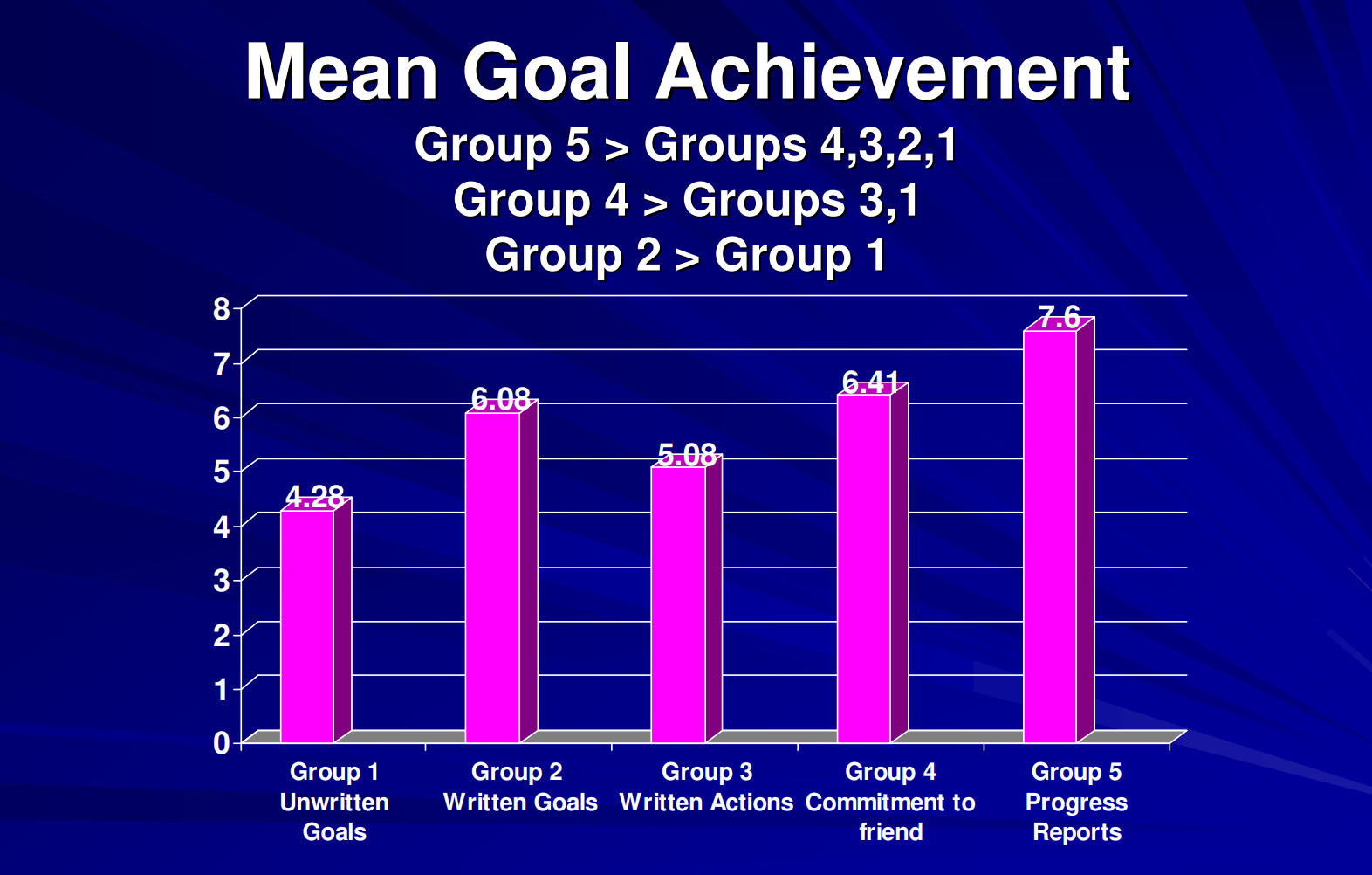
It has been statistically proven that people who write their goals manually are more likely to meet their targets.
3. It Makes You More Self-Aware
An AI planner creates a schedule that usually matches your work style.
While it improves efficiency, it doesn’t give you much space for reflection.
Manual planning, on the other hand, makes you more self-aware of your accomplishments and shortcomings, allowing you to build realistic schedules.
Think about it.
We all have good and bad days, and our productivity fluctuates accordingly.
With manual planning, you can reflect on your daily motivations and make appropriate adjustments to your task list.
In other words, you can plan your deep work when you are at your best.
Why Relying 100% on AI or Manual Planners Isn’t a Good Option
Because both have certain drawbacks that may impact your productivity.
Let’s look at what happens when you go too far in either direction.
The Problem with Full AI Automation
A fully automated schedule is comparatively more complex.
The AI planner generally tries to integrate your entire task list into your calendar, which can become overwhelming sometimes.
The bot doesn’t take into account your energy levels, motivations, and emotional state, building a schedule that only your “ideal self” would find perfect.
While recent AIs have, no doubt, become more personalized and flexible, they still can’t consider the fact that you might wake up with a terrible mood and would rather not start the day with an important project.
An AI planner thinks like a machine and creates a calendar for a machine, if you get my gist.
The Problem with Full Manual Planning
On the other hand, doing everything manually takes a lot of time and mental energy.
Imagine having to manually reschedule your entire calendar because your boss decided to conduct an ad hoc meeting in the middle of the day.
We also tend to overestimate our ability to meet deadlines and often fall into the planning fallacy trap. Just because we think we can do something in an hour doesn’t necessarily mean we can.
The result? A seriously messed-up schedule.
The Hybrid Solution: The Best of Both
The best way to establish a good routine is to combine AI with manual planning.
I know, it sounds self-contradictory, but there’s a specific term for it. We call it a human-centered automation.
Human-centered automation means integrating automation into your workflows without removing manual planning.
The idea is to use technology to help with planning, not replace it.
Think of it like a semi-automated car.
You are still the driver, but the automation makes your driving a little easier.
How Does A Hybrid Planner Work?
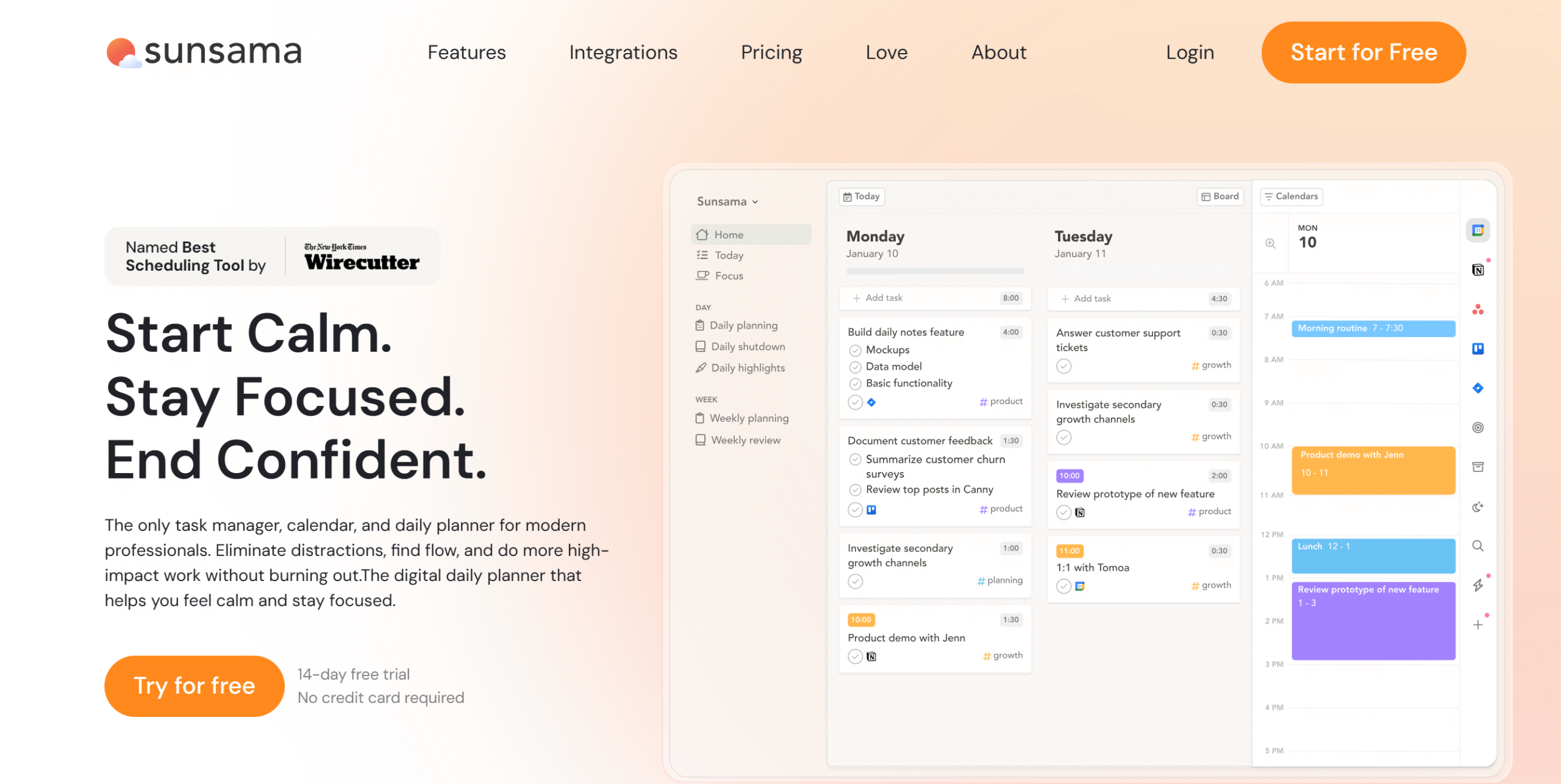
To better understand a hybrid planning system, try a hybrid planner, like Sunsama.
Sunsama is a daily planner that primarily uses a manual model to help you create a practical schedule. But it also automates some of the functions to simplify your workflows.
Let me summarize its features:
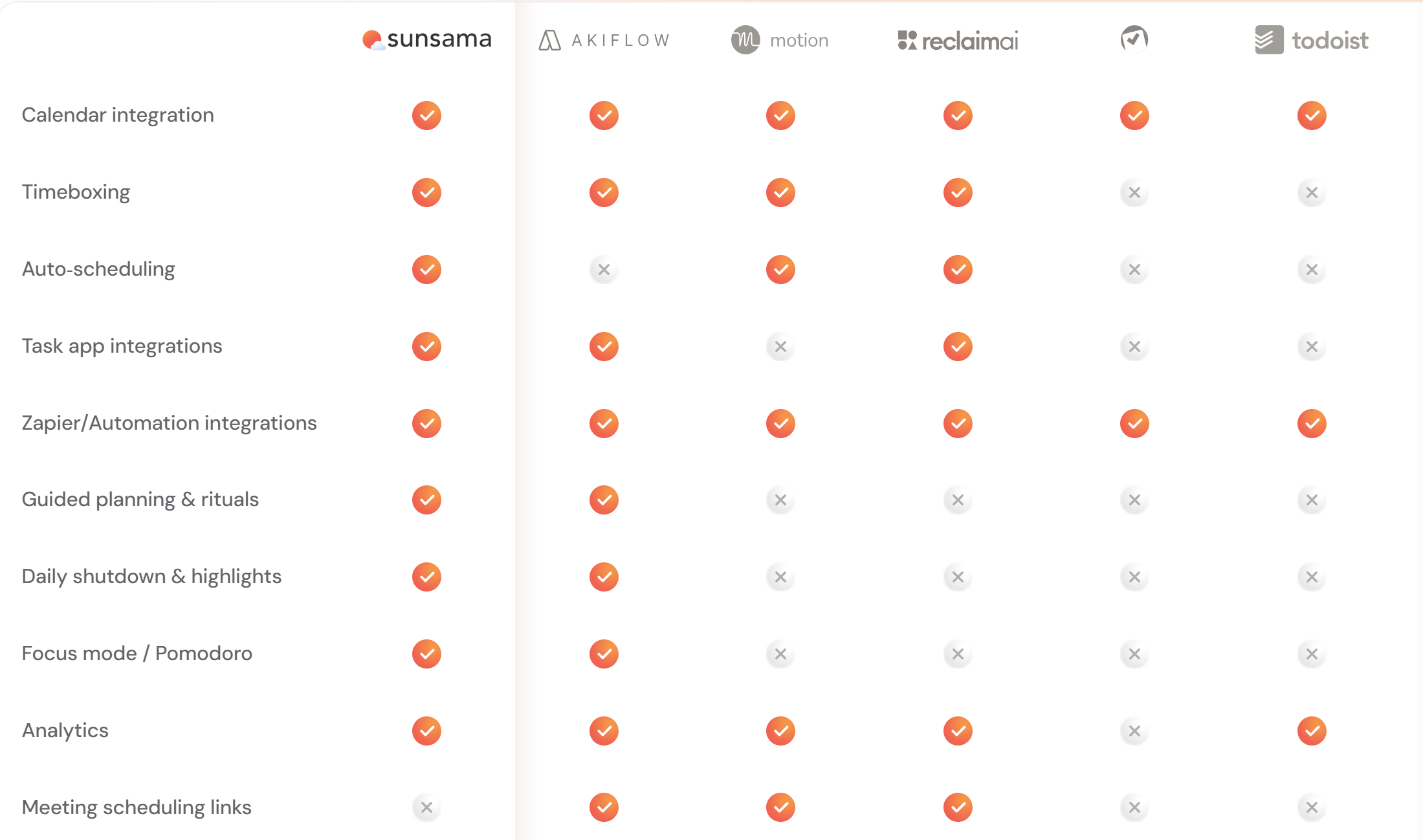
You start with a blank paper to write your daily goals and obstacles. Once you have a definite checklist, add items to your task manager and calendar. Sunsama has a drag-and-drop interface that lets you move tasks around and schedule them with ease.
At the end of the day, you can view a summary of your day’s work to see how much you have accomplished.
Now this is where Sunsama gets more convenient.
The app has a guided planning feature that delivers a step-by-step guide to scheduling.
You can also import your tasks, emails, and Slack messages into a centralized place and tackle them one by one. Sunsama automatically carries forward unfinished tasks to the next day.
The planner offers two benefits.
You Make the Plan: You look at your tasks and goals, decide what is important, and drag them into your calendar.
The AI Assists You: The AI acts as your helpful assistant to increase your work productivity, such as removing distractions during focus time or warning you if you’ve overbooked.
While Sunsama naturally requires more active participation, it simplifies your workload, making you feel more in control.
That’s why a hybrid planner like Sunsama works better than AI or manual planners.
AI vs. Manual vs. Hybrid
Below, I have created a comparison table of AI, manual, and hybrid systems.
Let’s look at the three approaches in measurable figures to compare their viability.
| Factor | AI Planning | Manual Planning | Hybrid Approach |
| Time Saved | High (2–3 hrs/week) | Medium (1–2 hrs/week) | High |
| Stress Level | Variable (can increase) | Lower (more control) | Lowest |
| Feeling of Control | Low | High | High |
| Learning Curve | 4.1 weeks to ROI | 2.3 weeks to ROI | TBD |
| Best For | Overbooked calendars | Intentional workers | Both |
How to Find Your Perfect Planning System in 2026
AI, manual, and hybrid planners are designed for different mindsets.
If you enjoy manual planning, it doesn’t mean your colleague will also find it helpful.
The best way to pick a planner is to choose one that suits your work style.
Here are some questions to ask yourself to find out what you need:
- Do I consider daily planning a hassle or find it more satisfying?
- Can I easily organize my day, or do I need help with scheduling?
- Is my schedule simple or more complex?
- Do I need a planner to establish a routine or just to save time?
- Do automated changes make me feel relieved or frustrated?
- Do I work alone or with a team?
With this simple self-assessment, you can easily determine whether to go with a hybrid, manual, or AI planner.
Conclusion–The Future Of Productivity Tools In 2026
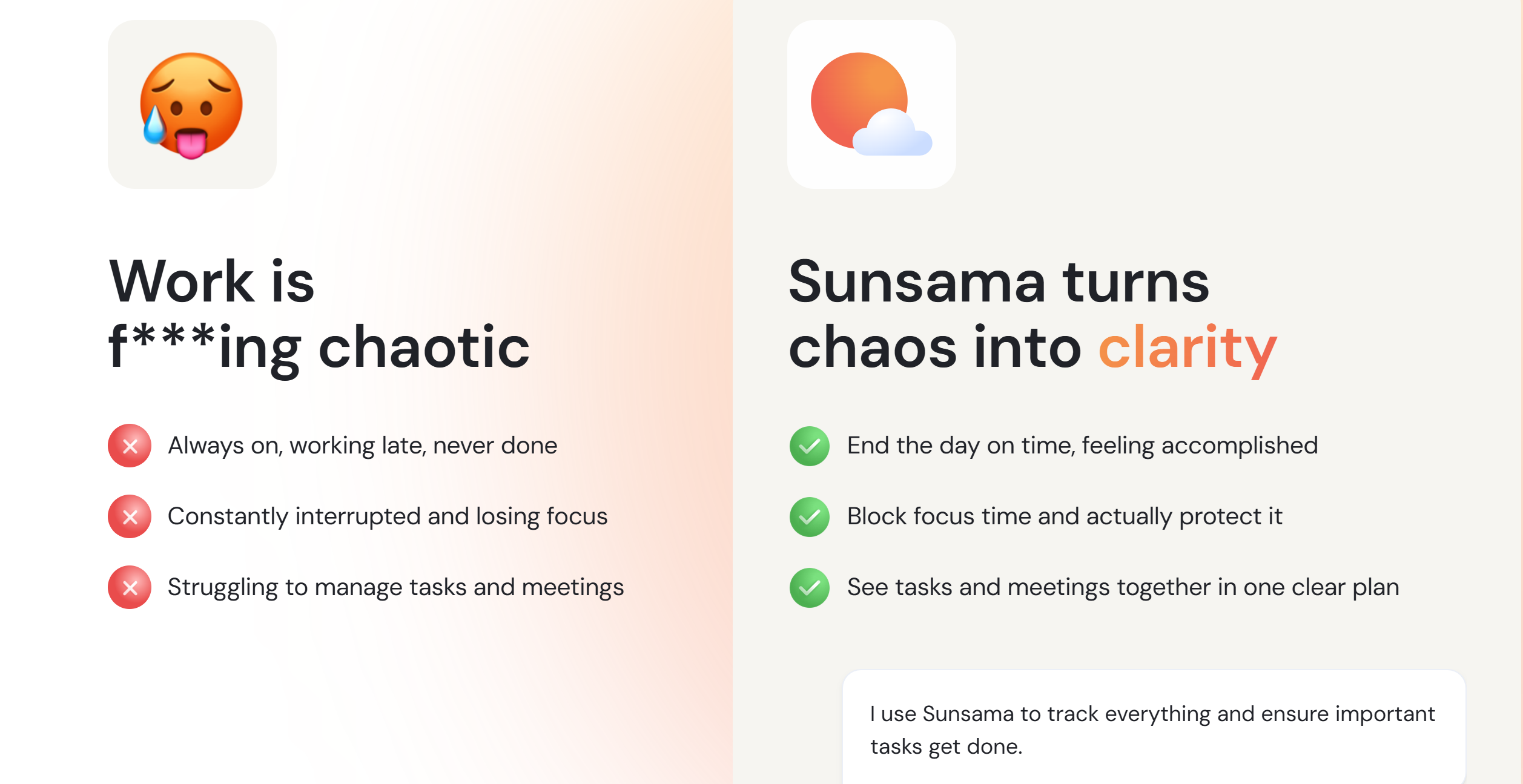
AI planners have, undoubtedly, attracted a significant user base due to their efficiency.
But many are slowly leaning towards human-centered automation.
Why?
Because it’s more collaborative than AI automation. Instead of automating workflows, they work with you to build a good schedule.
Remember, the true purpose of a planner is not only to optimize your time management but also to encourage mindful planning.
AI planners can definitely speed things up, allowing you to meet more targets and optimize your day. But because it can’t account for your energy and motivation, you’ll eventually feel overwhelmed and less productive.
You can run a little human vs AI productivity experiment to see it for yourself.
Try Sunsama Vs. Motion for more measurable results.
Sign up for Motion.ai and take a free trial. The platform provides 7 days of free access to test its features and interface.
Start with a list of task priorities, and let Motion build a planner for you. An AI planner generally needs historical data to optimize the schedule, but the free trial should give some idea of its usability.
If you need more time to test the AI planner, go for Reclaim.ai. It offers a forever-free plan, but with limited features.
Experiment similarly with Sunsama to see the impact of human-centered automation on your daily routine.
Create a manual to-do list using its guided feature, pick a couple of items, and add them to the calendar. Then, use focus mode to remove distractions, and automate time logging to compare the estimated time with the actual time.
When you are ready to wind up, generate a summary of your day and reschedule the unfinished jobs.
Compare both approaches to make an informed decision.


 A better way to manage projects and clients for freelancers
 Get through busy days like a breeze with Reclaim.ai