
Do you ever find yourself losing hours to mindless browsing or app notifications?
If so, you’re not alone!
In Psychology Today’s article titled “Distracted Employees Cost More Than Sick Ones”, author Charles R. Chaffin emphasizes—knowledge workers switch tasks very frequently, averaging only 40 seconds on a task before getting distracted.
That stinks!
Taking back control of your time and attention is crucial.
That’s why time-tracking apps like Rize and RescueTime are game-changers. They provide visibility into exactly how you spend your days on your devices.
But when it comes to choosing the right time-tracking software for your needs, Rize and RescueTime have some key differences.
By the end, you’ll have clarity on which app aligns closest with your work habits and productivity goals.
Quick Key Takeaways
Rize offers simplified automatic desktop time tracking and daily productivity reporting. Handy focus features help reduce distractions during deep work. But Rize currently lacks mobile app support.
RescueTime provides more robust tracking across desktop + mobile devices. It captures detailed time usage analytics through reporting. However, the UI is more complex than Rize’s.
If seeking easy desktop tracking to boost productivity – choose Rize. If wanting maximum cross-device data + custom app integrations – go with RescueTime.
Overview of Rize
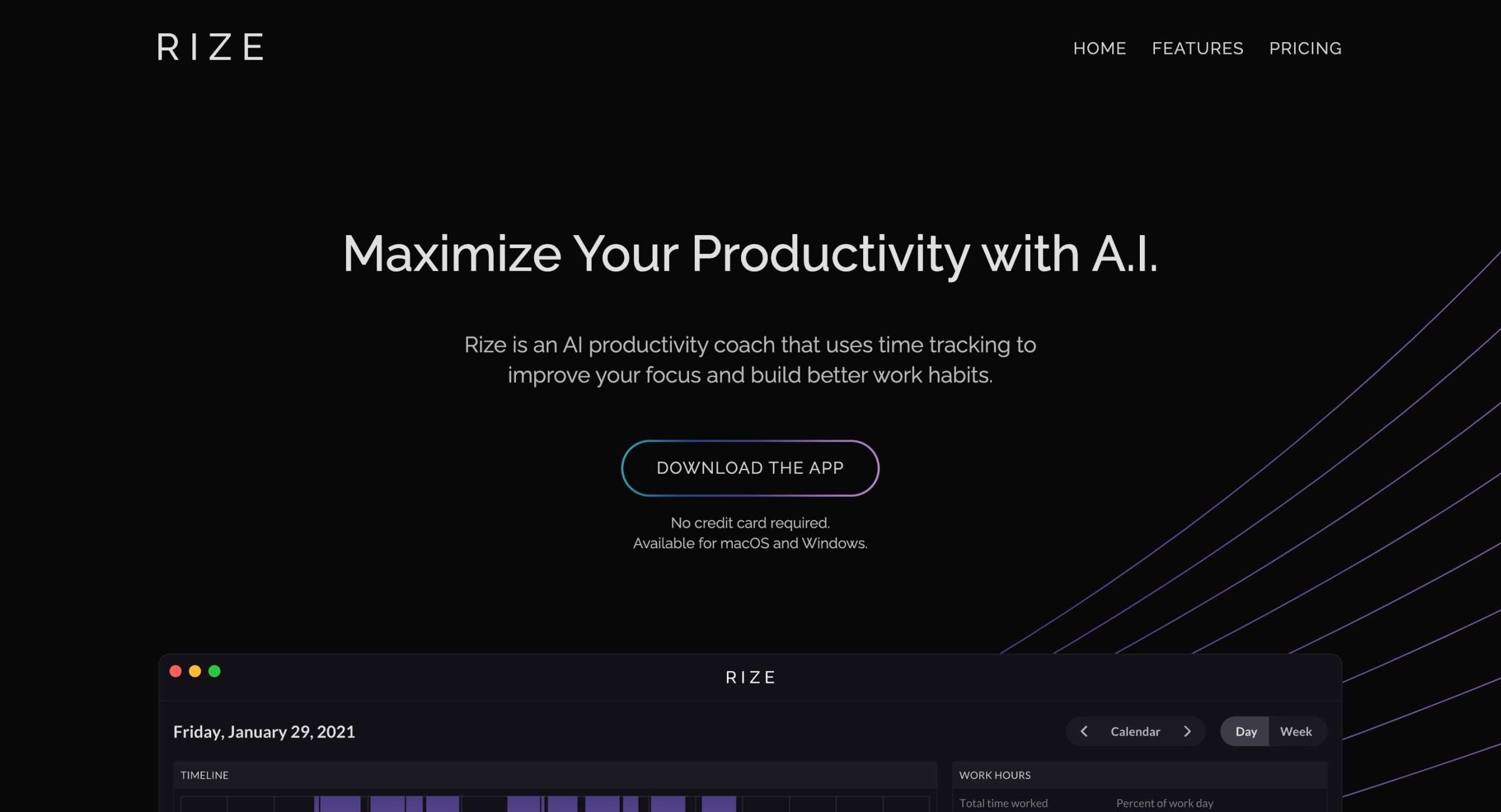
Rize is an AI-powered personal analytics platform for boosting productivity. It runs quietly in the background while you work to provide insights into how you spend time.
The core capability lies in Rize’s automatic time tracking. It captures active window titles and app usage data to show you where your hours are going.
Rize auto-tracks all desktop activity without any effort from you. It categorizes time spent across different apps and websites.
For example, Rize would log 2 hours in Google Docs as Writing, 30 minutes in Slack as Communication, and 1 hour on YouTube as Entertainment. This breakdown makes it easy to analyze your days.
A productivity score rates your daily focus time quality. Rize measures aspects like your longest distraction-free sessions, context switching frequency, and visits to distracting sites.
To prevent overworking, Rize detects when you’re pushing past your usual limits. It then sends smart reminders to take timeouts and recharge (a very useful feature).
Connecting calendars like Google, Office 365, or Apple allows Rize to auto-tag time in meetings and calls. Even if you’re in a Zoom call but working in other apps, Rize knows to allocate that time accurately.
An email after each workday sums up your time with handy infographics. See top apps, distracting domains, projects worked on, productivity scores, and more. These reports keep you accountable day after day.
Rize currently supports macOS Monterey+ and Windows 8 and above.
What we like about Rize
- Automatic time tracking without needing to start/stop timers
- Focus metrics to identify quality deep work sessions
- Break reminder notifications to prevent overworking
- Calendar integration for accurately tagging time in meetings
- Custom categories to segment time as per activities
What we don’t like about Rize
- Currently only available on desktop—no mobile app
- Can take some time to properly categorize all your apps and sites
- The free version has limited functionality, with data retention capped at 1 day
Overview of RescueTime
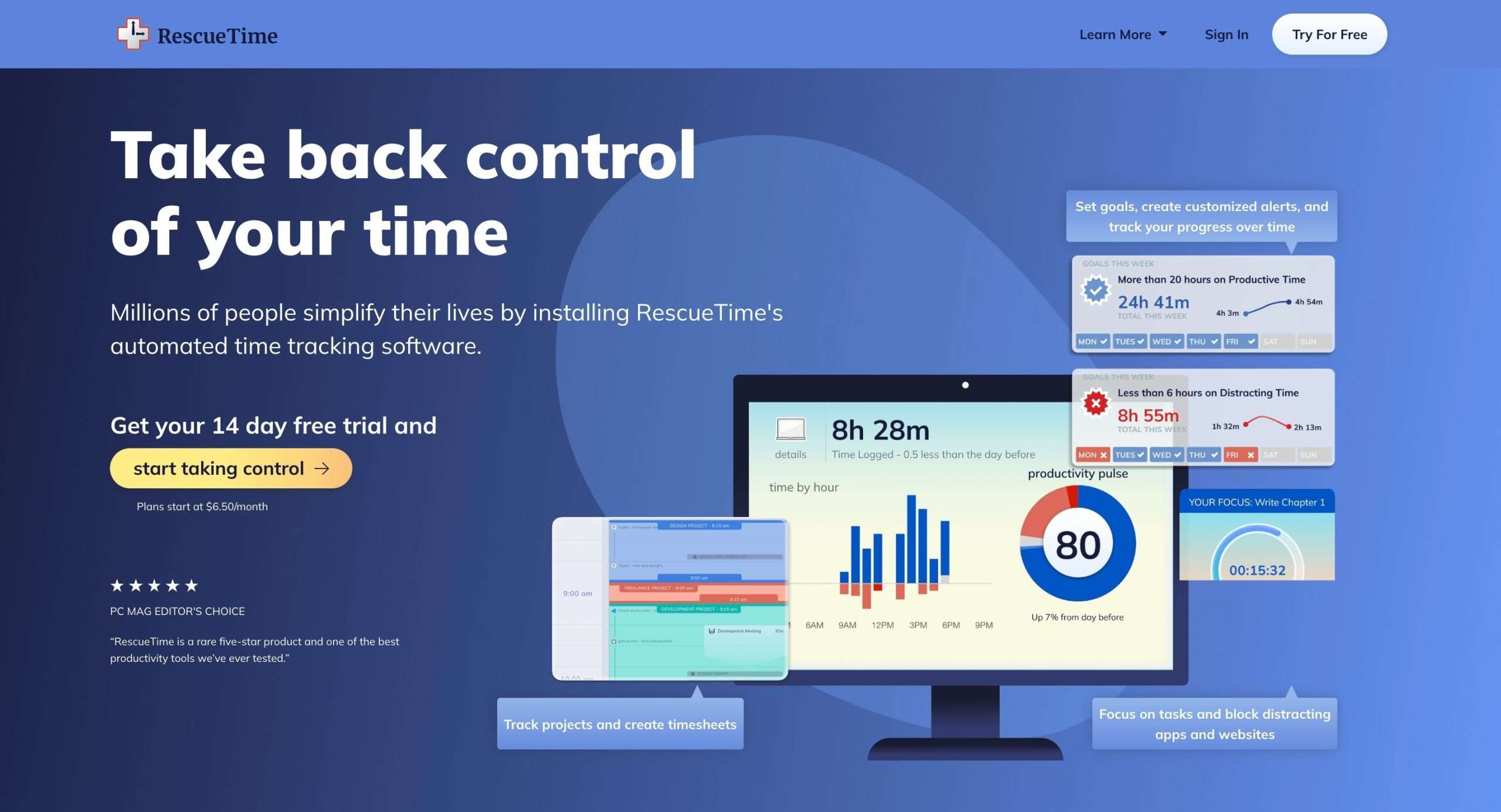
Like Rize, RescueTime is also an analytics-powered time-tracking platform to boost your productivity. It runs in the background to automatically track how you spend time on desktop and mobile.
The core RescueTime capability is its automated time tracking without needing any manual start/stop timers. It categorizes all your desktop and mobile activity to provide insights into your days.
You also can log any offline time not on devices, like commuting or coffee breaks. This gives you a holistic view by combining online and offline activities.
Another key feature is FocusTime, which lets you block distracting websites and apps for certain periods.
Say you want to avoid Twitter and news sites during deep work hours, FocusTime has your back.
You can also set daily goals for how much time you want to spend on productive, neutral, or distracting activities.
When limits are exceeded, RescueTime sends useful alerts so you can recalibrate as needed.
At the end of each week, an email provides details on your top apps, websites, and projects worked on. The reports come with a productivity score showing patterns over time.
What we like about RescueTime
- Automatic time tracking without manual start/stop
- FocusTime blocks distracting sites during deep work
- Easy offline time logging
- Timesheets AI for accurate project time tracking
- Detailed weekly reports and scoring
What we don’t like about RescueTime
- UI is less favorable when it comes to ease of use
- The free version only keeps data for the last 2 weeks
Side-By-Side Capabilities Comparison
Ease of use (UI comparison)
When picking a time-tracking app, having a clean, intuitive interface can make all the difference in sticking with it long term. Ain’t nobody got time for complex, cluttered UIs!
So how do Rize and RescueTime stack up when it comes to ease of use?
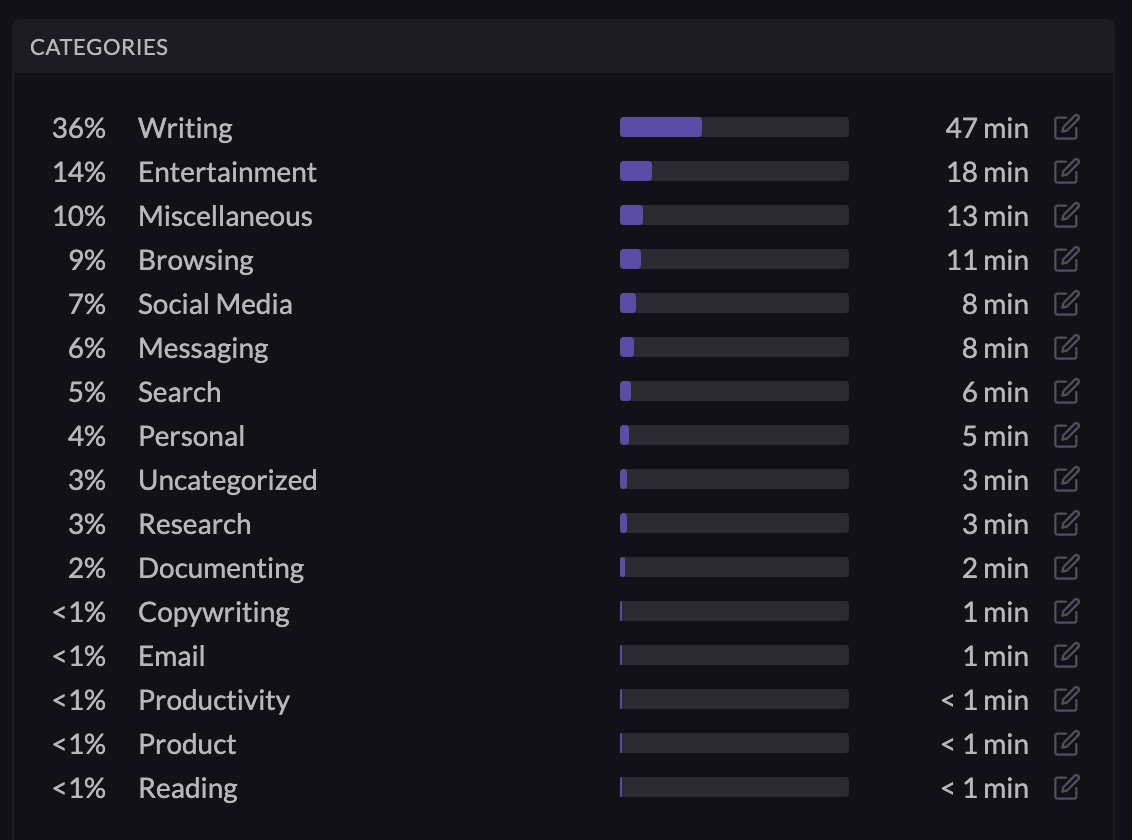
Rize stays focused specifically on productivity analytics and time tracking. It has a straightforward dashboard showing your real-time activity feed, work timer, timeline of tracked time, and focus/breakdown metrics.
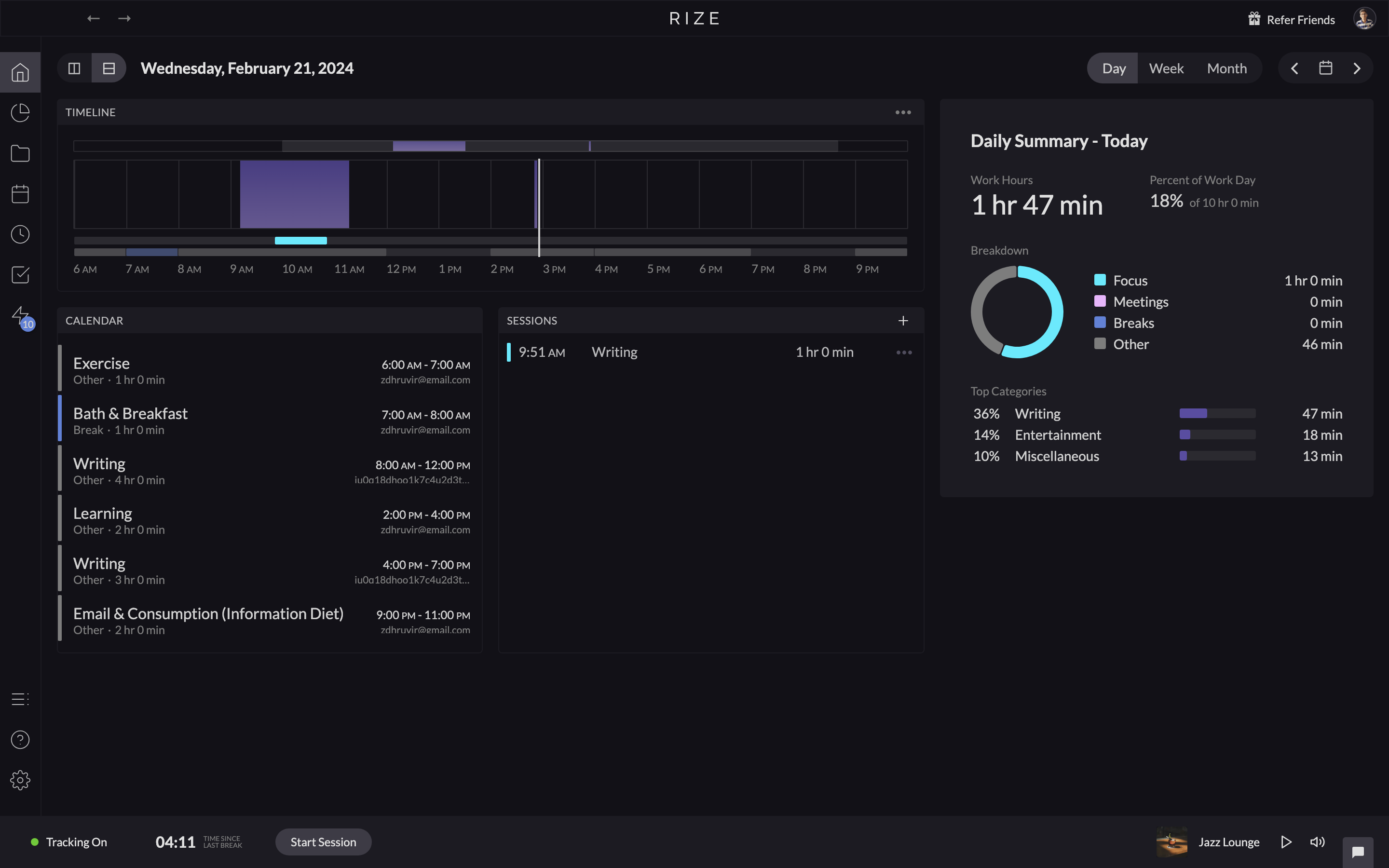
The UI automatically categorizes time across apps/websites into Writing, Entertainment, Communication, etc. You can also customize these categories to your needs.
As Rize runs quietly in the background gathering analytics, it aims to keep things simple so you stay focused on your actual work.
I love that it surfaces only the most relevant daily and weekly time/productivity data through handy email reports.
However, one drawback is, that Rize currently only supports desktop apps for Mac and Windows—no web or mobile apps yet.
Comparatively, RescueTime tried simplifying its interface to spotlight key habits data over minute timestamp details.
But I believe they went too far with the simplification. I find RescueTime’s UI relatively non-customizable.
For instance, this is what the RescueTime’s dashboard looks like:
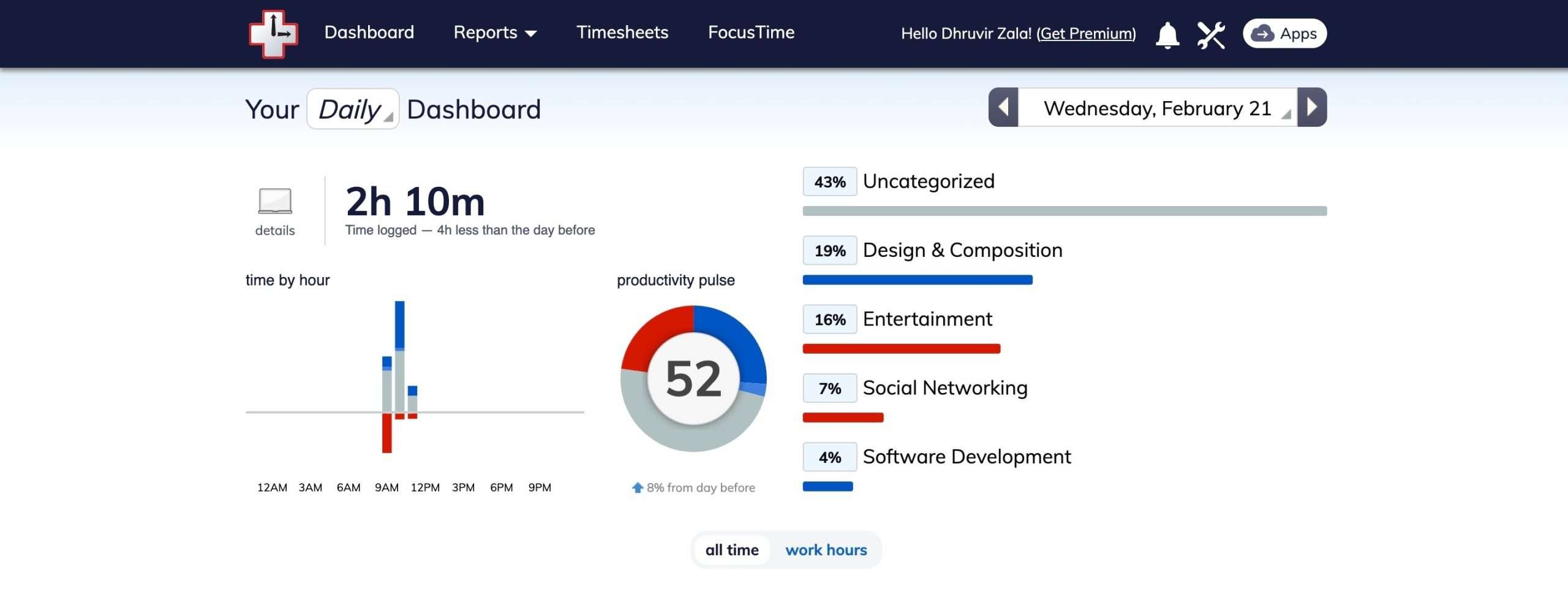
As you see, it is pretty clean and shows only three very “few necessary” things on the dashboard. RescueTime is all about “less is more”.
SIDENOTE: This kind of minimal dashboard is especially helpful for those with ADHD.
Besides the inability to do a lot with what you see in RescueTime, I prefer Rize’s perfectly color-coded chart and data—aka a clean user interface.
However, on the plus side, supporting Windows, Mac, Linux, Android, iOS, and web apps allows RescueTime to be more flexible across devices.
KEY TAKE HOME: For quick automated time tracking with friendly charts, Rize is simpler to start with. But RescueTime caters better to data-loving efficiency geeks.
Platform support
Rize is currently desktop-focused, and available on macOS and Windows.
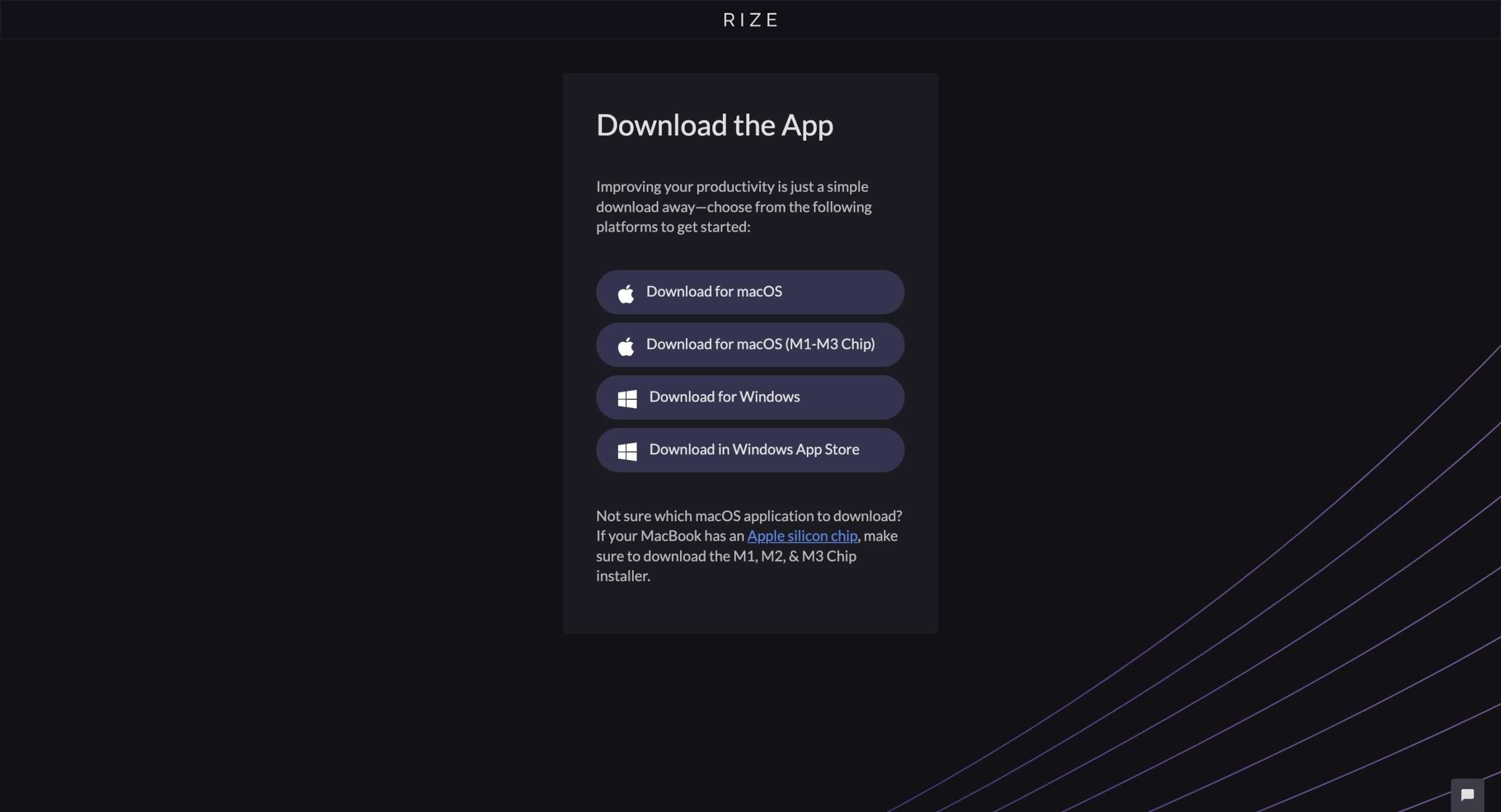
It auto-tracks time across all major browsers on these operating systems—like Chrome, Firefox, Edge, Brave, Vivaldi, and Safari.
On macOS devices, Rize can track time spent in any Mac app too, like Xcode, Figma, Superhuman, or Slack.
However, Linux support is still in the works. And those needing mobile time tracking on iOS or Android devices may find Rize limiting.
Comparatively, RescueTime offers wider platform availability across Windows, Mac, Linux, Android, and iOS.
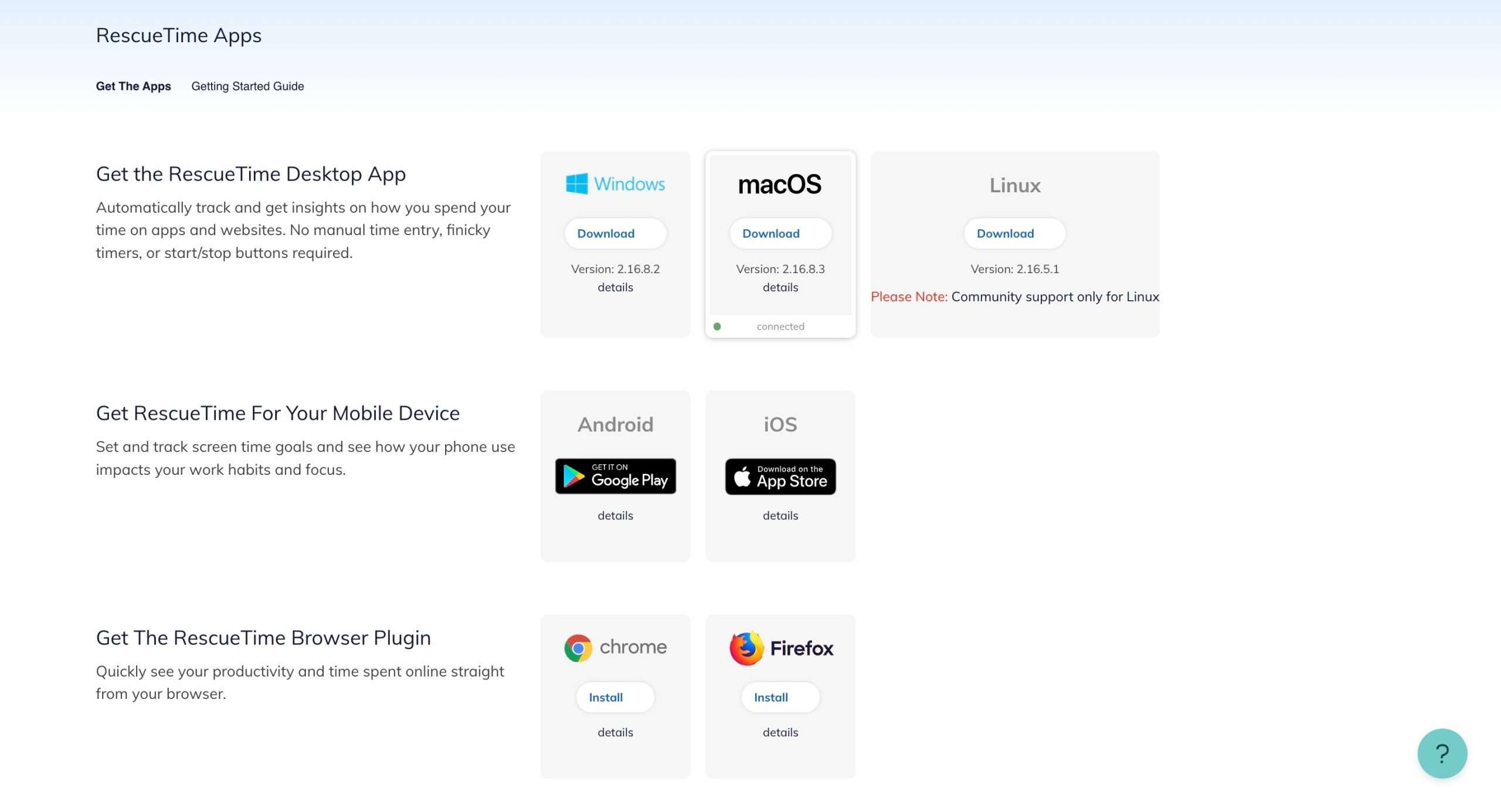
It has Chrome and Firefox browser extensions to enable tracking on Linux, Chrome OS, or Chromium-based browsers.
So RescueTime provides flexibility if you use multiple devices or non-mainstream operating systems.
However, for accurate tracking, RescueTime works best with updated Chrome, Firefox, Safari, and Edge browsers. Extra setup may be needed on alternative Chromium or Linux browsers.
Time tracking
Both Rize and RescueTime eliminate manual start/stop timers by automatically capturing how time is spent across apps and websites.
For starters, in Rize’s dashboard, you get the ability to view tasks like this:
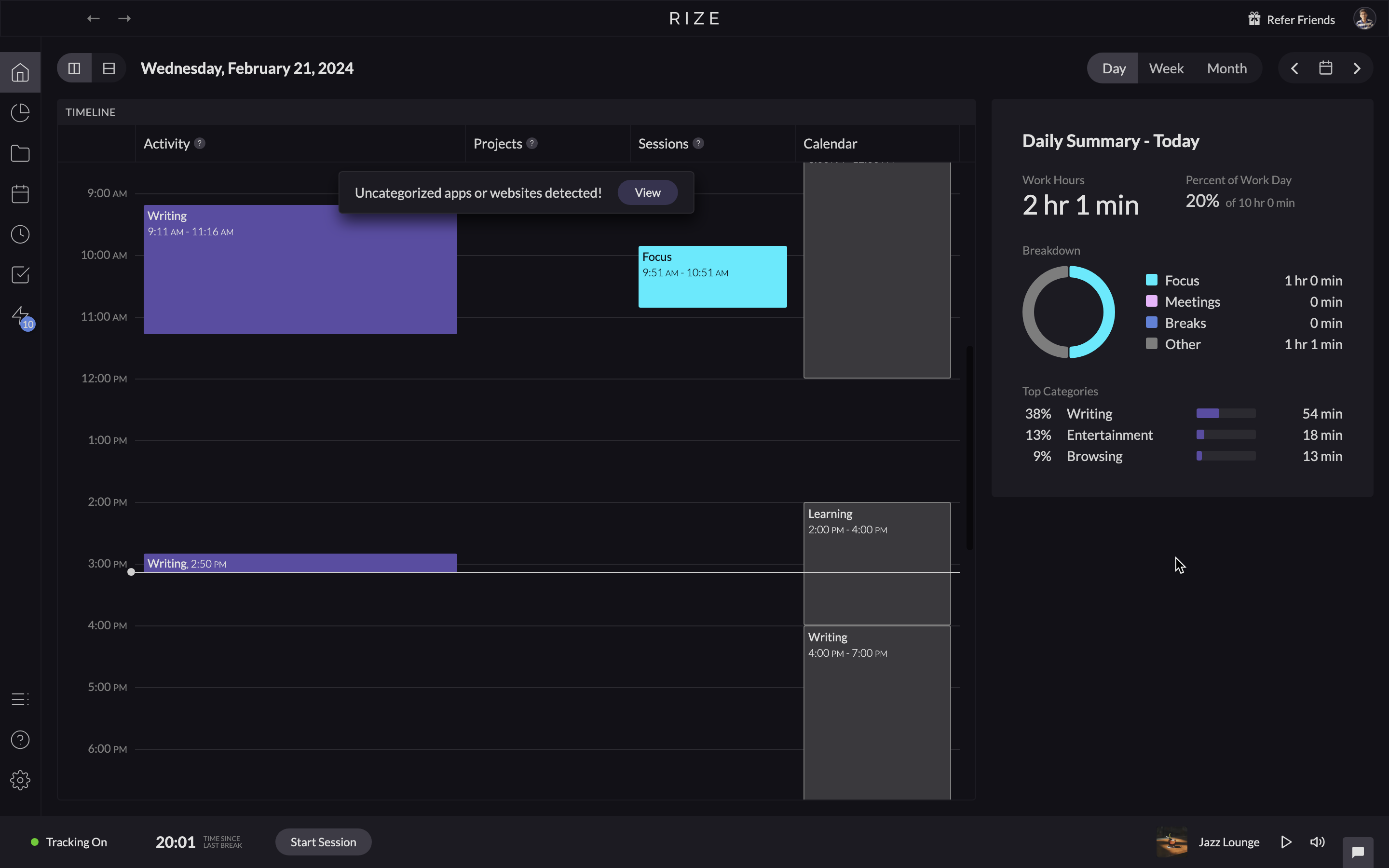
or like this:
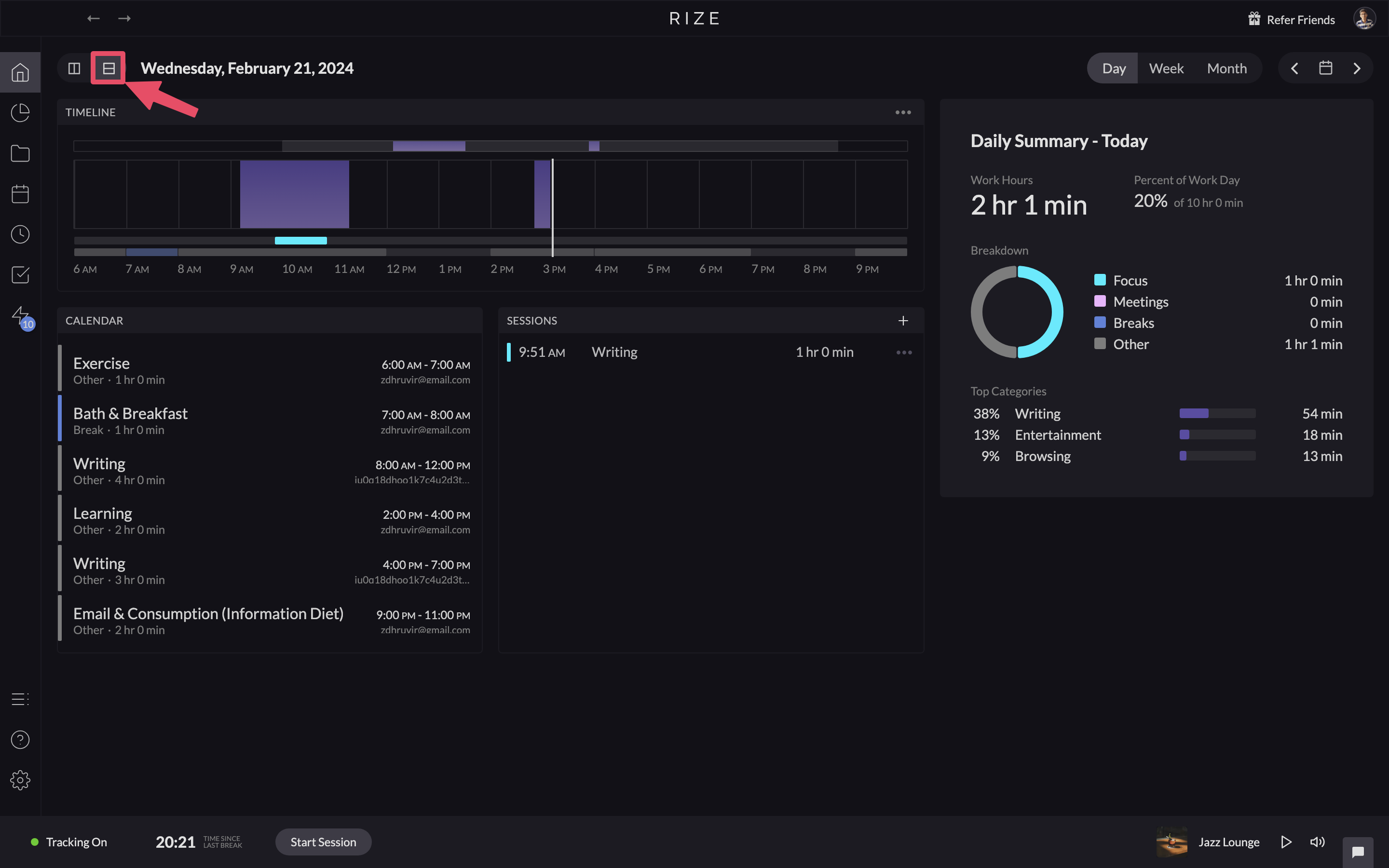
In the first view, the left side was my Google Calendar that I integrated.
In the second view, the left-side content is divided into three different sections:
- Timeline: The Purple color-coded block(s) is the time spent working on “something”.
- Calendar: It will display only if you connect your third-party calendar account to Rize.
- And Sessions: This shows which project you worked on during the day, and at what time.
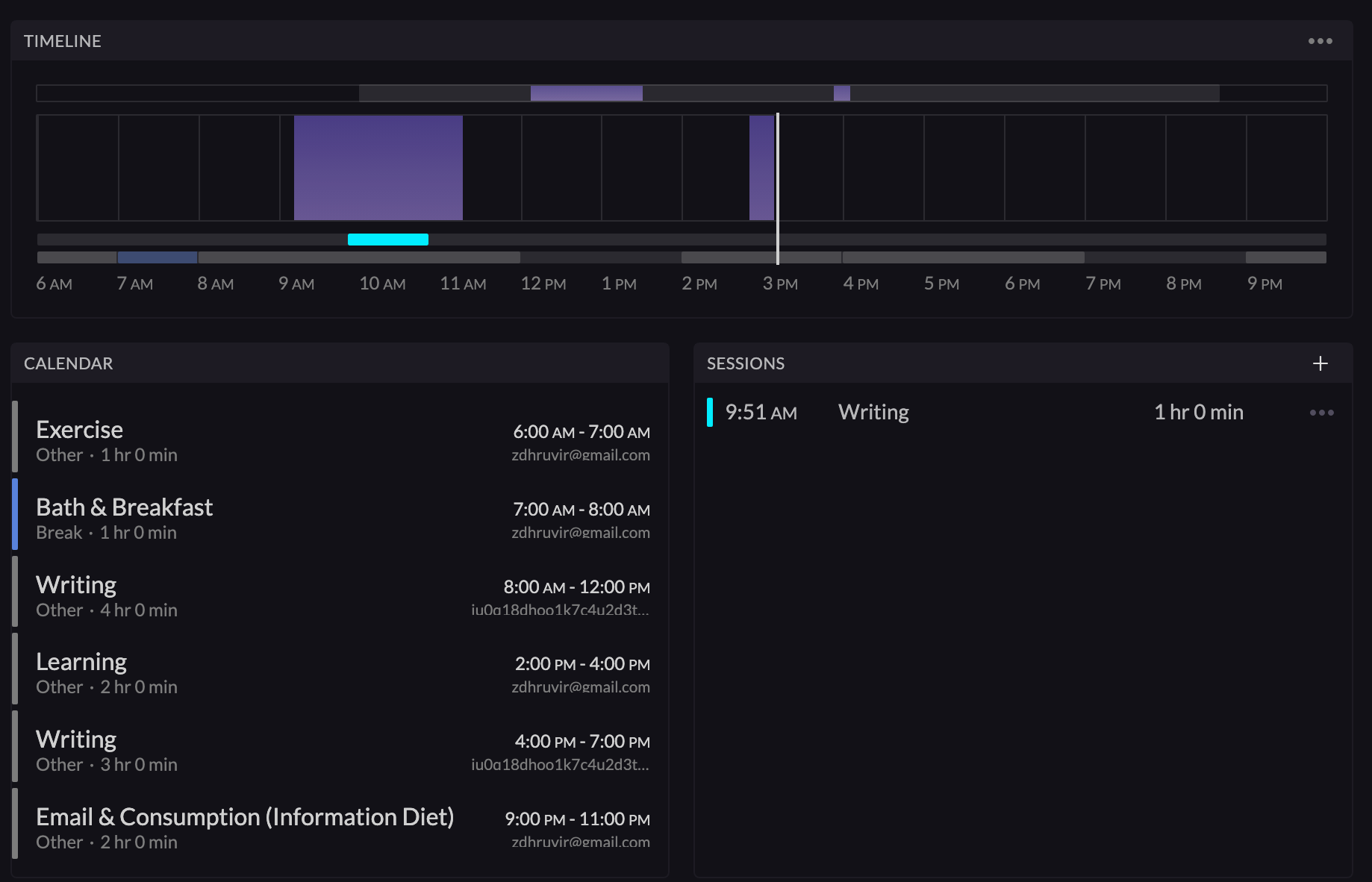
Notice how things get non-cluttered, taking up less space in the second view. This is the type of customization I was talking about.
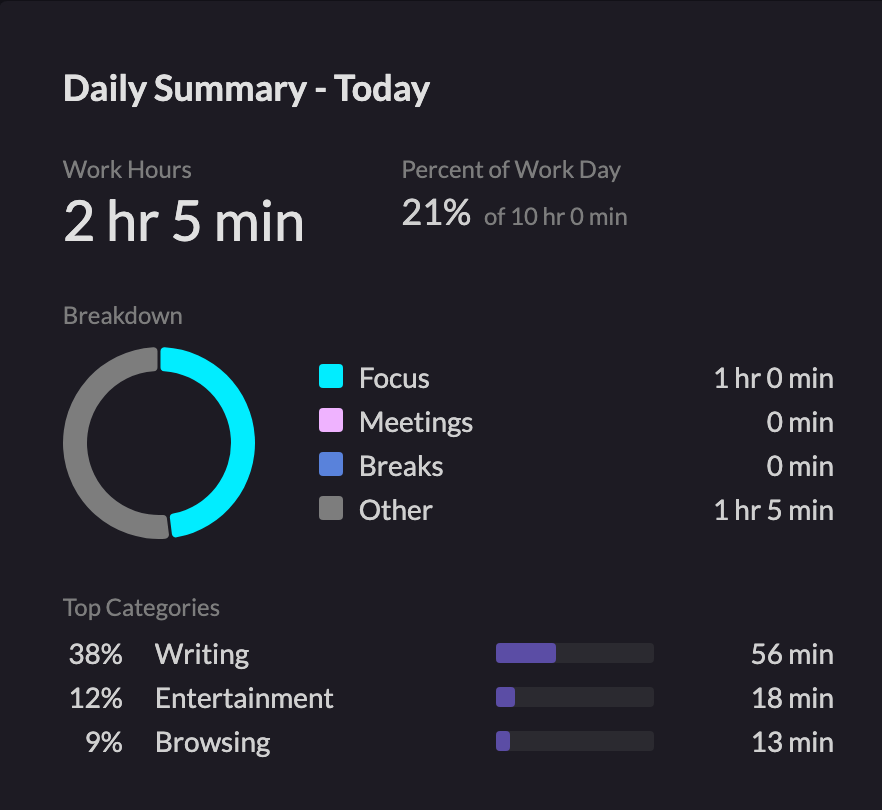
On the right side of the screen, you will see the daily summary of your day.
If you notice the bottom of the screen, you will see an active time tracker.
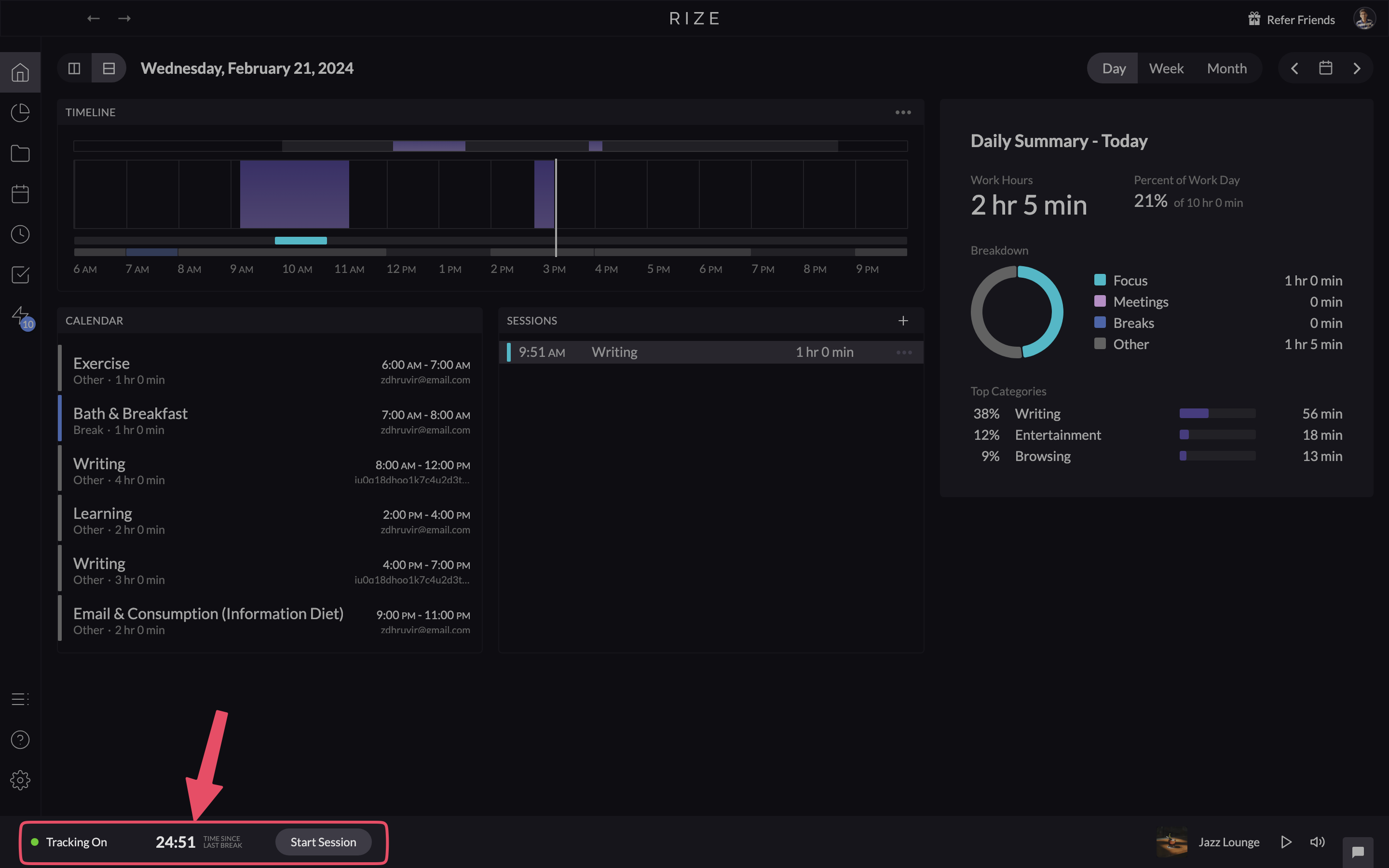
Click on it, and you’ll be on your way to the “Timer” page. This is where Rize tells you the amount of time you continuously spent working after your last break, with an active timer (until paused).
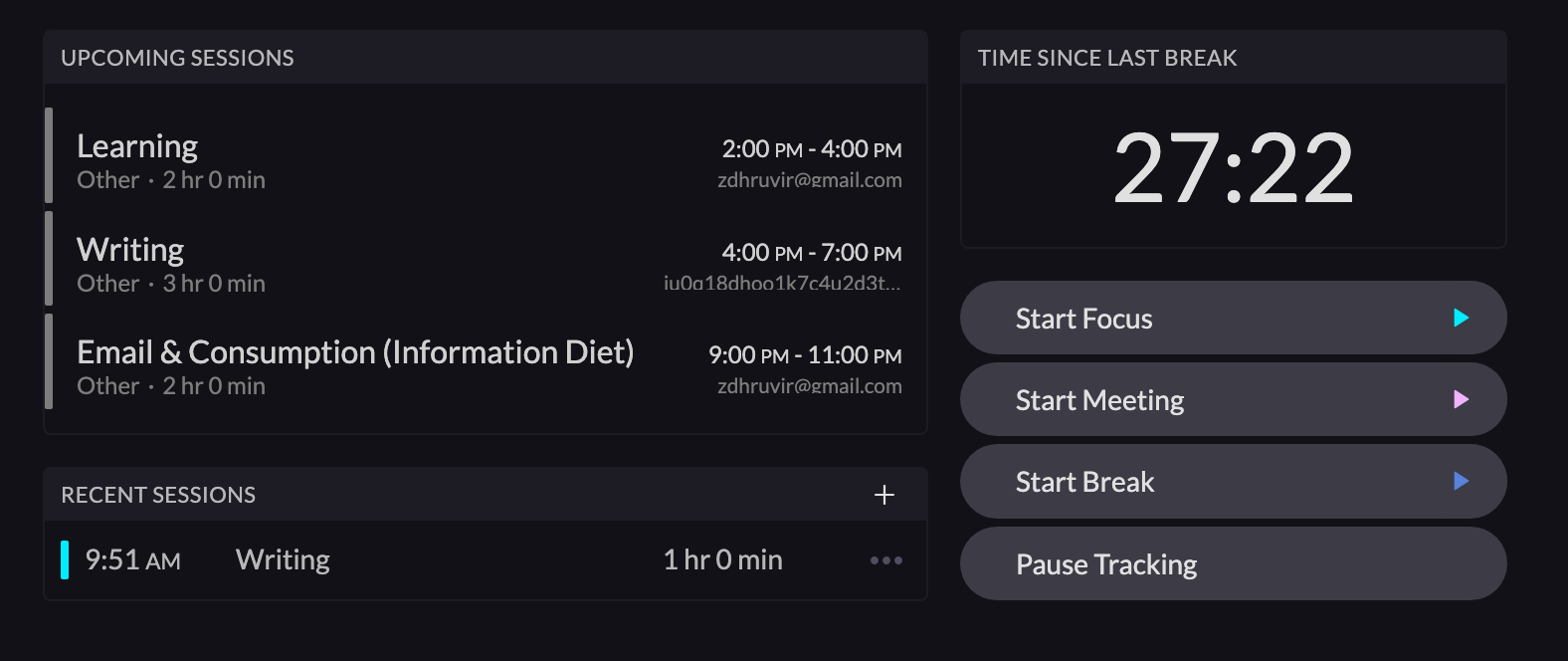
It also provides handy buttons to quickly:
- Start a focus session
- Start a meeting
- Start a break
- And pause tracking
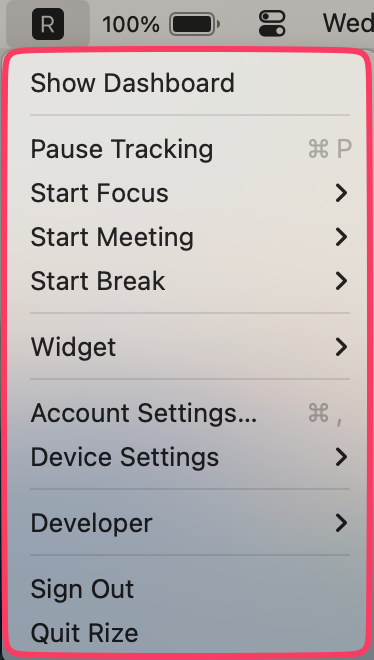
NOTE: The same features can be accessed from the desktop’s top menu bar. This feature can be turned on/off.
What’s more, Rize also enables you to create a project and track time specifically for it.
For instance, I have created different separate projects for writing, research, and editing.
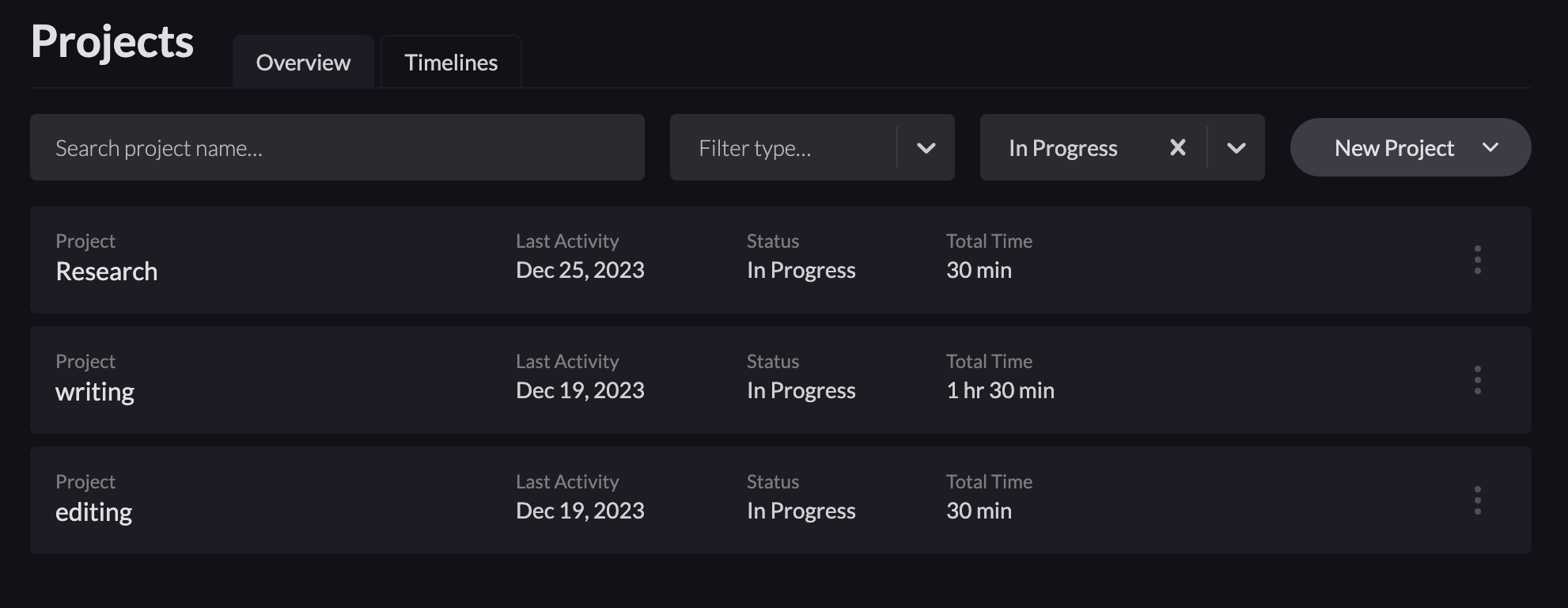
Now whenever I start a focus session, it asks me which project I am working on. Really helpful.
RescueTime’s time-tracking dashboard is relatively simpler. It enables you to choose from—daily, weekly, monthly, and yearly views.
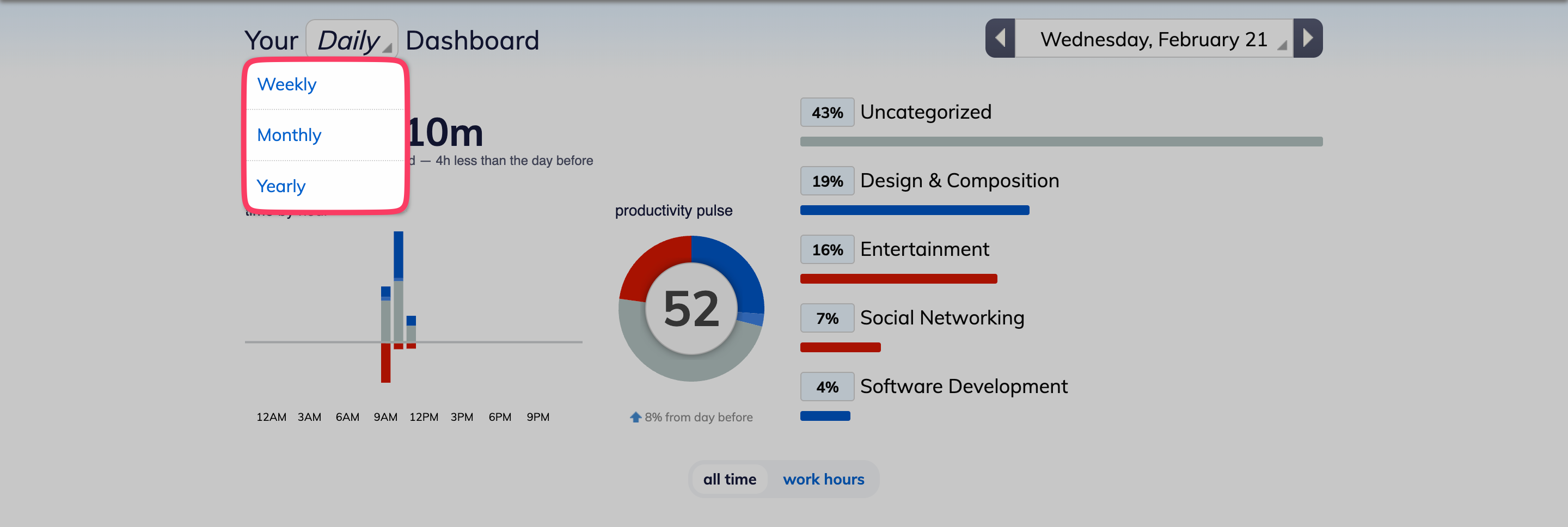
RescueTime keeps track of the applications and websites you use on your computer, tablet, and mobile devices. It logs details like:
- Names of apps/websites
- Time spent in each app/website
- How frequently do you switch between apps/websites
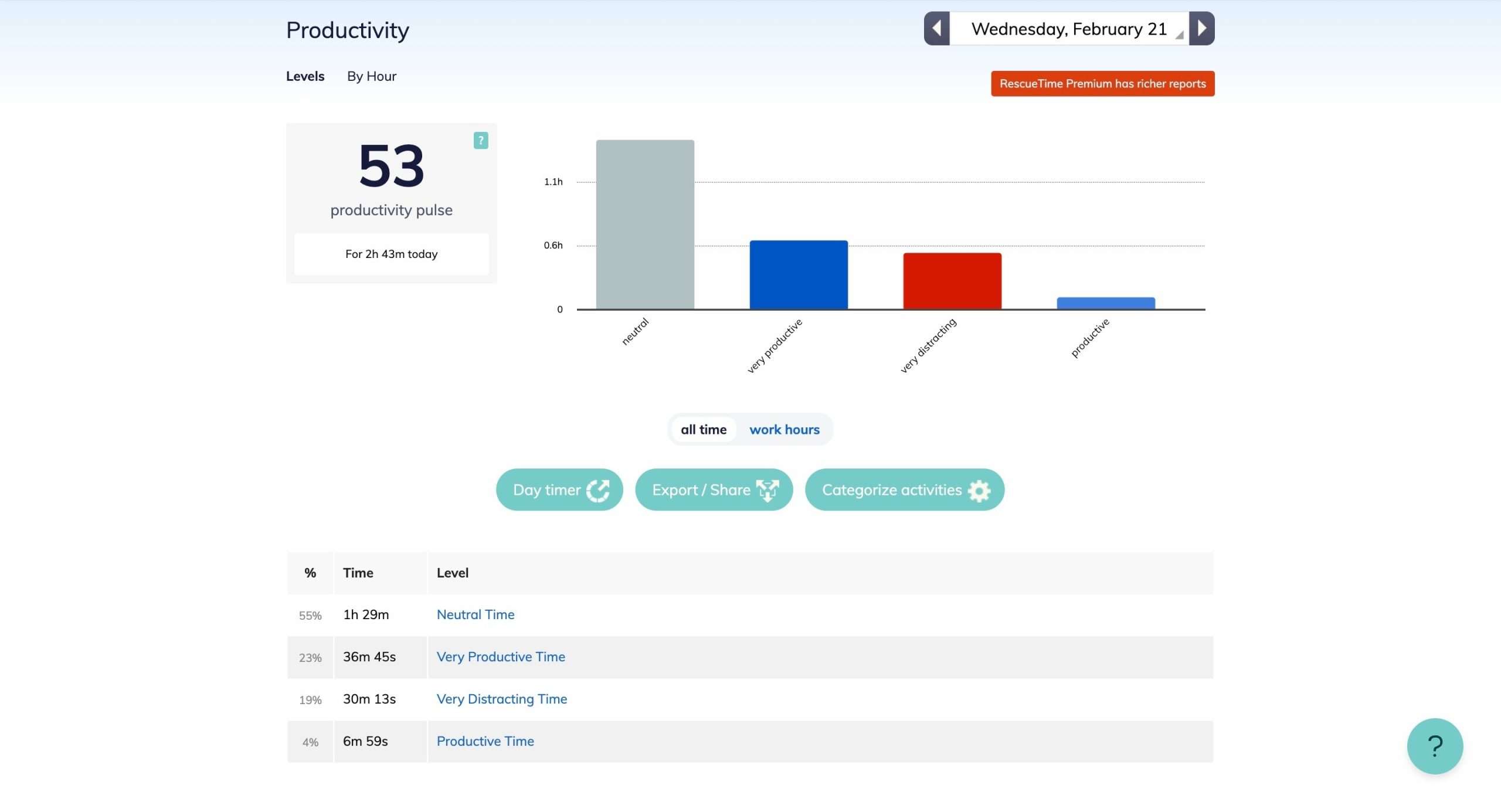
The “Productivity Pulse” is their in-house metric to determine how productive you were out of 100, during the day.
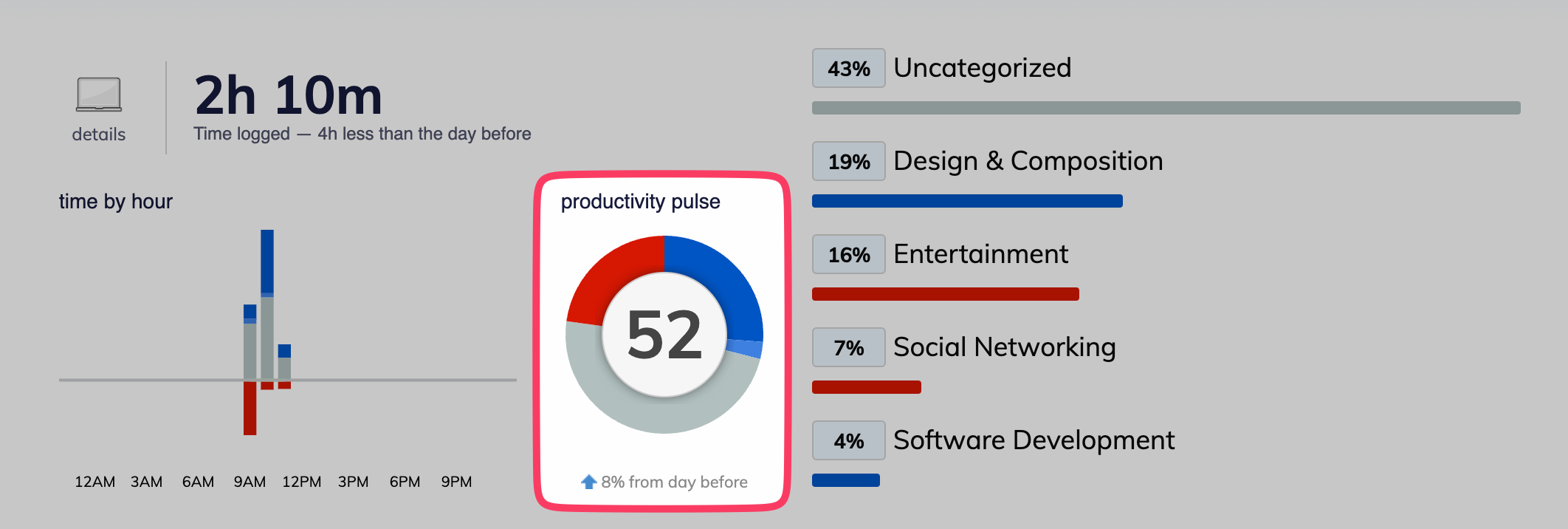
Rize has, as seen in daily summary, its productivity metric (they call it “breakdown”) scoring too.
To keep it simple, all the apps and websites you use are categorized by RescueTime into:
- Very productive
- Productive
- Neutral
- Distracting
- Very distracting
For RescueTime premium users, offline activities like meetings, lunch breaks, phone calls, etc. can also be logged to categorize that time.
- Detailed time tracking is available for the past 2 weeks for free RescueTime users.
- Premium users get unlimited historical data on time usage patterns.
Focus Features (distraction blockers, etc)
Context switching between tabs and apps kills productivity.
That’s why built-in focus features to reduce disruptions are so valuable. Both Rize and RescueTime aim to address this in different ways.
Rize allows blocking access to distracting websites and apps during focus sessions. It shows which apps/websites interrupt you the most and gives you an on-page popup telling you to stop wasting your time.
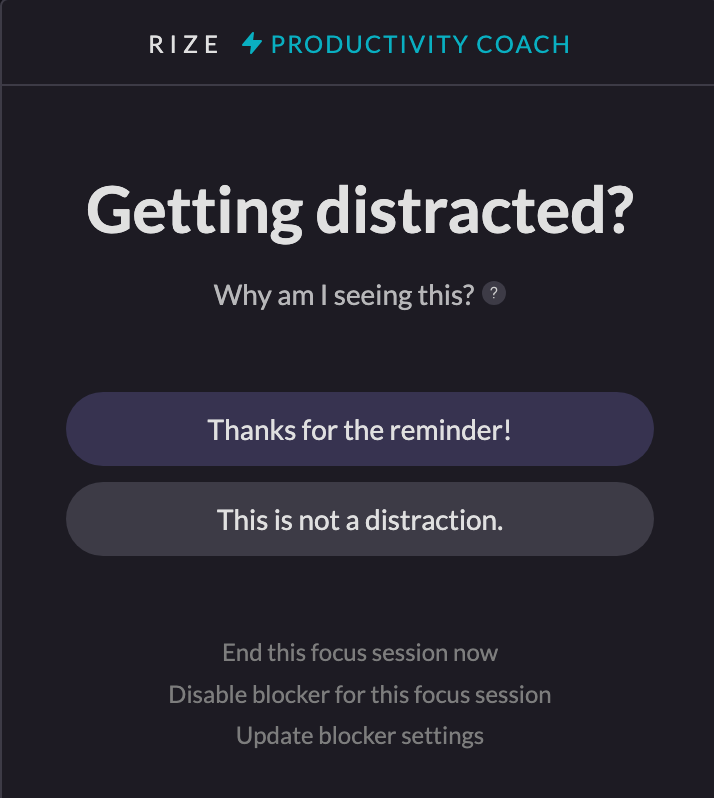
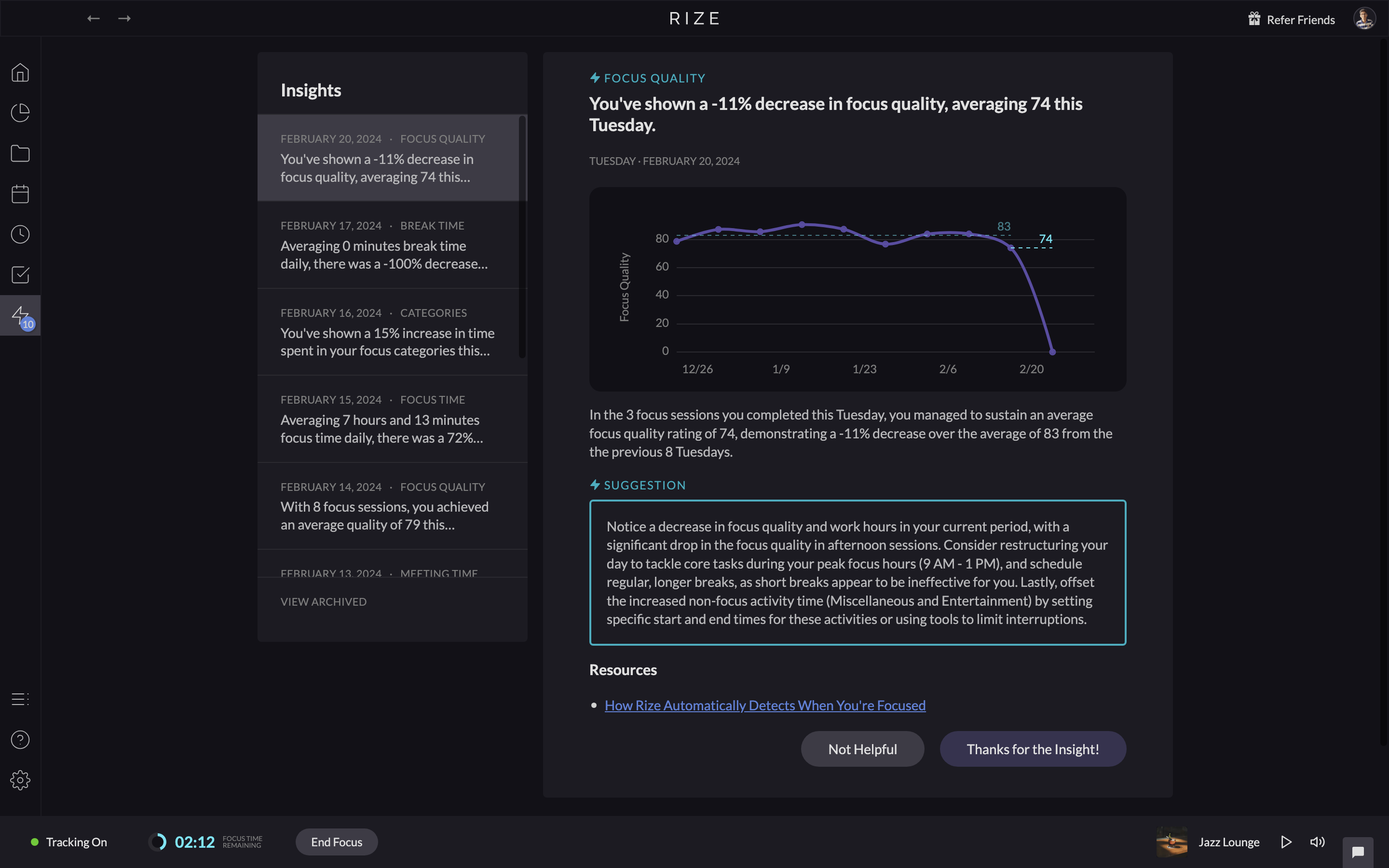
Thanks to Rize’s AI-powered coach (their new feature), it not only reminds you to get back work, but also gives you valuable suggestions based on your working patters.
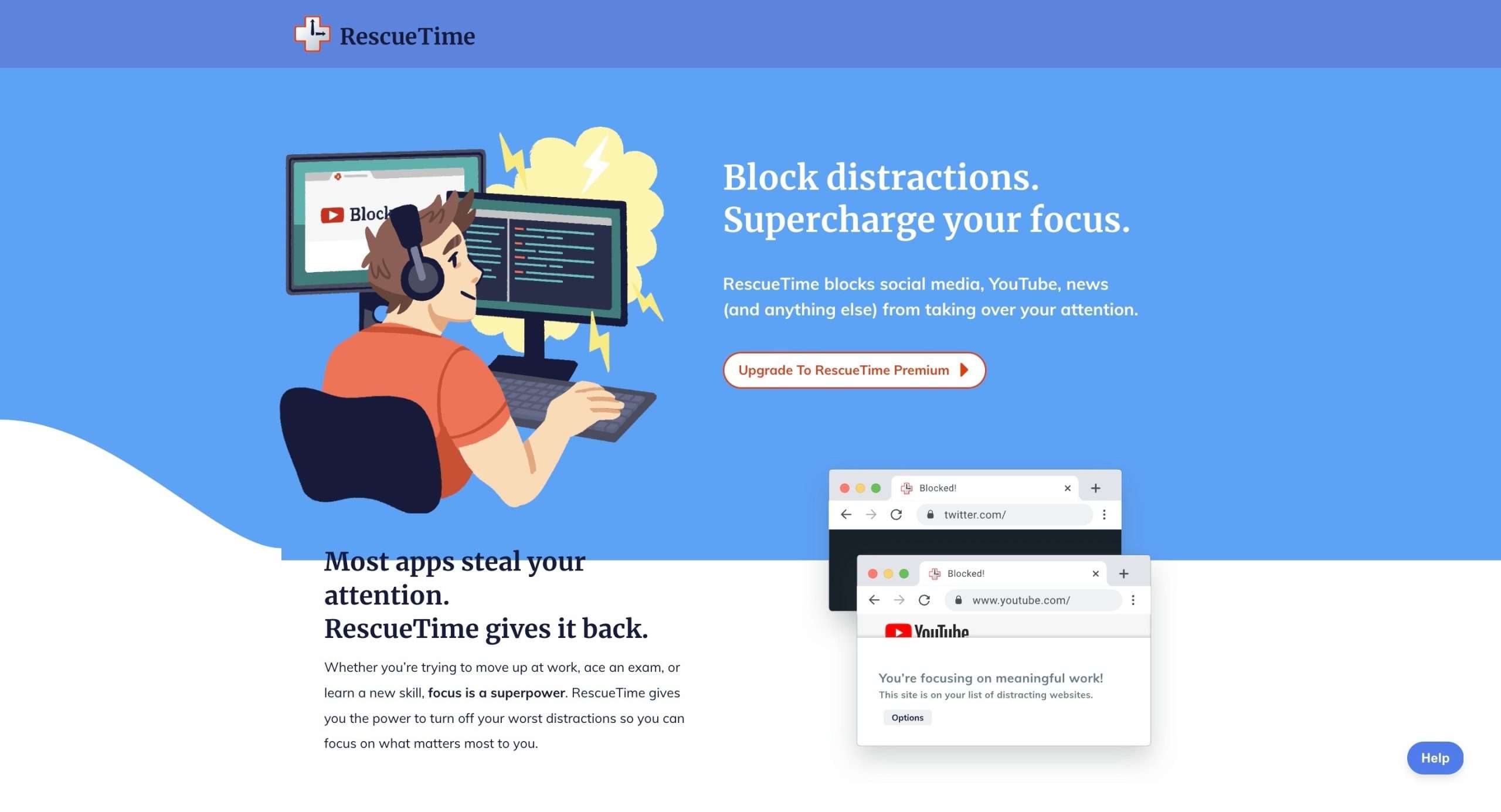
RescueTime’s FocusTime feature also blocks sites and apps that negatively impact productivity. You can customize what gets blocked.
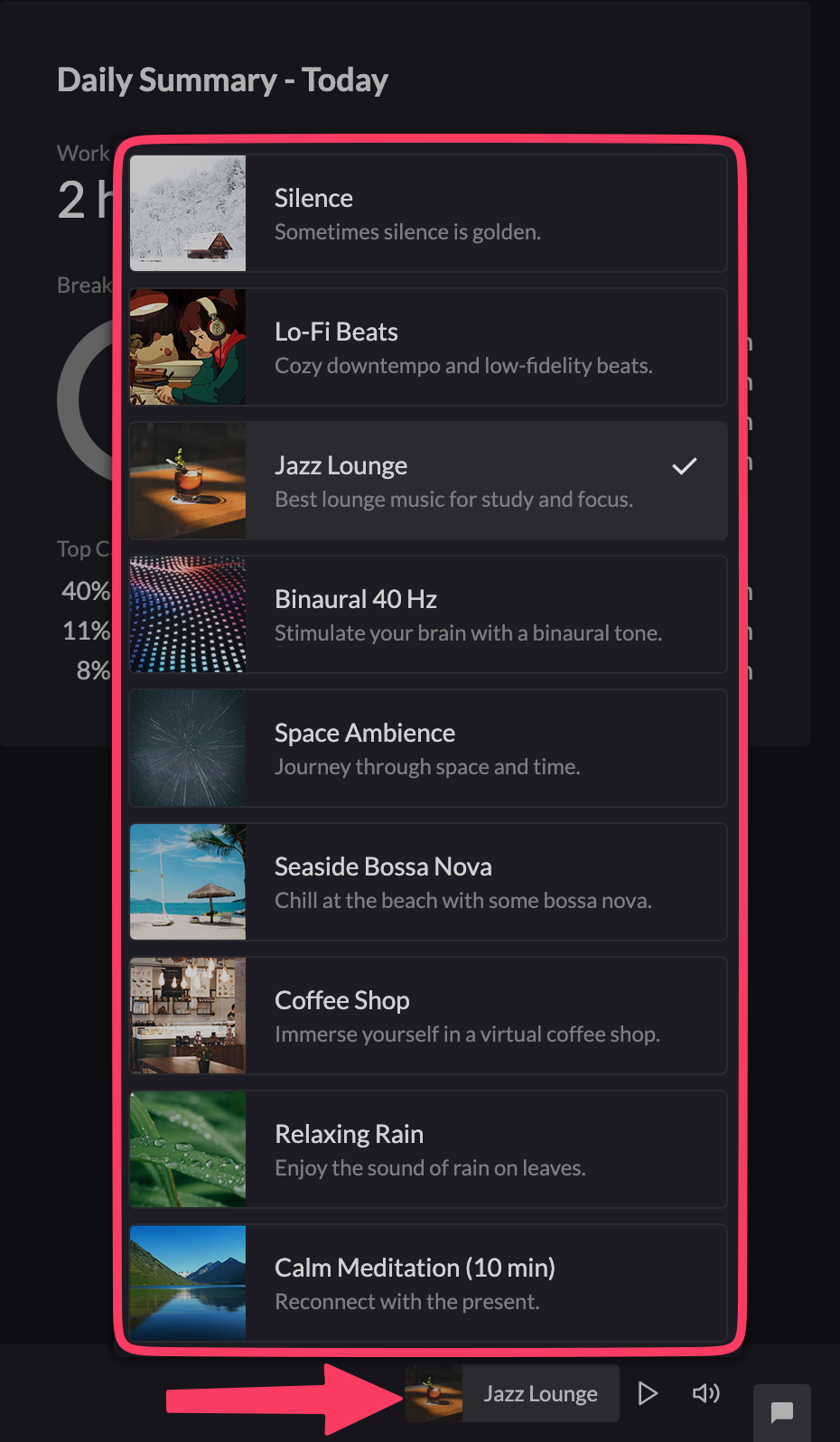
Rize provides ambient focus music to help you concentrate. RescueTime does not offer focus music.
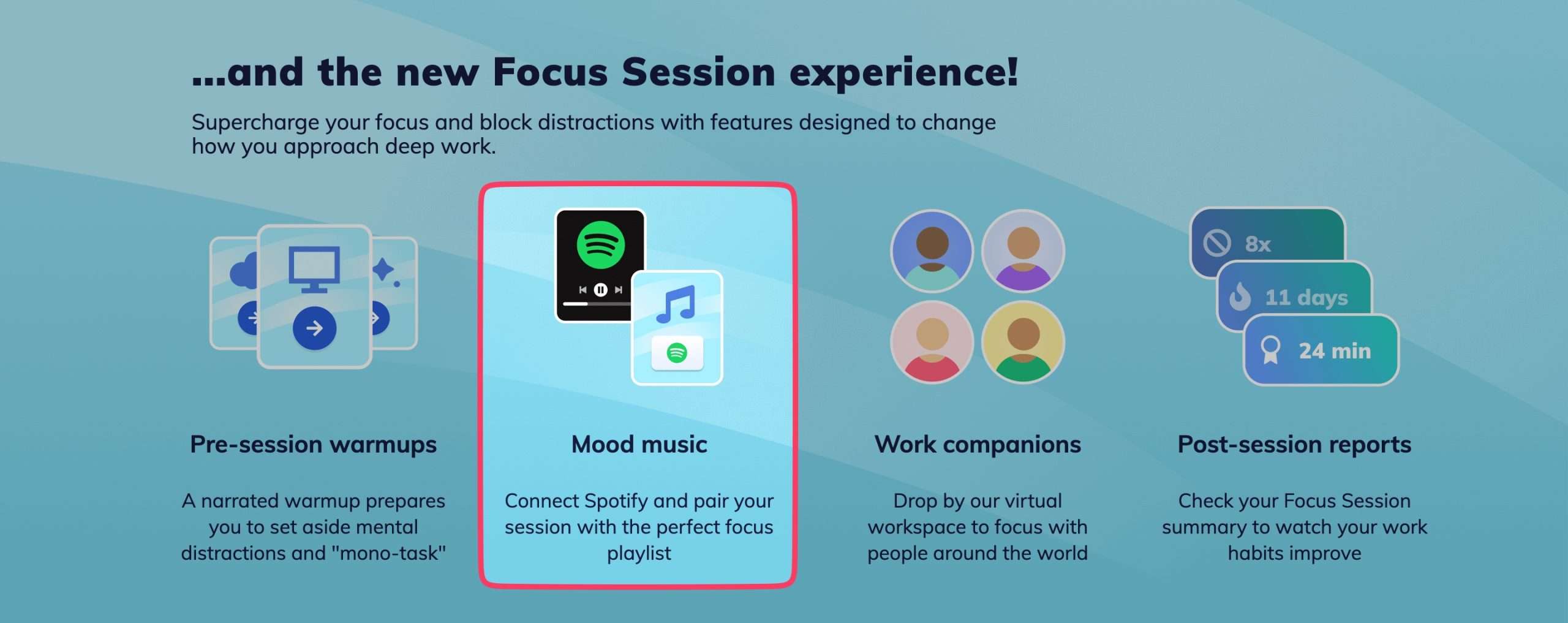
However, RescueTime’s paid plan allows you to connect your Spotify account and play your preferred playlist.
KEY TAKE HOME: For specialized focus analytics, ambient music, Pomodoro, and metrics – Rize is ahead.
Setting and Achieving Goals
Rize and RescueTime both provide goal-setting features to keep you aligned with your daily and weekly targets.
Rize comes with pre-built goal templates that you can start using immediately.
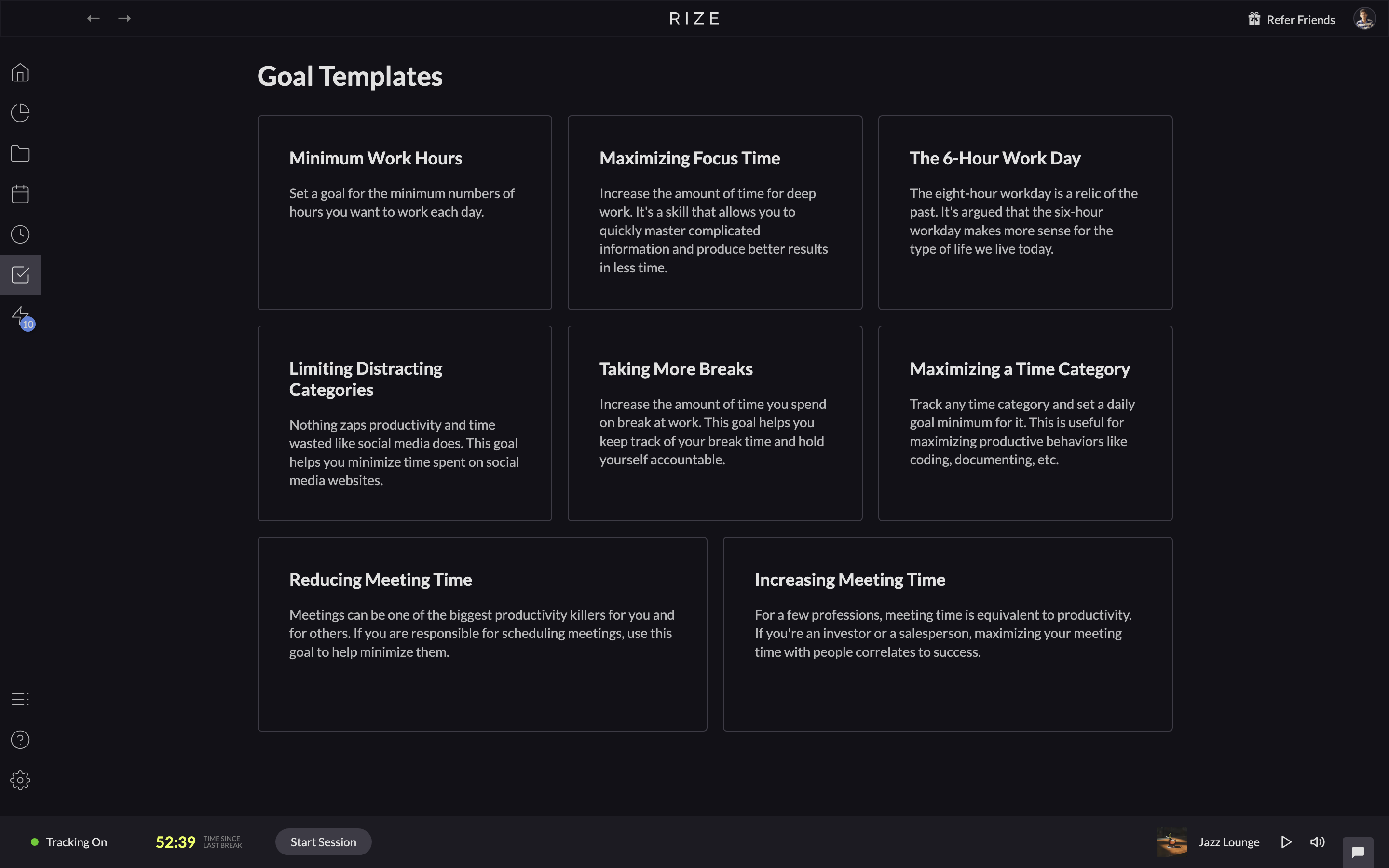
You can also set conditional goals based on sequences of events. Like taking a 5-minute break after every 25 minutes of focused work.
Comparatively, RescueTime offers flexibility in the types of goals you can define:
Although it does not have ready-to-use templates like Rize, RescueTime enables you to create any type of goals you want.
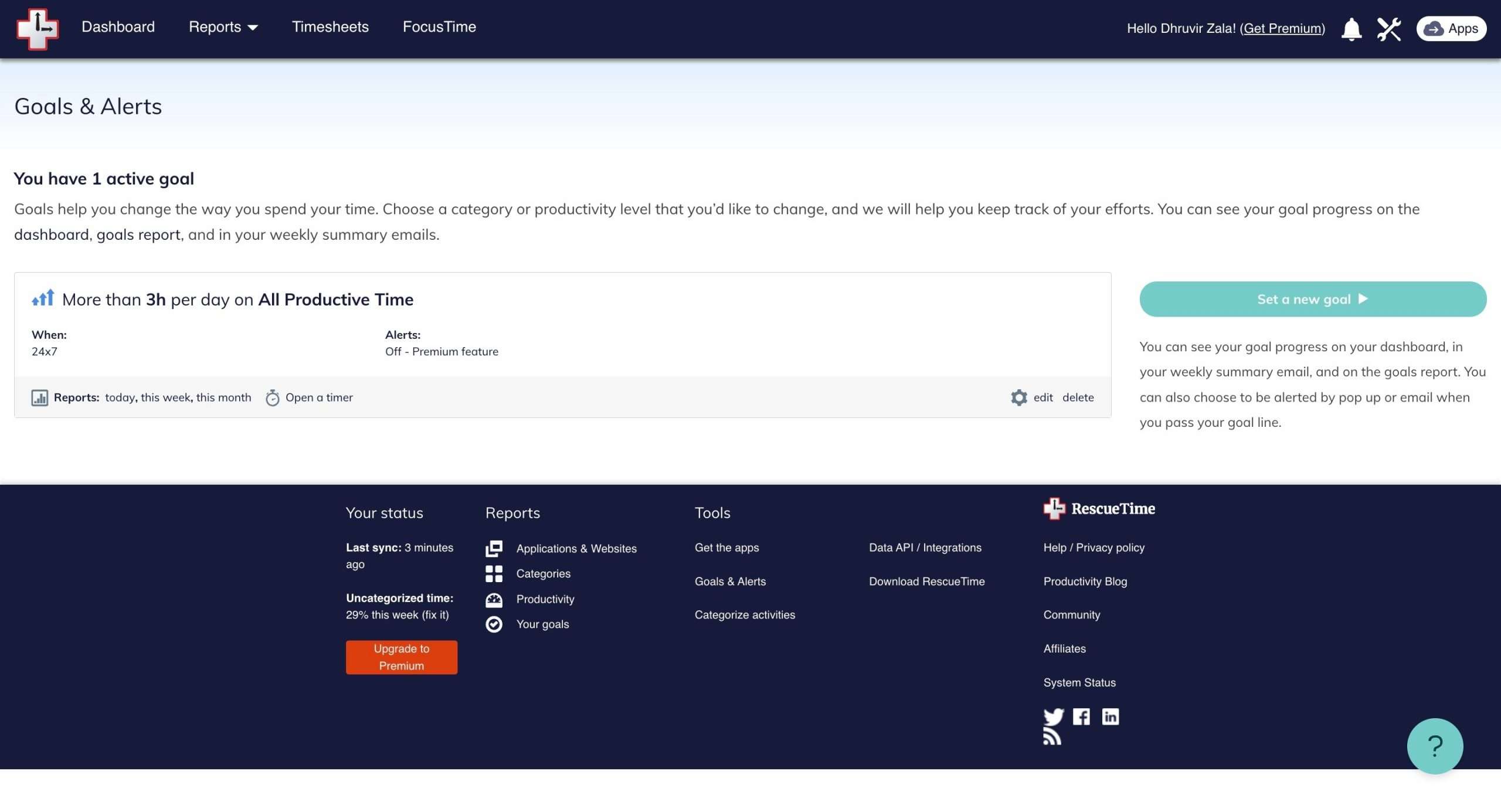 All you need to do is to fill in the following details to make it customizable: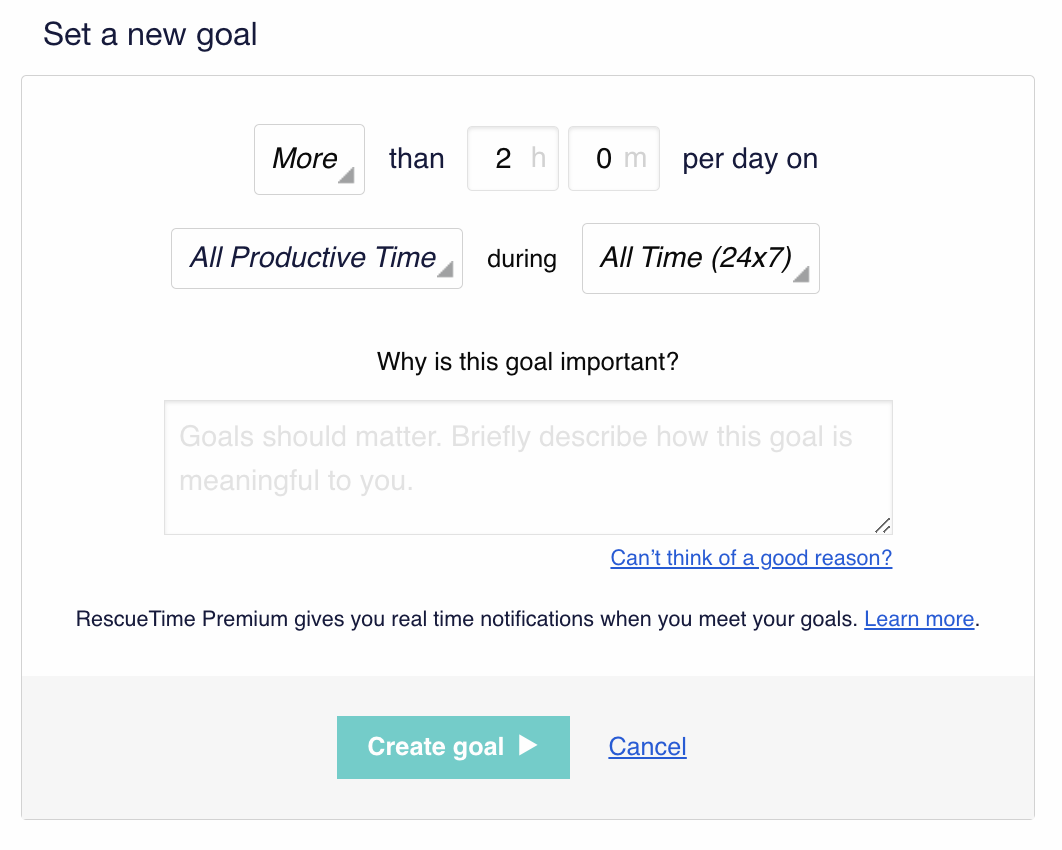
As discussed earlier, both Rize and RescueTime provide tracking and alerts to keep you updated on goal progress.
Reporting and analytics
Rize’s key focus is providing a daily email report that sums up your time and productivity.
For instance, check out this example:
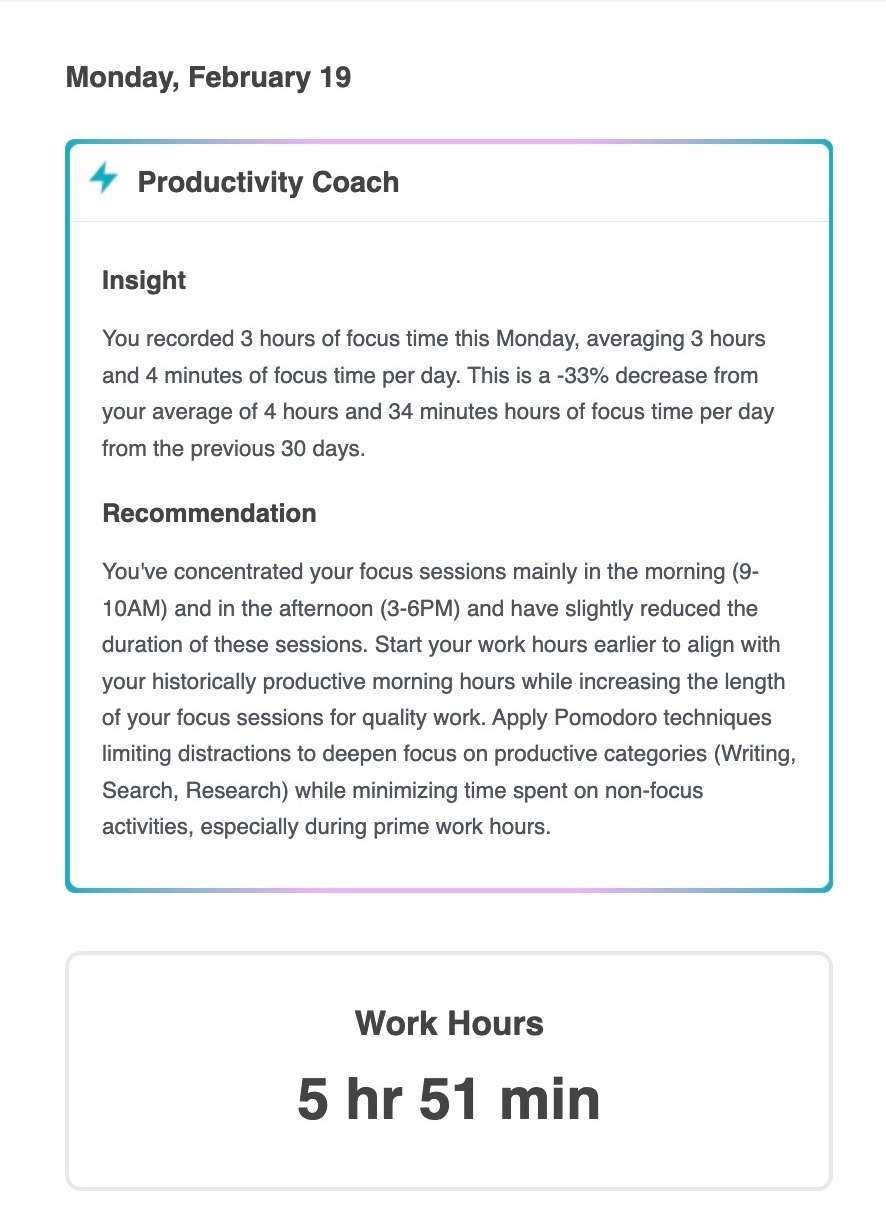
It shows your activity timeline, AI productivity coach’s remarks, top apps/sites, productivity score, goals achieved, context switches, interruptions, and more.
That’s not all. You also get weekly emails showing aggregated working hours and more. RescueTime also offers granular hourly tracking showing exactly what you do across devices.
The detailed reports reveal time spent on individual web pages and documents, not just the overall domain.
RescueTime also prompts you to log offline activities like meetings or commutes. So your weekly reports reflect a truly full picture.
KEY TAKE HOME: Rize provides a higher-level daily report to stay accountable. But RescueTime offers more robust analytics if you want to dig deeper into how time and attention get allocated.
Integrations
Rize connects your calendar events from Google or Outlook into its activity timeline.
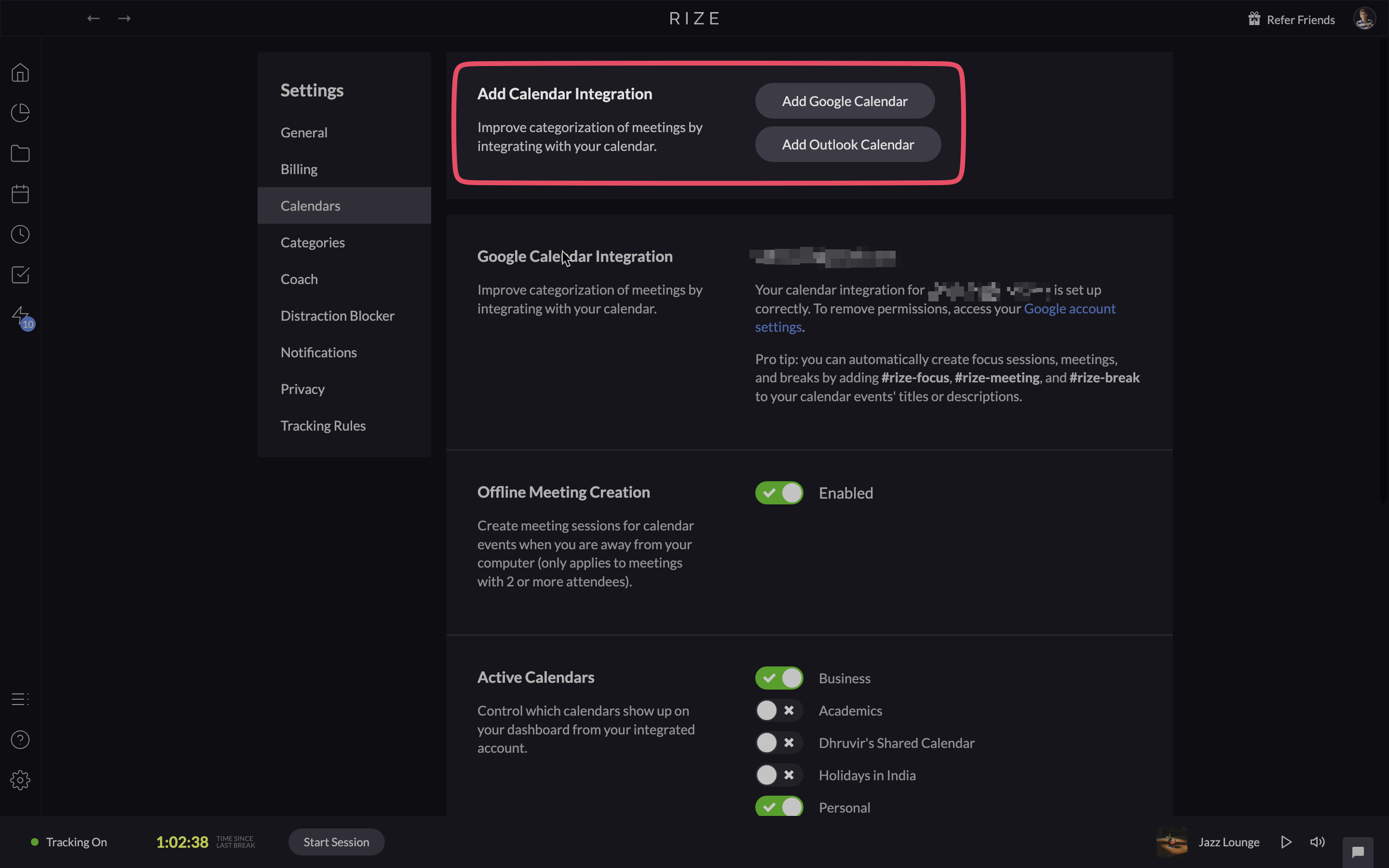
For writers using word processors like Google Docs or Microsoft Word, Rize auto-detects activity to log it under ‘Writing’ time.
RescueTime aims to centralize your productivity metrics across work apps using 300+ integrations.
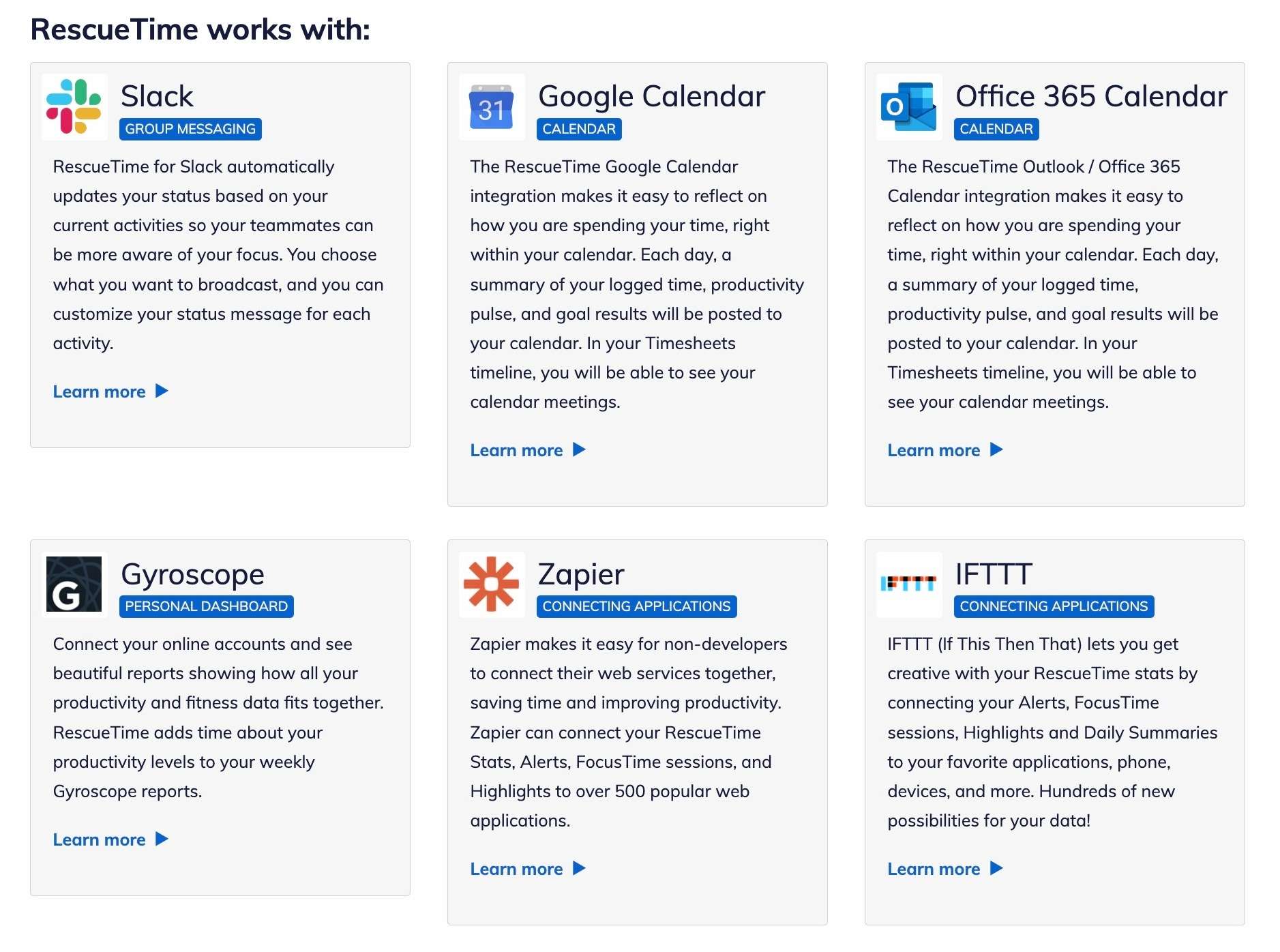
RescueTime upgrades Slack by showing your productivity score as your status. It can also send summaries of your focused time to share with teams.
Connecting Trello boards allows seeing card-wise time tracking data. This helps when reporting time spent on client projects.
Additionally, communication tools like Gmail, Outlook, and Telegram can all receive alerts when your focused time limits are exceeded.
The breadth of integrations spans wellness, scheduling, spreadsheets, communication, and development tools.
KEY TAKE HOME: While Rize provides a solid productivity foundation, RescueTime opens up more possibilities to build upon by interconnecting apps via Zapier and IFTTT.
How Are Rize and RescueTime Priced?
Rize offers both free and paid plans. The free version only includes basic time tracking features with data retention capped at one day.
To unlock more advanced capabilities, Rize’s paid plans start at $9.99 per month billed annually (or $16.99 per month, when billed monthly).
Rize’s paid plans offer a 7-day free trial.

RescueTime has a “Lite” free plan with basic tracking for the last 14 days of data.
Upgrading to the Premium Personal plan costs $12 per month or $78 per year (a 46% saving). RescueTime also offers volume discounts for teams.

Conclusion: Which Time Tracker Should You Go Home With?
So there you have it, a comprehensive feature-by-feature comparison of RescueTime and Rize!
My take is:
Both options eliminate tedious manual time tracking by auto-capturing your digital activity behind the scenes.
This visibility alone can lead to some big aha moments around how your time gets allocated across apps and sites!
Choose Rize if you value automated insights for improved productivity more than granular tracking. Go with RescueTime if hardcore data analysis on time use is crucial to inform deep work habits.
And hey, you can always run both a trial of Rize and RescueTime for a week or two!
See firsthand which clicks better with your style before deciding.


 A better way to manage projects and clients for freelancers
 Get through busy days like a breeze with Reclaim.ai