People often call the cellphone the real productivity killer. It constantly pulls us from work and wastes our most productive hours.
But if we’re honest with ourselves, a cellphone is merely a tool.
What truly lowers our productivity isn’t the device–it’s the constant state of inattention.
I realized this when, despite muting notifications and turning off apps, my productivity stayed at an all-time low.
Removing the cell phone didn’t help much; the problem appears to be a lack of concentration. I tried a couple of productivity hacks too, but they didn’t work.
At the start of 2026, I decided to change how I work, shifting my focus from optimizing my calendar to protecting my peak hours.
I used a specific tool for deep work and built a more realistic schedule. My ultimate goal was to work fewer hours and make those hours count!
The revised system worked remarkably well and doubled my output. It improved my focus and helped me utilize my optimum time smartly.
In this article, I have shared my personal productivity system, explaining how I increased my output in 2026. My aim is to give you some ideas to design a better work schedule.
Let me explain the deep work first.
What Is Deep Work
Deep work is the productivity term for uninterrupted work.
When you are fully in the zone or performing a complex task that requires deliberate effort and concentration, we refer to it as deep work.
It represents a high-value job that provides a sense of satisfaction and makes you feel you have accomplished something meaningful.
Some good examples of deep work include practicing a skill, designing a product, solving a problem, researching, and reading.
There are other excellent examples as well, such as planning, strategizing, reporting, and monitoring.
All these jobs need your cognitive abilities, full concentration, and uninterrupted time, categorizing them as deep work.
Deep Work vs. Shallow Work
One way to understand deep work is to separate it from shallow tasks.
Deep work brings some value to your day. You meet important deadlines and produce measurable output.
Shallow tasks, on the other hand, don’t demand much mental effort. They are the small chores that keep you busy but rarely produce any impactful outcome, such as checking emails, attending regular meetings, or filing documents.
When you evaluate your time based on deep and shallow work, you start to get a clear sense of where the problems are in your schedule.
What Led Me To Believe My Low Productivity Was Connected To Work Pattern
In my line of work, researching and producing content are two main jobs that need my entire focus.
I spend most of my work hours researching, crafting outlines, drafting content, and making final edits.
In the past few months, my output has been fluctuating widely. Sometimes I met my deadlines, and sometimes I missed them completely.
Initially, I thought my time management was weak. I adjusted my schedule and increased my work hours to get more done. But the more hours I allocated to work, the less content I produced.
Understanding the deep work led me to the conclusion that it was my inattention that was actually hurting my productivity. I kept zoning out, used peak hours for shallow work, and got distracted by small things.
The result? Work delay and low productivity.
This type of behavior is pretty common in the workspace.
Most people spend only 2 to 3 hours per week on deep work and subconsciously fill their days with shallow work.
Why? Because when you get interrupted every 10 minutes by notifications and messages, you lose your tempo. Regaining that focus takes a significant amount of effort, so your brain automatically leans toward shallow work.
Our mind also tends to get stuck on previous incomplete tasks, keeping us from focusing on the current one.
In psychology, it’s called the Zeigarnik effect.
Researchers believe that when we leave jobs unfinished, our minds create open loops that remain active, bothering us until they are resolved.
That’s why people hate cliffhangers.
After recognizing the root cause of my low productivity, I noticed that when I intentionally allocate time for small chores, my stress lessens, and I get more time for deep work.
So I incorporated that technique into my schedule and bought a digital planner to help me build a new routine.
The Specific Tool I Use For Deep Work
Before I bought the specific tool I use for deep work, I tried a couple of popular apps initially, like Notion and Reclaim.
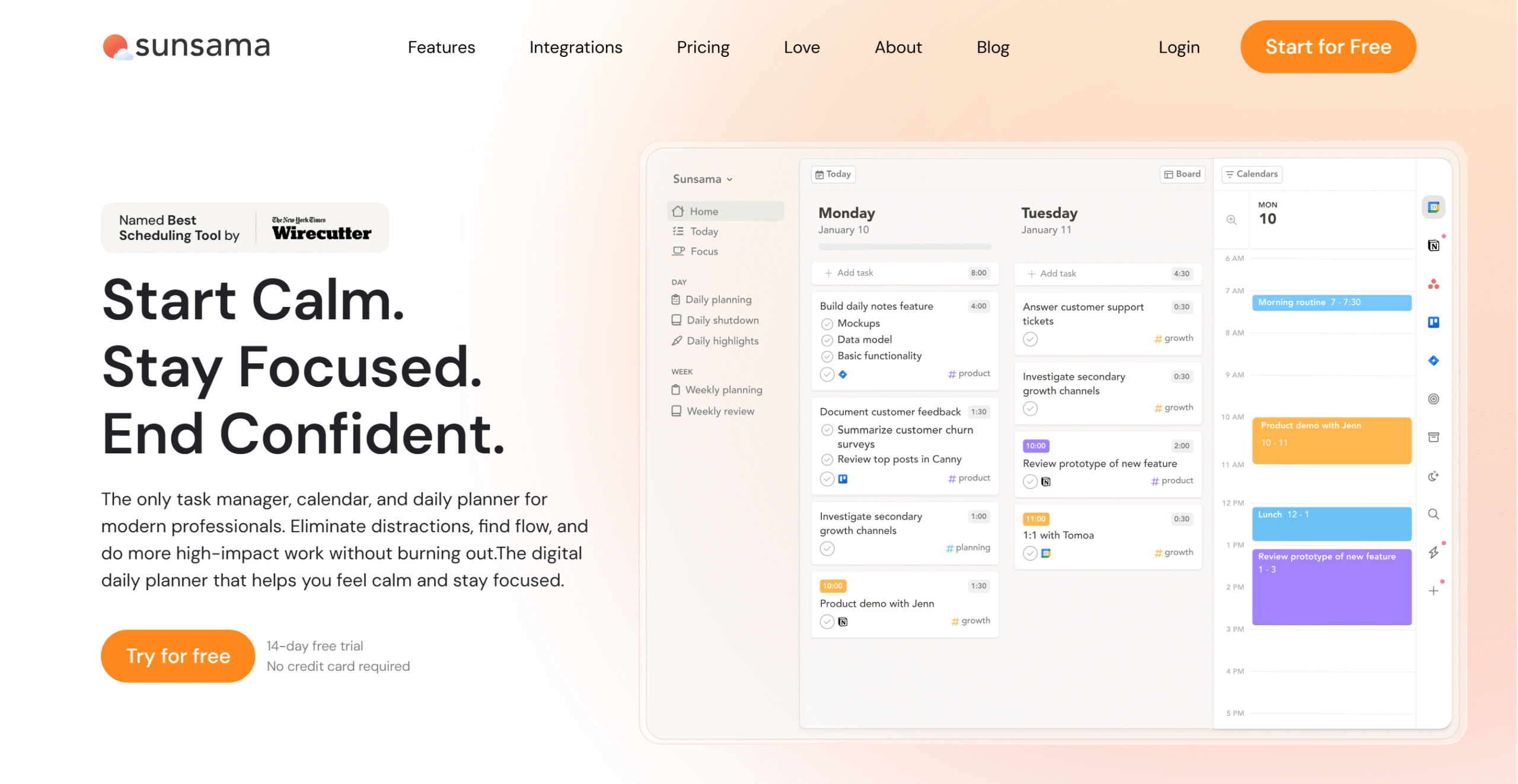
Ultimately, I shortlisted Sunsama for calendar planning and purchased the subscription.
Sunsama appealed to me because it offers the right tools to create practical schedules. It helped me manage my time better and stay consistent.
Let me summarize its features.
You get a centralized dashboard to manage your tasks and events from one place and a built-in focus mode for deep work. The focus mode comes with a pomodoro timer to break long periods into manageable chunks of focus time.
Sunsama also has an option to sync your Gmail and Slack and book time for emails and messages. Not only that, but it also allows you to integrate project managers to import tasks directly for scheduling.
Core Features of Sunsama
- It delivers guided planning to create realistic schedules.
- It has a built-in focus mode for deep work.
- You can reserve blocks of time for deep and shallow work.
- You can connect multiple calendars and update them together.
- You can calculate the actual time and compare it with the estimated time.
- You can create daily reflections and weekly reviews.
- It integrates with task managers, email providers, and Slack.
- You can use it on both desktop and smartphone.
Here’s How I Use Sunsama To 2x My Output
I have created a step-by-step guide to show how to get the most out of Sunsama. This daily ritual helps me prioritize deep work while maintaining my routine.
The first step is to create your to-do list. I call it Intentional Planning.
1. Intentional Planning
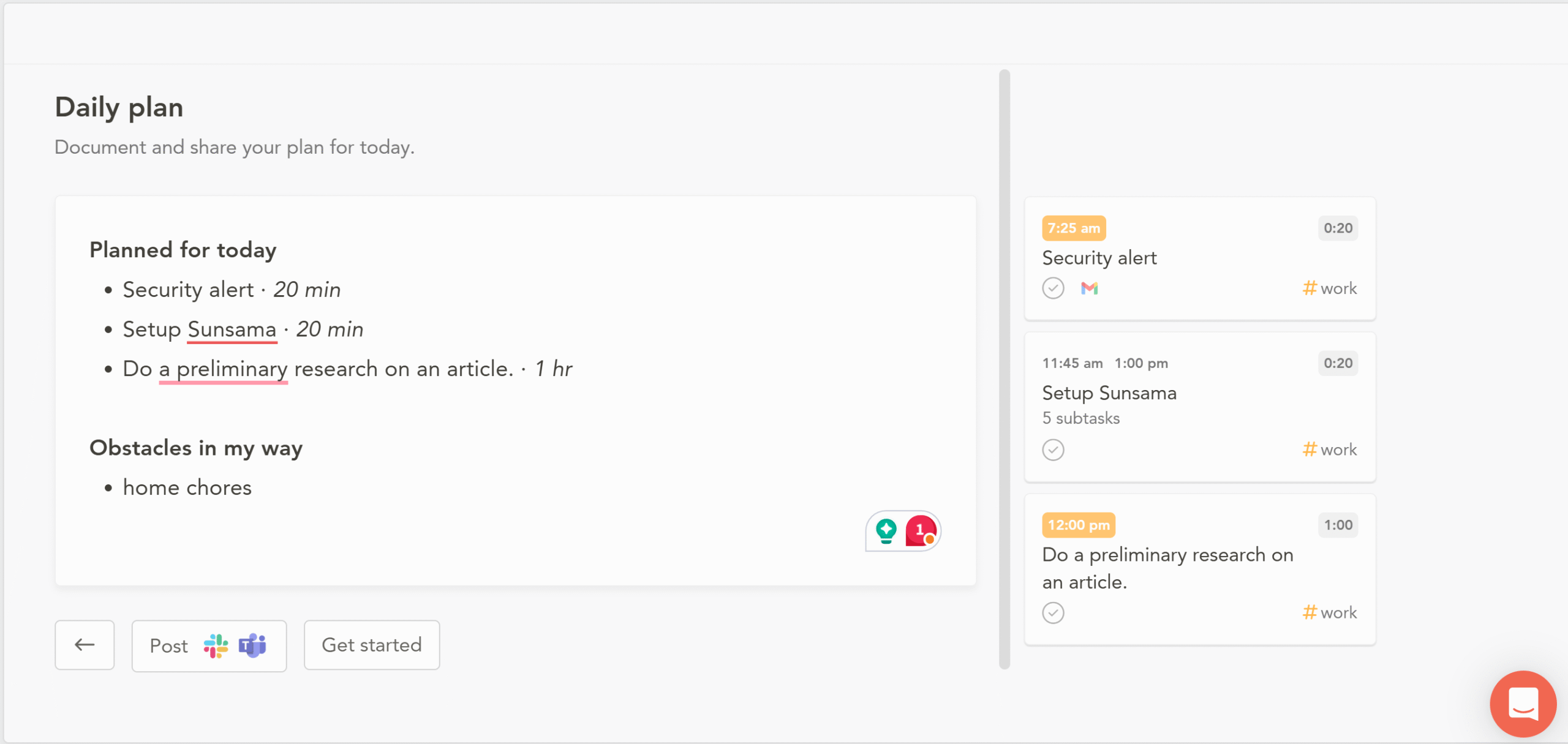
I start my day with a checklist of daily tasks and challenges.
Sunsama offers a guided planner to map out your tasks and obstacles, so you know exactly what to focus on.
The 10 minutes of daily planning save me from unnecessary stress and decision-making fatigue. I get a clear direction on where to start and can make plans to tackle potential roadblocks I might face throughout the day.
This technique is called mental contrasting.
It’s a self-regulation method to keep from overcommitting.
Overcommitment is a common problem that 1 in 3 people face in daily life.
We tend to overestimate ourselves and cram as much as we can on our calendar in a misguided attempt to do more in less time.
It doesn’t improve productivity but rather puts a strain on your mental health and leads to early burnout.
Writing about possible obstacles with daily tasks helps you turn problems into challenges. Previously, those obstacles were nothing but distractions. But by intentionally identifying them, you can control how to manage those distractions.
I highly recommend trying this method. I might help you stay grounded.
2. Scheduling Deep Work
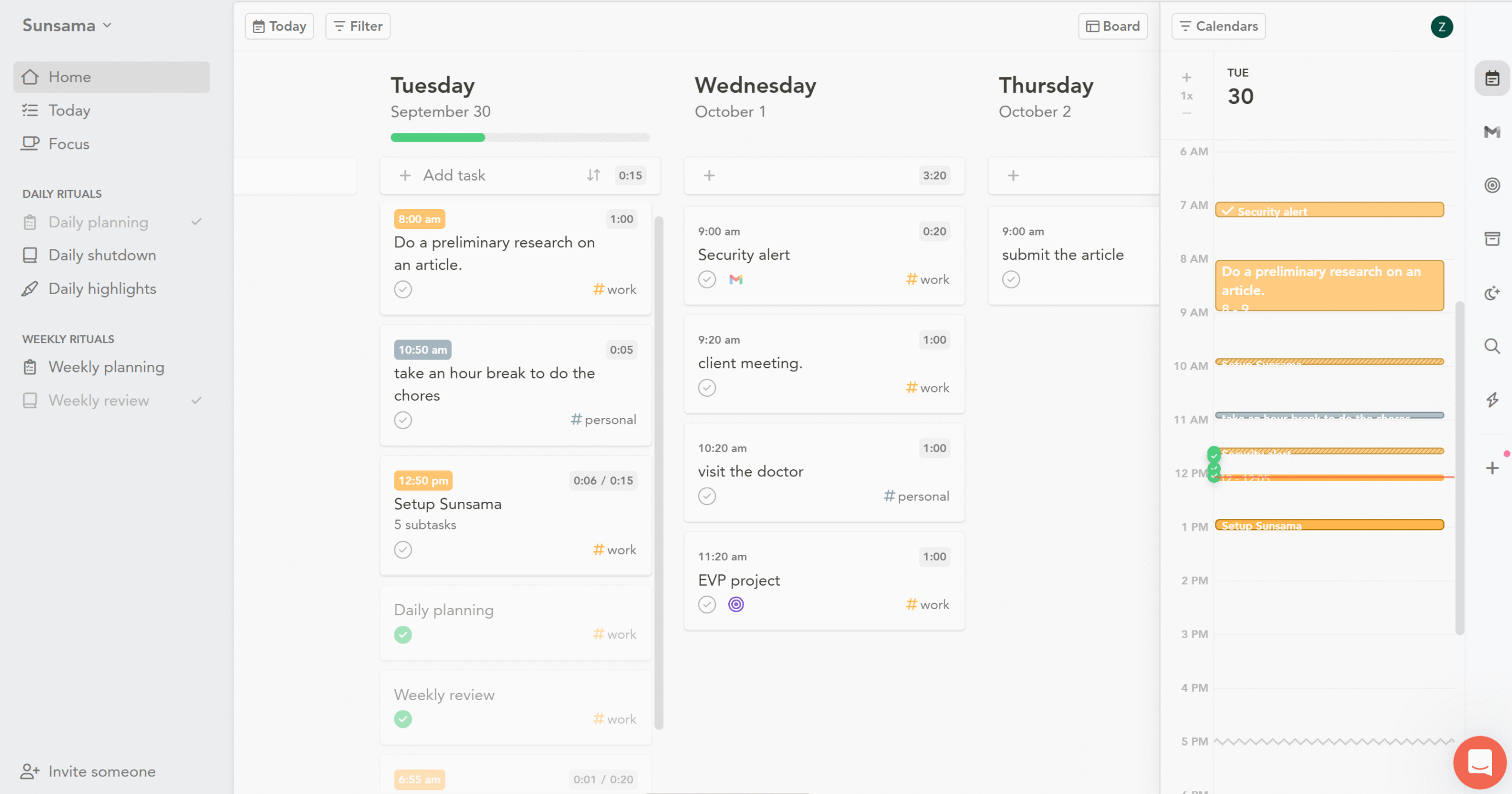
The next step is to allocate your productive hours to deep work.
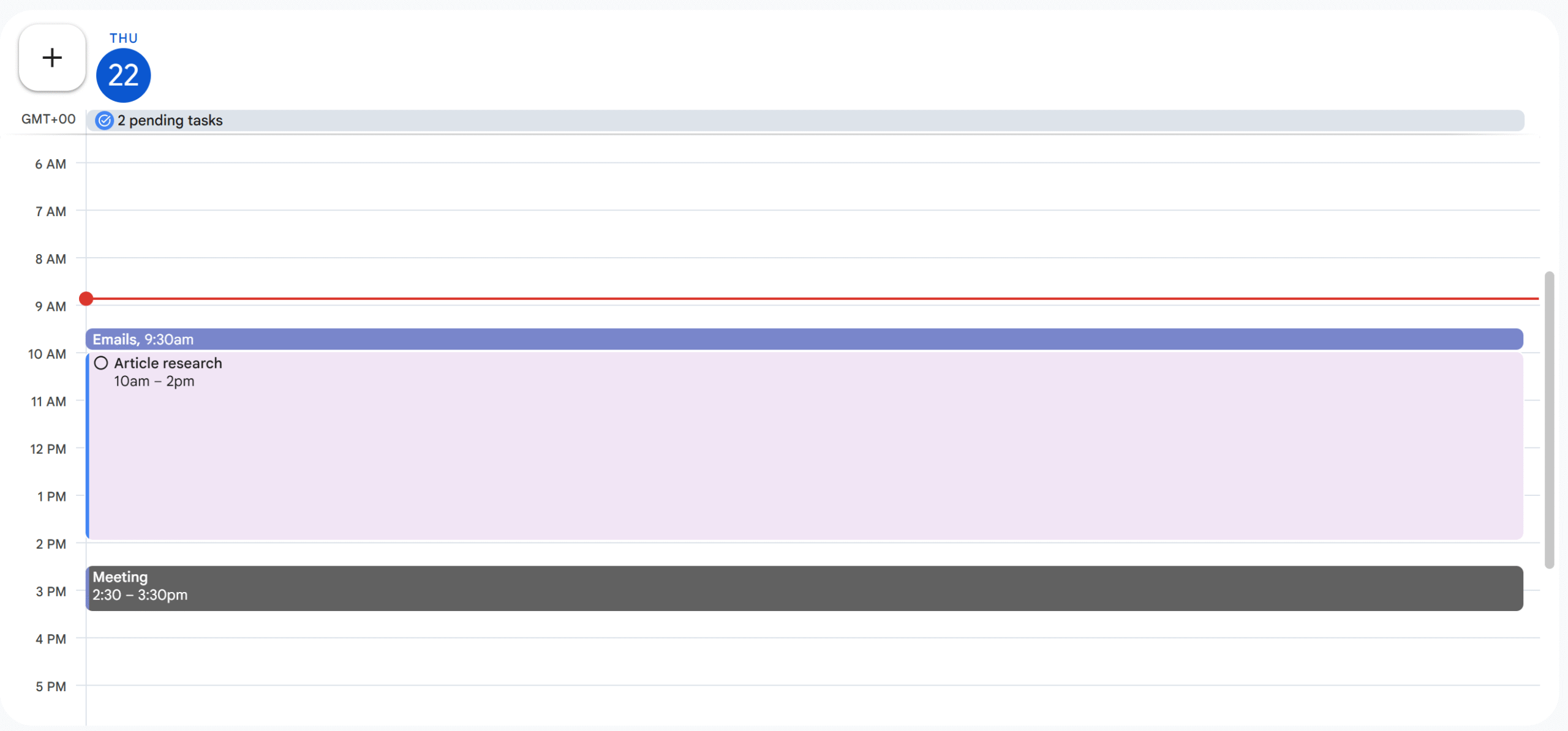
I am a morning person and work best between 10 am and 2 pm.
I reserve those peak hours for deep work and use the rest of my time for personal and work errands.
To keep track of everything, I use Sunsama Work Manager.
Sunsama delivers a Kanban board-style work manager to oversee and track tasks.
When I create a task on the Kanban board, Sunsama automatically blocks slots for the particular tasks on the calendar and lets me know when I overcommit.
Time blocks and Kanban boards are the most efficient scheduling tools.
There’s a whole science behind why they work so well, but in short, the visual board feels rewarding, and time-blocking reduces mental load.
If you want to learn more about it, check out this article. It offers some amazing insights into our behavior patterns.
3. Set Aside Time For Emails, Messages, And Other Shallow Work
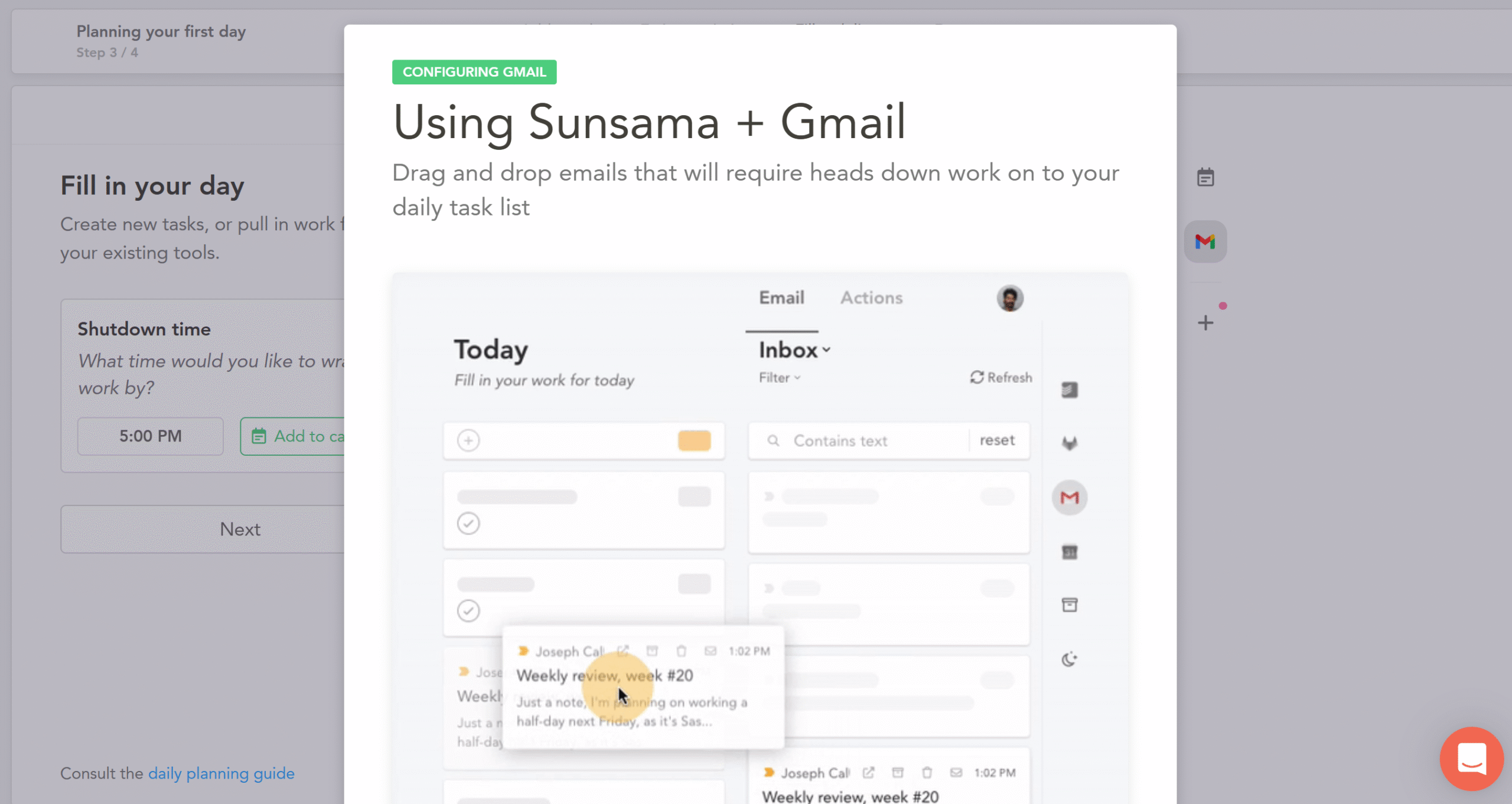
Emails and messages take a huge chunk of our time.
People subconsciously check their inbox 3 to 5 times a day and spend around 15 hours per week checking and responding to messages.
By setting aside specific time for messages, you can cut down your time by 50%. You can train your mind to compartmentalize with this method and improve your focus.
I allocate half an hour in the morning and half an hour in the evening for emails.
I repeat the same process with other small administrative jobs and personal errands.
It helps me contain my impulsive behavior.
Remember, restricting shallow work to a specific time might not work initially because shallow tasks give you a quick dopamine boost.
Our brain is wired to take small wins over long-term rewards and compels us to go for low-effort mini errands.
So give this system some time to adjust and then make any changes as you see fit.
4. Use Focus Mode For Deep Work
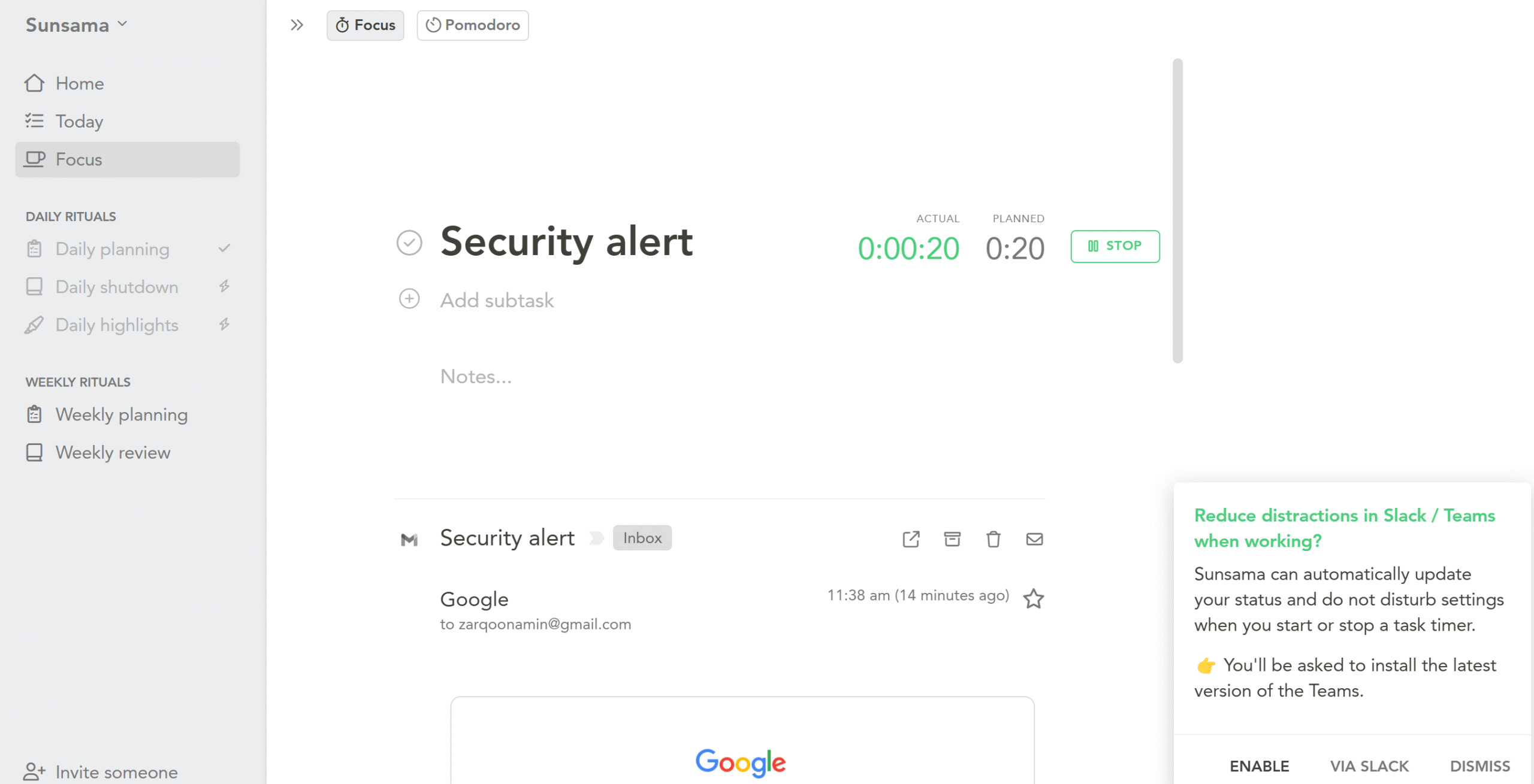
Focus mode is a productivity method where you temporarily hide unnecessary tasks and keep only one task open.
This creates a clutter-free workspace so you can focus entirely on one job.
Why does focus mode work?
It stops you from switching apps and trains your mind to hold attention longer, which reduces the chances of errors and improves your performance.
People with a good focus work more efficiently and 2x their output comparatively. This has been shown in research, and I have experienced it personally.
Here’s how to enter focus mode. Organize all your current files in a single folder for quick access, close other tabs or open a single tab for your current job, and mute Slack messages.
Next, keep your checklist nearby to avoid switching apps.
Sunsama’s focus mode performs most of these functions.
It switches to full screen to block out everything except for the current task. Additionally, it displays a timer to track the time duration so you can later compare the estimated and actual time spent.
You can integrate Slack to automatically let your teammates know when you are temporarily unavailable.
For breaks, you can set reminders to receive alerts at specific times.
If you are working outside Sunsama, the app has a solution for that as well. You can activate the floating focus bar and place it in the corner as a reminder.
The amazing thing about Sunsama’s focus mode is its intuitive interface.
It only hides the tasks; it doesn’t remove them. Meaning, you can hover your cursor over the corner to see your calendar and main panel and add quick tasks, notes, and comments.
5. End The Day With Reflection
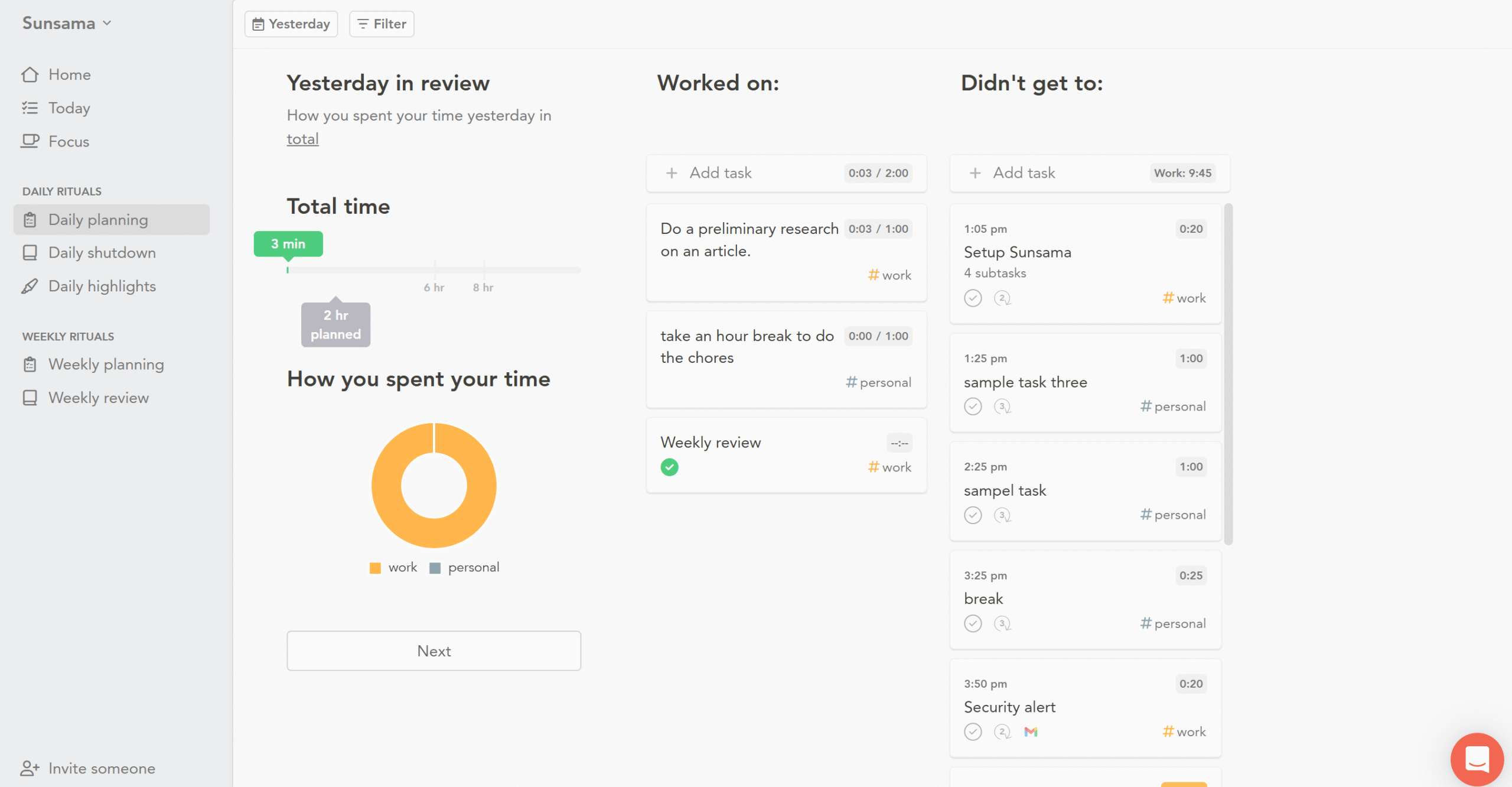
At the end of the day, I always review my completed and incomplete jobs to evaluate my performance and spot repeated mistakes.
It’s a self-regulation technique that helps you improve your time management.
There’s another good reason for self-reflection.
When you summarize your day, you mentally shut down your “work” side. It relieves the mental load you carry throughout the day and allows you to prepare for the next day.
You can boost your productivity by 22% with a simple habit of self-reflection.
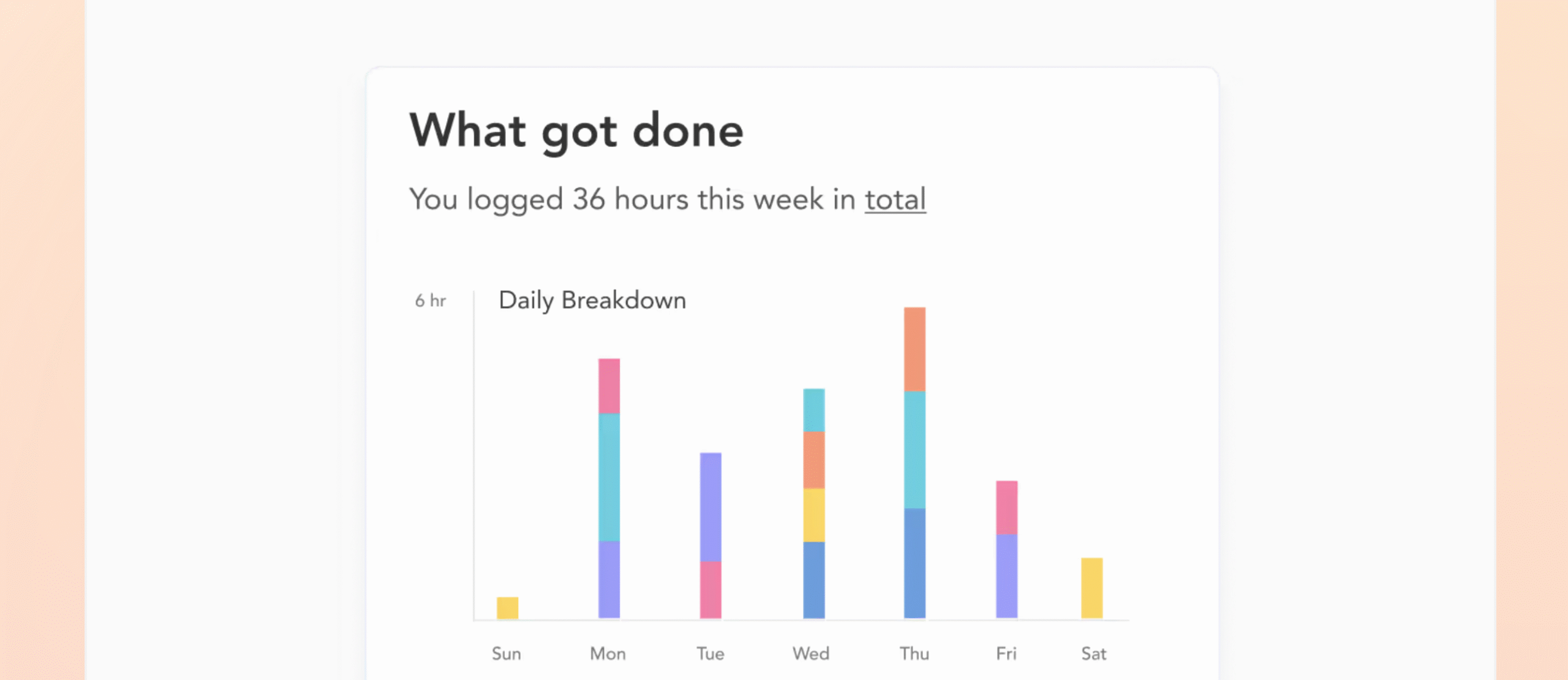
Sunsama has a daily and weekly review feature that lets you self-reflect and measure your productivity. You can see what you accomplished, what challenges you faced, and what to plan for the next day.
At the end of the week, you can reset your calendar and intentionally set up new goals.
That’s it.
This five-step ritual is simple, adaptable, and highly productive.
It’s not merely guesswork but is backed by scientific studies and real-life experiences.
Conclusion
If you plan to 2x your output in 2026, start by recognizing the blind spots in your work pattern first.
See how your time is divided between shallow and deep work, and how you spend your most productive hours
Once you have a clear idea of the root cause of low performance, use digital planners to build a solid work routine.
I personally prefer Sunsama for deep work because it’s practical and convenient. The system I’ve built through this app has transformed how I work, helping me maintain a healthy balance between deep and shallow tasks.
Sunsama costs only $20 per month, and you can try it for free. If you like it, the annual subscription comes with a 20% discount.
My recommendation? Choose a system that supports deep work but fits your style.
You don’t have to use any specific app to build a routine. What matters is your commitment. Tools like Sunsama simply make it easier to stay consistent.
Good luck!


 A better way to manage projects and clients for freelancers
 Get through busy days like a breeze with Reclaim.ai