Maybe, you’re smashing a few goals on time, while the others stay on your to-do list for days. But trust me, we all struggle to hit the deadline sometimes. Now, you don’t have to get yourself a pack of sticky notes or buy a self-help book that puts you in a reading slump.
Those are some old tricks and managing your tasks doesn’t have to be that hard. Especially, when AI can keep track of it all.
Tools like BeforeSunset AI and Akiflow are all about that.
And guess what? I got a grip on my daily tasks, and turns out, there’s a lot more to them than just ticking off a checklist. Like, I wrapped up a few articles, going distraction-free with their focus modes, and even lined up some meetings and personal gigs. But here’s the thing—both pack a bunch of similar features, so picking one can feel like flipping a coin.
That’s where I come in. I’m diving deep into both, testing what works, what doesn’t, and which one actually makes life easier. Oh, and I’ll throw in my pick after each round, just to keep things real.
1. Initial Setup & Ease of Use
BeforeSunset AI
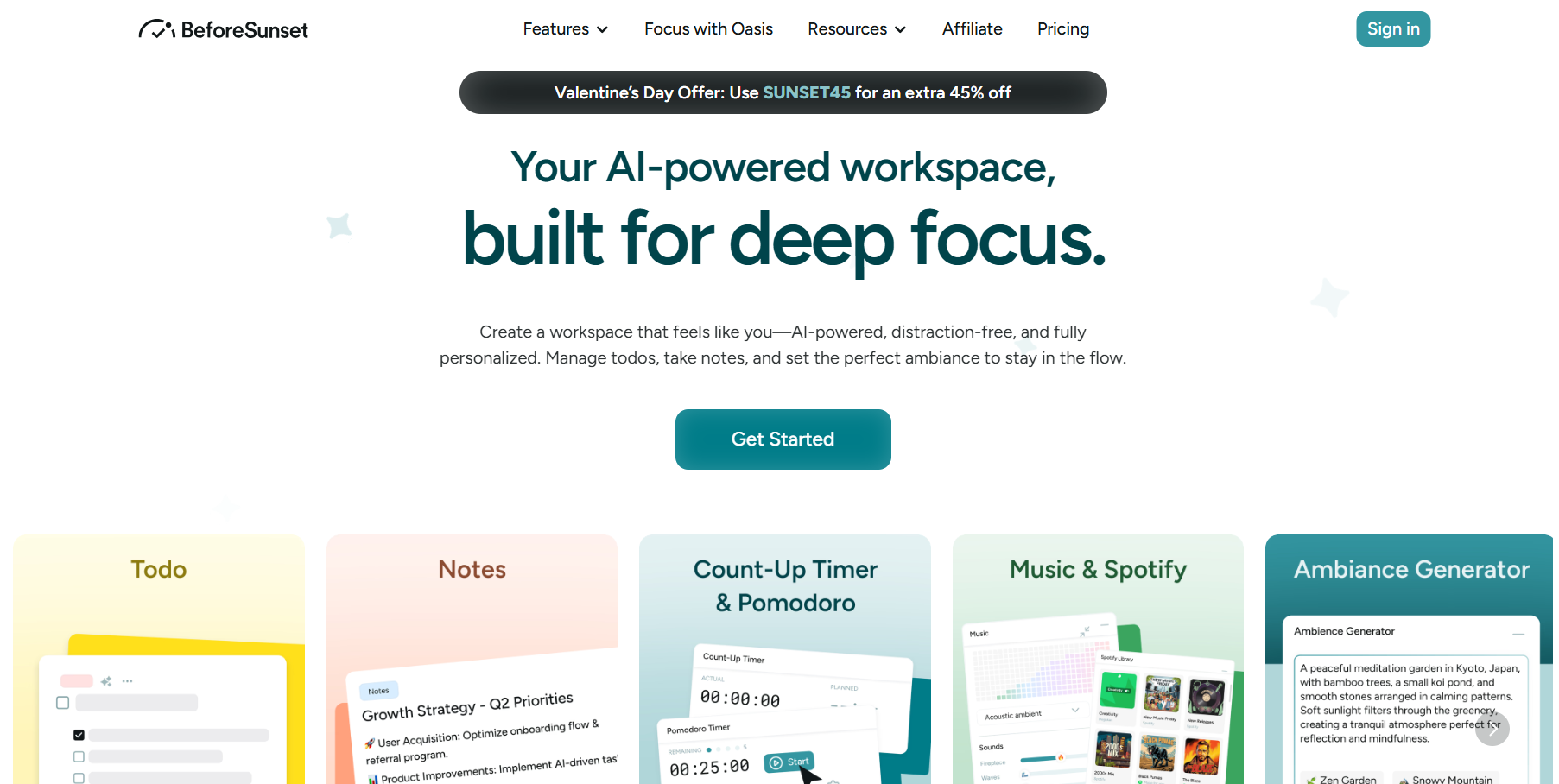
To kick things off, I just had to tap on the Get Started button and then enter my credentials. Visit BeforeSunset AI here →
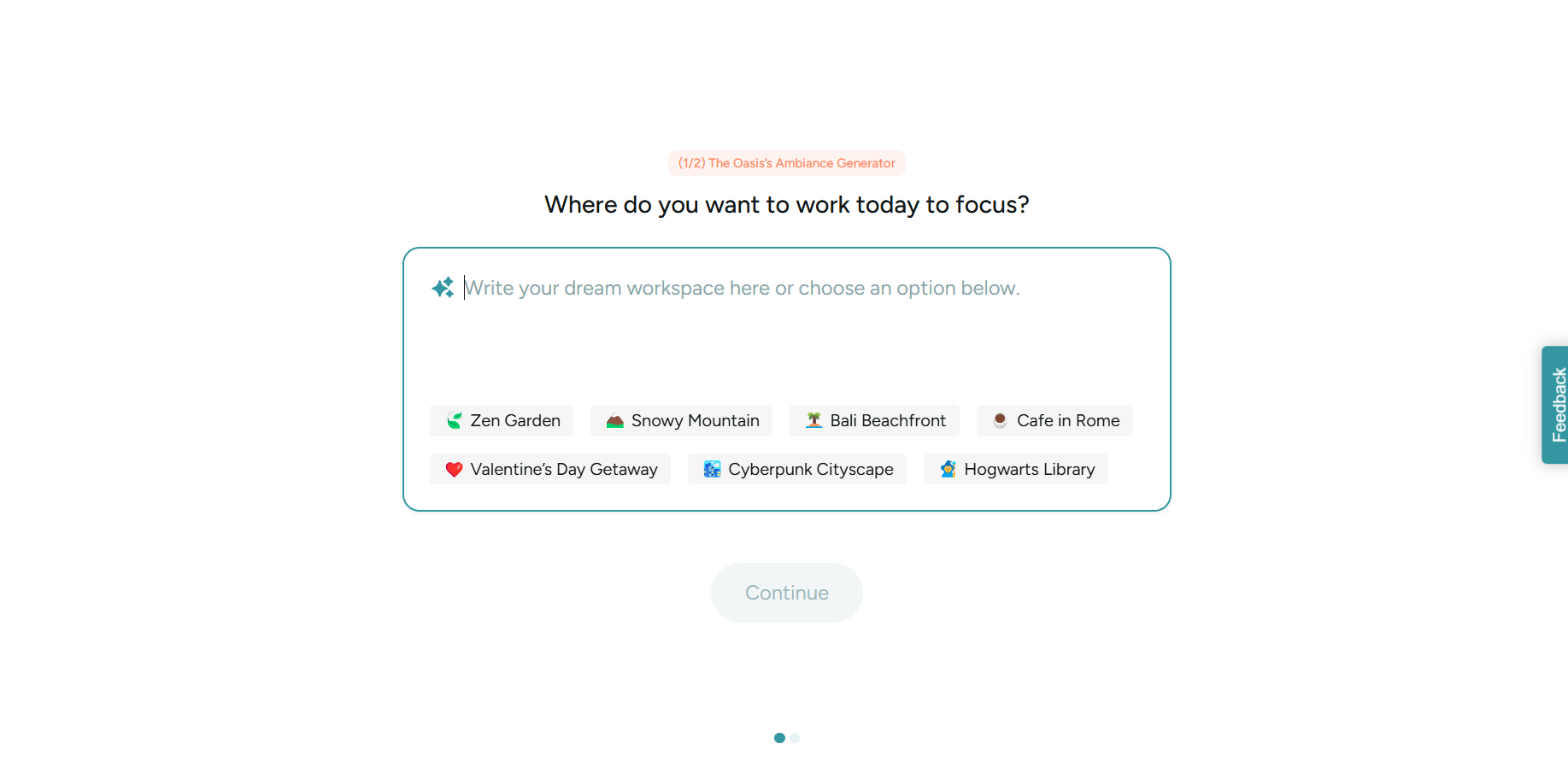
Now, it’s all about the ambiance. You can click on the recommended workspace settings or type out a prompt on your own. Add rich details or stick to something minimal, either way, BeforeSunset’s AI will do its magic.
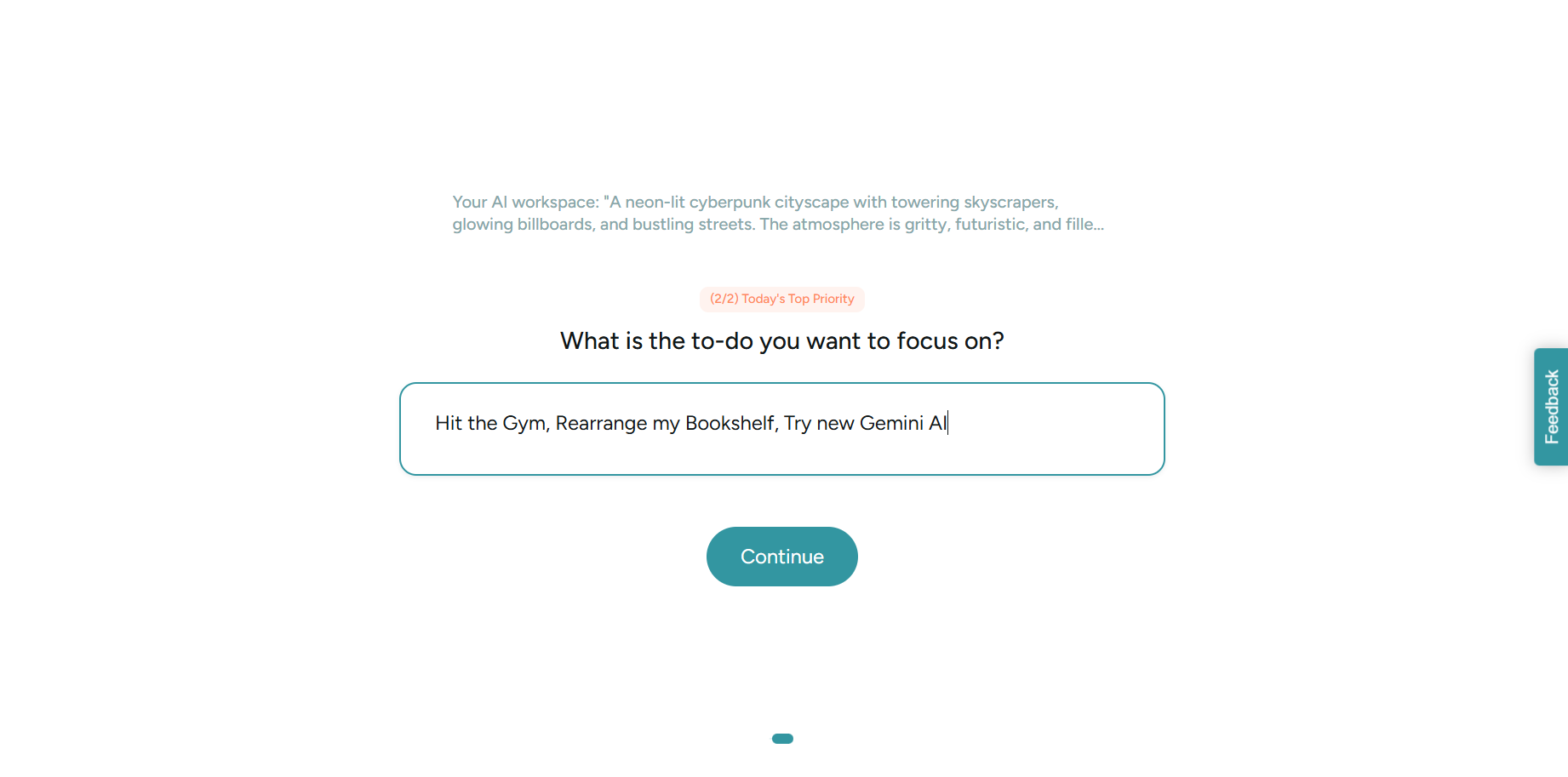
Finally, move ahead and add a few important tasks. Remember that this is just for quick setup and you can always add or remove tasks.
Akiflow
Unlike BeforeSunset, Akiflow’s onboarding process takes more time. You’d even encounter a few unnecessary steps, but if you enjoy a more personalized experience, then Akiflow may impress you. It is more interactive and detail-oriented.
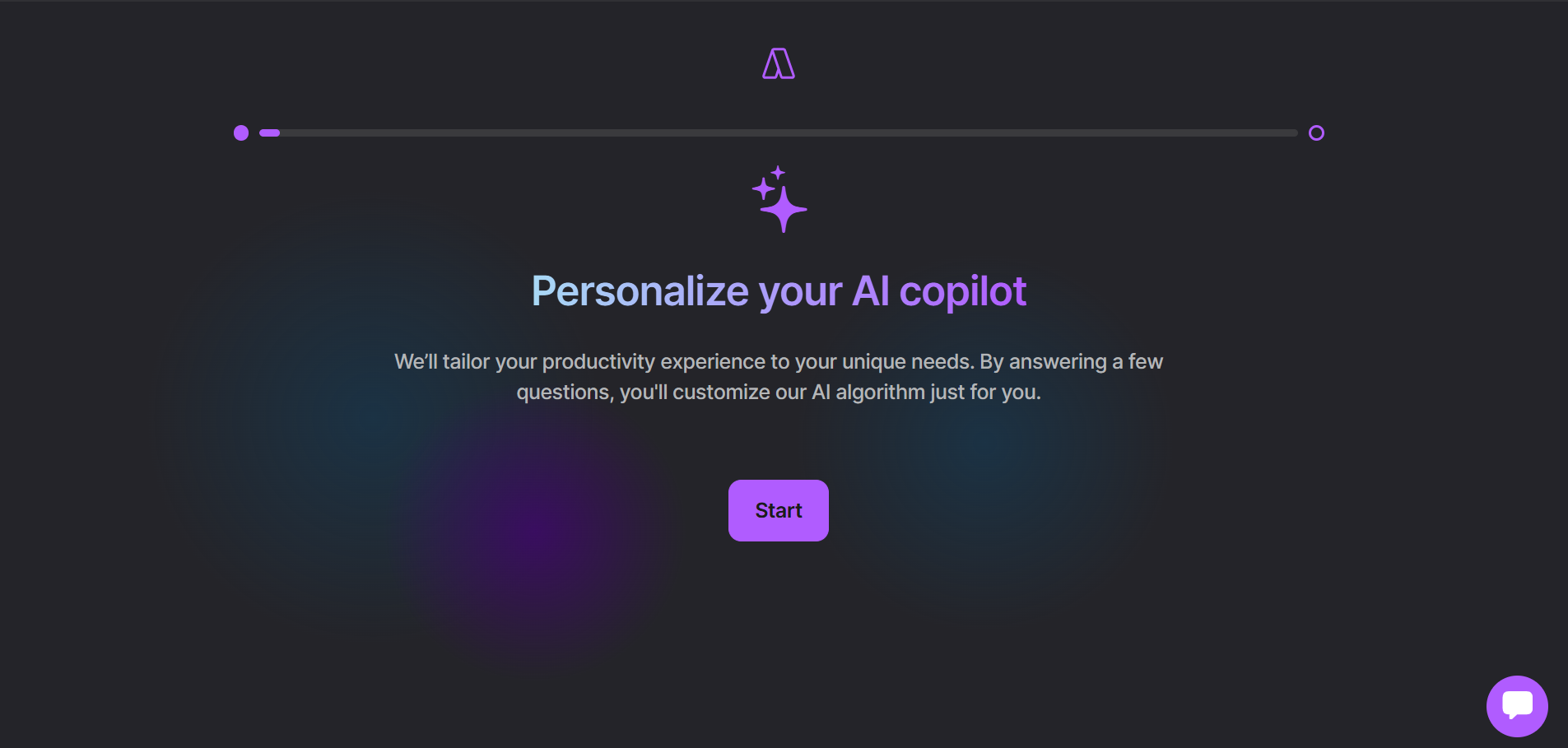
Click on Start and answer a few questions.
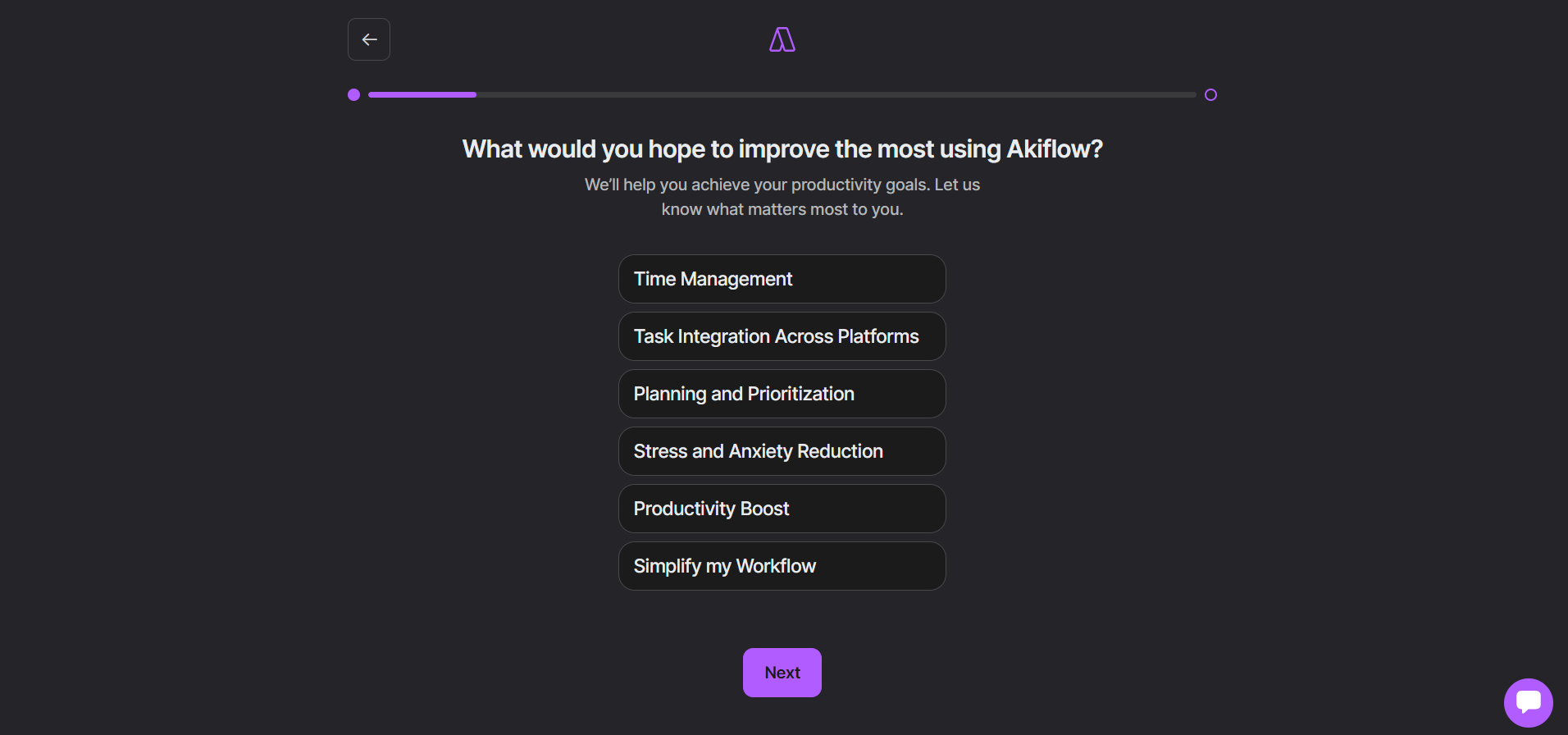
Akiflow’s AI then designs a plan according to your requirements. Simply select a plan and use their 7-day free trial, although you’ll be asked to fill in information like your email address and card details. So don’t forget to cancel the trial if you don’t wish to continue using this tool.
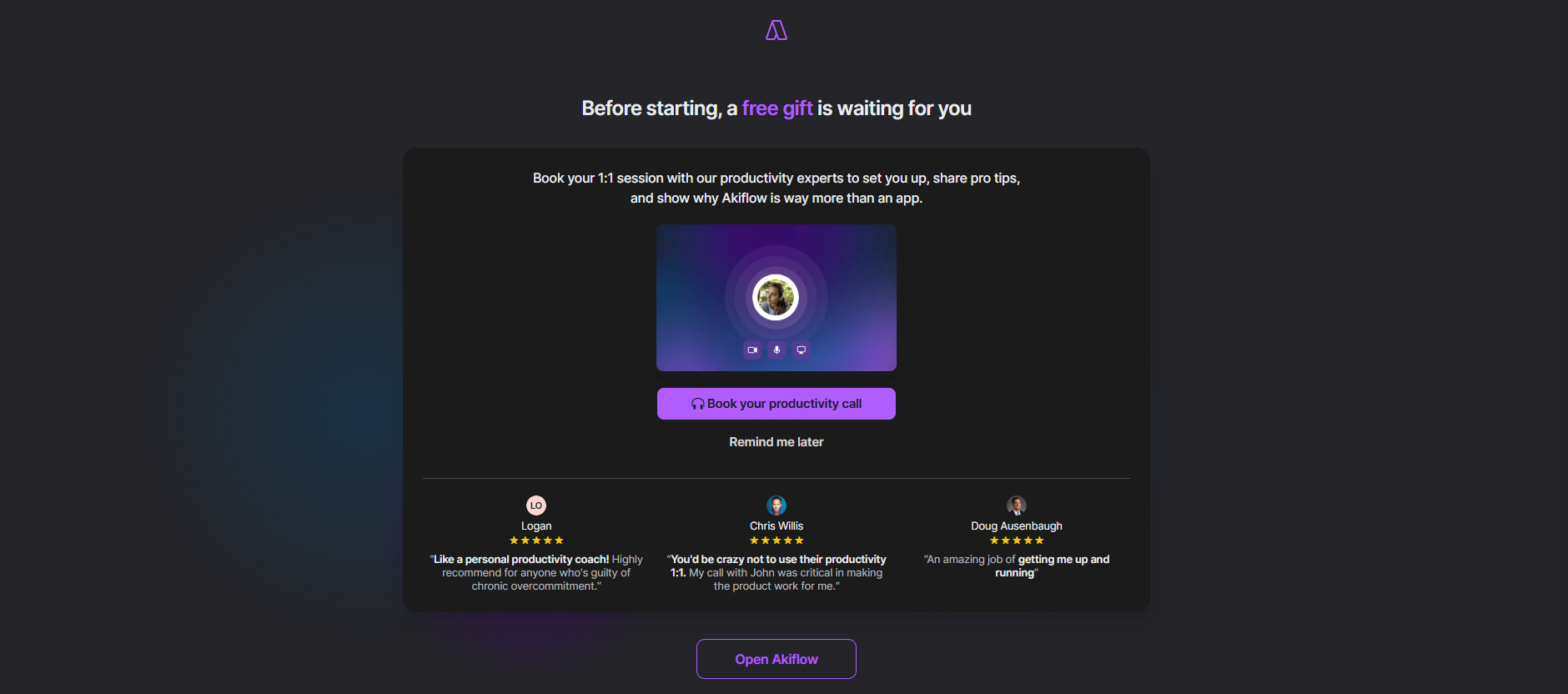
You even get a 1 on 1 call with Akiflow’s team of experts. You can ask them any questions related to the Akiflow features, and even discuss issues you encounter while managing time.
My Pick
While BeforeSunset offers a quick and easy start, Akiflow wins this battle for me. Setting up Akiflow made me think and answer important questions. The process altogether felt more engaging.
On the flipside, it was nowhere mentioned on BeforeSunset’s paywall, that they have a free plan too. I only got to know about it once I got rid of the paywall. Talk about clever strategies.
2. Task Creation and Management
BeforeSunset AI
If you’re someone who likes minimalist planners, then BeforeSunset might impress you. I found it quite simple to add tasks for my day. Meanwhile, from the same Todos tab, I scheduled tasks and events for the next day, the remainder of the week, and ahead.
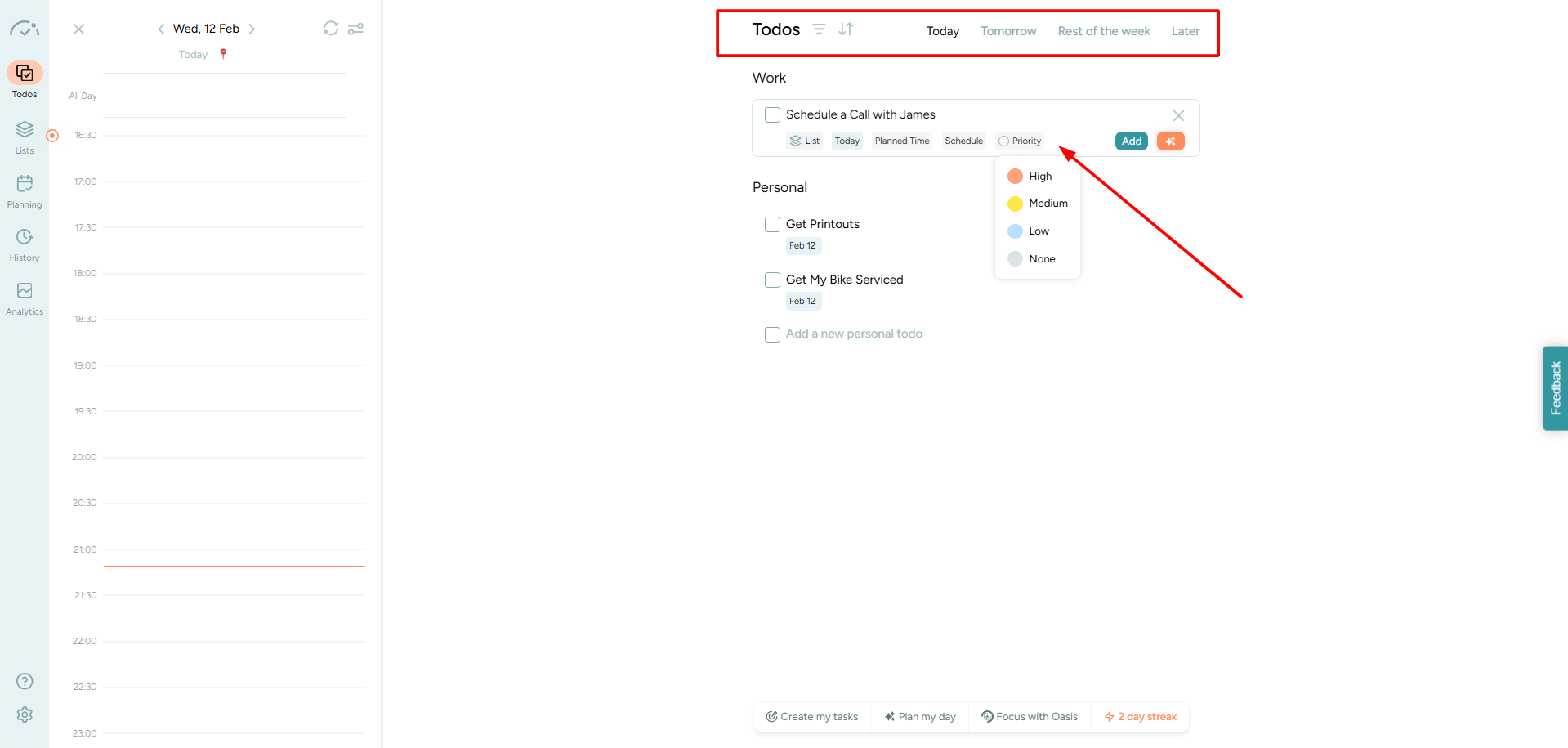
I observed that creating tasks and categorizing them on BeforeSunset wasn’t as interactive as Akiflow. But I still like it for its minimalism. Like, on the same screen, I had both my personal and professional goals for the day, which put me in a better headspace before work. Also, prioritizing my tasks was a breeze.
With a single click on the timestamp, you can schedule any task on the desired date. There are even options to use AI for things like adding subtasks and estimating project time, but I think I’m the best judge for that.
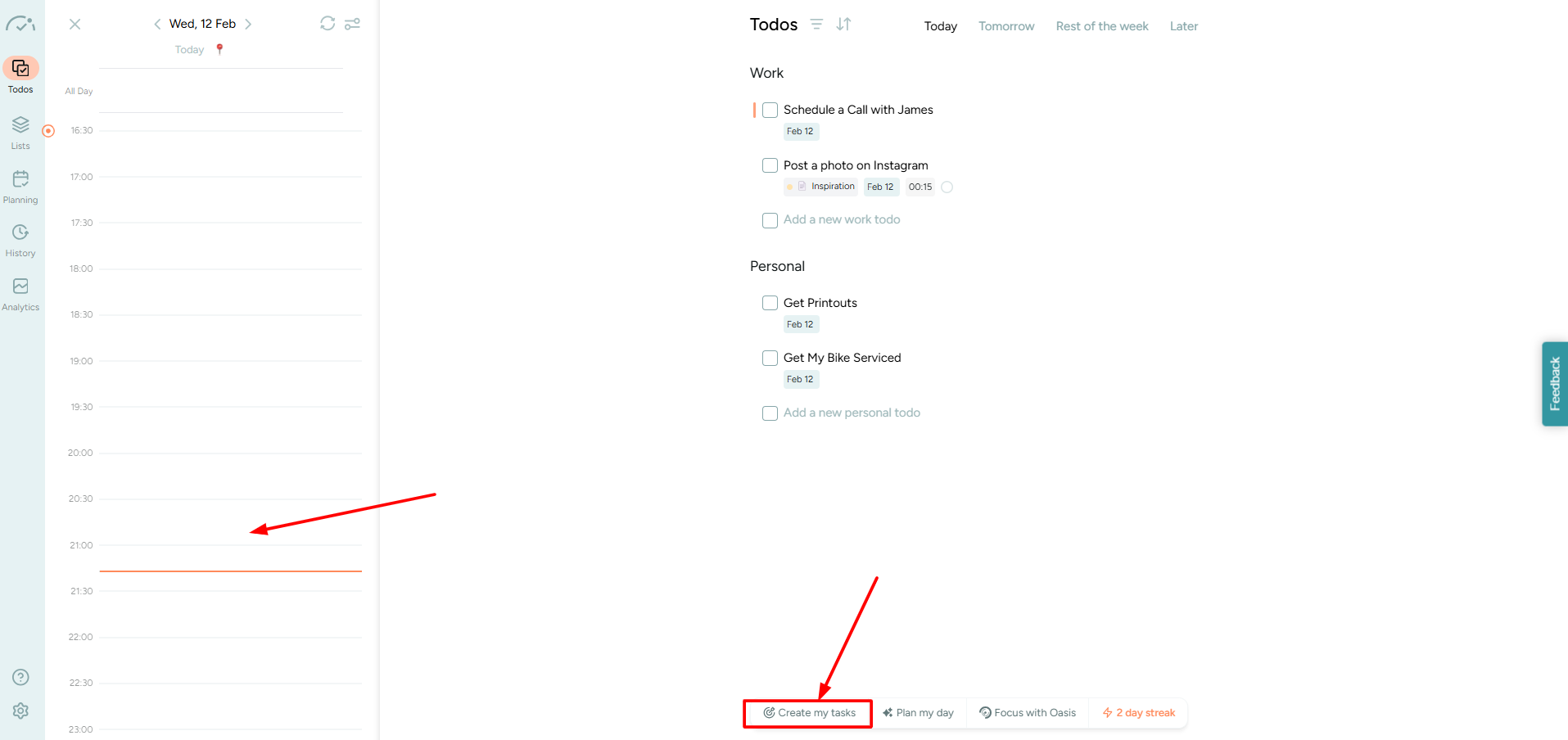
Instead, you can click on the Create My Tasks button at the bottom, and briefly type out all that you need to do. This way BeforeSunset will generate several tasks, but only based on your command with a timeline.
I also like how straightforward their filters are.
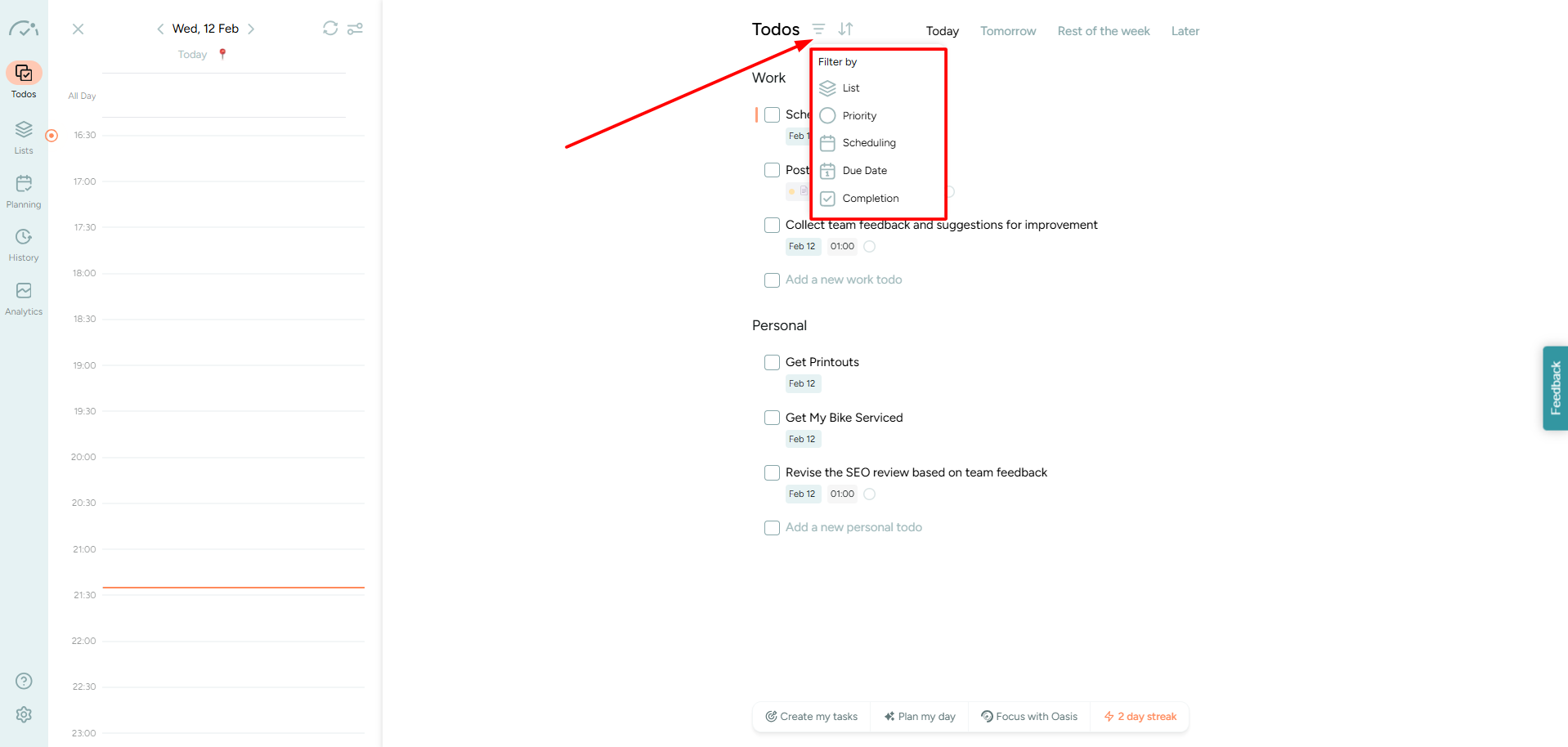
BeforeSunset simply puts you in control, so that you can focus on what matters the most to you in the moment.
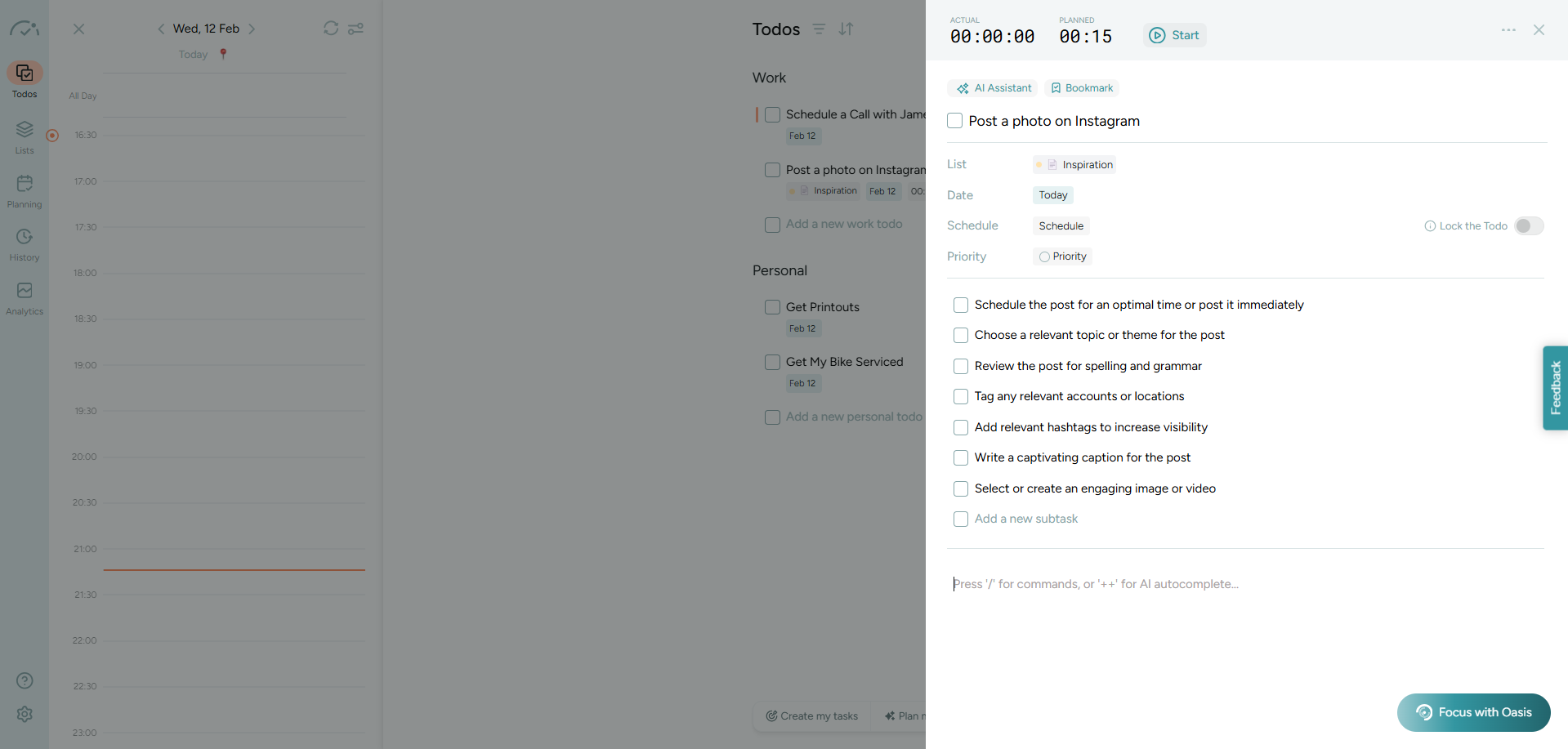
Here, you can have a look at how BeforeSunset’s AI helped me create subtasks. While some were related to my work, the rest were fluff.
Akiflow
Akiflow lets you do so much when it comes to task creation. It just takes your to-do list to another level. You can make your task list, right from the dashboard. Just click on Today and choose a date on the calendar to add, remove, and schedule upcoming tasks.
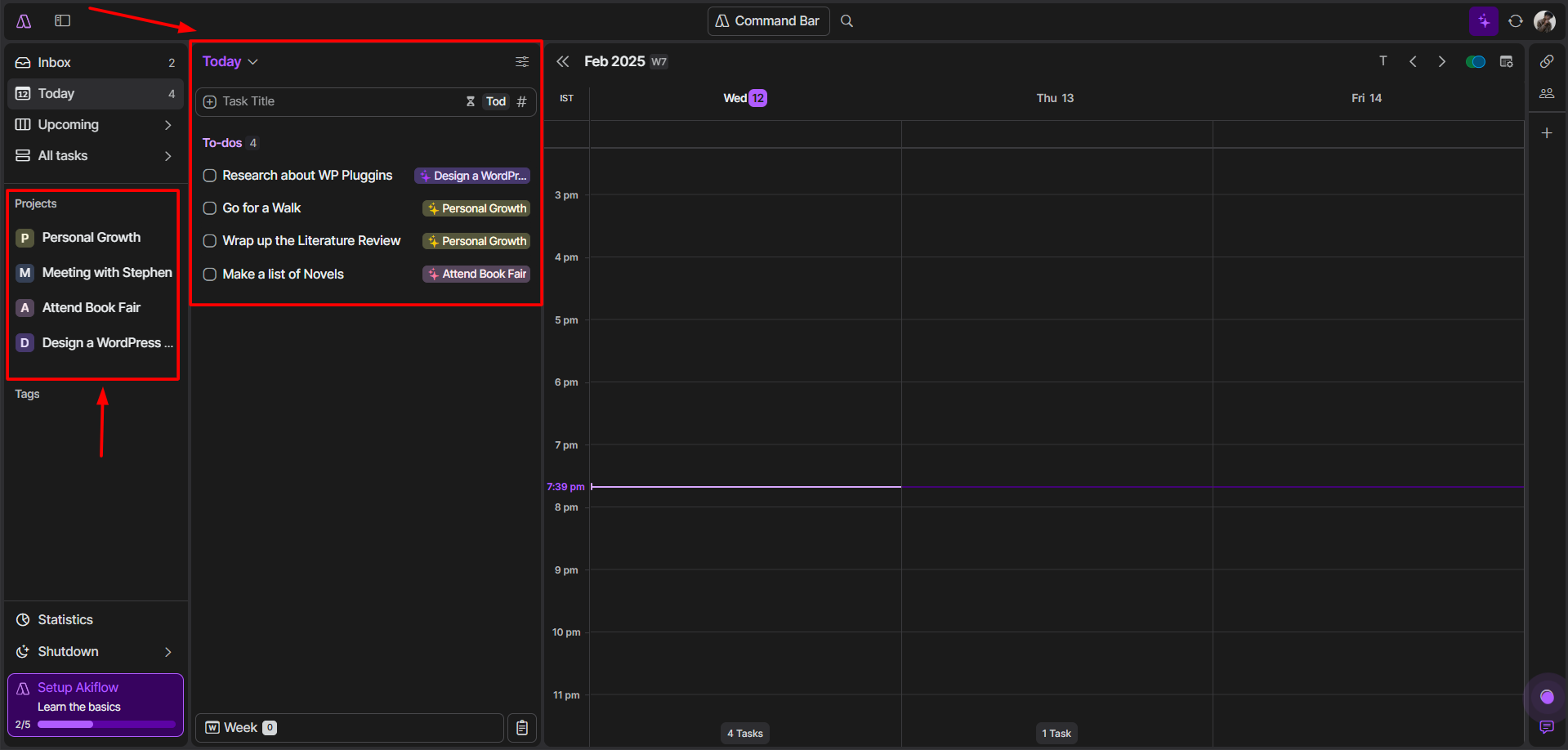
If you’ve started different projects, Akiflow will automatically categorize your tasks into the right project. In case, the AI makes an error and fails to put a task in the right project, you can change it with a click.
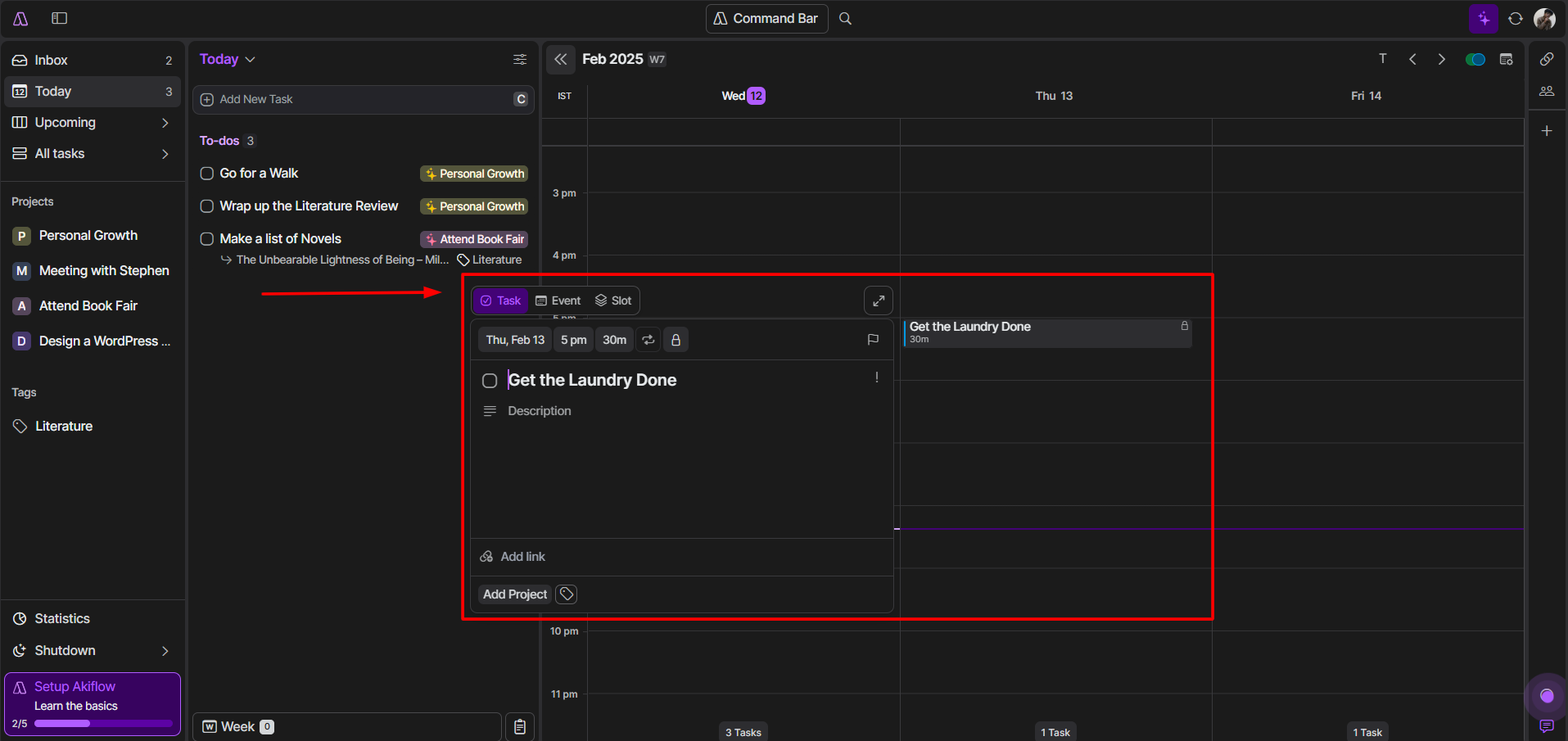
Likewise, you can click on any timestamp and add a task. You can even choose to categorize it as an Event or a Slot.
If it’s an event, you can even add a location, multiple guests, and a conference link. Akiflow even lets you allot a specific color to the event, which is visible on your calendar. Cool, right?
Now, for the deadline-related tasks, just click on this little Flag button and select a date.
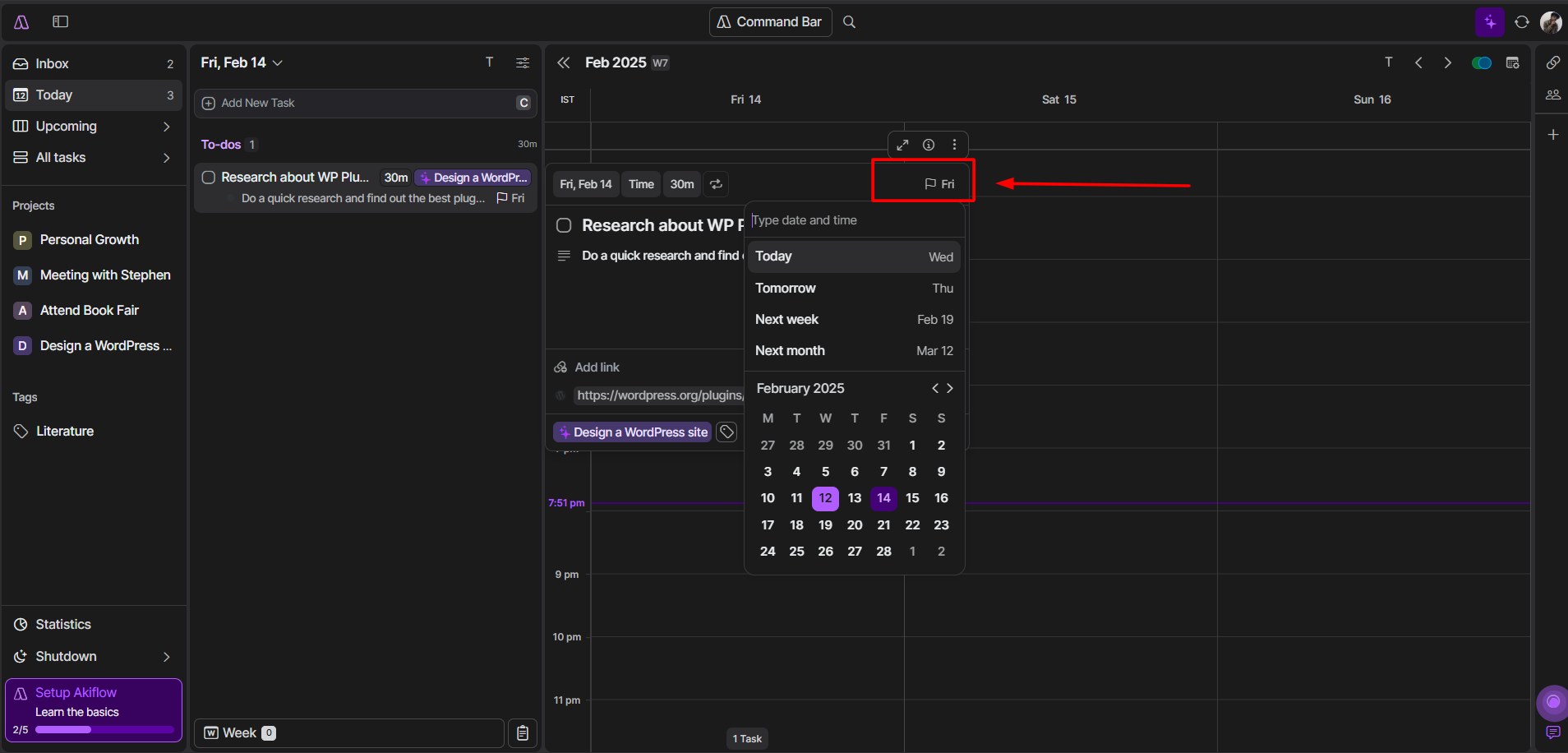
While it’s pretty easy to do, I wish I could add more time-specific deadlines from this Flag button itself.
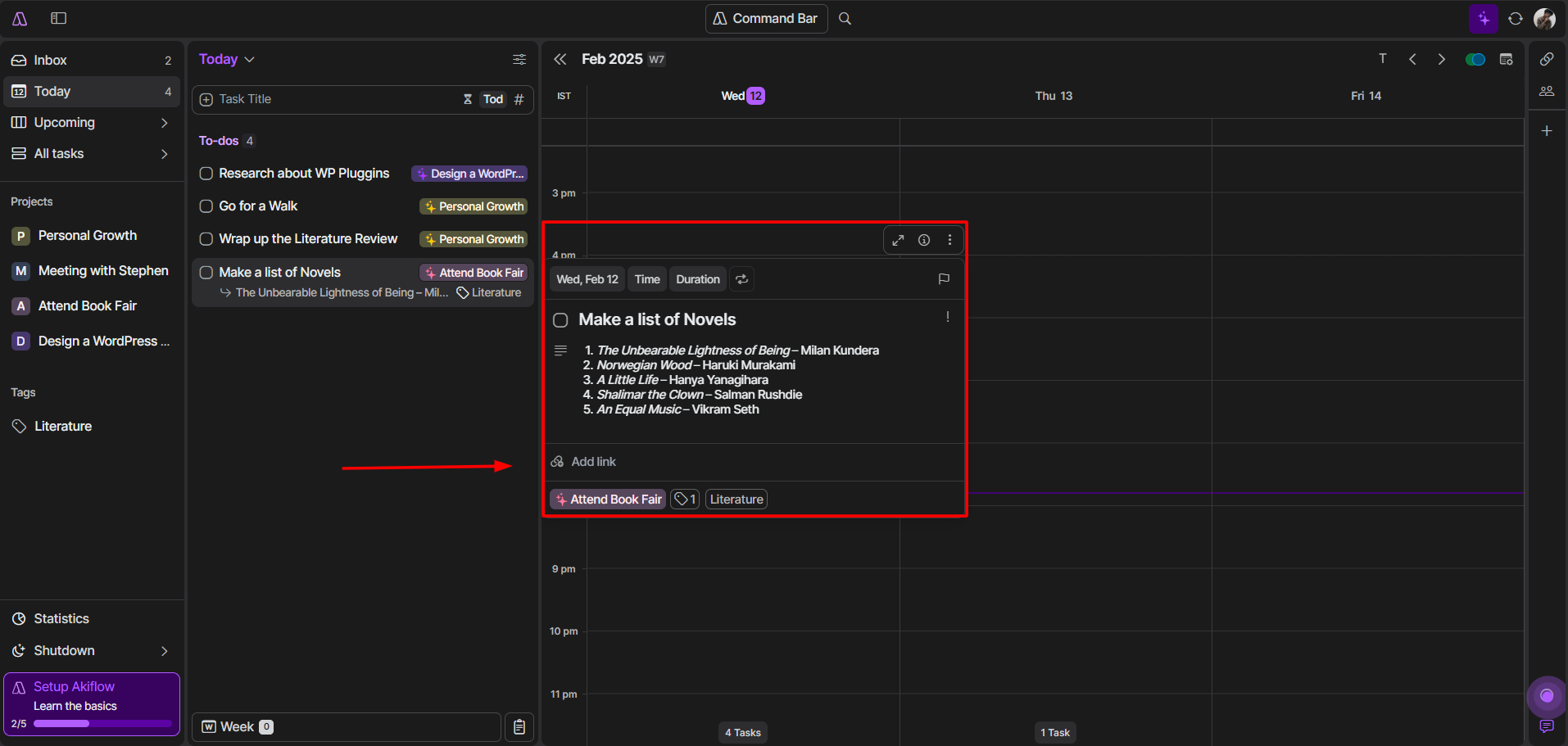
Here’s the most fun part. For someone who loses track of things easily, even within a project I love how Akiflow lets you add Tags to your tasks and events. And, to keep everything in place beforehand, you can add links and format your task descriptions as well.
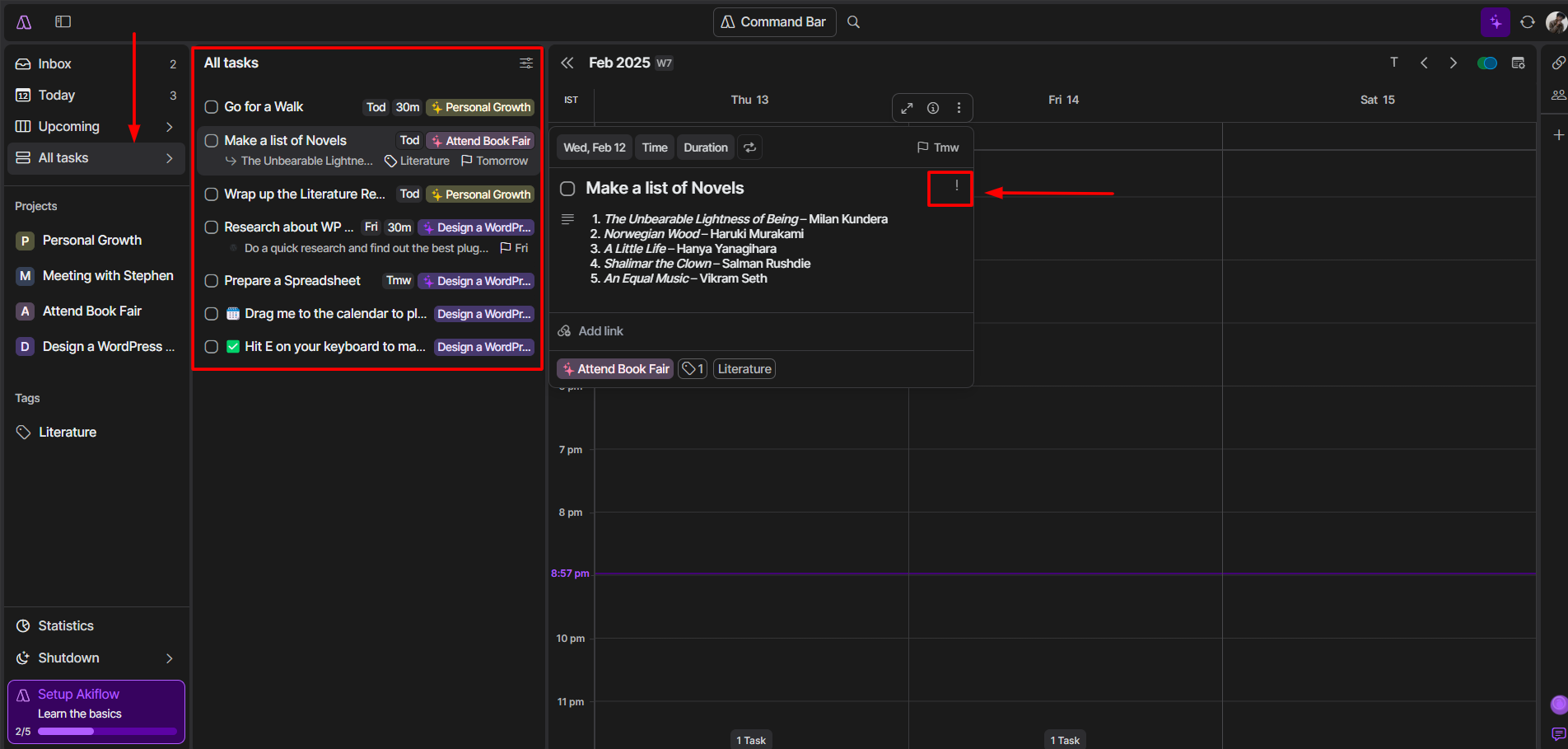
For a unified view of your entire to-do, just hit on All Task and to set task priority(Goal, High, Medium, and Low) you can click on the exclamation mark under the Deadline button.
My Pick
To be honest, I’d pick BeforeSunset.
That’s because although Akiflow has many cool features, all those options can be a bit overwhelming. BeforeSunset on the contrary keeps things simple and clean, which I really like. It’s perfect for quickly adding tasks and staying organized without getting bogged down.
But if you’re into detailed and personalized planning, Akiflow is definitely the way to go. It’s great for people who want to track everything and make the most of Akiflow’s smart features.
3. Daily Planning and Scheduling
BeforeSunset AI
One thing is sure, BeforeSunset is all about simplicity. Without brainstorming, I quickly found the Plan My Day feature at the bottom of the Todos section. And unlike Akiflow, the AI takes charge and helps you plan your day with any of its five smart methods.
But before using these methods, make sure you jot down everything. Once you fill in all the details including priorities and deadlines, you can choose any of the following:
Starting with Brian Tracy’s “Eat the Frog” method. Here the AI will schedule your biggest tasks first, so that you move on to the easier and less important ones later.
If you find it hard to get started, try the “Quick Wins” method. It lets you knock out your smaller tasks first, giving you a sense of accomplishment right off the bat.
Next, we have the “Smart Balance” option, which gives you more control than the AI. It’ll just plan your day based on priority, duration, and other factors to keep everything balanced.
And I personally liked the “Batch Similar” method that clubs all your similar tasks together. It can help you deal with your work commitments first and then handle the rest.
At last, there’s the “Task Variety” method to mix up your tasks based on priority, type, and schedule. This makes your work interesting throughout the day.
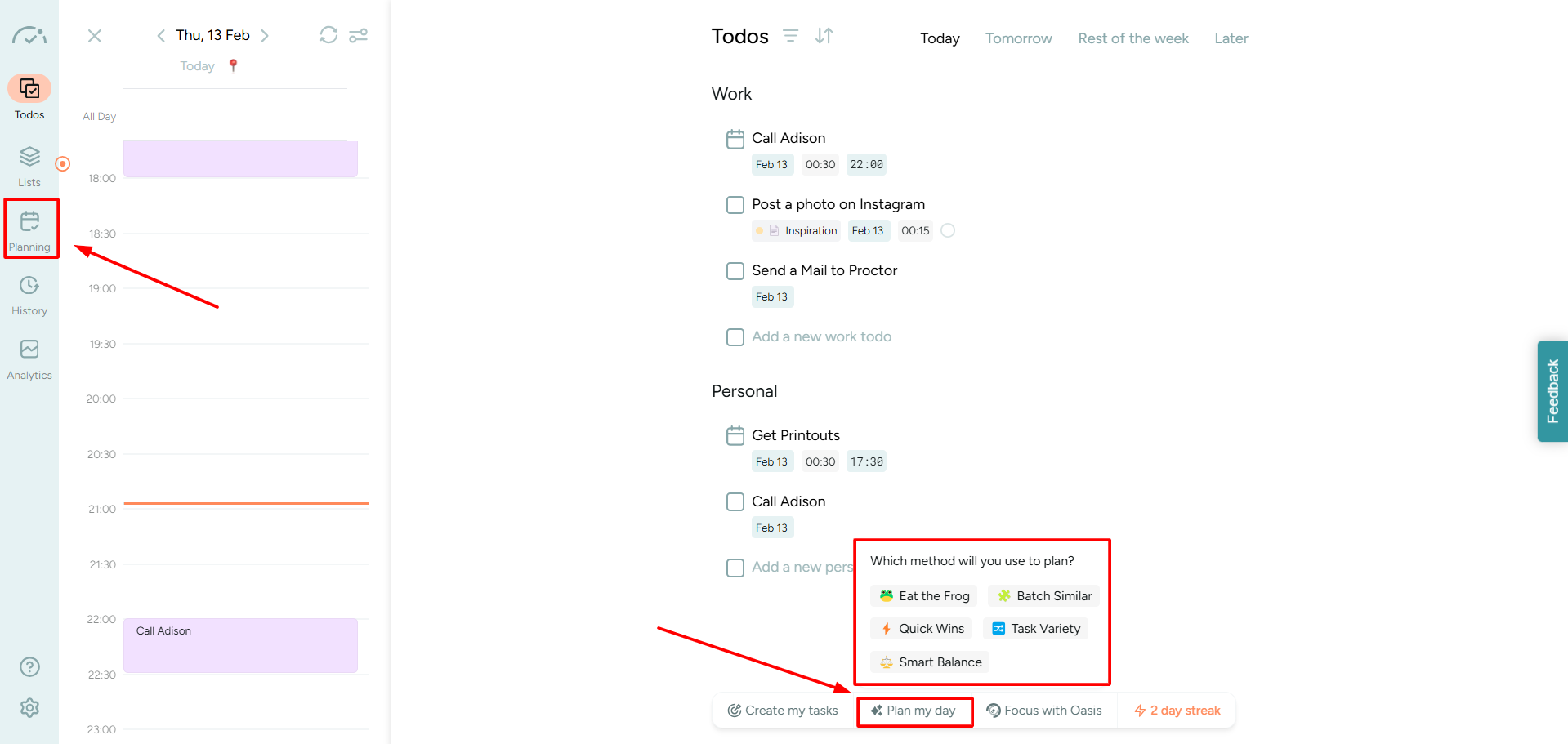
Now, if you click on the Planning button, you’ll be back to BeforeSunset’s minimalism.
Here you get a unified view of your entire week to plan your working day and tasks ahead. If you hit the Weekly button visible on the top-right side of the calendar, you’ll find the option to view your monthly goals.
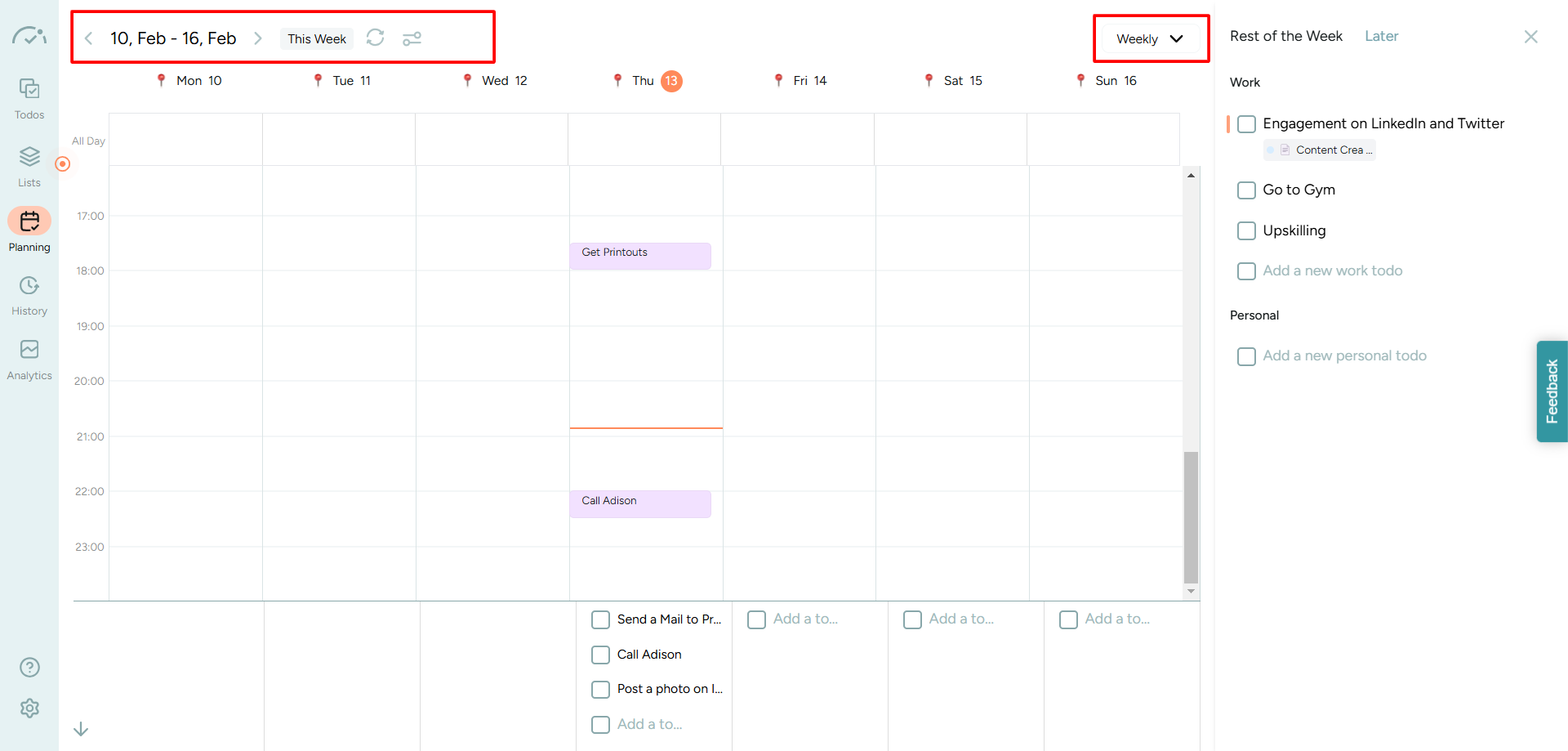
From the top-left side of the calendar, you can switch weeks, sync your data, and manage calendars.
Akiflow
For Daily Planning, you can simply click on the designated button at the bottom left of Akiflow’s dashboard, and you’ll be redirected to a different space.
Honestly, there wasn’t much to offer. You just get a less-cluttered view of your to-do and pending tasks.
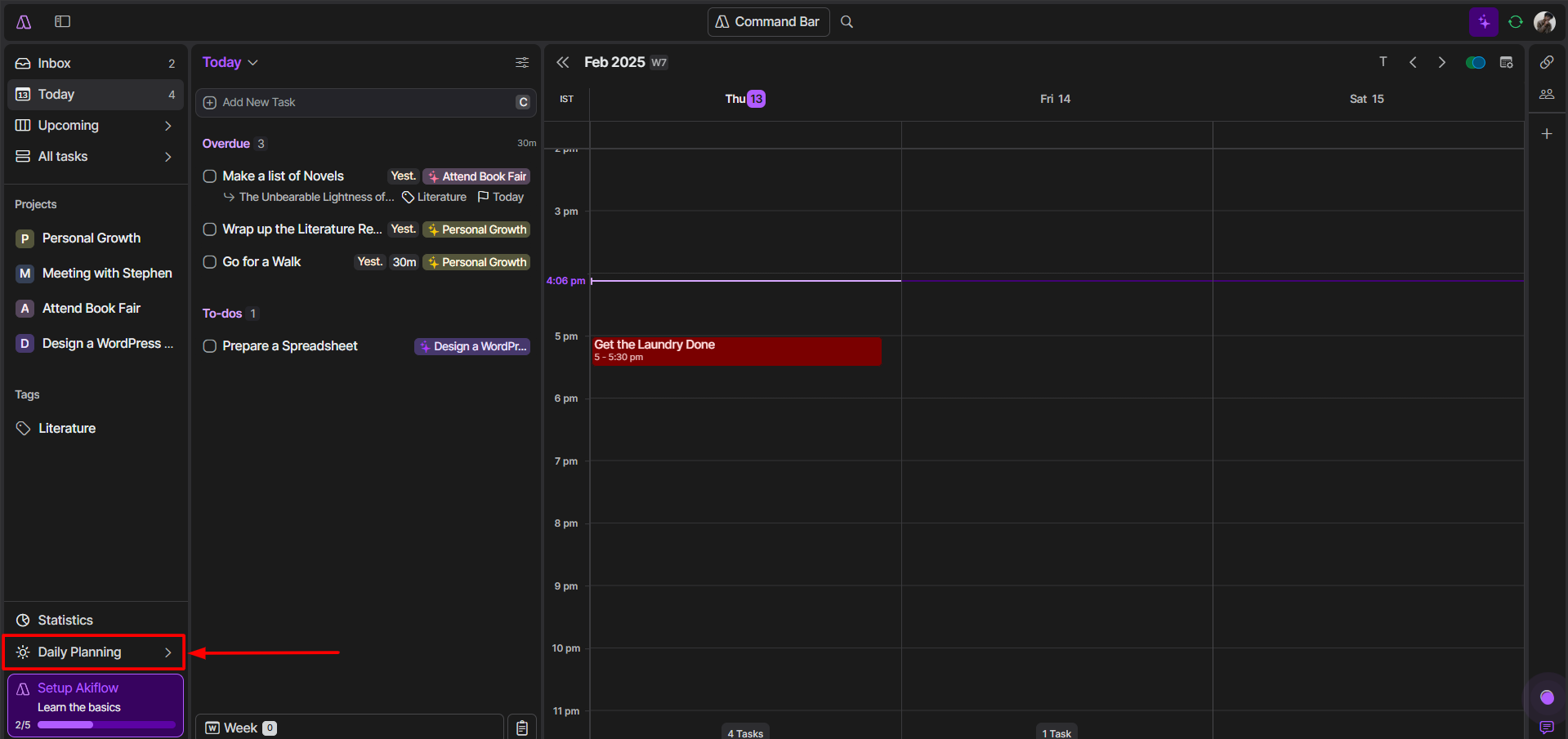
The only thing I really liked about their daily planner is ‘What do you want to achieve Today?’ section. Here you get a graphic of todos. It includes pending tasks and the estimated time it would take you to wrap them up.
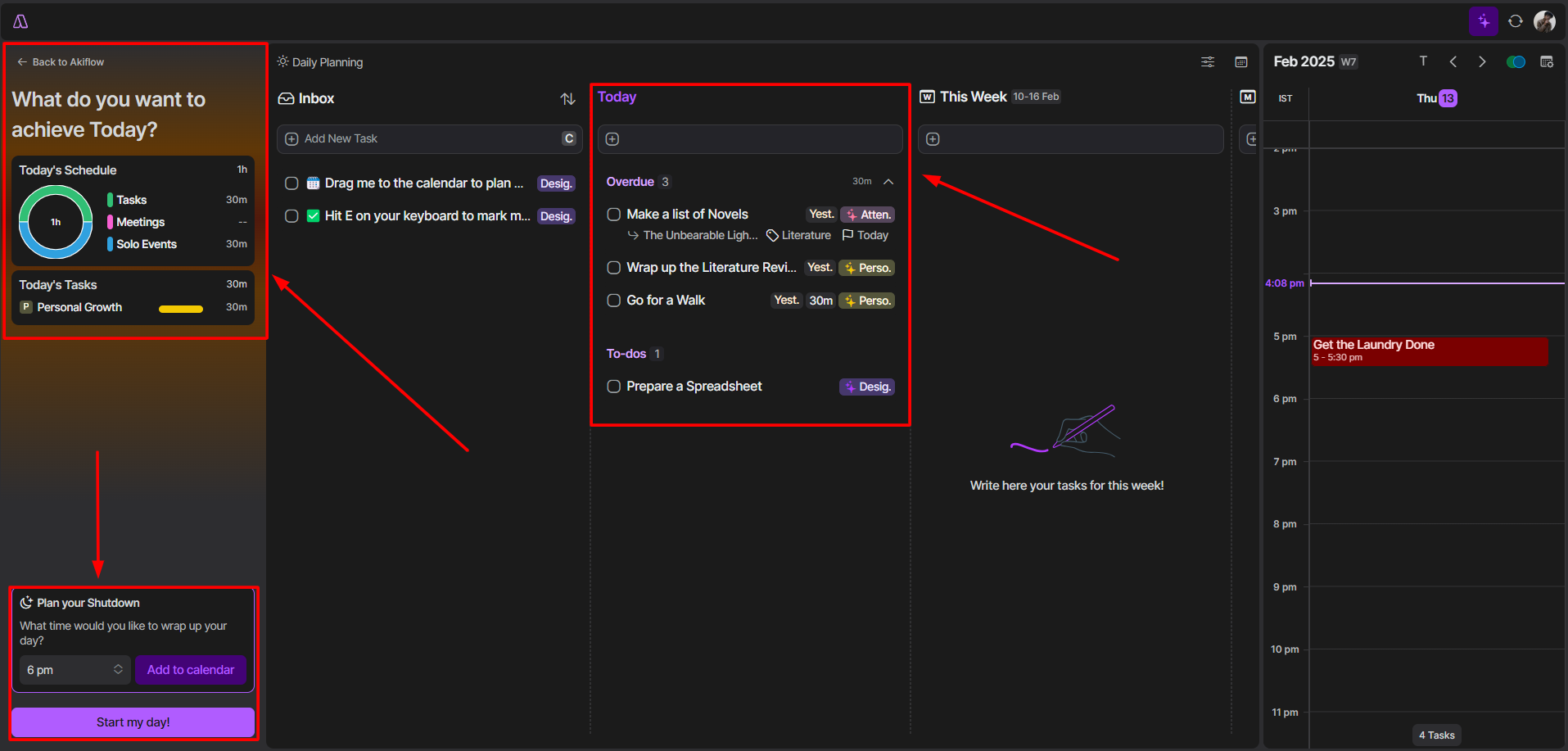
With Akiflow you can also plan your daily shutdown from work. If you’re someone who loses themselves in their work, this feature can help you take a break when necessary.
Plus, from the daily planner dashboard, you’ll get a brief overview of everything like overdue tasks, to-dos, upcoming events, inbox, and your daily progress.
My Pick
BeforeSunset is my go-to choice. It’s all about simplicity and getting things done. The “Plan My Day” feature is easy to use and helps you organize your tasks quickly. Whether you want to tackle big tasks first or start with smaller ones, BeforeSunset makes it straightforward.
Akiflow is nice, but it feels a bit basic. The daily planner is clean, but it doesn’t offer much beyond a quick overview of your tasks. The “What do you want to achieve Today?” section is okay, but it’s not as powerful as BeforeSunset’s planning.
But in the end, I’d personally go with BeforeSunset.
4. Focus and Distraction Management
BeforeSunset AI
Hands down, trying Oasis mode was the most fun part of testing BeforeSunset. This feature helps you declutter your mind and focus on one thing at a time. You can head to a task on your todo and click on the Oasis(the first icon that appears on the top-right corner of a task).
Or navigate to the bottom tab and click on Focus with Oasis. This will get you started, like the initial setup where we choose an ambience.
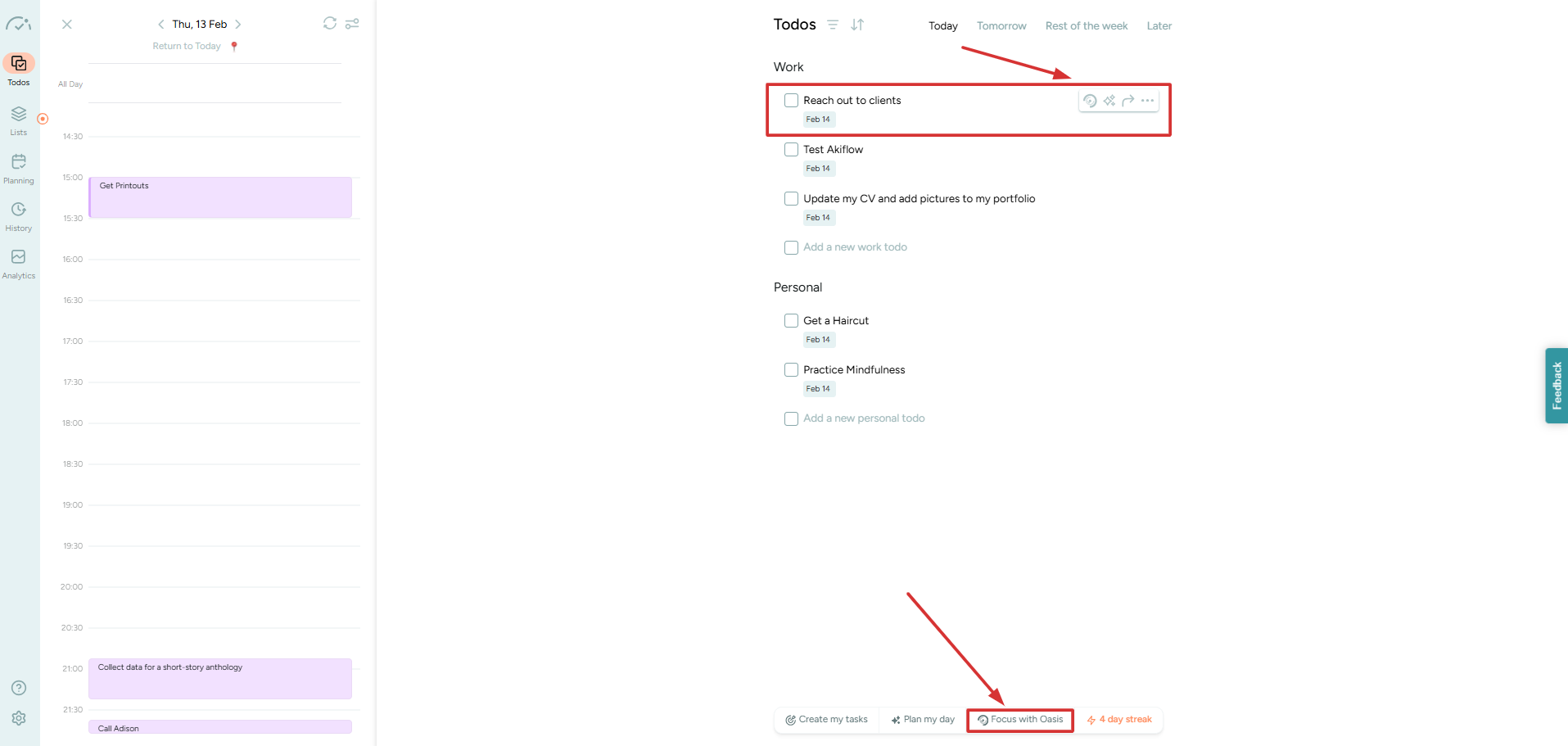
Once you choose an ambience, you’d be redirected to a different workspace.
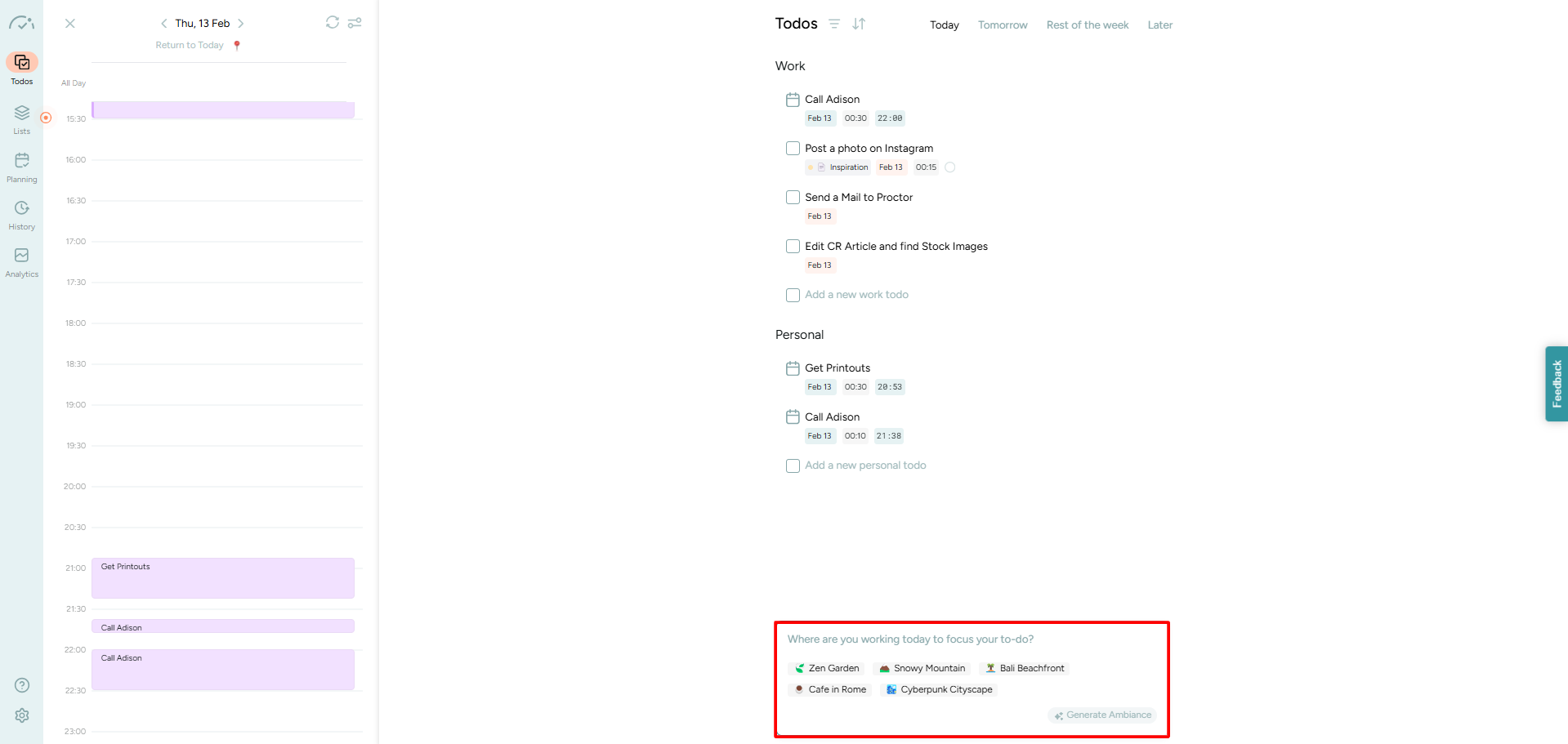
At Oasis’s workspace, you can do a lot. Unlike Akiflow, the focus mode here is more interactive and comes with a bunch of tools. You can play around and drag them anywhere on the screen or even minimize them. Here you’re in total control.
And guess what?
Those who like to work with music on, you don’t have to go elsewhere. Oasis features both natural sounds(like birds, waves, white noise, and fireplace) and composed music. Being a fan of Jazz music, I was happy to find the genre there.
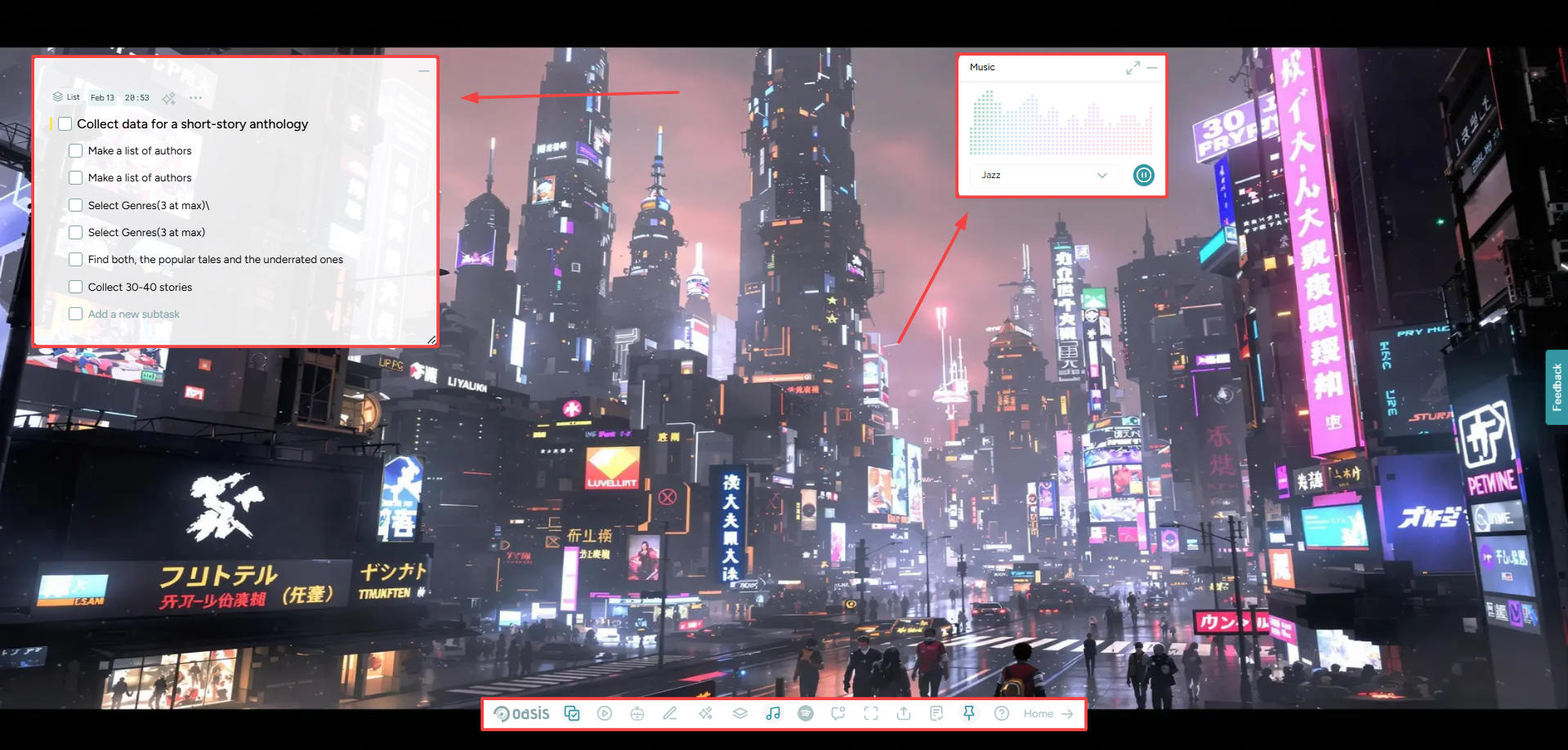
Even if you’re not happy with the ambience you can change it. There’s an Oasis tab at the bottom of the screen. Head over to the tab and find the Ambience Generator button for a new prompt. You can even switch to your desired setting by heading to the Collection button.
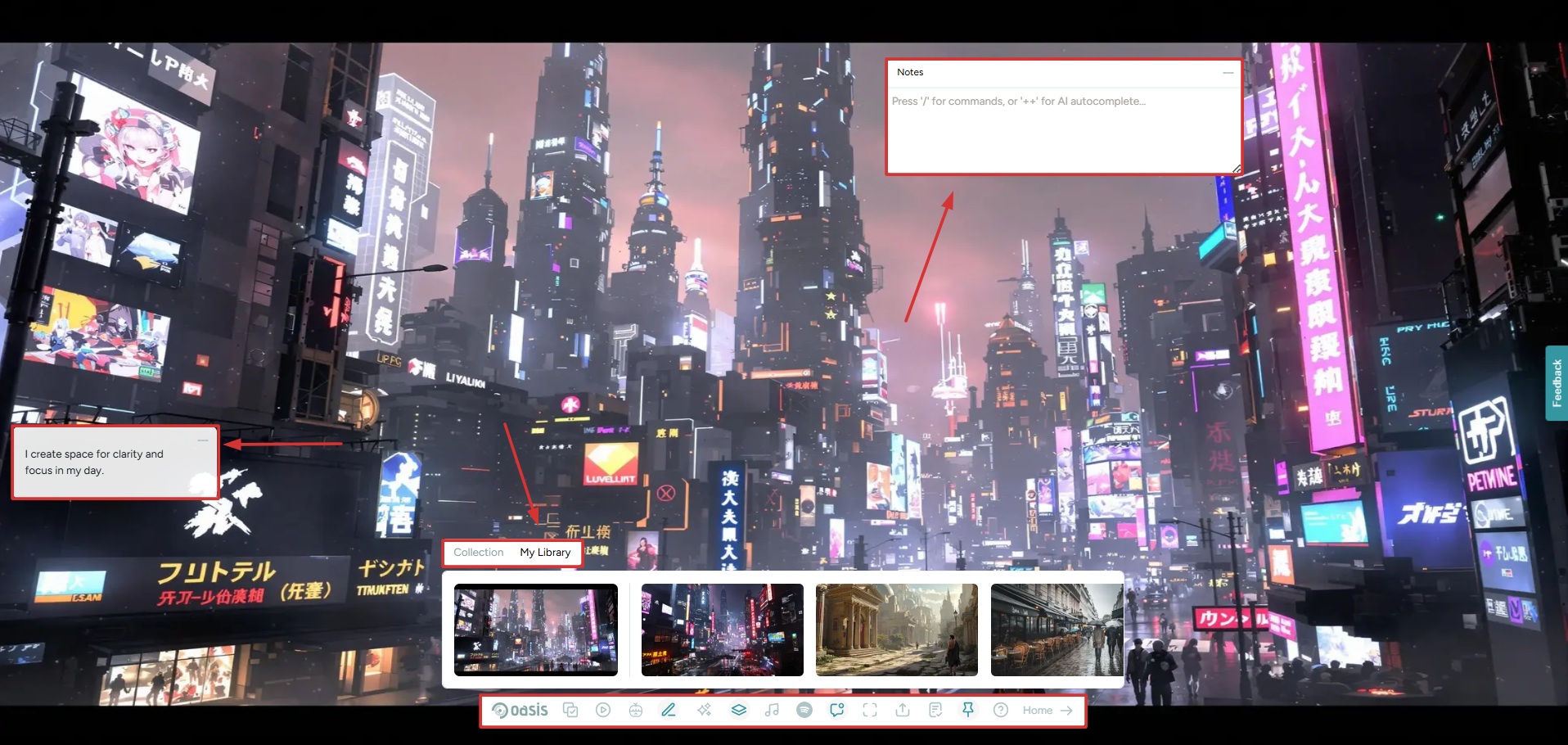
On this tab, you’ll also find other tools like Daily Manifestations and Today’s Todos. Basically, if you’re on the Oasis mode, you can actually have everything to get your work done without fidgeting here and there.
Lastly, here are two very important tools from BeforeSunset’s Oasis. First, we have a Count-up Timer.
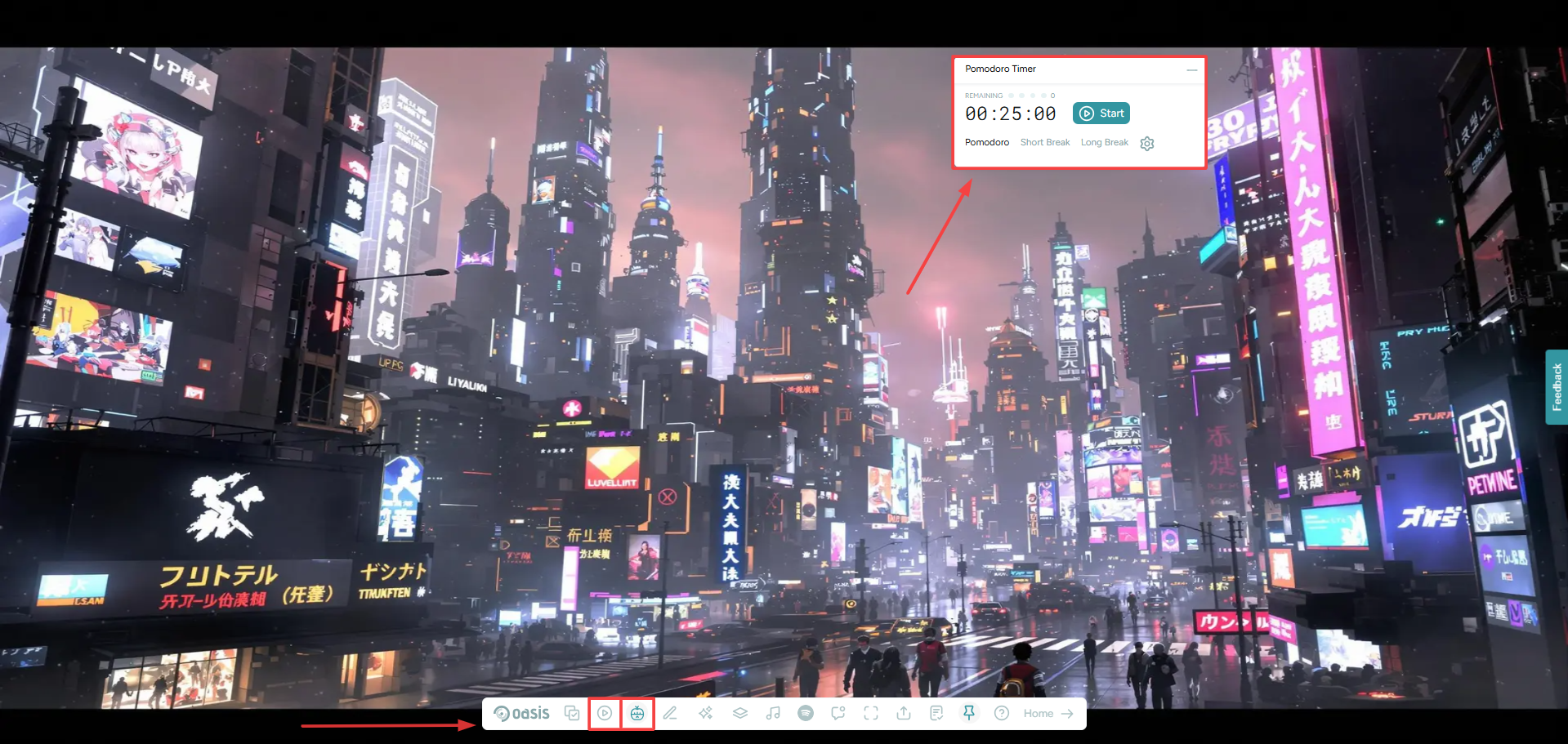
For time bound projects you can set the timer, start it and then take a break when required. During these breaks, a timer is visible, so that you can be mindful of how long you’ve been resting for.
Lastly, there’s a customizable Pomodoro Timer that helped me get my work done in chunks without getting exhausted. At default, there’s a 25 minute long work-timer, and two work breaks. The short one lasts 5 minutes and the long one for 15 minutes.
Akiflow
I’ll be honest, Akiflow’s Focus Mode is really disappointing. While it makes sense that focus mode shouldn’t be jammed with overwhelming tools, it literally appeared like a black screen to me. It is minimalistic, yet something’s definitely missing.
To launch the Focus Mode, head over to any task and click on the first icon that appears on the top-right corner. This will maximize your project into a full screen space or the so-called Focus Mode.
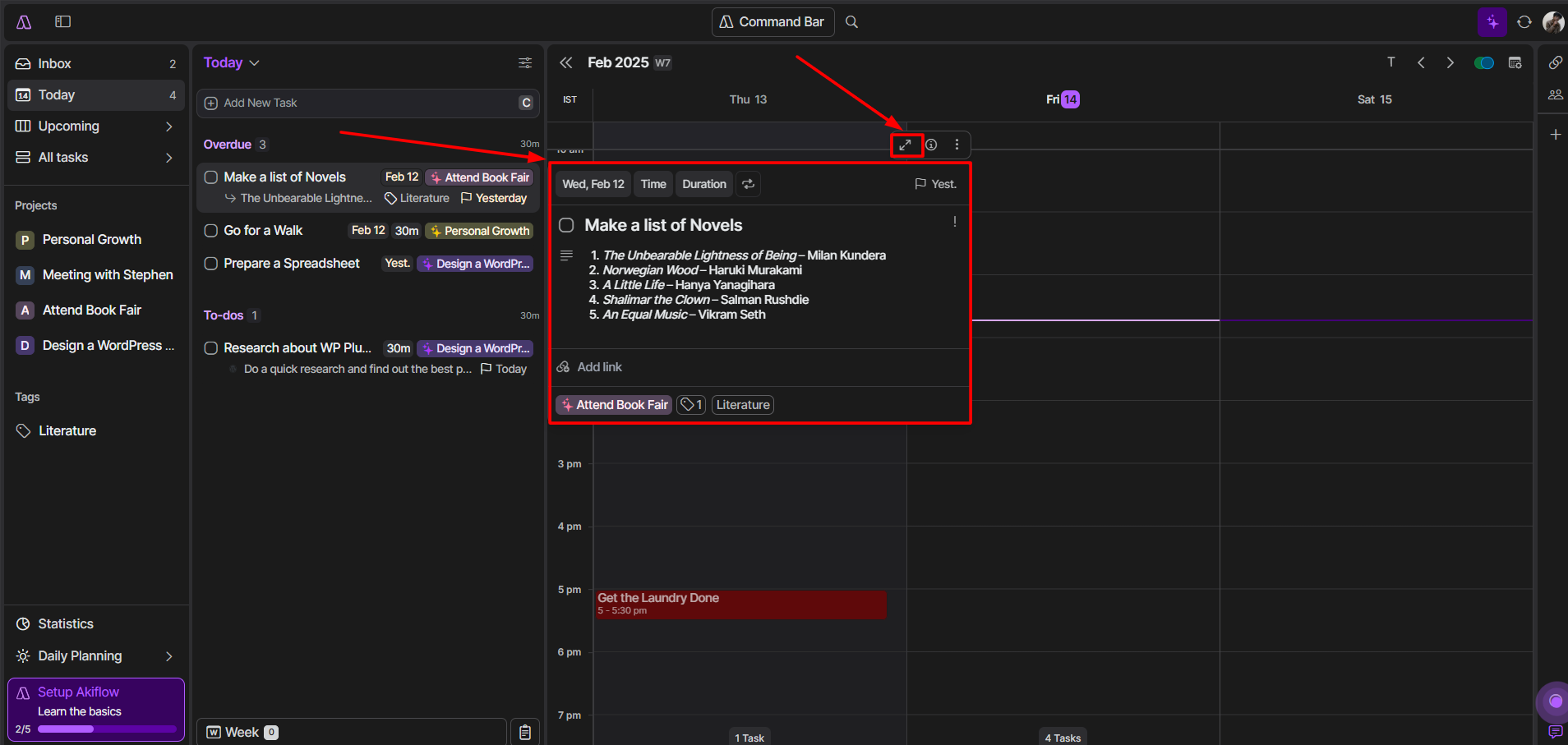
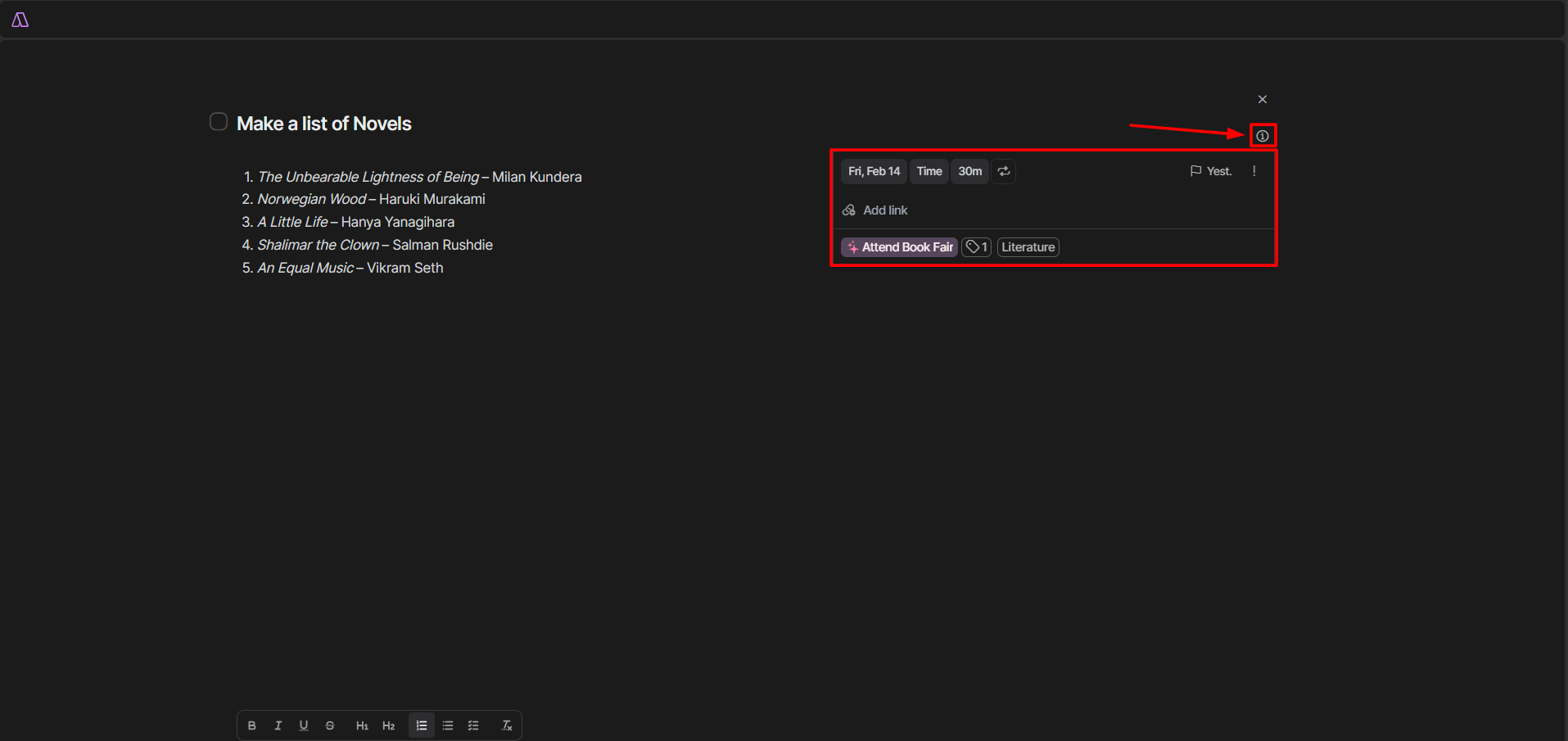
Based on the task you choose to work on, you’ll be able to see the task description. If you click on the ‘i’ button, you’d see basic information about your task including project, added links, priority, tags, estimated time and deadline.
Now, if you sway your cursor to the right-side of the screen your work calendar will appear alongside the number of scheduled tasks for the working day.
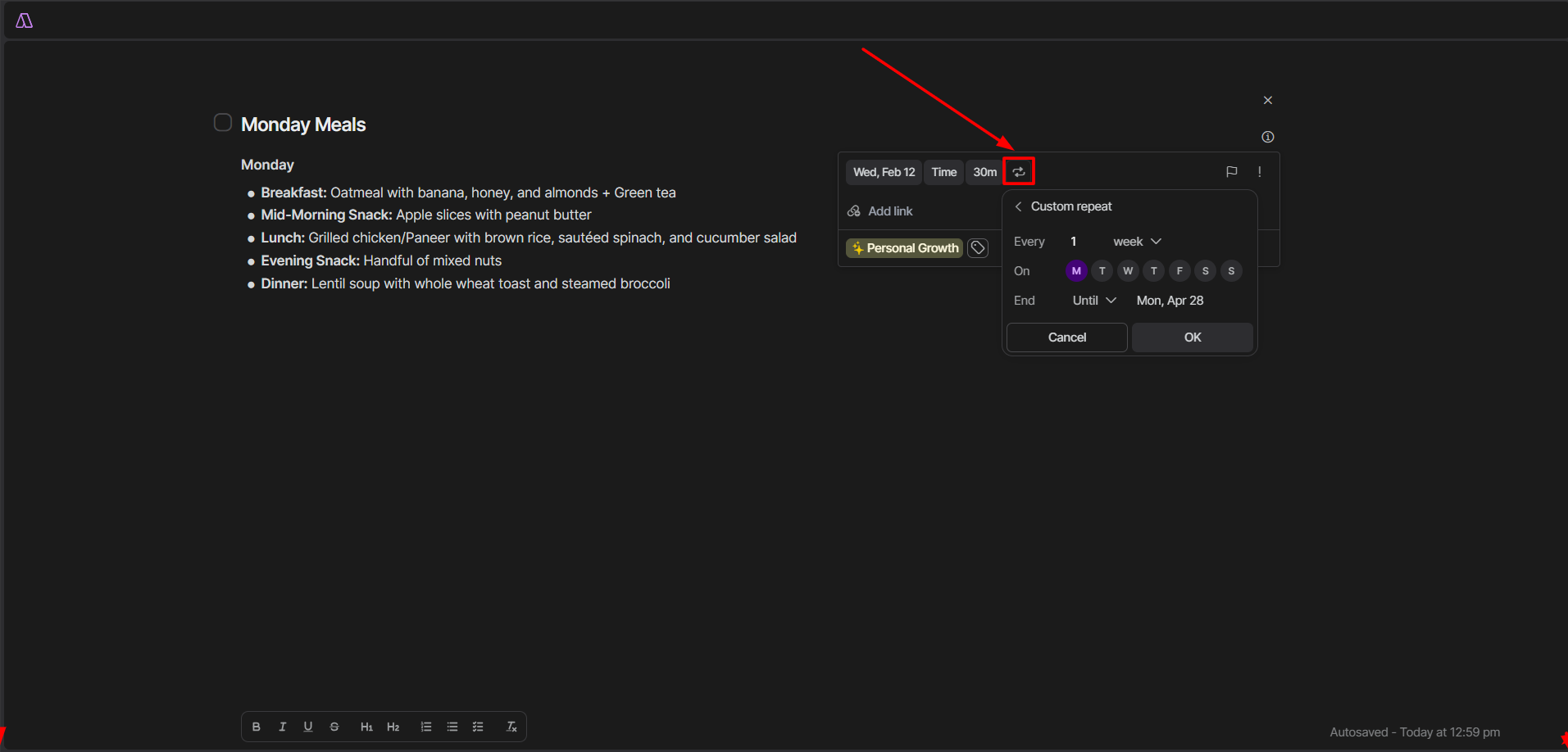
You can also set recurring tasks directly from this tab. Just click on the looped arrow icon, enter the details and your task would be scheduled accordingly.
My Pick
I’m all in for BeforeSunset’s Oasis mode. It’s like having a personal focus zone. You can pick an ambience, drag tools around, and even switch up the music(they’re even adding a Spotify integration soon). It’s super customizable and keeps everything you need in one place.
On the flip side, Akiflow’s Focus Mode feels a bit too minimalistic. Unless you’re someone who likes basic interface, it can be underwhelming. I know its simplicity has some merits, but Akiflow’s Focus Mode lacks the interactive and customizable elements you find in the Oasis Mode.
5. Calendar Integration
BeforeSunset AI
Managing your calendars with productivity tools like BeforeSunset is crucial. To do so, just hop over to the settings and click on Calendar. And hey, once it’s connected, don’t forget to sync it every day. That way, your tasks and events stay fresh and updated.
What else can you do?
First off, you can connect your calendars and manage your accounts in one place. I found it handy to set a default event time for new projects. Just slide the bar to choose between 15 and 60 minutes, and that’s your go-to time.
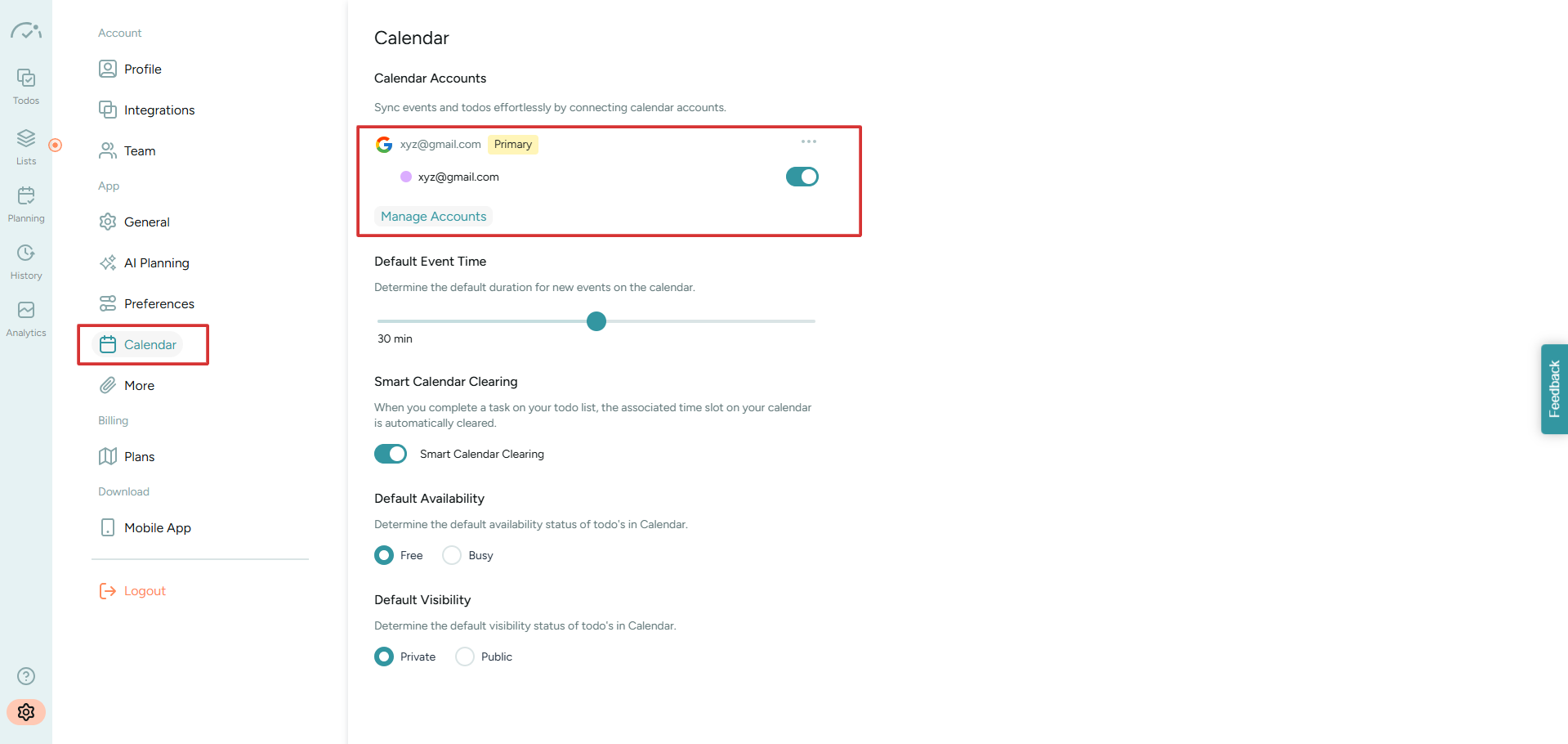
But if you want to change it for a specific task or event, no worries, you can do that too. Plus, you can adjust the default availability and visibility of your to-do list. I think it’s a nice touch for keeping everything organized just how you want it.
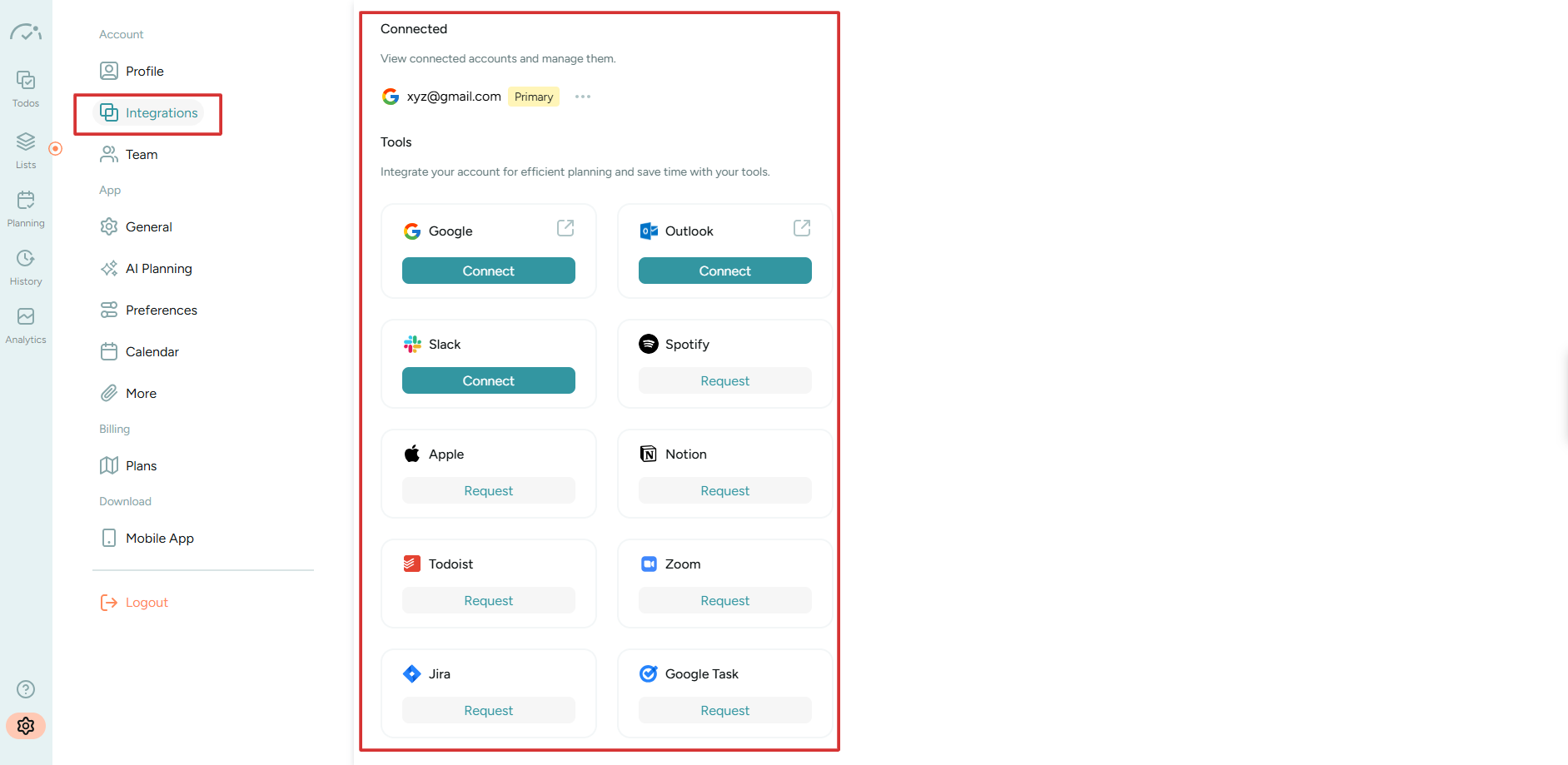
Heading over to the Integration section, you can connect BeforeSunset with Outlook, Google, and Slack. Meanwhile, for other integrations like Notion, Apple, Zoom, and Jira I had to send a manual request.
So, there’s not much difference between a to-do task and a calendar event. The only catch is that scheduled tasks have a little calendar icon next to them. This shows they’re also on your calendar. It’s a small thing, but it helps you tell tasks from events.

Akiflow
Akiflow’s calendar syncs up easily from the main dashboard. Just hit Ctrl + R and you’ll get a quick sync. For more customization, click on the settings and find Calendar from the tabular menu on the left.
Where BeforeSunset has limited options, with Akiflow you can set things like the default conference tool, primary calendar, time zones, and create new calendars.
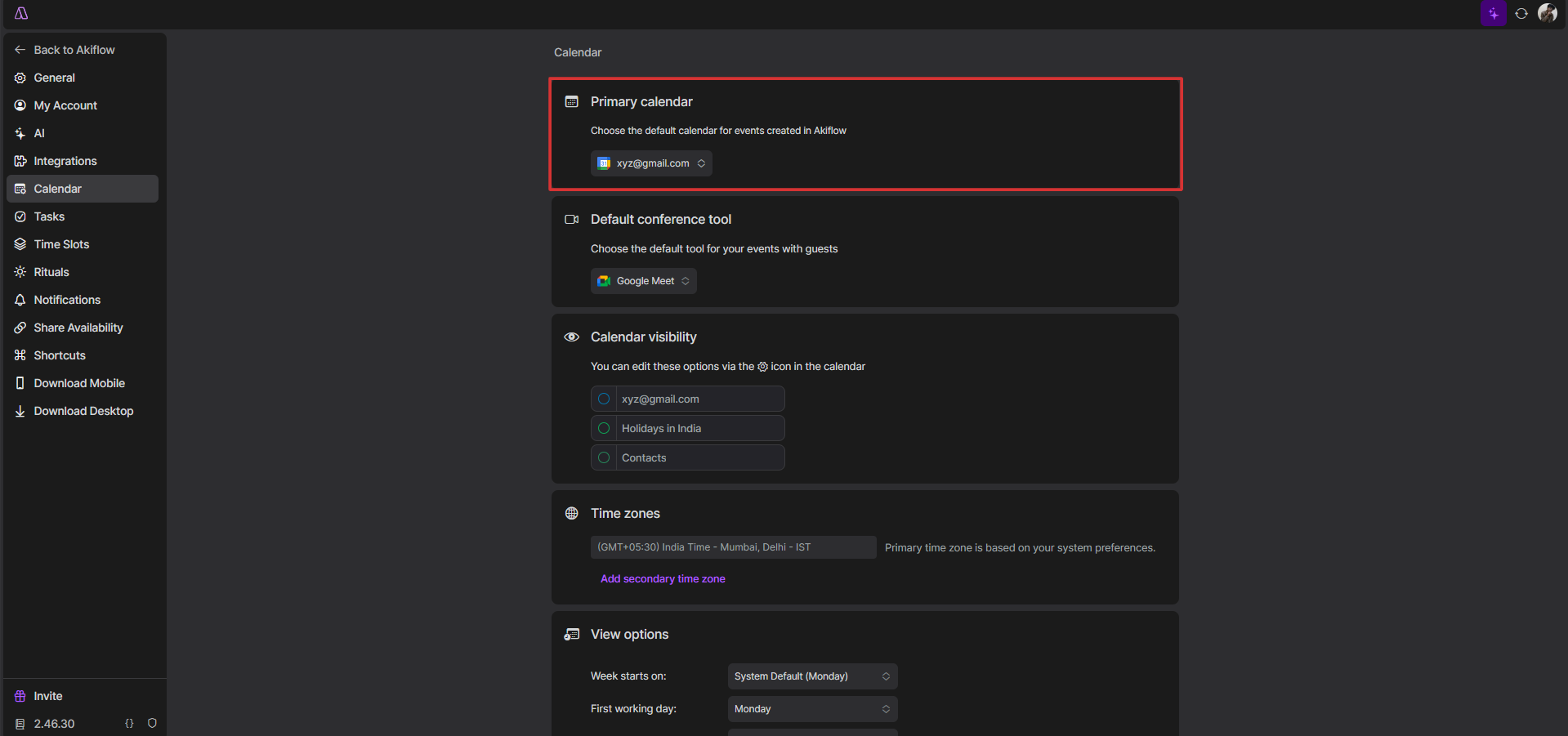
I mean it’s impressive how the View Options feature lets you be intricate with your calendar. You can choose what day your week starts on, first working day, the login and logout time and much more.
But here’s the thing, I like Akiflow more for its wide range of integrations. You can find them in the same dropdown menu where you access the settings from.
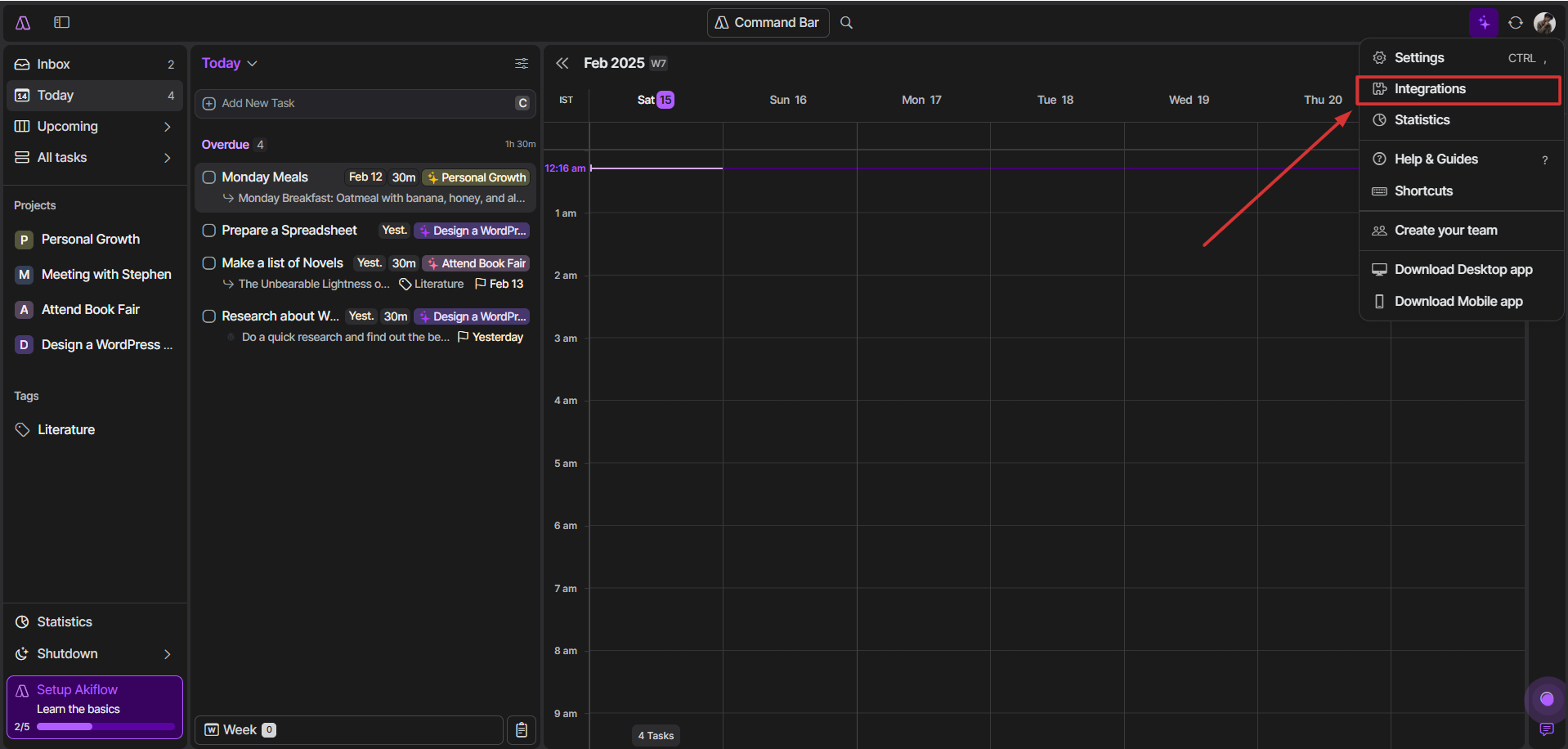
Let’s have a quick look.
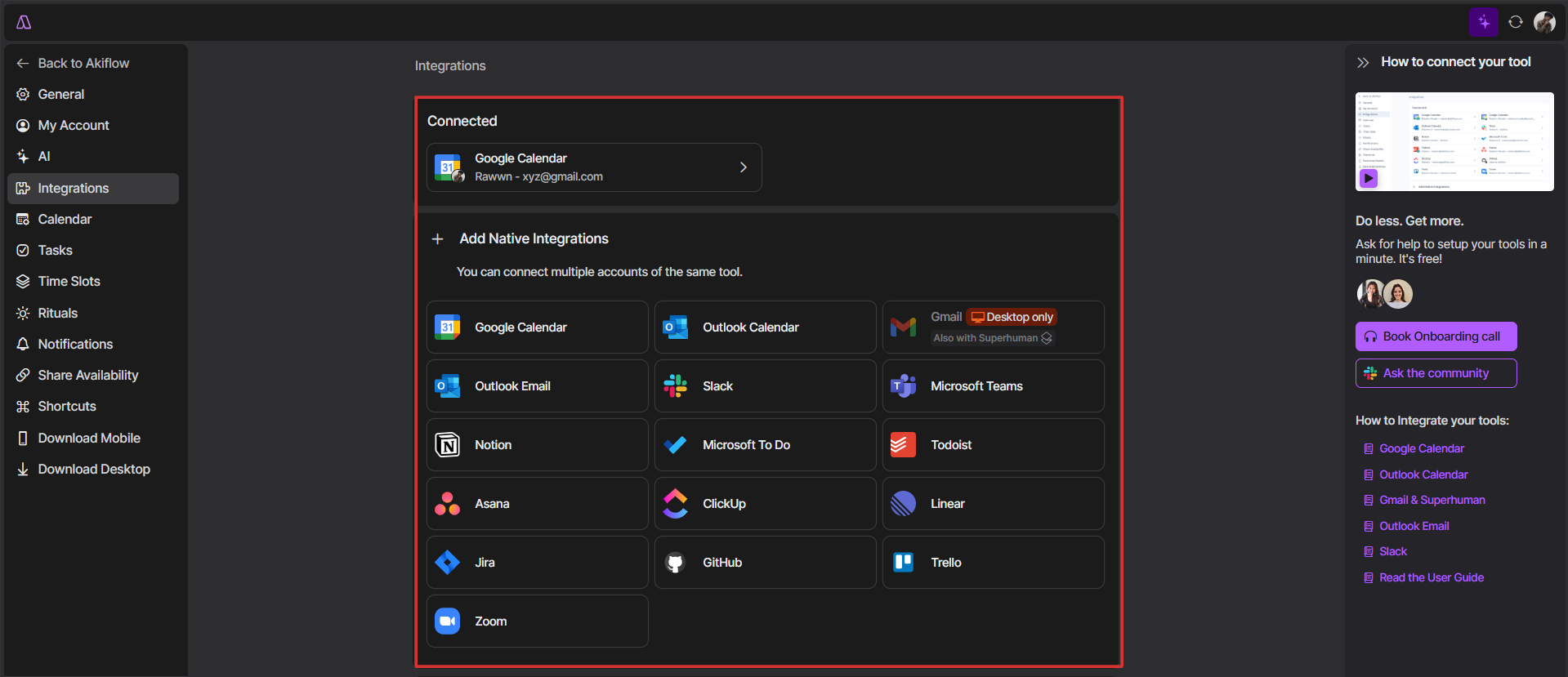
Aside from your primary calendar, Akiflow lets you connect multiple accounts and tools. Mainly, you get Google Calendar, Outlook Calendar, Teams, Notion, Slack, Trello, Jira, Zoom, and more.
If you know Zapier and IFTTT, then you can automate other tasks too. You can link up with apps like Google Tasks, Gitlab, Discord, Evernote, Spotify, Telegram, YouTube, and others. Plus,both have custom integrations that make Akiflow even more powerful.
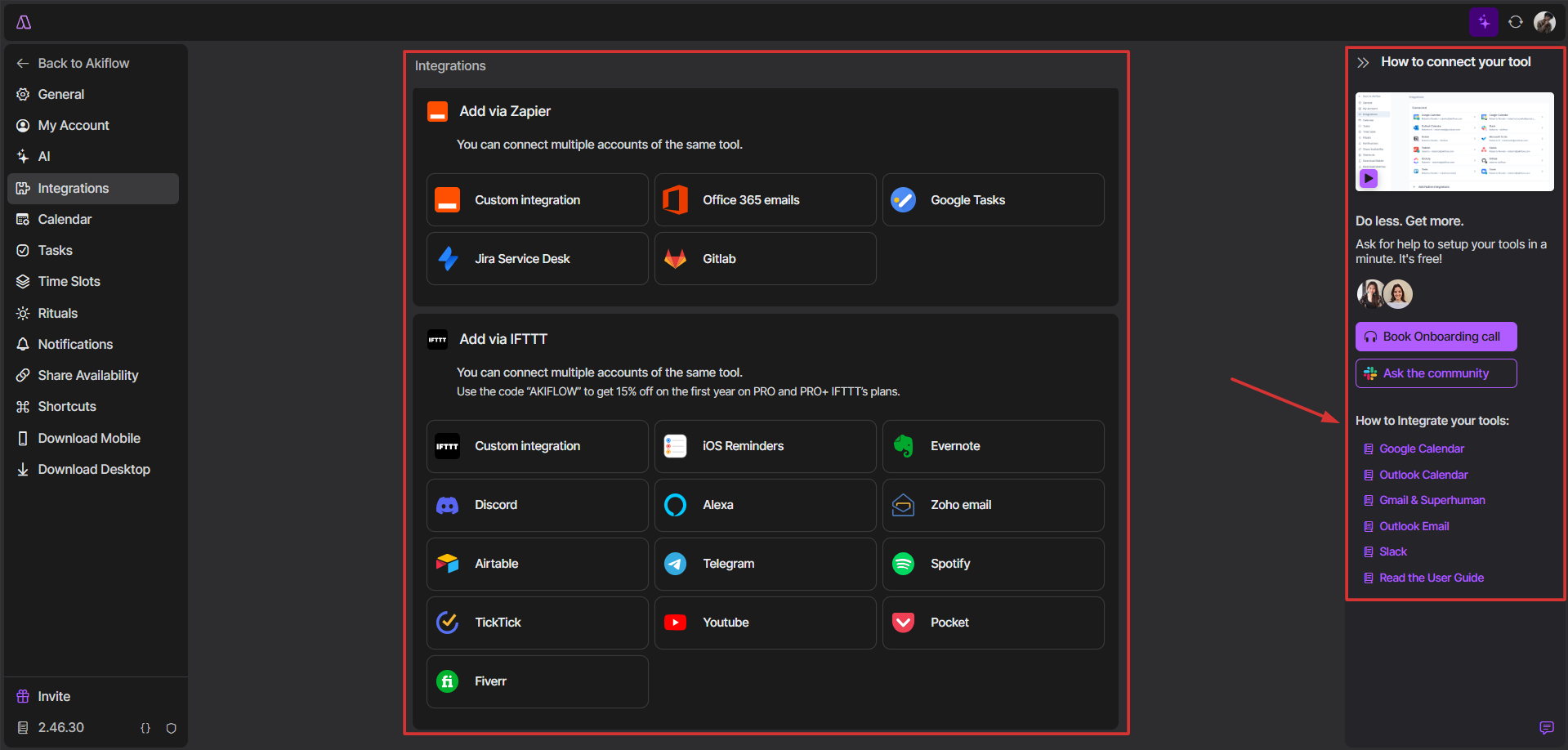
In case you get stuck, you can book an onboarding call, ask the Akiflow Slack community or check their tutorials.
My Pick
So, I’ve given both BeforeSunset and Akiflow a good run, and Akiflow is the one that’s really clicking for me. Their calendar sync is quick, and even the settings let you tweak stuff just how you like it.
In contrast to BeforeSunset, Akiflow has better integrations. Again, BeforeSunset is solid too, especially if you’re looking for something more straightforward. But Akiflow wins this for me with its customization and integration options.
6. Pricing
BeforeSunset
BeforeSunset has two paid plans: Pro and Team Pro.
The Pro plan is priced at $8/month and comes down to $96/year on an annual subscription. For features like an AI assistant, unlimited calendars, and the Oasis focus mode, it sounds like a good deal. Plus, you get weekly analytics and unlimited bookmarks too.
If you want something for your team, switch to the Team Pro plan. It comes for $12 per member/month, which is $144 yearly. Aside from the perks of the Pro plan, it adds a team workspace and periodic team analytics.
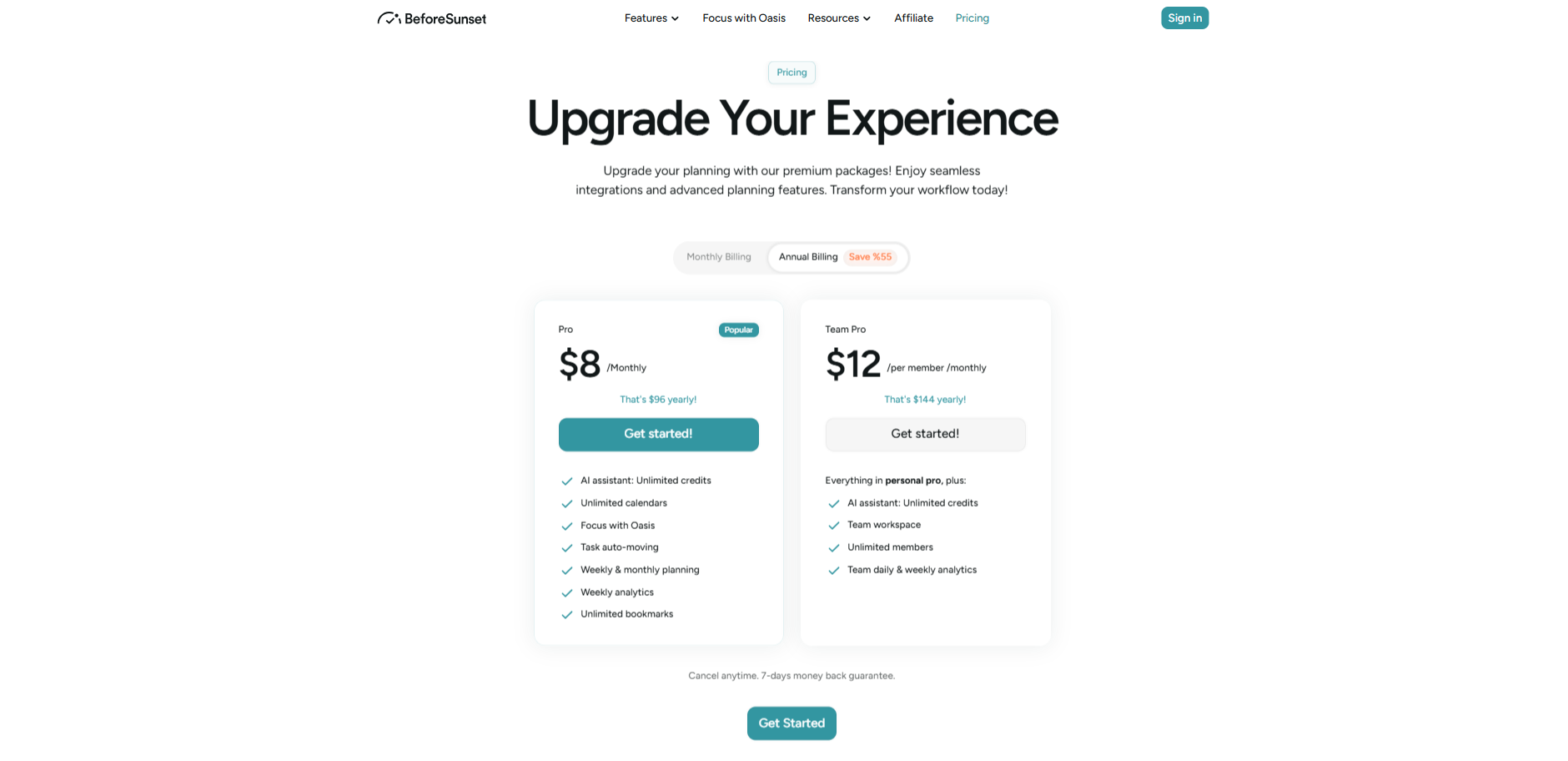
While there’s a free plan too, for some reason BeforeSunset hasn’t featured that on their paywall.
But, if you are a student reading this, don’t forget to apply for the academic discount BeforeSunset offers.
Akiflow
Akiflow has a Pro plan with a monthly cost of $34, but they’ve got a yearly plan too. I think that’s a steal at $9.5/month when billed annually.
Both plans come with unlimited integrations, tasks, meetings, and even a 1:1 coaching call. It’s a bit pricier than BeforeSunset’s Pro plan, but you get a lot for your money.
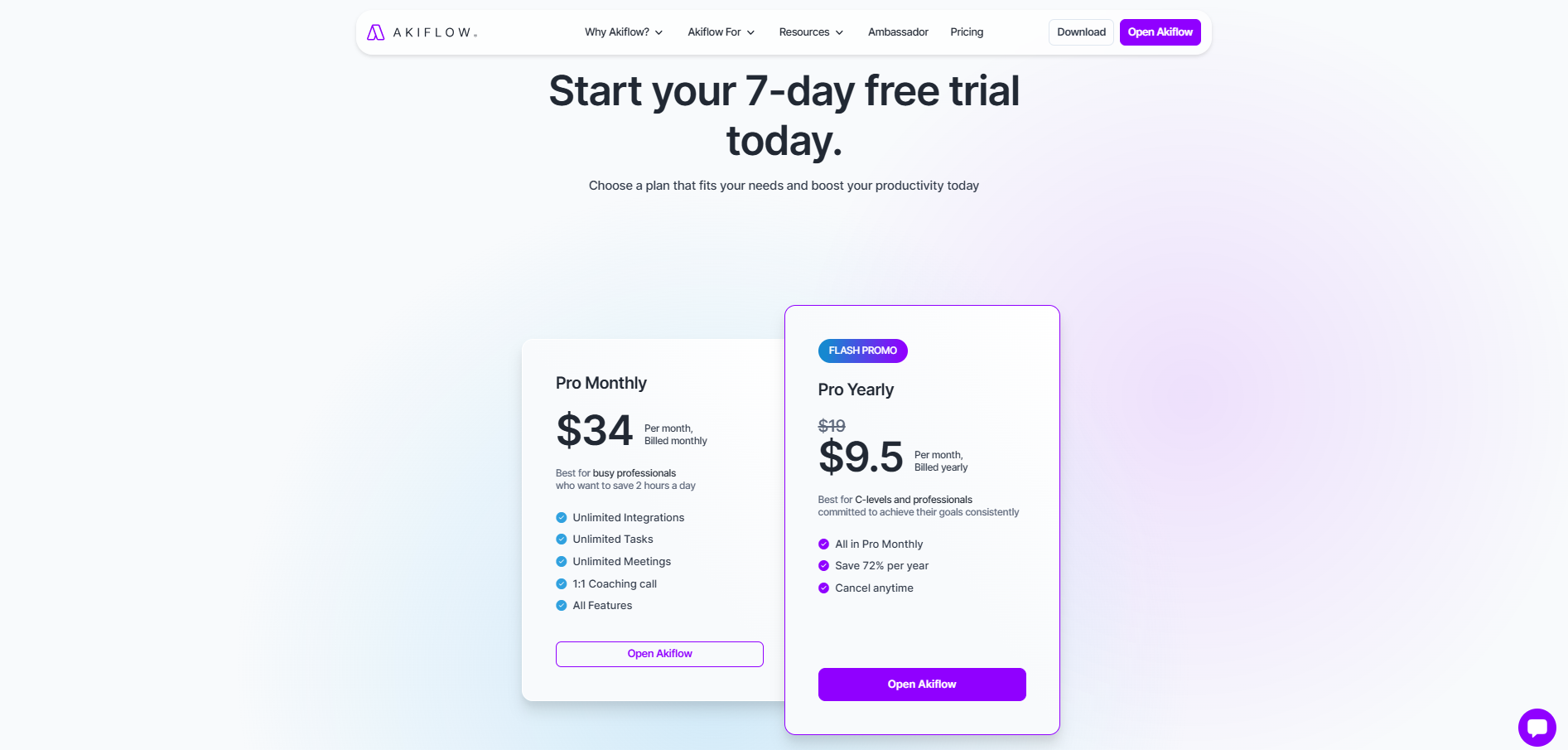
They also have a flash promo going on with the annual plan and it can save you some extra bucks. Plus, you can cancel anytime, so there’s no pressure to stick with it long-term.
7. Final Words
Personally for my use, I’d pick Akiflow. It just feels smoother, snappier, and better suited for fast execution. I think teams and project managers who want a flexible and adaptable tool, might like it more than Students and Freelancers. This is just because Akiflow can handle complex tasks and integrations better.
But with everything considered, I think BeforeSunset is more effective in managing daily tasks. Even navigating through the tool is pretty easy. So if you want a balance between customization and simplicity, go with BeforeSunset.
That’s all folks. At the end of the day, it’s all about what clicks for you. Pick one, try it out, and watch your productivity game level up.


 A better way to manage projects and clients for freelancers
 Get through busy days like a breeze with Reclaim.ai