
Work life generally follows the same pattern.
You start your day with a good cup of coffee, check your emails and messages, go through your to-do list, and map out the jobs you need to do for the day.
Pretty clear, right?
But in reality, priorities shift, ad hoc tasks appear, and unexpected errands take up a huge chunk of your time, pushing your well-planned to-do list to the back burner.
Before you know it, the week is over, and you are carrying the same workload to the next week.
Weekly reviews help you take a step back from your hectic routine and reflect on what you accomplished so you can plan your next week with a fresh mind.
People who continuously self-monitor their weekly performance are not only more motivated but also more consistent in their efforts, ultimately achieving better results.
In this article, I will share my personal experience with self-reflection, along with the template I’ve used for the past three years to review my week.
The idea is to show you simple ways to take stock of your week and plan the next one more intentionally.
Let me give you a little background first.
What Is A Weekly Review?
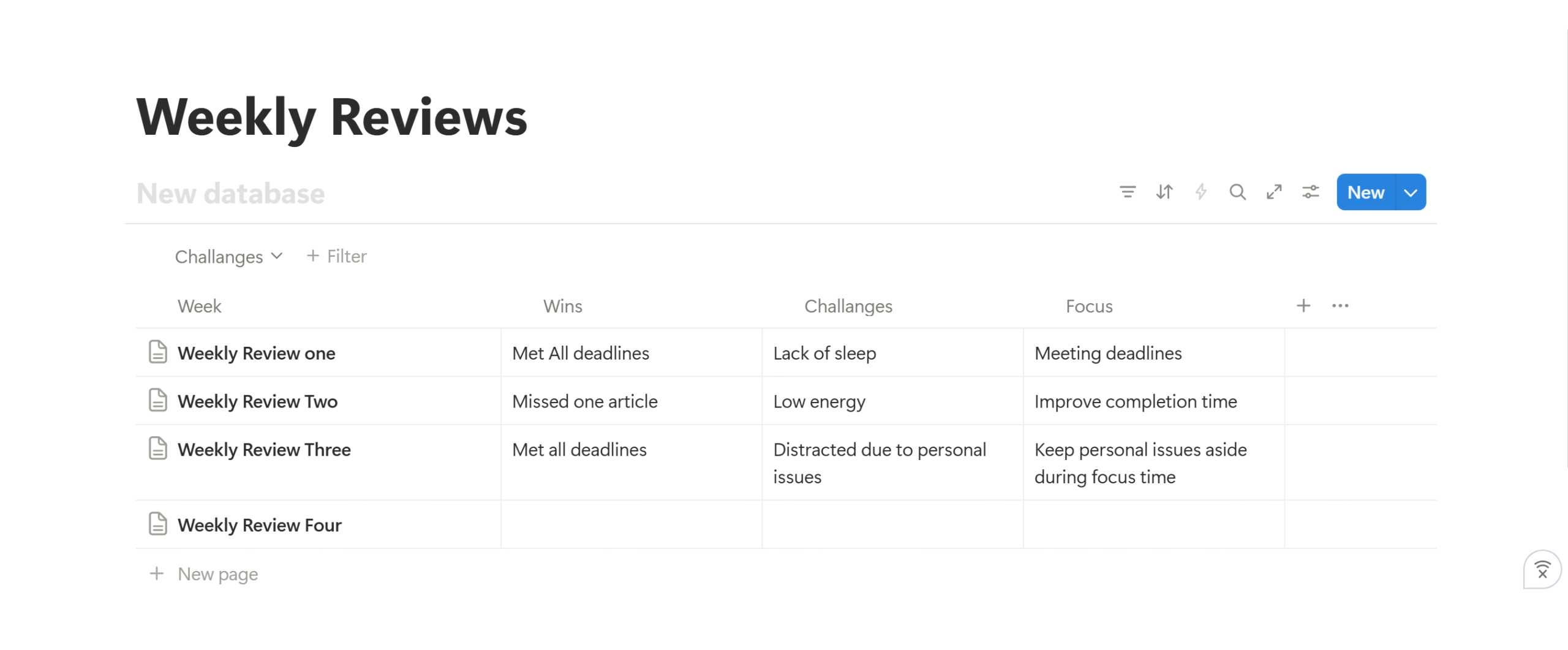
A weekly review is a self-reflection productivity method where you list the things you did throughout the week and the challenges that slowed you down.
Instead of carrying unfinished tasks into the next week, you take a moment to check your past week’s progress, clear out low-priority jobs, and refresh your to-do list.
Why does this simple practice work?
It works because self-reflection is directly proportional to work productivity.
The more you review your work, the better you understand your own work style and how to tailor your schedule accordingly.
As a result, you manage your time well and perform better.
Here are the core elements of a Weekly Review
- Review completed tasks.
- Reflect on your progress.
- Carry forward unfinished jobs.
- Plan your next week.
Why did I start Weekly Reviews?
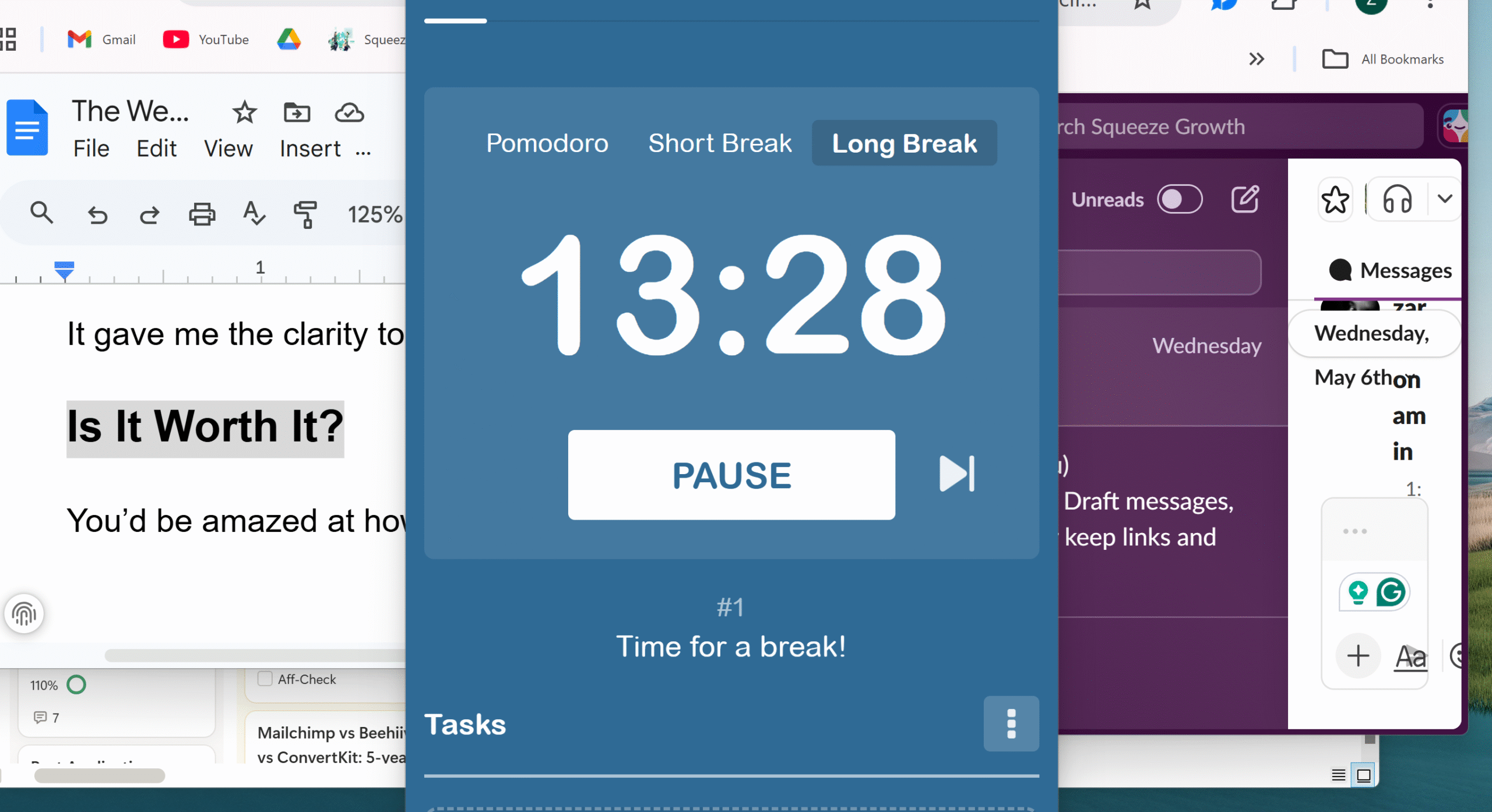
I started doing weekly reviews for pretty much the same reason you are probably planning to–I wanted to improve my performance and get better at my job.
It took me a while to get familiar with the process, however.
Writer’s block was a serious headache, and overcoming it was even more frustrating. Some days, I’d work long hours and still feel unproductive, which only added more stress to my already overwhelmed mind.
That’s when I realized I needed a self-monitoring system to track my work and identify bottlenecks.
I explored a few options, picked the one that suited me best, and began reviewing my performance each week.
Initially, it felt like an unnecessary hassle. But over time, I started noticing obstacles that were holding me back.
It gave me the clarity to figure out where to focus next.
Is Weekly Review Worth It?
You’d be amazed at how much difference a weekly review can make in your energy.
It shifted my mindset from “I have to do it” to “I want to do it,” making it a lot easier to stick to my goals.
It also helped me declutter my schedule and stay focused on what matters the most.
Self-reflection can be an excellent productivity technique if you use it consistently. When you review your work each week, you notice patterns and gain actionable insights to improve your future performance.
I can’t speak for others, but for me, self-reflection brings a sense of clarity and improves my morale. It makes everything feel more manageable.
A Few Weekly Review Templates I Used Initially?
When I started doing weekly reviews, I tried a couple of different templates first.
Initially, I went for the Excel sheet because it’s my default choice.
Excel was already familiar to me, and like most people, I tend to stick to tools I know.
Why Excel Didn’t Work
Excel is, no doubt, great for data storage and complex calculations, but it isn’t intuitive for self-reflection.
While it’s easy to duplicate sheets on Excel, there’s no built-in system to track long-term progress.
Everything is pretty much manual there.
- Creating the layout.
- Writing entries.
- Tracking progress.
- Monitoring your work pattern.
Manually creating a review structure in Excel can quickly become exhausting. Over time, it just feels like extra work you don’t need on your plate.
My next thought was to go for an all-in-one daily planner, killing two birds with one stone. I thought that if I purchased a planner with a self-reflection section, I could manage everything from one place.
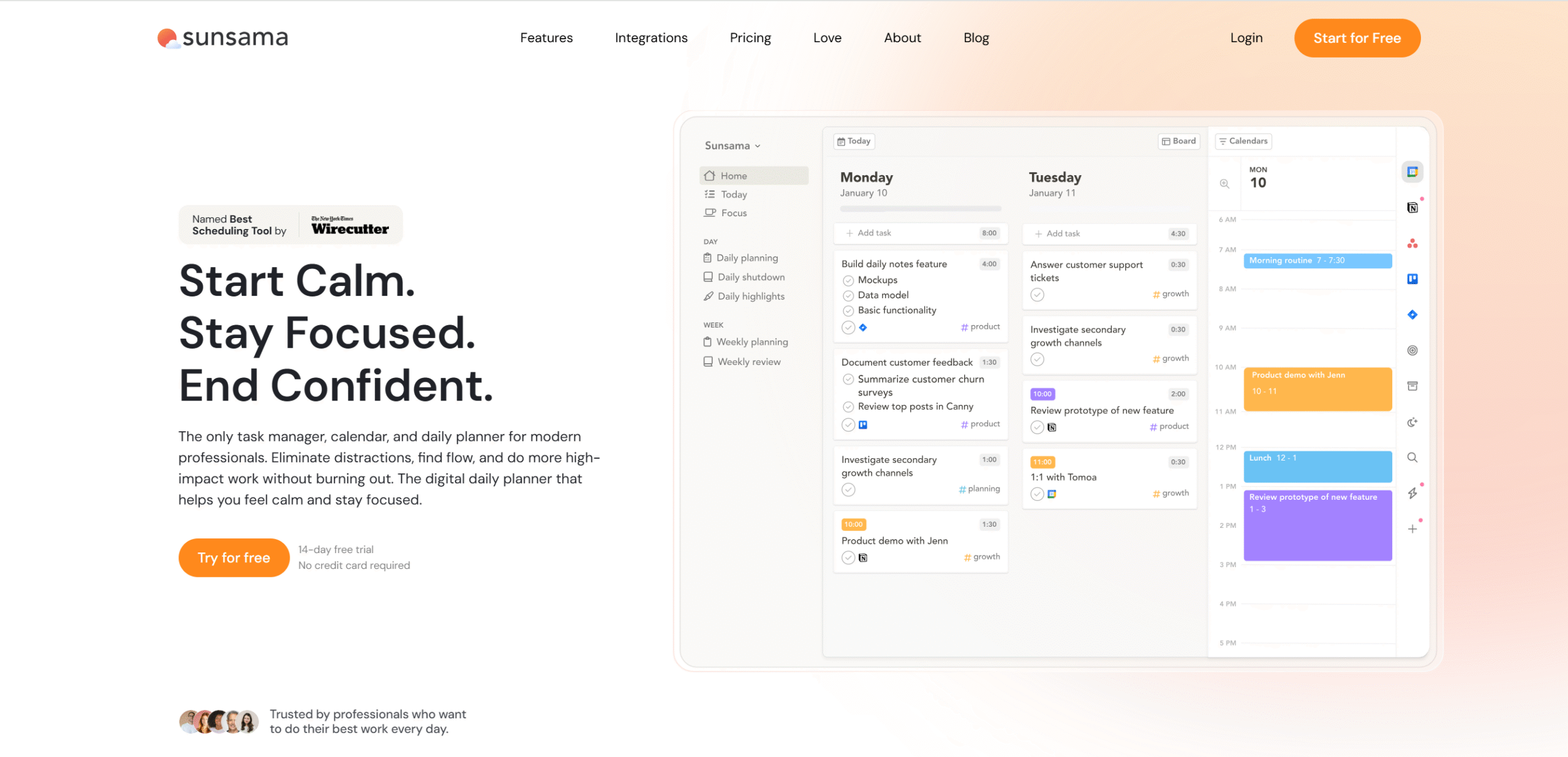
Someone recommended Sunsama to me, and to be honest, it was an excellent suggestion.
Sunsama has amazing planning and review tools, and both are interconnected. You can organize your day, manage tasks, and track your progress from one dashboard.
Here’s what you can do on Sunsama;
- You can connect multiple calendars.
- Plan your day within specified work hours.
- Create a to-do list with obstacles to plan a realistic schedule.
- Drag and drop tasks and emails.
- Set aside blocks of time on your calendar.
The best thing? Sunsama is simple and intuitive. It takes some time to get used to it, but once you’re familiar with the layout, everything becomes easier.
Why Sunsama Didn’t Work?
The cost factor, mostly.
I genuinely loved Sunsama and would’ve continued the subscription, but paying $20 per month on a low budget felt a bit heavy, especially in the long run.
I decided to try Notion’s free, readymade templates instead.
I am not sure why I didn’t think of it before. It’s probably because I always used Notion as a project manager. But if used properly, Notion can act as an all-in-one productivity tool.
When I explored Notion’s library, I chose a “high-productivity” review template that typically comes with lots of bells and whistles.
Reason? Product features.
People tend to go for feature-rich tools because of their perceived value. It’s a psychological bias where users subconsciously equate features with capability and think more features mean the product is better.
I did the same.
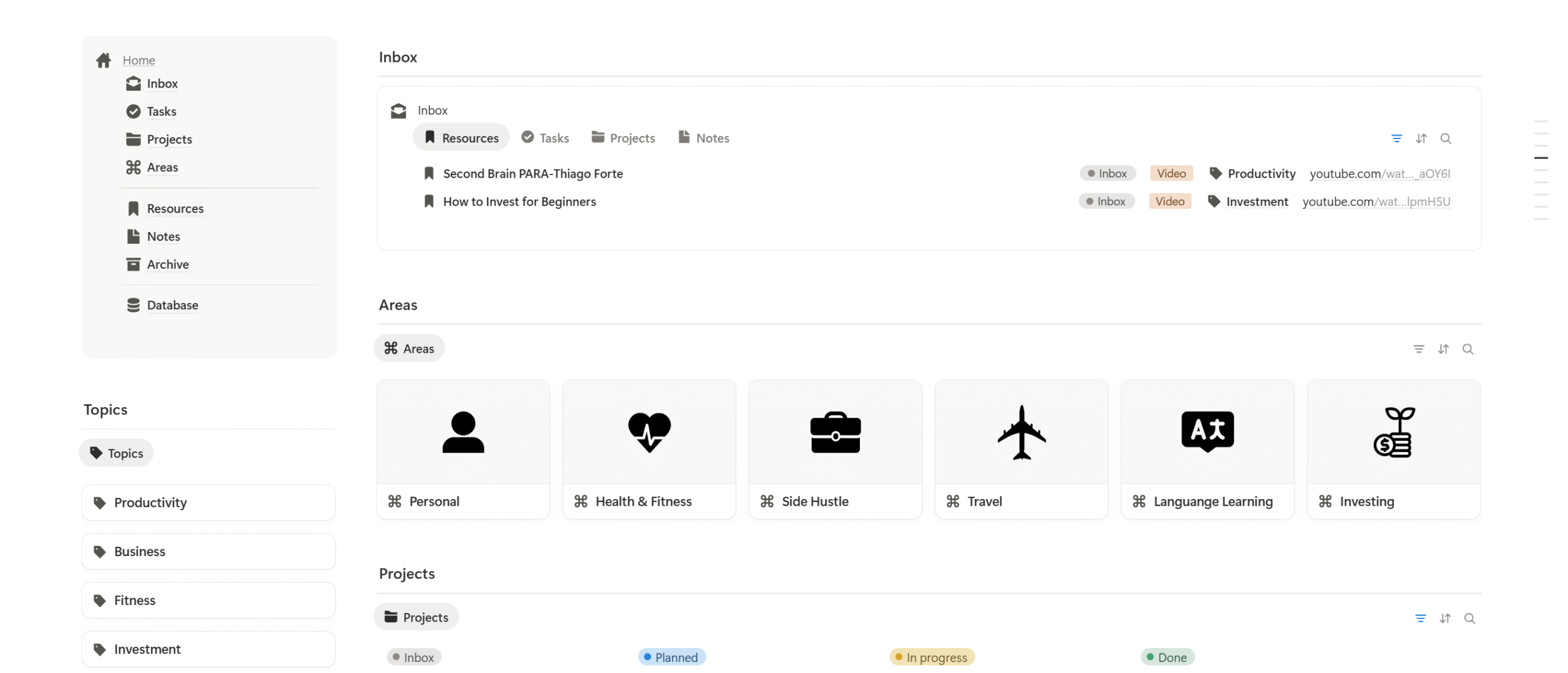
I selected the “Second Brain” Notion template by Rosidssoy because of its popularity and visuals. The owner sells both free and premium templates, and I picked the free version to experiment.
The template was divided into four main parts.
- Your projects.
- Personal development.
- Resource material.
- Complete projects.
The idea was to create a space where you can dump everything and review it later.
Why the Second Brain Productivity Template Didn’t Work?
You can pretty much guess why it didn’t work.
The problem with all-in-one productivity templates is their complexity.
They look incredibly organized and impressive on paper, appealing with their visuals. But they come with too many sections to maintain in the long run.
I specifically chose the Second Brain template for its all-in-one layout. My mistake was not picking a dedicated review system.
If I had, it’d have saved a lot of time.
But credit where credit is due. The second brain template did give me an idea to create my own template in Notion.
The Weekly Review Template I Have Used For the Past Three Years
I prefer minimalist vertical layouts because they’re easy to navigate. They have a natural reading flow, which requires less mental load to process.
After experimenting with a couple of tools, I realized I needed a tailored template that suited my working style. So, I took inspiration from some of my previous templates, and, using ChatGPT, I created my own weekly review system in Notion.
Notion is simple, intuitive, and incredibly flexible. You can create whatever layout you want and organize everything well.
The great thing about Notion is that it has built-in elements that make it easier to add instant tables, bullet points, and checklists. You can also interlink pages and build a database for progress tracking.
I have been using the Notion template for the past three years and have upgraded it multiple times without any issues.
This template is nothing fancy, but it works incredibly well. (You can download the template here.)
Here’s How My Weekly Review Template Is Designed
My weekly review template is split into seven sections.
- Weekly Snapshot.
- What I Worked On.
- Client Communication.
- Writing Performance.
- Problems and Blockers.
- Action Checklist.
- Next Week’s Focus.
I have tailored it for writers, but you can easily adjust and improvise it.
1. Weekly Snapshot
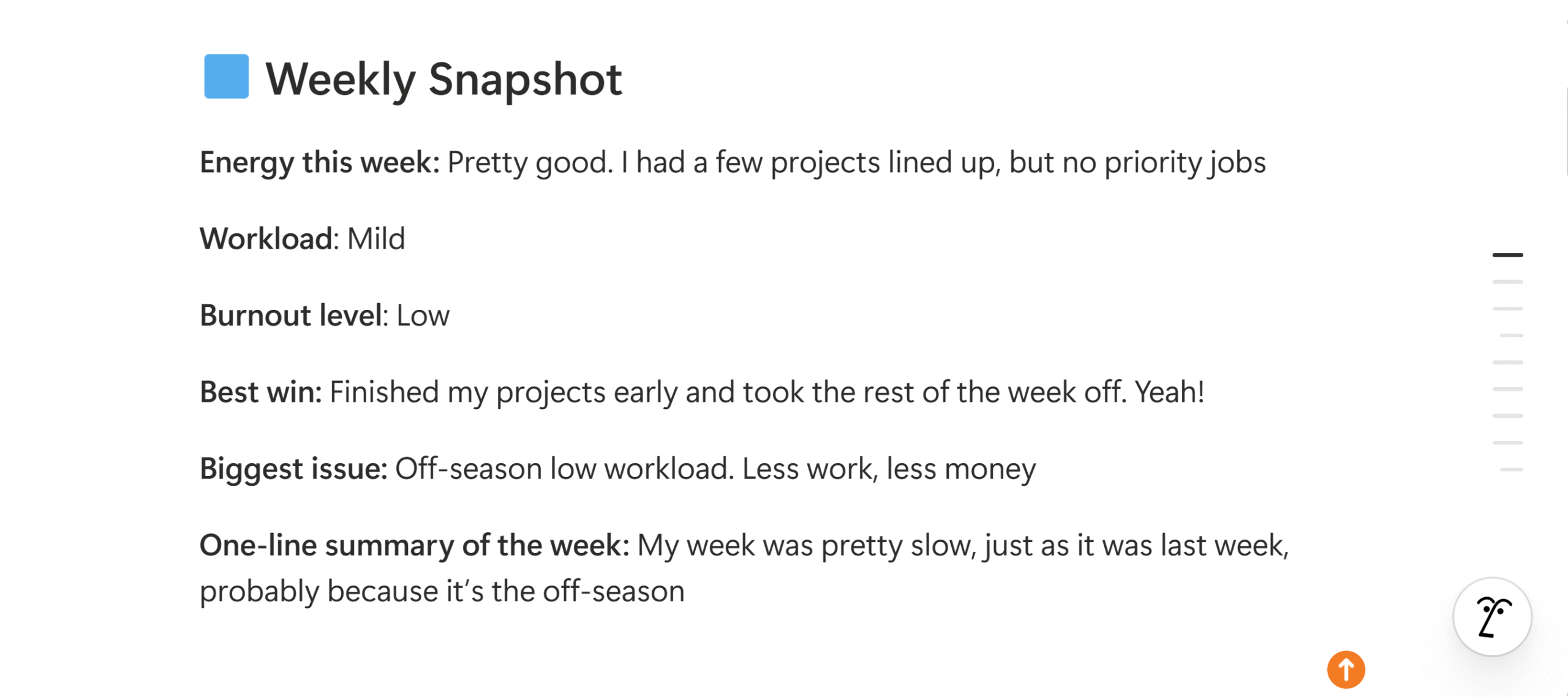
Weekly snapshot gives you a quick glance at your week.
Think of it as a summary of your performance–what were your biggest accomplishments, and what obstacles did you face throughout the week?
The idea is to get quick information without reading the whole review.
My weekly snapshot covers;
- Mood.
- Burnout level.
- Achievements.
- Setbacks.
You can add more bullet points if you want, such as hours worked, habits maintained, or events attended.
2. What I Worked On
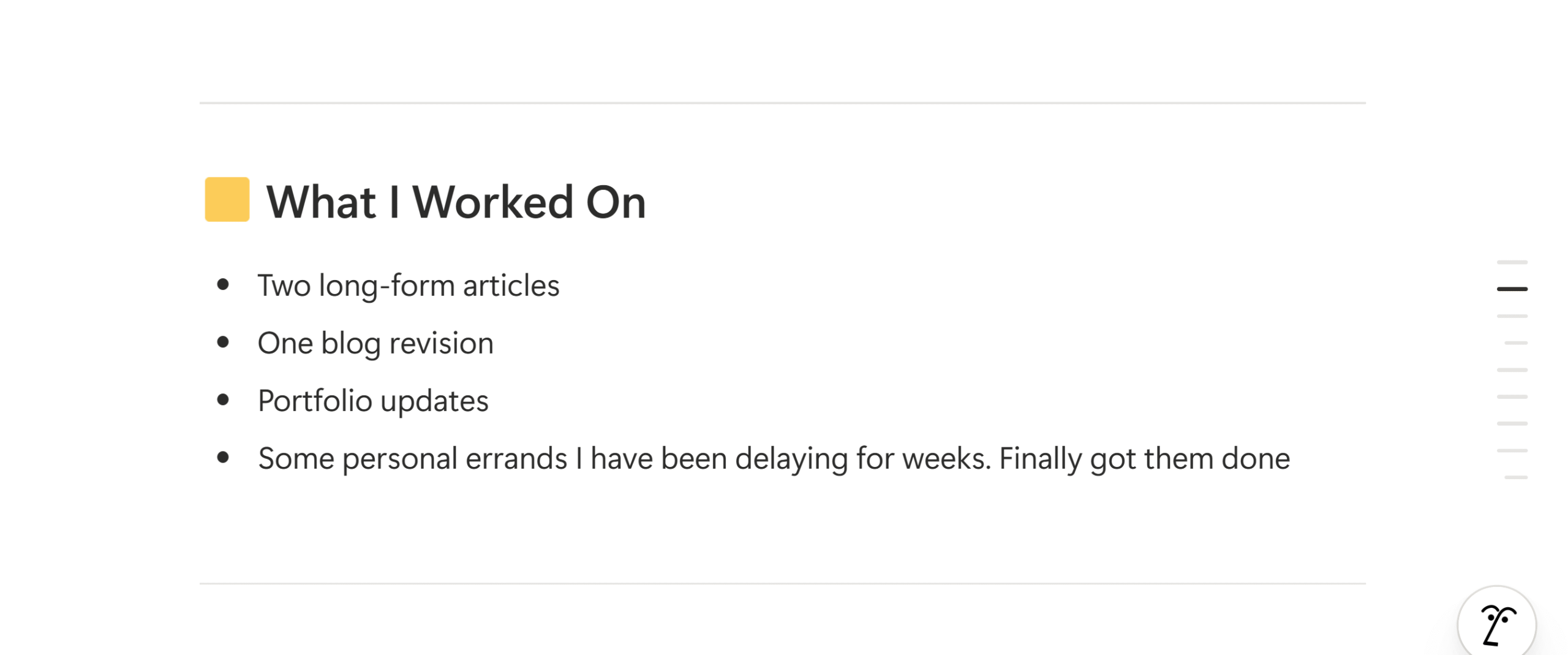
This is where the detailed review begins.
Here, you mention the actual work you completed and be as specific as possible.
As a freelance writer, my workload isn’t that complicated. My task list typically contains articles, short projects, and revisions. And if I have some spare time, I work on personal projects.
That’s exactly what my template shows;
- Task completed.
- Ongoing project progress.
- Administration work.
- Project projects.
These bullet points are pretty standard, but you can personalize them as you see fit.
3. Client Communication
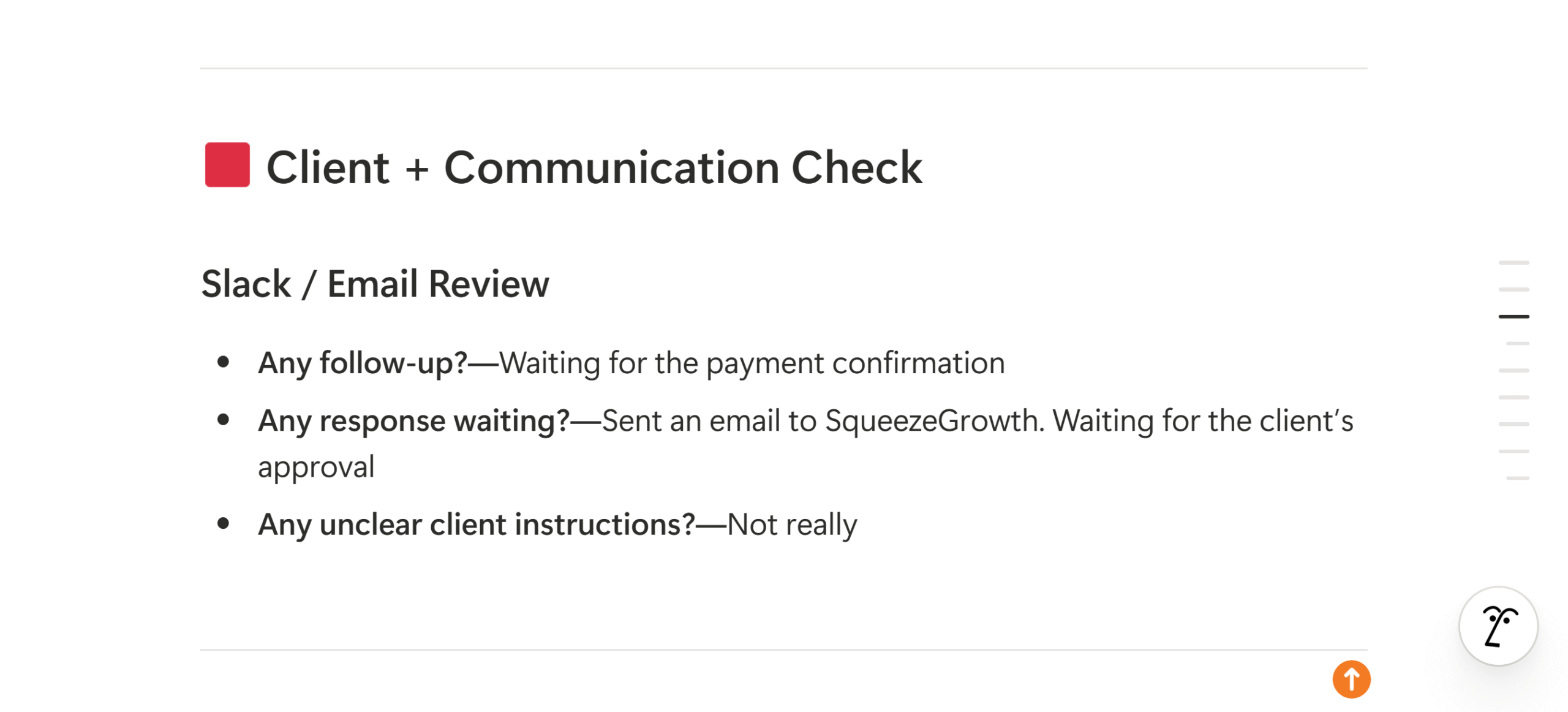
I have included client communication because it’s a core part of my role as a freelancer.
If your job involves meetings, emails, and Slack messages, this section helps you track them all.
You can also use it to measure the time you spend on communication.
Most people don’t realize how much time communication consumes. A person, on average, spends 57% of their work time on emails, chat, and socializing.
By adding a communication section, you can track where your time is going and how to optimize it.
Here’s what you can add;
- Messages replied.
- Pending approvals.
- Follow-ups.
- Communication issues.
If your job requires in-person communication, you can add that as well.
4. Writing Performance
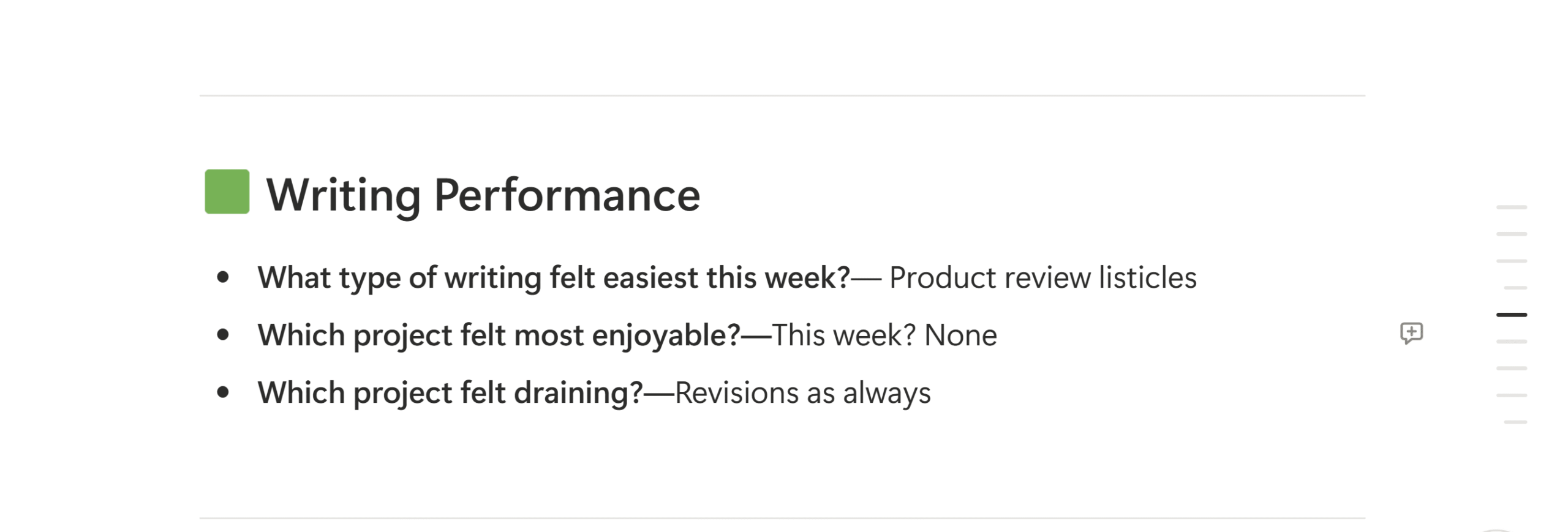
I am going to adjust the title and say “work performance” to clarify the section.
For me, work is content writing. For you, it could be anything.
I have included this section in my template to reflect on my productivity and focus level.
Here’s what my template covers;
- Which projects felt easier to complete?
- What part of the work do you enjoy the most?
- Which task felt draining?
You can also add more points, like work consistency, workflow efficiency, and the distribution of deep and shallow jobs.
5. Problems And Blockers
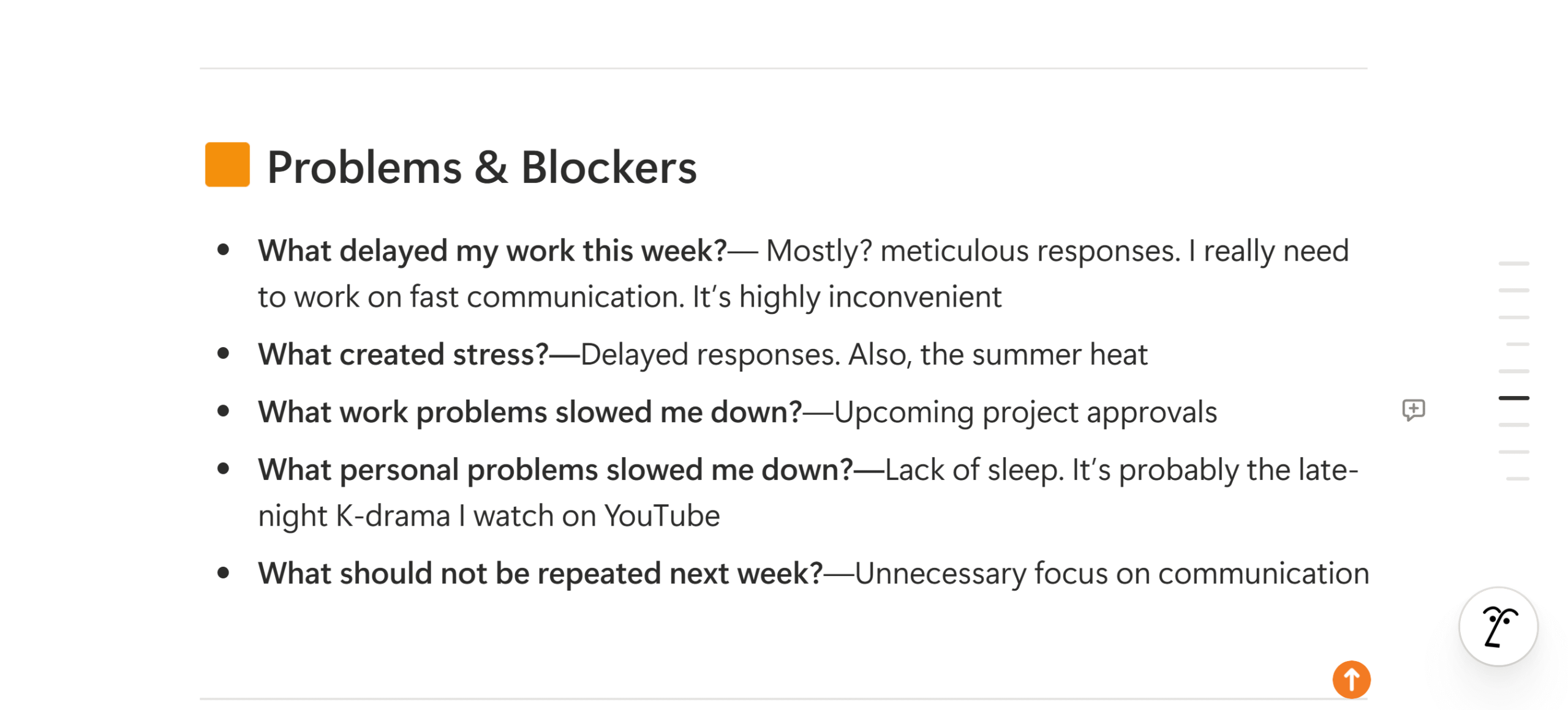
This is one of the most important sections of the weekly review template.
It highlights the obstacles, distractions, and personal challenges that directly or indirectly affect your work performance.
Distractions are one of the biggest reasons for low productivity. But if you understand the type of problems you regularly face, you can do something about them.
Without this part, your weekly review is nothing but a simple task manager and a to-do list.
Here’s what to include in this section;
- What delayed my work this week?
- What was the main cause of stress?
- What personal and work problems slowed me down?
- What should I avoid next week?
These are just guideline questions. You can keep it to one of two questions or expand it; it’s up to you.
6. Action Checklist
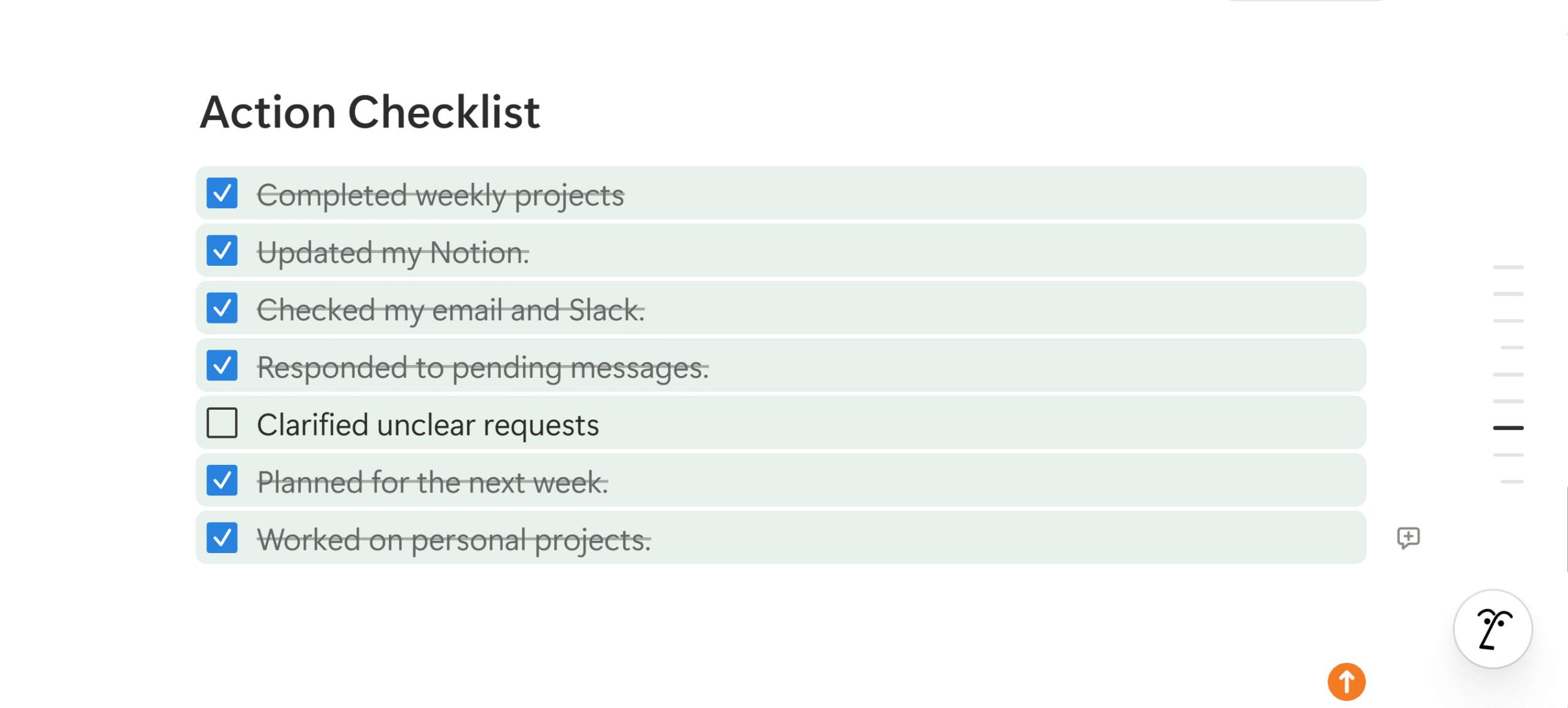
The action checklist is my favorite part.
Ticking off tasks gives me a certain sense of accomplishment and control, which motivates me to work harder.
In psychology, we call it the dopamine reward. It’s a feeling of satisfaction you receive after you complete a job.
The action checklist also serves another purpose: it converts your self-observation into actionable steps, making the review process measurable.
Here’s what my action checklist covers;
- Weekly deadlines.
- Email and Slack follow-ups.
- Responding to pending messages.
- Worked on personal projects.
- Plan for the next week.
If you want to track your habits or distractions, you can add them to the action checklist as well.
7. Next Week’s Focus
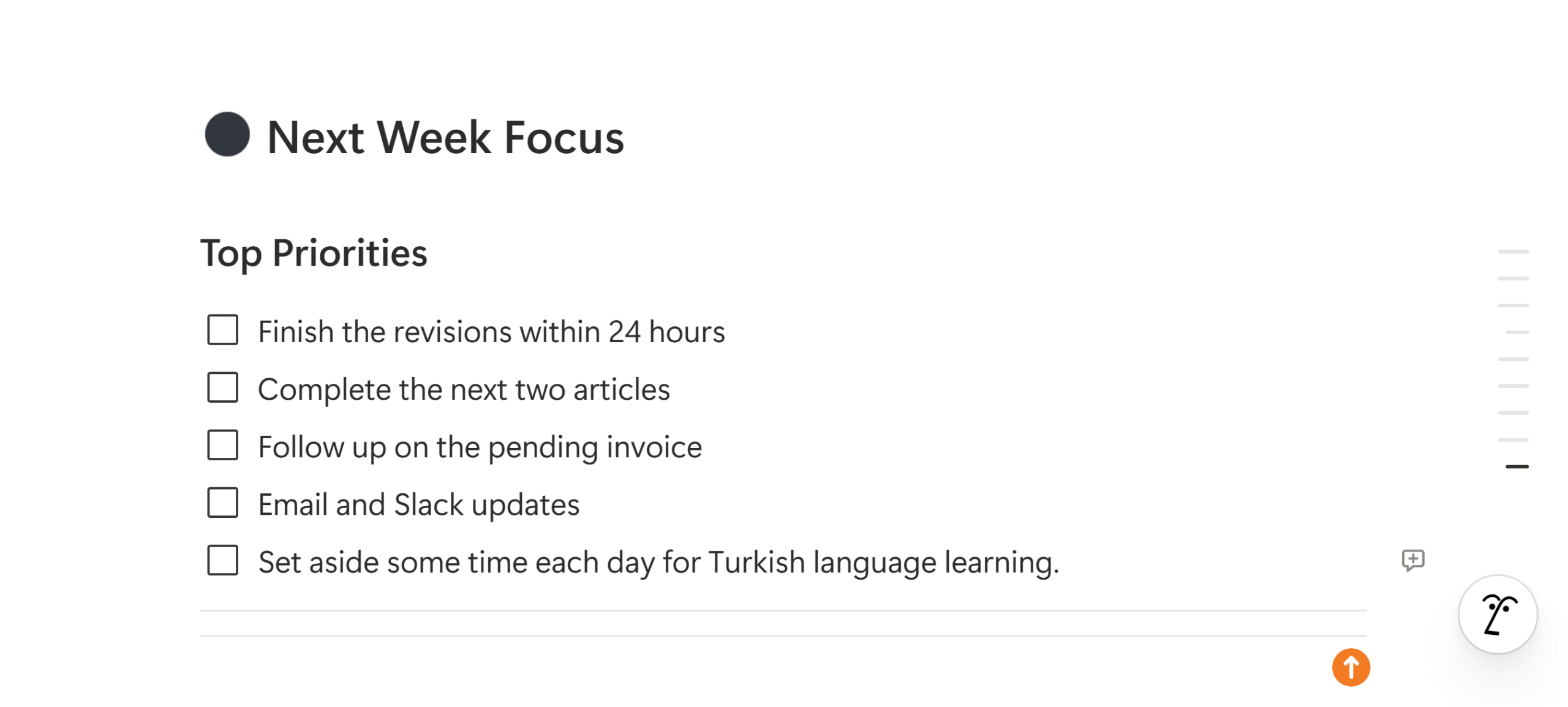
The last section is Next week’s focus.
It’s essentially your action checklist for the upcoming week.
That’s where you list your top priorities to have a clear plan of action.
Why does this matter?
Next Week’s Focus keeps you aligned to your weekly goals. Instead of picking random jobs, you already know what needs your attention and where your energy should be spent.
Here’s what my Next Week’s Focus typically shows;
- Weekly targets.
- Revisions and edits.
- Follow-ups.
- Personal development projects.
My next week’s focus is generally outcome-based. You can structure it with defined actions or keep it flexible with goals or suggestions.
Mistakes To Avoid While Designing Your Weekly Review Template
One of the most common mistakes I’ve seen with review templates is making the system overly complicated.
When you add too many sections, bullet points, and visuals, your review system stops being a productivity tool and starts feeling like an inconvenience.
Another mistake to avoid while designing your weekly review template is to keep the purpose of your sections clear.
As a rule of thumb, start your template with reflection, follow it with a checklist, and end it with next week’s plan.
Lastly, make your review template flexible. Rigid systems rarely evolve and often fail in the long run.
Conclusion
Before you create your weekly review template, please keep in mind that self-reflection is built for your personal productivity tracking.
No one is going to check in and see what you’ve worked on and what obstacles you face daily.
So, there’s no hard and fast rule when it comes to weekly review systems.
You can tailor them as you see fit, have fun with the visuals, add humor to make reviews engaging, and essentially build a template that matches your working style.
The only point to consider while designing a template is to include elements that can help you measure and improve your productivity.
Try Notion for free, explore its marketplace, and start with a simple template for weekly reviews.
You Can Download My Weekly Review Template Here


 A better way to manage projects and clients for freelancers
 Get through busy days like a breeze with Reclaim.ai