If customers cannot find you on Instagram, they cannot buy from you.
And in 2026, people use Instagram like a search engine, typing “budget skincare,” “cafes in Andheri,” or “freelance logo designer” and expecting instant results.
Instagram SEO is the practice of optimizing your profile, captions, and videos so the right audience discovers you in search, explore, and suggestions.
Recent studies show nearly one in three users purchase directly on the app, and with Google now indexing Instagram posts, your content can reach even further.
This guide walks you through practical steps to gain views, clicks, and sales.
Actionable Instagram SEO Tips for 2026: TL;DR
- Use primary keywords in your username, name field, and bio.
- Write captions with embedded search terms that match user intent.
- Add spoken keywords and clean subtitles in Reels for better ranking.
- Don’t ignore alt text. Write your own instead of relying on automation.
- Use 7 to 15 hashtags: mix niche, broad, and branded.
- Comment first on your posts to guide engagement contextually.
- Post consistently during your engagement peak hours.
- Use UTM links and Instagram Insights to measure SEO performance.
- Optimize Highlights and pinned posts to boost older high-performing content.
What is Instagram SEO?
Instagram SEO is the process of optimizing your Instagram profile and content to increase its visibility and rank higher in the platform’s search results and Explore page.
In other words, it is the process of optimizing your content: profile, captions, hashtags, alt text, and more.
Just like traditional SEO helps you get found on Google, Instagram SEO helps your posts, Reels, and profile get discovered by people who don’t follow you yet but are actively searching for related content.
How Does It Differ From Traditional SEO
Unlike Google, which relies on crawlers and backlinks, Instagram SEO is driven by internal platform signals like keywords in your name field, caption text, hashtag relevance, engagement rate, and even user behavior patterns.
You’re not optimizing for a website; you’re optimizing for in-app search and recommendation algorithms.
Traditional SEO is slow, technical, and built for long-term search rankings. Instagram SEO is fast-paced and tied closely to real-time trends, engagement activity, and visual content.
The stakes are different, but the strategy is just as critical.
Instagram SEO vs. Google SEO: Key Similarities and Differences
| Factor | Instagram SEO | Google SEO |
| Platform | Social app with in-app discovery | Web-based search engine |
| Ranking Signals | Keywords, engagement, content type, user behavior | Keywords, backlinks, site structure, metadata |
| Indexing Speed | Instant to a few hours | Hours to weeks |
| Content Format | Visual-first (Reels, images, video, bio) | Text-first (blogs, web pages) |
| Search Type | App-based search, hashtags, Explore tab | URL-based, indexed across websites |
| User Intent | Discover, browse, follow, shop | Research, compare, buy |
The main overlap here lies in intent and keyword usage. Both require you to think from the user’s perspective: what are they typing, swiping, or tapping to find something?
Where Instagram SEO applies
SEO is not limited to captions, because Instagram scans your entire presence:
- Profile: name, handle, bio, and link
- Posts: captions, hashtags, and alt text
- Stories: stickers, captions, and highlights
- Engagement: comments, saves, and shares
- Reels: spoken words, on-screen text, and watch time
If you treat your Instagram content the same way you would an SEO-optimized blog post that is structured, relevant, and intent-driven, you start winning attention where others get buried.
Why Instagram SEO is Non-Negotiable in 2026
Instagram SEO is non-negotiable in 2026 because users actively search for products, services, and ideas. If your content is not optimized, you are losing reach and revenue.
- Gen Z is skipping Google for social search. A 2024 report by SOCi reveals that among Gen Z users searching for local businesses, Instagram leads at 67%, closely followed by TikTok at 62%, outranking Google at 61%.
- Your posts can now rank on Google. In July 2025, Instagram began allowing Google to index public profiles, posts, and Reels, which means your content can appear both on Instagram and in Google Search results.
- Long tail keywords bring buyers. Rather than broad tags like #fitness, intent-driven searches such as “knee-friendly leg workouts” or “minimalist kurta styling” attract users who are closer to taking action, whether that means following, saving, or purchasing.
- Organic growth works without ads. Paid ads are expensive. Optimized captions, alt text, and hashtags help your posts surface in Search and Explore naturally. Over time, this creates a steady reach and a targeted audience.
Instagram SEO is not optional in 2026. It is now a primary way for businesses and creators to be discovered.
How Instagram’s Algorithm Interprets SEO Signals
Instagram’s algorithm does not “read” your content the way Google does, but it interprets a mix of text, visuals, and user behavior to decide what shows up in Search and Explore.
Let’s break this down into the four key areas the algorithm looks at when deciding what to recommend or rank:
Search Text (a.k.a. Keyword Relevance)
Instagram scans your profile name, bio, captions, hashtags, alt text, and even on-screen text in Reels to understand what your content is about.
If someone types “budget skincare routine,” a post that has that phrase in its caption and alt text stands a higher chance of appearing than one that only uses #skincare.
What to do: Put your core keyword in your name field or bio, and weave related keywords naturally into captions. Write descriptive alt text so Instagram knows what is in your images.
User Activity (Personalization Based on Behavior)
Results are personalized for every user. If a person regularly saves workout tutorials and follows fitness creators, their search for “leg workouts” will surface different posts than someone who interacts mostly with nutrition content. This is why staying focused on one niche makes your account easier to categorize.
What to do: Decide on a clear niche and stick with it. If you are a fitness coach, avoid diluting your profile with unrelated content like travel vlogs or tech reviews.
Content Popularity Metrics (Engagement Signals)
Instagram pays close attention to how people respond to your posts.
Saves, shares, comments, profile visits, and watch time are strong indicators that your content is useful.
A reel about “knee-friendly leg workouts” that sparks conversations and is saved for later will be ranked higher than a post that gets only a few likes.
What to do: Ask questions in captions, create save-worthy content (like tips or mini-guides), and be strategic about your post timing.
Freshness of Content (Timing Matters)
Newer content often gets a temporary boost in visibility to test audience response.
On the other hand, content with watermarks from other platforms, misleading claims, or guideline violations can be suppressed in both Search and Explore.
What to do: Post consistently so you have fresh content circulating, and always upload clean versions of videos without TikTok or YouTube Shorts watermarks.
Pro Insight: What Does “Recommended Search” in Comments Mean?
Sometimes a label appears above the comment section that says “See more about: [keyword].” This is Instagram’s way of linking your post to an active search query. It signals that the algorithm sees your content as relevant for that topic and is nudging users to explore more.
You cannot trigger this directly, but you can increase your chances by writing captions with clear keywords, describing visuals in alt text, and posting content that earns saves, shares, and comments.
The stronger the match between your keywords and user engagement, the more likely Instagram is to connect your post with trending searches.
Instagram Profile Optimization: Make Yourself Discoverable
Think of your Instagram profile as your homepage. It’s the first place Instagram checks for keyword relevance when someone searches for content or accounts. If your profile isn’t optimized, you’re already losing out, even if your content is great.
Let’s break down how to make your profile work harder for discovery:
Name Field (Bold Text Under Your Picture)
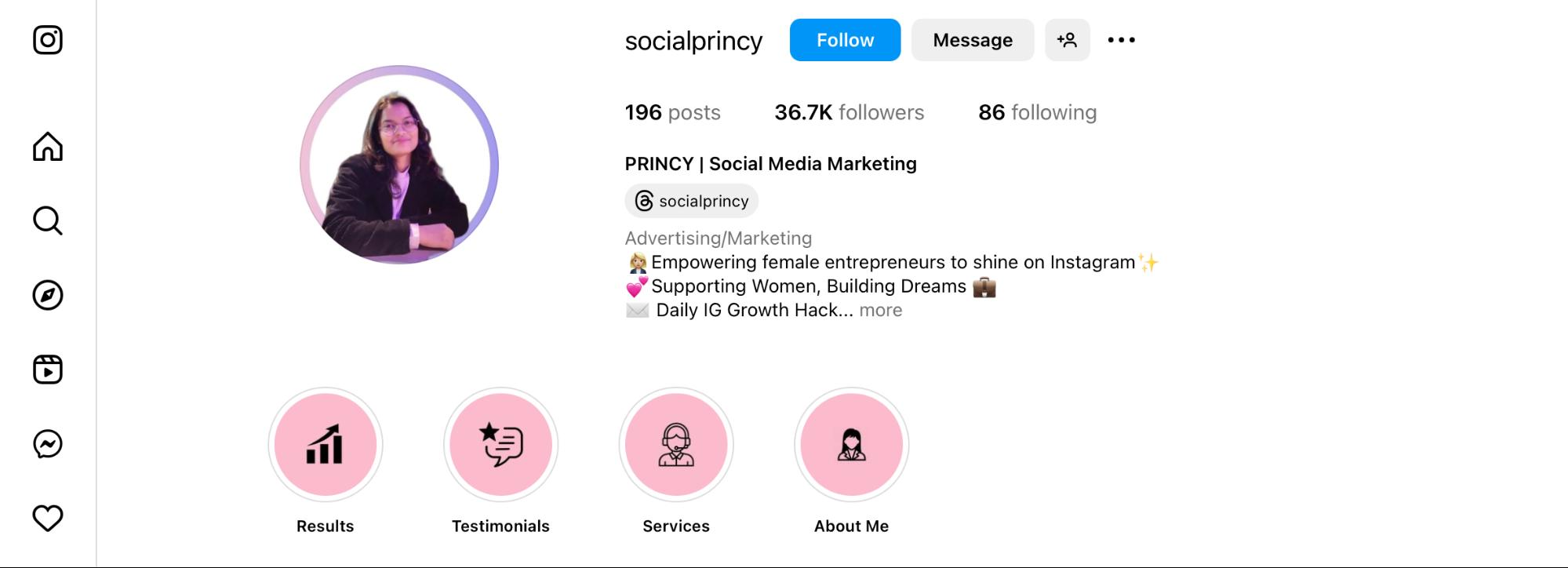
This is one of the most overlooked parts of Instagram SEO. The name field is fully searchable, and you can use it to include your main niche or profession.
Example:
If your handle is @realkavita and your name field says “Kavita | Personal Stylist,” then anyone searching “personal stylist” has a better chance of finding you, even if they don’t know your name.
Important: This space allows only 30 characters, so use high-intent keywords that actually match what users are searching for.
Username Optimization (Handle)
Your @username is searchable, so including a relevant keyword in it can improve your visibility. For example, if you’re a nutritionist, a handle like @nutritionwithsara is more discoverable than @sara_lifestyle.
But keep it readable. Avoid stuffing it with too many keywords or special characters. Your goal is to strike a balance between brand identity and search relevance.
Tip: If your username is already set, don’t force a change unless necessary. You can still optimize the Name Field.
Smart Use of Keywords and Tags in Bio
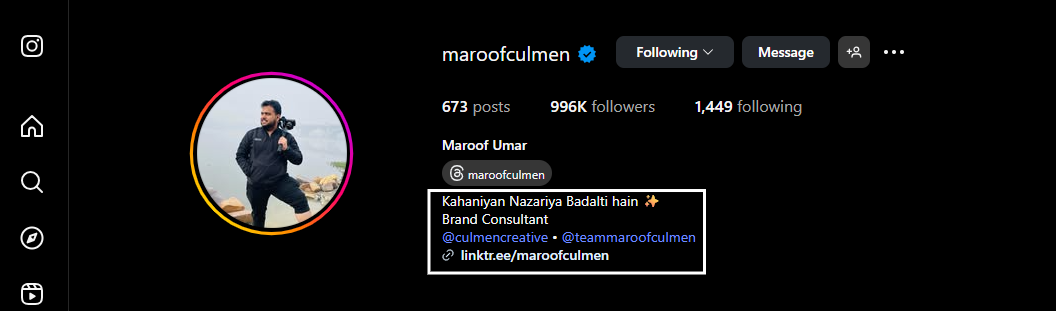
Your bio doesn’t directly rank in search results, but it still plays a huge role. When someone visits your profile, they use the bio to decide whether to follow you or not. But Instagram’s algorithm also reads the bio to understand your content category, especially for showing your posts in Explore or Suggested feeds.
Use phrases that match your niche, but keep it human.
For instance:
Bad: “Helping you maximize potential through digital means.”
Better: “Helping freelancers grow with digital tools & tips.”
You can also sprinkle in keywords related to your content pillars (e.g., travel tips, AI tools, fitness routines) to future-proof your bio.
Local SEO: Add Your City or Area
If you’re a local business or service provider, include your city or neighborhood in the name field or bio. This helps with hyperlocal searches like “photographer Jaipur” or “makeup artist Andheri.”
You can also enable the Business Location tag in your profile settings so your profile appears in map-based results.
Highlights and pinned posts
Highlights act like your website menu. Group them into categories such as Services, Testimonials, and FAQs. Pinned posts stay at the top of your grid. Use them for your best offer, most helpful tutorial, or a post that explains who you are.
Bonus Tip: Use Emojis to Break Up Keywords Visually
This one’s subtle but smart. Emojis act like visual anchors and can help guide the reader’s eye through your bio. A location pin emoji () before your city, a notebook emoji () before your service, or a sparkle (✨) before your niche make your keywords easier to scan and remember.
Just don’t go overboard. 2 to 4 emojis are enough. You want clarity, not clutter.
A well-optimized profile tells both Instagram and your potential followers who you are, what you do, and why they should care in under 5 seconds. If that message is SEO-aligned, you’re not just building an audience, you’re making yourself findable.
Content-Level SEO: How to Optimize Every Post
Your profile helps you get discovered, but it’s your content that determines how far that discovery goes. Every post, whether it’s a Reel, carousel, or static image, is an opportunity to rank in search and get featured on Explore or Suggested Feeds.
Let’s break down how to apply SEO at the post level:
Captions
The algorithm scans them for keywords, context, and intent. But writing keyword-rich captions does not mean sounding robotic. The goal is to be both searchable and useful.
Here’s a simple framework that works:
- Hook (first line): This is what appears before “…more.” Make it sharp, question-based, or promise a solution.
- Body (2 to 4 lines): Add genuine value while weaving in keywords naturally. Think mini-blog, not filler.
- Call to action (last line): Encourage saves, shares, comments, or DMs. If it fits, add a secondary keyword here.
Example (skincare):
Hook: “Tired of overpaying for skincare?”
Body: “Here are 3 dermatologist-approved, budget-friendly products I swear by. Perfect for oily skin and under ₹500.”
CTA: “Save this list and share it with someone who’s always breaking out.”
Tip: Don’t keyword-dump. Write as if you are answering a specific search query.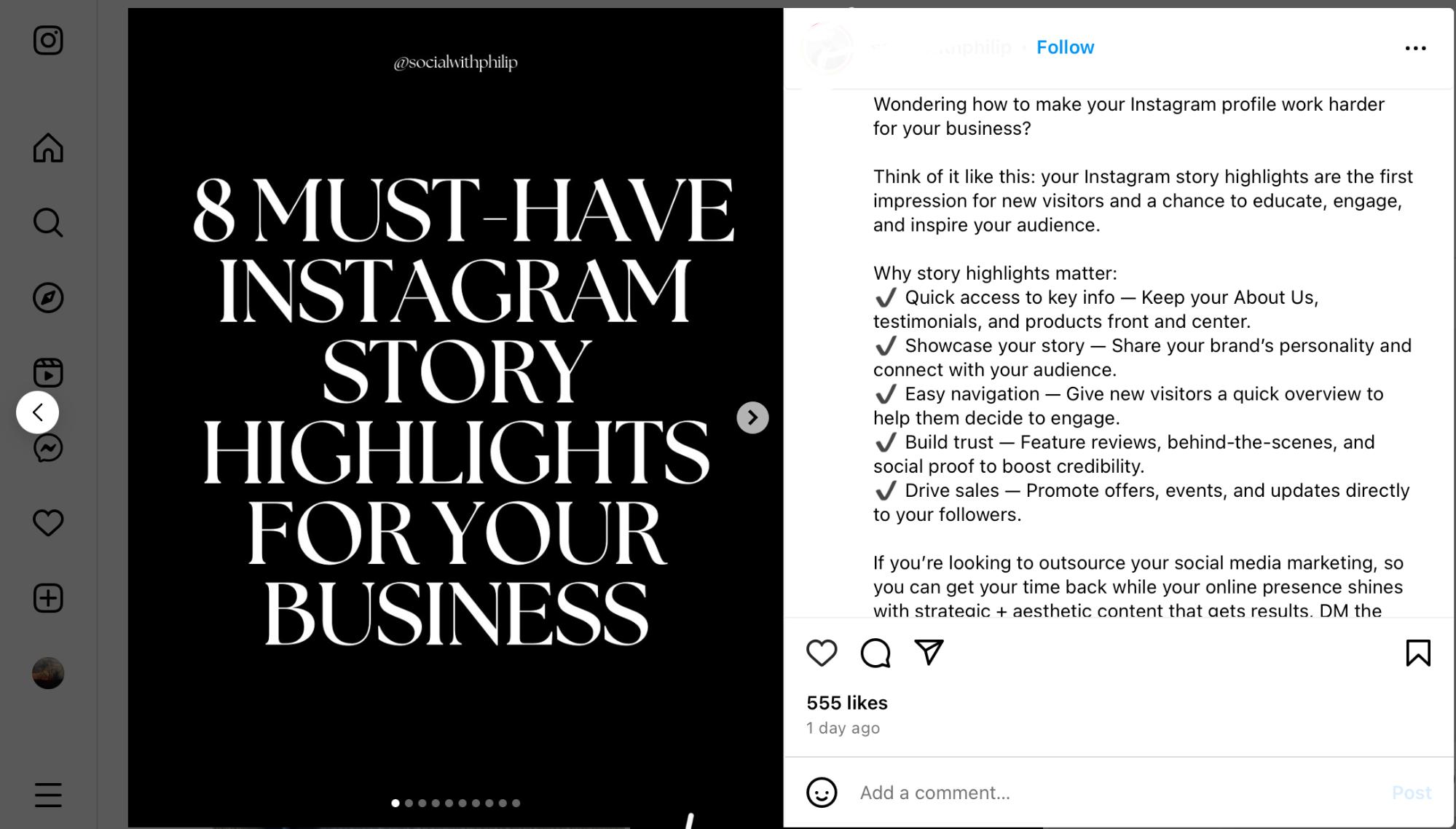
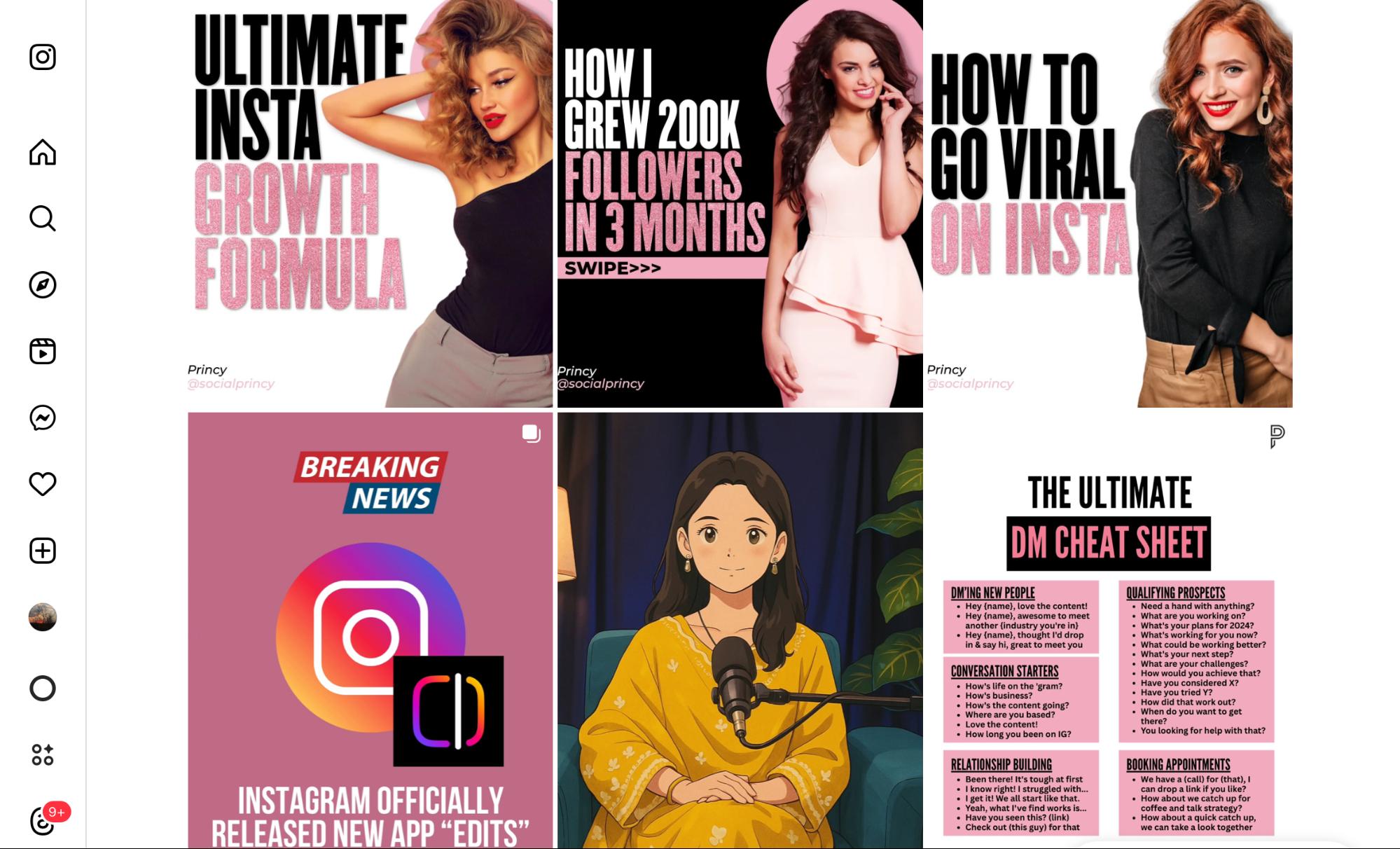
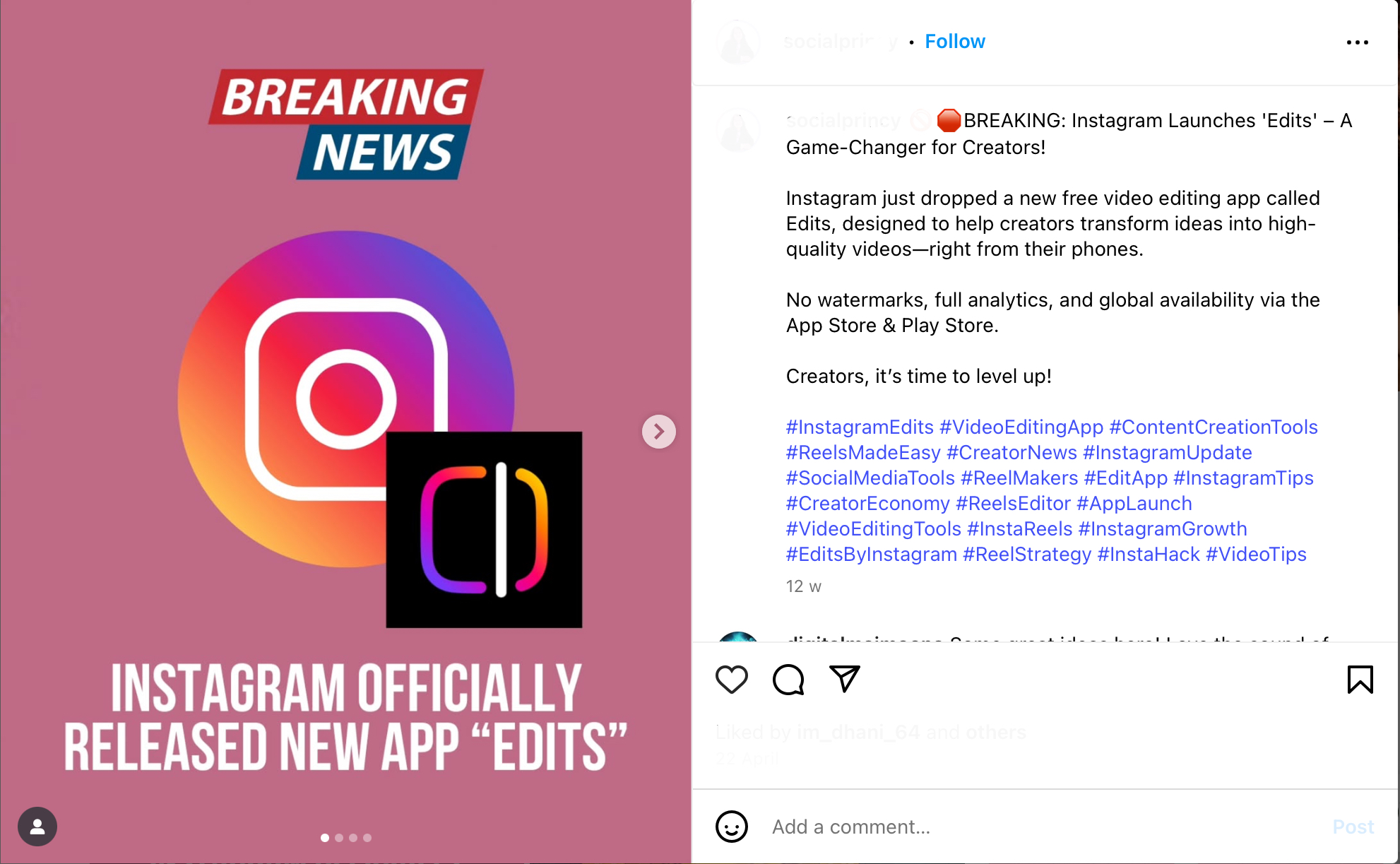
Here’s an example of an Instagram post using a structured caption that combines a hook, valuable information, and a clear call to action.
Reels and Video SEO
Video is now Instagram’s top priority. Reels, in particular, rank high if they’re optimized correctly.
The key? Spoken keywords + captions + clean visuals.
If you say the keyword out loud (“vegan smoothie recipe” or “UX design tip”), it picks that up as a relevance signal and reinforces it with subtitles.
Always upload watermark-free videos and choose a thumbnail that clearly shows the topic
Thumbnails also matter. Choose a freeze frame that visually communicates the topic. A title overlay works well, but don’t clutter it.
Alt Text
Alt text helps visually impaired users, but it’s also used by Instagram to understand what your post is about. If you skip it, Instagram generates its own, and that’s never as good.
Write your own alt text like this:
- Be descriptive but brief.
- Include keywords naturally.
- Avoid repeating your caption.
Example:
“Overhead photo of a minimalist desk setup with a laptop, black coffee, and a weekly planner. Ideal for productivity lovers.”
You can edit alt text when uploading by going to Advanced Settings > Write Alt Text.
Optional Tool: Use ChatGPT to generate alt text in your brand voice. It’s fast and consistent.
Hashtags
There’s a lot of debate here, but current data suggests using 3 to 5 targeted hashtags performs best in 2026. Instagram has reduced its dependence on hashtags for search, but they still matter, especially for niche content discovery.
How to choose:
- Mix of broad (e.g., #fitness), niche (e.g., #pcosworkout), and branded (#fitwithneha)
- Use tools like Flick or Later to check engagement levels and competition.
Where to place them?
- Both the caption and the first comment work. Slight edge goes to captions for early indexing.
Avoid banned hashtags and don’t repeat the same set on every post. Instagram may consider that spammy.
Location Tags
If you’re ignoring location tags, you’re missing a powerful discovery tool. Even in 2026, geotags help Instagram connect your content with local searchers.
Why it matters:
- Posts with location tags often appear in local Explore feeds.
- Users can now follow location pages, so your content might pop up even if they don’t follow you.
Even if you’re a global brand, tagging your studio, city, or shoot location helps build trust and reach. For service providers, it’s non-negotiable.
Comments
Comments are a core engagement signal. The more conversations your posts generate, the higher your chances of appearing in Explore and Search. You can also use your first comment strategically to add extra context, include a secondary keyword, or drop a few more hashtags.
To spark replies, ask open-ended questions in your captions, such as:
“What’s one tool you can’t live without for productivity?”
“Have you tried this hack? Would love to hear your thoughts.”
Keyword and Hashtag Research: Tools and Workflows
Optimizing for Instagram SEO starts with knowing what your audience is searching for.
If you are guessing keywords or pasting the same set of hashtags on every post, you are missing the point. Instagram SEO is less about volume and more about intent.
The goal is not to reach everyone, but to reach the right people who are already looking for what you offer.
Step 1: Start with empathy
Before opening any tool, think like your audience. What would they type into the search bar if they needed help, inspiration, or ideas in your niche?
- Example: A travel creator’s audience is not searching “travel influencer.” They are typing “hidden places near Manali” or “cheap international trips from India.”
Long-tail keywords like these are less competitive and match real intent.
Step 2: Reverse-engineer Instagram search
- Type your niche keyword into the Instagram search bar. Autocomplete suggestions are real search terms people use.
- Check hashtags and explore for content themes. Look at the top posts and study how creators phrase their captions and bios.
- Scan comments and DMs for repeated questions. If people keep asking, “What mic do you use for voiceovers?” that is a keyword opportunity.
Step 3: Use tools to validate
Free and paid tools can help you find hashtags and keyword variations worth testing:
- Instagram Search & Explore for autocomplete and trending content.
- Flick, Later, or Hashtagify for hashtag performance and competition insights.
- AnswerThePublic or Google Trends for broader keyword ideas that overlap with Instagram.
Repeat this process every time you plan a content series. The more aligned your keywords are with actual search behavior, the more Instagram will push your content.
Instagram SEO Content Strategy: Putting It All Together
SEO isn’t built on a single caption or Reel. It’s about consistency and structure. To build lasting visibility on Instagram in 2026, you need a content strategy that’s driven by keywords, centered on your audience, and tailored to the platform.
Here’s how to turn everything you’ve learned so far into a working SEO strategy:
Create Content Clusters Around Keyword Themes
Don’t drop a keyword once and move on. Build 3–5 posts around the same theme: cover intent variations, formats (Reel, carousel, static), and long-tail phrases.
This cluster signals topical authority to Instagram (Search, Explore, Suggested) and gives your audience a bingeable series that drives saves, shares, and follows.
Example:
If your keyword is “freelance writing tips,” your content cluster might include:
- Reel: “5 mistakes new freelance writers make”
- Carousel: “How to find clients without Upwork”
- Static post: “Daily writing routine that actually works”
- Story series: Q&A on pricing your services
- Blog link in bio: Long-form guide on freelance writing
Why it works: You dominate that keyword from multiple angles and train Instagram to associate your account with the topic.
Match Content Format to User Intent
Not every search should be answered the same way. Align format to what people are searching for so they get the kind of post they expect.
Here’s how to map intent to content:
- How-to or tutorial searches: Reels or carousels
- Inspiration or ideas searches: Static images with rich captions
- Recommendations or product queries: Talk-to-camera Reels or list posts
- Local searches: Geotagged posts, Stories, or Guides
Example:
If someone searches for “easy weeknight recipes,” a quick Reel works best, while “beginner DSLR tips” are better served with a step-by-step carousel.
Why it works: Aligning your content with search intent increases both relevance and engagement. When users see the format they prefer, they are more likely to watch longer, save, or share, signals that boost SEO rankings.
Create Evergreen Content That Ranks for Months
Trends are short-lived. Evergreen content holds long-term value and continues ranking in search for weeks or even months after it’s posted.
How to make your content evergreen:
- Use timeless language (avoid “this week” or “yesterday”)
- Solve lasting problems or interests
- Avoid trend-heavy music or filters in Reels
- Choose topics that don’t expire fast (e.g., “How to build a client onboarding system” > “Best apps in July 2026”)
These posts act like assets in your content library. They outlast daily trends and continue to attract new viewers on their own.
Why it works: Evergreen posts may start slow, but they keep surfacing in search and Explore, building momentum over time. A single strong post can steadily attract profile visits and new followers for months.
Use Stories, Highlights, and Pins as Internal Linking Tools
Instagram won’t let you hyperlink posts like a website, but your content doesn’t have to stand alone.
Use Stories, Highlights, and Pins to connect posts and guide people through your best work. These features act like shortcuts, keeping your top content visible, organized, and easy to rediscover.
Here’s how to use each one:
- Stories: Reshare old posts with fresh commentary or highlight user replies
- Highlights: Create themed folders like “Start Here,” “Tips,” or “FAQs” to keep keyword-rich content accessible
- Pinned Posts: Place your top-performing or most relevant posts at the top of your grid so both your audience and Instagram immediately recognize your expertise.
When you stack keyword clusters, formats, evergreen posts, and reuse, you create a system that signals authority and makes Instagram recommend you more often.
Why it works: Stories, Highlights, and Pins act like internal links on a blog. They organize your profile, guide people to your best content, and signal both users and the algorithm that your account is worth following.
Best Practices for Posting and Engagement Timing
Instagram SEO isn’t just about what you post. It’s also about when and how you post. The first hour after publishing can make or break your reach; the algorithm uses this window to test if your content deserves a bigger push.
Here’s how to optimize your timing and engagement tactics to boost your search ranking and reach:
Understand What Counts as a “Popularity Signal”
Instagram looks at how users interact with your post right after it goes live.
Some actions carry more weight than others:
- Saves & shares: Strongest proof your post delivers value, stronger indicators than likes
- Comments: Show relevance and encourage discussion
- Profile visits & follows: Signal authority and discovery potential
- Dwell time: The longer people stay, the deeper your content looks
The faster and more of these signals your post gets, the more likely it is to be recommended in Explore, Search, and Suggested Feeds.
Best Times to Post for SEO Traction
There is no universal “best time” to post. Your golden hours depend on when your audience is online. As a starting point, here is what the 2025 data shows:
- Weekdays (Tue–Thu): 11 AM – 1 PM and 6 – 8 PM
- Weekends: 10 AM – 12 PM
- Skip late nights: unless you have a global audience in other time zones
Instagram prioritizes content that gets early engagement. If you post when your audience is asleep or at work, you’re wasting your SEO potential.
How to Find Your Personal Best Posting Window
Use Instagram Insights to figure out when your followers are most active. This data shows you exactly which hours and days your audience is online, instead of guessing.
Posting in these windows gives your content the best shot at fast engagement, which is critical for ranking in Search and Explore.
Here’s how to check:
- Go to Profile → Insights → Total Followers → Most Active Times
- Look at the daily and hourly breakdown of activity
- Test posting during those peak windows and track performance for 2–3 weeks
If you prefer automation, tools like Hootsuite or Later can study your past performance, identify peak engagement times, and schedule posts for you.
Early Engagement: Hacks That Boost Reach
Instagram tests every post in the first 30–60 minutes. This short window decides if your content will stay limited to your followers or get pushed to Explore and Search.
Here’s how to spark that momentum:
- Reply fast: Doubles your comment count and keeps threads active
- Drop a first comment: Add a bonus tip, link-in-bio reminder, or extra context
- Reshare to Stories: Tease the post with a hook (e.g., “This one’s for freelancers ”)
- DM 3–5 engaged followers: Only if the post is relevant to them
- Use smart CTAs: Instead of “What do you think?” ask “Which one would you try first?”
Why it works: Early saves, shares, and comments show Instagram that your content is valuable. Strong content posted at the right time with quick interaction will always travel further and faster.
Instagram SEO Mistakes to Avoid
You can have great content, a polished profile, and solid timing, but if you’re making these common SEO mistakes, the algorithm will keep pushing your posts down. Most of these errors are subtle, but they add up fast.
Here’s what to avoid in 2026 if you want consistent, organic growth:
Keyword & Hashtag Stuffing
Cramming keywords into captions, bios, or hashtags doesn’t make you rank higher. Instagram’s algorithm sees it as spammy, and it makes your content harder to read.
Why it matters: Keyword stuffing hurts both discoverability and credibility. Readers skim past messy captions, and Instagram lowers your reach when it detects repetition.
Fix it: Pick 1–2 primary keywords per post and use them naturally. Add a few related terms for context instead of repeating the same phrase.
Using Fancy Keywords No One Searches For
Writing for search means using the words people type and not the ones that sound impressive. If your caption says “Optimize your micro-content for maximal audience resonance,” nobody’s searching for that.
Instagram SEO favors real-world, casual phrasing. If users are searching for “Instagram caption ideas” and you’re using “social micro-copy frameworks,” you’ll miss the boat.
Fix it: Use Instagram’s search bar to see how people phrase things. Write like your audience talks: clear, casual, and easy to scan.
Ignoring Alt Text or Letting Instagram Auto-Generate It
Instagram now auto-generates alt text using image recognition, but it’s vague and unreliable. If you skip writing your own, you lose one of the few SEO fields you can fully control.
Fix it: Always add custom alt text, especially for carousels, infographics, or product images. Keep it short, descriptive, and keyword-aligned.
Skipping Reels Entirely
Reels are not optional in 2026. If you’re avoiding them because they feel “too casual” or “too trendy,” you’re cutting yourself off from Instagram’s most favored format.
Reels dominate Explore, Search, and Suggested content placements. They get more reach than static posts and carousels combined because Instagram knows short-form video keeps users hooked.
If you’re not posting Reels, your discoverability drops dramatically.
Fix it: Start small. Even a 15-second tip or photo-based Reel with music and captions can rank. You don’t need transitions or trends to get noticed. Just be helpful or entertaining in your niche.
Posting Content with TikTok Watermarks
This one’s a silent killer. Instagram has explicitly said it deprioritizes content with visible watermarks from other platforms, especially TikTok. It impacts Reels’ reach and search ranking.
Fix it: Always use watermark-free video. If you’re repurposing TikTok content, use tools like SnapTik or remove the watermark before posting. Better yet, film content natively on Instagram so you get the platform’s full SEO boost.
SEO on Instagram is as much about avoiding the wrong moves as it is about making the right ones. Fixing even one mistake can give your discoverability a noticeable boost, especially if you’re already consistent with content.
Pro Tools to Help With Instagram SEO
You don’t need dozens of apps to master Instagram SEO. A few well-chosen tools can save time and help you post smarter: whether that’s finding keywords, scheduling at peak times, or tracking what’s working.
Here are the tools that actually deliver:
Later
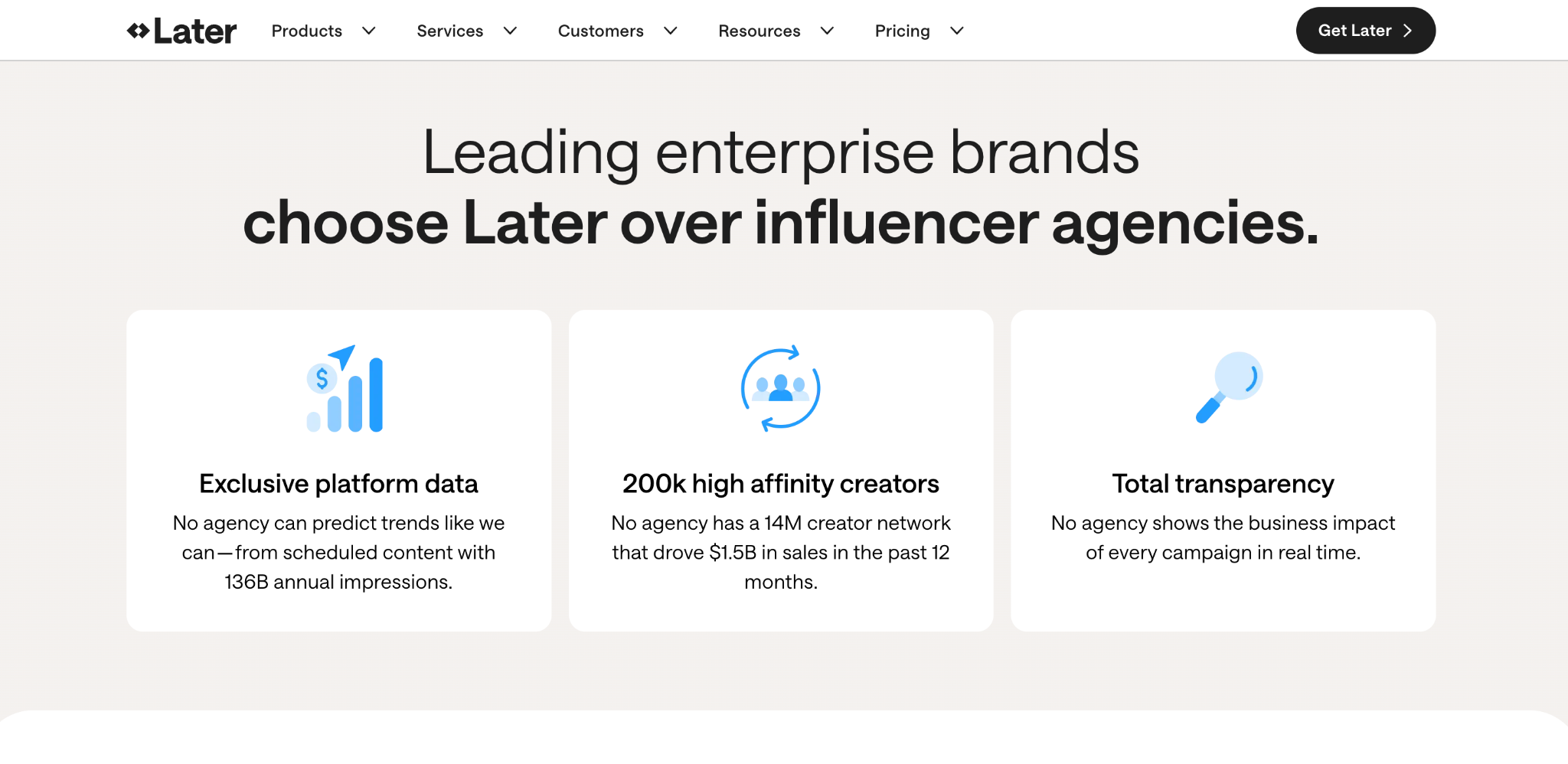
Later is one of the most Instagram-friendly scheduling tools. It helps you visually plan posts, optimize captions, and even offers hashtag suggestions based on performance data.
Key Features:
- Hashtag suggestions: Ranks tags by reach and niche relevance, so you pick the ones that actually perform
- Bio link with UTM tracking: See which posts drive clicks and traffic off-platform
- Saved captions and templates: Keep your SEO phrases consistent across posts
- Grid preview: Plan your layout so your feed looks intentional, not random
Why it’s useful: Perfect for creators handling high volumes of content or managing multiple accounts. Later saves hours while keeping your captions SEO-ready.
Hootsuite
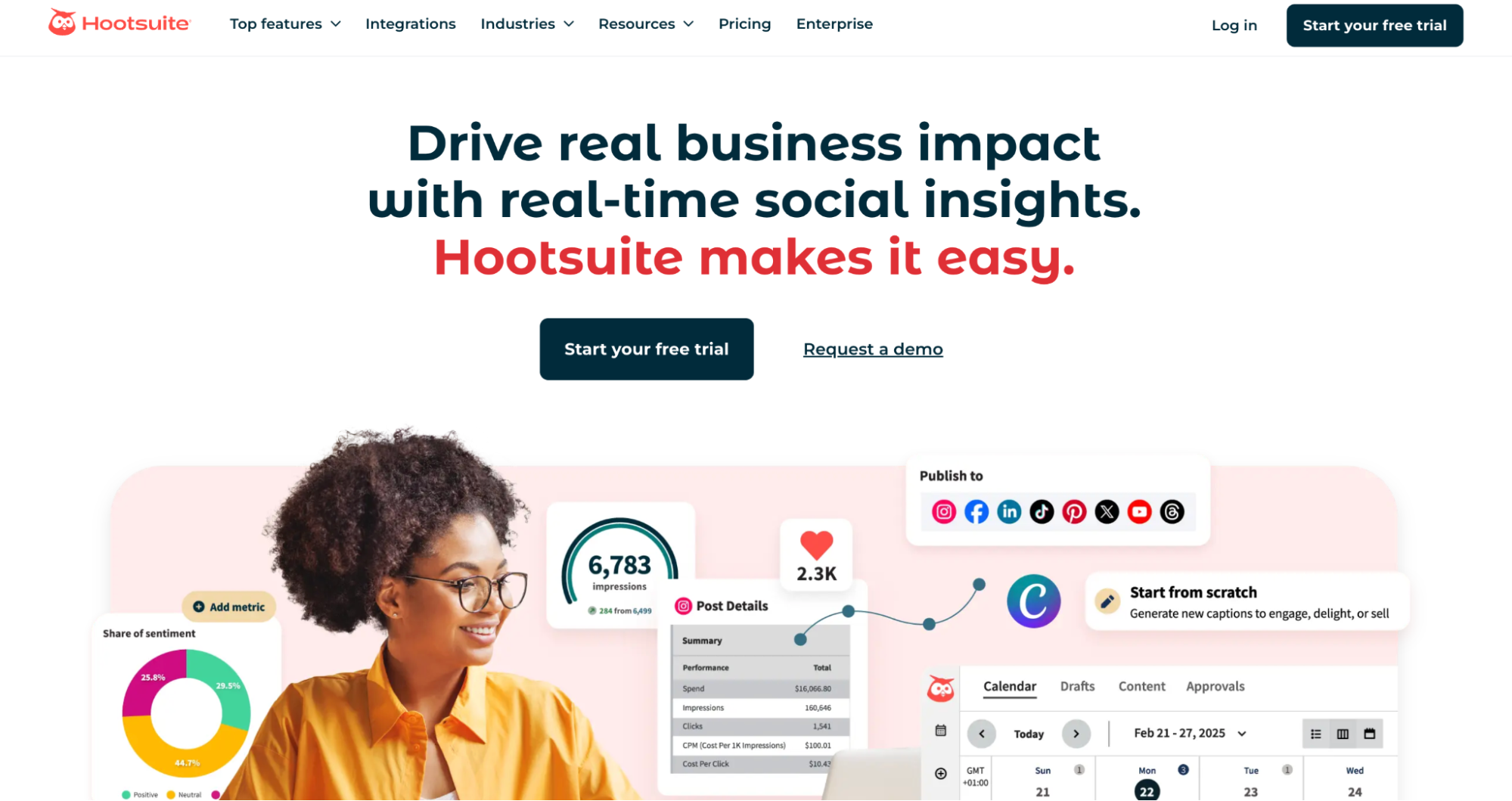
Hootsuite is more than just a scheduler; it’s a full control panel for your Instagram strategy. Its strength lies in analyzing performance and tracking the engagement signals that matter most for SEO.
Key features:
- Auto-timed scheduling: Posts at the best times based on past engagement history
- Content calendar and team workflows: Keep campaigns organized and manageable with multiple collaborators
- Detailed analytics: Breaks down saves, shares, comments, and profile visits, which are the exact signals Instagram uses to rank posts
- Unified inbox: Monitor comments and DMs in one place so you can respond quickly and boost engagement
Why it’s useful: Hootsuite is ideal for creators or brands who take SEO seriously. It connects your Instagram performance with broader business goals, making it easier to prove ROI and refine strategy.
Flick
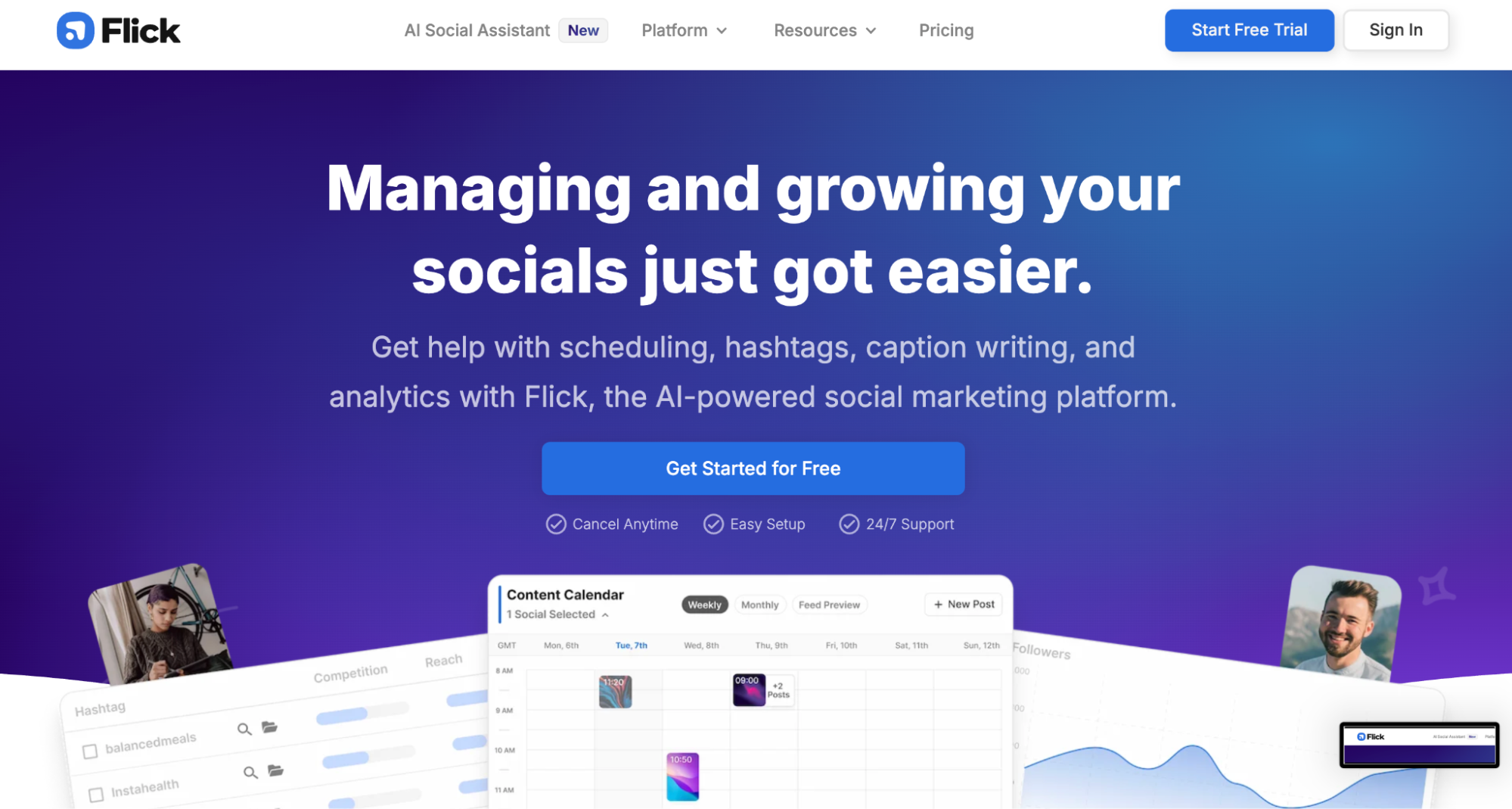
Flick is built specifically for Instagram SEO. It takes the guesswork out of hashtags by helping you find, test, and track them with precision. Its AI recommends tags based on your content type, audience, and competition level.
Key Features:
- AI-generated captions and hashtags: Save time and stay consistent
- Hashtag performance tracking: See which tags deliver the most reach across posts
- Banned or low-visibility hashtag alerts: Avoid tags that quietly kill your reach
- Personalized content suggestions: Tailored ideas based on your niche
Why it’s useful: Hashtags still matter for discoverability, but only when used strategically. Flick gives you data-backed suggestions instead of forcing you to recycle the same 15 tags.
ChatGPT
Yes, ChatGPT can be part of your Instagram SEO stack if you use it right. It’s not just for brainstorming captions. You can generate alt text, draft caption variations, and even simulate how users might search for your content.
Useful Prompts:
- “Write alt text for an overhead photo of a minimalist study desk with coffee and a laptop.”
- “Generate 10 Instagram captions that naturally include the keyword ‘home office setup’”
- “List 15 niche hashtags for handmade ceramic mugs in 2025”
Why it’s useful: ChatGPT keeps your captions, hashtags, and alt text consistent with your SEO tone without making them repetitive. It speeds up content creation so you can focus on strategy and engagement.
Google Analytics (for bio links)
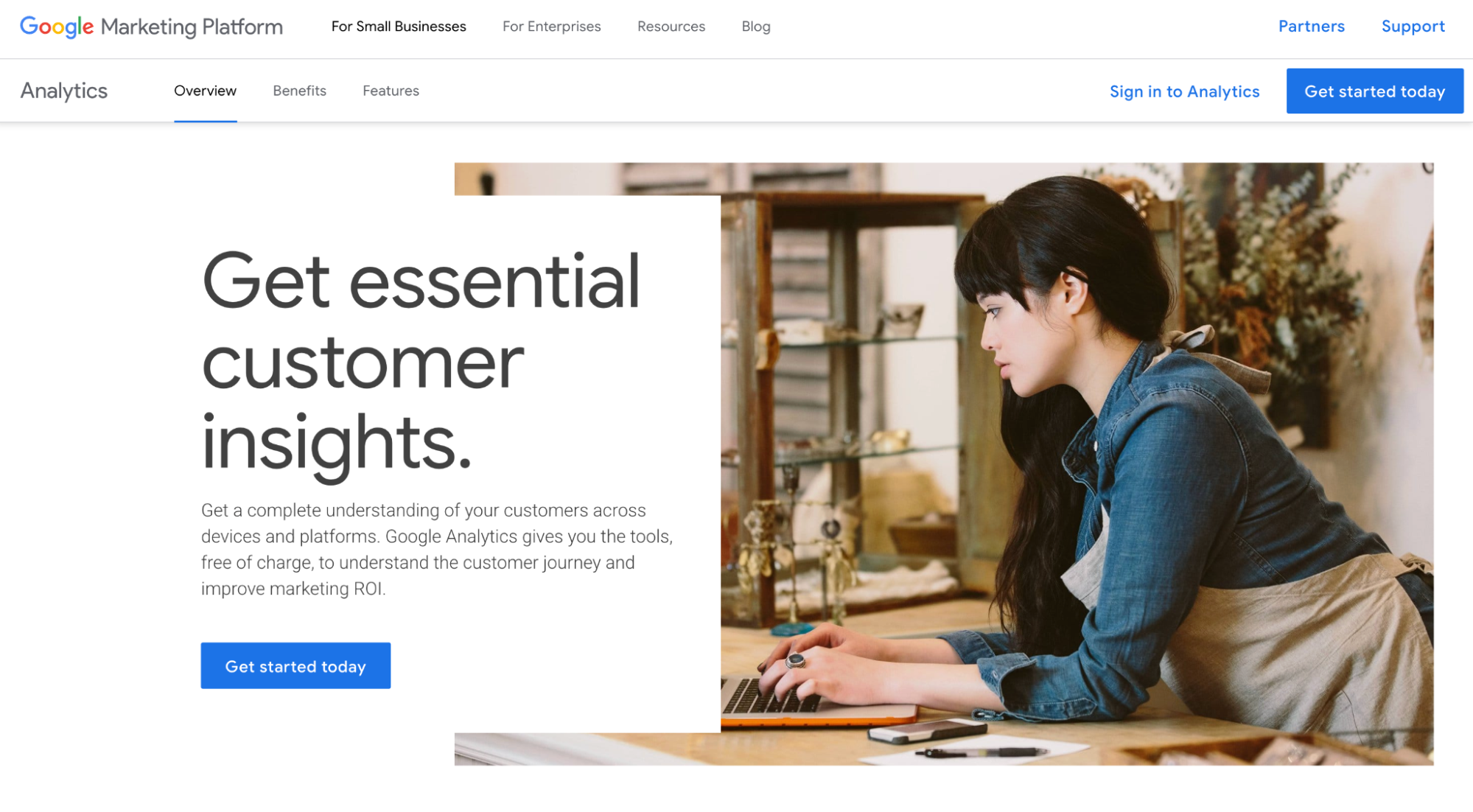
Instagram doesn’t offer deep SEO metrics, but you can use Google Analytics with UTM links to track how many people are finding you via search and clicking through your profile.
What to track:
- Clicks from bio: Which posts send people to your blog, shop, or landing pages
- Campaign performance: Break down results with UTM tags
- Behavior flow: See what users do once they land on your site from Instagram
Why it’s useful: If you sell products or drive traffic to external pages, this shows you exactly what content moves people to act. You’ll know which captions, hashtags, or post types actually generate results beyond likes.
How to Track and Measure Instagram SEO Success
You’ve optimized your profile, planned your content around keywords, and posted strategically. Now comes the critical part: measuring what’s working and what’s not.
Instagram doesn’t offer direct “search rankings,” but there are clear ways to track how discoverable your content has become and whether your SEO changes are paying off.
Check Rankings Using Anonymous Profiles
The simplest way to check if you’re showing up in search results is to log out of your account (or use an incognito browser) and search your target keywords.
If your profile or content appears in the top results, that’s a sign your keyword placement is working. Repeat this every 2–3 weeks to see if your rankings improve.
Search phrases like:
- “Career tips for freshers”
- “Photographer in Pune”
- “Healthy office lunch ideas”
Why it’s useful: Anonymous searches show how new users see results. It tells you if your content is breaking into wider search and reaching fresh audiences.
Look for “Suggested Search” Tags on Posts
Sometimes, when people engage with your post, Instagram shows a tag at the top of the comments like “See more about: [keyword].”
This tag isn’t random. It means Instagram has identified your content as relevant to that keyword and is actively recommending it in search.
What to do when you spot it:
- Note which keywords triggered the tag. These are your high performers.
- Replicate the format that earned it, whether Reel, carousel, or static post.
- Create more posts around the same keyword cluster to build stronger authority.
Why it’s useful: Suggested Search tags are one of the clearest signs that your SEO is working. They show that your captions, hashtags, and engagement signals are aligned with how people actually search.
Use Instagram Insights (The Right Way)
Instagram’s built-in analytics can show you exactly how many people are finding your posts via Search or Explore.
Go to any post → View Insights → check these metrics:
- Reach from Search: Shows how many people discovered you through keywords
- Profile Visits: Indicates if your content is strong enough to make people click through
- Follows from Post: Tracks which posts actually convert viewers into followers
- Saves and Shares: Signals that your content has lasting value and is worth recommending
For Reels, also track:
- Plays from Explore: Proof that your Reel is ranking outside your own audience
- Watch Time: The longer people watch, the stronger the SEO signal
- Shares: A top metric for pushing content into Explore and Suggested feeds
Why it’s useful: These numbers tell you if your SEO tweaks are working. If Search reach or Explore plays are rising, your optimizations are on track. If they are flat, revisit your captions, alt text, and keywords.
Use UTM Parameters for Your Bio Link
If you want to know whether people are finding you through search and then clicking to your site, add UTM tracking to your bio link.
What is UTM?
UTM stands for Urchin Tracking Module. It is a short code added to the end of a URL that tells Google Analytics where the traffic came from. For example, adding ?utm_source=instagram shows exactly how many people clicked from Instagram instead of other sources.
Example link:
https://yourwebsite.com?utm_source=instagram&utm_medium=bio&utm_campaign=seo_tracking
Track this link in Google Analytics to measure:
- Clicks: How many people visit from Instagram
- Bounce rate: Whether they stick around or leave immediately
- Conversions: Signups, purchases, or other key actions
Why it’s useful: UTM tracking links your Instagram activity to real business outcomes. It shows whether your SEO is driving meaningful clicks, signups, and sales, not just likes. This makes it easier to prove ROI and focus on the content that delivers results.
Final Thoughts
Instagram SEO in 2026 is about aligning your content with how real people search, discover, and engage. It has matured beyond hashtags and viral trends. It’s now a hybrid of social media and search engine, and treating it that way is no longer optional.
If you’ve been relying on paid ads or hoping Reels go viral without a strategy, it’s time to switch gears. SEO gives you control. It helps your best content keep working for you long after the post button is hit.
Here’s what it all comes down to:
- Be searchable: Use the same words your audience types into the search bar.
- Be helpful: Share answers, tips, and solutions that make your content worth saving.
- Be consistent: Regular posting builds authority. The algorithm trusts creators who show up.
And above all, remember this: SEO isn’t just technical. It’s about empathy. When you understand what your audience is looking for and position your content as the solution, you build both discoverability and credibility.
Do that consistently, and you will not only grow your Instagram but also create trust, authority, and long-term business value. You should also take a look at our article on the best Instagram SEO tools to find tools that’ll help you implement these strategies.


 A better way to manage projects and clients for freelancers
 Get through busy days like a breeze with Reclaim.ai