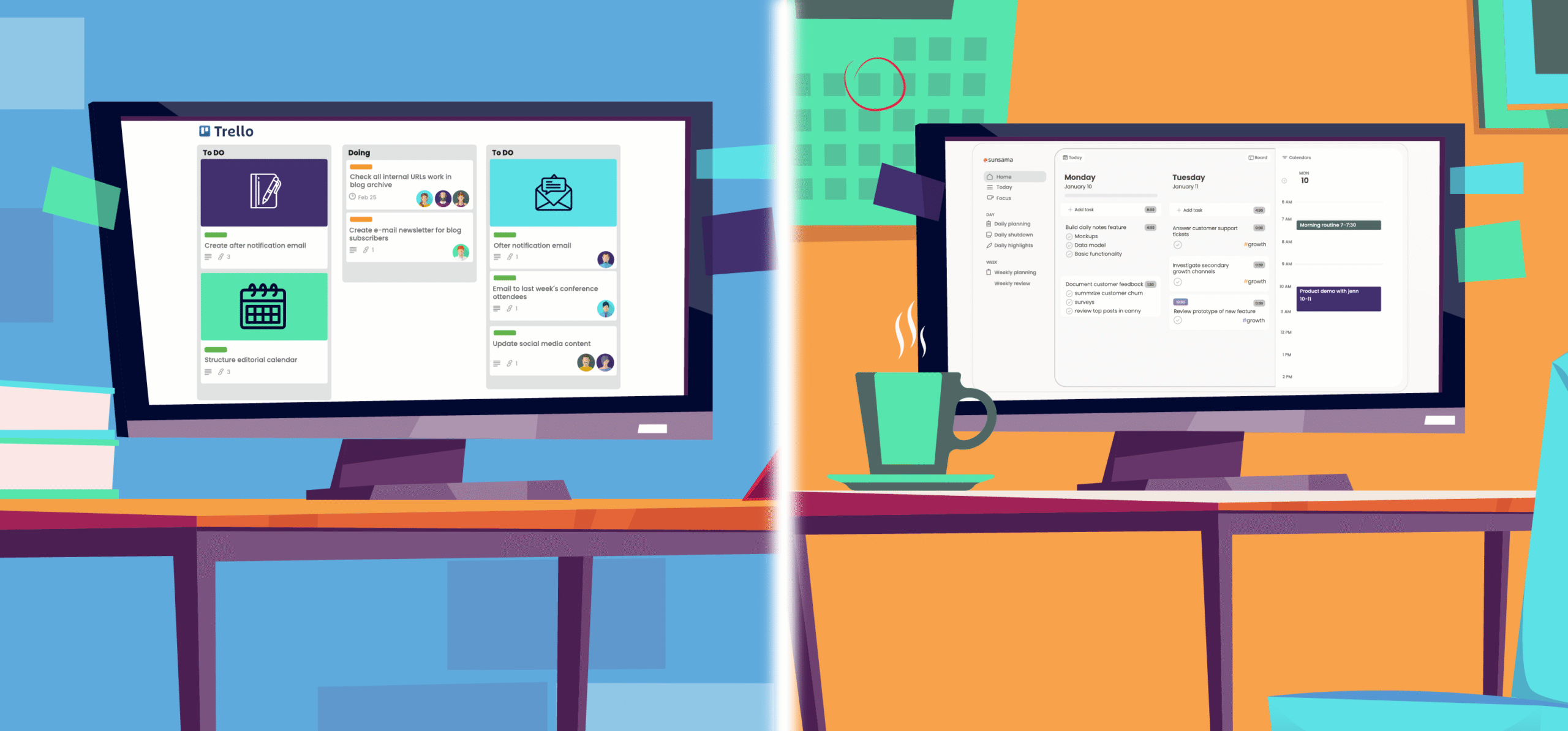
Sunsama and Trello make it easier to organize and manage work tasks.
They offer a user-friendly interface and accessible features, so you don’t have to spend more than necessary on planning your work schedule.
Below, I have reviewed the features, prices, and pros and cons of Sunsama and Trello for comparison. The article might give you some clarity to make a better purchase decision.
Sunsama Overview
Sunsama is a daily planner and task management app.
With this tool, you can build a realistic work routine and manage your time with ease.
Here, you can create quick tasks, assign specific time slots to each task, sort them by priority, and add them to the calendar.
Whether it’s your emails, meetings, daily chores, or weekly projects, you can turn anything into tasks or an event and manage them from one place.
Sunsama is primarily a desktop app, but you can download its mobile app as well.
Core Features of Sunsama
- A step-by-step planner.
- Task creation and time boxing.
- Emails and messages into tasks.
- Focus mode for deep work.
- Auto-scheduling.
- Weekly review and analytics.
- Integration with calendars and third-party apps.
- Desktop and mobile app.
Trello Overview
Trello is a task management and collaboration app. It helps you manage both your and your team’s calendars.
You’ll get a planner to schedule daily tasks and visual tools, like a Kanban board, to track activities. Trello provides several templates to get you started and plugins to add more functions.
You can easily create tasks, assign work to teammates, set deadlines, and attach files directly to task cards. Through third-party integration, you can pull messages from your email and Slack and convert them into a to-do list.
Overall, Trello is a good app for work scheduling, and like Sunsama, it works on both desktop and smartphone.
Core Features of Trello
- Task capture and creation.
- Boards, lists, and timeline views.
- Daily planner with calendar integration.
- Team collaboration and activity logs.
- Integration with 200+ apps.
- Templates and basic automation.
- Customizable dashboard and fields.
- Checklists
- Desktop and mobile app.
Sunsama vs. Trello–Feature Comparison
Sunsama and Trello are built to improve your work productivity.
They help you set up a realistic schedule and provide time management tools to make the best use of your time.
But while Sunsama and Trello are both good productivity tools, they specialize in different areas.
Let’s check out their features to understand their core capabilities and unique selling points.
1. Planner
A planner provides a digital system to create your work schedule. You get a calendar and organizing tools to keep track of your tasks, events, and to-do lists.
Sunsama and Trello both offer good planners. Their drag-and-drop interface and scheduling capabilities simplify the planning process.
Here’s a summary of their planners.
Sunsama
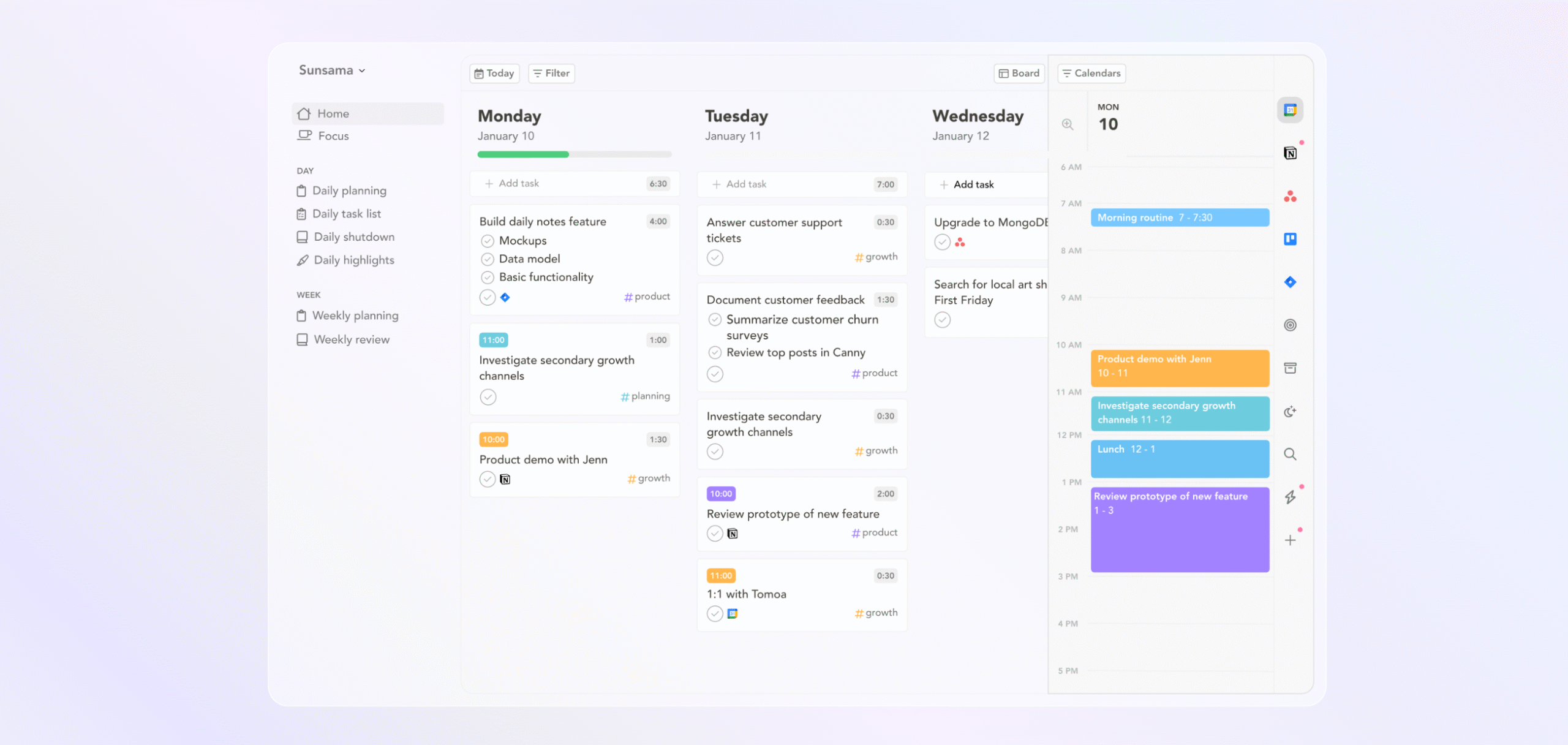
Sunsama’s planner focuses on daily tasks. It connects your meetings, emails, events, and tasks, allowing you to organize your day easily.
The planner is visually appealing and user-friendly. You can drag and drop tasks to the calendar and reserve the block of time for each task. Also, you can auto-schedule specific tasks to save time.
Multiple views are available for your convenience. For progress monitoring, Sunsama provides daily highlights and weekly reviews.
One of Sunsama’s best features is its unified view. The software displays everything on a single page, making it easy to create daily agendas.
Trello
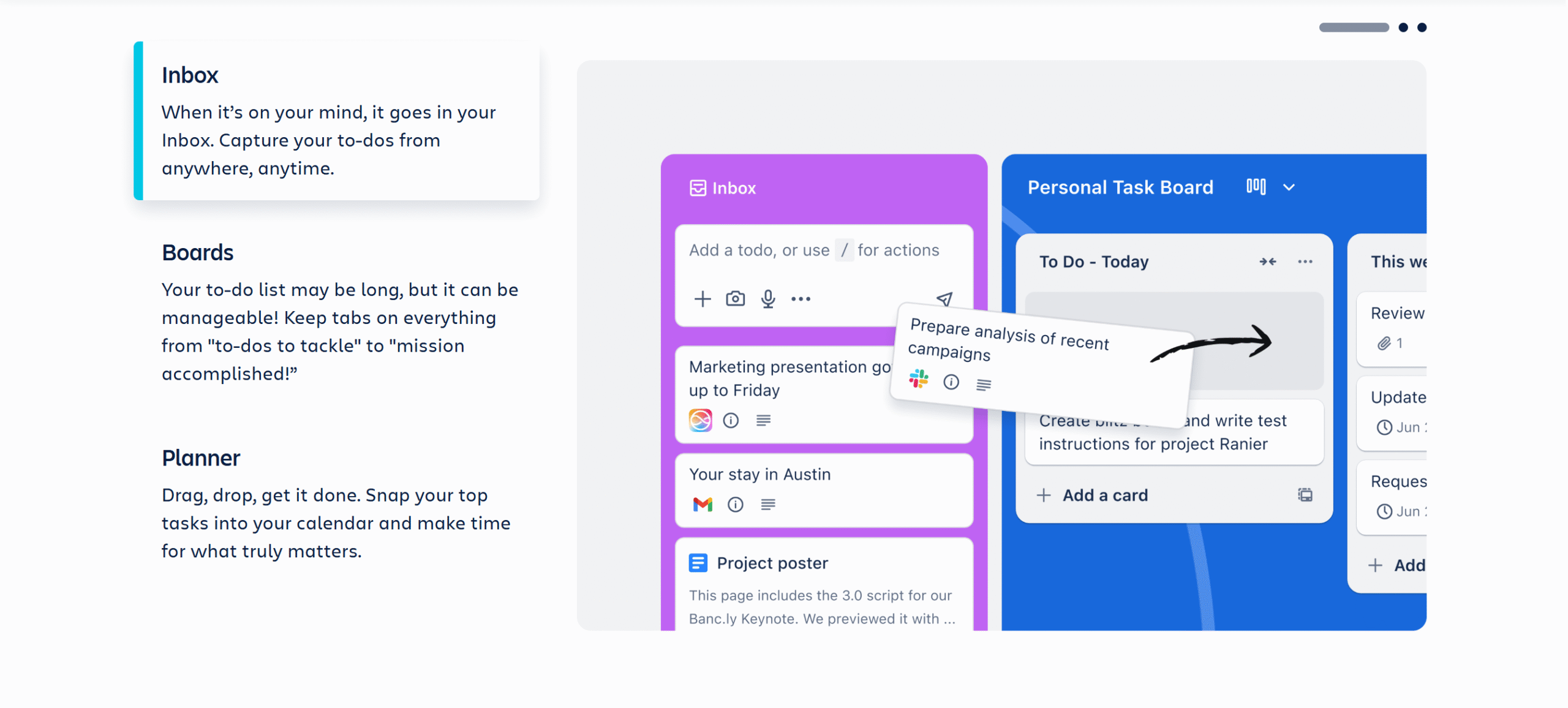
Trello’s planner is also incredibly user-friendly.
You can drag tasks from your to-do list to your calendar and create your work schedule.
The planner is divided into a Kanban board, a calendar, and a to-do list. All are displayed side by side to help you stay organized.
You can connect multiple calendars to centralize events and pick your preferred calendar for display. You can also customize your planner size to reduce cluttering.
Takeaway
Trello’s planner works like any standard calendar. It’s simple and efficient. It’s also designed to support team activities, providing a visual Kanban board for tracking and monitoring.
Sunsama’s planner is for individuals and is comparatively more robust. It offers not only a unified view to keep track of everything but also a review system to see how well you follow your schedule.
2. Task and Time Management
Time management means controlling how you spend your time, while task management is the process of organizing and tracking daily tasks.
With better time and task management, you can reduce procrastination and increase your work productivity.
Let’s see how you can use Sunsama and Trello to manage your day more effectively.
Sunsama
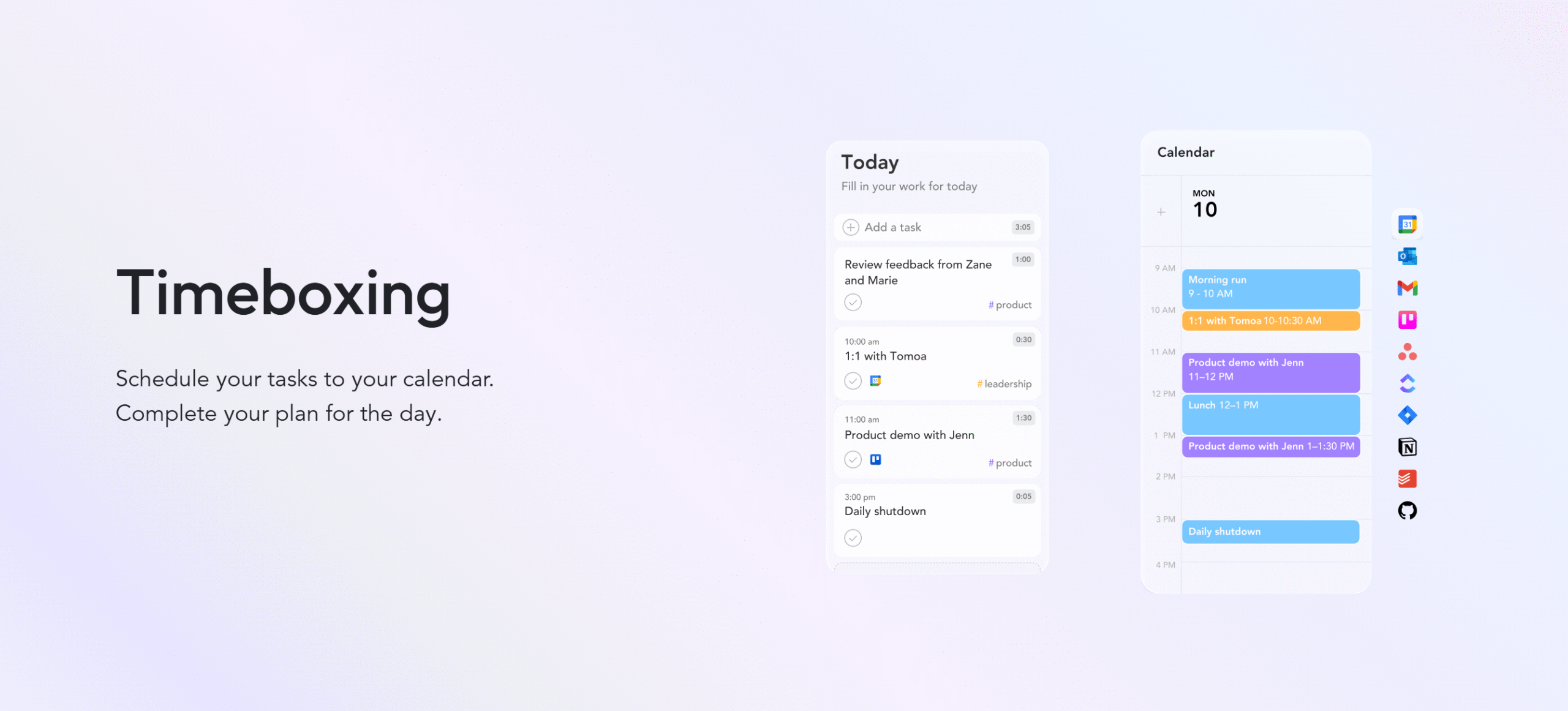
Sunsama offers several task and time management features.
You can create a step-by-step daily schedule, set an estimated delivery time for each task, and schedule a block of time in your calendar. You’ll have the flexibility to break large projects into subtasks and also add some recurring tasks.
For better time management, you’ll get a built-in focus mode with a timer so you can reduce distractions and stay on the current task. The amazing thing about the focus mode is that it automatically syncs with your Slack to ensure you don’t get interrupted while you are on the task.
This is ideal for managers who spend most of their time on team communication.
Other notable features of Sunsama include importing tasks from other apps, converting emails into tasks, and building a to-do list of future jobs.
Trello
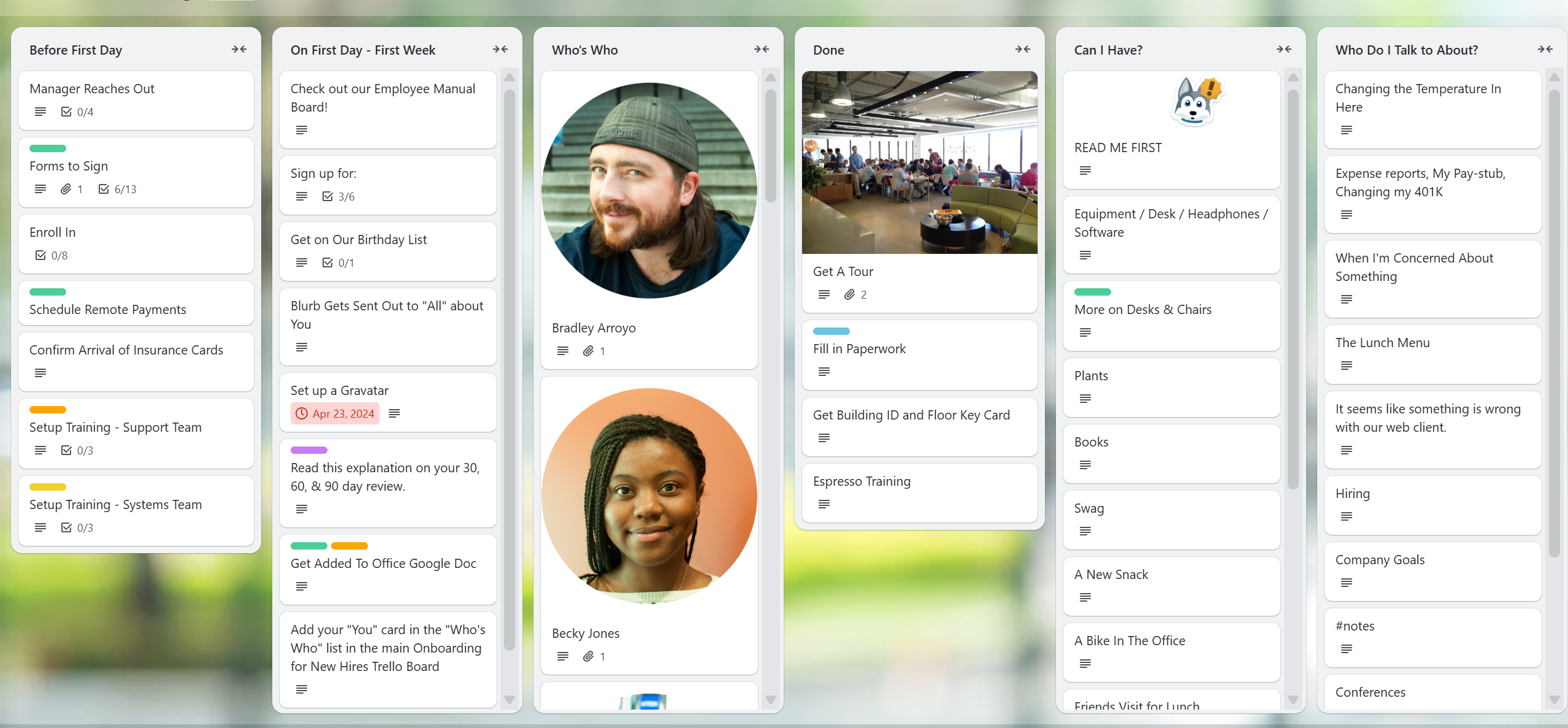
Trello’s strength lies in task management. It does have plenty of time management tools, but its specialty is task management.
You’ll get an inbox to park unplanned tasks and a Kanban board to track your and your team’s current projects.
You can capture tasks from third-party applications, like Gmail, and break a large project into a checklist.
If you want to extend the functions, you can use Trello’s Power-Ups (add-on features). For example, you can use Card Aging to identify tasks that have been sitting idle for too long.
Trello’s unique feature is its AI and automation. You can automate repetitive tasks and reduce some of your manual work with AI, such as creating summaries for cards.
Takeaway
For personal time management, Sunsama is best. It offers time blocking, advanced focus time, break reminders, and daily highlights.
For task management, Trello is the better option. You get various templates, multiple task-capturing features, AI tools, and team features.
3. Collaboration
Collaboration tools enable you to work with your team members more efficiently.
You can assign work, communicate, share files, and track activities in one place.
Here’s a summary of Sunsama and Trello’s collaboration features.
Sunsama
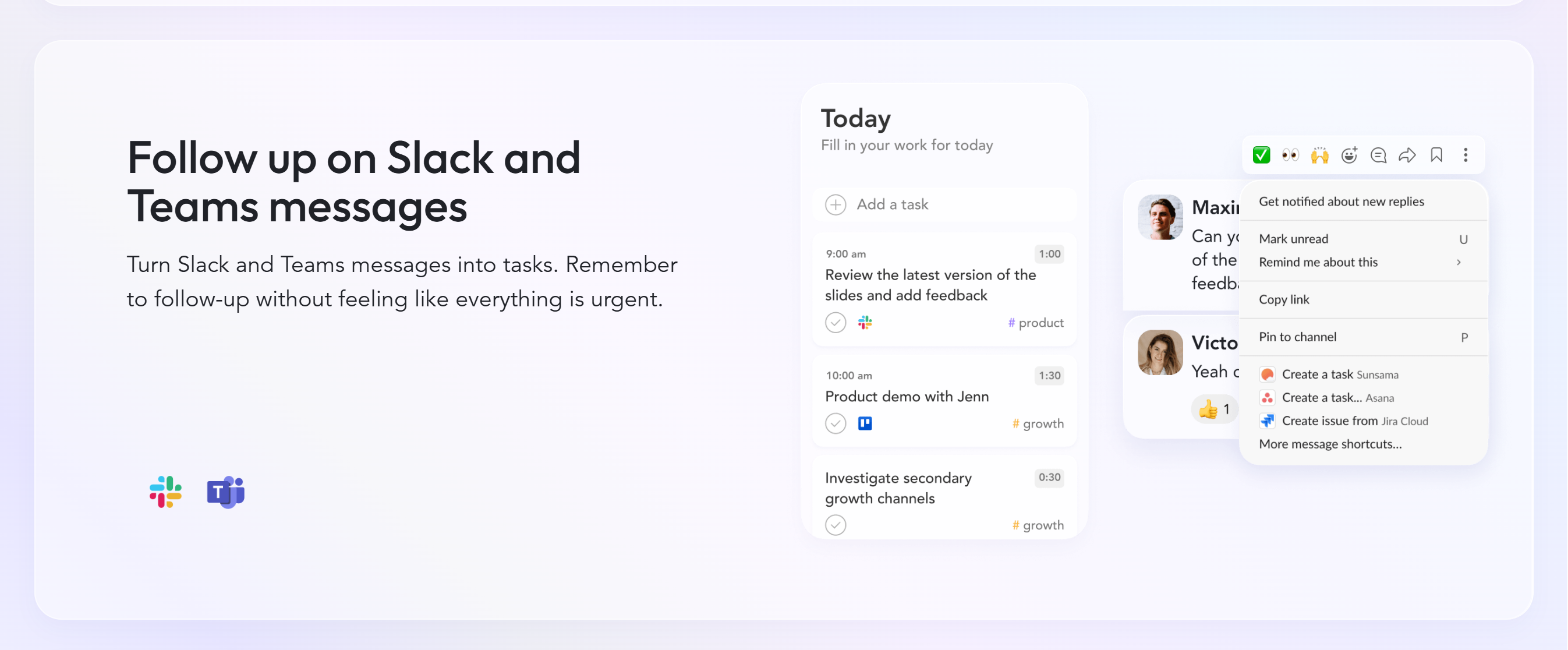
Sunsama is primarily designed for individuals, but it does support multiple users and offers a few collaboration tools.
For example, you can create a shared workspace and let your team see your calendar, tasks, and events. This allows you to assign tasks to individuals or groups without leaving the planner.
You can also set up private workspaces for each team member. They can choose to share what they want.
Trello
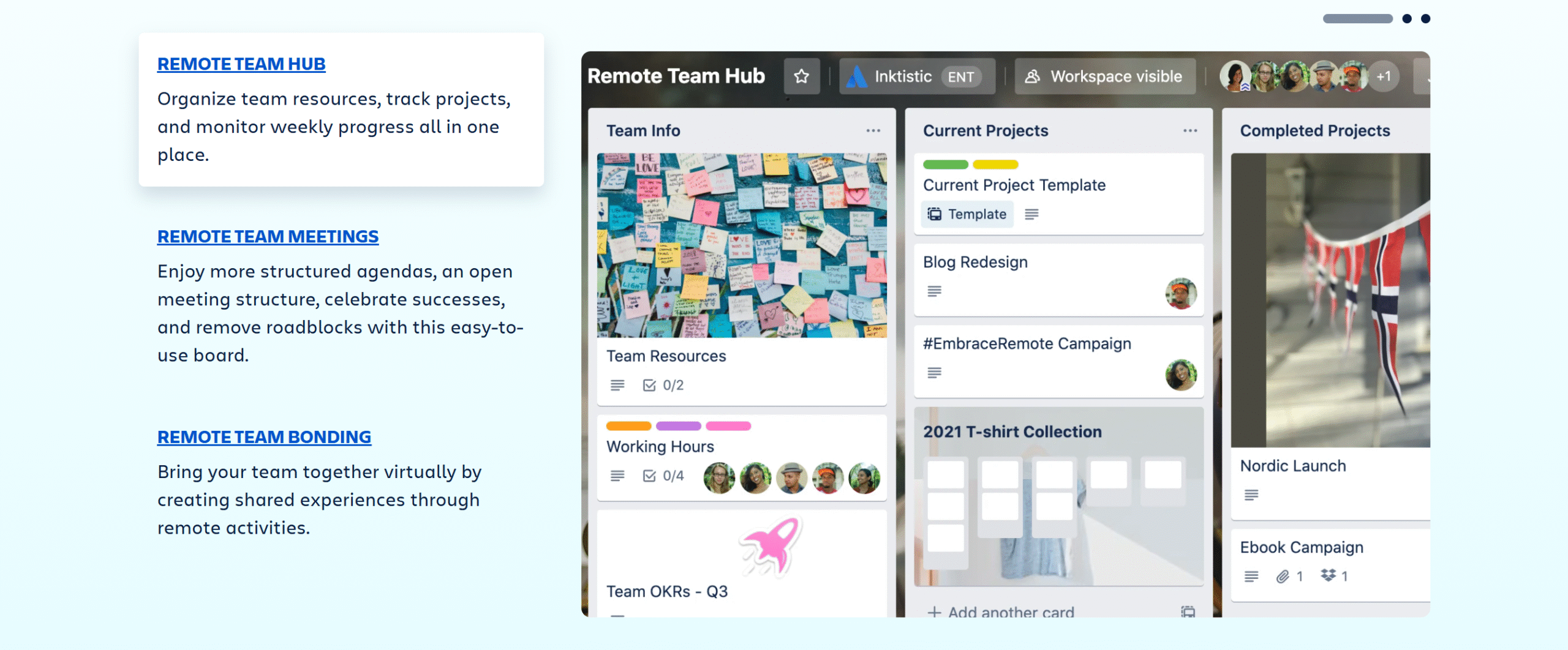
Trello is a team app.
You can create unlimited collaborative workspaces, project boards, and task cards for your team. Assigning tasks to others is easier here, and you’ll get the space to leave comments and share files.
With user permission, you can control who can see and who can update the tasks.
Some add-on options are also available. For example, you can add a world clock for remote teams working in different time zones and share task cards with external collaborators.
Takeaway
Trello and Sunsama both offer shared workspaces, but Trello provides more flexibility.
Sunsama focuses on daily work, while Trello thinks on a slightly larger scale. It supports complex projects and delivers related integrations.
4. Integrations
Integration means connecting your primary app with third-party applications.
It allows you to import and sync your data to save time and avoid duplication.
Sunsama and Trello both have good integration capabilities. They also offer other features, like a mobile app for remote monitoring.
Here’s a summary of their tech support.
Sunsama
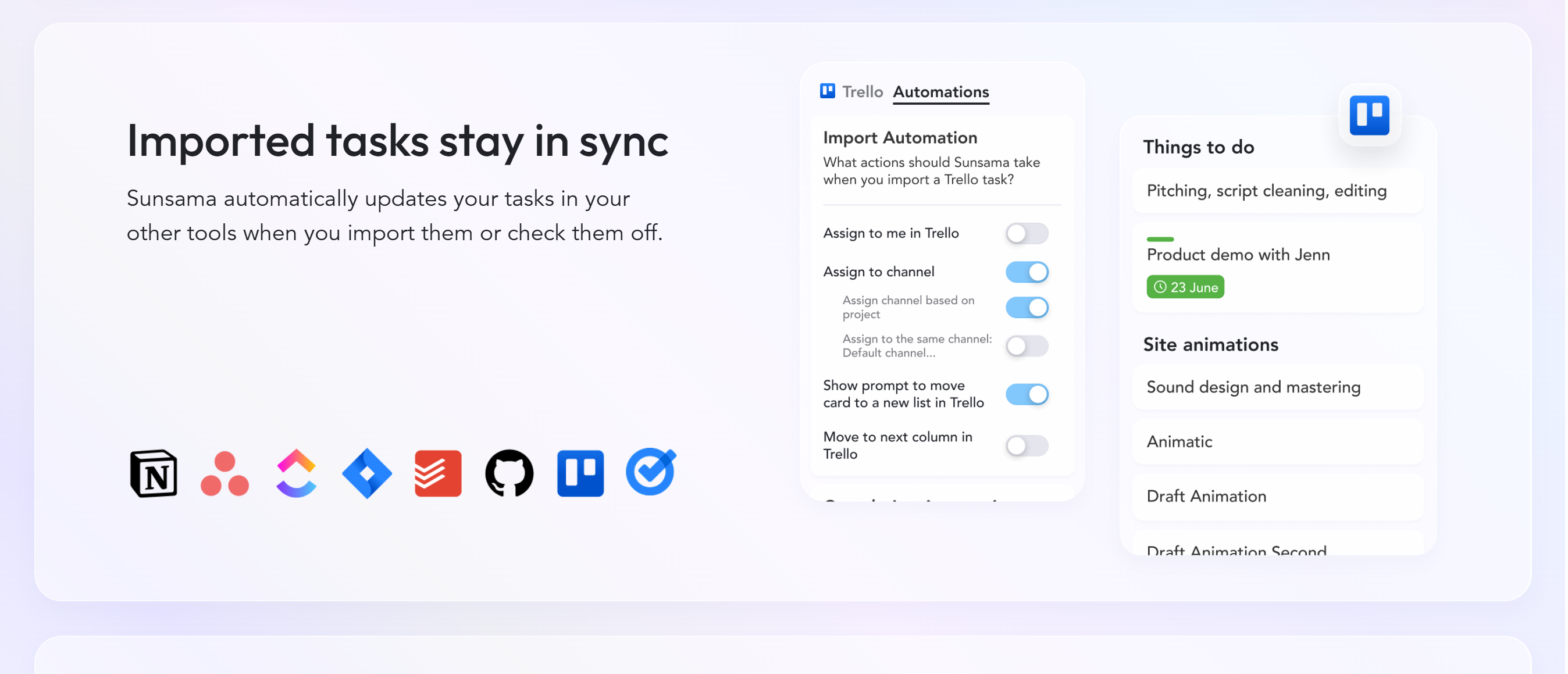
Sunsama’s unique feature is its ability to import messages and tasks from other third-party applications.
If you connect it with Gmail, Outlook, and Slack, you can pull emails from the inbox and convert them into tasks. Not only that, but you can also integrate with project management tools like Asana and Jira to import tasks.
Any changes you make are automatically synced and updated in other apps.
Sunsama also offers Zapier integration, giving you access to tons of third-party applications.
Trello
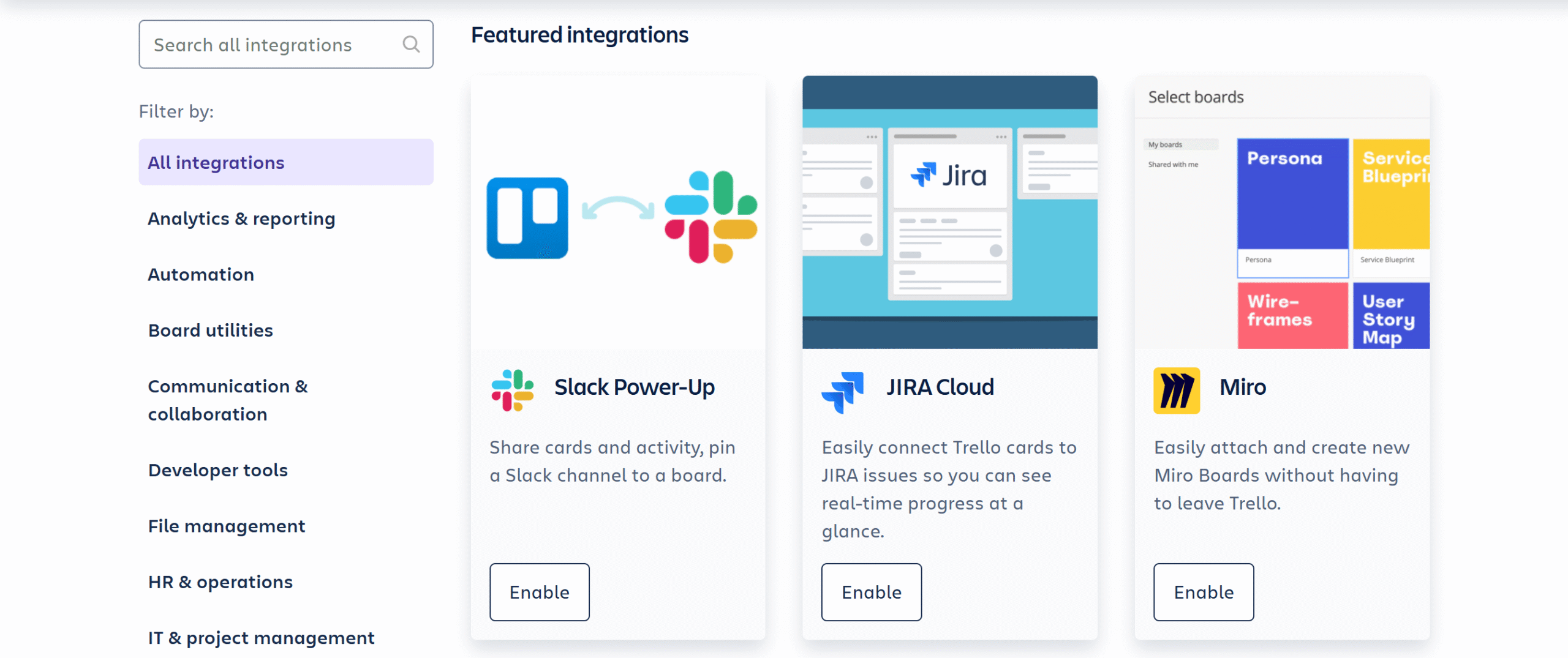
Trello has a diverse range of integrations.
From project management and operations to communication and analytics, you can power up your planner with tons of integrations.
You’ll also get integration options with popular business apps, like Gmail.
All in all, Trello supports over 200+ direct integrations.
Takeaway
Sunsama offers all the necessary integrations to manage your work schedule effectively.
You can connect your emails, calendars, meeting tools, and project management apps to centralize your tasks and events.
Trello’s integration capabilities are comparatively advanced. You can not only connect Trello with a wide range of tools directly but also customize your workflows using the API.
5. Price
Sunsama and Trello have slightly different pricing structures.
One offers a single plan only, while the other follows a tier-based pricing model, providing a range of options to meet different requirements and budgets.
Here’s how their prices work.
Sunsama

Sunsama keeps its pricing pretty simple. It charges $20 per month to give you access to everything.
There’s no tier-based pricing, multiple packages, free plans, or lifetime deals.
You’ll, however, get the option to buy a monthly or yearly subscription.
Sunsama offers around a 20% discount on the yearly subscription. Plus, once you buy the subscription, you can cancel it anytime.
A free trial is available to test the features. You don’t need to provide your credit card details to get the free trial.
Trello
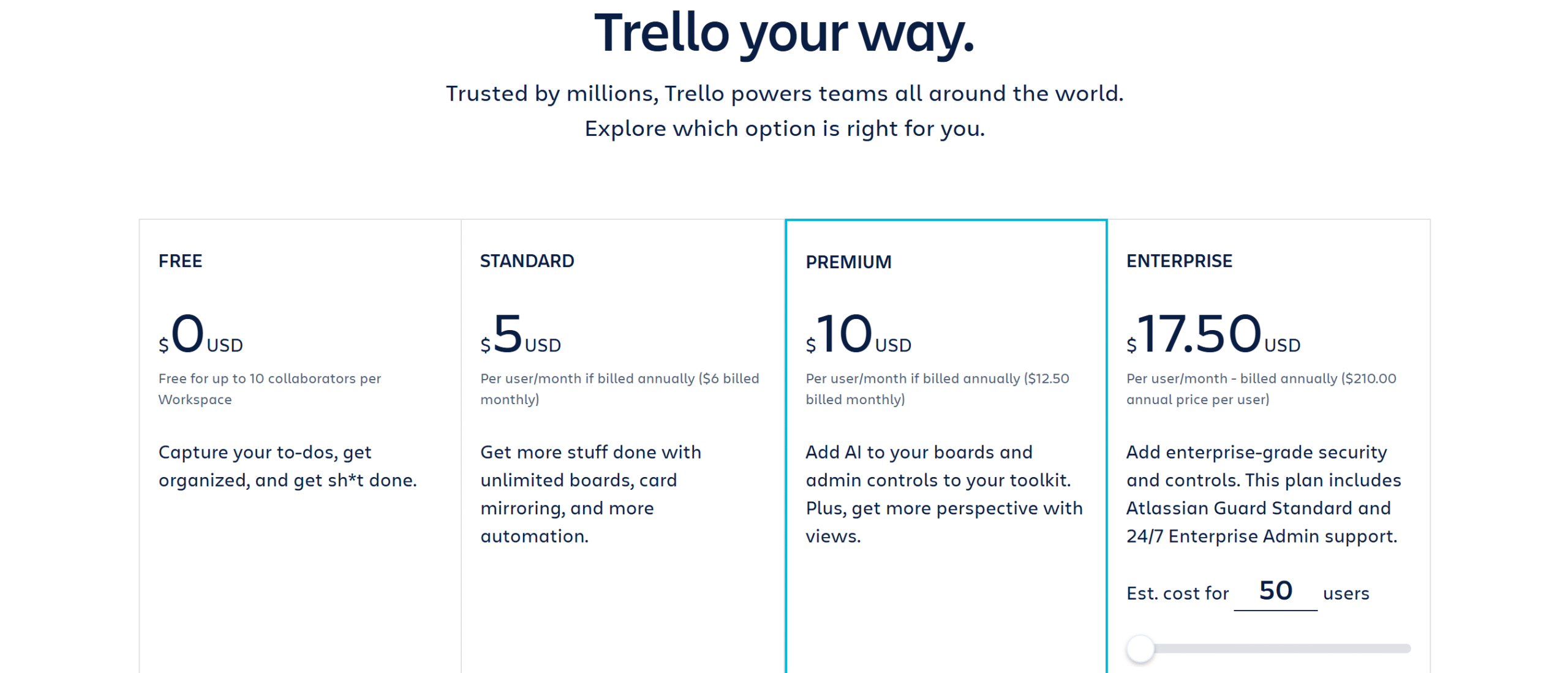
Trello has four subscription packages, including a forever-free plan.
The free plan allows up to 10 users and offers access to basic task management features.
Below is the summary of its premium packages.
The Standard Plan: It costs $5 per month and contains a full planner, unlimited boards, and an advanced checklist feature.
The Premium Plan: It costs $10 per month, providing advanced AI functions and premium customer support.
The Enterprise Plan: It costs $18 per month and delivers advanced security, administration, and support. It also unlocks the limit on workspaces.
Takeaway
Trello is comparatively more affordable. It also offers a free plan. If you need a budget-friendly option, Trello is perfect for you.
Sunsama, on the other hand, is a premium tool with no free plan. Its pricing structure, however, is incredibly simple. There are no restrictions on the features and no hidden charges. You pay a fixed fee and get everything.
Sunsama vs. Trello: Pros and Cons
Below, I have summarized some of Sunsama’s and Trello’s strengths and limitations, giving you a list of pros and cons for comparison.
Sunsama
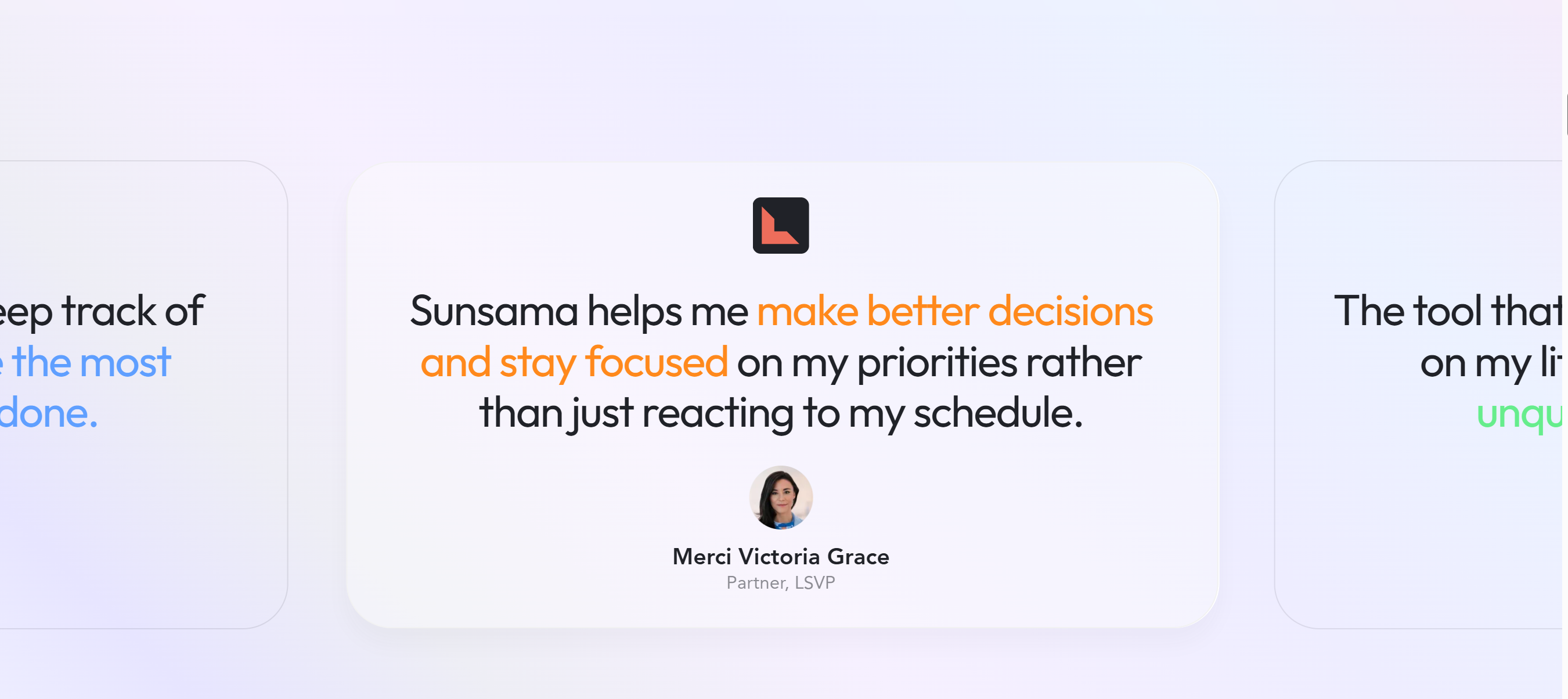
Pros:
- A guided daily planner.
- Unified view of tasks, meetings, and emails.
- Import tasks from your Gmail and Outlook.
- Built-in focus mode for deep work.
Cons:
- No free plan. You only have a 14-day free trial.
- Limited team collaboration features.
- Pricing is comparatively higher.
Trello
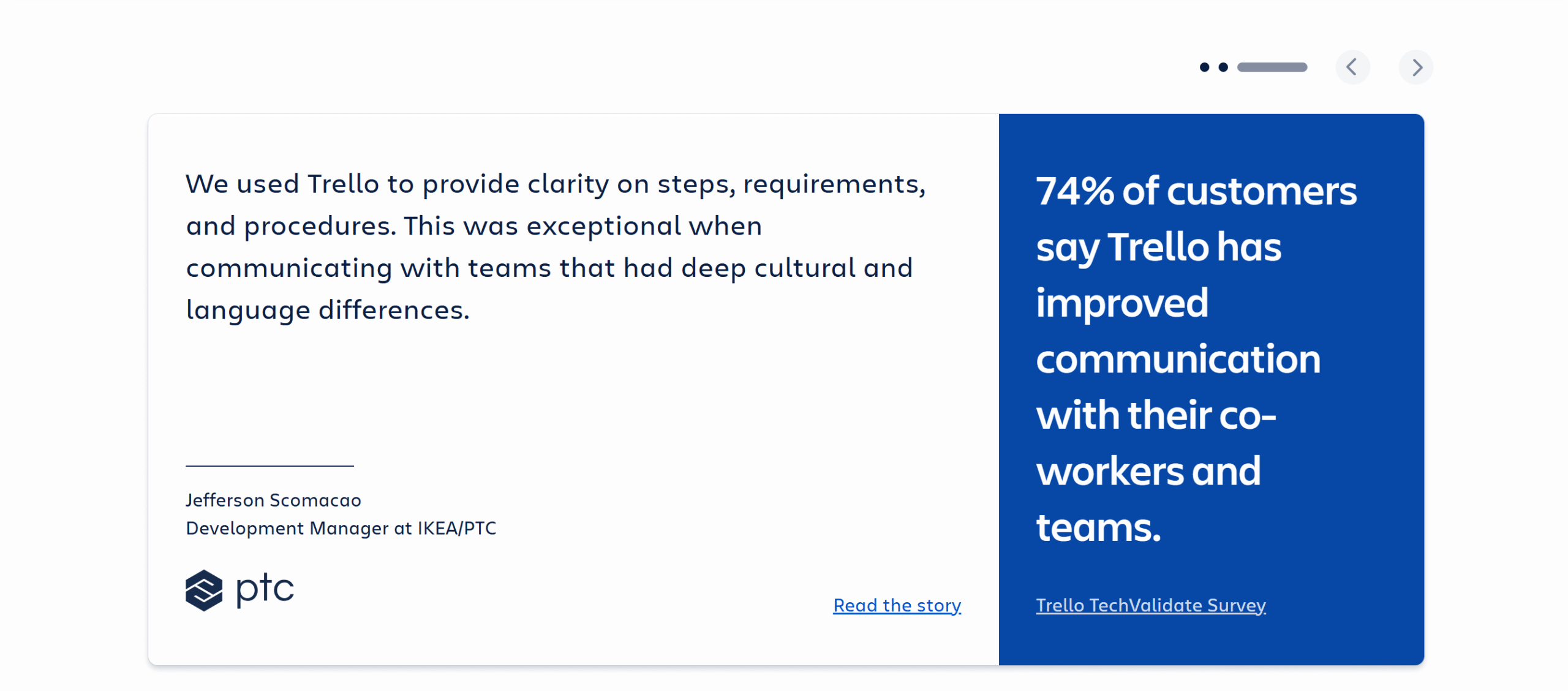
Pros:
- Visual tools for project management.
- Good integrations and collaboration features.
- Templates and customization.
- Affordable packages and a free plan.
Cons:
- Time management features are comparatively weak.
- Basic plans offer extremely limited features.
- Less focus on individual progress.
Conclusion
So, have you decided which one to go for?
Choose Sunsama if: You struggle to follow a daily schedule or have trouble focusing on work. You need a structured, guided system to plan your time, and you are willing to pay a premium for it.
Choose Trello if: You need a simple planner with team collaboration tools to manage your to-do lists, work tasks, and team activities.
Remember, Sunsama and Trello are both excellent choices, but they serve slightly different purposes.
Think of it like this: Do you need help managing your own daily work schedule, or do you want an easy way to schedule both personal and team projects? The answer will point you in the right direction.


 A better way to manage projects and clients for freelancers
 Get through busy days like a breeze with Reclaim.ai