
Pipedrive and GoHighLevel are both great CRM, but they are built with different goals in mind.
Pipedrive focuses on one job and does it exceptionally well. GoHighLevel, on the other hand, takes a completely different approach by bringing multiple tools into a single platform.
Understanding the difference between these platforms will help you make a more informed purchase decision.
Let’s look at Pipedrive and GoHighLevel’s features and capabilities to see which is a better fit for your business.
What Is Pipedrive?
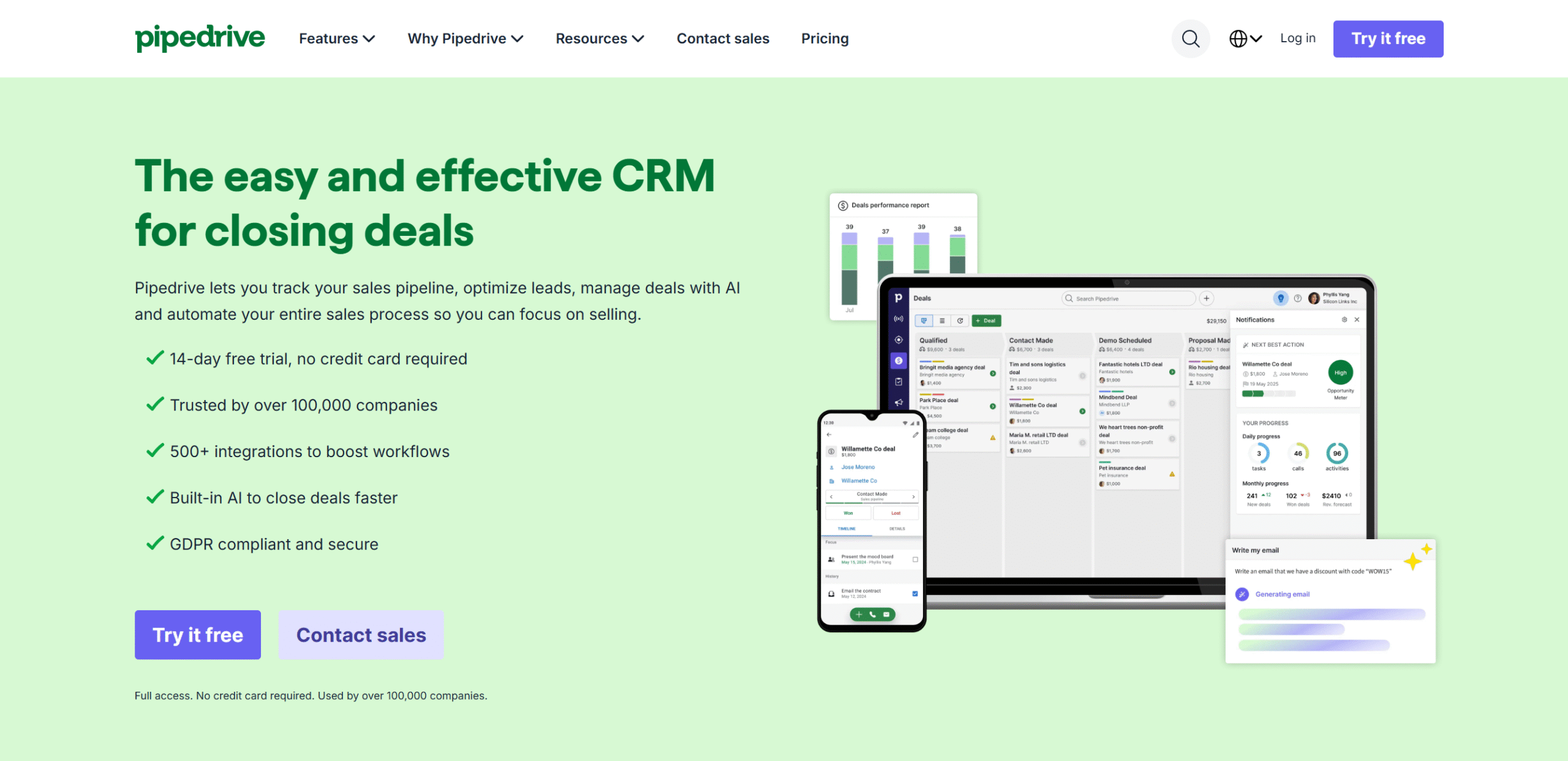
Pipedrive is a sales CRM.
It delivers visual pipelines and a contact management system to organize leads and track deals.
The software is user-friendly and offers a diverse range of integrations to streamline workflows. It also has a built-in AI to help you find relevant apps.
For workflow automation, Pipedrive provides smart automation. You can create trigger-based sequences and add if/else actions to cover different scenarios.
Some lead generation features are available as well. For example, there’s an add-on that lets you deploy chatbots and embed pop-up forms.
What makes Pipedrive unique, however, is its simplicity.
It’s not designed to create complex workflows. Instead, it’s built to help you sell your products and services more efficiently.
Core Features
- Visual sales pipelines.
- Lead generation and management.
- Sales automation.
- Email marketing.
- Custom reporting.
- Team collaboration.
- AI and automation.
- 500+ integrations.
- Mobile apps.
What Is GoHighLevel?
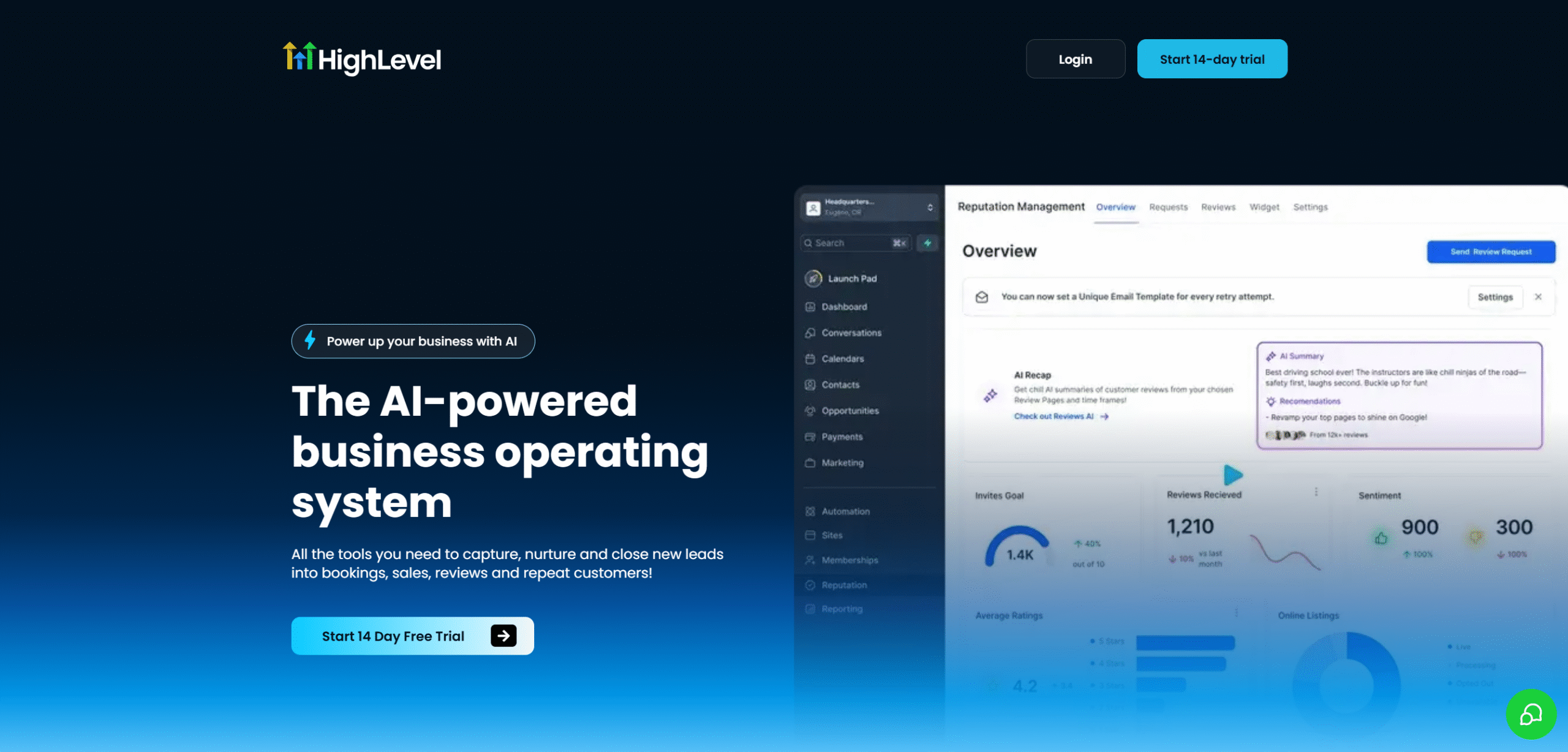
GoHighLevel follows a very different approach.
It acts as a business operating system, helping you manage your entire customer cycle—not just sales.
Some of the things GoHighLevel offers include funnel building, pipeline management, marketing automation, and reporting. You’ll also get prospecting and communication features to capture and convert leads.
The biggest advantage of GoHighLevel is its convenience.
You get multiple tools in one place, so you don’t need to switch between apps to manage your workflows.
For example, you can create pop-ups to generate leads, use prospecting tools to convert them into qualified leads, and build proposals to close the deals.
It also has advanced AI and automation capabilities, which enable you to automate your lead generation, marketing campaigns, customer interactions, and sales workflows.
Core Features
- Website and funnel builder.
- Marketing automation.
- CRM and pipeline management.
- Unified inbox.
- Appointment scheduling.
- Payment and invoicing.
- Reputation management.
- Reporting.
- White label solution.
- Integrations.
- Mobile apps.
Pipedrive vs. GoHighLevel—Feature Comparison
Below, I have compared Pipedrive and GoHighLevel’s CRM, sales tools, automation capabilities, and integrations.
I have also explained which platform performs better in each category.
Let’s explore them one by one.
1. CRM
CRM is the core of Pipedrive and GoHighLevel.
It acts as a digital notebook, letting you store customer information, track leads, manage pipelines, and communicate with leads and customers.
Here’s a summary of Pipedrive and GoHighLevel’s CRM capabilities.
Pipedrive
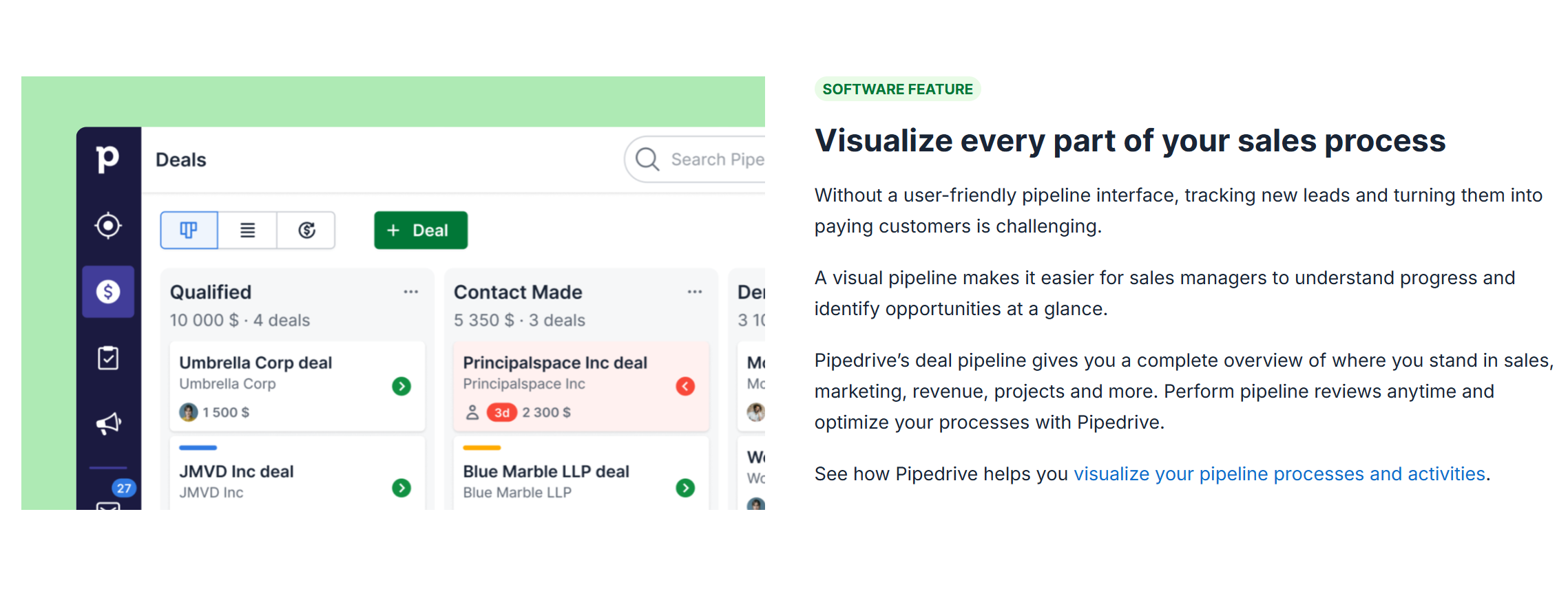
Pipedrive offers a clean and intuitive CRM.
You’ll get a Kanban board for pipeline management along with contact management and activity tracking.
You can customize your pipeline to match your sales funnel and set up permission levels to assign deals to the team. All your team interactions, notes, emails, and files are attached to each deal for context.
The CRM also has a built-in reporting and forecasting section to track progress and team performance. You can schedule reminders and follow-ups to ensure you don’t miss good opportunities.
The only major drawback of Pipedrive CRM is its limited scope.
It’s a pure sales tool and focuses mainly on pipeline management.
While it does offer some extended tools, their functions are limited. For example, most of its communication tools are not built-in. You’d have to use them via integrations. That’s not the case with GoHighLevel.
There is also a restriction on the number of deals and leads you can handle per account. For example, the starter package allows 2500 leads per seat/user, and if you want to increase the limit, you’d have to purchase another seat.
The same limitation applies to accounts. One workspace can support up to 300,000 leads. Not a bad volume, but it’s worth considering.
GoHighLevel
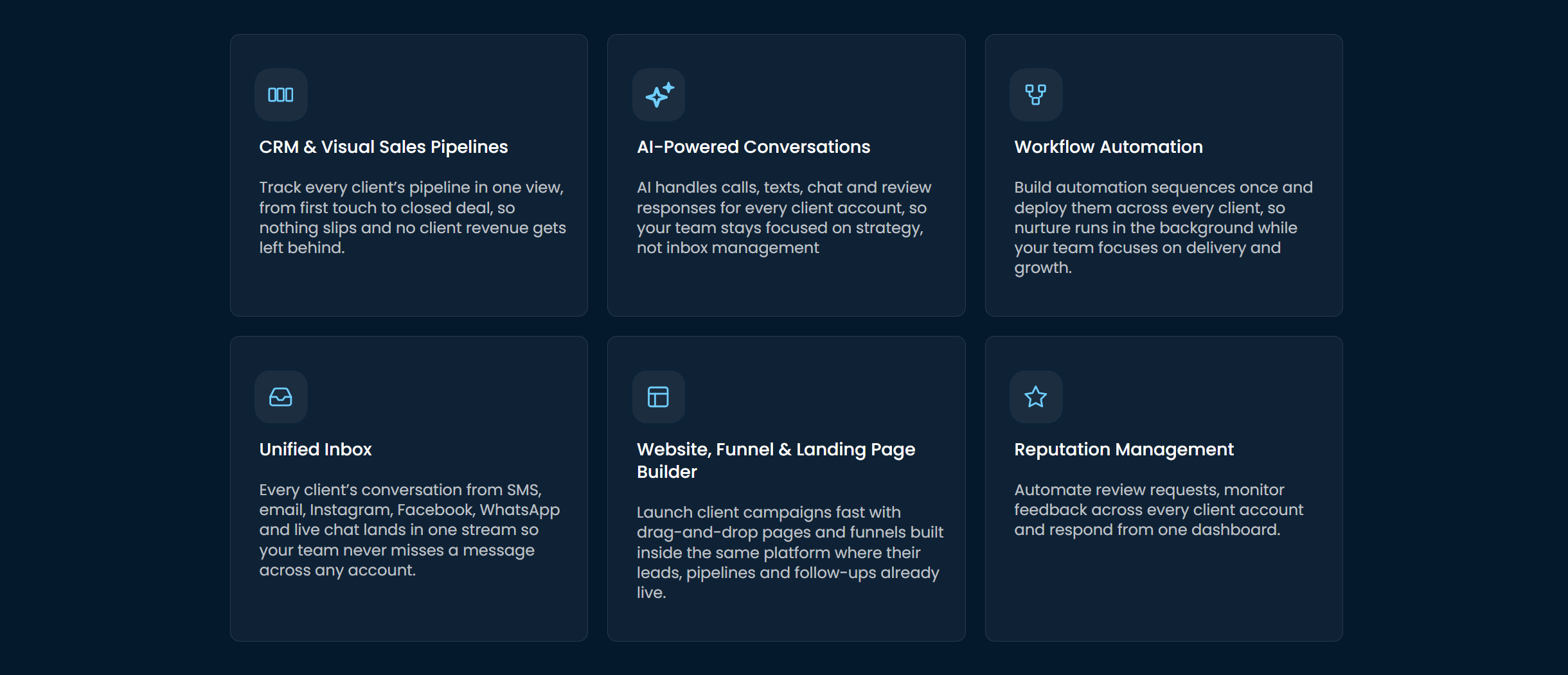
GoHighLevel CRM is well-suited for agencies.
It not only centralizes your sales operations but also provides a white-label solution for managing client workflows, including invoices and payments.
That’s not all.
It also has several built-in marketing and sales workflows that are comparatively more extensive. For example, you’ll get some reputation management features to re-engage buyers and turn them into loyal customers.
Pipedrive only provides this option through third-party integration.
Flexibility is another standout feature of GoHighLevel’s CRM.
You can customize your workspaces to fit different businesses and connect multiple communication channels. You’ll get native integration, so you don’t need a third-party app to connect your email, SMS, and social messengers.
That said, if you’re a beginner and need a simple plug-and-play tool, GoHighLevel might not be ideal for you.
The platform is highly customizable, which means it has a steep learning curve. The overwhelming number of features also makes it a bit cluttered.
You’ll probably need to hire a resource to make the most of its features. If that’s not an issue, then it is an excellent investment.
Verdict
Pipedrive and GoHighLevel both have robust CRM systems, but they differ in their depth, flexibility, and overall user experience.
Pipedrive is a straightforward tool and generally easy to use. GoHighLevel, on the other hand, is more complex and feature-rich.
If you want an intuitive CRM that’s focused on sales, go for Pipedrive. If you need more features and a customizable system, choose GoHighLevel.
2. AI And Automation
The next thing to consider when comparing their usability is automation.
Pipedrive and GoHighLevel both use AI to reduce manual work. You’ll get visual builders, trigger-based workflows, AI assistants, and automated reminders.
Here’s the summary of their AI and automation capabilities.
Pipedrive
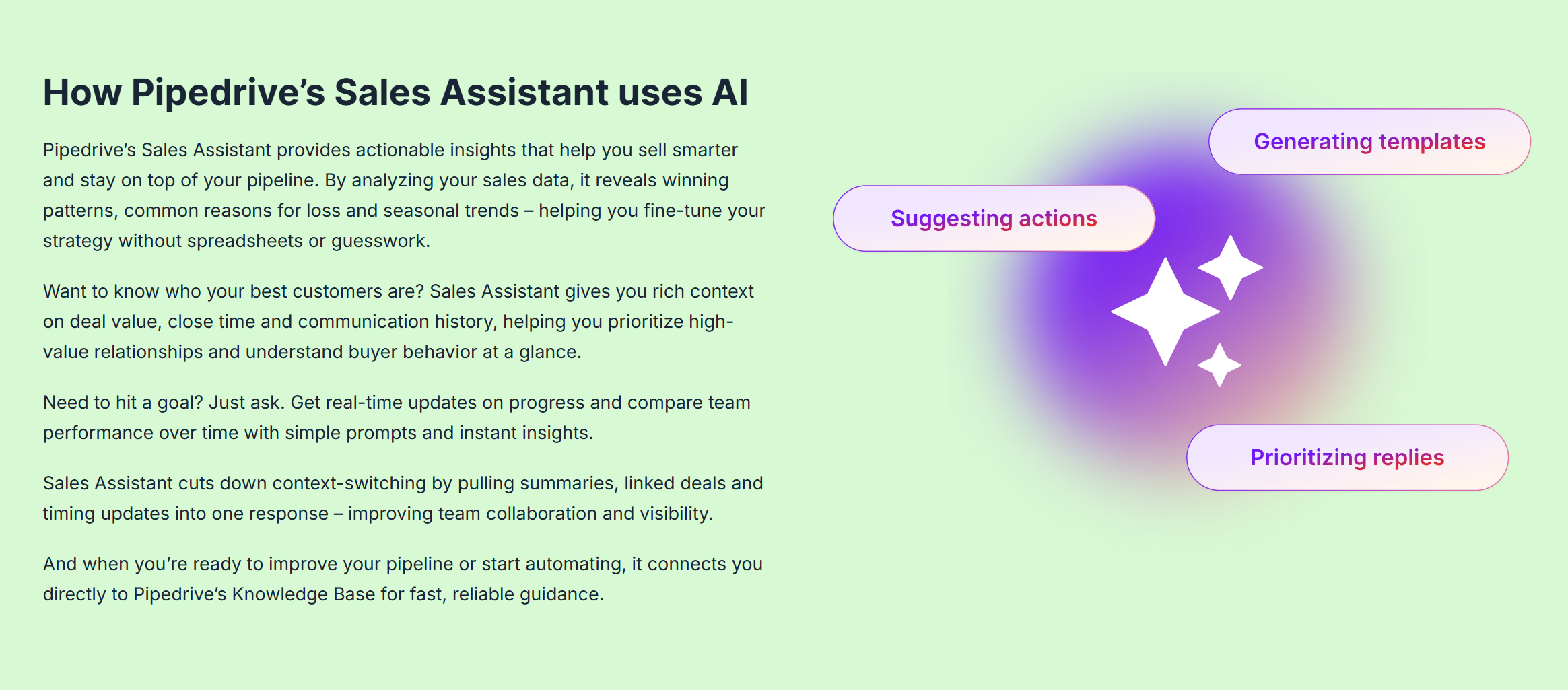
Pipedrive’s automation focuses on improving your sales productivity.
Rather than replacing your manual sales process, it automates routine tasks, such as lead assigning and deal updates, so your team can focus on selling.
What I loved the most about Pipedrive is its sales assistant. It has a built-in AI that evaluates your deals and offers smart recommendations.
You can also give it prompts to uncover helpful insights.
For example, you can ask the sales assistant to look at your pipeline and suggest ways to improve it. Or you can request a weekly performance summary to measure your team’s performance. They are just a few examples of what it can do.
GoHighLevel
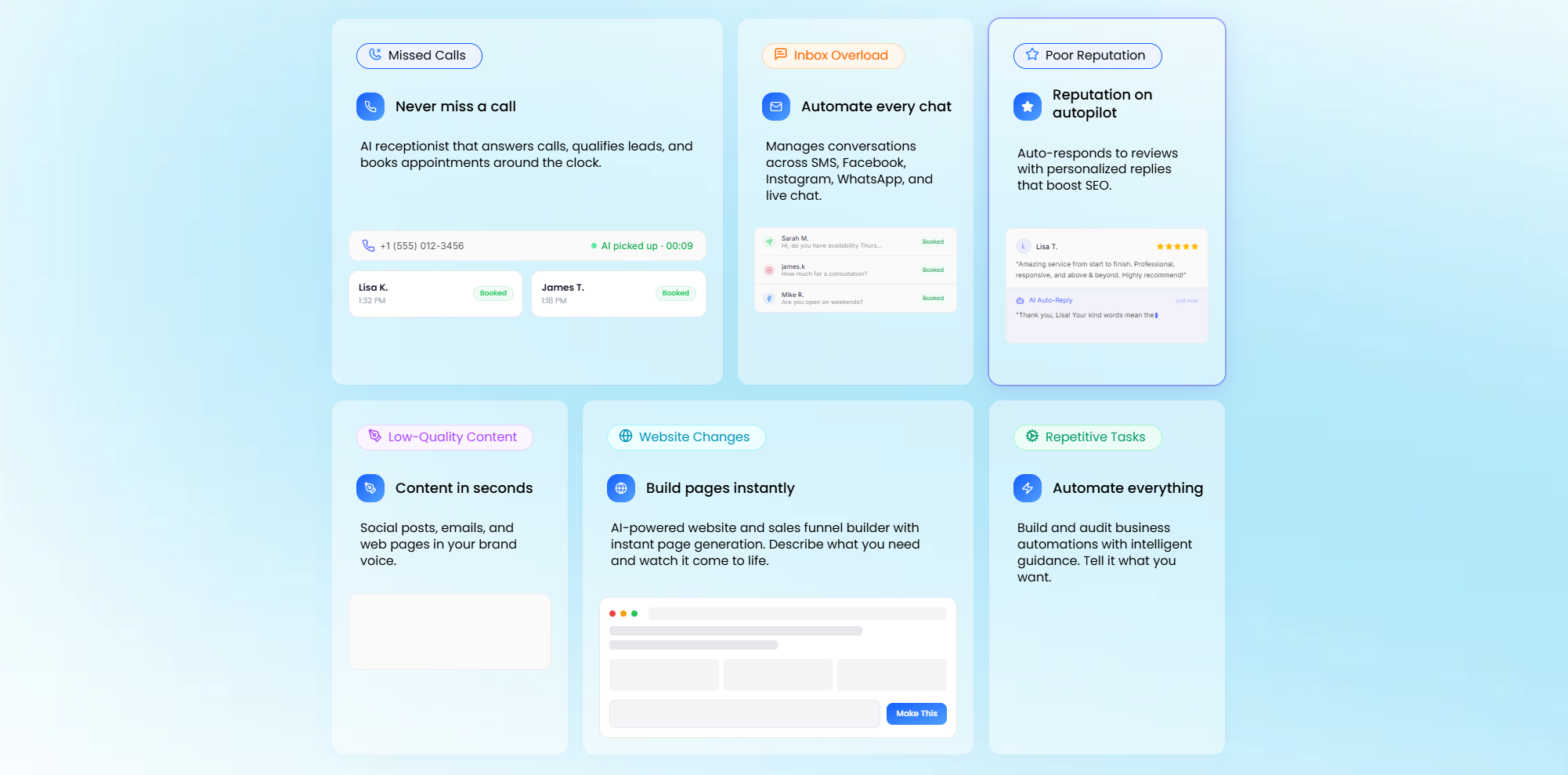
GoHighLevel offers broad marketing and sales automation.
Compared to Pipedrive, it’s more advanced, flexible, and better suited for complex workflows.
Some of its notable automations include marketing campaigns, multi-channel follow-up sequences, trigger emails, and review requests. GoHighLevel lets you automate almost every stage of your customer journey.
GoHighLevel also has excellent AI capabilities, specifically for communication. You can automate your chats, emails, calls, and other interactions.
For example, you deploy an AI chatbot to engage leads on social media and implement a voice assistant to receive calls and book appointments.
You can also use prompts to give complex commands and create multi-step workflows. I recommend exploring its AI.
Verdict
When it comes to AI and automation, GoHighLevel has a clear edge. It’s not only the core part of its system but also covers a wide area.
That’s why GoHighLevel has a steep learning curve.
Pipedrive’s automation is designed with work efficiency in mind. It won’t run your business, but it provides support to make selling easier for you—like drafting emails and predicting sales outcomes.
If your priority is workflow automation, GoHighLevel is the obvious choice. If you want a smart sales assistant, Pipedrive is the better option.
3. Integrations, Add-ons, and Platform Support
Pipedrive and GoHighLevel work well with popular business apps, and both can be connected to your company’s system.
They also offer cross-platform support and provide some developer tools.
Here’s a summary of their integration capabilities.
Pipedrive
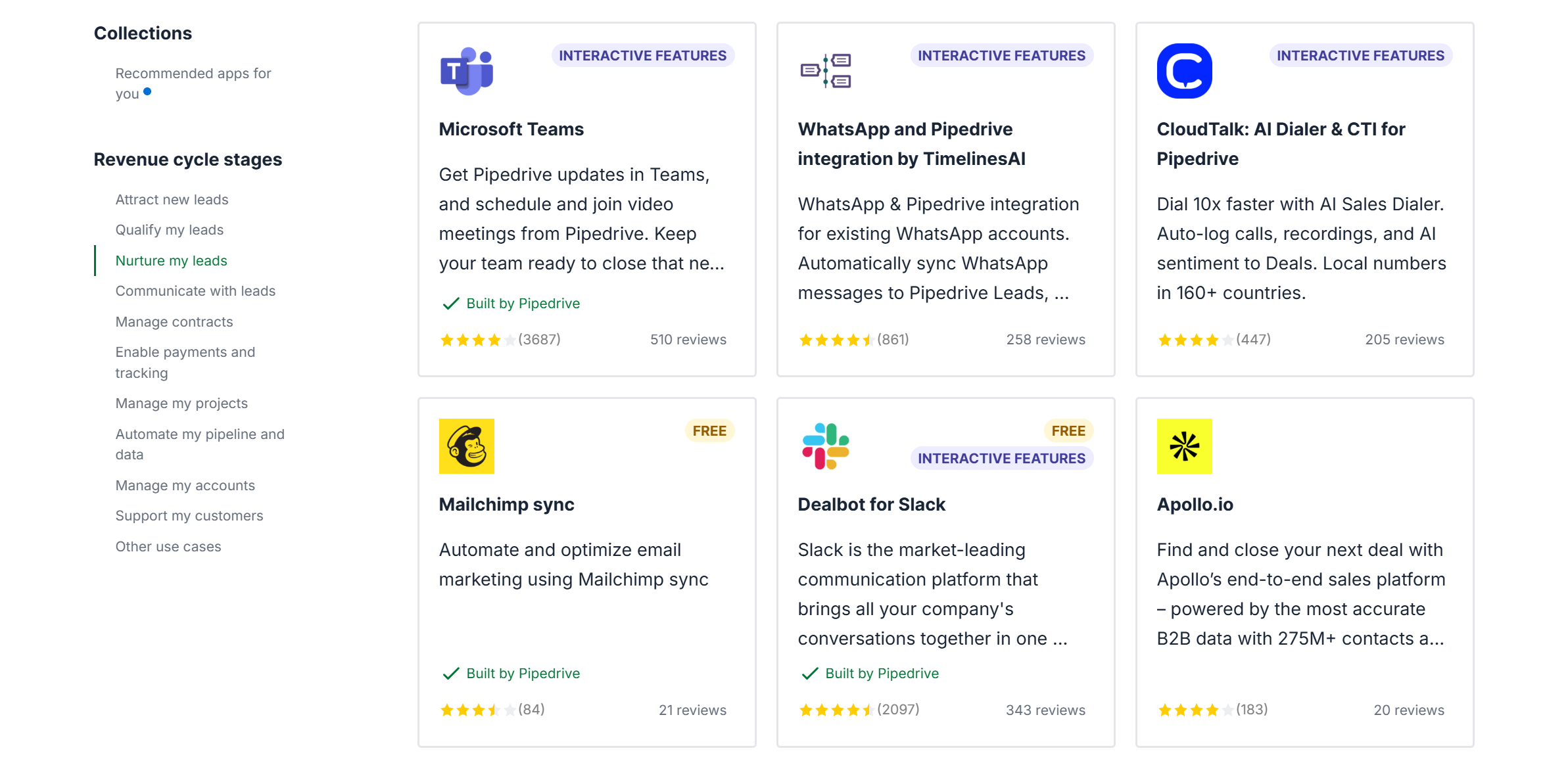
Pipedrive offers a large marketplace of third-party integrations.
You can integrate it with over 500 external tools, including Google and Microsoft, as well as other well-known tools like Slack, QuickBooks, and MailChimp.
Apart from that, it supports API, webhooks, and Zapier to help you build custom integrations.
A few paid add-ons are also available in all the plans. For example, if you want to send quotes directly from Pipedrive, you can buy its smart doc and e-signature add-on.
Overall, its integration capabilities are excellent.
You can use Pipedrive on both desktop and smartphone. The platform provides native Android and iOS apps, plus a Chrome extension for Gmail.
GoHighLevel
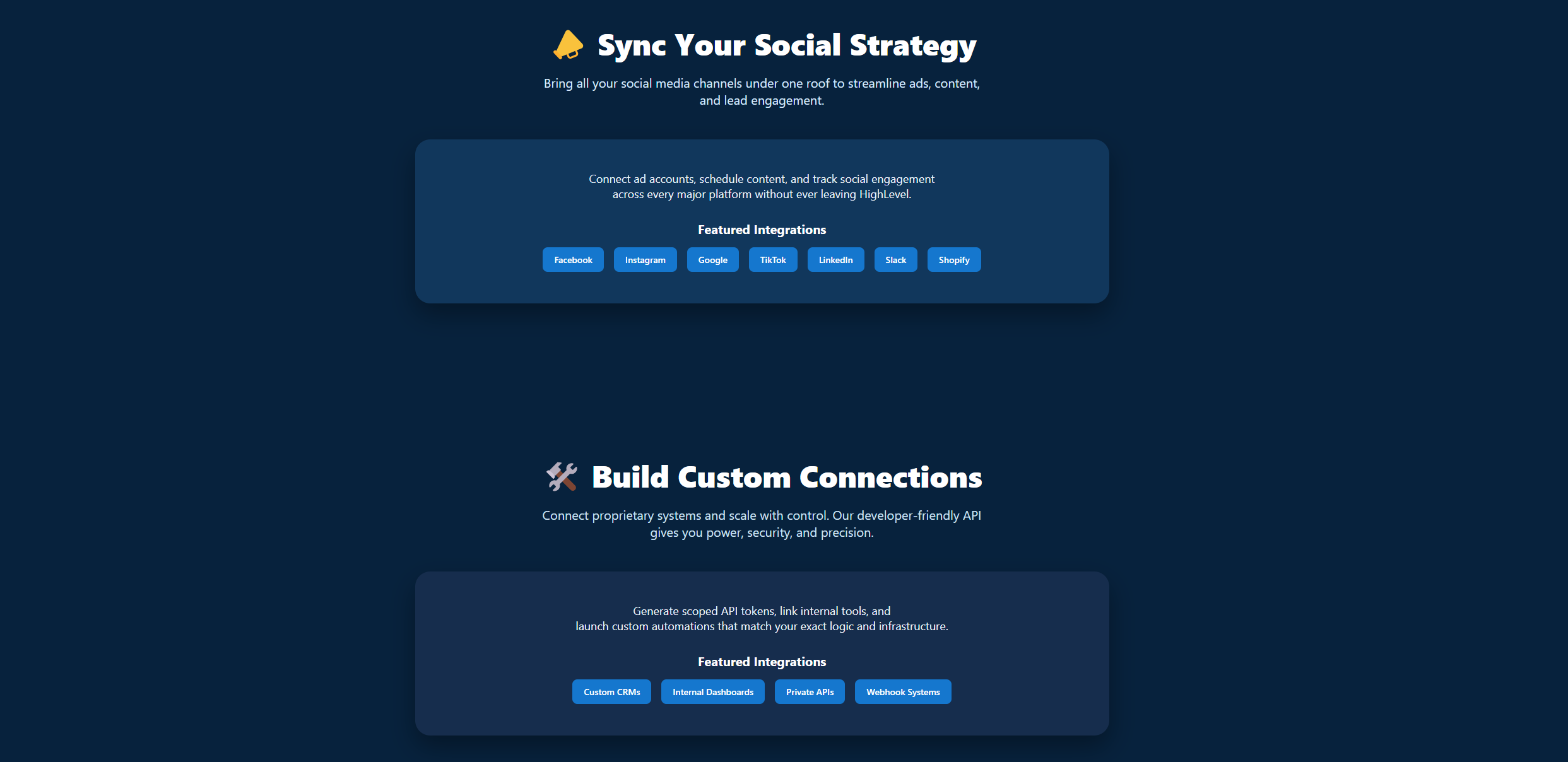
GoHighLevel’s integration ecosystem is comparatively smaller because many business tools are already built into the system.
It still offers native integration with several popular tools, such as Google, Zoom, Facebook, and Stripe.
GoHighLevel also supports Zapier, API, and webhooks, which means you can connect with thousands of apps and build custom workflows.
As for accessibility, it delivers both mobile and web apps.
The browser support, however, is limited. As far as I know, there’s no dedicated Chrome extension.
Verdict
Pipedrive has stronger integration capabilities and platform support than GoHighLevel.
On integrations alone, I would choose Pipedrive.
But GoHighLevel doesn’t really need many integrations because of the way it’s designed. Its built-in features already cover most routine business needs.
So, in my opinion, having a smaller integration ecosystem isn’t a major drawback.
4. Price
Pipedrive and GoHighLevel sell multiple subscription tiers with monthly and annual payment options.
Their pricing models are slightly different, but both are pretty straightforward.
Here’s the breakdown of their pricing.
Pipedrive
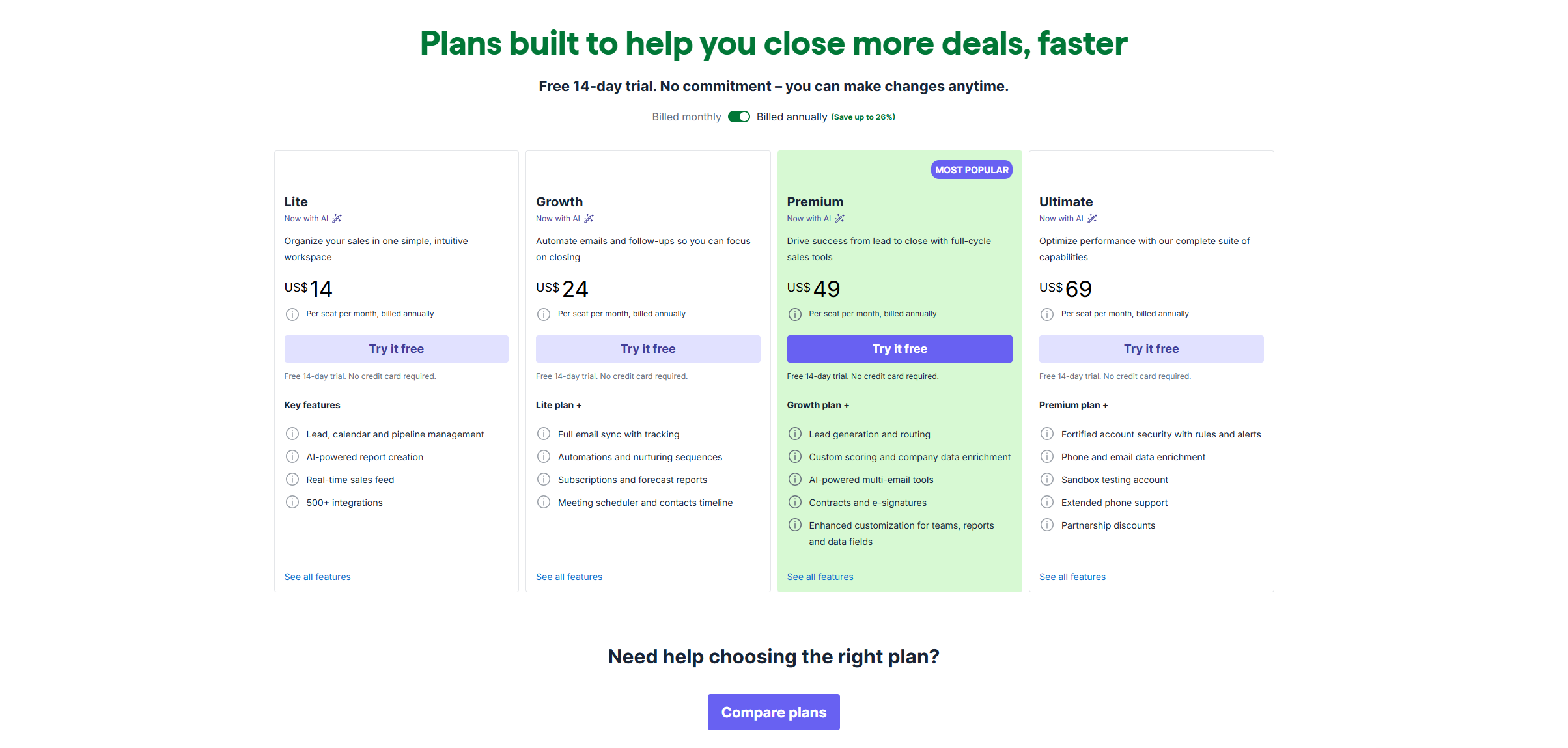
Pipedrive provides tailored packages for companies of all sizes.
Whether you are a startup, a growing business, or an established company, you’ll find a plan that fits your budget.
You can buy both monthly and annual subscriptions. If you go for the annual subscription, you can get up to a 26% discount.
A free trial is available to explore the platform. You can try it for 14 days without providing credit card details.
Let’s look at the details.
- Lite: It costs $19 per month and offers basic pipeline and calendar management. You can also generate reports and integrate your business tools.
- Growth: It costs $34 per month and unlocks some automation and communication tools.
- Premium: It costs $49 per month. You’ll get advanced lead generation tools, team features, customization, and personalized onboarding.
- Ultimate: It costs $69 per month and gives you access to all the features, including a sandbox account.
GoHighLevel
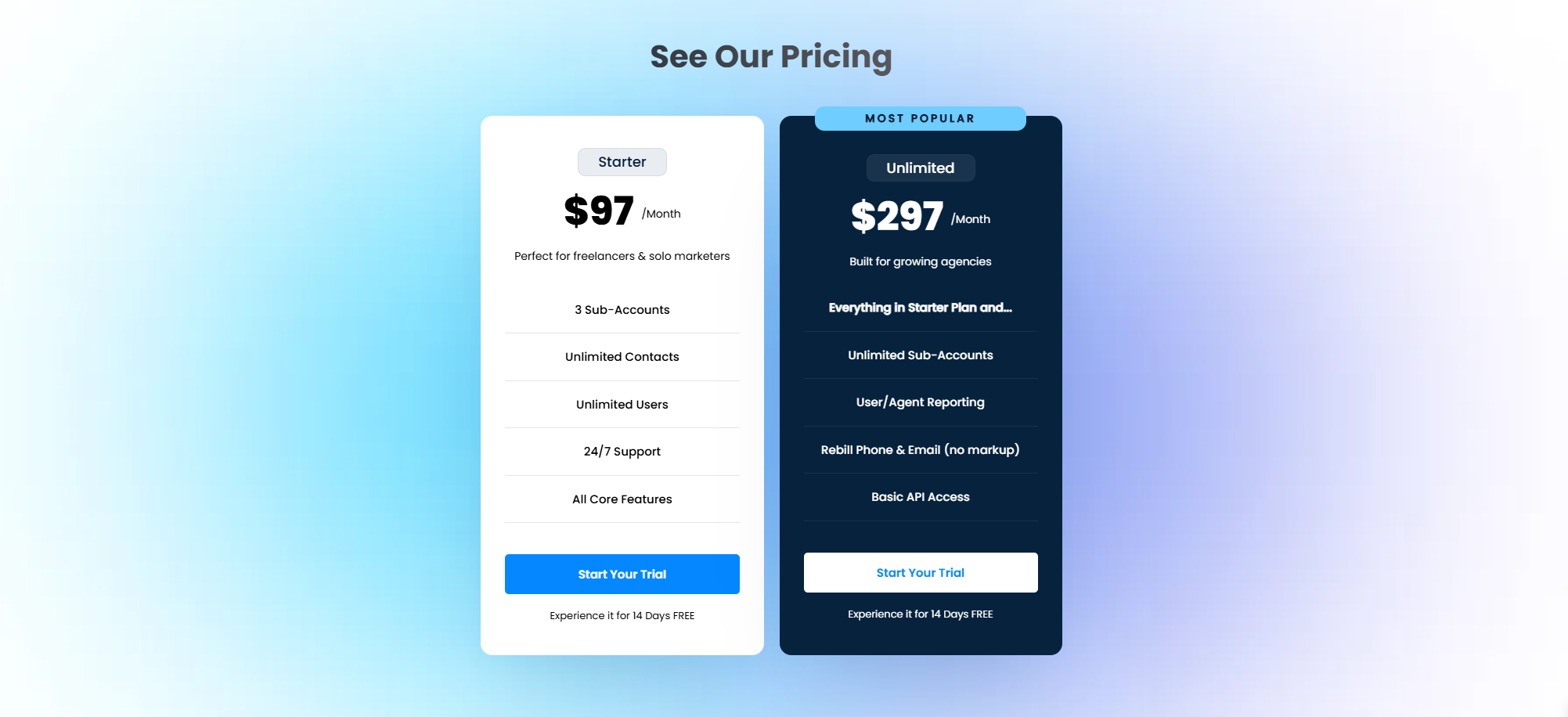
GoHighLevel sells three subscription packages.
The starter package is built for small businesses, and the other two are tailored for agencies.
You can take a 14-day free trial to test the software, but you’d need to provide your credit card details to gain access.
Let’s look at the details.
- Starter: It costs $97 per month and allows 3 sub-accounts and all the core features.
- Unlimited: It costs $297 per month. Here you can add as many accounts as you want and get basic API access.
- Agency: This package is designed for agencies that want a white-label solution. It costs $497 per month.
Verdict
Pipedrive is comparatively affordable, but it charges per user.
GoHighLevel subscriptions are slightly expensive, but it charges per account. That means you won’t have to pay extra for an additional user.
From a pricing perspective, Pipedrive is better suited for solopreneurs and small businesses. GoHighLevel is also a fantastic platform, but it offers more value for agencies.
Pros and Cons of Pipedrive And GoHighLevel
By now, you probably have a good idea of which tool to buy.
Still, let me give you a quick recap of Pipedrive and GoHighLevel’s key strengths and weaknesses for clarity.
Pipedrive
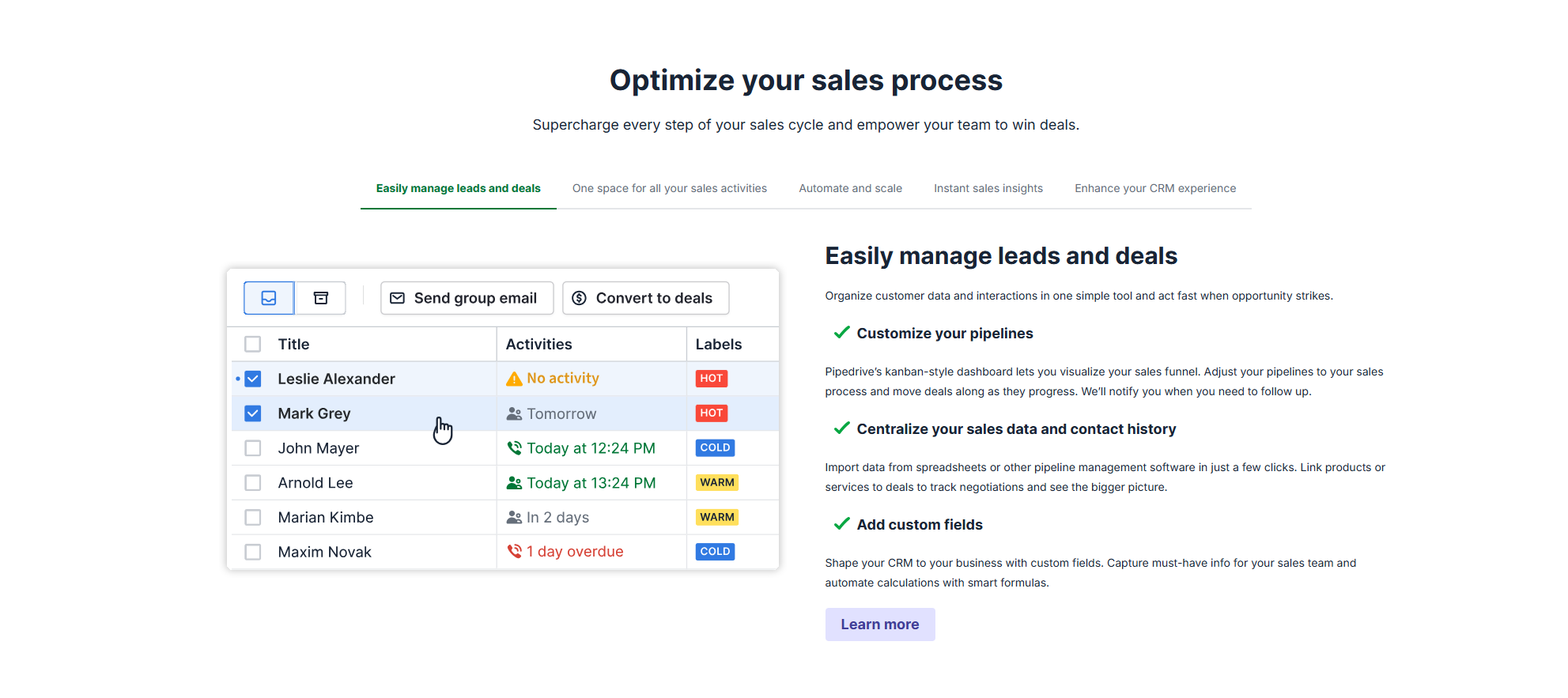
Pros
- It has an intuitive interface and a fast setup process, making it perfect for SMBs.
- Sales pipeline management is its core strength.
- Integration capabilities are comparatively advanced.
Cons
- It’s sales-focused, which limits its functionality.
- Customization options are few.
Get 30 days free on Pipedrive – on us.
GoHighLevel
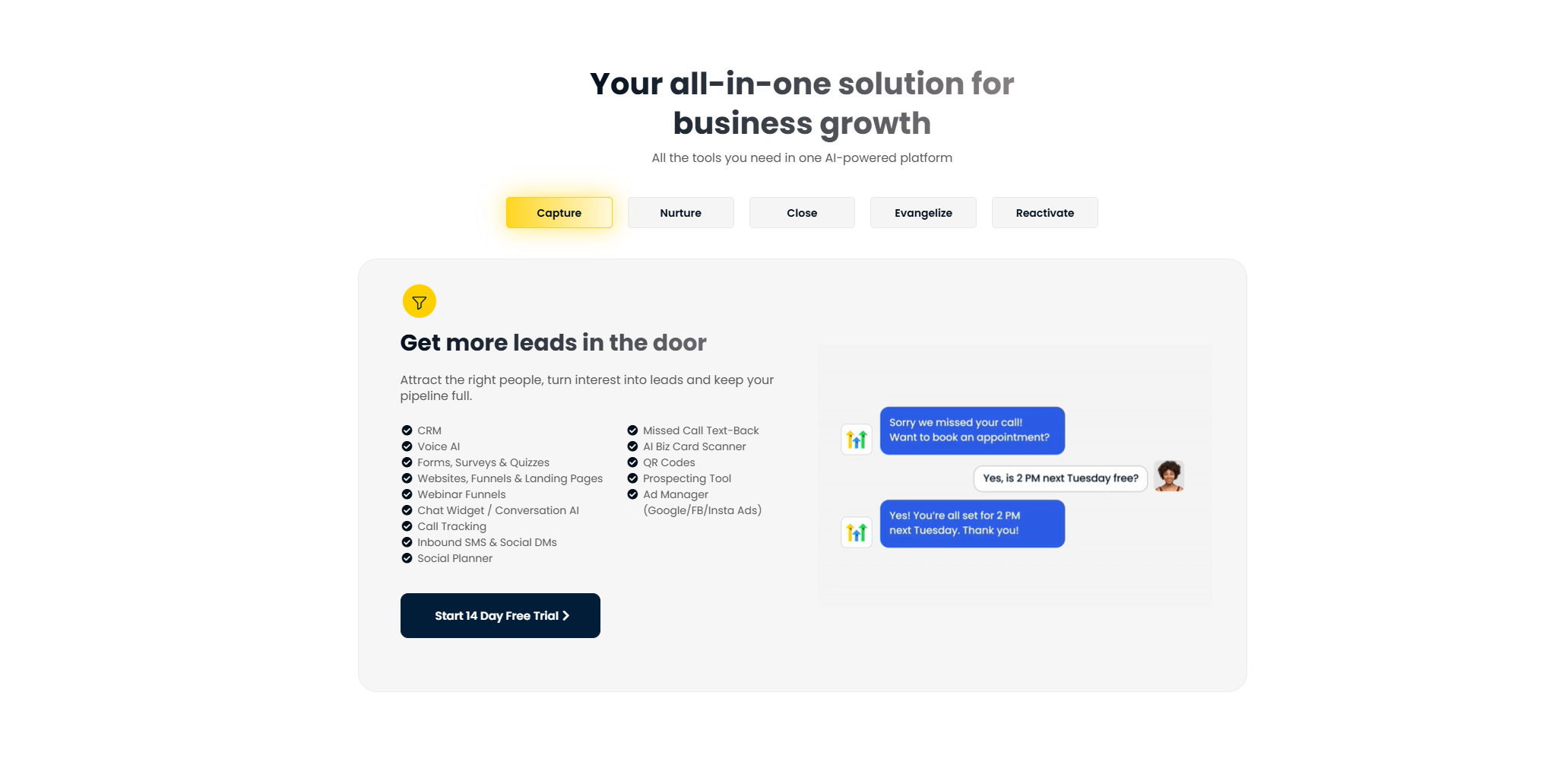
Pros
- It’s more versatile, covering marketing, sales, and customer communication.
- It’s highly customizable and feature-rich.
- Agencies can create multiple sub-accounts and resell the software to clients.
Cons
- It has a steep learning curve and a long setup.
- The interface is comparatively less intuitive.
- It’s overkill for a small business.
Conclusion
Let’s wrap things up by putting everything into perspective.
When you think of a CRM, what do you expect to see?
If your answer is leads, sales pipelines, and deals, Pipedrive is a good choice. It’s user-friendly, intuitive, and purpose-built for sales teams.
But if you want marketing, automation, and communication under one roof, choose GoHighLevel. It serves a broader purpose, working as a business operating system for agencies.
Try their free trials and see how they work to make a better purchase decision.


 A better way to manage projects and clients for freelancers
 Get through busy days like a breeze with Reclaim.ai