Note-taking used to mean scribbling in a hurry while half the lecture or meeting slipped away.
That problem looks very different today. AI tools now listen for you, write everything down, and even pull out the key points before you’ve had time to grab a notebook.
Out of the many transcription apps available, two platforms keep rising to the top: Notta and Otter.ai.
Both will turn your conversations into searchable notes, summaries, and transcripts. Both will save you hours of manual work. Yet they’re built with very different users in mind.
Notta is built for global professionals and students who need accurate transcription in multiple languages. It also works well for podcasts, YouTube, or interviews where audio and video files are the main source.
Otter.ai, on the other hand, has become a favorite for business teams who spend most of their day in Zoom or Google Meet.
This guide will walk you through their features, pricing, and use cases so you can figure out which tool fits your workflow.
Best for Whom: TL;DR
Here’s the short version:
- Notta is best for: Students, journalists, and solo professionals who need quick, accurate transcription in 58 languages. Great for uploading podcasts, YouTube videos, and interviews, plus exporting transcripts into Word or PDF. Solid option for multilingual and media-heavy workflows.
- Otter.ai is best for: Teams working in Zoom, Google Meet, or Microsoft Teams. Offers real-time transcripts, summaries, action items, and shared workspaces. With strong English accuracy and meeting-first design, it’s ideal for businesses that rely on daily collaboration.
What is Notta?
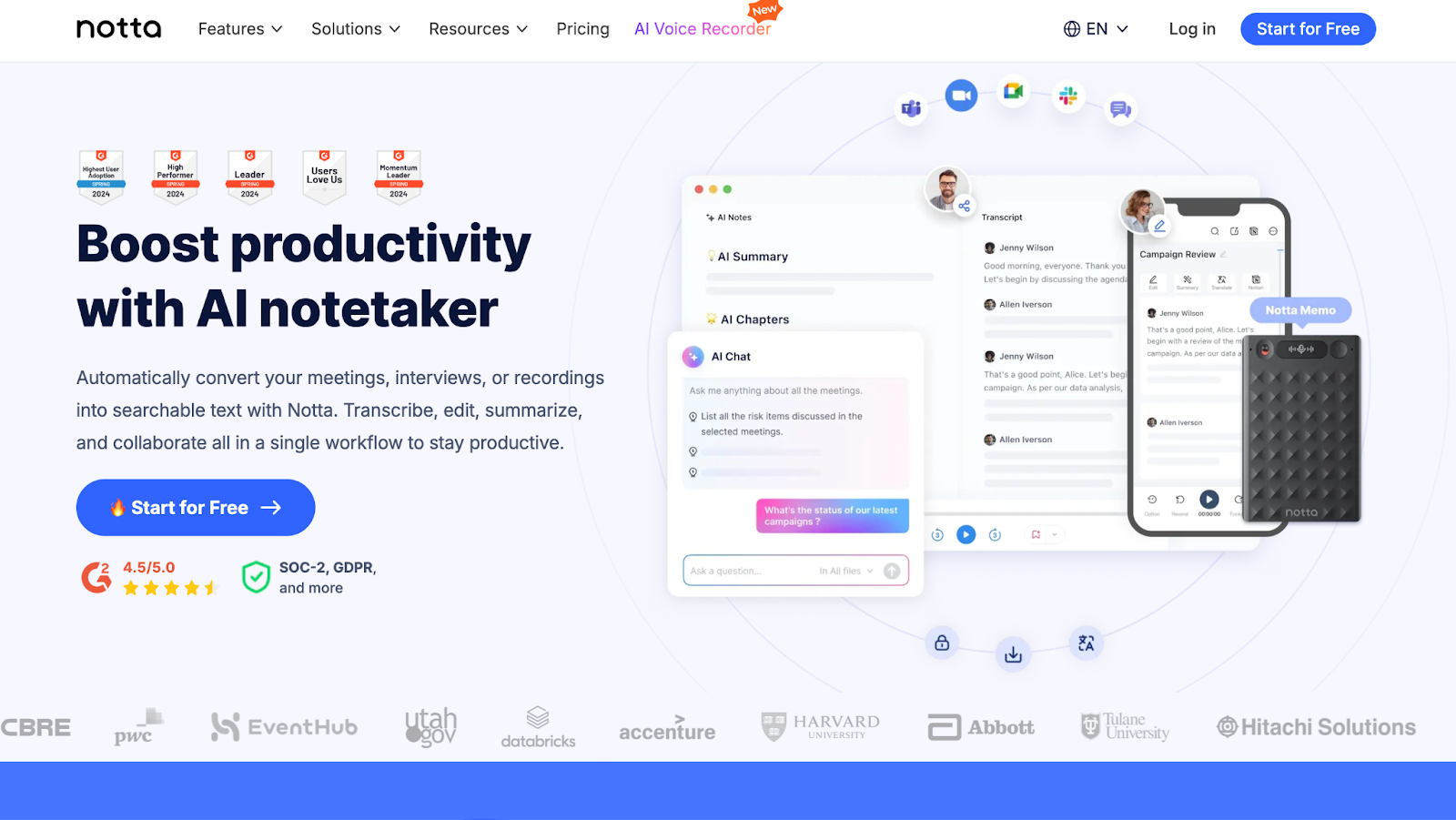
Notta is an AI-powered platform that helps you turn audio and video into text. Instead of typing out every word yourself, you can simply record a lecture, a meeting, or even a YouTube video, and Notta will generate a transcript for you within minutes.
The platform supports 58 languages and can even manage bilingual conversations, making it practical if you work across regions or need accurate notes in more than one language.
You can also translate transcripts into more than 40 languages, connect Notta with apps like Zoom, Microsoft Teams, Slack, or Notion, and export your notes as Word, PDF, or subtitle files.
If you’re a student, journalist, or professional who deals with podcasts, YouTube videos, or interviews, Notta helps you save time and keep everything organised.
What is Otter.ai?
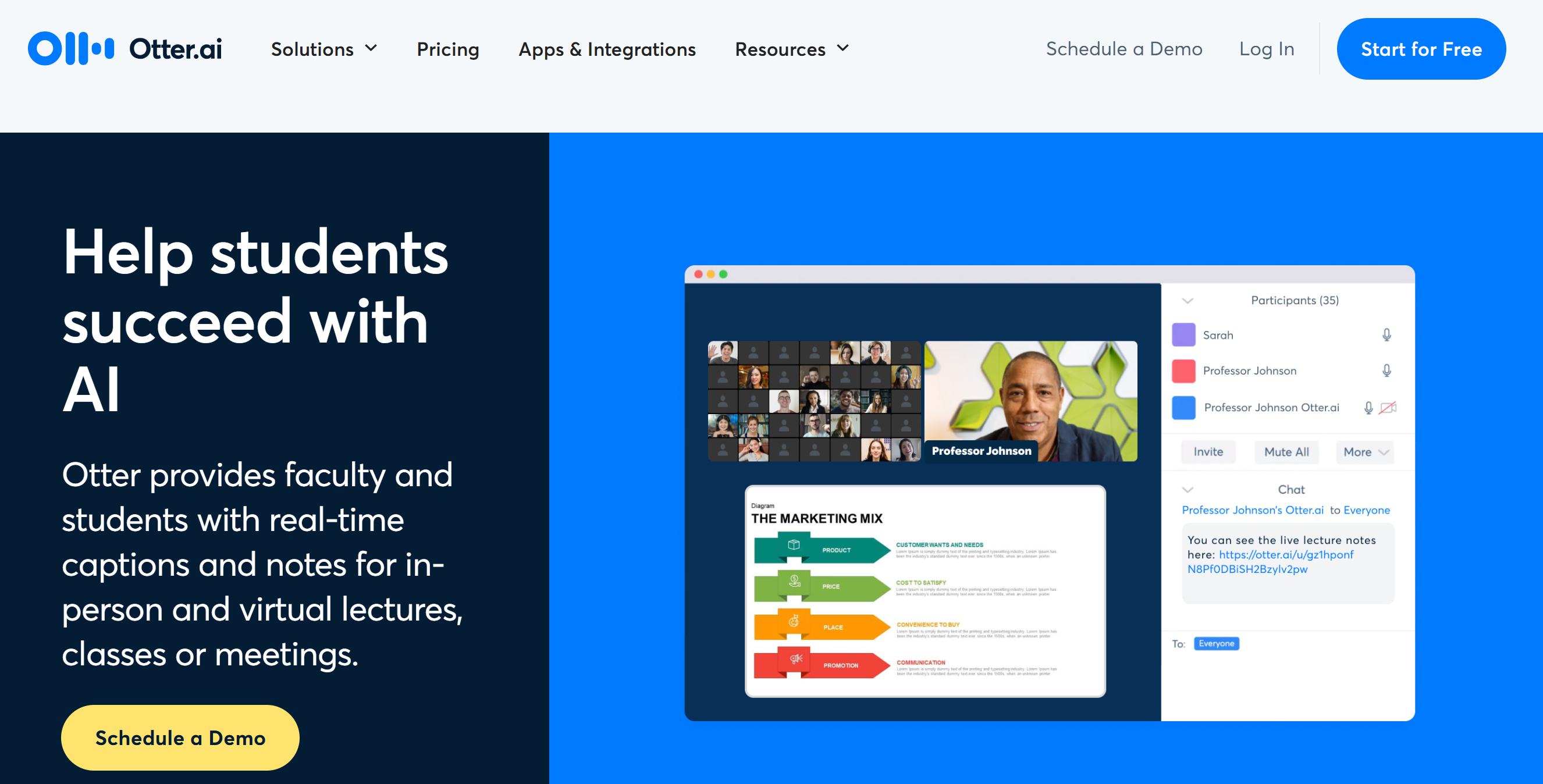
Otter.ai is an AI-powered tool that automatically transcribes and summarizes audio into written text. You can use it for meetings, lectures, interviews, or even personal notes, and it creates a clear, searchable record of what was said.
Once the meeting ends, Otter continues to be useful. It organizes the transcript, pulls out the key points, and even suggests action items so you know what to do next.
The platform is primarily designed for English and is known for its accuracy, with transcripts often reaching up to 95%.
Otter makes collaboration easier. You and your teammates can add comments, edit the notes together, and assign action items right inside the transcript.
How accurate are Notta and Otter.ai, and what languages do they support?
One of the first things you’ll notice when comparing Notta and Otter.ai is how they handle languages and accuracy. After all, a transcription tool is only useful if it can understand you clearly.
Notta
Language isn’t a barrier when you use Notta. It supports 58 languages and can even manage bilingual meetings where two languages are spoken at the same time.
You can also translate your transcripts into more than 40 languages, which makes Notta a good fit if you attend international classes, interview people from different regions, or work with podcasts and videos in multiple languages.
Otter.ai
Otter.ai takes a different approach. It focuses mainly on English transcription and doesn’t cover the same variety of languages as Notta.
Otter is valued for its precision. Transcripts often capture around 95% of the conversation, which makes Otter a reliable option if you need trustworthy notes from team meetings or professional discussions.
My Pick
If you want flexibility across languages and translations, Notta is the smarter choice.
If you only work in English and care most about high accuracy, Otter.ai is the tool to go for.
How fast are Notta and Otter.ai, and which one is easier to use?
Once you know how accurate a tool is, the next thing to think about is how quickly it delivers results and how easy it is to use. After all, there’s no point in getting a perfect transcript if it takes forever or feels too complicated to work with.
Notta
Speed is where Notta really delivers. A one-hour recording is usually transcribed in about five minutes, which means you get your results almost instantly.
The interface is simple and designed for individuals, so you can upload a file, let it process, and get your notes without needing any extra setup.
Otter.ai
The moment someone speaks on a live call, Otter starts transcribing their words on the screen. You don’t have to wait until the meeting ends; the notes are built as the conversation unfolds.
Because the transcript updates in real time, your team can follow along without breaking the discussion. This makes Otter a strong fit if your work depends on quick turnaround and ready-to-use notes after calls.
My Pick
If you want fast transcripts for your own recordings and prefer a tool that keeps things simple, Notta will be a better fit.
But if you work in a team environment and need real-time notes that plug straight into your meetings, Otter.ai will give you the edge.
What AI summaries and extra tools do Notta and Otter.ai offer?
Taking notes is one thing, but being able to pull out the important parts quickly is what makes these tools really useful. That’s where summaries and AI features come in.
Notta
Notta creates AI summaries that pull out the main ideas, key decisions, and action items for you.
Instead of sifting through a long lecture or interview, you can glance at the summary and instantly see what matters most. This is useful if you’re dealing with hours of content and don’t have time to go through it all.
Otter.ai
Along with summaries, Otter.ai generates action items automatically, giving you a ready-to-use checklist after every meeting.
You also get AI agents that adapt to different situations.
For example, in sales calls, they can point out follow-up tasks. In recruiting, they highlight candidate details. In education, they focus on key learning points.
This makes Otter more than just a note-taker; it feels like a smart assistant that understands the context of your work.
My Pick
If you mainly want quick summaries to cut down review time, you’ll find Notta more than enough.
If you’d like your tool to go the extra mile by creating action items and tailoring insights to your specific needs, you’ll get more out of Otter.ai.
How do Notta and Otter.ai handle different types of media?
Not all transcripts come from meetings. You might also need to work with podcasts, videos, or recorded lectures. Here’s how Notta and Otter.ai handle different types of media.
Notta
Notta doesn’t limit you to live capture. You can upload existing media, like interviews, lectures, or podcasts, and get a clean, well-structured transcript within minutes.
That makes it handy if you’re a content creator repurposing audio, a student reviewing recorded lectures, or a journalist working through long interviews.
The speed makes it practical when you’re on a deadline and need accurate text from recorded content without delay and extra steps in your workflow.
Otter.ai
With Otter, you’ll get the most value in a live setting. It’s designed to capture conversations in real time and turn them into transcripts you can follow along with.
You can upload recordings if you need to, but the platform is at its best during active meetings. As people talk, Otter picks up their words instantly and organizes them into a transcript you can follow along with.
On top of that, you can search through past transcripts by keyword, which makes it easy to find the exact part of a meeting you need without replaying the whole thing.
My Pick
If you often deal with podcasts, recorded lectures, or video content, you’ll find Notta more versatile.
If your main focus is live discussions and meetings, Otter.ai is the tool you’ll want by your side.
How do Notta and Otter.ai fit into your workflow and integrations?
Integrations can make or break your experience with a transcription tool. Once you know it understands you clearly, the next question is how well it fits into your daily workflow.
Notta
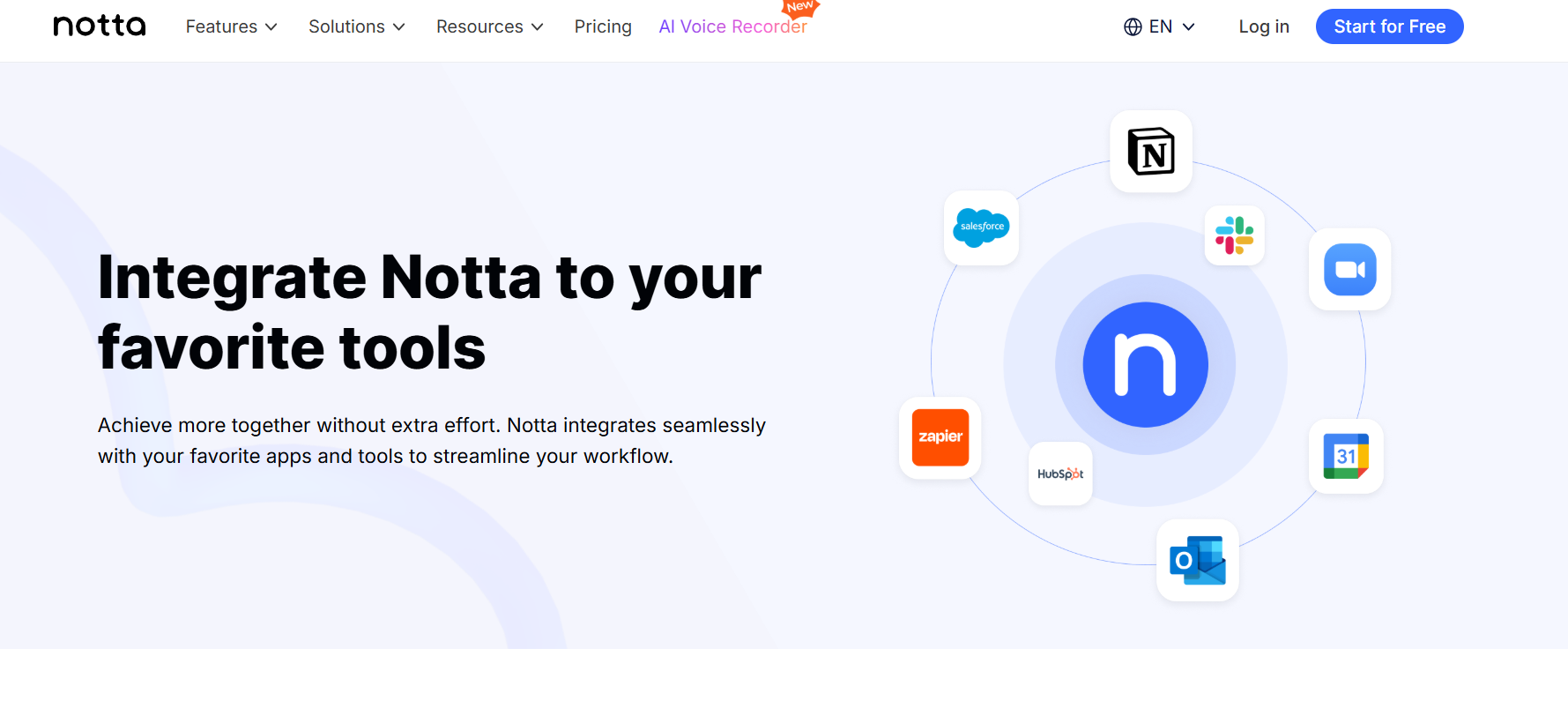
Notta blends into your routine with tools like a Chrome extension and media transcription. You can grab notes from YouTube, podcasts, or webinars without adding extra steps to your workflow.
You can also upload media files and have them converted into text within minutes.
For sharing, Notta integrates with apps like Slack, Notion, and Salesforce, so your notes can be moved straight into the tools you already use.
Otter.ai
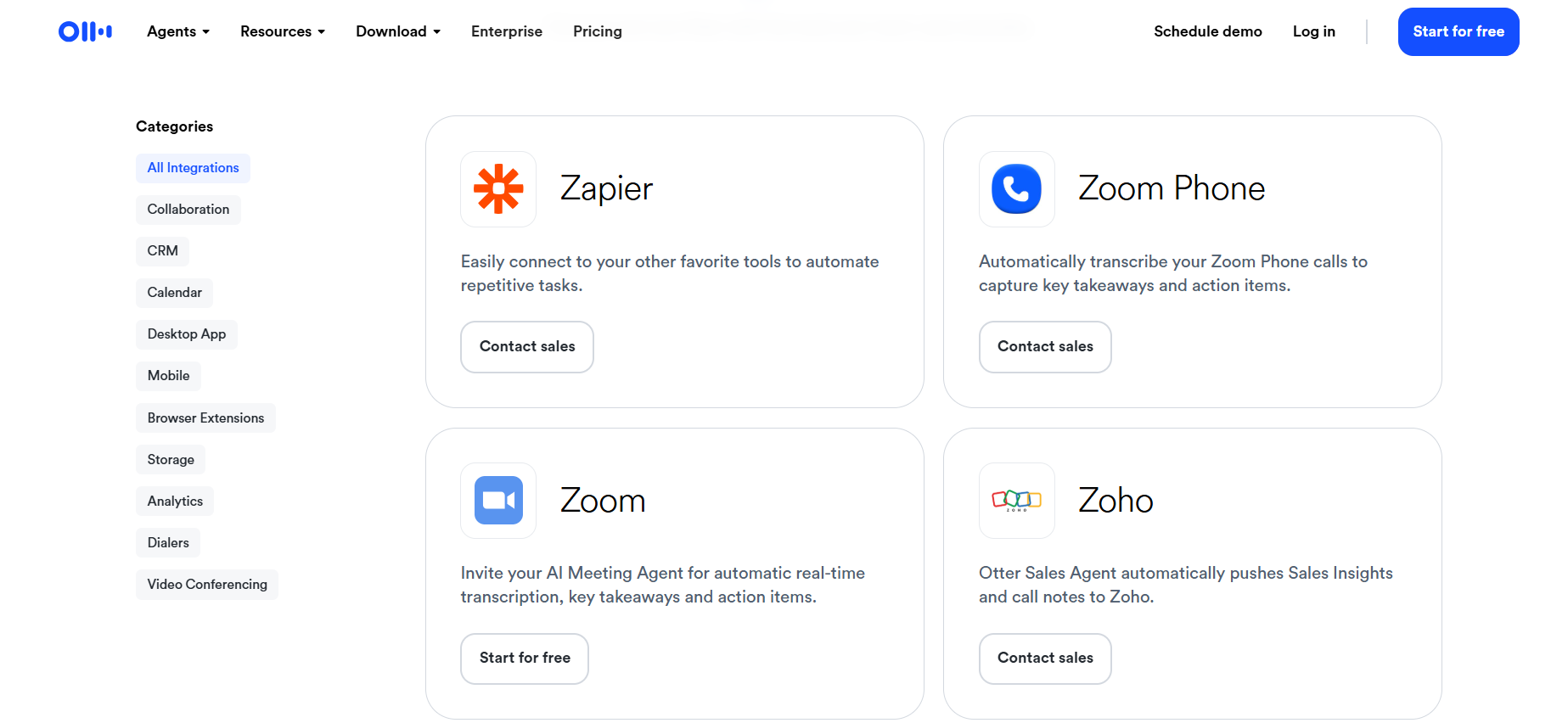
If meetings take up most of your day, Otter makes it easier to keep everything in one place.
It works with different meeting apps, and through its Notetaker feature, it can even join scheduled calls automatically when your calendar is synced.
With Otter, you can also send transcripts into Google Docs for editing, organize them in Notion, share updates instantly in Slack, or log client conversations directly into Salesforce or HubSpot.
It also connects with Jira and Asana for task management, and Dropbox for storage, so your notes and action items flow straight into the tools your team already uses.
My Pick
If you mainly need to capture content from videos, podcasts, or uploads, you’ll find Notta more flexible.
But if your work revolves around live meetings and teamwork, Otter’s integrations and AI agents will fit your workflow better.
How do Notta and Otter.ai compare on collaboration?
After your transcripts are ready, what matters next is how easily you can share and work on them with others. Here’s how Notta and Otter.ai compare on collaboration.
Notta
Collaboration in Notta is straightforward. You can export your transcripts as Word or PDF documents, or even as subtitle files.
Subtitle files (like SRT or VTT) include timestamps alongside the text so they can sync with videos, making them useful if you’re adding captions to YouTube uploads or editing content for accessibility.
Once exported, you can share these files with others through email or third-party apps.
Notta doesn’t offer live co-editing, so it’s more suited for individual use. If you’re studying, researching, or creating content, the basic sharing options cover your needs.
Otter.ai
Otter is designed to support teamwork directly. It gives you shared workspaces where you and your colleagues can access the same transcript.
Inside these workspaces, you can drop comments next to specific lines (like asking a teammate to clarify a point), highlight key moments that matter (such as deadlines or decisions), and even edit the transcript together while the meeting is still fresh.
In a professional setting, this makes collaboration easier because your whole team can stay aligned and act on the same information.
My Pick
If you mostly work on your own and only need to pass transcripts around occasionally, Notta will do the job.
However, if you’re part of a team that depends on collaboration during and after meetings, Otter.ai is the better option.
Pricing
Once you’ve looked at features, the next big factor is cost. Both Notta and Otter.ai offer free plans, but the way they structure their pricing is quite different.
Notta
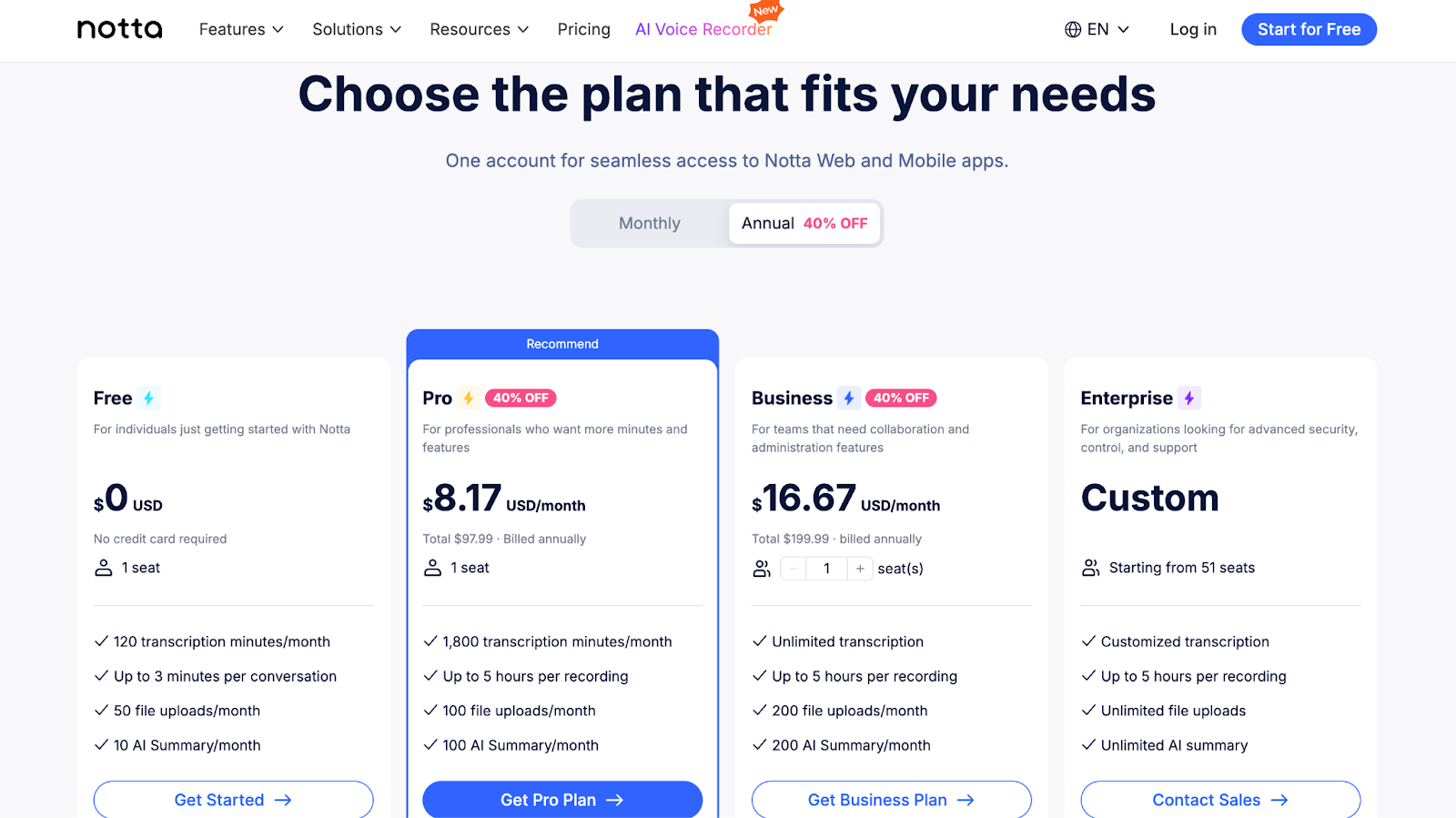
- Free: 120 transcription minutes/month; up to 3 mins/conversation; 50 file uploads/month; 10 AI summaries/month.
- Pro ($8.17/month, annual billing): 1,800 transcription minutes/month; 100 uploads and AI summaries/month; export and translation; custom vocabulary.
- Business ($16.67/month, annual billing): Unlimited transcription; recordings up to 5 hours; 200 uploads and AI summaries/month; advanced security; video meeting recording.
- Enterprise (custom pricing): Everything in Business plus seat-based scaling for 51+ users, SSO, audit logs, and priority support.
- Add-ons: Monolingual translation ($6/month) or bilingual transcription and translation ($9/month).
Otter.ai
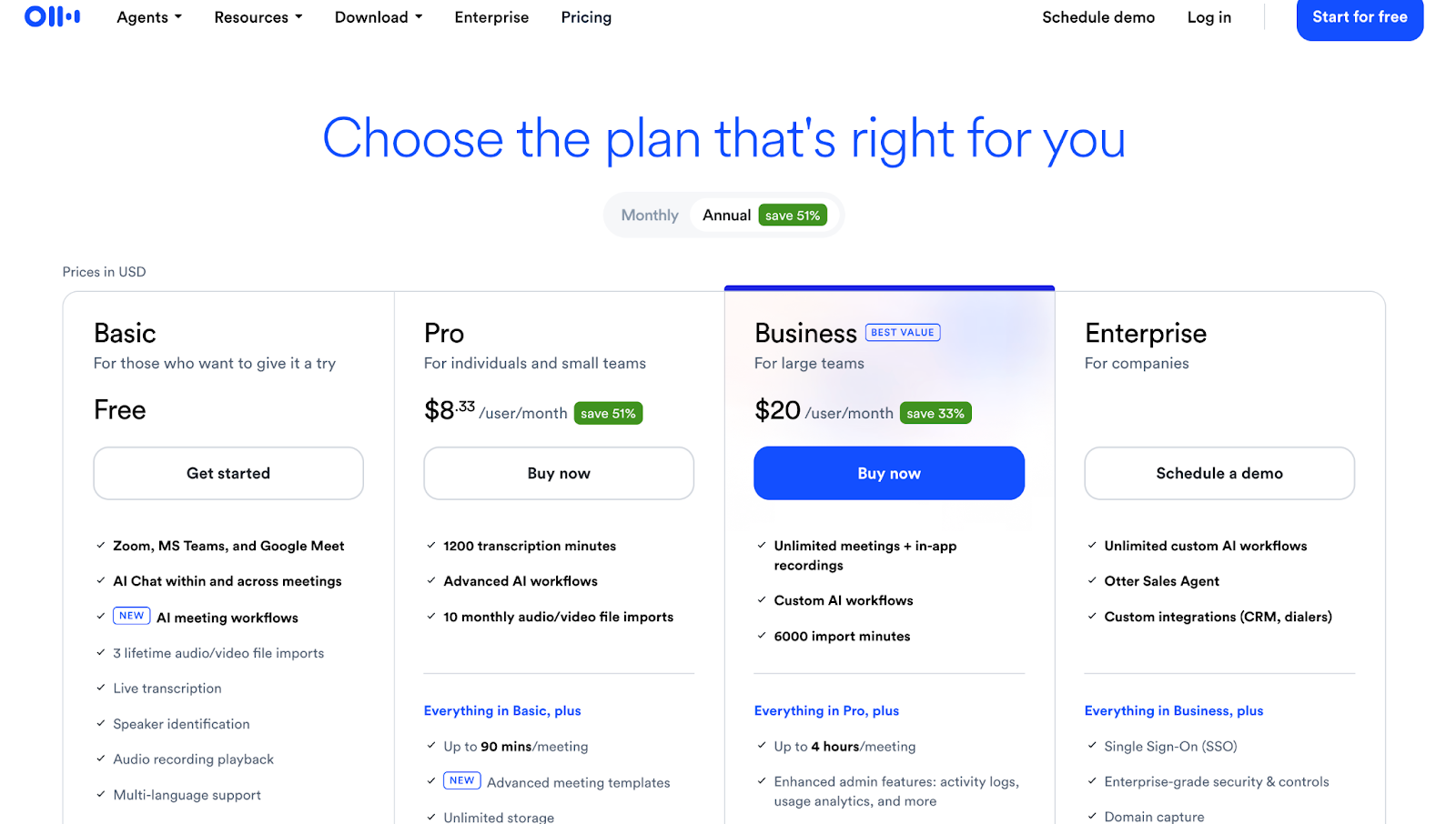
- Basic (Free): 300 transcription minutes/month; speaker identification; limited file imports (3 lifetime).
- Pro ($8.33/user/month, annual billing): 1,200 transcription minutes/month; 90 mins/meeting; 10 file imports/month; advanced exports; AI tools.
- Business ($20/user/month, annual billing): Unlimited meetings and in-app recordings; 6,000 import minutes; admin controls; priority support.
- Enterprise (custom pricing): Large-scale plans with advanced security, including SSO and HIPAA compliance, and custom integrations.
Pros and Cons
Each tool comes with its own strengths and limitations. Here’s a look at how Notta and Otter.ai stack up in terms of pros and cons.
Notta
Pros:
- Runs in your browser, so no need to install heavy software
- Speaker identification separates who said what in recordings
- Add-ons for translation are affordable compared to standalone tools
- Team folders on Business plans help keep transcripts organized by project
- Calendar recording (on higher plans) lets you schedule transcriptions in advance
Cons:
- No smart AI agents to organize content beyond summaries
- Doesn’t offer advanced search across past transcripts, unlike Otter
Otter.ai
Pros:
- Works across desktop, web, and mobile apps
- Automated slide capture saves shared slides alongside notes
- Audio-text sync lets you click words to replay the exact moment
- Custom vocabulary and speaker tags improve accuracy over time
- Includes timestamps in transcripts (export availability depends on plan)
Cons:
- Transcripts may cut off if meetings exceed plan limits
- Admin controls are basic compared to enterprise-grade competitors
Notta vs Otter.ai: Which one should you pick?
Accuracy
High across clean audio. Minor variation depending on language.
Languages
58 transcription languages. 40+ translation languages.
Pricing
Starts at $8.17 per month billed annually.
Best Use Case
Students, journalists, podcasters, YouTube creators, multilingual workflows.
Accuracy
Very high in English. Often around 95% for meetings.
Languages
Primarily English-focused.
Pricing
Starts at $8.33 per user per month billed annually.
Best Use Case
Business teams, sales calls, Zoom and Google Meet heavy users.
Both Notta and Otter.ai are strong transcription tools, but the right one for you depends on how and where you plan to use it.
If you often work with podcasts, YouTube videos, or recorded lectures, Notta is the more flexible option.
Its multilingual support and fast file processing make it a reliable pick if your work goes beyond English or you need quick transcripts from different types of media.
On the other hand, if your day is packed with live meetings, Otter.ai will serve you better.
Its real-time transcription, collaboration tools, and AI action items are designed to help teams stay organized and productive.
In short, go with Notta if you want versatility across languages and media. Choose Otter.ai if your main need is accurate meeting notes and smooth team collaboration.


 A better way to manage projects and clients for freelancers
 Get through busy days like a breeze with Reclaim.ai