Customer support is one of the few sectors where AI has become a helpful disruptor.
And for all the good reasons.
The bots can work 24/7.
They don’t need mini-vacations.
They can answer stupid repetitive queries countless times without emotions getting in their way (at least until they become sentient and touchy-feely).
That is why expanding the use of AI and bots across the customer experience is an important priority over the next 12 months for 72% of business leaders.
All this leads to one conclusion: stop wasting your time hiring a bunch of people for customer support when software can do it better, faster, and cheaper.
In this guide, we review Freshdesk (by Freshworks)—an AI-powered helpdesk and ticketing software.
By the end, you’ll have an answer to “Is Freshdesk the right customer support automation software for my business?”
Freshdesk Review Summary
Freshdesk is a help desk and ticketing software that helps companies manage and organize customer support requests from various channels like email, social media, and live chat.
It provides a central hub for tracking tickets, accessing customer histories, and a knowledge base for customers to find answers themselves.
Key features include:
- an intuitive ticketing system
- self-service capabilities
- automation for ticket routing and AI-powered suggestions
- and in-depth analytics for tracking performance metrics.
Freshdesk Ratings (⭐⭐⭐⭐⭐)
- G2: 4.4/5
- GetApp: 4.5/5
- TrustRadius: 8.6/10
- Capterra: 4.5/5
What We Like
- Easy to use and navigate with a clean, minimal dashboard.
- Powerful automation capabilities for ticket assignment and updates.
- AI-powered suggestions from “Freddy” to improve agent productivity.
- Comprehensive analytics and reporting for monitoring metrics.
What We Don’t Like
- Limited functionality in the free plan for larger teams.
- Some niche features like custom reports are limited to higher-tier plans.
Platform Availability & Price
- Web app.
- Mobile app: Android and iOS (iPhone and iPad).
- Free plan, paid plan starts at $19/month when billed annually (14-day free trial on paid plans).
What is Freshdesk?
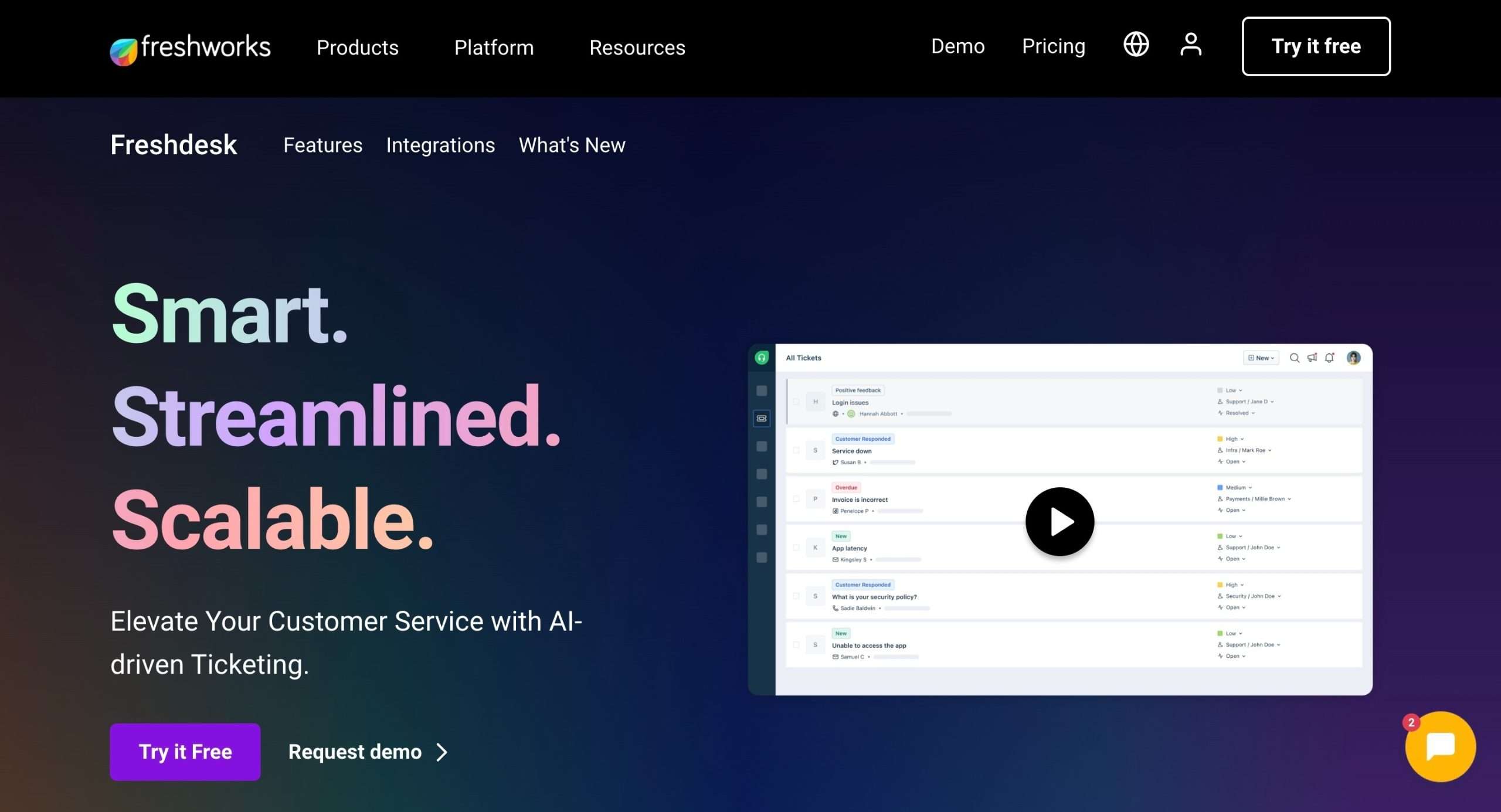
Freshdesk is a tool that makes it easy for companies to handle customer support and keep their customers happy.
Whenever a customer has an issue or question, they can reach out to you through email, social media, live chat, or whatever channel they prefer.
All those messages and requests get funneled into Freshdesk, so you can see everything in one place.
Freshdesk is a central hub where you can organize and manage all those support requests, a.k.a. tickets.
But that’s not all.
Freshdesk also gives you a complete overview of each customer’s history with your company. You can see their past conversations, issues they’ve faced, and any other important details about them.
On top of that, Freshdesk has a bunch of other cool features.
I am talking about a knowledge base where customers can find answers to common questions themselves, automation to route tickets and send updates, and reporting to track how your support team is doing.
With that said, let’s explore Freshdesk features and capabilities.
Ease of Use
Freshdesk is pretty easy and fun to use.

This is thanks to the minimal dashboard equipped with interactive graphs and data that makes it super easy to make sense of your customer queries.
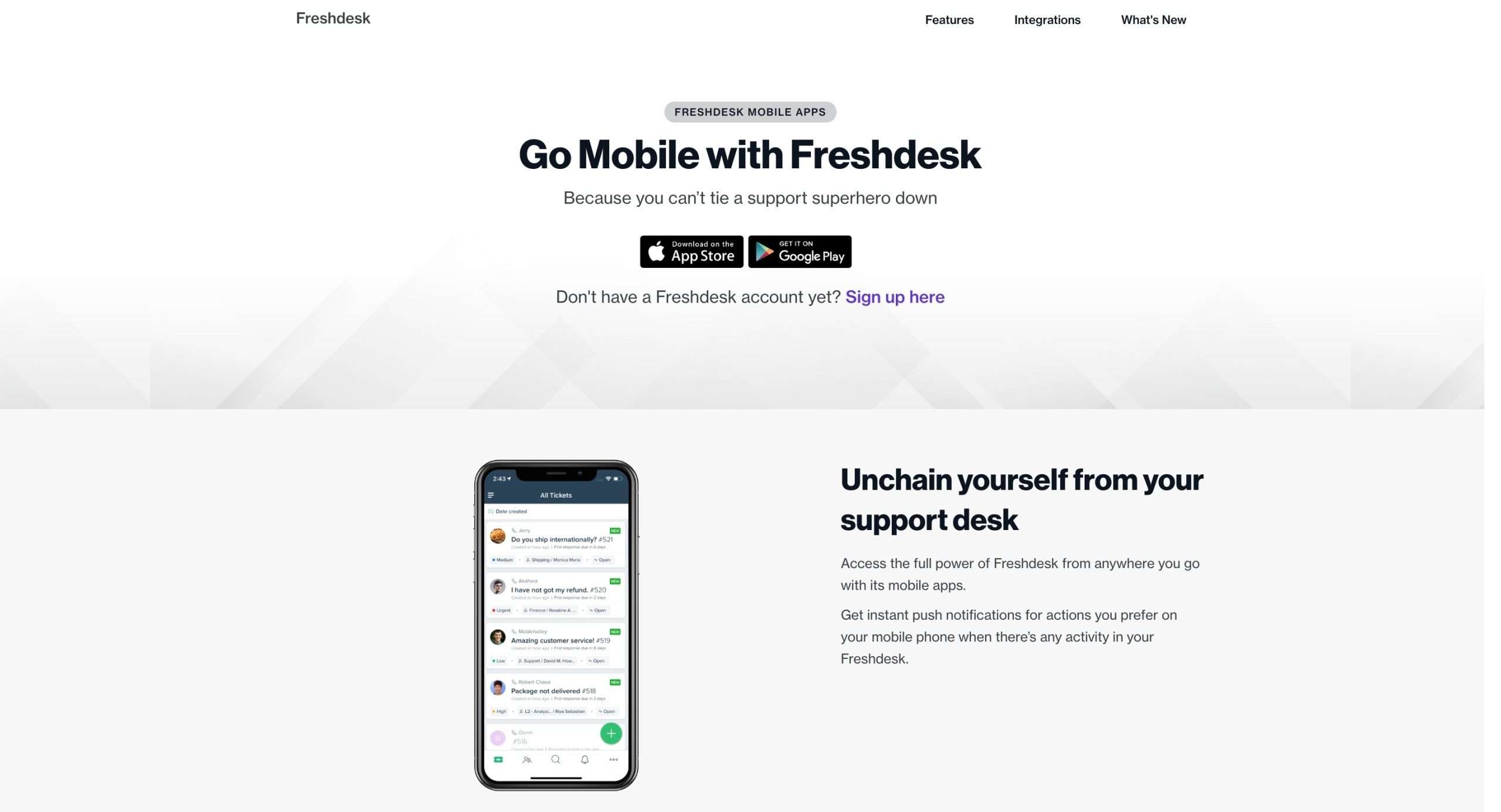
And while Freshdesk is not available as a standalone desktop app for Windows, Mac, or Linux, you can use it on any web browser.
Plus, it has mobile apps for both Android and iOS (iPhone and iPad).
Freshdesk also comes with a lot of handy keyboard shortcuts, making it easy to use.
To access the shortcuts, press the ‘?‘ key or head over to settings in the top right corner to find it.

There is a shortcut for almost everything. While you cannot change the hotkeys, it is still pretty convenient once you remember which key does what.

Overall, Freshdesk has a clean interface with easy accessibility and navigation.
Ticketing System
Creating and managing tickets inside Freshdesk is so easy and organized.
This is what the Tickets page looks like:

Click on any ticket to view more details about that specific ticket.
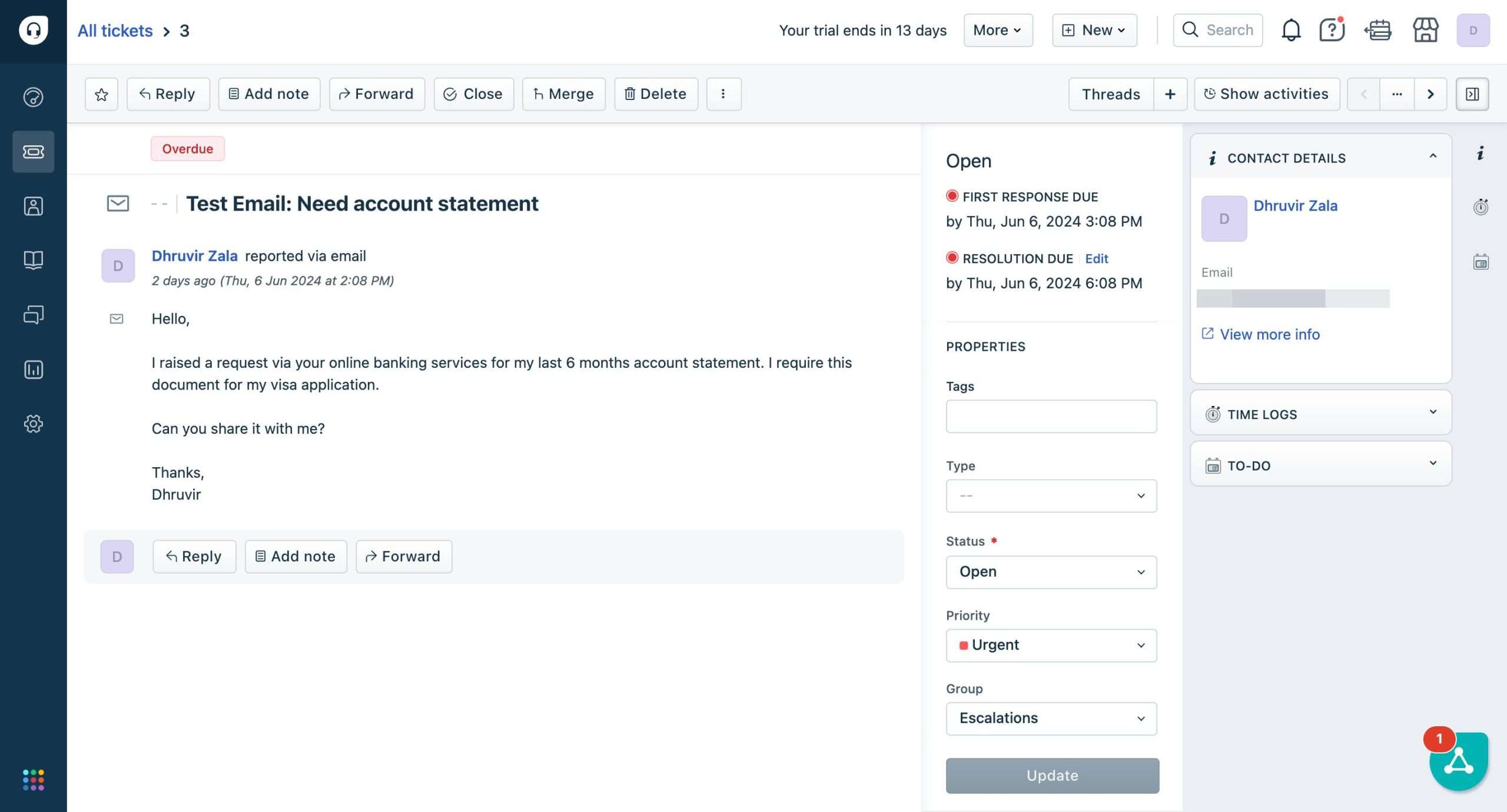
To click on a new ticket, click on, well, New button.
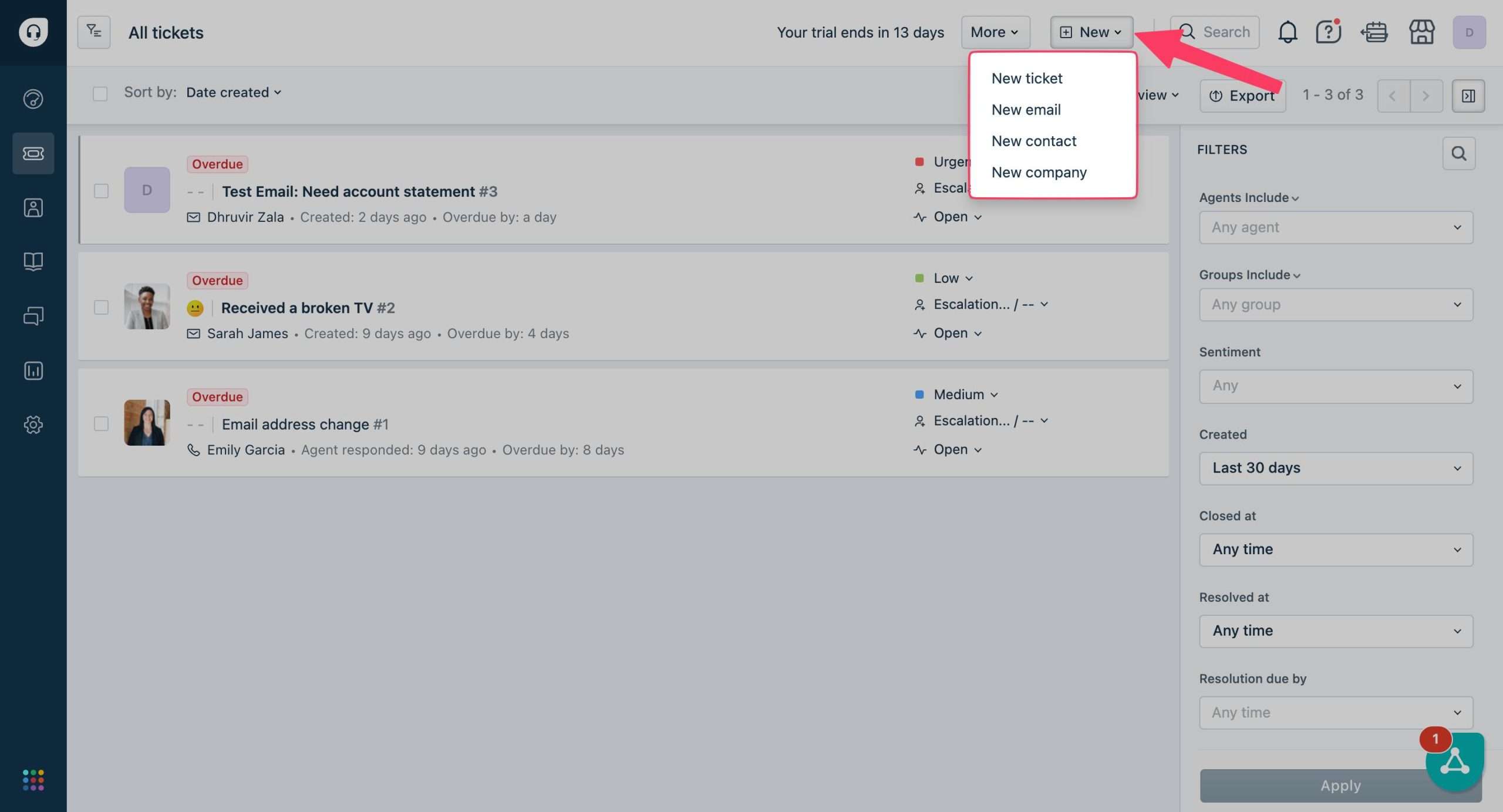
Notice how besides a new ticket, you can also create a new email, a new contact, and a new company.
We are interested in creating a new ticket. A ticket creation window opens up.
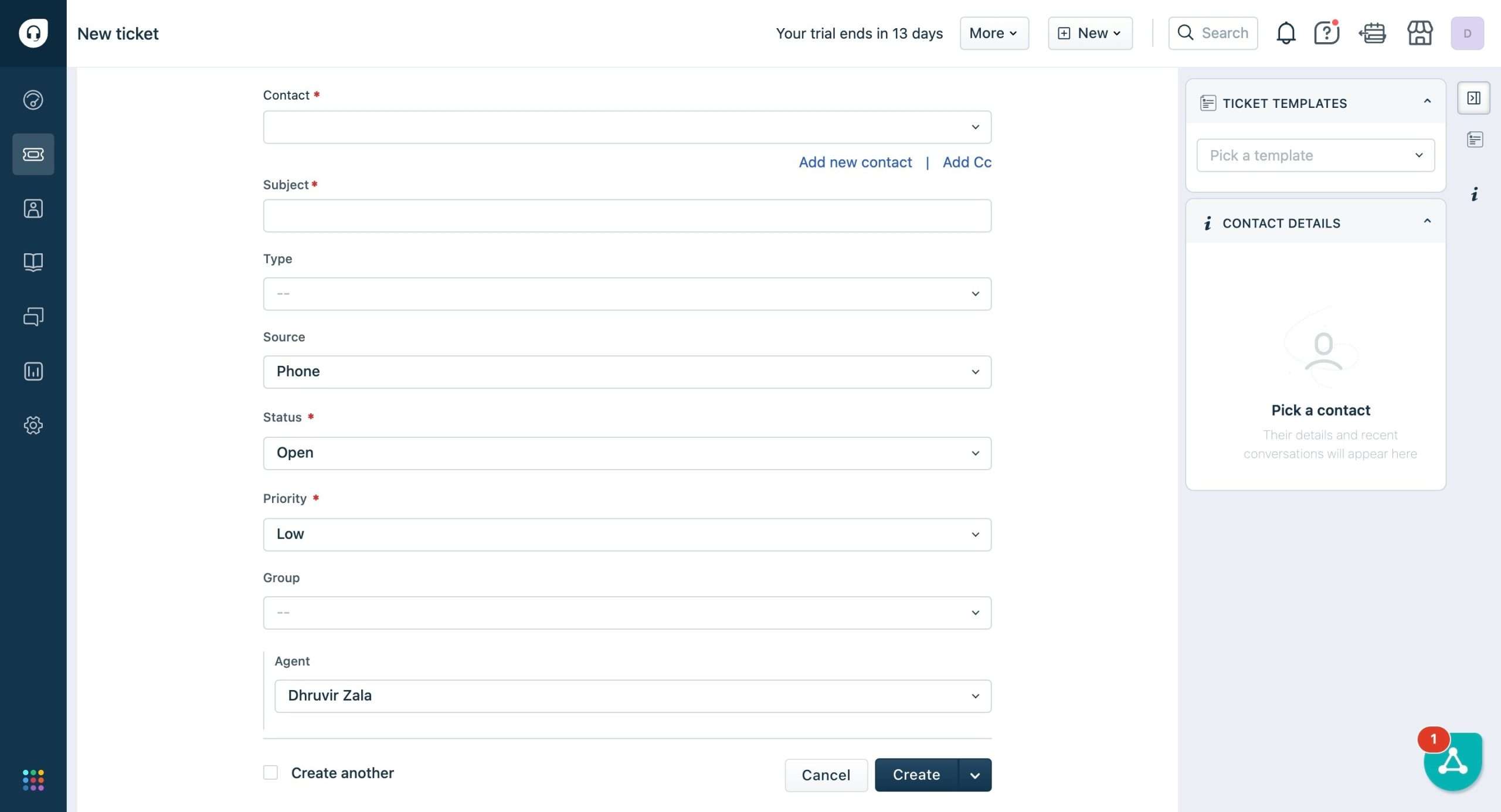
Fill in all the details and your customer ticket is created. Simple as it can get.
One of the cool things about Freshdesk is that it enables you to manage support tickets from multiple channels like email, phone, chat, and social media in one place.
Customers can reach out through their preferred channel and get consistent support.
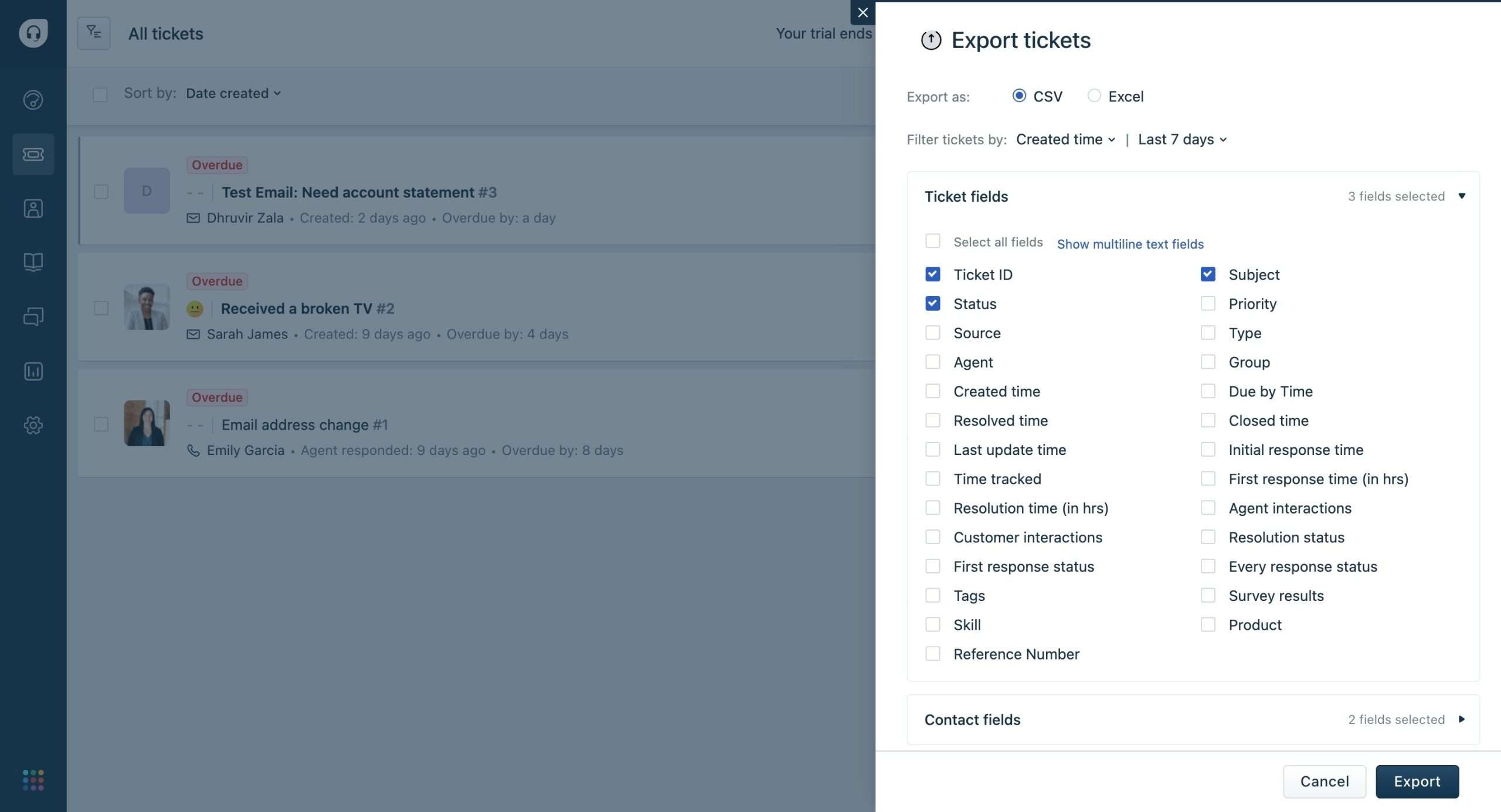
Exporting your tickets is also highly personalized inside Freshdesk. Click on the Export button to open up the export window.

You can export anything from a specific ticket field to everything in CSV and Excel formats.
Self-Service
One of the primary benefits of Freshdesk’s self-service feature is that it reduces the need for direct contact between customers and support agents.

This not only saves time but also improves customer satisfaction.
When customers can find answers quickly and easily, they are more likely to be satisfied with the support they receive.
Additionally, self-service reduces the workload for support agents, allowing them to focus on more complex issues that require human intervention.
It improves customer satisfaction by providing customers with the tools they need to find answers quickly and easily.
Knowledge Bases can be accessed from here:

It allows you to create a separate help and support page for your product/service so that the customers can get answers to frequently asked questions without human/chatbot intervention.
You can create both categories and folders for your knowledge bases to organize them.

Additionally, Freshdesk even allows you to build an activity community through its built-in forums feature.

Some if not all tickets can be resolved by creating a forum topic instead of a ticket.

This is really helpful as forums can evoke a sense of participation-seeking and doubt-solving.
Automation in Freshdesk

One of the significant advantages of using Freshdesk is its robust automation feature. It allows administrators to set up rules that automatically assign tickets to the right agent or group based on specific criteria.
For instance, you can set up a rule to assign high-priority tickets to senior agents or those with specific expertise. This ensures that critical issues are handled efficiently.
Another powerful feature of Freshdesk’s automation is scenario automation. This feature enables agents to perform multiple actions on a ticket with just one click.
For example, you can set up a scenario to automatically update the ticket status, assign a task, and send a notification to the customer all at once.
Freshdesk’s Freddy AI is another game-changer when it comes to automation.
This AI-powered feature uses machine learning algorithms to analyze customer interactions and provide personalized suggestions to agents.
Freddy AI can suggest the best course of action based on the customer’s history and preferences, ensuring that agents have the right information to resolve issues efficiently.
Additionally, Freddy AI can automate repetitive tasks such as data entry, freeing up agents to focus on more complex issues.
Analytics
Freshdesk Analytics is a total game-changer for any support team out there.
It gives you the lowdown on your customer service game with detailed reports on everything from ticket volumes to agent productivity to customer satisfaction scores.

This is gold for making smart calls and tuning up your support operations.
You can peep trends, spot issues before they blow up, and see which agents are killing it or need some extra training.
You can customize the dashboards to track whatever metrics matter most to your team.

And it gets better.
Freshdesk lets you filter and slice that data in any way you want, with slick visualizations to make those insights pop. You can even download specific data in CSV and PDF formats.

Some Other Notable Freshdesk Features
Freshdesk is hard to summarize in one blog post, to say the least.
There is a lot that gets unpacked once you start using it.
Below are some additional features that are worth exploring:
Freshdesk Mobile Apps: Besides the web, you can access Freshdesk on both Android and iOS. The mobile apps allow you to stay on top of your customer support game while on the go. Creating and managing tickets has never been easier and more efficient.
Integrations: Freshdesk integrates with over 1000 third-party apps that make it scary and powerful when connected right.
Integrations can be accessed from the Freshdesk Marketplace Apps.

You can see countless apps divided into categories.

Inside each app, you will see a clear ‘how to install?‘ process.
Not bad.
Thank you detector: Finally, this is a simple feature I found interesting.
NOTE: Thank you detector is a part of Freddy (AI-powered assistant inside Freshdesk).
To locate it, head over to Admin Settings > Freddy.

Scroll down until you see the thank you detector inside Insights, which is a beta feature.

Enabling it will allow Freddy to automatically stop the tickets when a customer uses phrases like “thank you”.
Freshdesk Price and Plans

Freshdesk has a free plan that gives you basic ticketing and knowledge base tools for up to 10 agents. Not bad to get started, but pretty limited.
They also provide a 14-day free trial on their paid plans to try out all the features.
The real action starts with their paid plans.
The Growth plan costs $19 per agent per month (billed annually) and unlocks some good stuff like automation rules, loads of integrations, and better reporting.
If you need more heavy-duty capabilities, the Pro plan is $49 per agent per month (billed annually). This level adds custom objects, custom reports, community forums, and multi-language knowledge bases among other goodies.
Start using Freshdesk for free→
Is Freshdesk Worth It?
Hell yeah, it is!
With its robust features, user-friendly interface, and scalable pricing plans, Freshdesk is a no-brainer for businesses that prioritize customer satisfaction.
Still on the fence?
Let me leave you with this.
imagine a world where:
- your support team is operating like a well-oiled machine
- customers are getting the help they need
- and you’re making data-driven decisions that propel your business forward.
That’s the reality Freshdesk can offer you.


 A better way to manage projects and clients for freelancers
 Get through busy days like a breeze with Reclaim.ai